
Storycast connects your WordPress site to Content Pulse, a distribution service for publishers. It reads what you publish and turns it into social posts that look like your brand, then publishes them for you and reports how they did.
What it does
- Strategies decide what goes out. Morning, midday and late bulletins, topic carousels, daily and weekly round-ups, latest articles, and breaking news. Each strategy chooses from your own articles, on the networks and at the times you set.
- Posts in your own brand. Pictures, carousels and short videos drawn in a look you choose and adjust, with your colours, fonts and logo. Videos can carry a voiceover written from the article.
- A caption for each network. Written for that network’s length and style, with a link back to your article.
- Thirteen networks. Facebook, Instagram, TikTok, YouTube Shorts, LinkedIn, X, Threads, Bluesky, Pinterest, Reddit, Snapchat, Telegram and Google Business Profile, each connected on the network’s own sign-in page.
- Approve first, or not. Every post can wait in Approvals for a click, and can be edited there before it goes out. Editors can use Approvals without being administrators.
- Breaking news goes straight away. Tag a story as breaking and it posts at once.
- Performance on the Dashboard. Reach and engagement per post and per network, and an Activity feed of everything published.
Getting started
- Install and activate the plugin, then open Content Pulse in the admin menu.
- Press Connect to link this site to Content Pulse (see External services below).
- Follow the setup: your brand, a look, a plan, your strategies, and the social accounts to post to. Someone else can connect an account for you through a link you send them.
A Content Pulse subscription is needed to publish. Plans and prices are shown during setup.
External services
This plugin connects to Content Pulse (https://content-pulse.app), a service run by the plugin’s authors. It is needed for the plugin to work: Content Pulse makes the social posts and videos, publishes them, and collects their results.
Nothing is sent until an administrator presses Connect on the plugin’s first screen and agrees to the terms. After that, the plugin sends to https://app.content-pulse.app:
- When you press Connect: this site’s address, name, time zone and language, to create your account.
- When a post is published, updated or unpublished, and once after connecting for your existing posts: the post’s title, text, excerpt, address, pictures, categories and tags, and its author’s name, profile link and avatar address. Avatar addresses come from Gravatar and contain a scrambled (hashed) form of the author’s email address; the email address itself is not sent. Drafts and private posts are not sent, except as below.
- When you change categories, tags or authors: their names and addresses.
- When an editor presses “Evaluate with Storycast” in the post editor (only if Storycast insights is switched on): the story as it stands, including a draft: its title, text, excerpt, categories, tags and photo addresses, to check which strategies it qualifies for and draw previews. It is not stored.
- When you use the plugin’s screens: your brand settings and logo, the look, the strategies and the social networks you choose, your edits to posts waiting for approval, and the email addresses for approval notices. When you first open Approvals (and again if it changes), the site administrator’s email address is sent so the summary of posts waiting for approval can reach them.
- When you choose a plan: your choice, plus the name and email address of the WordPress user starting checkout and a country taken from the site language, to fill in the payment page. Payment details are entered on the payment provider’s own page, not in WordPress.
Passwords, comments and your visitors’ data are never sent. Social accounts are connected on each network’s own sign-in page; this plugin never sees those passwords.
- Content Pulse Terms of Service: https://content-pulse.app/terms
- Content Pulse Privacy Policy: https://content-pulse.app/privacy-policy
Screenshots
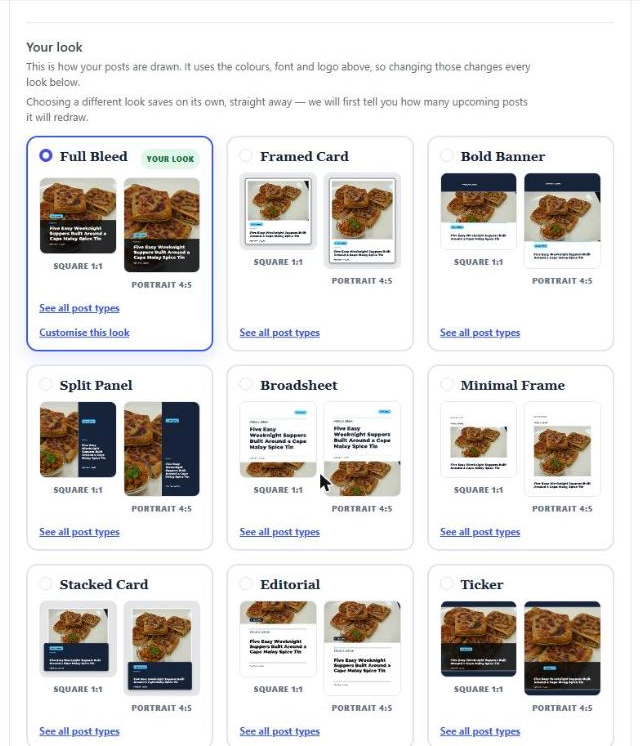
Choose a look: your own article drawn in each look, in your brand.

Strategies: what goes out, where and when.
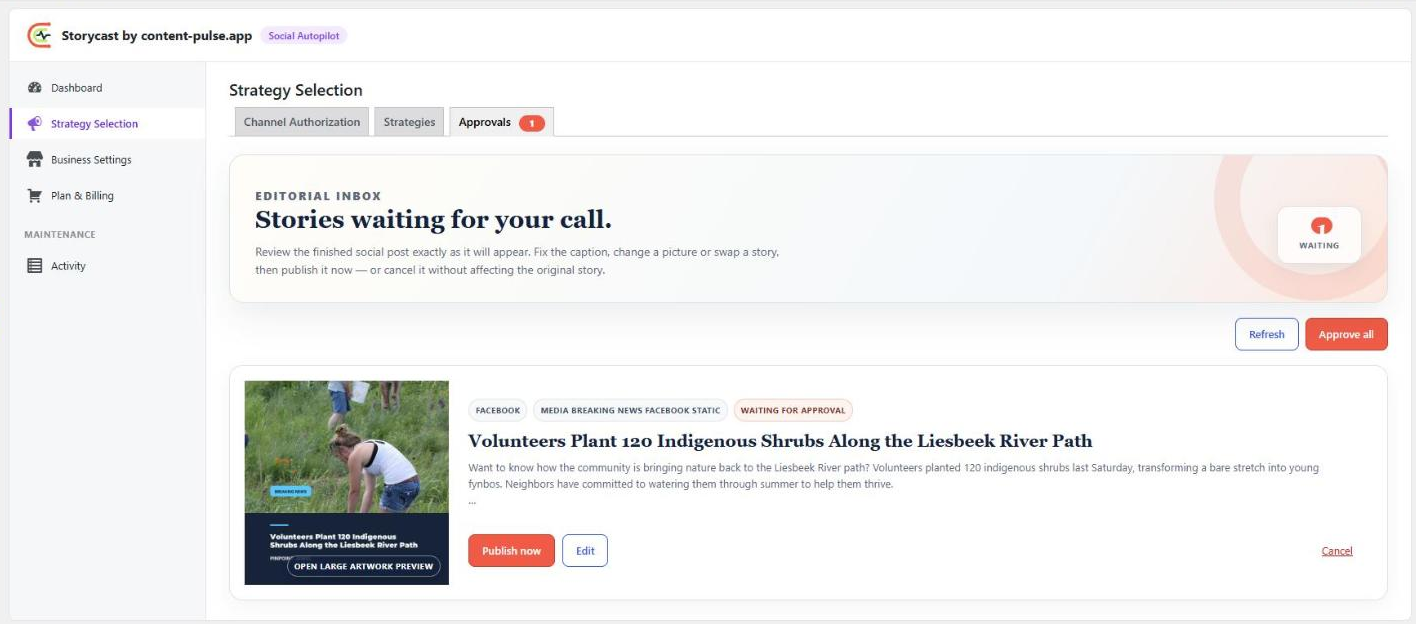
Approvals: check and edit a post before it is published.
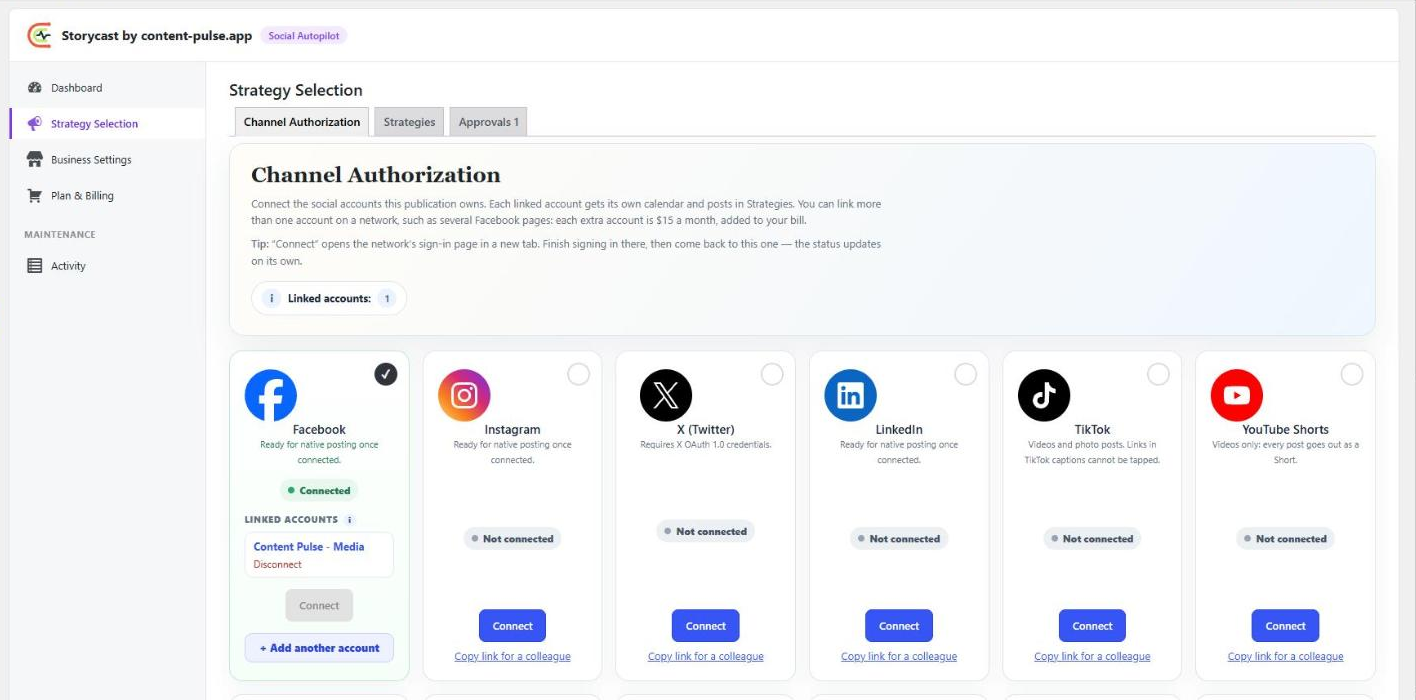
Channels: connect each network, or send a colleague a link.
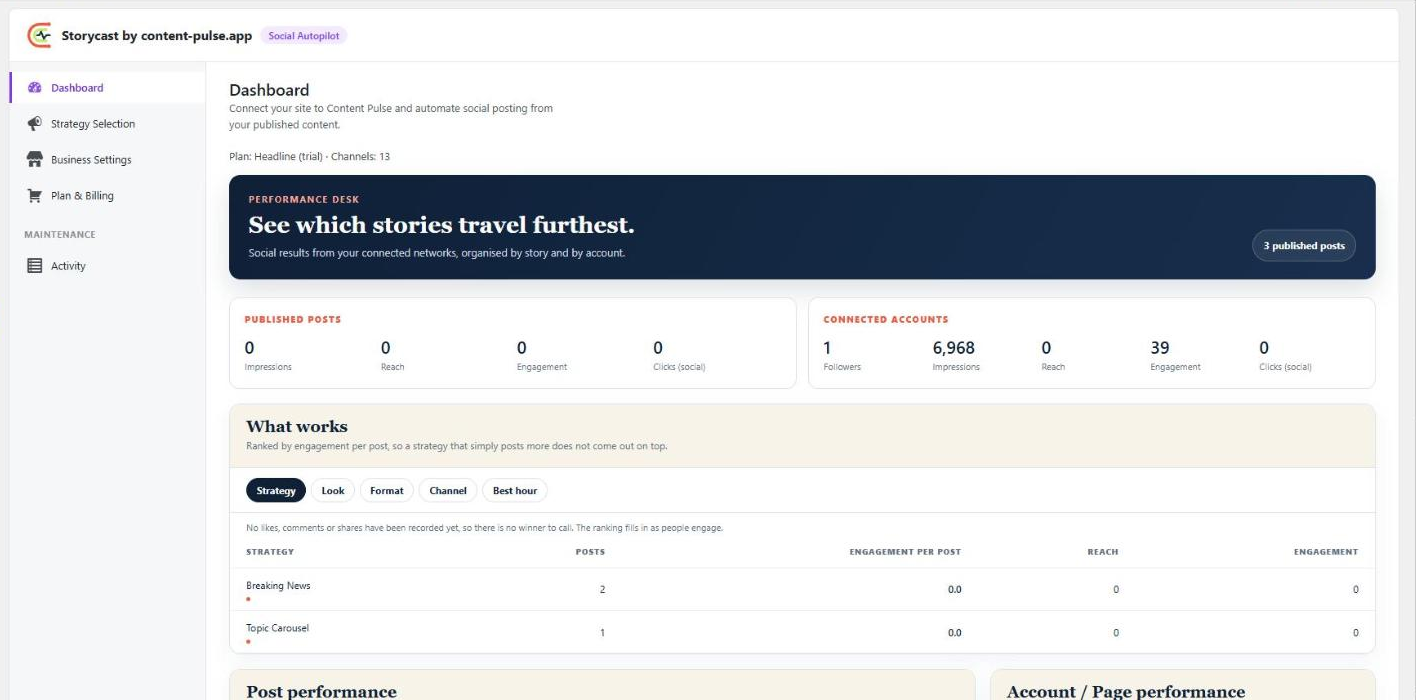
Dashboard: performance per post and per network.