BACK TO DIRECTORY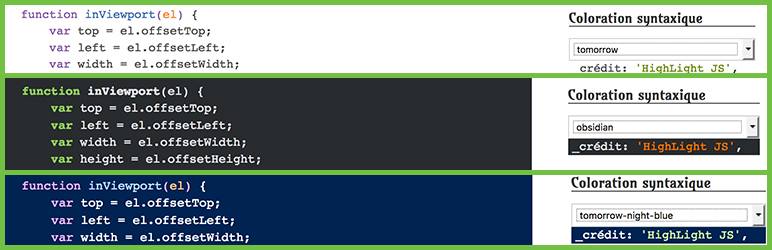
The plugin is based on the javascript library HighLight Js, it offers the possibility to choose among 70 styles of coloring. You can choose a default color in the back office. You can also add a widget to let the choice of coloring to visitors.
Features Include
- Add syntax highlighting to your code snippets.
- Choose style from more than 50 choices.
- A widget allows visitors to make their choice on the front
Configuration
- Activate the plugin through the “Plugins” menu in WordPress.
- Go to the plugin setting page and add the types of articles or add syntax highlighting.
- Then choose a theme for the coloring, demo here :HighLight JS.
- To let visitors change the coloring style, go to your dashboard to add the widget to the sidebar of your choice.
- Finally, when you add a code in a publication, do not forget to check ON in the Syntax Highlighting metabox.
Credits
- Pictures by Hélène titre “graphic designer”
Plugin Details
Active Installs
0Total Downloads
1,448Version
0.1Requires WP
4.0Requires PHP
—Tested Up To
4.7.39Added
2017-04-26Last Updated
2017-04-26 7:54am GMTRatings
5
1
4
0
3
0
2
0
1
0