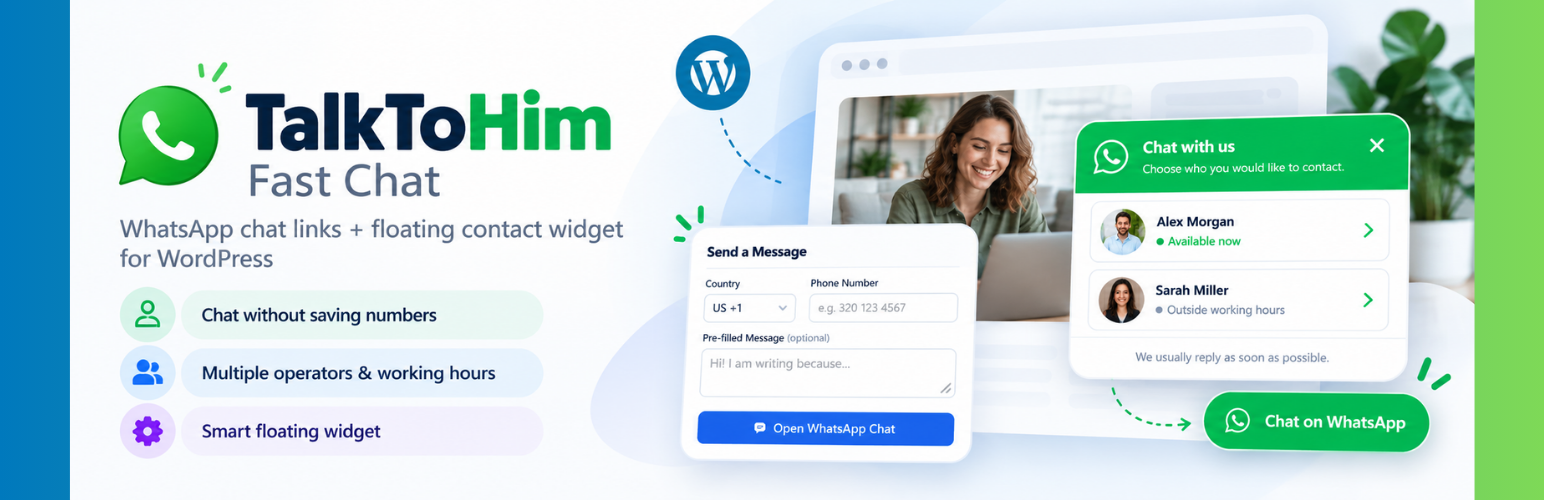
Two WhatsApp Tools in One WordPress Plugin
Chat without saving phone numbers. Enter any phone number, add an optional message and click Open WhatsApp Chat to start a conversation without first adding the number to your contacts.
Add a customizable floating WhatsApp contact widget. Give visitors a quick way to contact you, or let them choose from multiple operators with individual numbers, roles, photos and working hours.
Adjust the widget’s button, popup, visibility and opening behavior from your WordPress dashboard. The plugin opens WhatsApp chat links; it does not send messages automatically.
Choose Single Contact with your name and number, or an Operator Team with photos, roles and working hours. No WhatsApp Business API or paid subscription is required.
TalkToHim opens standard wa.me links; it does not send messages automatically or provide an inbox.
The WordPress admin Dashboard introduces both tools, shows the current widget setup status, and provides shortcuts for configuration and operator management.
WhatsApp Chat Link Generator
- Chat without saving contacts — enter a phone number and open a WhatsApp conversation without adding the number to your address book.
- WordPress admin tool — access the generator directly from the WordPress dashboard.
- Shortcode support — embed the generator in a page, post or widget area with
[talktohim_fast_chat]. - 30+ country prefixes — choose from country names and flag emojis.
- Pre-filled messages — prepare a message before opening WhatsApp.
- Recent numbers — quickly reuse up to 10 recent numbers stored locally in the administrator’s browser.
Floating WhatsApp Contact Widget
- Single Contact setup — use one WhatsApp number with a custom display name and optional role, without creating an operator.
- Operator Team setup — add multiple contacts with photos, roles, individual WhatsApp numbers, messages and working hours.
- Smart Mode — use a direct chat link for a single contact or show a contact selection popup for multiple operators.
- Manual opening modes — choose Smart Mode, Always Show Popup or Direct WhatsApp Link.
- Working hours — configure different hours and multiple time ranges for each operator on each day of the week.
- Outside-hours behavior — show or hide operators outside their configured working hours and optionally use a primary contact as a fallback.
- Customizable availability labels — edit the visitor-facing Available now and Outside working hours messages to suit your language.
- Optional primary contact in team mode — include your main contact alongside operators when needed.
- Responsive design — a compact popup above the floating button on desktop and mobile, keeping the button accessible.
- Button customization — rounded pill, rounded rectangle or icon-only circle, with customizable colors, size, label and position.
- Independent desktop and mobile button design — choose the shape and size for each screen, or inherit desktop settings to keep the existing appearance.
- Optional external label — show a clickable, customizable message beside the icon-only circle button.
- Adaptive pulse effect — a subtle glow for pill and rectangular buttons, or a compact ring for circular buttons, without scaling button text.
- Desktop and mobile controls — independently configure visibility and distance from screen edges.
- Page and post targeting — include or exclude individual pages and posts, as well as content types.
- Dynamic messages — personalize chat text with website, page and operator placeholders.
- Live preview — view changes in the admin area and test unsaved settings privately with Preview on Website.
- Five organized settings tabs — General, Appearance, Visibility, Behavior and Advanced.
- Per-tab reset — restore settings in the current tab to their defaults with confirmation.
Choose Your Contact Setup
Single Contact: Enter a display name, country prefix and number under TalkToHim Floating Widget General. Open WhatsApp directly or display your contact details in a popup without creating an operator.
Operator Team: Add contacts under TalkToHim Operators. Each operator can have a number, role, photo and individual weekly schedule.
In team mode, optionally show the main contact alongside operators or use it as a fallback.
Smart Mode and Availability
Smart Mode chooses a direct link or popup based on your contact setup. Override it with Always Show Popup or Direct WhatsApp Link.
Show or hide operators outside working hours. Customize the Available Status Text and Outside Working Hours Text under Floating Widget Behavior for your visitors. Availability reflects configured schedules, not real-time WhatsApp online status.
Customization and Visibility
Adjust appearance, placement, page/post targeting and opening behavior from five settings tabs. Under Appearance, enable External Button Label for an Icon-only Circle and customize the visitor-facing message. Under Behavior, enable Button Pulse Effect for a visible attention ring on light or dark backgrounds.
Preview on Website tests unsaved changes privately. Reset to Defaults restores only the current tab after confirmation.
Dynamic Message Placeholders
Use these placeholders in supported pre-filled widget messages:
{site_name}— website name{page_title}— current page title{page_url}— current page URL{operator_name}— selected operator’s name{operator_role}— selected operator’s role
Example:
Hello! I found your contact on {site_name}, on the page {page_title}: {page_url}
Shortcode Usage
Embed the chat link generator:
[talktohim_fast_chat]
Set a custom country prefix and message:
[talktohim_fast_chat prefix="39" message="Hello! I found your number on the website."]
Privacy and External Service
TalkToHim does not transmit contact information to the plugin author’s servers.
Recent admin numbers are stored in the browser’s localStorage. The shortcode uses no cookies or browser storage; optional popup auto-open frequency uses session storage.
Clicking a chat link opens a WhatsApp (wa.me) URL with the phone number and optional message. WhatsApp is an external service; the plugin does not send the message. Review your site’s privacy requirements.
Widget styles may load from a same-site WordPress AJAX stylesheet endpoint. No WhatsApp Business API is required.
Screenshots

Send WhatsApp messages without saving phone numbers using the Fast Chat generator.

Multi-operator WhatsApp popup allowing visitors to choose who to contact.
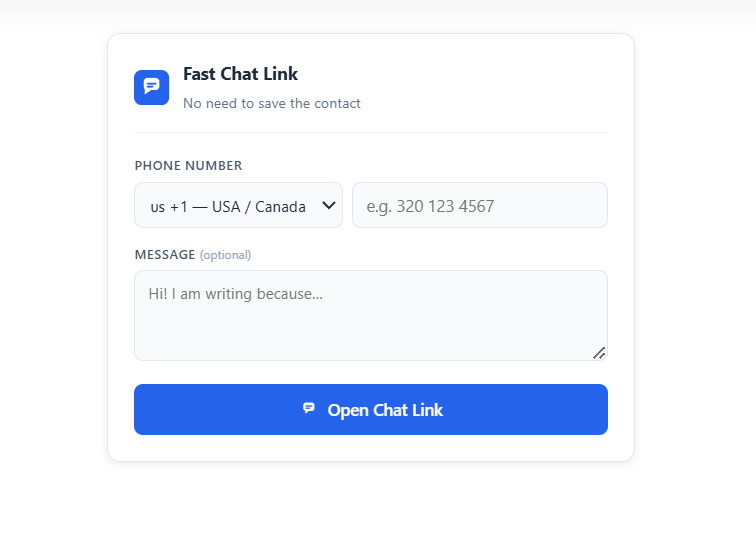
Configure default country prefixes and messages in Quick Chat Settings.

TalkToHim Dashboard with an overview of the plugin's features and quick access to its tools.

General settings for Single Contact and Operator Team configurations.

Floating WhatsApp widget displayed on the website frontend.

Manage multiple WhatsApp operators, contact details and working hours.

Customize widget appearance, visibility and responsive positioning.

Single-contact WhatsApp popup with a personalized contact name.

Customize the floating WhatsApp contact widget with flexible appearance and behavior settings.