BACK TO DIRECTORY
Tanvir Block adds a set of purpose-built Gutenberg blocks, block extensions, and site-enhancement features to the WordPress editor, all managed from a clean React dashboard in the WordPress admin.
Items marked (Pro) require the Tanvir Block Pro companion plugin.
Free Blocks (13)
- My CTA — Call-to-action block with headline, description, and button.
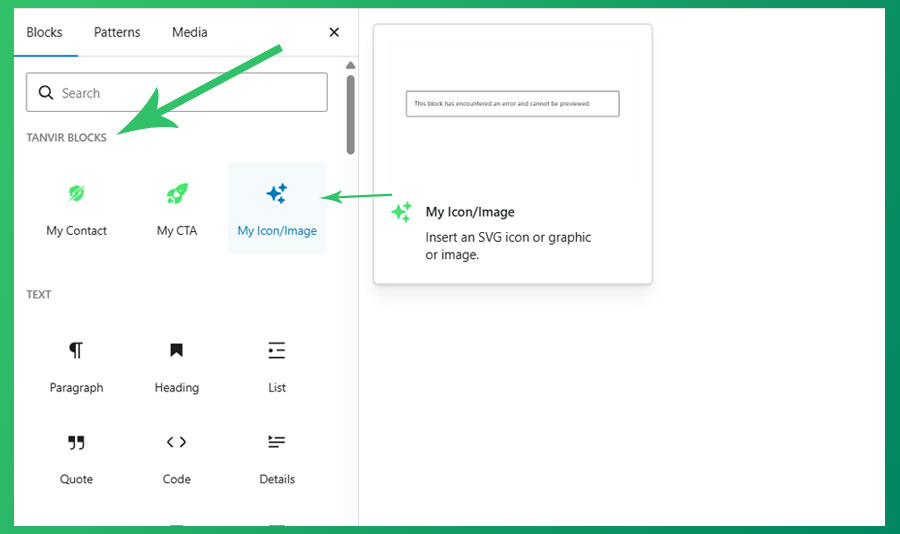
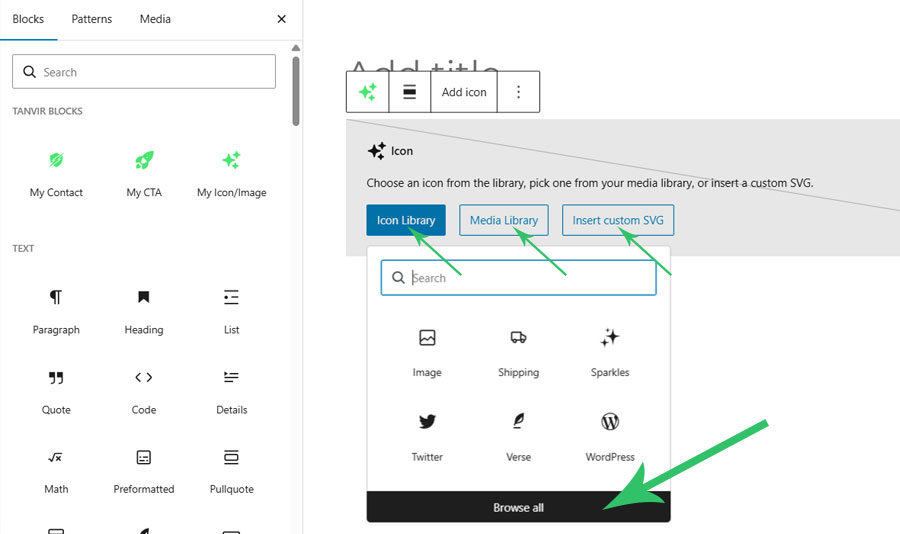
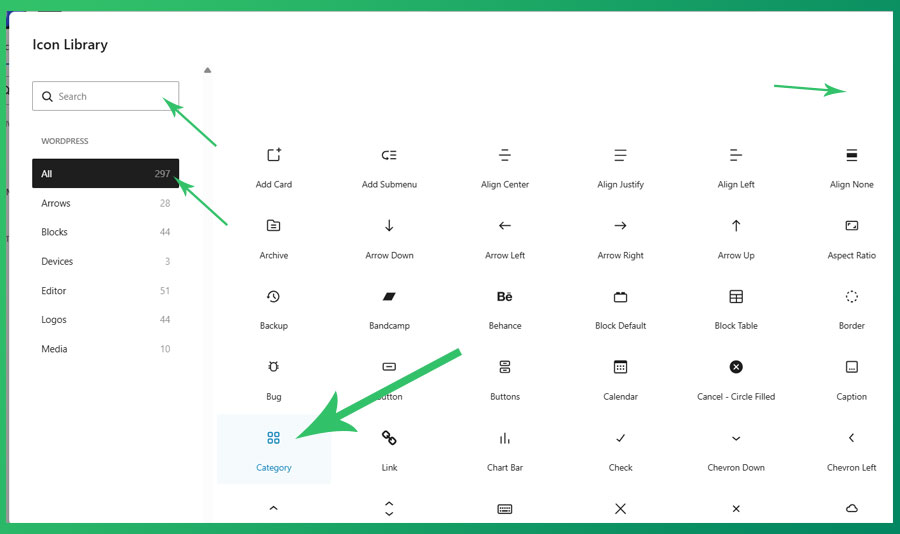
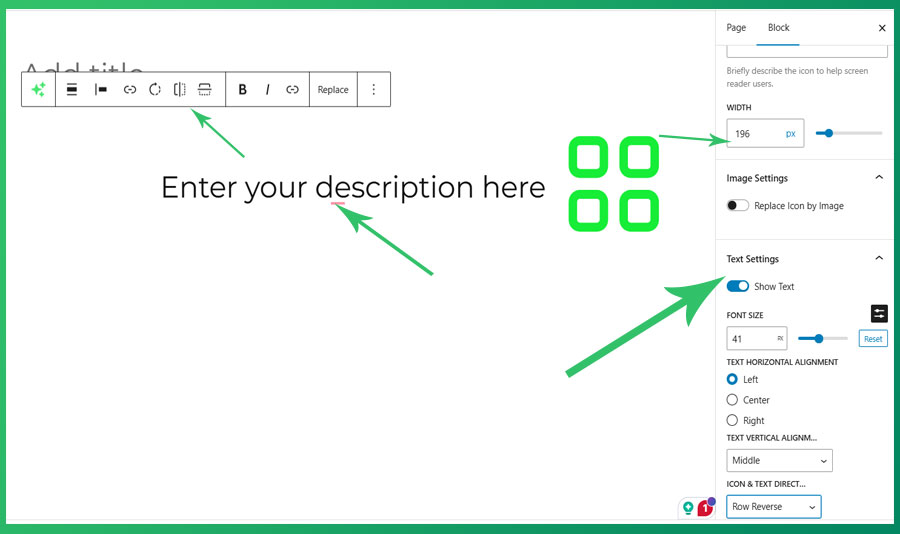
- My Icon / Image — SVG icon or image with title, description, layout controls, flip, rotate, and link.
- My Image Box — Image card with title, description, and responsive font size and spacing.
- My Mega Menu — Full-featured mega menu block using WordPress template parts inside the Navigation block.
- My TOC — Server-rendered in-page table of contents generated from page headings.
- My Heading — Responsive heading block mirroring core Heading with Tanvir responsive controls.
- My Separator — Responsive separator block, extending core Separator with responsive sizing.
- My Group — Responsive group container block, extending core Group with responsive controls.
- My Accordion — Responsive accordion block with collapsible accordion-item inner blocks.
- My Buttons — Responsive buttons wrapper block with button-item inner blocks.
- My Logo Slider — Responsive logo carousel with dual-row infinite scroll and media library image selection.
- My Counter — Animated number counter with prefix/suffix and responsive styling controls.
- My FlipBox — Two-sided flip card with front and back content, revealed on hover or click.
Pro Blocks (8) — require Tanvir Block Pro
- My Contact — Newsletter / contact form block with optional double opt-in and background image.
- My Columns — Responsive columns layout block, extending core Columns with responsive controls.
- My Countdown — Live countdown timer to a target date with responsive styling controls.
- My FlipBook — Realistic page-flip book with multiple pages powered by react-pageflip.
- My Tabs — Tabbed content container with Tab Item inner blocks.
- My Lottie Player — Animated Lottie / JSON file player with loop, speed, and responsive dimension controls.
- My Slider — Responsive content slider powered by Swiper.js, using inner blocks for slides.
- Post Shortcode List — Renders a selected post shortcode (projects, related posts, gallery) with responsive controls.
Extend Blocks (3)
- Button Icons — Adds icon support to the native WordPress Button block.
- Gallery Lightbox — Adds lightbox functionality to the native WordPress Gallery block.
- Navigation Icons — Adds icon support to the native WordPress Navigation & Submenu block.
Extend Support
- SVG & JSON Upload — Enables SVG and JSON file types in the WordPress media library.
- Hide Admin Bar (Pro) — Hides the admin bar on the front end for selected user roles.
- Sticky Header (Pro) — Scroll-aware sticky header with configurable background styles and mobile breakpoint.
- Page Transitions (Pro) — Animated page-to-page transitions using the View Transitions API (13+ animation presets).
Dashboard
- Enable or disable any block or support feature individually from the Blocks tab.
- Disabled blocks are never registered on the server — zero performance overhead.
- Six tabs: Getting Started, Blocks, Settings, Sticky Header, Page Transitions, Upload & Admin Bar.
- All settings saved via AJAX with no page reload required.
Screenshots
Dashboard Blocks tab — toggle each block on or off with Enable All / Disable All and category filter.
Dashboard Settings tab — configure phone number, email, and WhatsApp options.
Dashboard Getting Started tab — quick-start guide and resource links.
Dashboard Sticky Header tab — configure scroll behaviour, background style, and mobile breakpoint.
Plugin Details
Active Installs
0Total Downloads
427Version
1.0.7Requires WP
6.7Requires PHP
7.4Tested Up To
7.1.3Added
2026-04-17Last Updated
2026-10-16 2:26am GMTRatings
5
3
4
0
3
0
2
0
1
0