
Show your business hours as a weekly opening hours table: time slots as rows, Monday to Sunday as columns, and a mark in every cell where you are open.
Add the table with a block, a widget or a shortcode, and output LocalBusiness structured data (JSON-LD) with openingHoursSpecification for search engines.
Formerly known as “Taro Open Hour“.
Who is it for?
- Clinics, dental offices, osteopaths and pharmacies that publish consultation hours.
- Beauty salons, hair salons and spas.
- Shops, cafés and restaurants with one or several branches.
- Directory sites (e.g. a database of gyms) where every post is a place with its own hours.
It fits the Japanese-style consultation hours table (診療時間表), e.g. “9:00–12:00 / 14:00–18:00” rows with ○ for open and × or / for closed.
Features
- Opening hours table – Add any number of time slots (e.g. 9:00–12:00 and 14:00–18:00) and tick the weekdays each slot is open.
- Selectable marks – Choose the open mark (✓ ○ ● ◎ ✔) and the closed mark (- × ✕ or blank), or enter custom text, at
Settings > Business Places. - Holiday notes – Add a note such as “Closed on Sundays and public holidays” below the table.
- Blocks – “Open Hour” and “Business Place” blocks for the block editor.
- Widgets and shortcodes –
[open-hour]and[business-place], also usable in block themes. - Business places – Address, access information, phone, email and URL, with a Google Maps embed.
- Local Business schema – JSON-LD with a selectable schema.org type (MedicalClinic, Dentist, BeautySalon, Restaurant, Store, etc.), address and opening hours.
- Multiple places – Use the built-in place post type or any post type you choose; mark one place as the site’s main location.
Case Study
Case 1
If your site is for your bookstore, add your store’s location as a business place.
The location and opening hours are available via widgets.
Case 2
If your site is a database of bouldering gyms, choose a post type to be treated as a location.
Each single page will have its own place and opening hour information.
How to display
Blocks
In the block editor, you can use “Open Hour” and “Business Place” blocks.
Choose a place in the block settings. If empty, the current post or the site location is used.
Widgets
You can use widgets for opening hours and business locations.
Shortcodes
You can use the shortcode [open-hour] for the time table. If you are a theme developer,
just use the tsoh_the_timetable() function.
For business places, you can use [business-place post_id='10'].
The attribute post_id can be omitted and its default value is the current post.
Acknowledgements
- Banner images are a derivative of the work of the Geospatial Information Authority of Japan.
Customization
Here is a list of customizations.
Change Style
If you have tsoh-style.css in your theme folder, it will be used.
Child theme supported.
We also have filter hook tsoh_stylesheet. Below is the example to change css url.
<?php
// Change css path.
add_filter('tsoh_stylesheet', function($style){
    $style = [
        'url'     => get_stylesheet_directory_uri() . '/assets/css/table.css',
        'version' => wp_get_theme()->get('Version'),
    ];
    return $style;
});
If you return false from the filter hook, no style will be loaded.
Change table markup
The table’s template is located at taro-open-hour/templates/time-table.php.
Copy it to your-theme/template-part/tsoh/time-table.php and change the markup.
Of course, you can change the template path with a filter hook.
// e.g. If post type is event, change template from default.
add_filter( 'tsoh_timetable_template_path', function( $path, $post ) {
    if ( 'event' == $post->post_type ) {
        $path = get_template_directory() . '/templates/yours/event.php';
    }
    return $path;
}, 10, 2 );
Screenshots
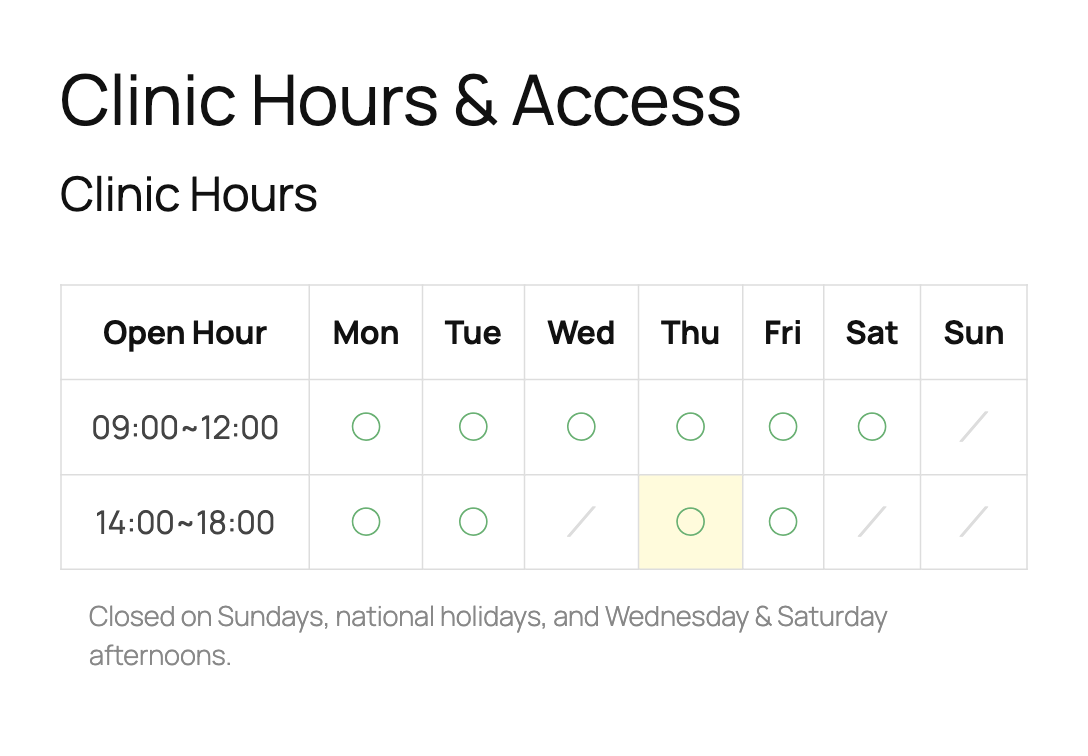
Opening hours table on the front end, rendered by the Open Hour block. Marks for open and closed cells are customizable.
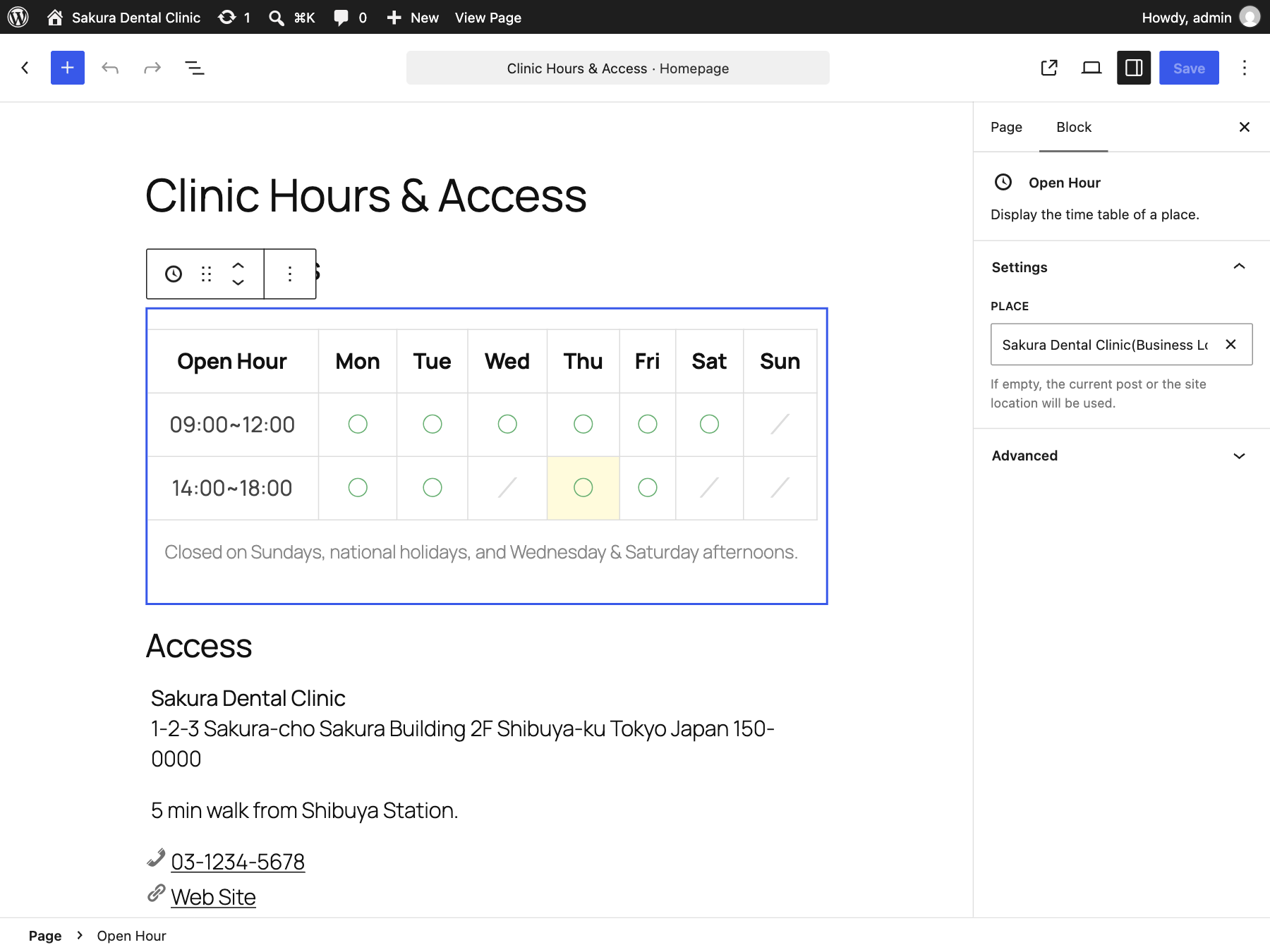
Open Hour block in the block editor. Choose which business place to display from the block sidebar.
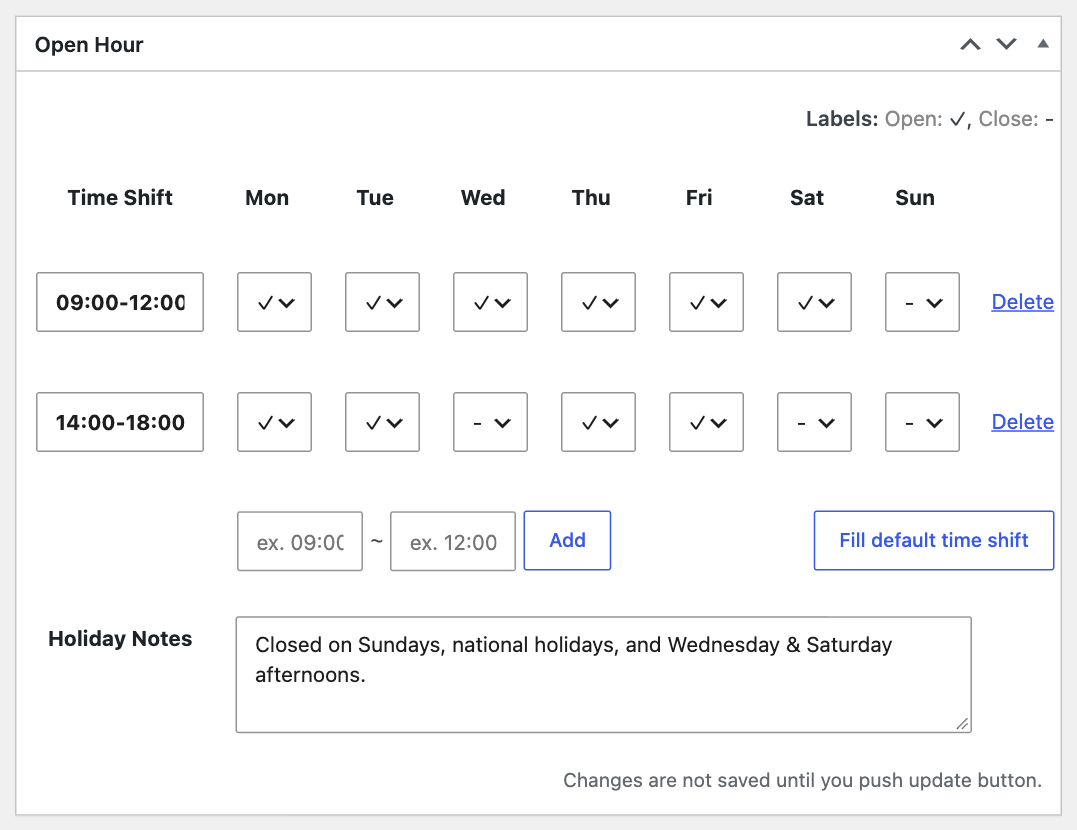
Enter weekly time shifts and holiday notes in the Open Hour meta box.
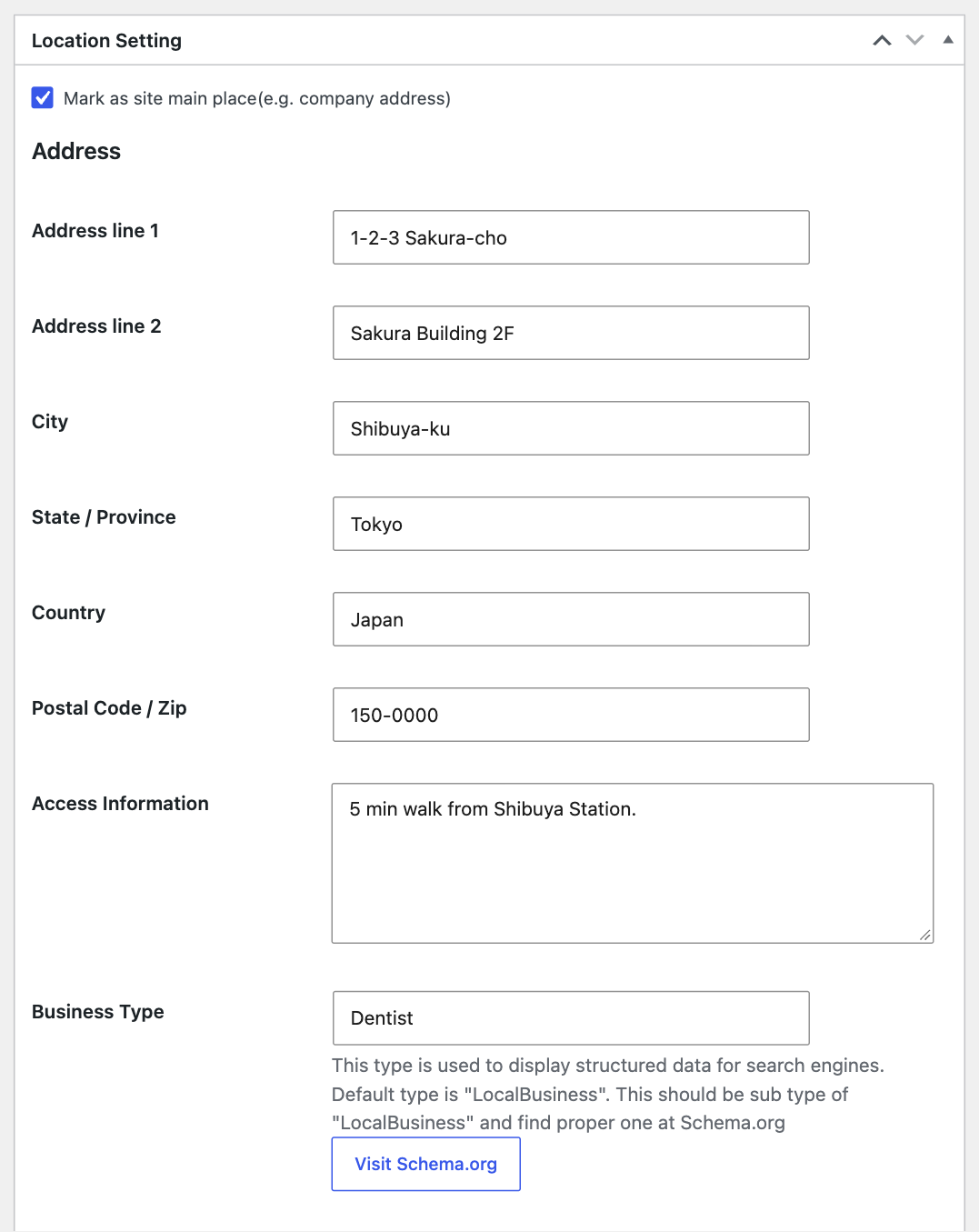
Location settings: address, access information, and the business type (Schema.org) used for structured data.
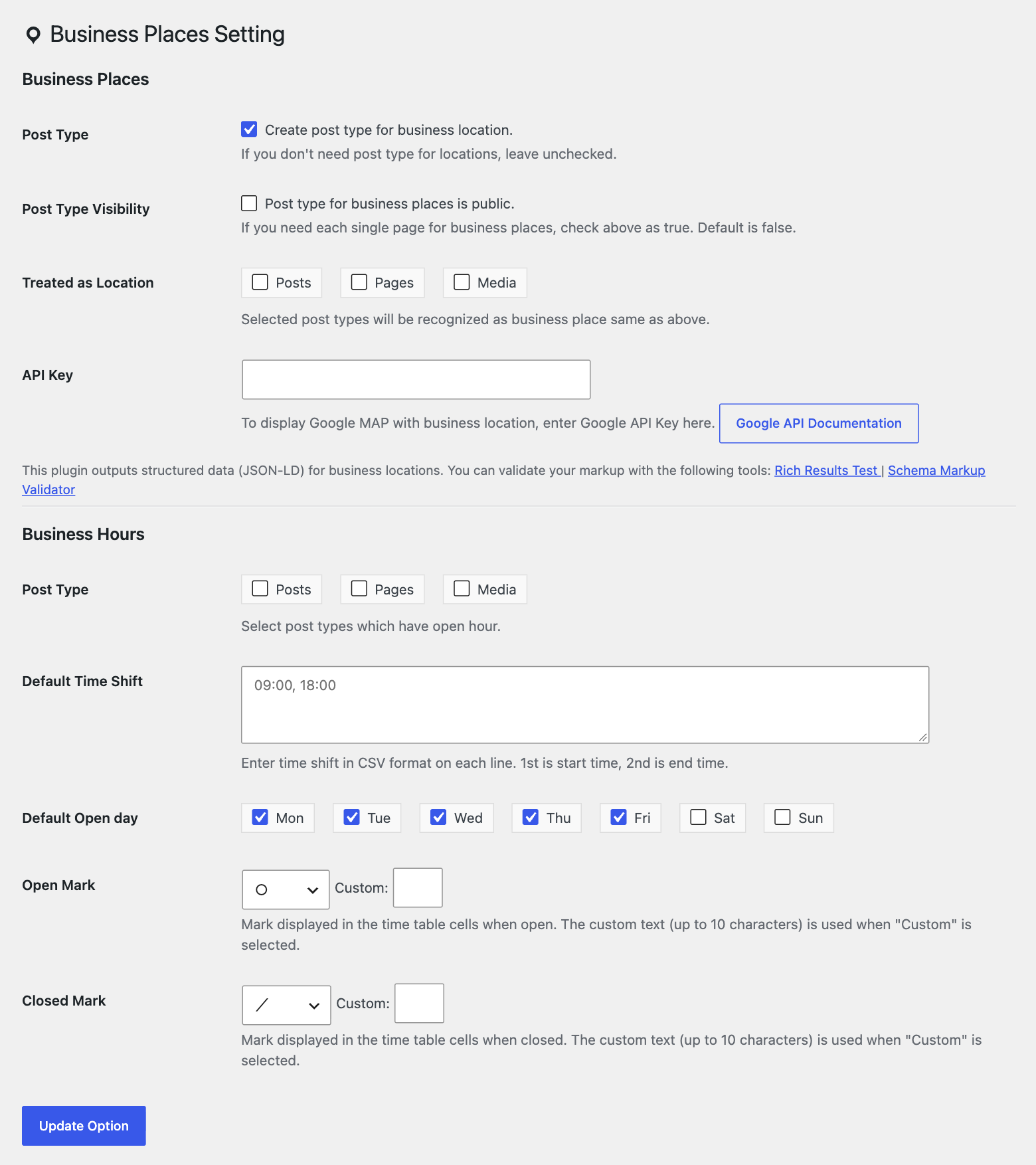
Settings > Business Places: post types, default time shifts, default open days, and open/closed marks.
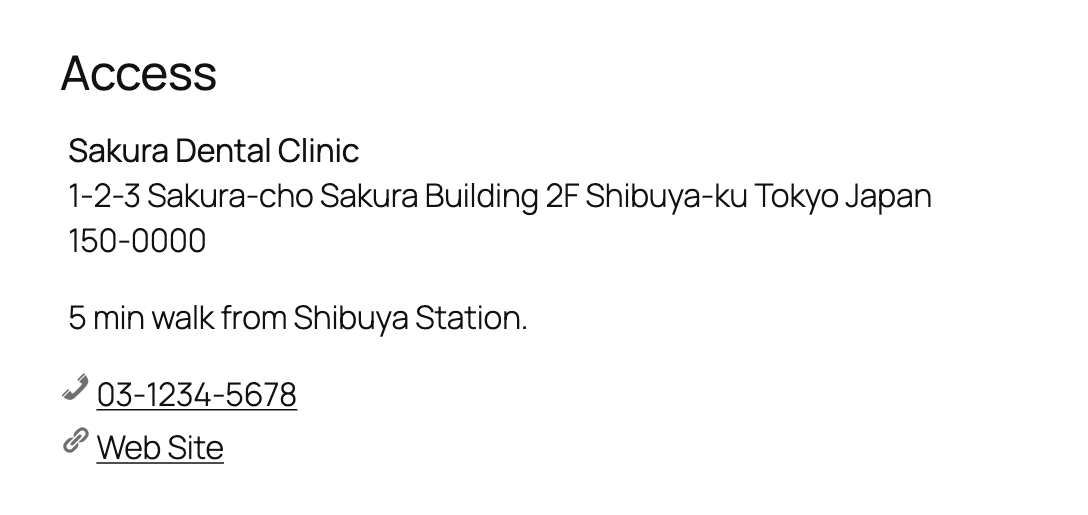
Business Place block showing the name, address, access information, and contacts.