Tehnika Media Exporter & Cleaner gives you two jobs in one screen. Export the media that belongs to a migration, a backup or a hand-over — and clean up the files nothing on the site uses any more.
Both tools share the same filter engine. An export and a cleanup can start from the same selection, which makes the safe workflow obvious: export a backup, then clean the original.
Every job runs as a sequence of short server batches instead of one long request, so PHP time limits and memory limits stop being a problem. Finished archives are streamed to your browser in chunks and never loaded into PHP memory.
Export
Three ways to scope an export
- The whole library — every attachment, narrowed by file type, uploader and date range.
- Media used by specific content — start from posts, pages or any public custom post type, narrow them by category, tag and post status, then follow the featured image, the files uploaded to the post, the images embedded in its body, or any combination.
- Unreferenced media — attachments that no post, page, featured image, gallery or site option points at.
Five output formats
- ZIP archive — the actual files, with an optional folder structure (flat, by upload date, or by media type), an optional
manifest.csvinside the archive, and optional inclusion of the generated thumbnail/medium/large versions. Duplicate file names are prefixed with their attachment ID so nothing is silently overwritten. - URL list — one direct file URL per line, ready for
wget -iorcurl. - CSV manifest — a spreadsheet of every file: ID, name, URL, MIME type, size, dimensions, upload date, author and parent post.
- JSON manifest — the same data for scripts and migrations.
- WXR XML — a WordPress import file containing the selected attachments and their metadata.
Clean
The Clean tab uses the same scope filters, then adds the decisions that matter before anything is removed.
- Unreferenced media first. The default scope finds attachments that no post, page, featured image, gallery, site icon or site logo references.
- A filtered selection. Retire old documents, oversized archives or everything uploaded by a former contributor — by file type, uploader and date.
- Media used by specific content. Remove the files that belong to a section you are retiring, following featured images, attached files and inline embeds.
- Trash by default. The safe action is a real WordPress trash: the files stay on disk and can be restored from Media Trash.
- Permanent deletion is opt-in. Off by default, limited to administrators, and enabled on the Settings tab. The confirmation requires you to type
DELETE. - Review before you commit. Count, total size, per-type breakdown and sample file names are shown in a confirmation dialog before the first attachment is touched.
- Safety window. Media uploaded in the last few days is always skipped, so a cleanup cannot remove work that was just added by mistake.
- Exclusion list. Protect specific attachment IDs, and use the
tme_clean_protected_idsfilter to protect media that plugins store in their own tables. - CSV audit log. Every cleanup writes a log with the ID, file name, URL, MIME type, size, upload date, author, parent post and action. Download it from the Clean tab or the Log tab.
- Backup-first workflow. One button copies the exact cleanup selection to the export screen as a ZIP, so you can keep a copy before removing anything.
- Batched and resumable. A six-figure cleanup runs in short requests with a live progress bar instead of timing out.
Accurate usage detection
Most tools look for a single pattern. This one recognises:
- Gutenberg block attributes —
wp:image,wp:gallery,wp:cover,wp:media-textand anything usingid,ids,mediaIdorattachmentId - Classic editor markup —
wp-image-123classes,wp-att-123links andattachment_123caption IDs - Shortcodes that carry IDs —
[gallery],[playlist],[album],[slideshow],[carousel] - Query strings such as
?attachment_id=123 - With deep scan enabled: raw
src,srcsetand lazy-load URLs, resolved back to attachment IDs through a bulk uploads index
Built for real libraries
- Batched, resumable jobs. Progress is stored on the server, so a huge export or cleanup survives a page reload.
- Honest progress. A live percentage based on bytes and file counts, with the number of files processed, skipped or rejected.
- Preview before you commit. Count, total size and a breakdown by file type, without building or deleting anything.
- Searchable pickers. Category, tag and uploader fields search through AJAX, so a site with 20,000 terms still opens instantly.
- Cached analytics. Library breakdown, uploads per month, top uploaders and an unreferenced-media scan.
- WP-CLI.
wp tme export,wp tme cleanandwp tme unusedrun the same engine from the command line.
About the Author
Maintained by Tehnika, a creative digital agency working with remote teams and WordPress. We built this to solve our own migration headaches and decided to share it.
Use cases
- Migrating content — move selected posts to another site together with the images they actually use.
- Backups — download everything uploaded by a specific author last month, as a ZIP.
- Auditing — get a CSV of every document in a category, with sizes and parent posts.
- Housekeeping — find and trash media nothing references any more, with an audit log to prove what was removed.
- Storage recovery — retire old PDFs, archives and oversized images without touching the current season.
- Automation — drive exports and dry-run cleanups from WP-CLI in a deployment or archiving script.
Screenshots
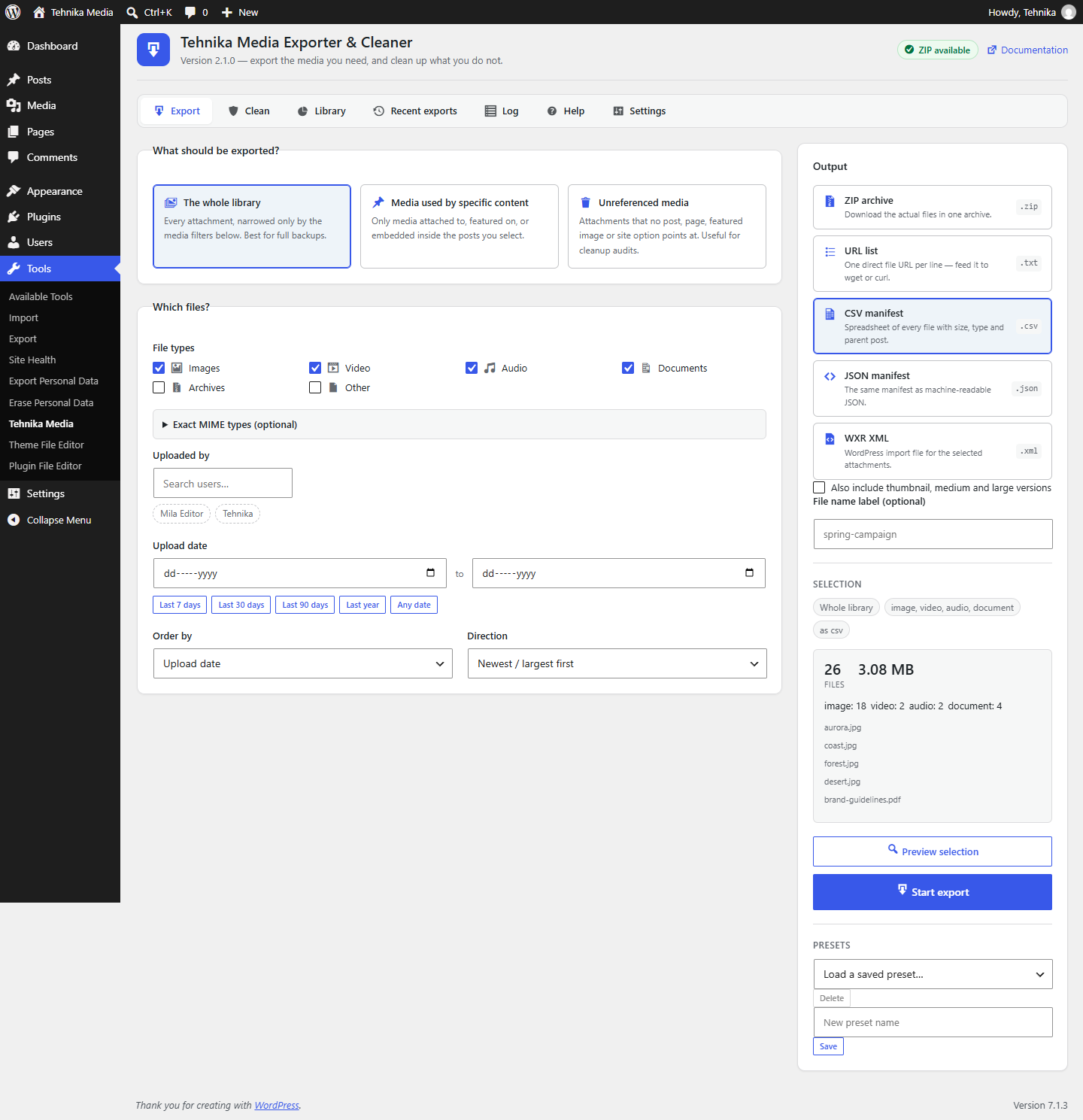
The export screen — scope, filters and output format in one pass, with a live selection summary and preview.
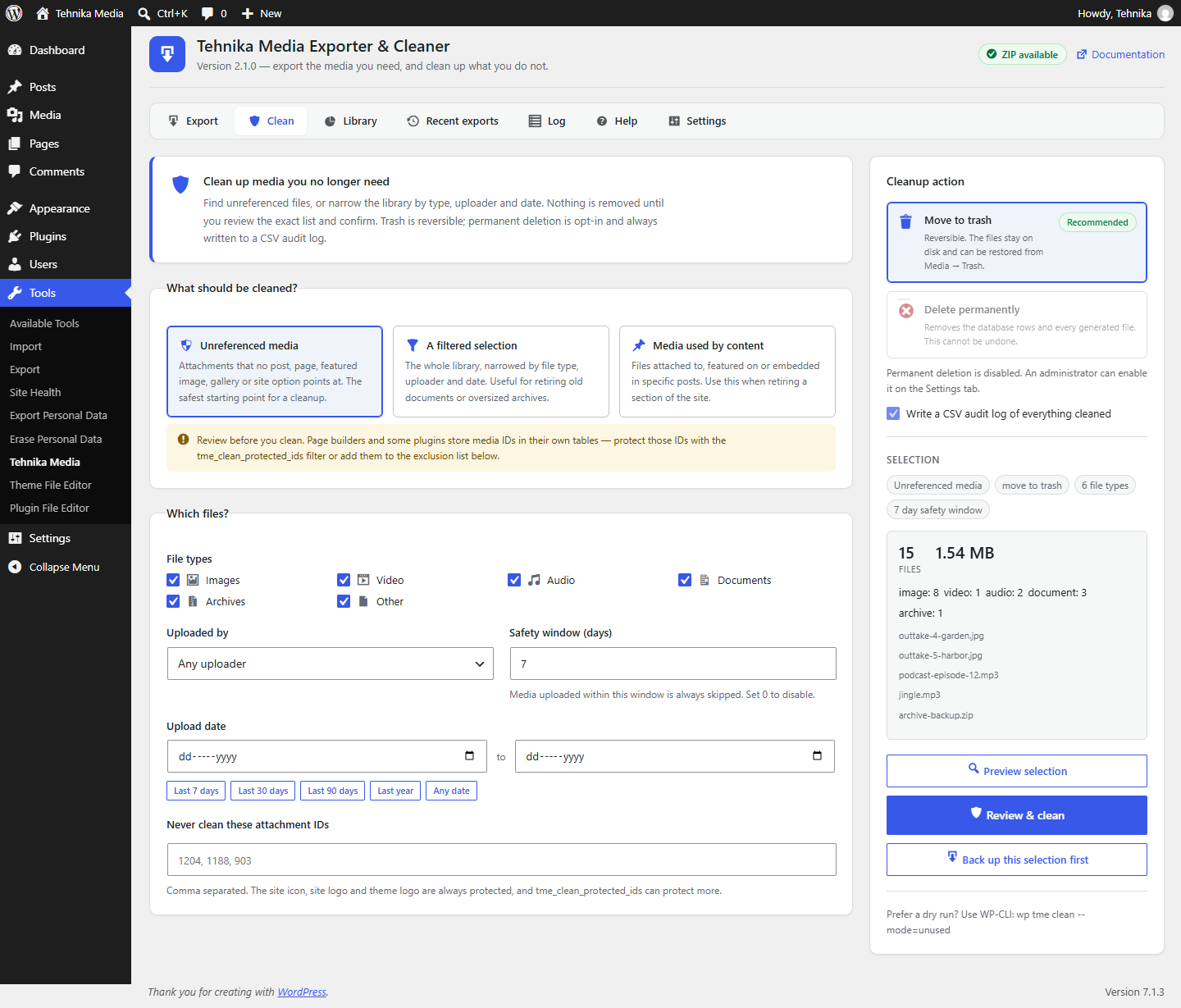
The Clean tab — unreferenced media selected, with count, size and a per-type breakdown before anything is touched.
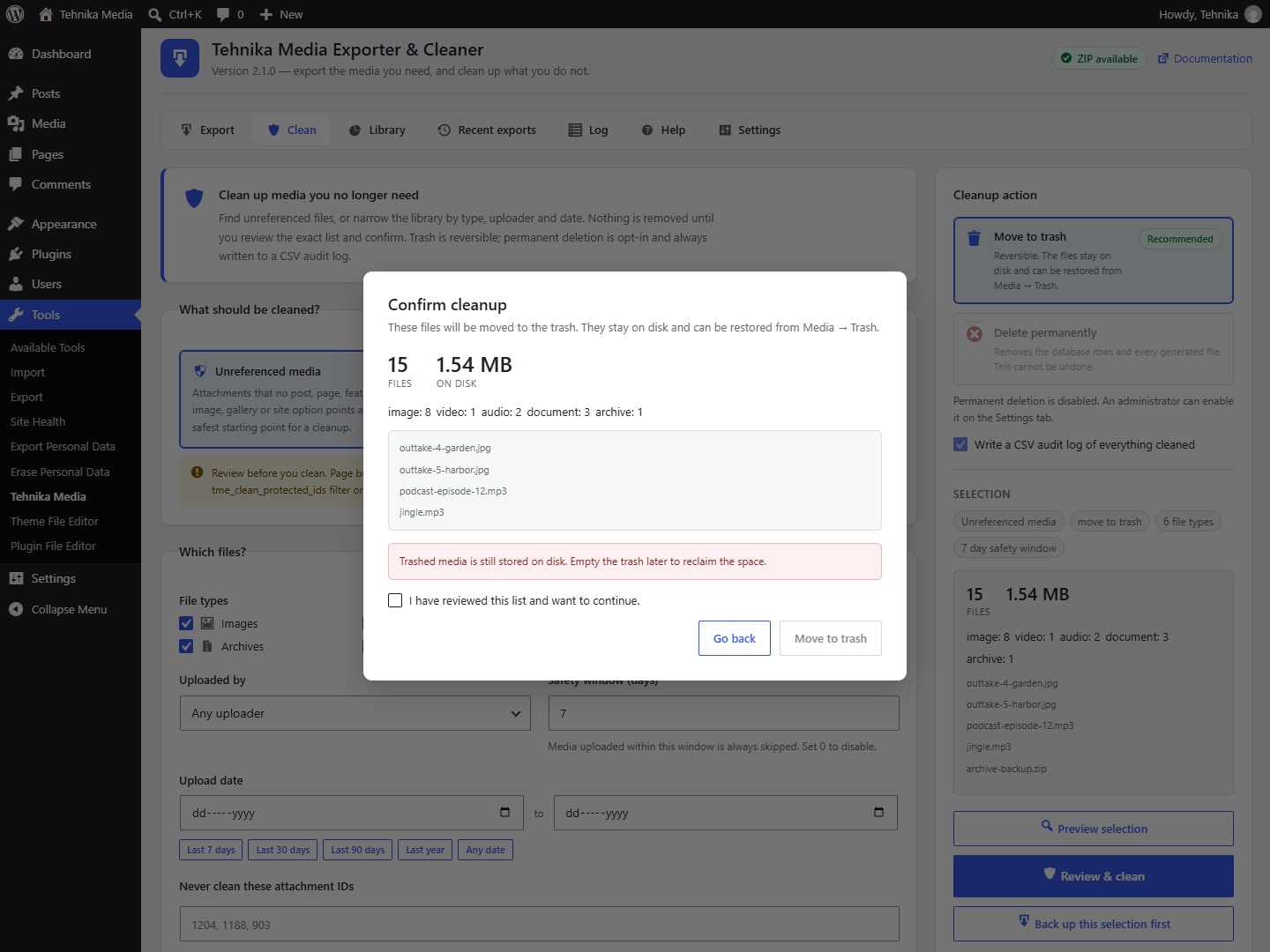
The confirmation dialog — the exact file count, sample names and the action you are about to take.
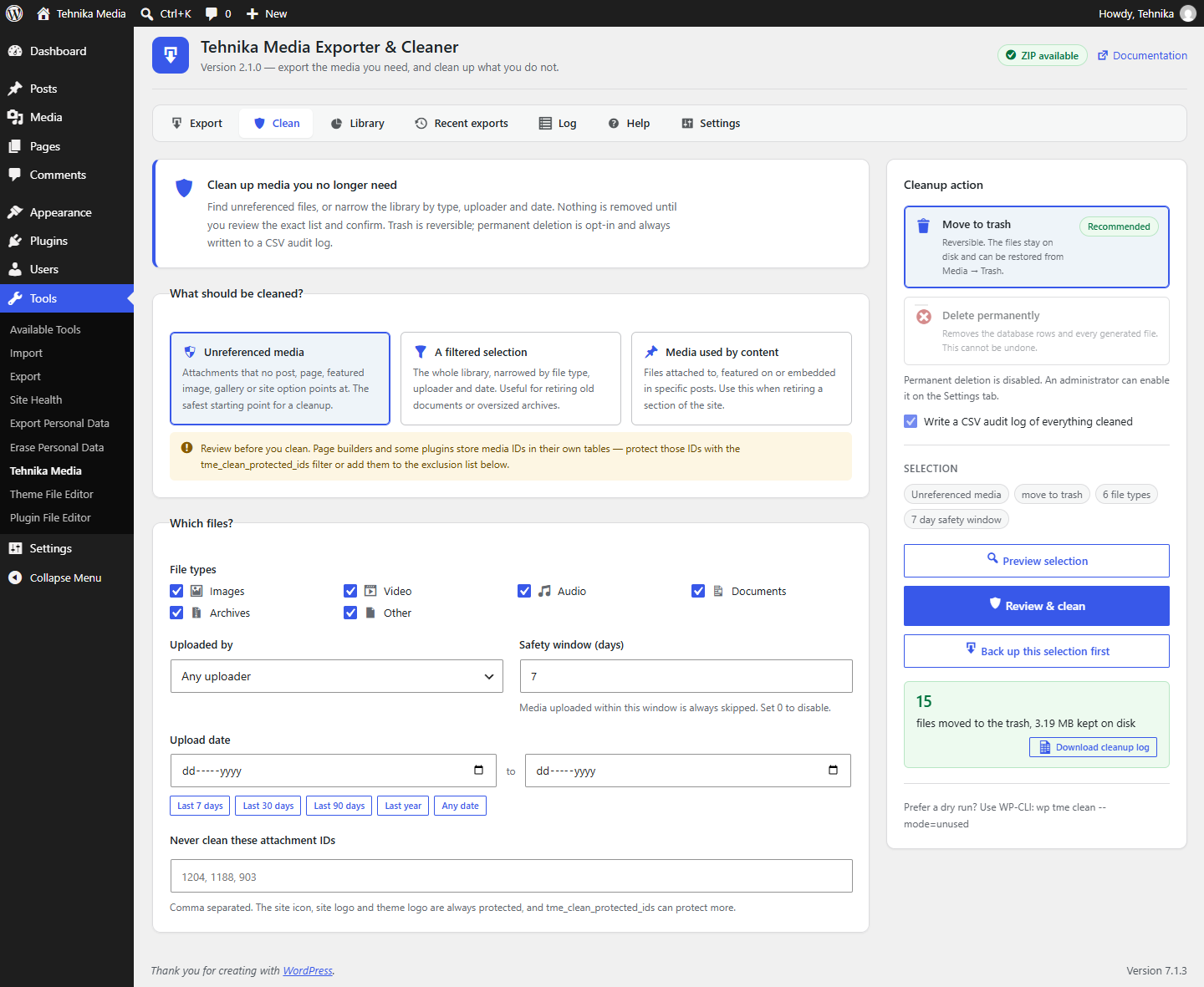
A finished cleanup — files moved to the trash, with the CSV audit log ready to download.
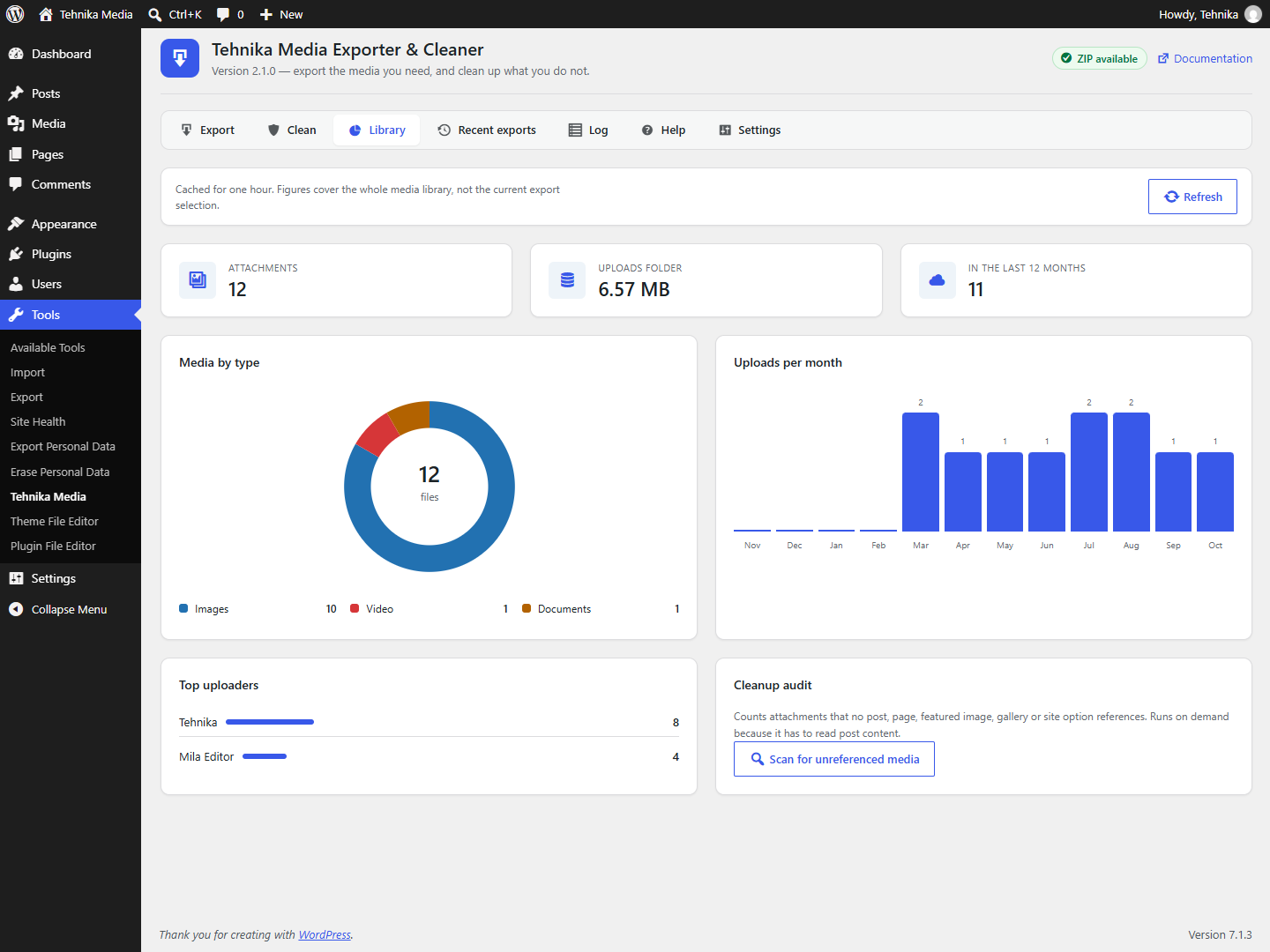
Library analytics — breakdown by file type, uploads per month and the top uploaders.
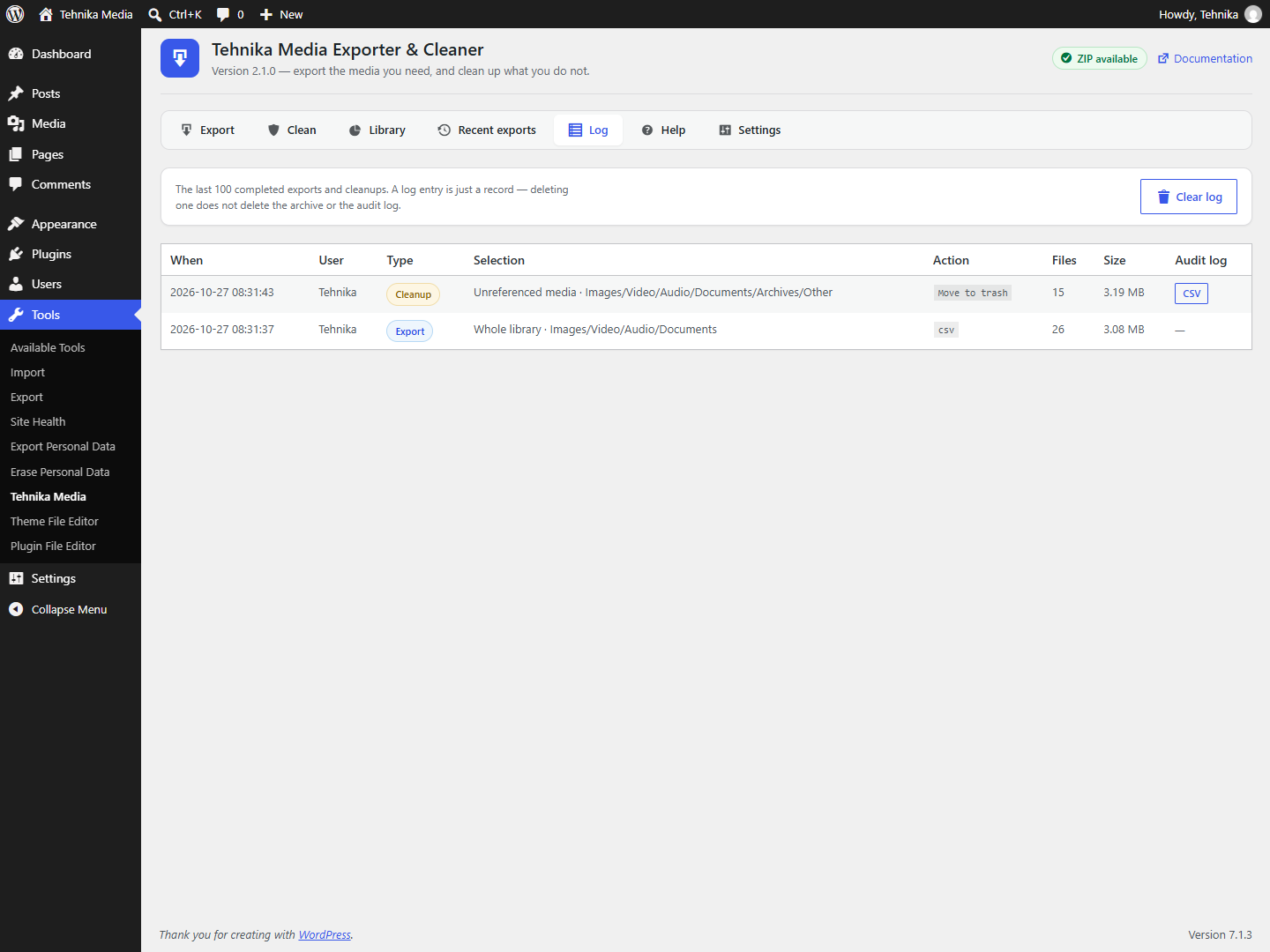
The Log tab — exports and cleanups side by side, with the audit log attached to each cleanup.
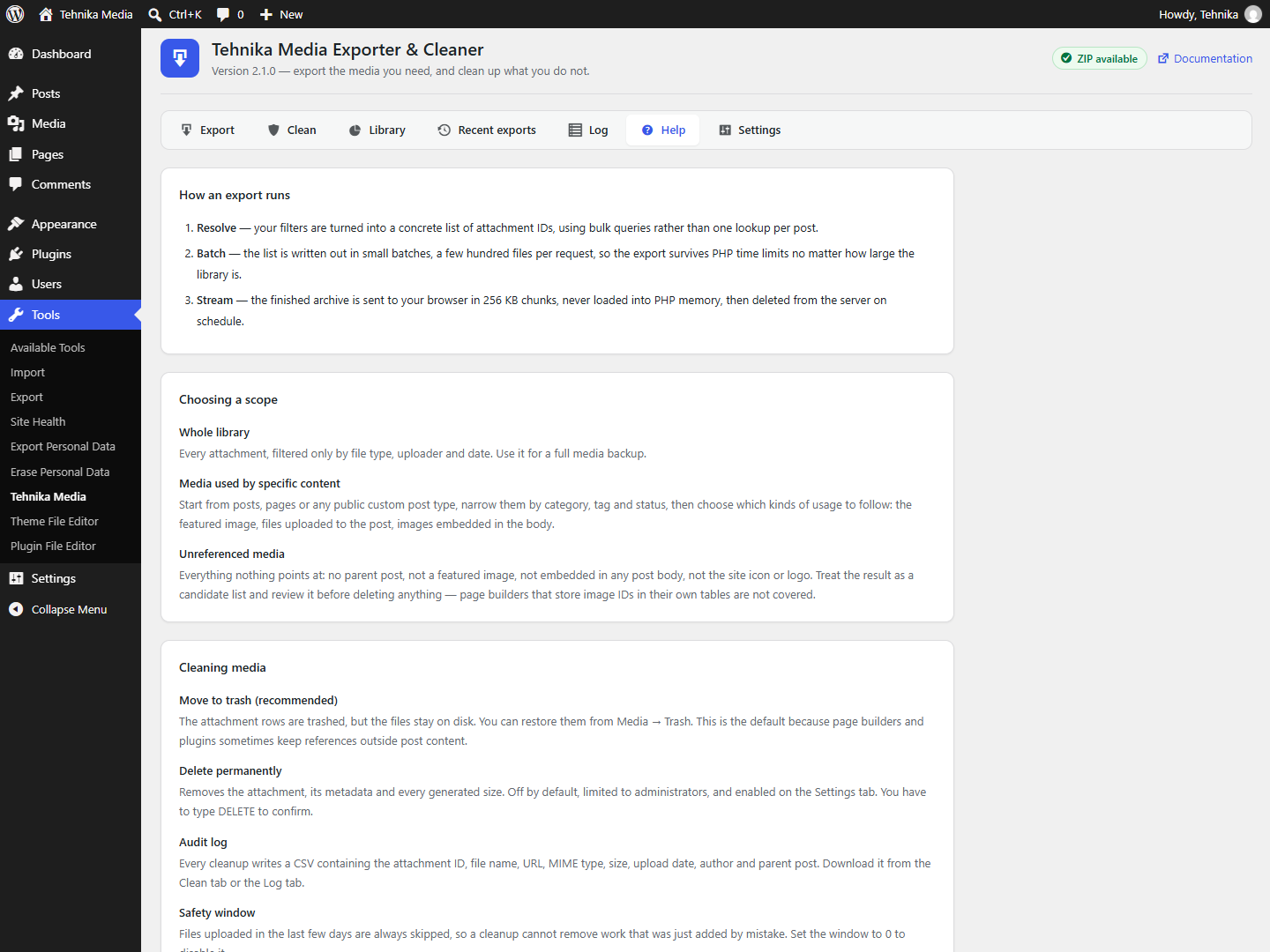
Help — how a job runs, the cleaner safety model, the format reference and WP-CLI recipes.