
“How is my website coming along?”
If you build websites for other people, you know that question. It arrives by text message, by email, sometimes on a Sunday evening. And every time, you stop what you are doing to answer it.
This plugin answers for you.
It adds a private client area to your site: on a page of its own, or as a tab in the WooCommerce “My account” page if you use WooCommerce. Your client logs in and sees, privately:
- Their project progress, step by step, with the current step highlighted
- Their documents, downloadable by them alone
- Their videos — Loom, YouTube, Vimeo
- Their messages with you, in the same place as everything else
- Their brief: they describe their business, choose their pages, upload their logo and photos
You receive the brief by email as soon as it is submitted, and you can read it again from the project screen.
Note: the plugin interface is currently in French. Every string is translation ready.
What it changes day to day
Your clients stop asking. Your content arrives without chasing. And you look like a studio rather than someone improvising.
Built for freelancers
No account to create somewhere else, no external service holding your clients’ files. Everything stays on your own site.
Client documents stay private
Client documents never go into the media library and never have a public URL.
They are stored outside the web root, in a folder the plugin creates above your WordPress installation. No web server can serve a file from there, whatever its configuration. The plugin verifies this: the folder must sit outside the WordPress directory and outside the server’s document root, and the check is repeated before every upload.
Every download goes through PHP. The plugin checks that the logged-in person is the client attached to that project, or an administrator, before a single byte is sent. Files are always served as a download, never rendered in the browser, and they are given random names.
If your host does not allow writing above the WordPress installation, document upload is disabled. The plugin says so plainly in the admin and on the client’s brief, and refuses to store anything. It will never fall back to a folder inside the public directory, because that protection cannot be guaranteed on every server. To enable uploads, ask your host for a writable folder above your WordPress installation.
It follows your theme
The plugin imposes neither fonts nor layout: it inherits from your theme. Tested on Astra, GeneratePress, Kadence, OceanWP, Neve, Blocksy, Hello Elementor, Storefront and the default WordPress themes, including in a narrow column.
Fully configurable
The tab name, six colours, the fourteen texts shown to the client, the steps of your own method and the pages offered in the brief are all set from the admin. No code to touch.
Free, with nothing held back
Every feature described above is included, for as many client projects as you want. No project limit, no time limit, no locked buttons.
No external service
This plugin contacts no outside server, at activation or at any other time. It bundles no third-party library, embeds no tracking, and adds no style or script to the WordPress admin screens. Its only stylesheet loads on the client area page, and nowhere else.
Everything your clients send you stays on your own site.
Screenshots
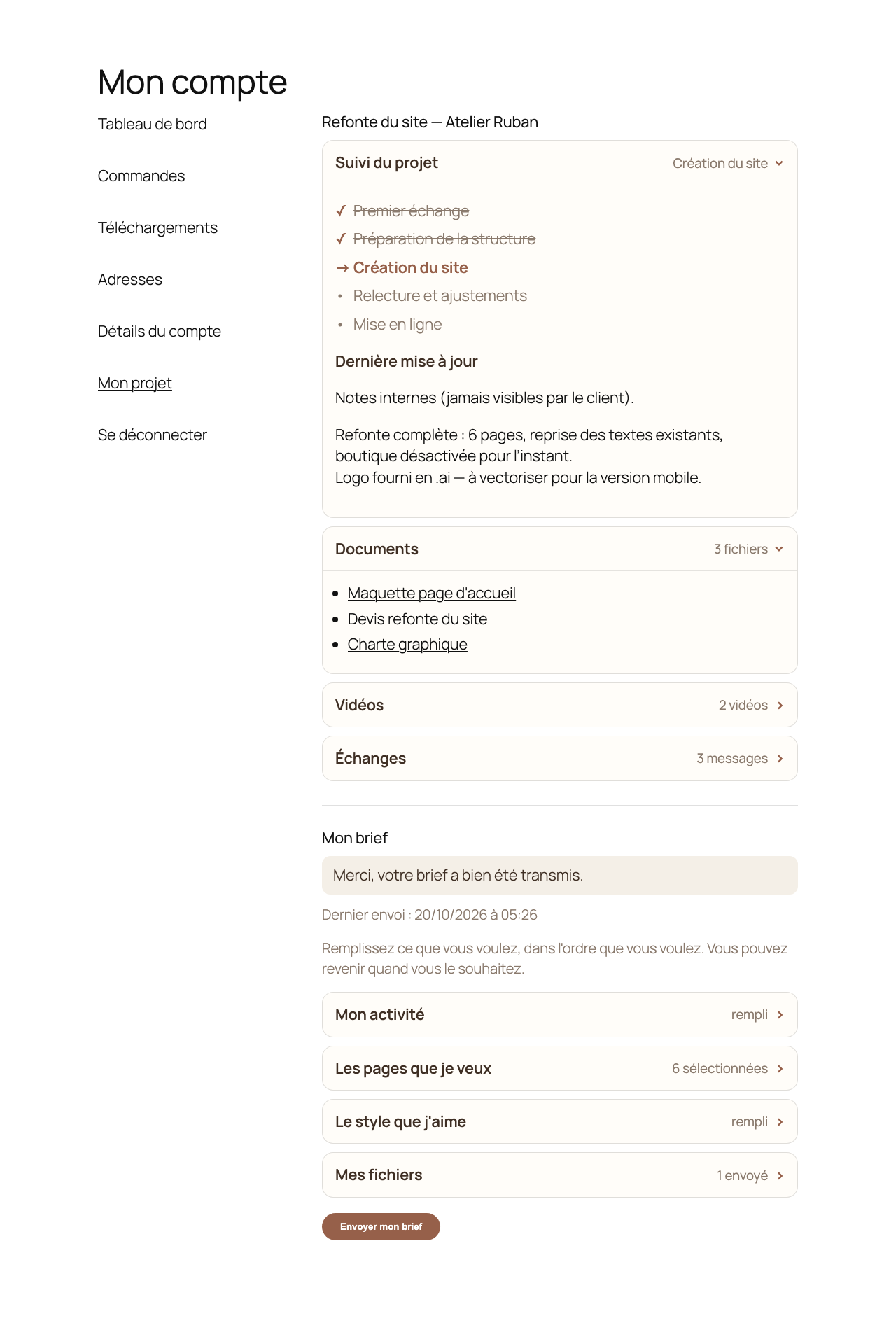
The client area: where the project stands, and the documents shared with the client
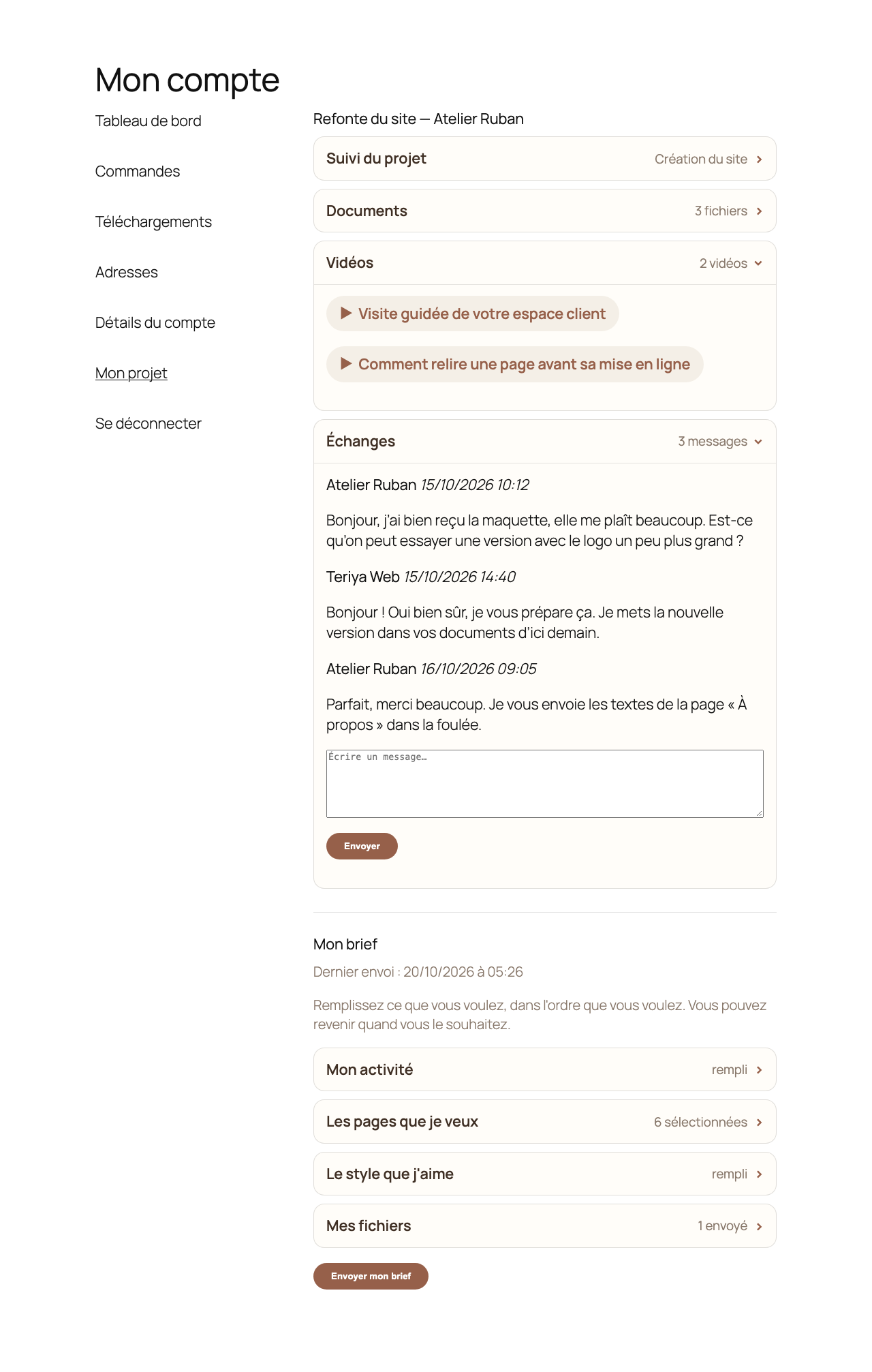
Videos and the message thread, inside the client area
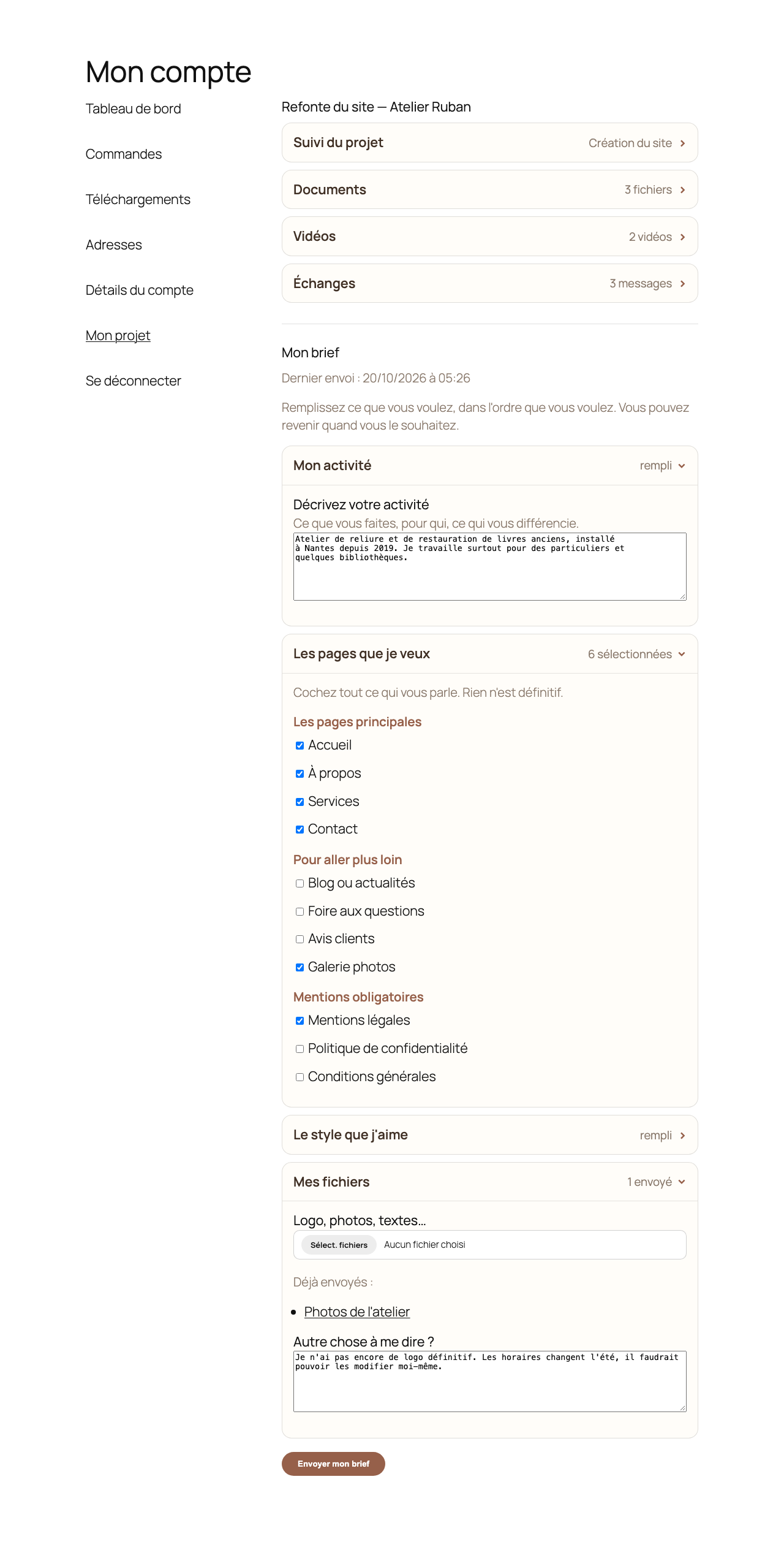
The brief, filled in by the client, with private file upload
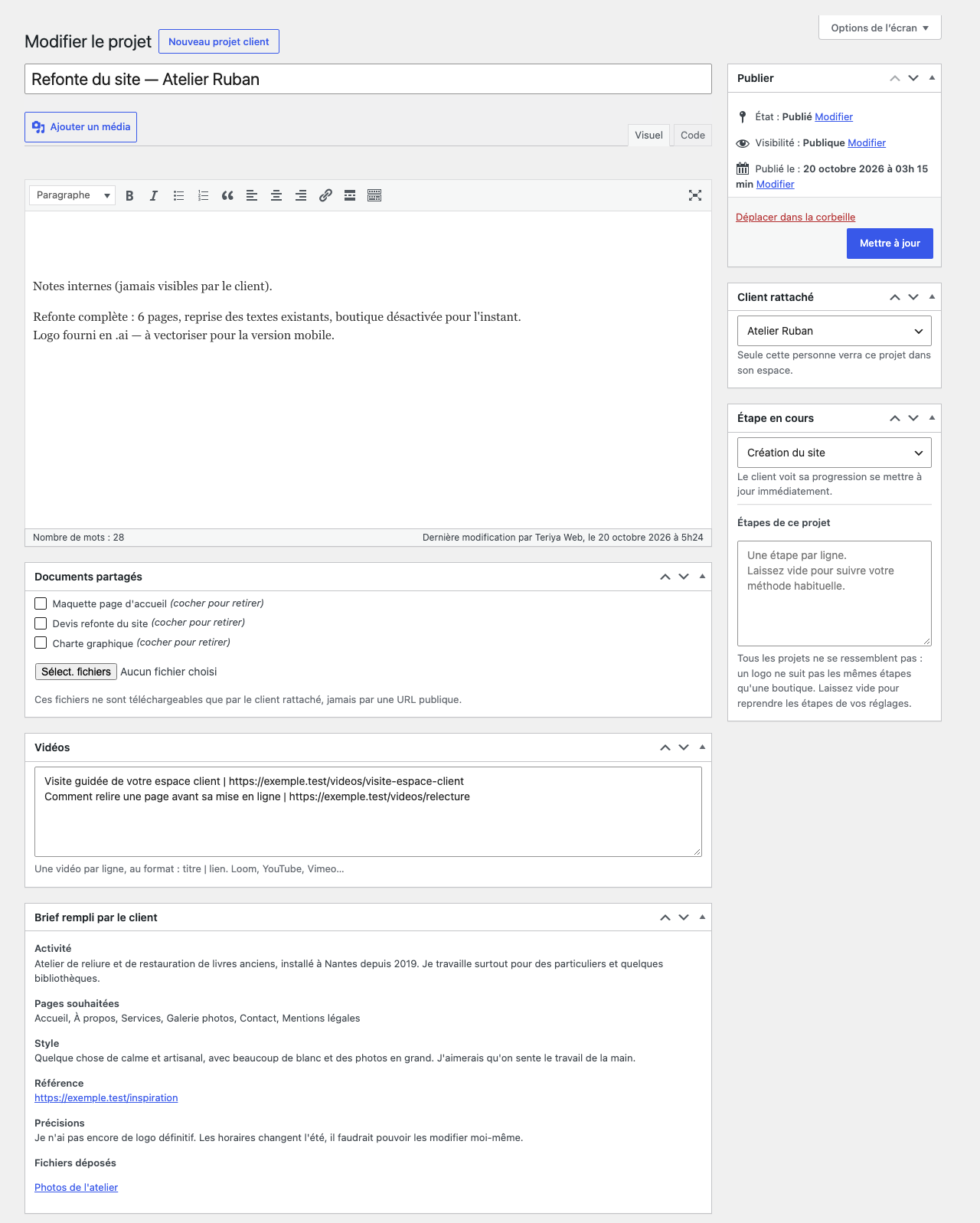
The project screen on the admin side, including the brief the client sent
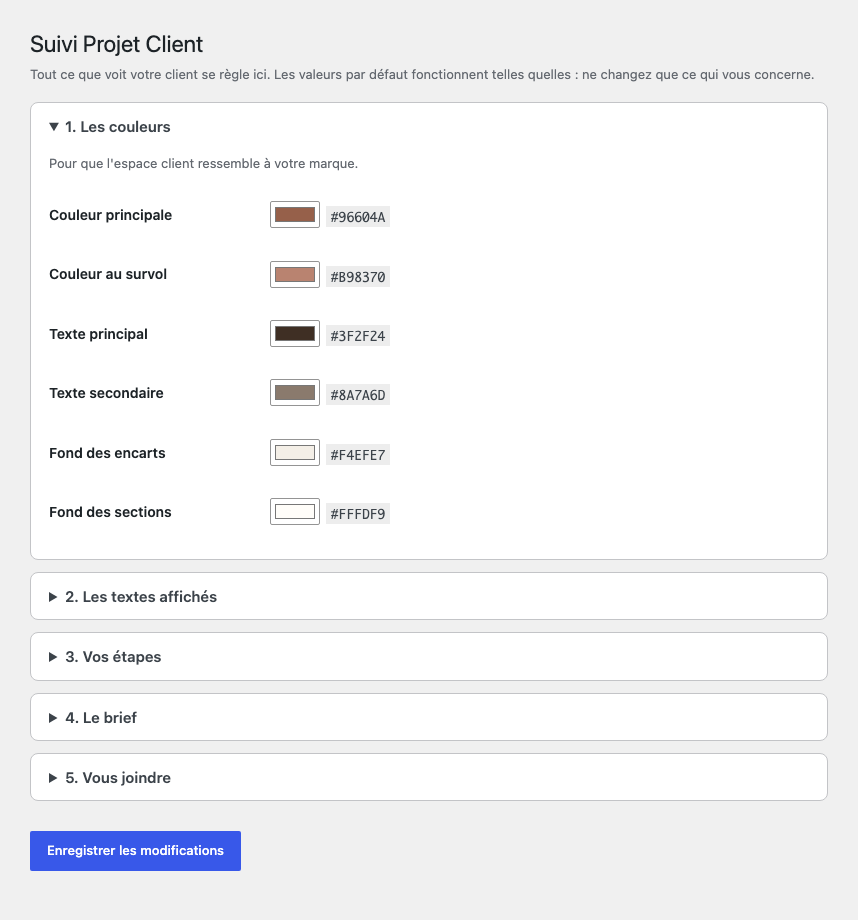
Settings: colours, wording, and the steps of your own method