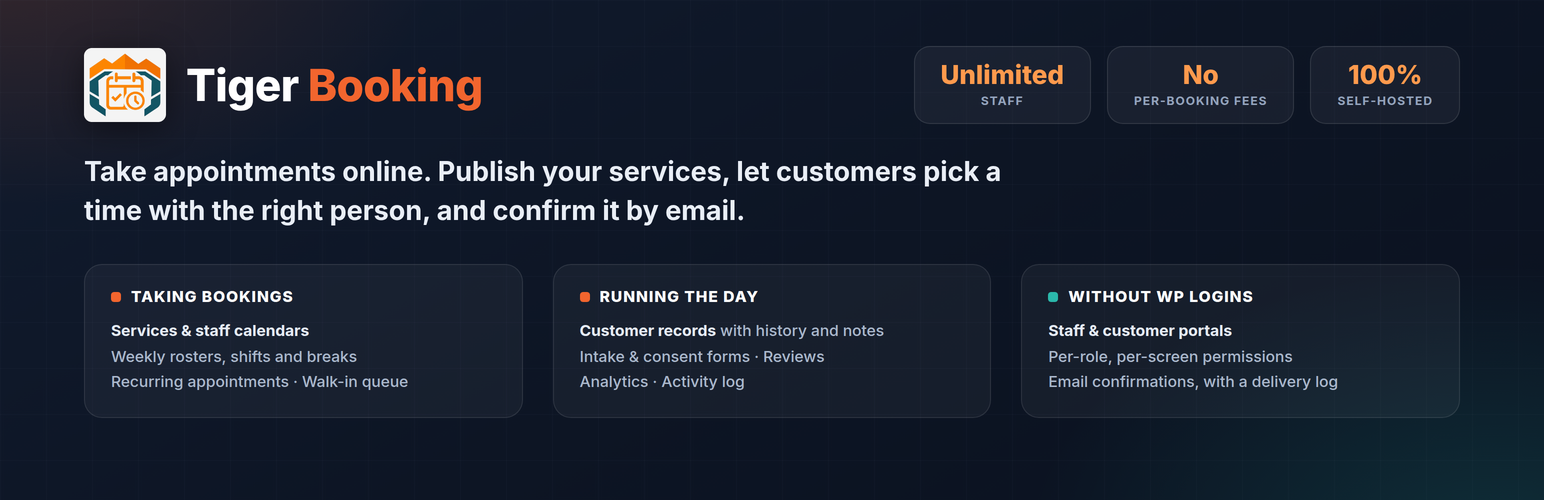
Tiger Booking turns your WordPress site into a working appointment book.
Add the services you offer, set who provides them and when they work, then put a booking form on any page. Customers choose a service, a person and a time; the slot is held, the confirmation email goes out, and the appointment lands in your dashboard.
It is self-hosted. Your services, staff, customers and appointments live in your own WordPress database. There are no per-booking fees, no seat limits and no external account to sign up for.
Everything described on this page is included and fully working. There is no licence key, no trial period, no usage cap and no locked screen anywhere in this plugin.
Nothing gets booked twice
Two customers can be filling in the form at the same moment, and only one of them will get the slot. The other is told straight away and offered the next free time, instead of both being confirmed and you finding out afterwards. The gap you set between appointments, a person’s holidays and the hours they actually work are all held to in the same way.
What you can do
- Services — what can be booked, with duration, price, buffer time and a category
- Staff — unlimited team members, each with their own calendar, services and holidays
- Weekly rosters — working hours, shifts and breaks, so bookings only land while someone is on shift
- Locations — assign staff to branches; the booking form asks visitors which one only when you have more than one
- Public booking flow — a service-then-person-then-time form that works on a page, a post or a widget area
- Recurring appointments — weekly or monthly series booked in one go
- Manual bookings — add, move, reschedule and cancel appointments from the admin
- Walk-in queue — serve people who arrive without an appointment
- Customer records — a profile per customer with their history, spend and notes
- Customer self-service — customers get a link in their confirmation email to view or cancel their own booking, without an account
- Intake and consent forms — ask your own questions at booking time, and keep the answer next to the wording the customer actually agreed to
- Reviews — collect customer reviews and moderate them before they appear
- Analytics — bookings, revenue, staff workload, busiest hours, new versus returning customers
- Staff and customer portals — self-service logins with per-role, per-screen permissions
- Email confirmations — automatic notices to you and to the customer, with a readable delivery log
- Calendar invites — confirmations carry an .ics attachment, so the appointment lands in the customer’s own calendar app
- Email reminders — a reminder before the appointment, sent once per booking, and never for one already cancelled or past
- Time zones — times are stored and shown against your site’s time zone, so someone booking from another country sees the hour they will actually turn up
- Setup wizard — asks what kind of business you run, then creates your booking page and thank-you page for you
- Activity log — who changed what, and when
It speaks your trade
During setup you choose what kind of business you run — Salon, Barbershop, Clinic, Therapy Practice, Personal Training, Tutoring, or plain Appointments. The admin then uses your vocabulary: a salon sees Treatments and Stylists, a clinic sees Consultations and Practitioners. Screens you have no use for are hidden rather than left to clutter the menu.
Where the booking form goes
Use the [tiger_booking] shortcode on any page, the Booking block in the block editor, or the Tiger Booking widgets if you use Elementor. Elementor is optional and is never required. Every shortcode takes width="900px", width="80%" or width="full", plus align="wide" and align="full" for block themes.
Your services also get real pages of their own, each with its price, duration and a working booking form, so a visitor can book straight from a search result. Your theme or page builder still wins if you would rather design those pages yourself.
What is not in this plugin
These are separate products, not locked features. This plugin contains none of their code, and nothing here is disabled, limited or waiting for a key:
- Online payments — Stripe, PayPal, Square and Razorpay checkout
- Google Calendar sync, and the Zoom / CRM / webhook integrations hub
- SMS confirmations and reminders (the email ones above are included)
- Discount codes, and the waitlist for times that are already full
- Document uploads at booking time — asking a customer to attach an ID or a form
- Other booking verticals — hotel and property, restaurant, fitness classes, hourly rentals
They belong to Tiger Booking Pro, a separate add-on that installs alongside this plugin and extends it rather than replacing it. This plugin does not check for it, does not change behaviour when it is absent, and carries no screen that asks you to buy it. If you never install the add-on, nothing described above stops working.
Learn more at https://tigerelementswp.com/tiger-booking/
External services
This plugin uses no external services.
Tiger Booking is entirely self-hosted. Your services, staff, customers and bookings are stored in your own WordPress database and never leave your server. The plugin makes no outbound request to any third party, under any setting.
The booking widget uses typefaces bundled inside the plugin, so no font is fetched from a remote host. No third party is contacted. The plugin sends no analytics, no telemetry and no usage data anywhere, and it does not phone home. The sample content installed by the demo seeder ships with its own artwork inside the plugin, so no image is fetched from a remote host either.
Source code
The admin screens and the public booking form are a React application, so what
runs in your browser is compiled. Nothing here is obfuscated, and you do not
have to ask anyone for the source: the readable source ships inside this
plugin, in src/, next to the compiled output in tiger-dist/.
To rebuild it, from the plugin directory:
npm install
npm run build
That regenerates tiger-dist/ from src/. The JavaScript it produces is
identical, file for file, to what ships. The stylesheet can differ by a small
number of unused utility classes, because Tailwind generates CSS by scanning
the files present on disk — it is the same stylesheet, not a different one.
- Build tools: Vite and Tailwind CSS,
both free software. The exact versions are pinned in the bundled
package.json andpackage-lock.json. src/contains the source for everything this plugin does. Code for the paid
add-on is not included, because none of it runs here either.- The two bundled typefaces, Inter and Space Grotesk, are under the SIL Open
Font License 1.1; the license text ships inLICENSE-FONTS.txt, and every
other bundled dependency is listed inLICENSE-THIRD-PARTY.txt. - No code is downloaded or executed from a remote server, at any point.
Screenshots

Choosing a time — the visitor picks a service and a member of staff, then a day and a free slot.

Bookings — every appointment in one list, with status filters and a calendar view.

Services — what can be booked, with price, duration and buffer time.

Staff — unlimited team members, each with their own calendar and portal login.

Availability — weekly working hours, shifts, breaks and days off, per person.

Analytics — bookings, revenue and staff workload across everything you offer.

The staff portal sign-in — your team log in here, not through WordPress admin, and each role sees only the screens you allow.

Confirming — the visitor checks what they are booking and leaves their details.