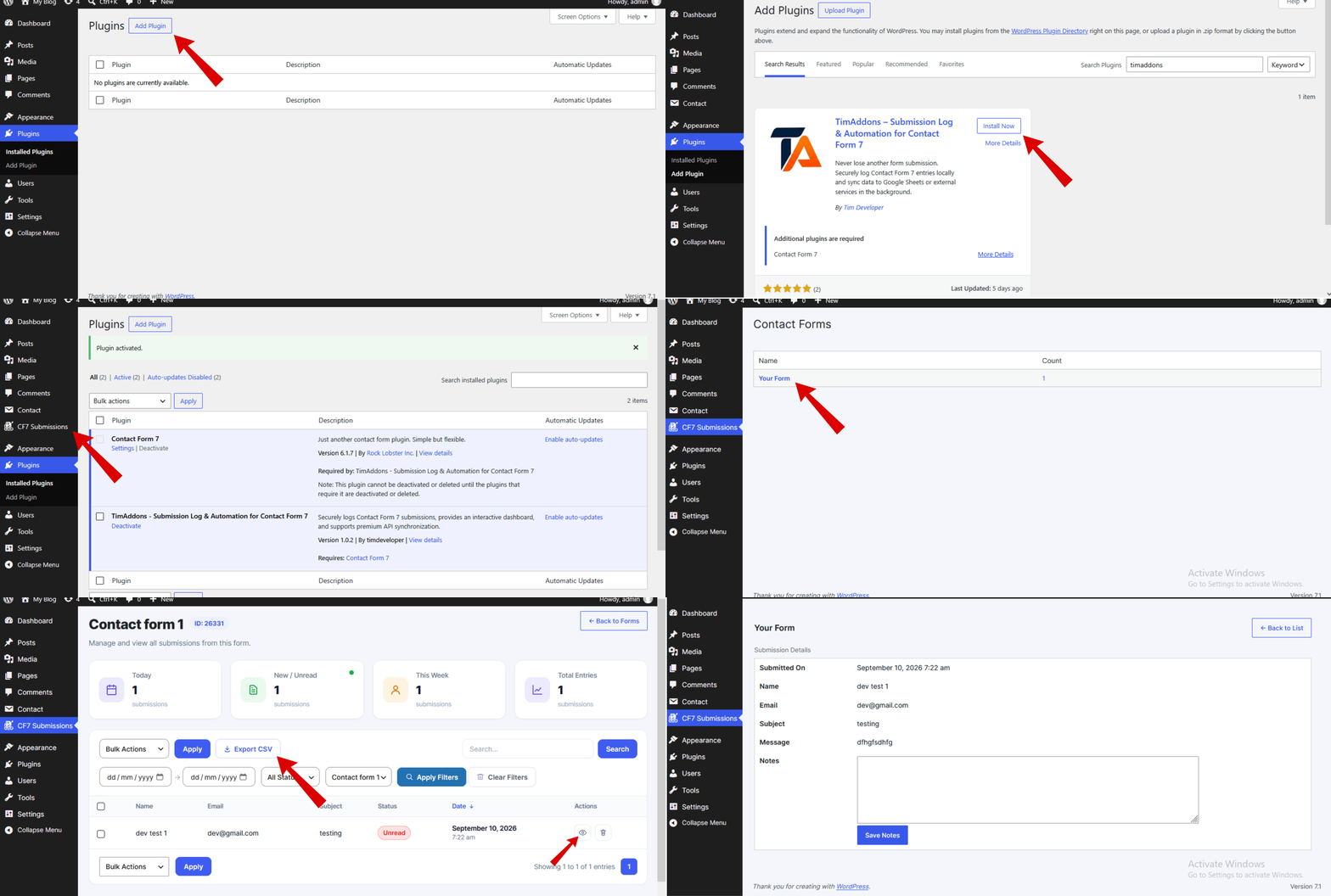
Save and manage Contact Form 7 submissions directly in WordPress.
Contact Form 7 is a powerful and popular WordPress form plugin, but it does not store submitted form entries in the WordPress database by default. If an email notification is delayed, filtered as spam, or fails to arrive, valuable leads and form submissions can be difficult to recover.
Submission Log & Automation for Contact Form 7 automatically saves Contact Form 7 submissions to a dedicated custom MySQL database table, giving you a reliable submission history directly inside your WordPress dashboard.
Search, filter, sort, view, export, and manage your Contact Form 7 submissions from an easy-to-use admin interface. The plugin uses efficient database queries and server-side pagination so you can manage your submissions without loading the entire database at once.
Whether you receive a few submissions or manage a large number of Contact Form 7 entries, TimAddons provides a centralized place to store and manage your form submissions instead of relying only on email notifications.
This plugin is an independent extension for Contact Form 7 and is not affiliated with or endorsed by the Contact Form 7 project.
Free Features
-
Automatic Contact Form 7 Submission Logging: Automatically captures Contact Form 7 submissions and stores them in a dedicated custom MySQL database table so you can access your entries later.
-
Fast Submission Database: Stores submissions in a dedicated custom database table instead of WordPress posts or
wp_postmeta, providing an efficient structure for storing and managing form submissions. -
Powerful Search & Filtering: Quickly find submissions by searching submitted field values, filtering by Contact Form 7 form, or selecting a date range.
-
Efficient Submission Loading: Uses server-side pagination and database queries to load only the required submission records for each page instead of loading the entire submission database at once.
-
DataTables Interface: Browse submissions using a jQuery DataTables-powered interface with searching, sorting, pagination, and easy submission management.
-
View Submission Details: Open individual submissions to view the complete submitted form data and related information.
-
Attachment Support: View and access files and attachments submitted through Contact Form 7 forms directly from the submission details.
-
Export Submissions: Select individual or multiple submissions and export them for reporting, backup, or further processing.
-
Read & Unread Status: Mark submissions as read or unread to keep track of entries that still need attention.
-
Submission Management: Select and delete submissions directly from the submission listing.
-
Internal Notes: Add notes to individual submissions to record follow-ups, customer information, or other internal comments.
-
Dashboard Widget: View submission activity directly from the WordPress dashboard.
-
Developer Friendly: Built using native WordPress functions and hooks, making the plugin suitable for developers and WordPress site builders.
Why Save Contact Form 7 Submissions?
Email notifications are useful, but email should not be the only place where your form submissions exist.
By automatically saving Contact Form 7 submissions to your WordPress database, you can:
- Keep a history of submitted forms.
- Search for previous submissions.
- Filter submissions by form or date.
- Review submitted information from your WordPress dashboard.
- Access uploaded attachments.
- Track which submissions have been reviewed.
- Add internal notes for follow-up.
- Export selected submissions when needed.
TimAddons gives you a dedicated place to manage your Contact Form 7 entries without relying solely on email delivery.
Built for Efficient Submission Management
TimAddons stores Contact Form 7 submissions in a dedicated custom database table rather than using WordPress posts or post meta for submission storage.
The submission listing uses efficient database queries and server-side pagination, so only the records required for the current page are loaded. This makes the submission management interface practical for websites that need to manage a growing number of Contact Form 7 submissions.
Upgrade to Pro
Need to do more with your Contact Form 7 submissions?
TimAddons Pro adds automation and external integrations to help you connect your Contact Form 7 submissions with other services.
Pro features include:
- Google Sheets Integration: Automatically send Contact Form 7 submissions to Google Sheets.
- Background Processing: Process external integrations in the background to help keep form submission processing efficient.
- Automatic Retry: Retry failed synchronization attempts when an external service is temporarily unavailable.
- Secure OAuth Connection: Connect your Google account using OAuth.
Upgrade to Pro to automate your Contact Form 7 submission workflow and connect your forms with external services.
Who Is TimAddons For?
TimAddons is useful for:
- Businesses receiving leads through Contact Form 7.
- Agencies managing WordPress websites.
- Freelancers building WordPress websites.
- Marketing teams managing website inquiries.
- Websites that need a Contact Form 7 submission database.
- Websites that need searchable Contact Form 7 entries.
- Businesses that want to export Contact Form 7 submissions.
- Websites that want to connect Contact Form 7 submissions with Google Sheets.
Screenshots
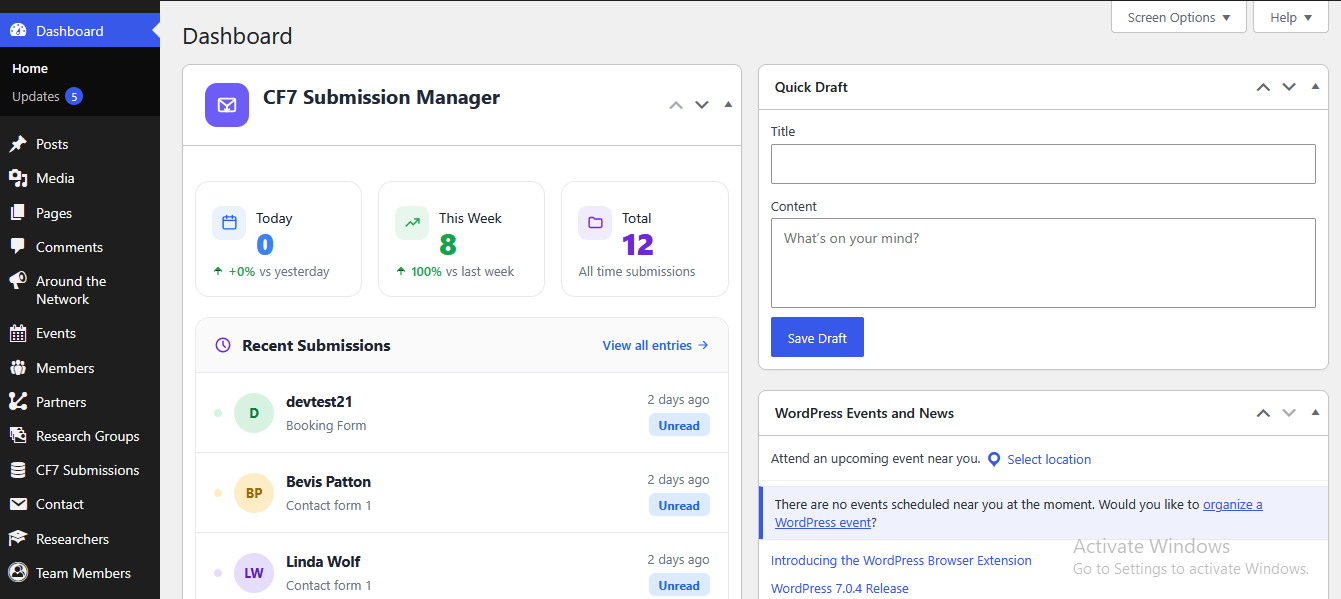
The CF7 Submissions dashboard for viewing, searching, sorting, and managing form entries.
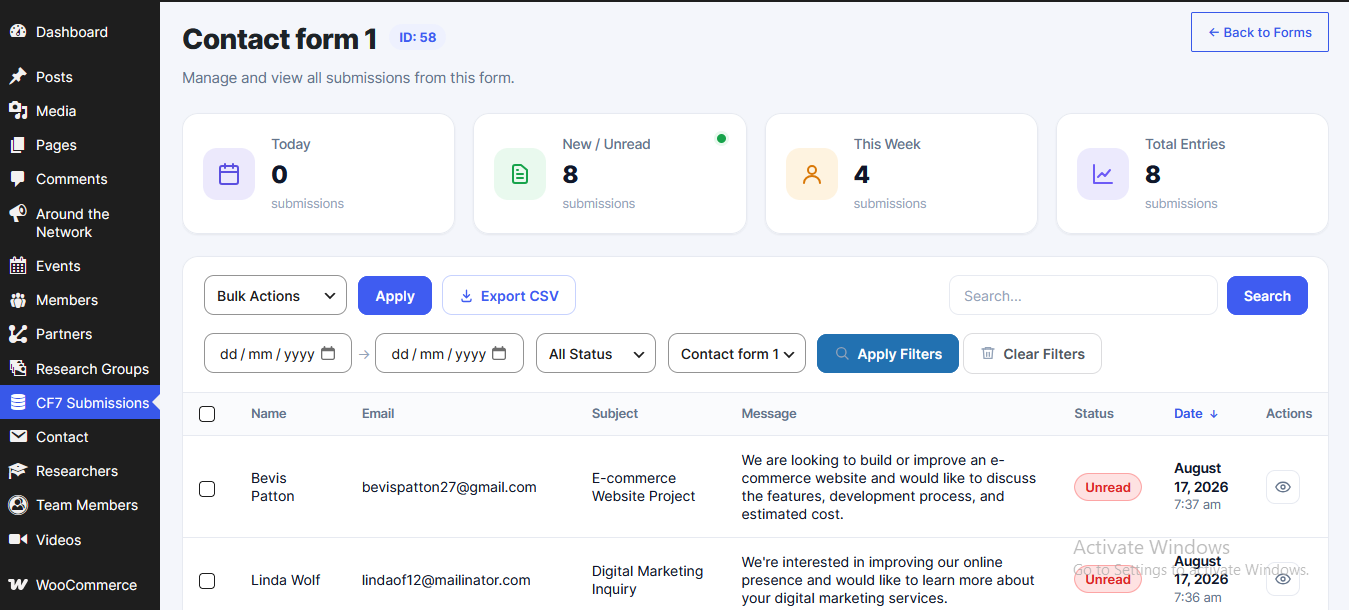
Form submission fields parsed and organized into a readable data table.