
tlloancy Behavioral Ultimate Finisher looks at how a form was filled, not only at what was sent. It scores each submission from a few behavioral signals and lets you decide what happens to the ones that look automated. No CAPTCHA, no cookies, no external service.
A companion for your anti-spam plugin
Honeypots, nonces and form timers are good against simple bots, but a bot that runs JavaScript can satisfy them. Behavioral Ultimate Finisher adds the missing angle: a bot that loads the page, fills the form in a fraction of a second and never touches the mouse or the keyboard gives itself away by how it behaved.
It uses standard WordPress hooks and its own field names, so it is designed to sit next to plugins such as La Sentinelle antispam, Antispam Bee or Akismet. Each plugin runs its own check, and a submission is stopped if either one flags it. This plugin is independent and is not affiliated with those projects.
What it catches
- Bots that run JavaScript but do not behave like a person: submitting within a fraction of a second, no mouse, keyboard, touch or scroll, scripted keystrokes, headless-browser windows.
- Raw bots that post straight to the form without a browser: by default through the honeypot, and through the missing or forged token once you raise the “no valid token” score (see the FAQ).
What it does not catch
Bots that drive a real browser with genuine input events, and human spammers, can look like a normal visitor. Keep a content-based anti-spam plugin for those.
Signals (each with an editable score)
- Honeypot field filled in
- No valid token (direct POST without a browser, forged or expired token)
- Form submitted faster than a minimum fill time
- No human interaction before the submission (mouse, keyboard, touch, scroll, focus)
- Browser reports automation (
navigator.webdriver) - Browser window reports a size of 0 x 0, typical of headless browsers
- Many keystrokes or clicks fired by a script instead of the browser (simulated typing)
Scores add up. A submission is flagged when its total reaches your threshold, so one weak signal never blocks a real visitor on its own.
Three modes
- Reject (default): every flagged submission is rejected.
- Mark as spam: flagged comments go to the spam queue, other forms reject the submission.
- Observe: scores are logged, nothing is blocked. Useful to check the log and calibrate your thresholds on your own traffic.
Protected forms
- WordPress comments (including WooCommerce reviews)
- User registration (WordPress and WooCommerce)
- Contact Form 7
- Login (optional, off by default)
For developers
$result = tlbuf_evaluate( 'my-plugin' ); returns `score`, `signals` and `flagged` for the current submission. Use the `tlbuf_behavior_score` filter to adjust the score.
Privacy
No cookies, no IP address stored, no data sent to any third-party service. The optional log only keeps the date, form type, score, decision, triggered signals and a short line of event counters (numbers only, never what was typed), and is purged automatically.
Screenshots
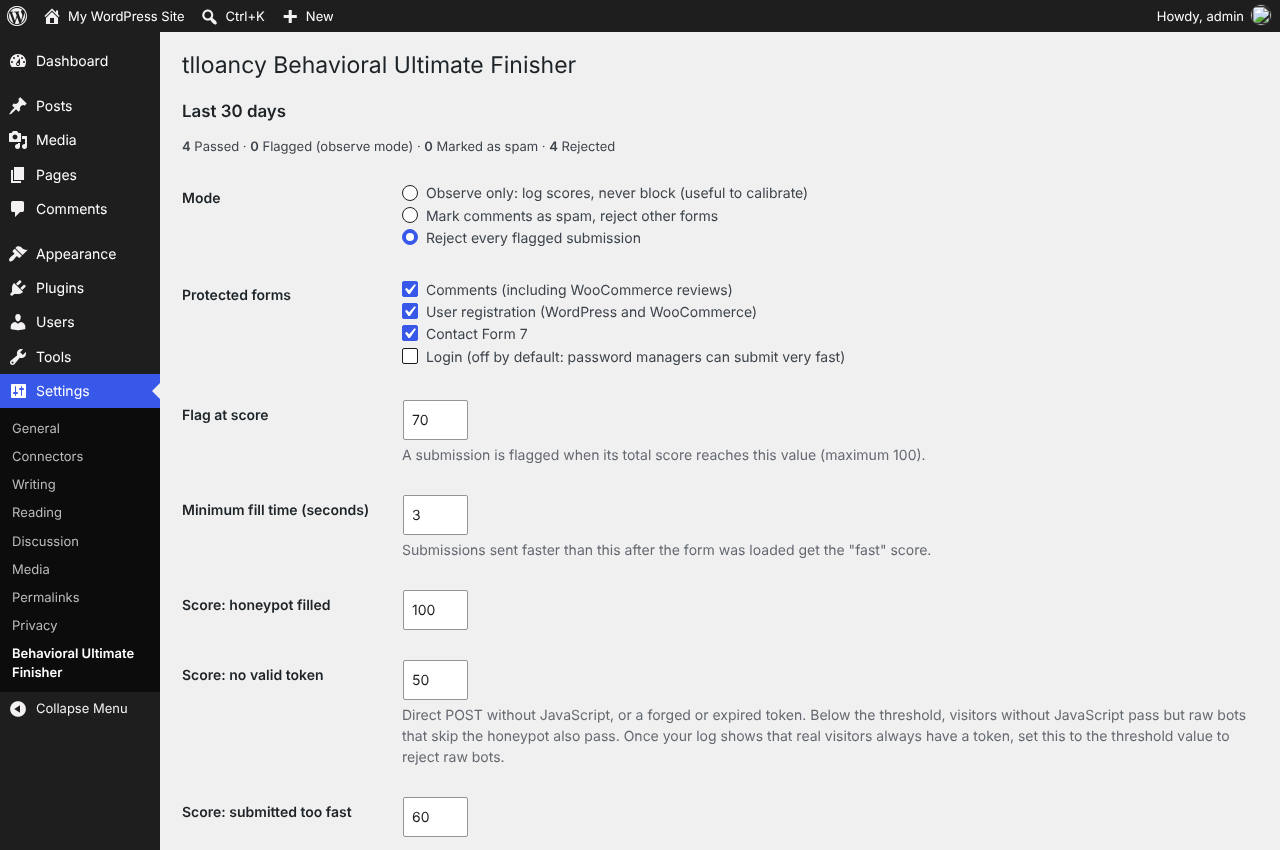
Choose a mode (reject, mark as spam, observe) and the forms to protect.
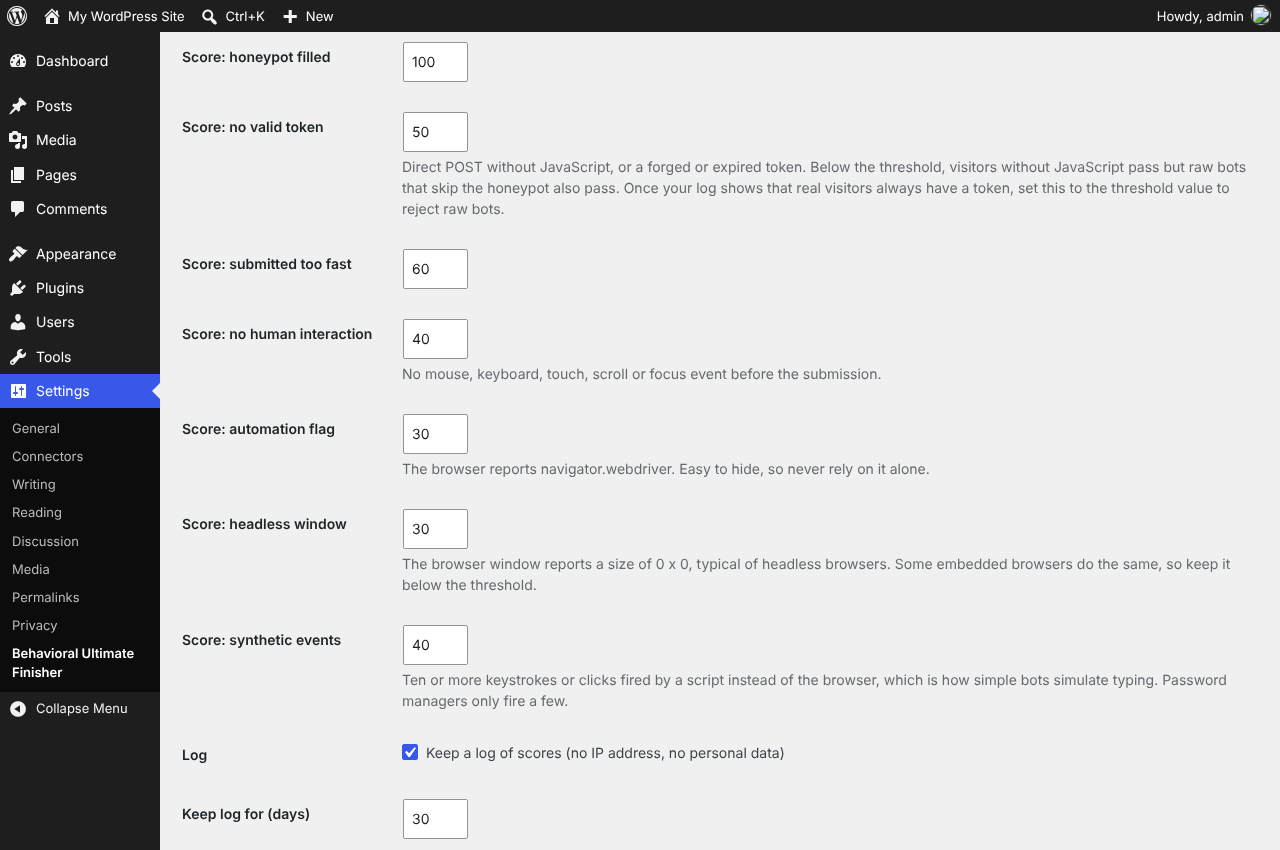
Every signal has its own editable score.
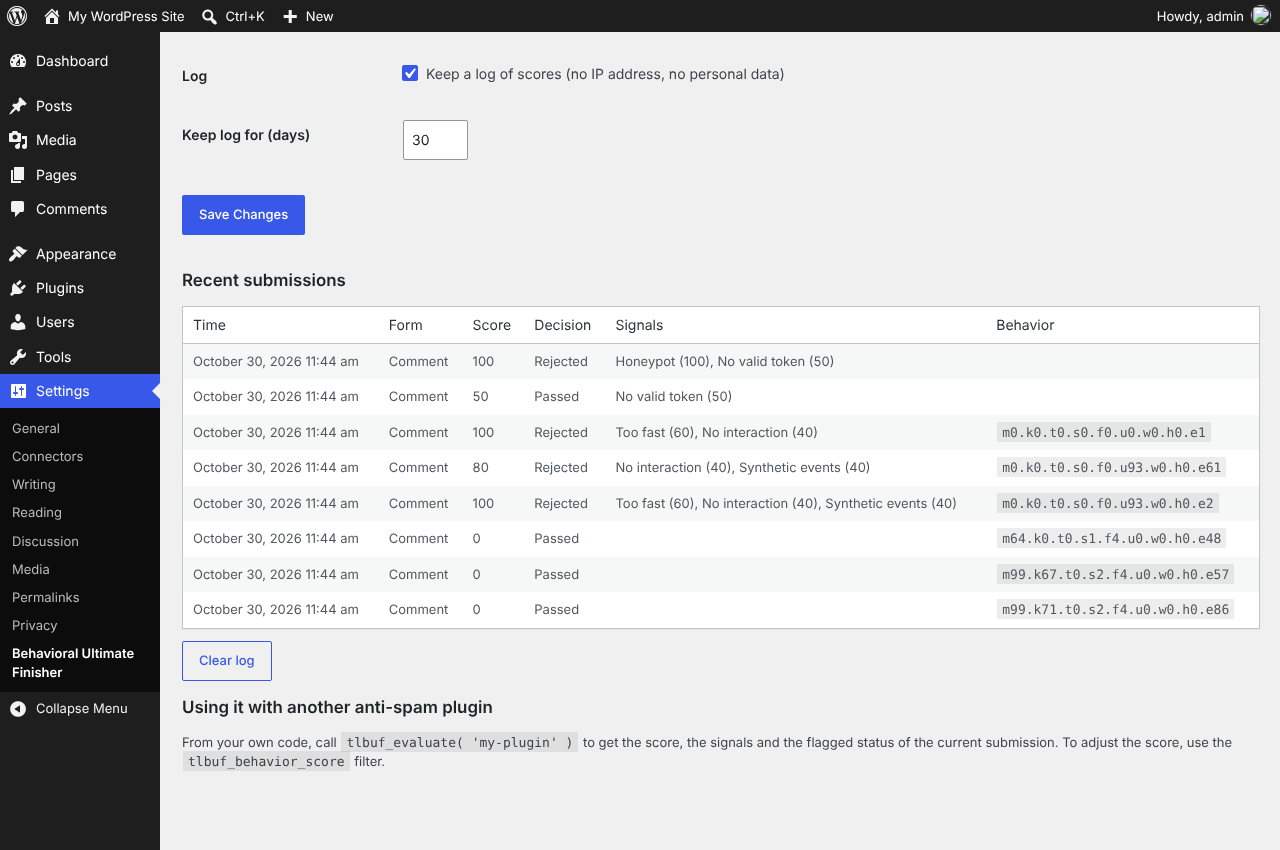
The score log lists each submission with its signals and event counters (demo traffic).