
A normal YouTube embed shows one video. Then it sends the viewer to YouTube and attention leaves your site.
TV Player for YouTube Channels turns your channels into a full-screen TV on your site. A swipe or arrow key moves to the next video or the next channel, and the same plugin also does galleries, lists and carousels.
Built for creators, publishers and media sites that already publish on YouTube and want viewers to stay on their own site. It is free and needs no API key.
YOUR CHANNELS AS A TV, ON YOUR OWN SITE
One video fills the screen and scrolling stops. Each swipe, wheel turn or arrow key moves exactly one video. Up and down or J and K go to the next or previous video. Left and right change channel with the channel name in the middle. M mutes. A tap plays or pauses. When a video ends the next one starts.
You can show channels as buttons along the top, as a guide down the left side, as a guide that also shows each channel’s next three videos where you can click one to play it, or as video only. On phones the guide opens from a Channels button so the video keeps the full width.
SEVEN WAYS TO SHOW YOUR VIDEOS
- TV: One video fills the screen and a swipe or arrow key brings the next.
- Theater: A big player with the channel’s videos listed beside it. The next video plays when one ends.
- Gallery: A grid of the latest videos in 1 to 6 columns. Videos play in place or in a lightbox.
- List: Thumbnail, title, views, date and description in one video per row.
- Shorts: The channel’s Shorts as vertical cards, played in a vertical lightbox.
- Latest video: Always the newest upload and it updates itself.
- Carousel: A sideways row of videos you can scroll or swipe.
KEEP VIEWERS ON YOUR SITE
- Continue reading: A slim ticker under the TV scrolls your latest articles or one category so viewers keep reading.
- Sponsor bar: A strip along the bottom of the TV keeps sponsors in view. You can rotate them one at a time, show two side by side, or keep one. Logos come from the media library and every link is marked sponsored.
FAST, FREE, NO API KEY
A video loads a YouTube player only when it plays and until then it is a thumbnail. Videos come from YouTube’s public feed so there is no Google API key to set up and no quota to run out of.
Also free are channels and playlists as sources, a channel header with a Subscribe button, a search box and a Load more button, the option to show, hide or isolate YouTube Shorts, VideoObject structured data, and YouTube’s privacy-enhanced player (youtube-nocookie.com).
SHORTCODES
Place the TV with the TV Player for YouTube Channels block or the [youtube_tv] shortcode.
[youtube_tv]full screen TV[youtube_tv fullscreen="no"]the TV inside the page[youtube_tv tv_style="guide"]with a channel guide (guide_gridadds each channel’s next three videos,soloshows only the video)[youtube_tv layout="theater"][youtube_tv layout="gallery" columns="3"][youtube_tv layout="list"][youtube_tv layout="carousel"][youtube_tv layout="shorts"][youtube_tv layout="latest"]
From the team behind YouTube to Article, which turns your videos into posts.
External services
This plugin connects to these services:
- YouTube (Google): channel pages on youtube.com are read once, when you add a channel, to find its channel id. The public feed at https://www.youtube.com/feeds/videos.xml is read to list the channel’s videos (cached for an hour). Thumbnails load from i.ytimg.com and videos play through the privacy-enhanced player at youtube-nocookie.com, in your visitors’ browsers. Terms: https://www.youtube.com/t/terms Privacy: https://policies.google.com/privacy
Screenshots
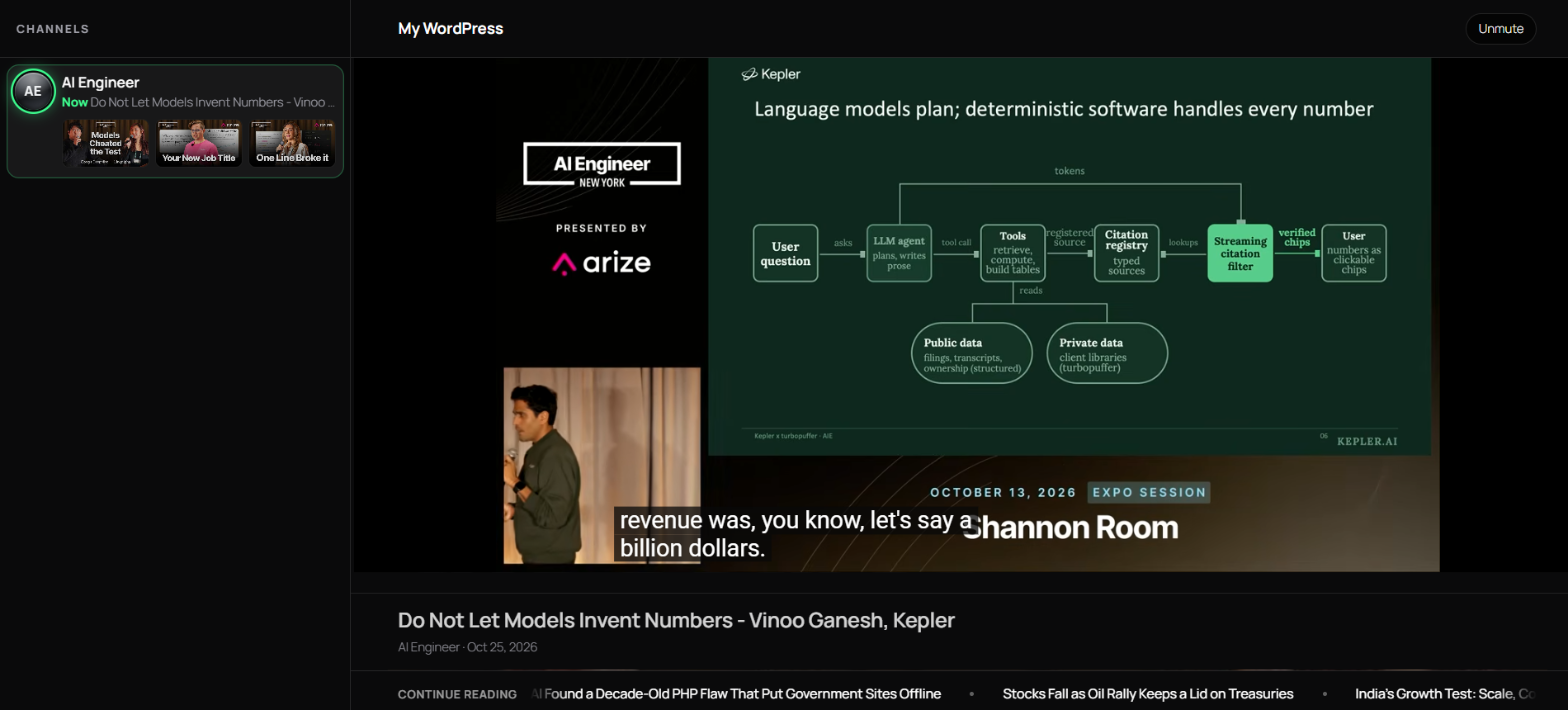
The full-screen TV with the channel guide and the Continue reading ticker.
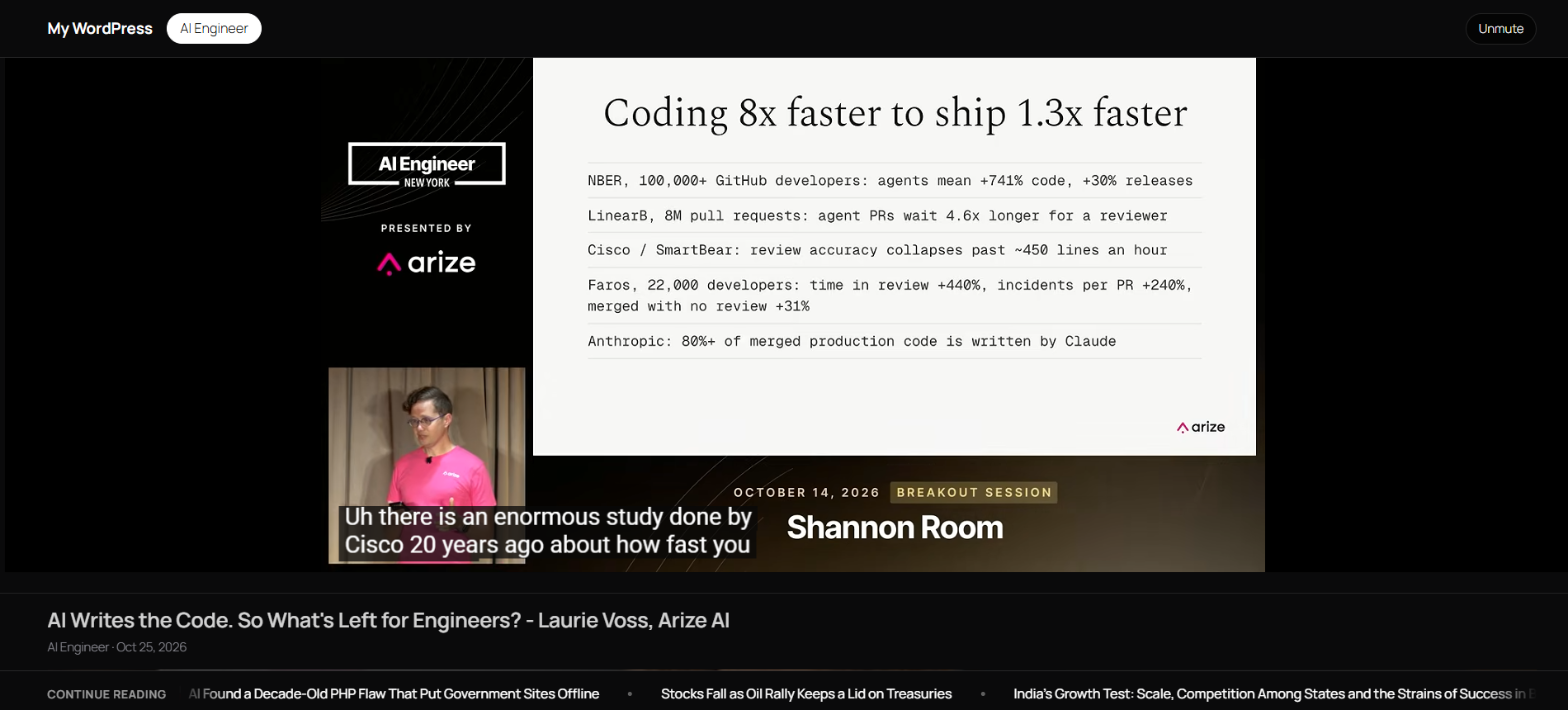
The full-screen TV with channel buttons along the top.
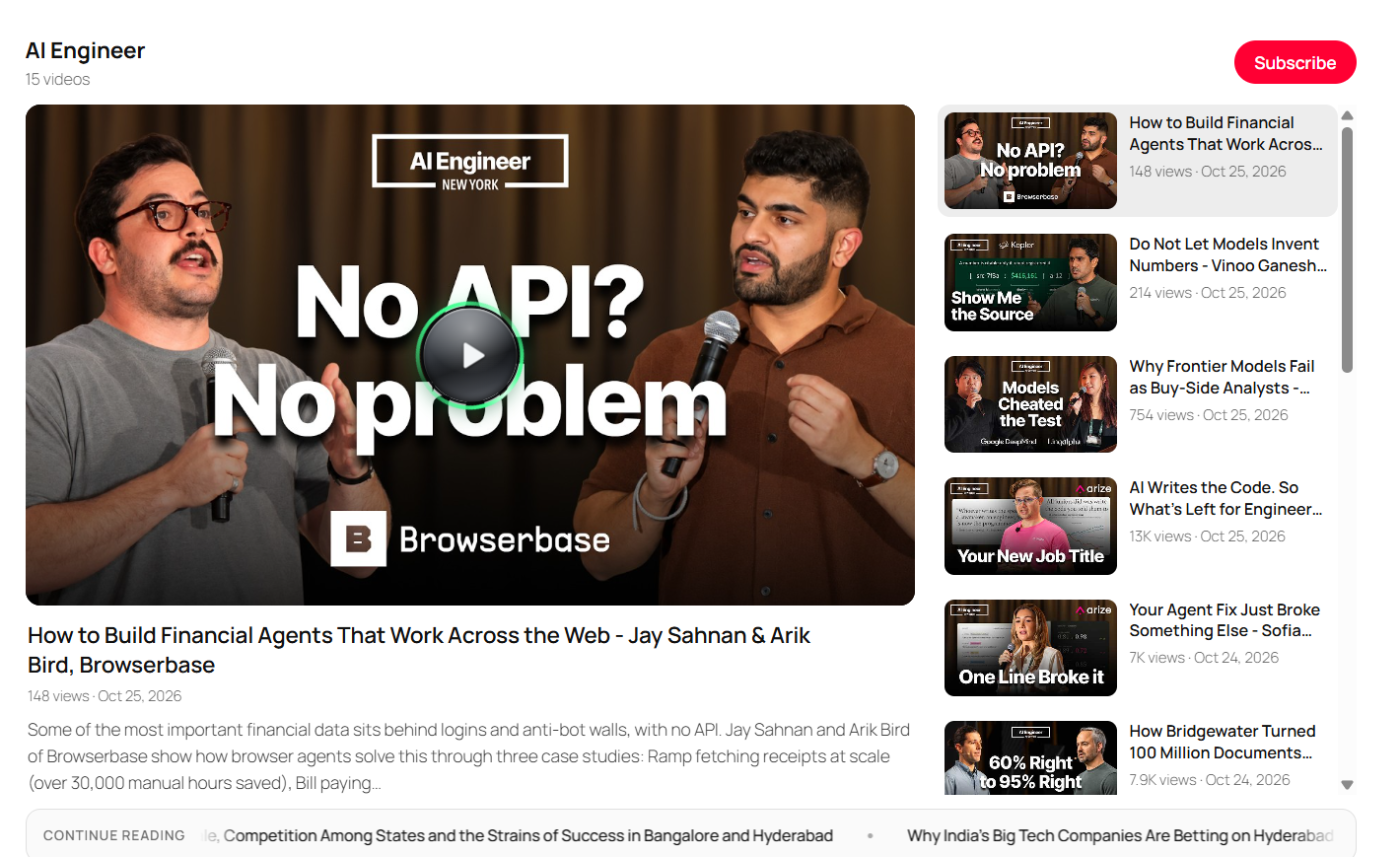
The Theater layout with a big player and videos listed beside it.
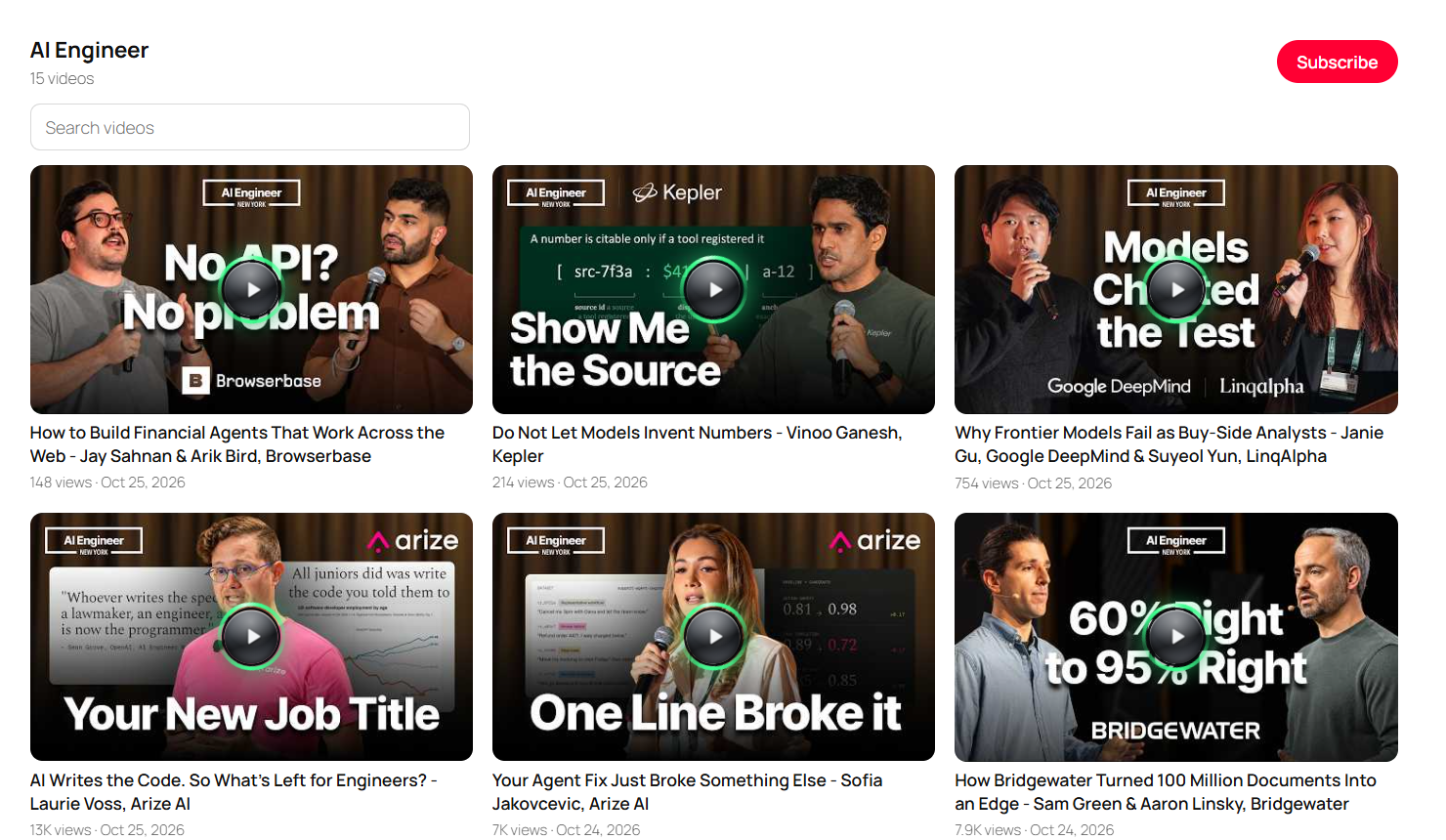
The Gallery layout with a channel header, Subscribe button and search box.
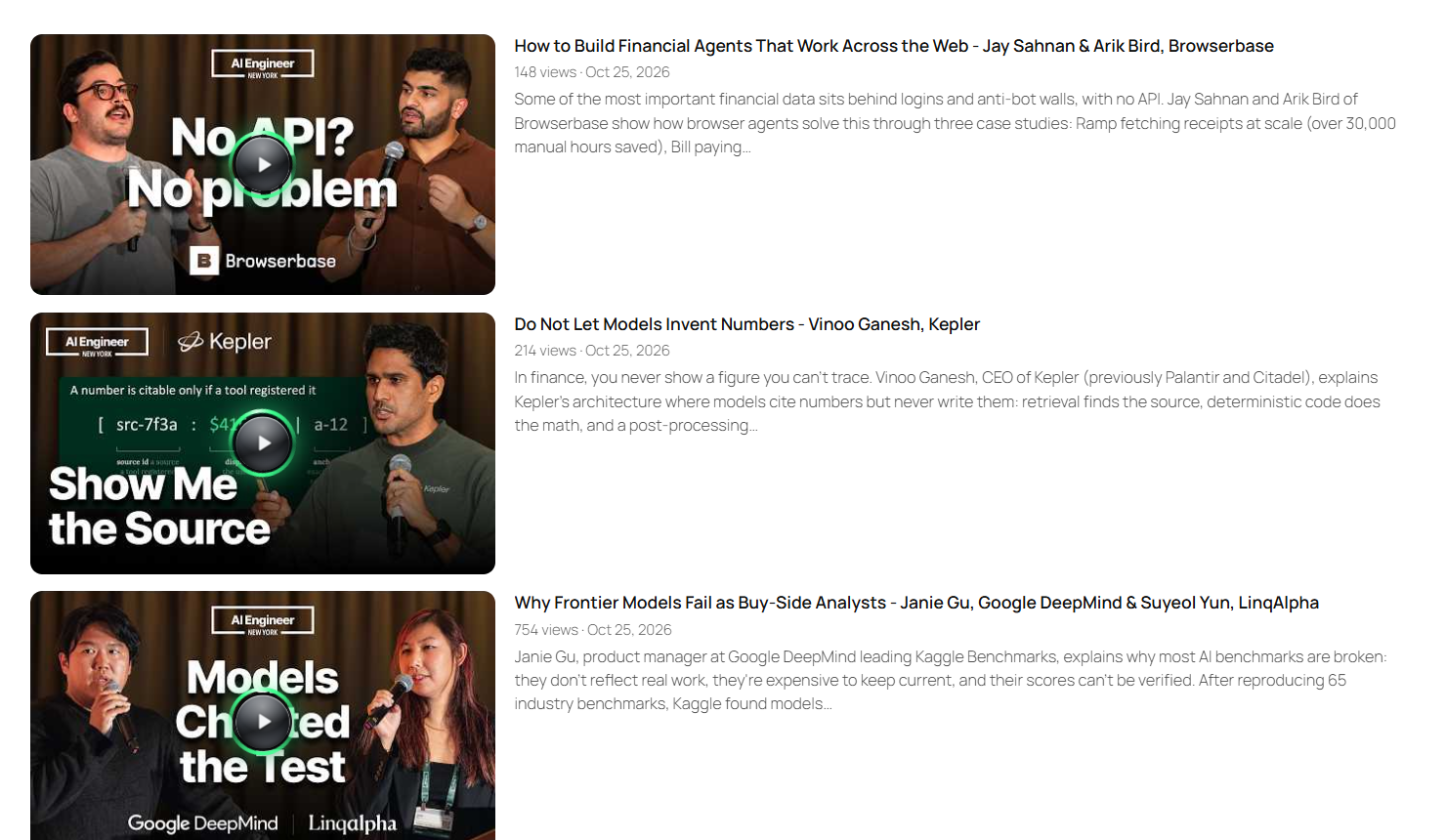
The List layout with one video per row, thumbnail, title, views, date and description.

The Carousel layout with a sideways row of videos and Continue reading ticker below.
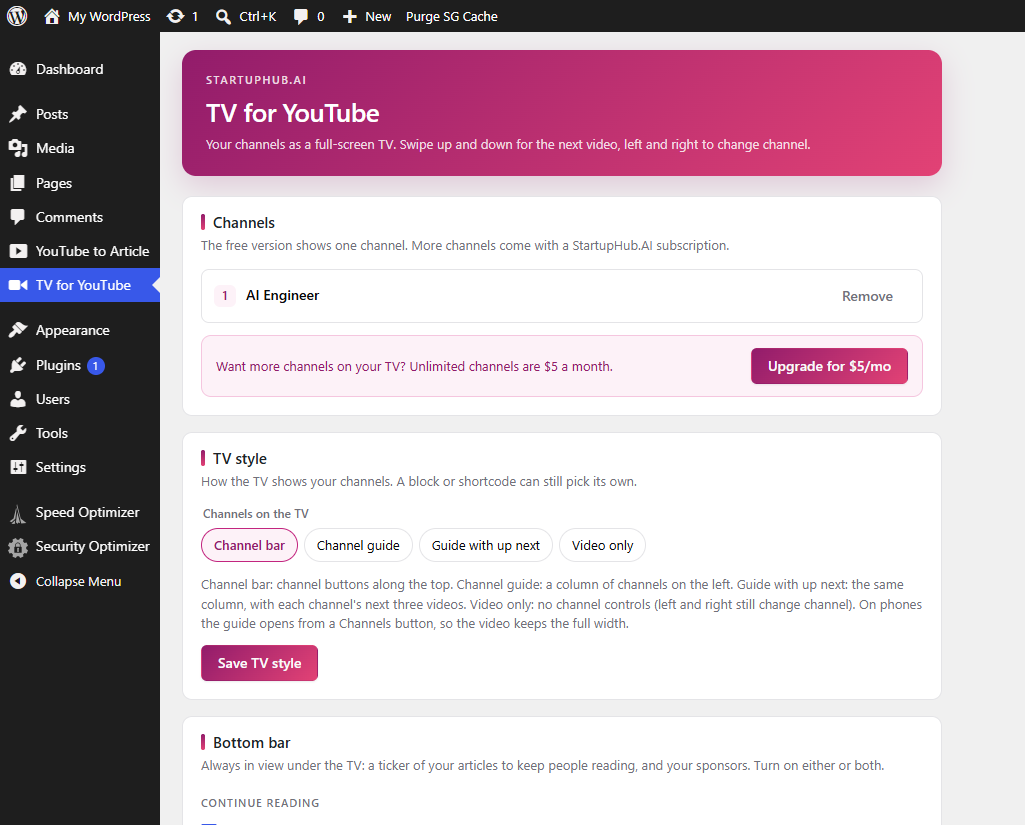
The settings page listing channels, TV style choices and bottom bar options.