
TW Replace Cart Button with Learn More for WooCommerce replaces the default WooCommerce Add to Cart button on product listing pages. You can also enable replacement on product detail pages.
This plugin is useful for store owners who want customers to view product information or visit a custom link instead of adding items to the cart.
The detail-page button label and link can be configured from Settings in the plugin’s main menu. Both fields are required when product detail-page replacement is enabled.
Lightweight and performance friendly.
Key Features:
- Always replaces Add to Cart on listing pages using the existing Learn More label and product link
- Optionally replaces Add to Cart on product detail pages
- Works with simple, variable, grouped, and external products
- Configure the detail-page button label and link
- Listing-page Learn More buttons link directly to the product detail page
- No cart or checkout interference
- Lightweight and fast
How It Works
- Open Settings from the plugin’s main menu to configure product detail-page behavior.
- Listing-page buttons keep the existing Learn More label and link directly to each product’s detail page.
-
When enabled, product detail buttons use the configured label and link. Enter the full URL of a Contact Us or Request a Quote page.
-
This behavior applies to:
- Shop page
- Product category pages
- Product tag pages
- WooCommerce product loops
- Product detail pages when enabled in Settings
-
Cart page cross sell buttons are not modified to preserve checkout experience.
Privacy / External Service
This plugin can optionally connect to an external support service operated by Technology Wisdom.
Service: https://pluginsupport.technologywisdom.com
Terms of Use: https://pluginsupport.technologywisdom.com/terms-of-use/
Privacy Policy: https://pluginsupport.technologywisdom.com/privacy-policy/
The service is used to provide in-plugin support messaging, feedback forwarding, announcements, and connection status for opted-in sites.
Opt-in consent (required before any connection):
When you activate the plugin, an admin notice asks whether you want to allow the support connection. You can choose Allow Support Connection or No Thanks.
- If you allow the connection, the plugin may send: site URL, site name, admin email, plugin name/version, WordPress version, and PHP version. Support requests and review/feedback details are sent only when you submit those forms. The plugin may also check weekly for announcements from Technology Wisdom.
- While the connection is enabled, the plugin may also report a connection status to the portal so we can tell whether the site is Active, Deactivated, Disconnected, or Deleted. Status is only sent after you opt in.
- If you decline (or never accept), that data is not sent to the support portal. The plugin’s core feature continues to work normally without the connection.
- You are never required to allow the connection to use the plugin.
- You can disconnect the support connection at any time from the plugin’s Support page by choosing Disable priority support. After you disconnect, the plugin stops sending status updates, support traffic, and announcement checks.
Support and rating forms also include their own consent checkboxes before site information is included with a submission.
Please review the service Terms of Use and Privacy Policy before enabling the connection.
License
This plugin is licensed under the GPL-2.0+ License. You can freely use, modify, and distribute it under the terms of this license. See the full license at: https://opensource.org/licenses/GPL-2.0
Screenshots

Screenshot 1: Plugin settings page showing the page options and product detail button label and link fields.

Screenshot 2: Frontend view where the Add to Cart button has been replaced with a Learn More button
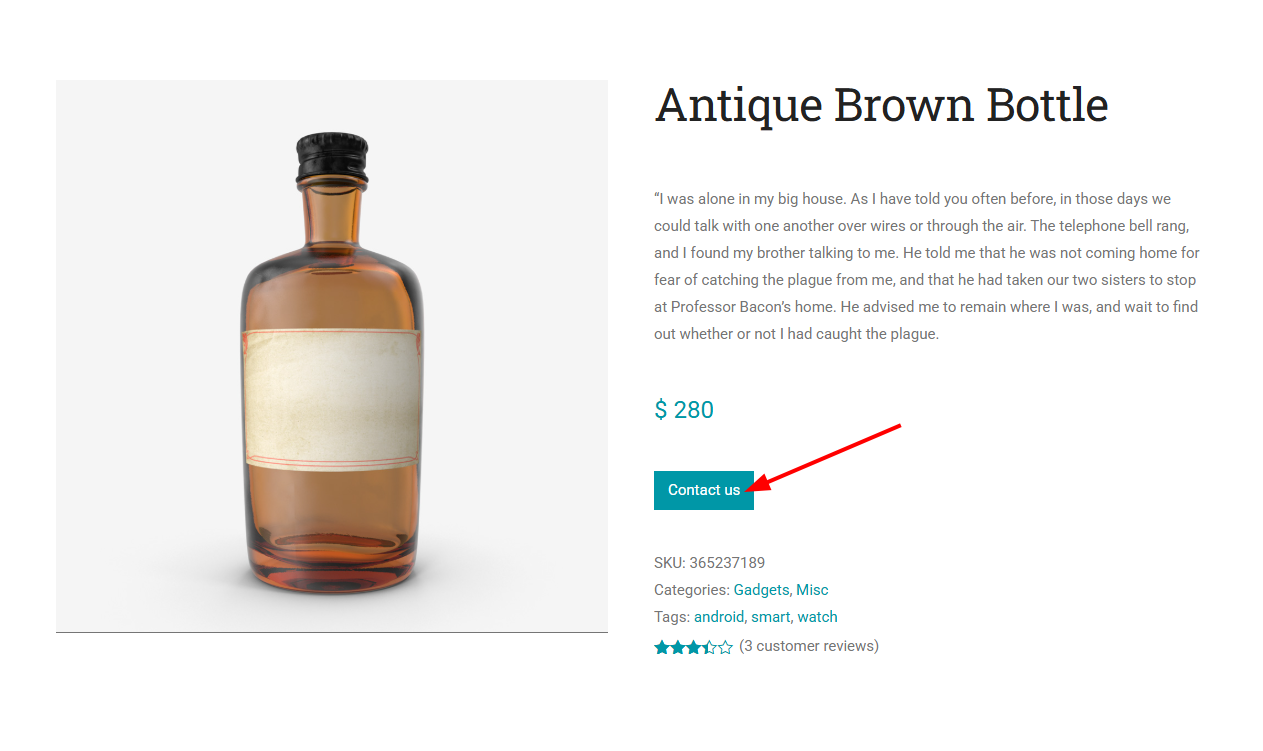
Screenshot 3: Product detail page frontend showing the replacement button.
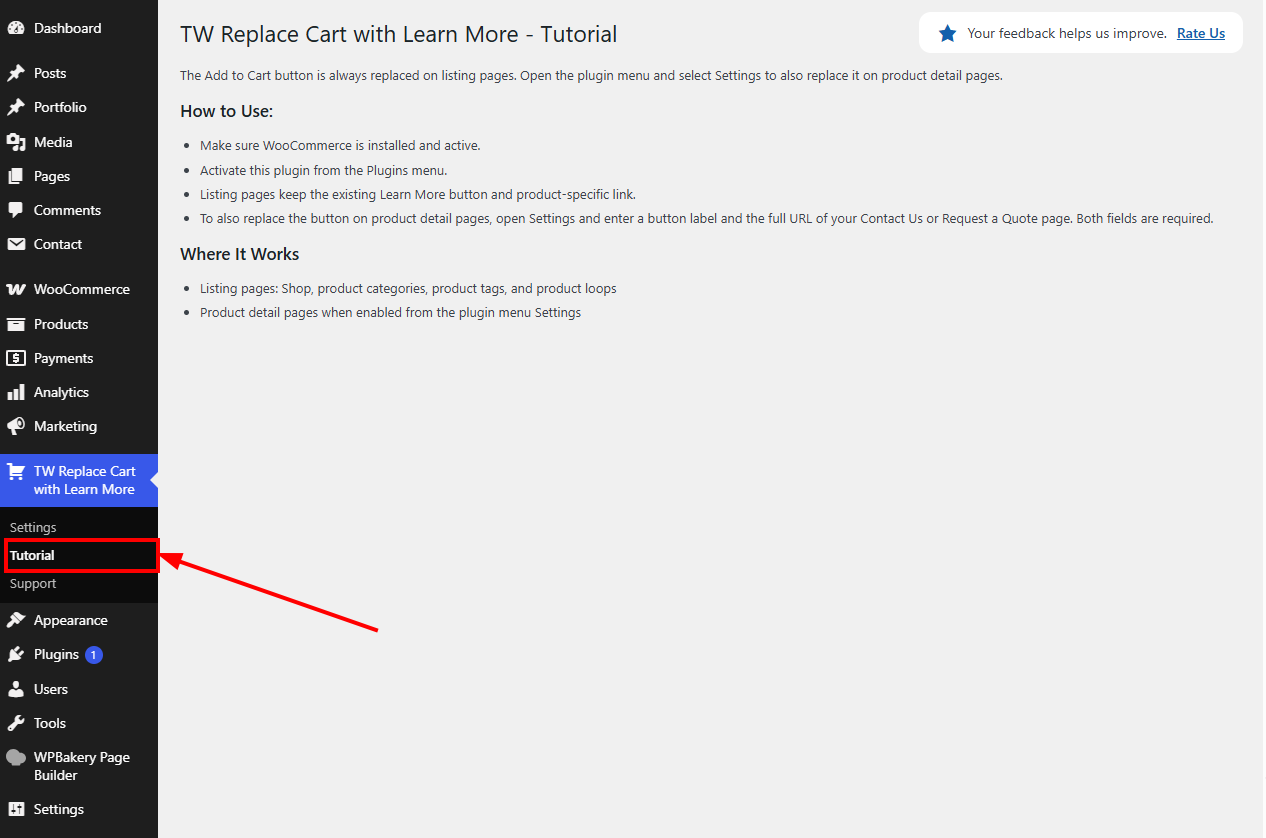
Screenshot 4: Provides helpful guidance and usage instructions for the plugin.