
UAIP Yet Another PDF Editor puts a PDF viewer and editor on your pages. Visitors can read a PDF, mark it up, sign it or fill it in, and download their own copy, all in the browser. Every feature is free: there is no premium version, no locked settings and no upgrade notices.
Flipbook
- Show any PDF from your Media Library as a book with turning pages: magazines, brochures, catalogues, menus, yearbooks. No account and no conversion service: the pages are drawn in the visitor’s browser from your own PDF.
- Turn pages by clicking, dragging a corner, swiping, or with the keyboard.
- Two-page spreads on wide screens, one page on phones.
- The first page as a cover, or pages paired from the start.
- Right-to-left books for Arabic, Hebrew, Jawi or manga.
- Show only the cover on the page; the flipbook opens in a lightbox when it is clicked.
- Thumbnail strip, page number box, download, print and full screen. Links in the PDF stay clickable.
- One click switches to the document viewer for search, zoom, annotating and signing.
- Follows the visitor’s “reduce motion” setting, and screen readers can read the page text.
Annotate and sign
- Highlight text in five colours.
- Draw freehand, in five colours and three sizes.
- Add text boxes and images.
- Sign: draw a signature with mouse, finger or pen, or type your name. Place, move and resize it anywhere on the page.
- Undo, redo and delete.
- Download saves everything into the visitor’s copy of the PDF. Nothing is uploaded to your site, so there is no personal data to store.
- Turn it off site-wide or per block if you only want a viewer.
Viewer
- Continuous scrolling with page numbers you can type in.
- Search inside the document, with all matches highlighted.
- Clickable links and a table of contents (outline).
- Thumbnails sidebar.
- Zoom: automatic, page width, page fit, actual size and percentages.
- Download, print and full screen buttons (each can be turned off).
- Text selection and copy.
- Visitors can fill in PDF forms and download the completed copy.
- Password-protected PDFs ask the visitor for the password.
- Keyboard shortcuts and screen-reader labels; works with keyboard only.
- Light, dark or automatic colours.
Fast pages
- Nothing loads on pages without a PDF.
- The viewer loads only when it scrolls into view, or when the visitor clicks “Load PDF” if you prefer.
- No jQuery. PDFs are read straight from your Media Library, so large files load page by page.
- Built on a current release of pdf.js (Mozilla’s PDF engine), which never runs JavaScript from inside a PDF.
Easy to use
- PDF Viewer block: upload or pick a PDF, then set the height, start page, zoom and toolbar buttons per block. The editor shows a live preview.
- PDF Flipbook block: the same block, shown as a book. Switch any PDF Viewer block between the two in its settings.
- Shortcode:
[yape_pdf id="123"]or[yape_flipbook id="123"]for classic content, widgets and page builders. - Turn a File block that links to a PDF into a PDF Viewer block in one click.
Coming next
Page tools (rotate, reorder, delete, merge, redact) in the Media Library, and sending completed forms and signed PDFs to the site. All free.
Third-party components
- pdf.js, Copyright Mozilla Foundation, Apache License 2.0 (build/pdfjs/LICENSE).
- Standard fonts bundled with pdf.js: Foxit fonts (BSD-style, build/pdfjs/standard_fonts/LICENSE_FOXIT) and Liberation fonts (SIL Open Font License 1.1, build/pdfjs/standard_fonts/LICENSE_LIBERATION).
- StPageFlip (page-flip 2.0.7), Copyright Nodlik, MIT License (build/viewer/page-flip-LICENSE.txt). Page-turn animation of the flipbook.
- Image decoders bundled with pdf.js: OpenJPEG (BSD 2-Clause), QCMS (MIT) and the PDFium JBIG2 decoder (BSD 3-Clause). Licenses are in build/pdfjs/wasm/.
Source code, including the unminified viewer and build scripts: https://github.com/uaip-dev/yape-wordpress
Screenshots

A PDF with the thumbnails sidebar open.

Annotating: highlight, drawing, text and a signature.

Adding a signature.

Searching inside a document.

Block settings in the editor.
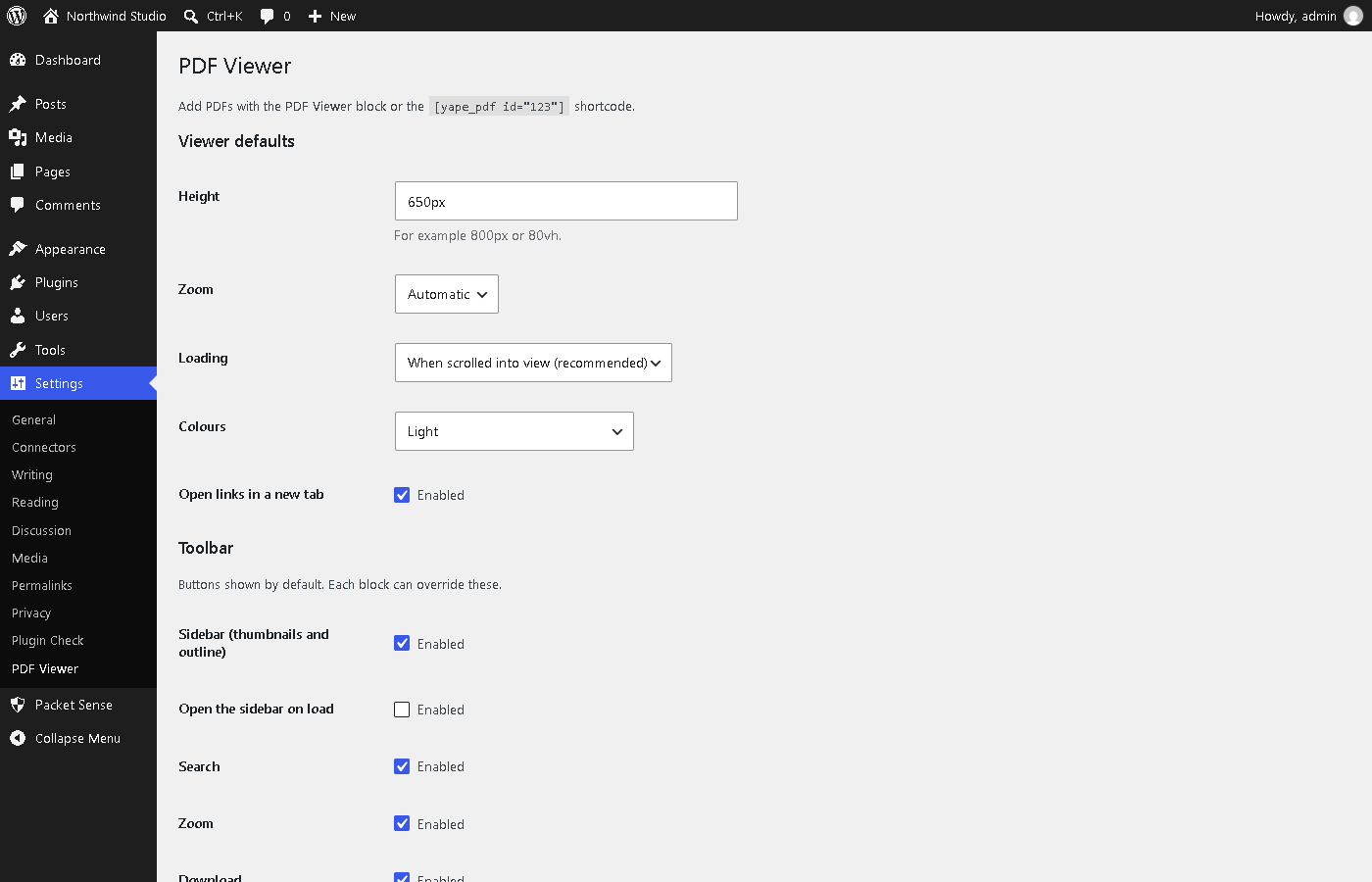
Settings > PDF Viewer.
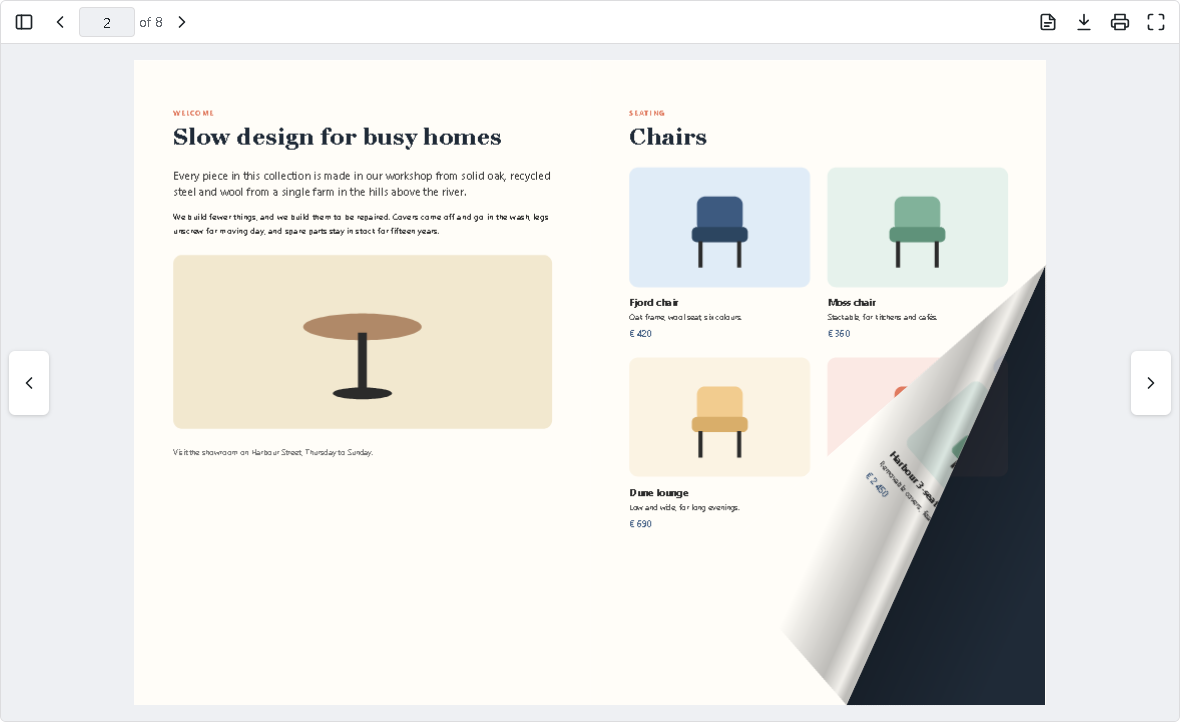
A brochure as a flipbook, with a page being turned.
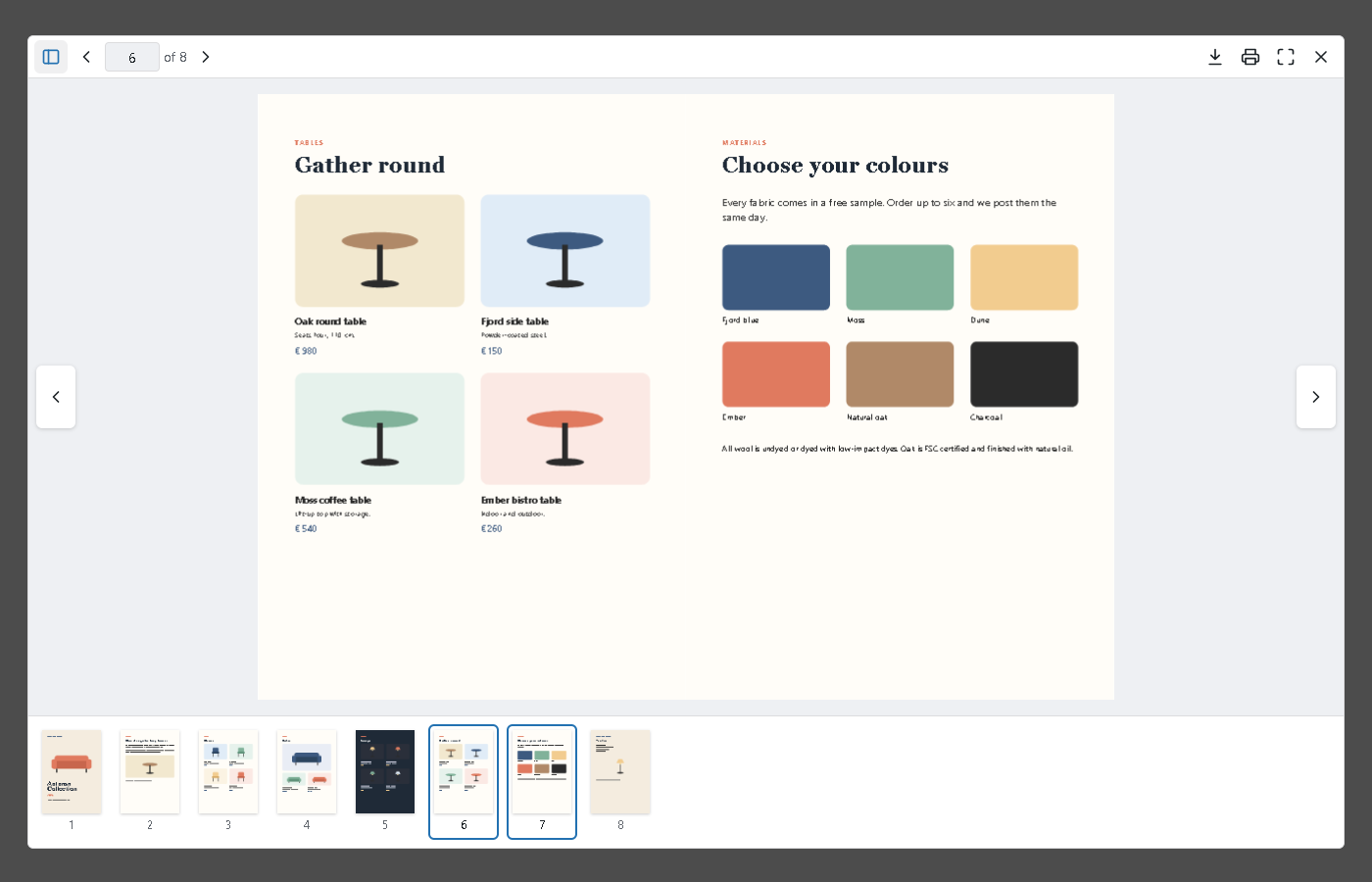
A flipbook opened in a lightbox from its cover, with the thumbnail strip.
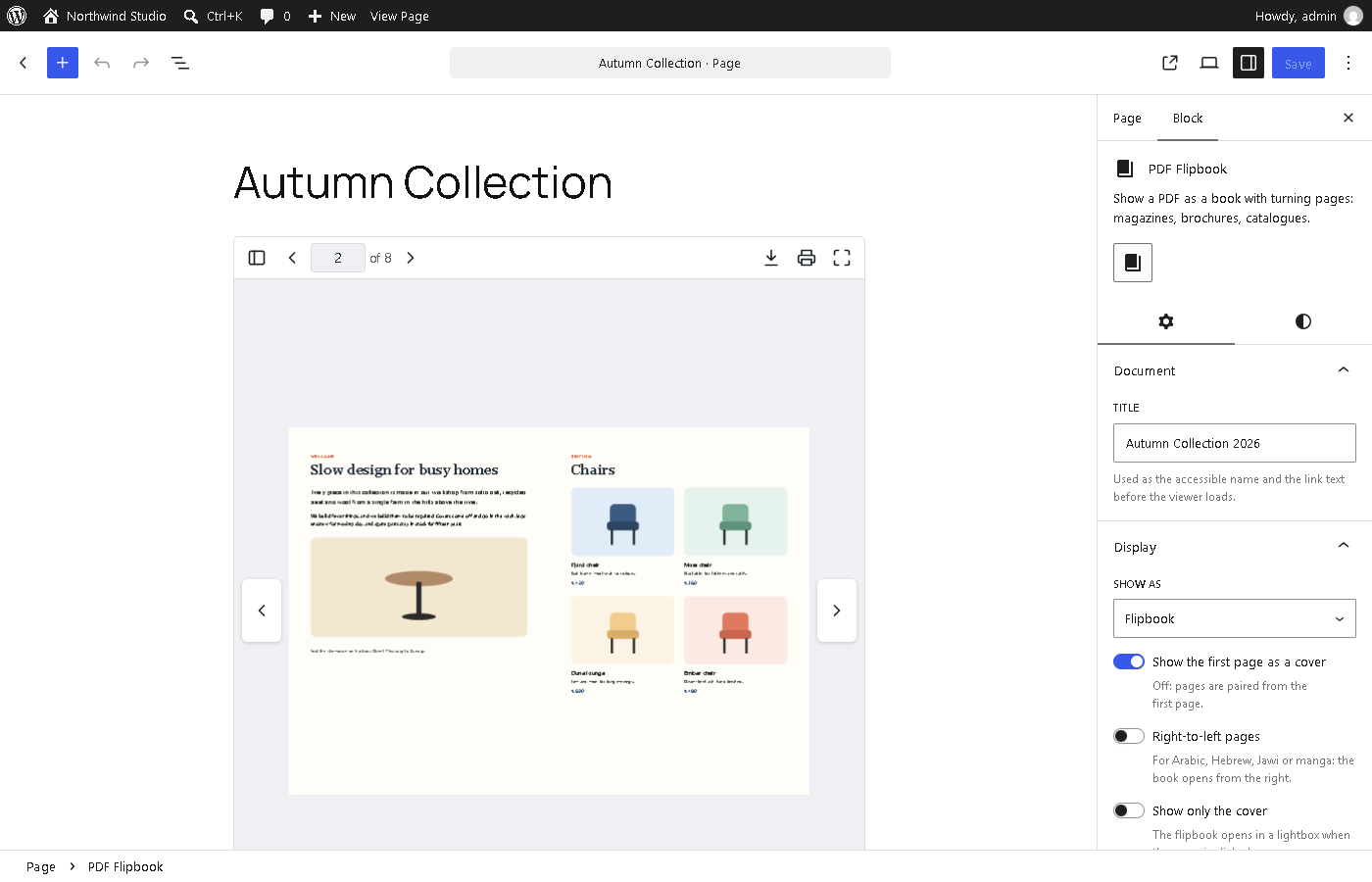
Flipbook settings in the block editor: cover page, right-to-left pages and lightbox.