
Ultimate 3D Testimonial Slider shows what your clients say about you, on any page or post. Add your testimonials, design a slider in the Shortcode Builder, and paste its shortcode where you want it.
Features
- Quick to set up, with a Getting Started guide, a live preview and a setup checklist
- Shortcode Builder: design and save sliders with a live preview, then place them with
[uts id="5"] - Five layouts: 3D slider, grid, list, masonry and ticker (an endless scrolling row)
- Seven slider effects: 3D coverflow, slide, fade, cards, 3D cube, flip and creative
- Autoplay, loop, speed, arrows and dots
- Eight card styles: classic, modern, speech bubble, elegant, glass, dark, split and soft tint
- Star ratings (1-5) per testimonial, shown only when set
- Colors, corner radius, columns, excerpt length and image size
- Settings page for the defaults; every setting can be overridden per slider or per shortcode
- Categories, to show different testimonials on different pages
- Several sliders on the same page
- Lightweight: no jQuery, and the CSS and JS load only on pages that use the shortcode
- Accessible: no autoplay or scrolling motion for visitors who prefer reduced motion
How to use
- Go to Ultimate 3D Testimonial Slider > Add Post and add your testimonials: the client’s name as the title, their words as the content, a featured image as the photo, and their position & company and an optional star rating in the “Client Additional” box.
- Go to Ultimate 3D Testimonial Slider > Shortcode Builder, create a slider and save it.
- Copy its shortcode, for example
[uts id="5"], and paste it into any page or post.
You can also use the plain shortcode without the builder:
[uts]
To show it in a theme file, use do_shortcode():
<?php echo do_shortcode( '[uts]' ); ?>
Shortcode attributes
All attributes are optional. Their defaults come from Ultimate 3D Testimonial Slider > Settings. Attributes always win over a saved slider and over the settings, so [uts id="5" autoplay="false"] uses slider 5 without autoplay.
General
id: a slider saved in the Shortcode Builder. Example:[uts id="5"]type: the layout:slider,grid,list,masonryorticker. Default:slider. Example:[uts type="grid"]count: how many testimonials to show (0-100).0shows all. Default:0. Example:[uts count="3"]category: only show testimonials from this category (use its slug). Default: all categories. Example:[uts category="client-feedback"]excerpt_length: words of each testimonial to show (0-500).0shows the full text. Default:50image_size:thumbnail,medium,largeorfull. Default:large
Slider
effect:coverflow,slide,fade,cards,cube,fliporcreative. Default:coverflow. Example:[uts effect="fade"]speed: transition speed in milliseconds (100-5000). Default:300autoplay: move to the next slide automatically,trueorfalse. Default:falseautoplay_delay: time between slides with autoplay on, in milliseconds (1000-20000). Default:3000. Example:[uts autoplay="true" autoplay_delay="5000"]loop: go back to the first slide after the last one,trueorfalse. Works with any number of testimonials. Default:falsepagination: show dots,trueorfalse. Default:truenavigation: show previous/next arrows,trueorfalse. Default:falsecoverflow_rotate: coverflow only, how far side slides turn in degrees (0-90). Default:50coverflow_depth: coverflow only, how far side slides sit back (0-500). Default:100coverflow_stretch: coverflow only, space between slides; negative values overlap them (-100 to 100). Default:0
Display
show_image: show the client photo,trueorfalse. Default:trueshow_title: show the client name,trueorfalse. Default:trueshow_designation: show the position & company,trueorfalse. Default:trueshow_rating: show the star rating of testimonials that have one,trueorfalse. Default:truegrid_columns: grid and masonry only, columns on desktop (1-6). Smaller screens use fewer. Default:3. Example:[uts type="masonry" grid_columns="4"]ticker_duration: ticker only, seconds each testimonial takes to scroll past (2-30); higher is slower. Default:6. Example:[uts type="ticker" ticker_duration="10"]
Style
card_style:classic,modern,bubble,elegant,glass,dark,splitorsoft. Default:classic. Example:[uts card_style="modern"]accent_color: color of the dots and arrows, e.g.#2271b1. Default: bluetext_color: text color of the cards. Default: theme defaultbackground_color: background color of the cards. Default: whiteborder_radius: card corner radius in pixels (0-50). Default:0star_color: color of the rating stars, e.g.#f5b301. Default: gold
Examples
- 3 testimonials from the “client-feedback” category as a list:
[uts count="3" category="client-feedback" type="list"] - A 4-column masonry:
[uts type="masonry" grid_columns="4"] - A fade slider that plays by itself:
[uts effect="fade" autoplay="true"] - A slow scrolling ticker:
[uts type="ticker" ticker_duration="10"] - A grid of modern cards:
[uts type="grid" card_style="modern"] - A frosted glass slider with yellow stars:
[uts card_style="glass" star_color="#fde047"]
Source code
The JavaScript and CSS in the build folder are compiled from the src folder of the public repository: https://github.com/monzuralam/ultimate-3d-testimonial-slider
To build it yourself, run npm install and npm run build.
Need more features?
Feature requests are welcome in the support forum.
🔥 WHAT’S NEXT 🔥
Consider checking out our other plugins:
📌 WP Sticky Anything – Sticky Menu & Sticky Header, Sticky Sidebar
All-in-One Sticky Menu & Sticky Header, Sticky Sidebar Solution for WordPress.
⏳ All-in-One WP Preloader
All-in-One WP Preloader gives your site a loading screen without writing any code.
Screenshots

3D coverflow testimonial slider with star ratings.
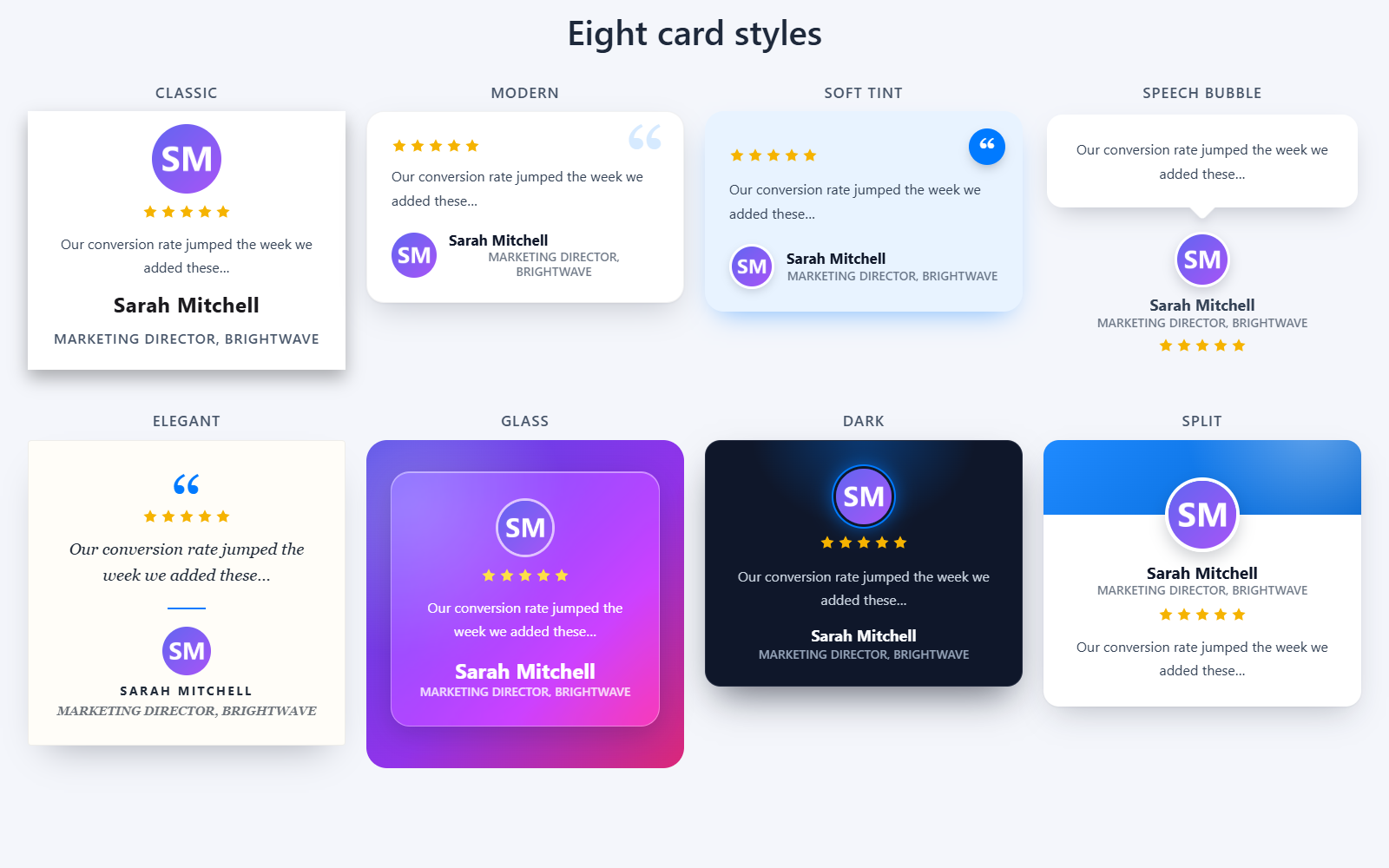
Eight card styles: Classic, Modern, Soft tint, Speech bubble, Elegant, Glass, Dark and Split.
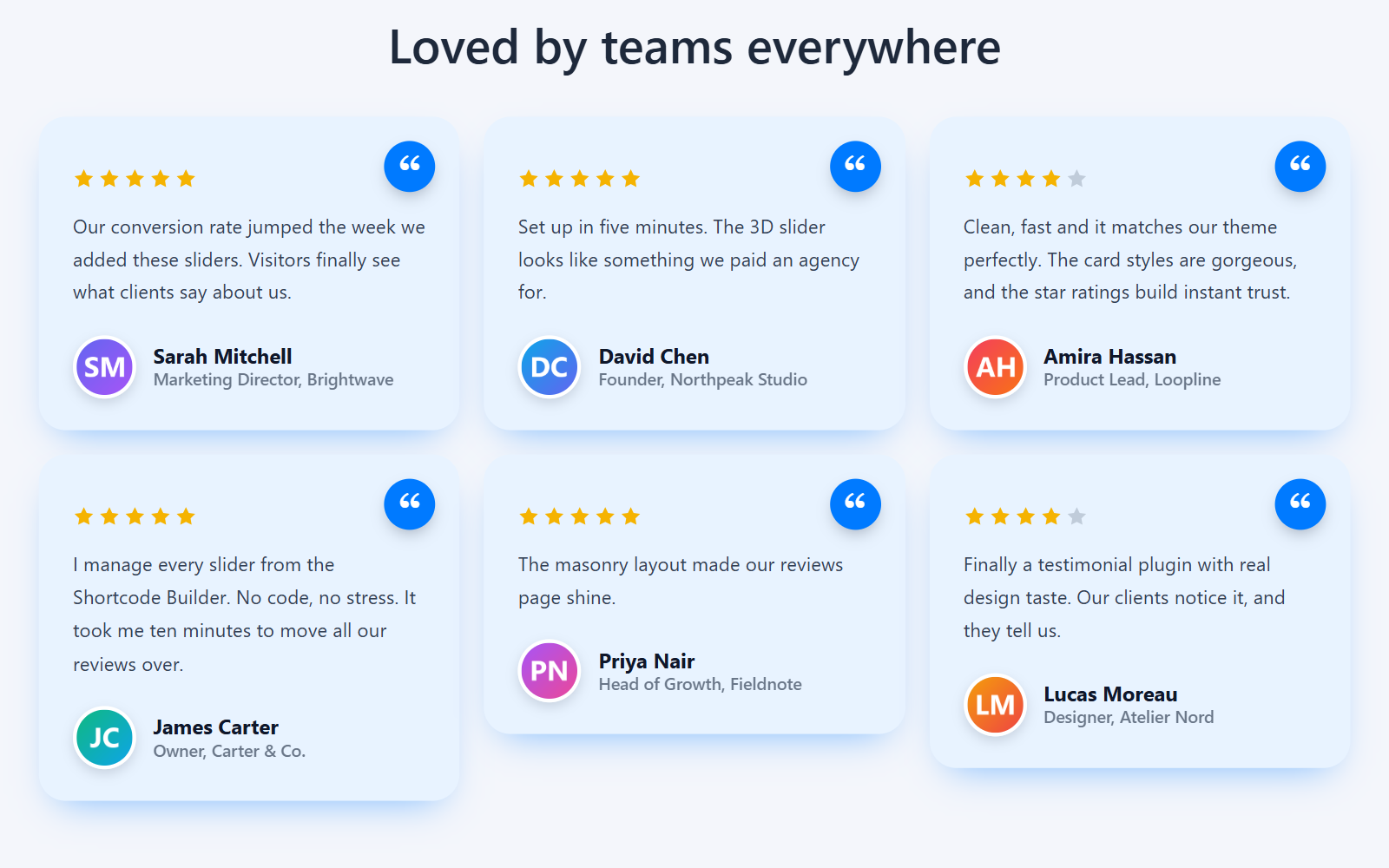
Masonry layout with the Soft tint card style. Grid, list and an endless ticker are available too.
![Shortcode Builder: design a slider with a live preview and save it as [uts id="…"].](https://ps.w.org/ultimate-3d-testimonial-slider/assets/screenshot-4.png?rev=3749596)
Shortcode Builder: design a slider with a live preview and save it as [uts id="…"].
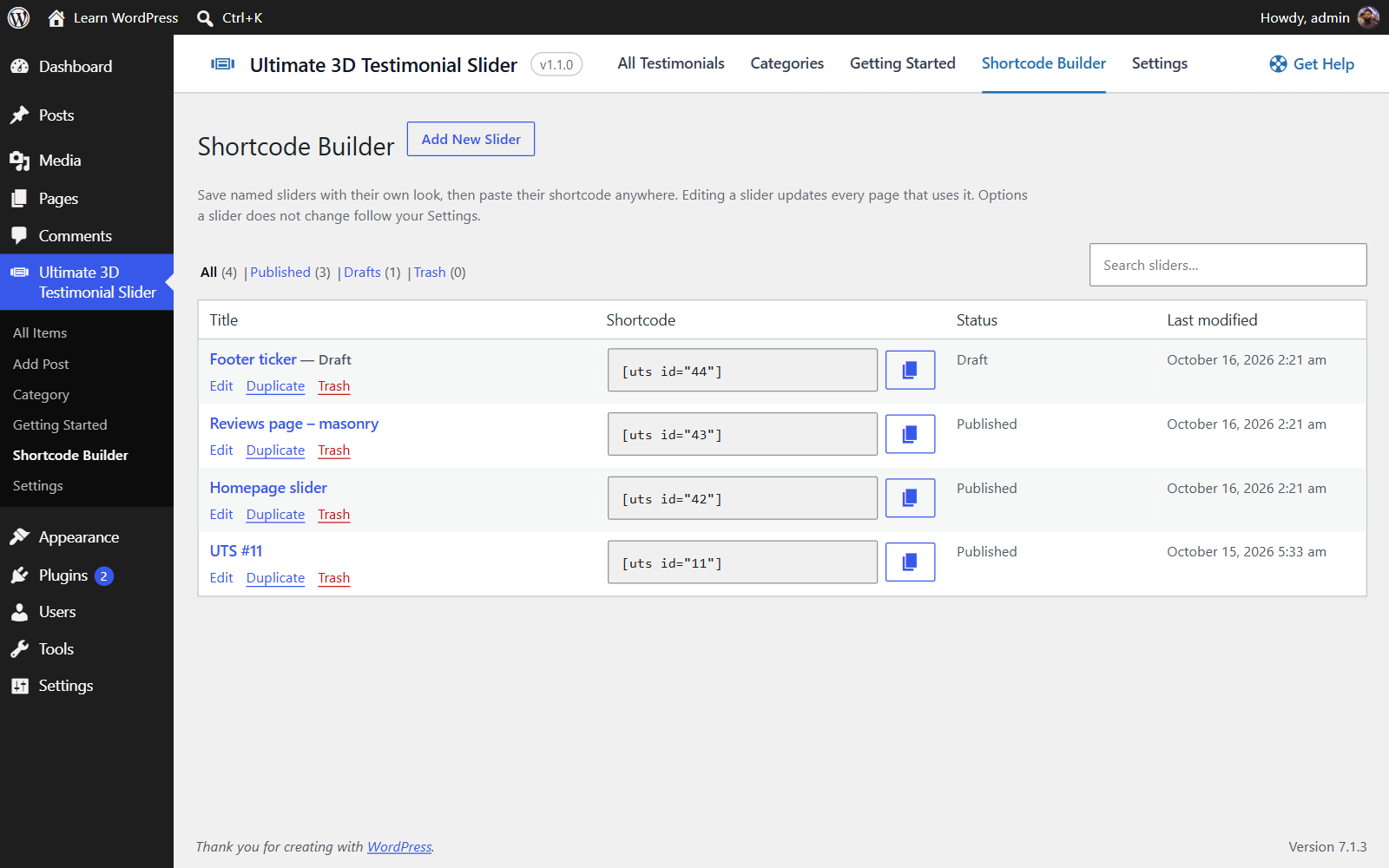
Saved sliders: copy the shortcode, edit, duplicate, keep drafts and see where each one is used.
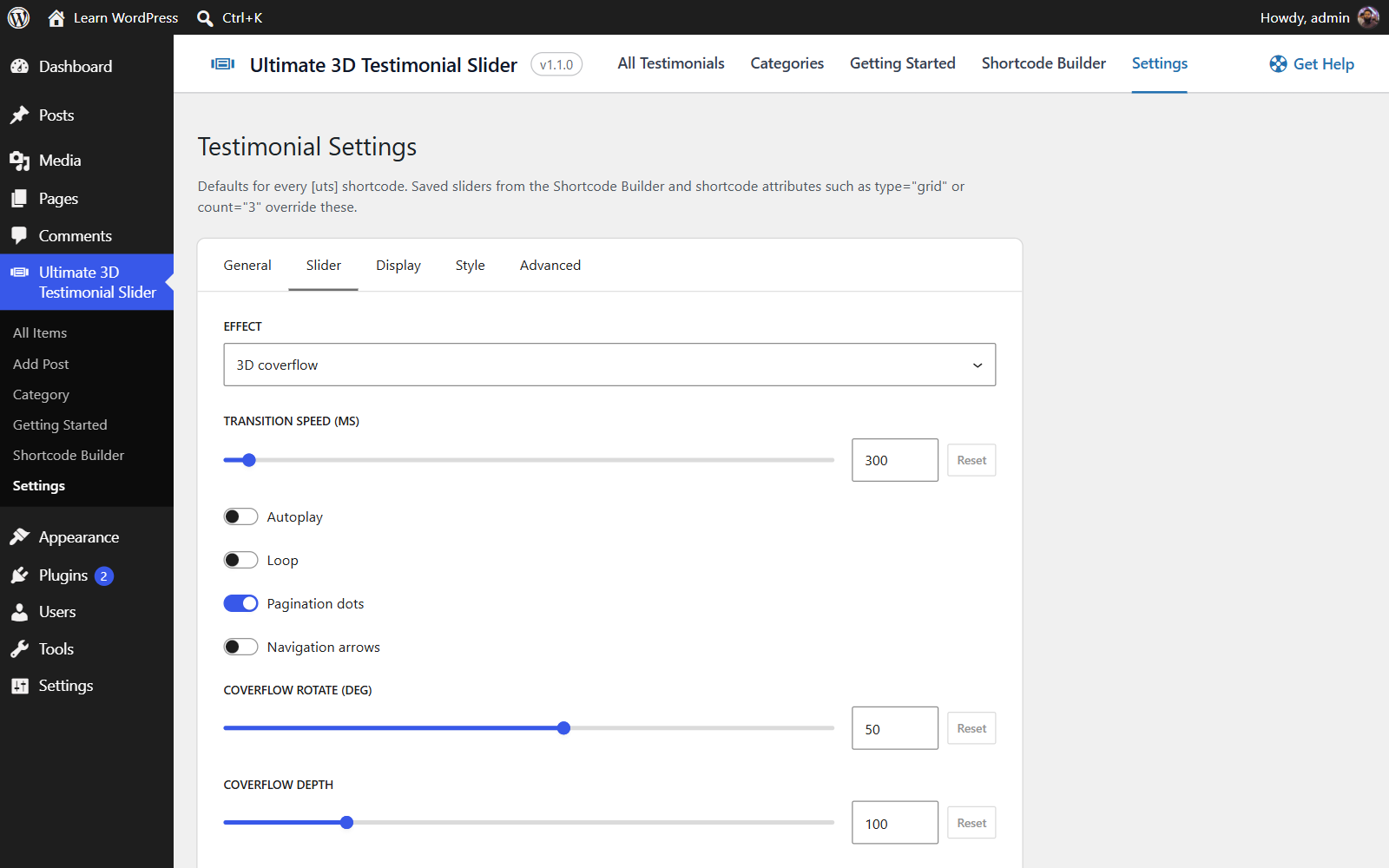
Settings: the defaults for every slider, from layout and effect to autoplay, colors and more.
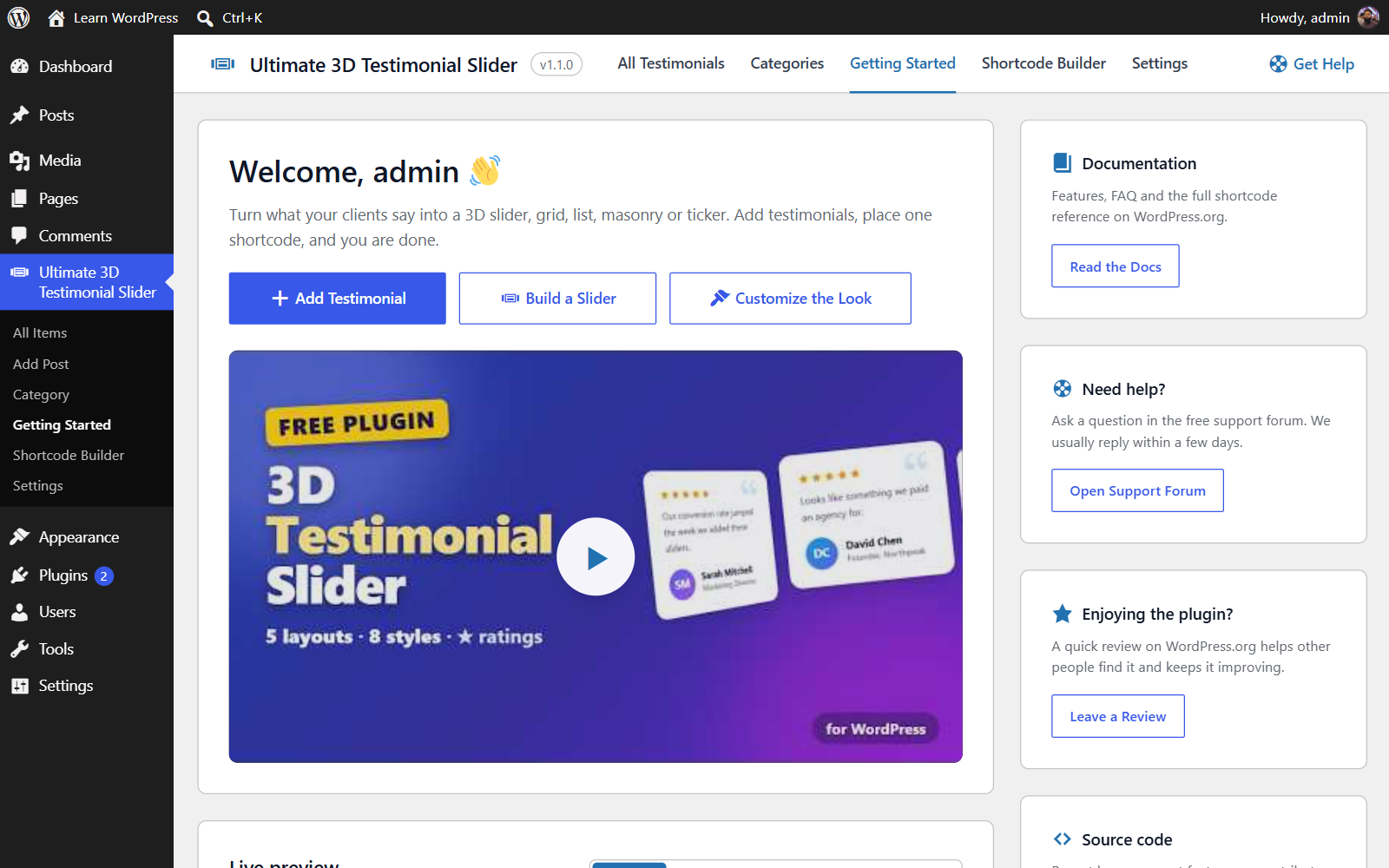
Getting Started: video tutorial, live preview, setup checklist and the full shortcode reference.
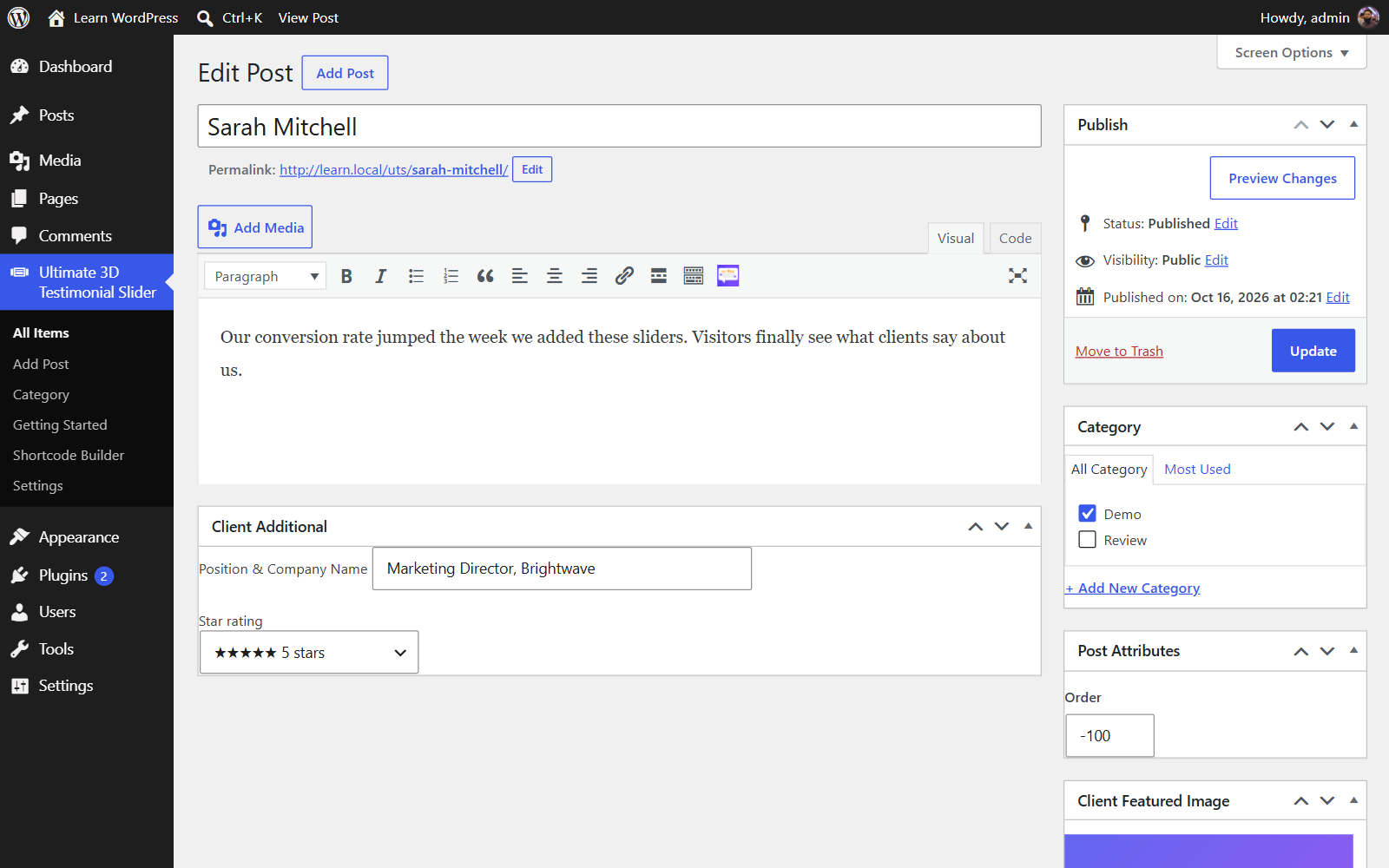
Add a testimonial: name, quote, photo, position & company and an optional star rating.
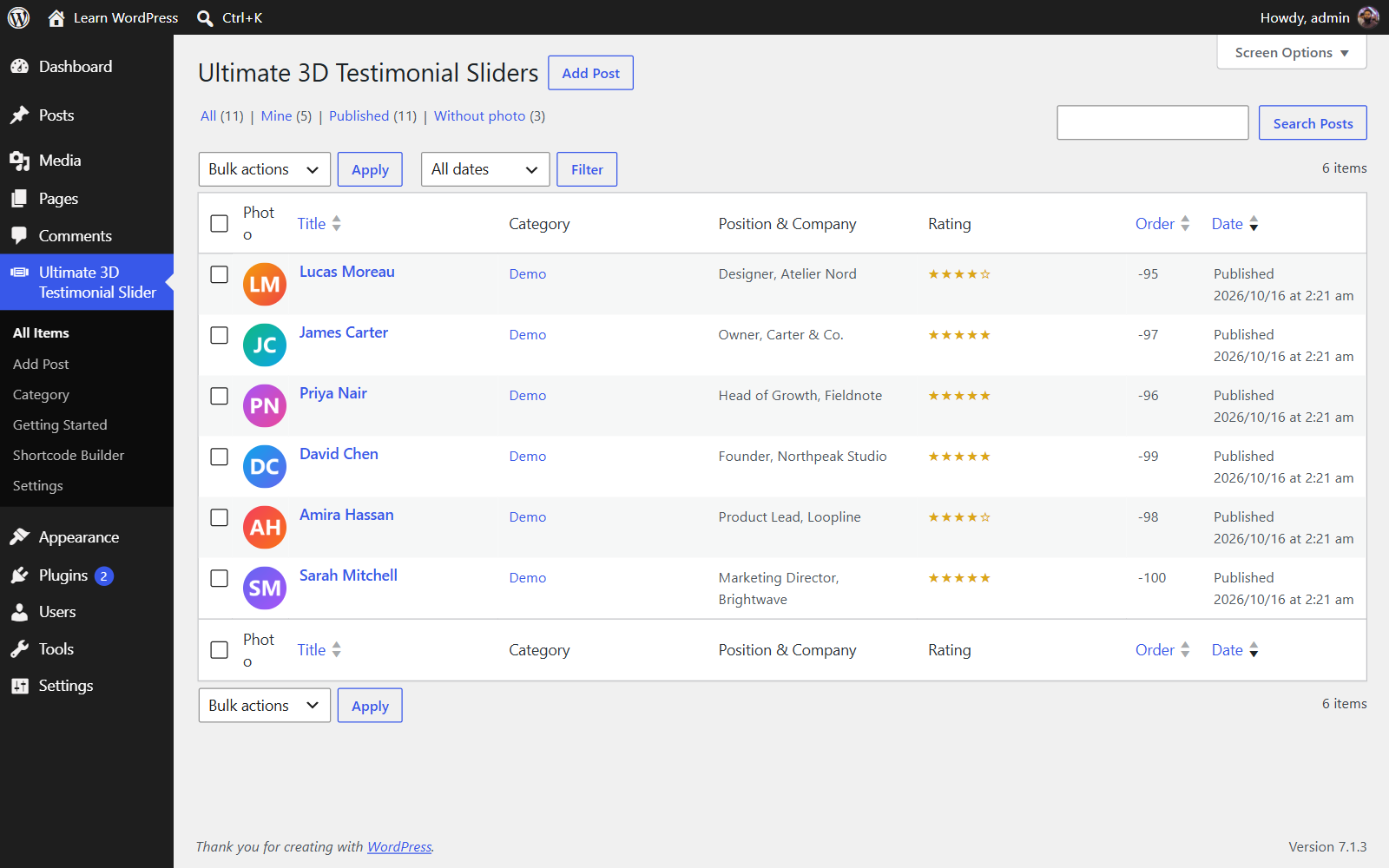
Testimonials list with photo, position & company, rating and order columns.