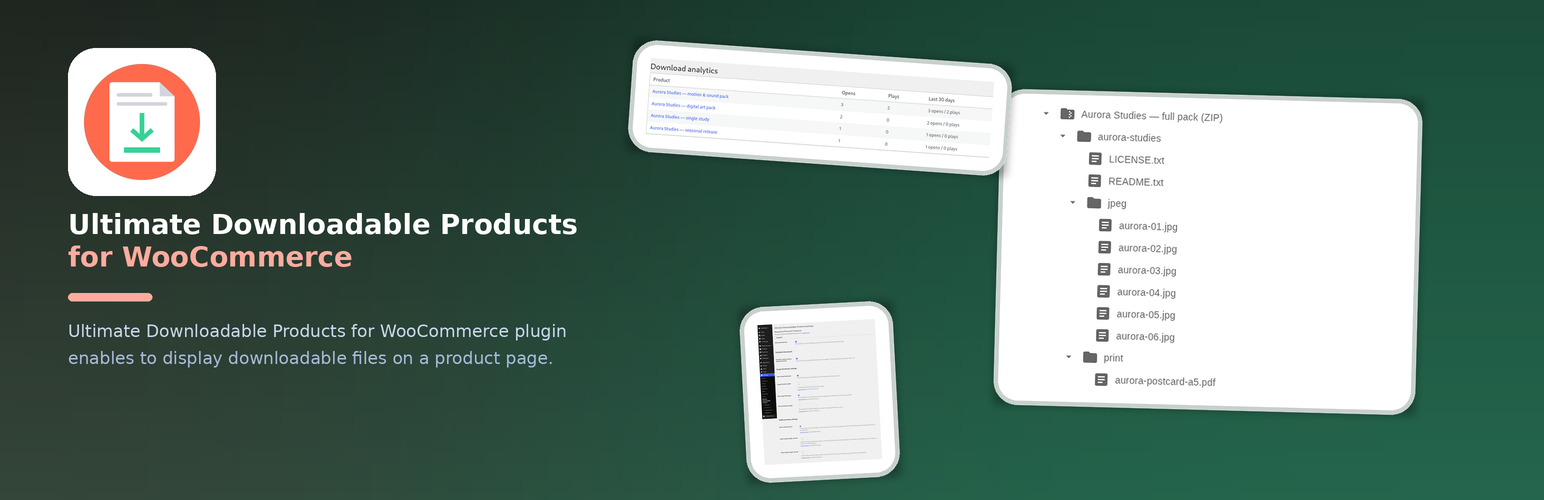
Ultimate Downloadable Products for WooCommerce plugin allows to display downloadable files on a product page.
This plugin is ideal to sell digital products to show customers what they will get after a purchase.
It can be a valuable addition to your NFT selling store with the NFT WordPress Plugin Kit!
FREE Features
- Option to show a
Downloadstab with downloads list on the product page - Shortcode [ultimate-downloadable-list] to display downloadable files on a product page (with no ability to download)
- Option to show image thumbnails for downloads of type image
- File type icon, file size and file count in the list
- Scheduled downloads: unlock N days after purchase, set in WooCommerce’s own
Downloadsblock on the product - Until then the My Account downloads list shows “Available in N days” as text instead of a link, the product page says when the files unlock, and a refused download explains itself without using up the customer’s download
- An unlock email when a scheduled file opens — a WooCommerce email under WooCommerce Settings Emails, switchable in the plugin settings
- Download protection: direct requests to
wp-content/uploads/woocommerce_uploads/are blocked on Apache-compatible servers, the rule is re-verified once a day, and the settings screen says whether it is in force — with the exact snippet to paste when the plugin is not allowed to write it - A native block,
Downloadable files (UDP), for block themes and the site editor: it renders the list of the product being viewed with no shortcode in the template, and its inspector carries the same five options as the shortcode - Shortcode attributes on
[ultimate-downloadable-list]:product_id,show_size,columns,typesandlayout— including a real multi-column grid built from a CSS custom property. Called with no attribute, the shortcode prints exactly what it printed in 3.2.1 - A REST route for headless storefronts,
GET /wc/v3/products/{id}/downloads: the public part of a product’s files (id, name, type, MIME, size) and nothing else — the file URL of a scheduled file is withheld until it unlocks
PRO Features
The PRO version includes all FREE features, plus:
- Option to specify the thumbnail width for downloads of type image
- Option to show blurred thumbnails for downloads of type image
- Option to specify the thumbnails blur strength for downloads of type image
- Per product preview settings: width, blur and strength, each of them inherited from the plugin options until the product overrides it
- Per file preview settings: a different width, blur or strength for one download
- Per product
Downloadstab setting: show or hide the tab on a product without changing the global option - Variable Downloadable products support
- Archive file contents display
- Audio sample: a download of type audio plays a short generated clip (30 seconds by default) in the list, from its own file rather than from the product file
- Video sample: a download of type video shows a blurred poster and plays a short clip in a modal window
- Document preview: the first page of a PDF is shown as an image, or its opening lines as a text excerpt when the server has no page renderer
- RAR and ISO archive type upload support
- Scheduled & drip release — files unlock N days after purchase, or on a date you choose; Professional adds a separate schedule per file. Until then the shop does not hand out a working download link, and the plugin blocks direct access to your downloads folder on Apache-compatible servers and shows you exactly what to paste on the others. This is access control plus server-side file protection — not encryption: a file that was already downloaded stays downloaded.
- An unlock date for one customer: the order screen and
wp udp schedule unlock|statusoverride a single permission without touching the product - Subscription-aware schedules: a file stays locked while the WooCommerce Subscription is not active, and a renewal never restarts the schedule
- Marketplace vendor forms — a WCFM, WC Vendors or Dokan vendor sets the preview options of their own product from the front-end product form: the same width, blur, strength, media preview,
Downloadstab and per-file overrides the shop owner sets on the product screen. No admin access needed, and the settings a vendor saves are the settings the storefront uses - Preview analytics — every preview opened and every sample played is counted per product, so you can see which sample a customer actually looked at. The counts are on a
Download analyticsscreen under WooCommerce, inwp udp stats <product-id>, and as one line ofwp udp status; nobody withoutmanage_woocommercesees them
Roadmap
3.3.0 closed both items this list carried (the native block with shortcode attributes, and preview analytics), so there is no committed next step. What is still missing, and might come in a later version:
- A conversion report — 3.3.0 counts previews and sample plays; comparing them with the orders they produced, per product, is not built
- Analytics for the Free build — the counters are Professional only
- A block that edits the list in the editor rather than rendering it on the server (today’s block lists the files; the product screen still owns them)
- Marketplaces beyond WCFM, WC Vendors and Dokan
Nothing above is promised or dated.
l10n
This plugin is localization ready.
Languages this plugin is available now:
- English
- Arabic (عرب)
- Czech (čeština)
- Danish (Dansk)
- German (Deutsche)
- Greek (Ελληνικά)
- Spanish (Español)
- Persian (فارسی)
- French (Français)
- Hebrew (עִברִית)
- Hindi (हिन्दी)
- Indonesian (Bahasa Indonesia)
- Italian (Italiano)
- Japanese (日本)
- Korean (한국인)
- Malay (Melayu)
- Norwegian (Norsk)
- Netherlandish (Nederlands)
- Polish (Polski)
- Portuguese (Português)
- Russian (Русский)
- Slovak (Slovenský)
- Finnish (Suomalainen)
- Swedish (Svenska)
- Thai (ไทย)
- Philippine (Pilipinas)
- Turkish (Türk)
- Vietnamese (Tiếng Việt)
- Chinese (中国人)
Feel free to translate this plugin to your language.
Shortcode
[ultimate-downloadable-list] prints the downloadable files of a product. With no attribute it prints the product being displayed, exactly as it did in 3.2.1 — the shortcode is backward compatible in both directions.
Attribute
Default
What it does
product_id
0 — the product being displayed
Prints the list of another product, so the shortcode works outside the loop, in a page or a widget
show_size
true
show_size="0" drops every file size and the byte total from the summary line; the file count stays
columns
1
1–6; values outside the range are clamped. Above 1 the list becomes a real CSS grid (--udp-columns), not a table
types
empty — all files
A comma-separated subset of image,audio,video,archive,document,other. Files of another type are removed before counting, so the summary matches what is shown
layout
list
list or grid; grid adds the card styling. Anything else falls back to list
[ultimate-downloadable-list product_id="42" columns="3" layout="grid" show_size="0" types="audio,video"] prints the audio and video files of product 42 in three cards, without sizes.<h3>Block</h3>
The block is called Downloadable files (UDP) and its name is ultimate-downloadable-products/downloadable-list. It renders the same list as the shortcode — same markup, same CSS — for the product a single-product template is showing, so a block theme needs no shortcode at all.
Its inspector panel carries the same five options as the shortcode attributes above (product id, show size, columns, types, layout), and the editor shows the server-rendered list as a live preview. apiVersion is 2, so the block works on WordPress 6.0 as well as on the current release. The block is in both the Free and the PRO build.
REST API
Headless storefronts get one public route:
GET /wp-json/wc/v3/products/{id}/downloads

`
curl https://example.com/wp-json/wc/v3/products/42/downloads
`
The route lives inside wc/v3 on purpose: that is the only namespace where a WooCommerce consumer key authenticates, so a storefront authenticates the same way it does for the rest of the store. No capability is needed to read it — everything it returns is already on the product page.
Each file carries five public fields and nothing more:
id— the download idname— the file name as the shop shows ittype—image,audio,video,archive,documentorothermime— the detected MIME type, ornullsize— bytes, ornullwhen the file is remote or its size is unknown
Two fields are about what the route withholds. download_url is null, with locked: true, for any file a release schedule has not unlocked yet — unless the caller has manage_woocommerce, who always sees the file. unlock_at is the instant of a fixed-date schedule, and it is published to that caller only: for everybody else it is null, because a delay schedule counts from a purchase this route knows nothing about. No order id, user id, email, IP, download key or counter is read on this route at all.
An unknown product and a product that is not downloadable both answer 404 (udp_product_not_found, udp_product_not_downloadable); a downloadable product with no files answers 200 with an empty downloads array. The response is Cache-Control: private, no-store — it is per-caller data and must not be cached by a proxy.
The full note — every field, every refusal, the redaction table and the reason wc/v3 is borrowed — is docs/work/rest-downloads.md in the plugin repository.
Screenshots

The Downloads tab on a product page, with image thumbnails
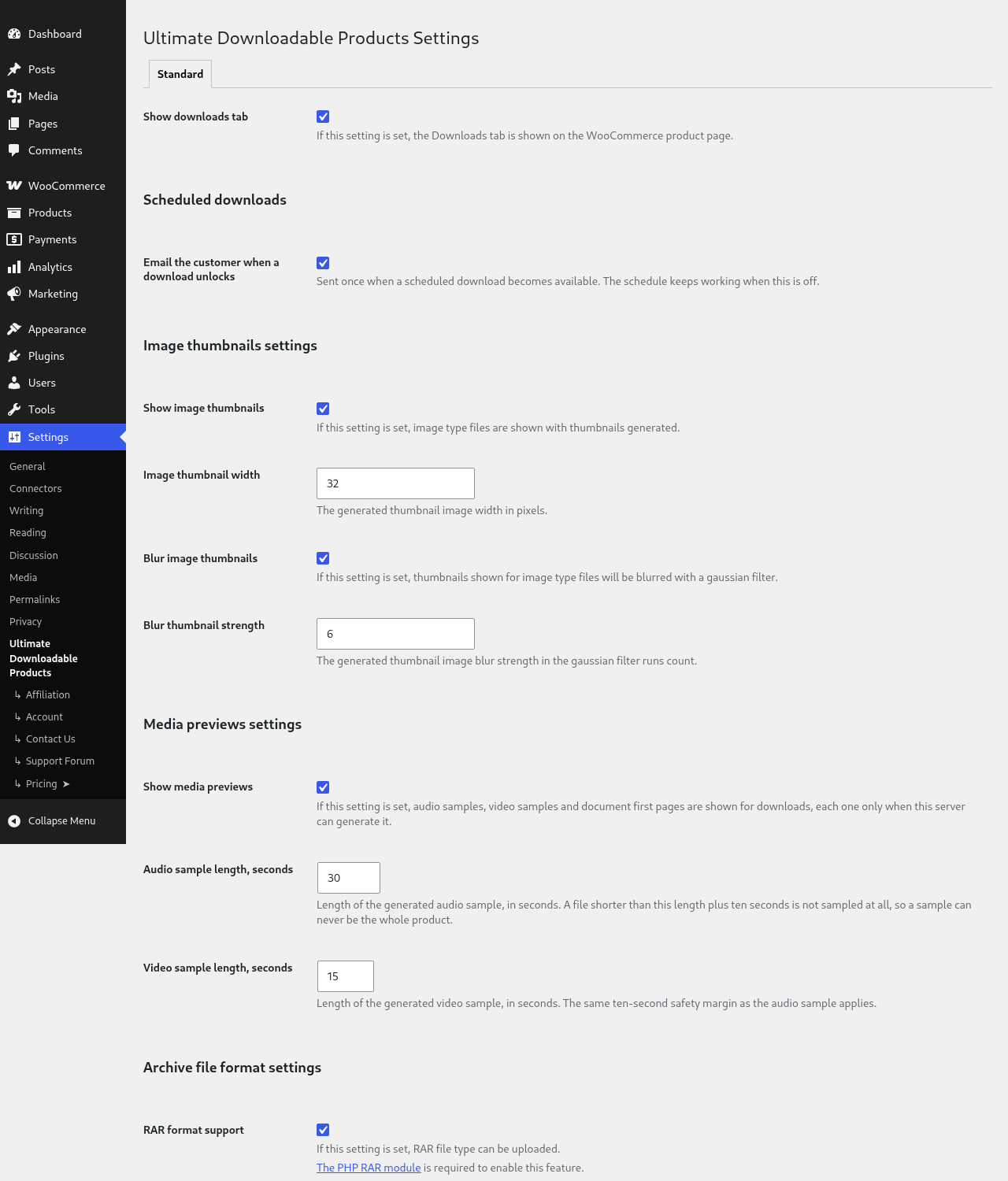
Settings: the unlock email, image thumbnails, media samples and archive formats
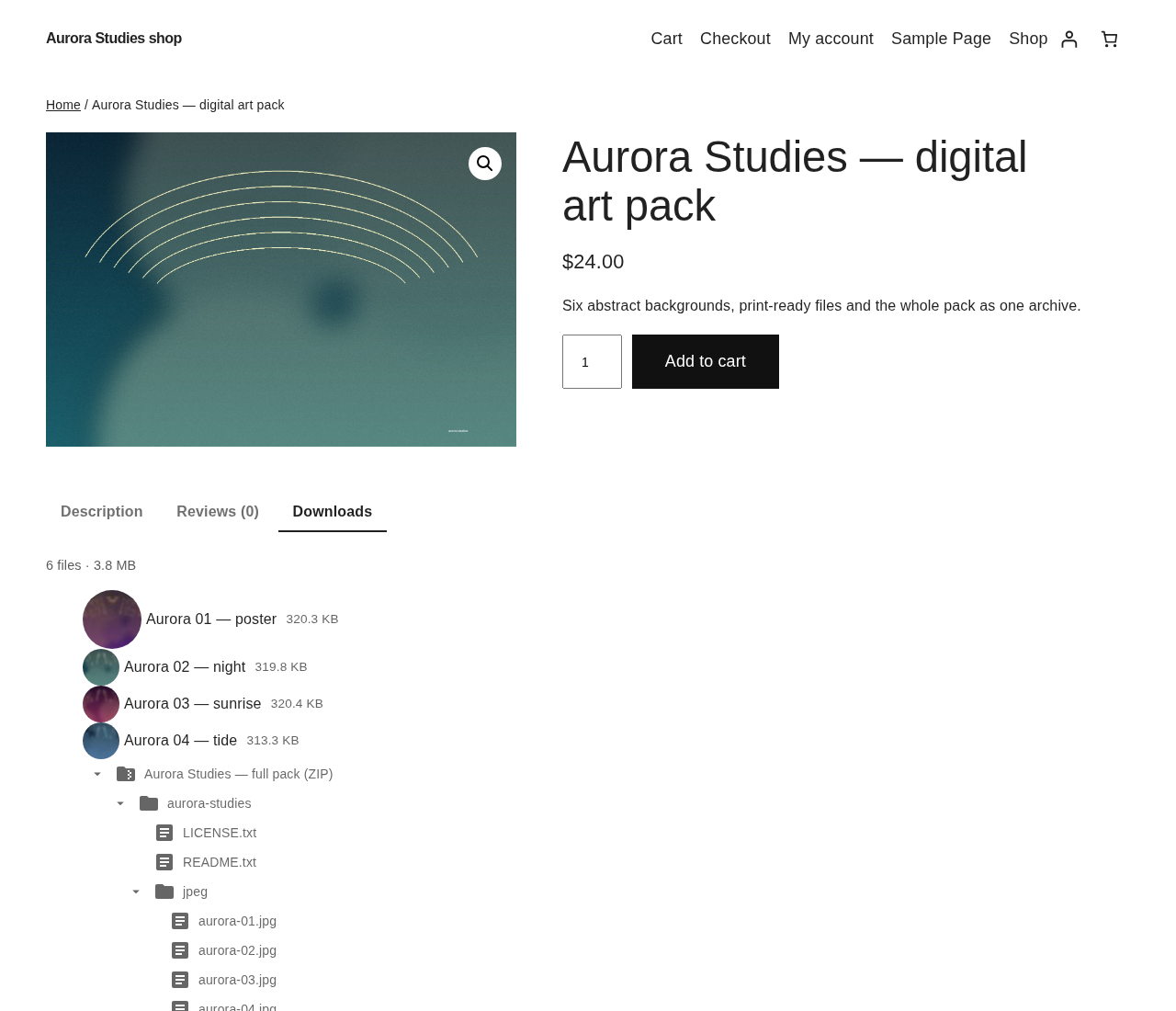
Blurred image thumbnails (Professional)
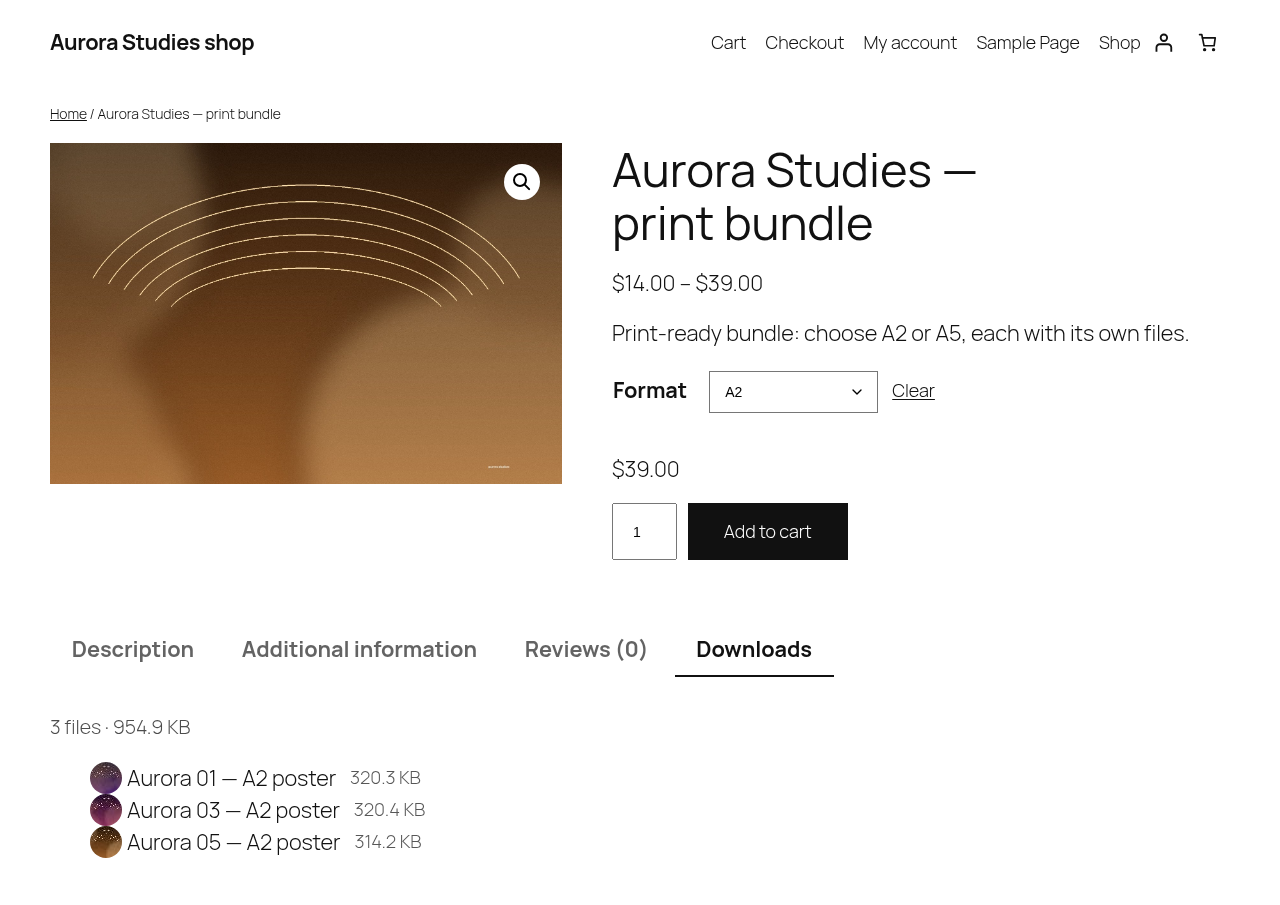
Variable downloadable product: the A2 variation lists its own files (Professional)
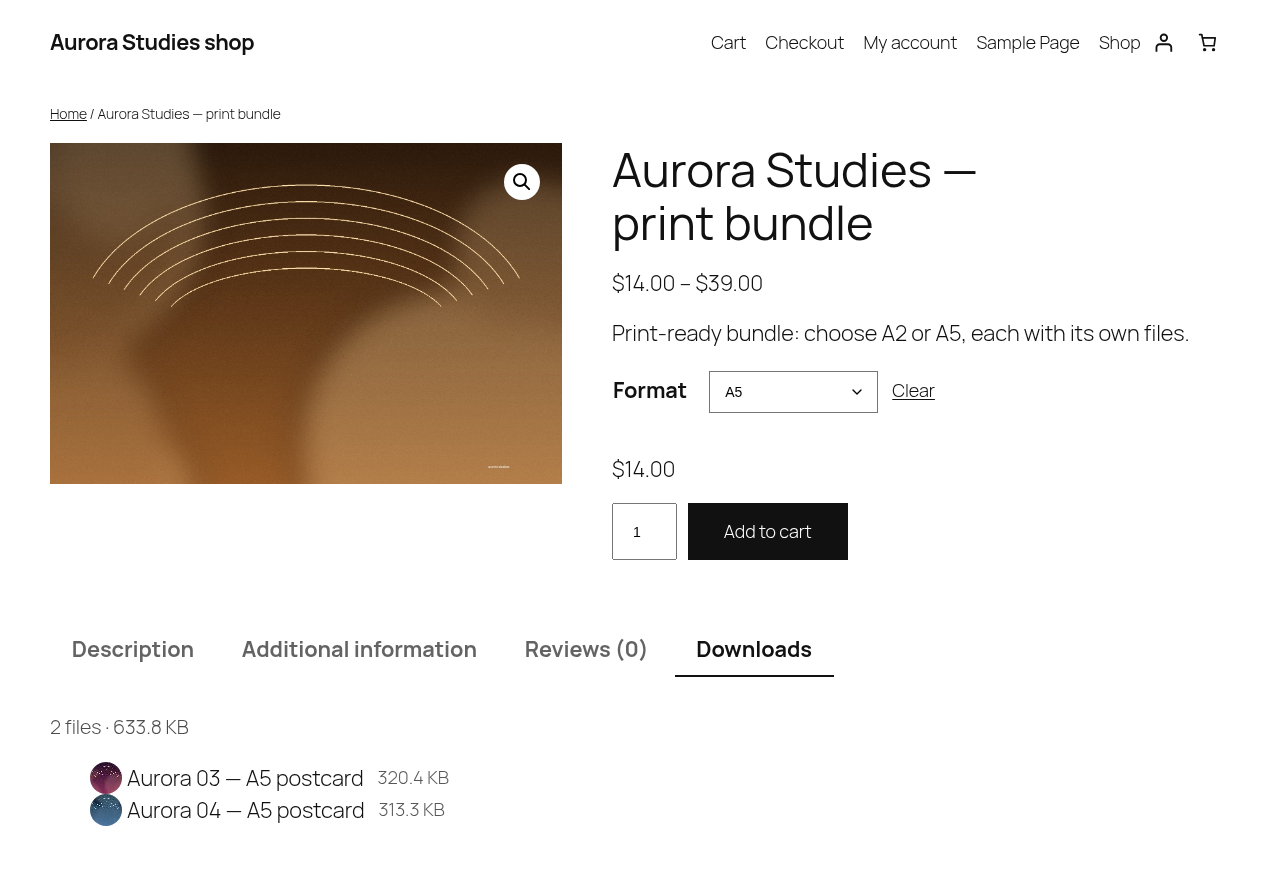
Variable downloadable product: the A5 variation lists its own files (Professional)
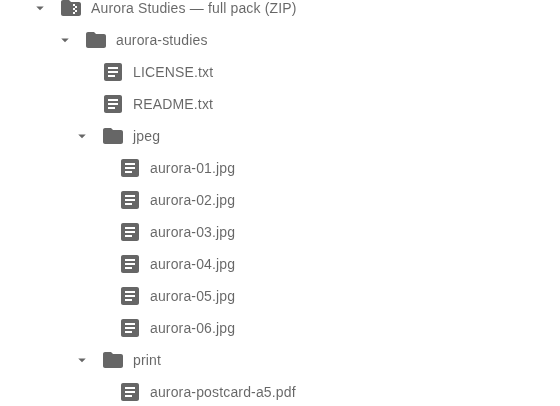
ZIP archive contents, expanded folder by folder (Professional)
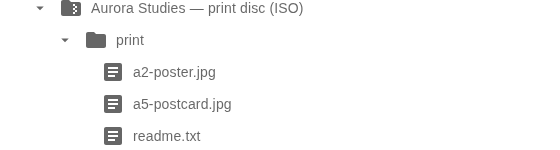
ISO disc image contents, expanded in place (Professional)
![The [ultimate-downloadable-list] shortcode inside a product description](https://ps.w.org/ultimate-downloadable-products-for-woocommerce/assets/screenshot-8.png?rev=3767261)
The [ultimate-downloadable-list] shortcode inside a product description

The Downloads preview product-data tab: thumbnail overrides per product and per download (Professional)
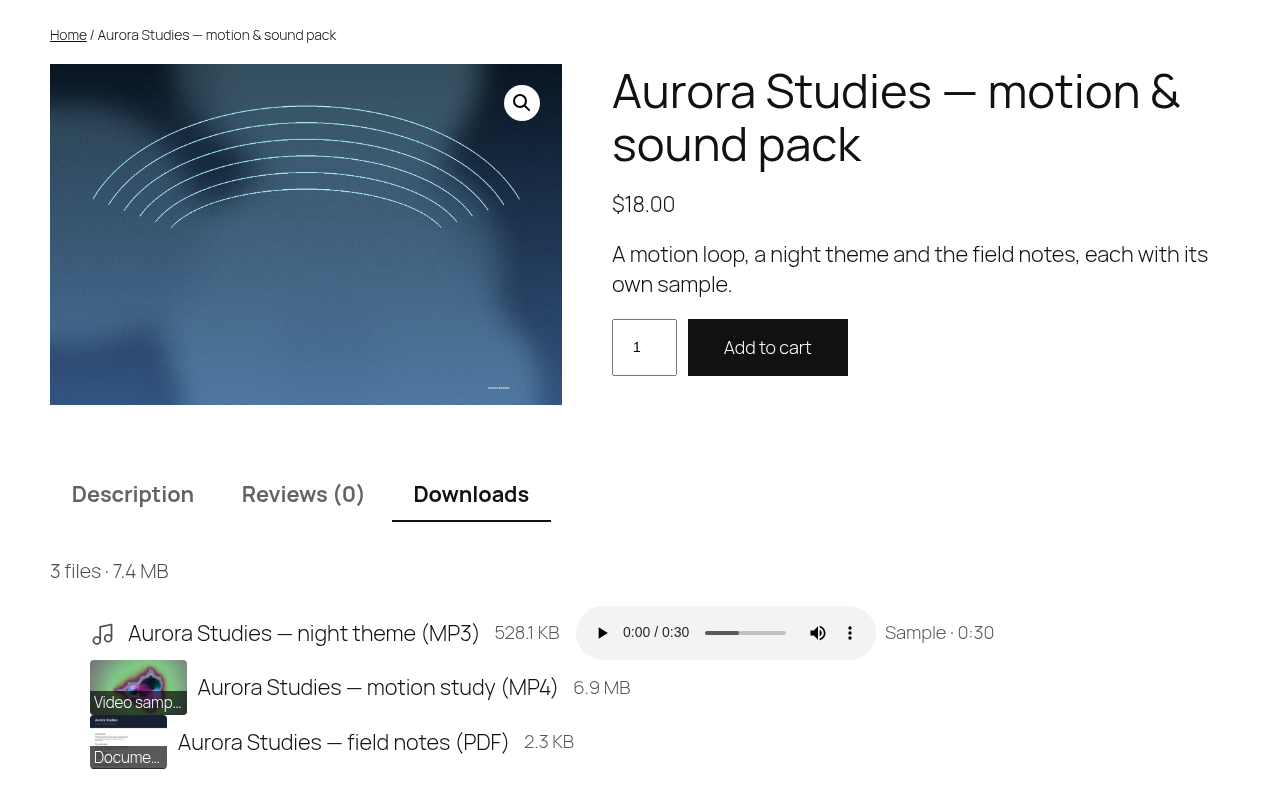
Audio download: a short sample played in the downloads list (Professional)
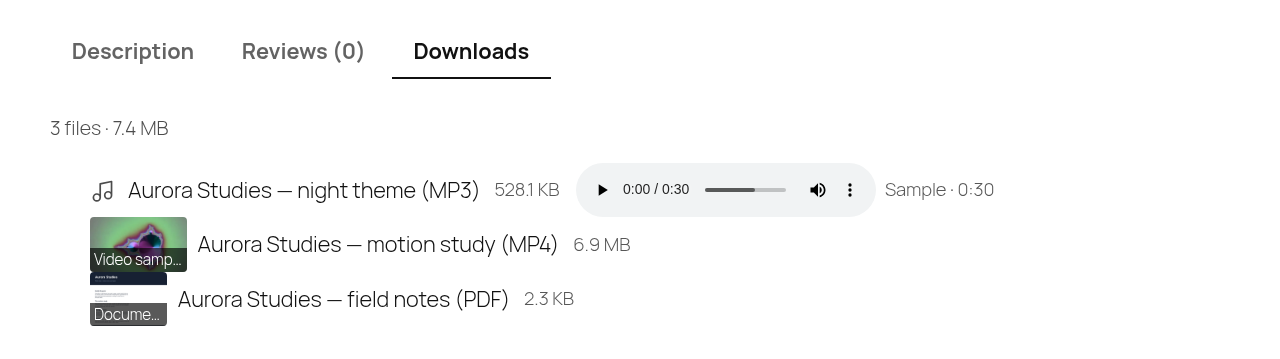
Video download: the blurred poster of a short sample (Professional)
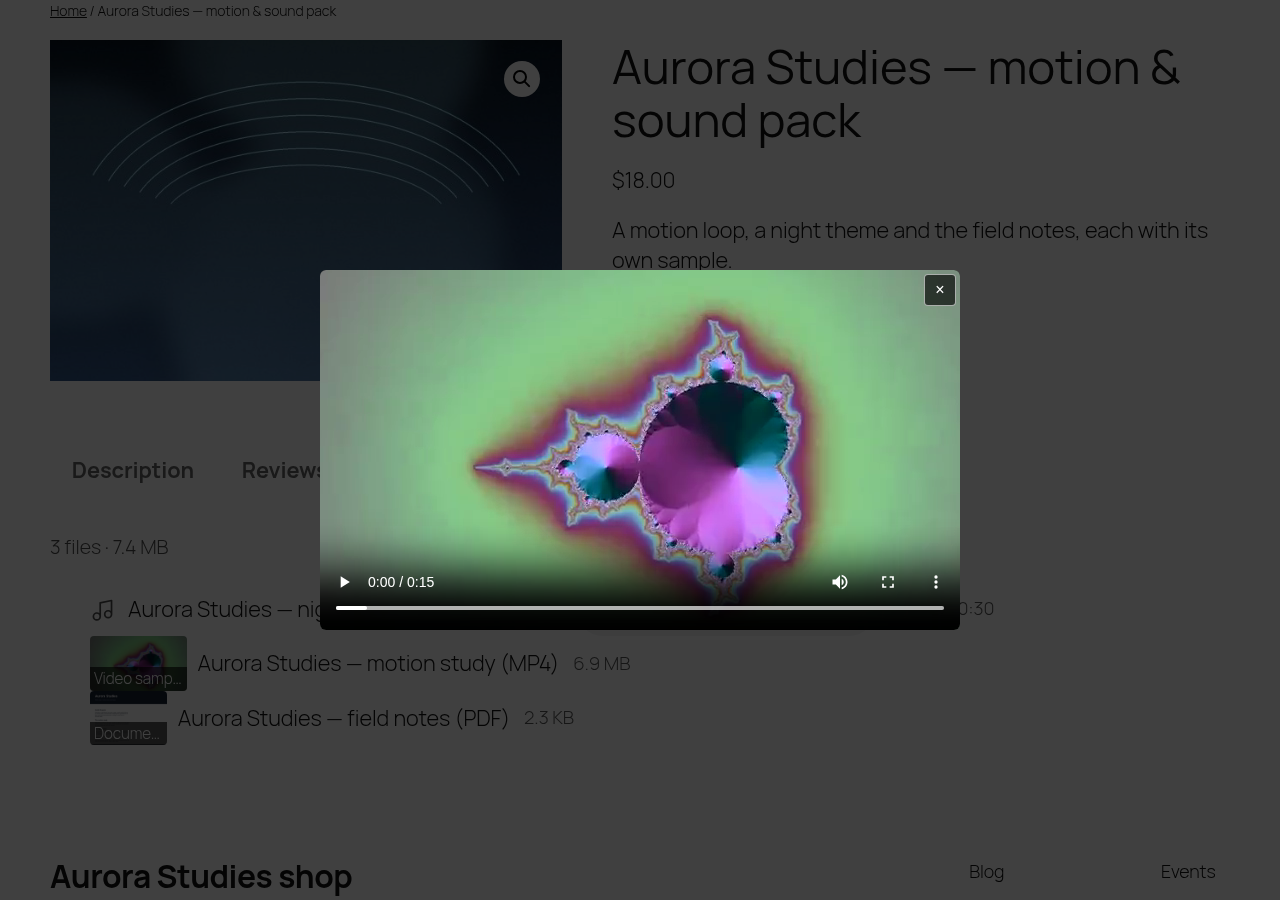
Video download: the sample opened in a modal window (Professional)

Document download: the first page of a PDF as the preview image (Professional)
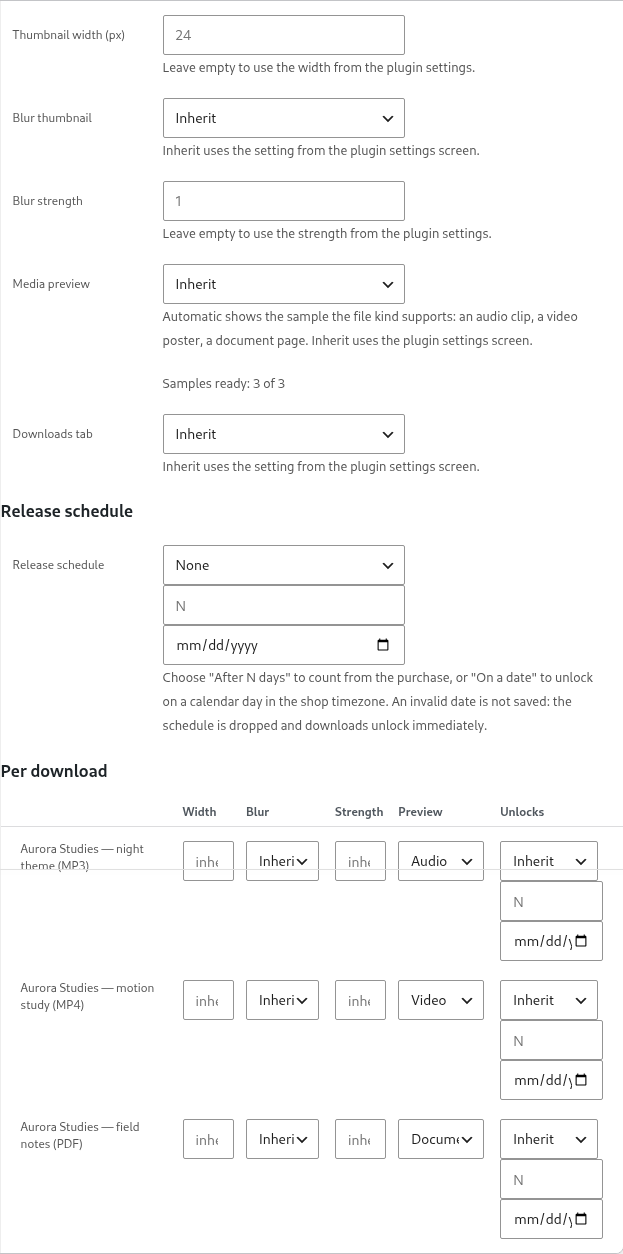
The Preview column of the Downloads preview panel, with the samples readiness line (Professional)
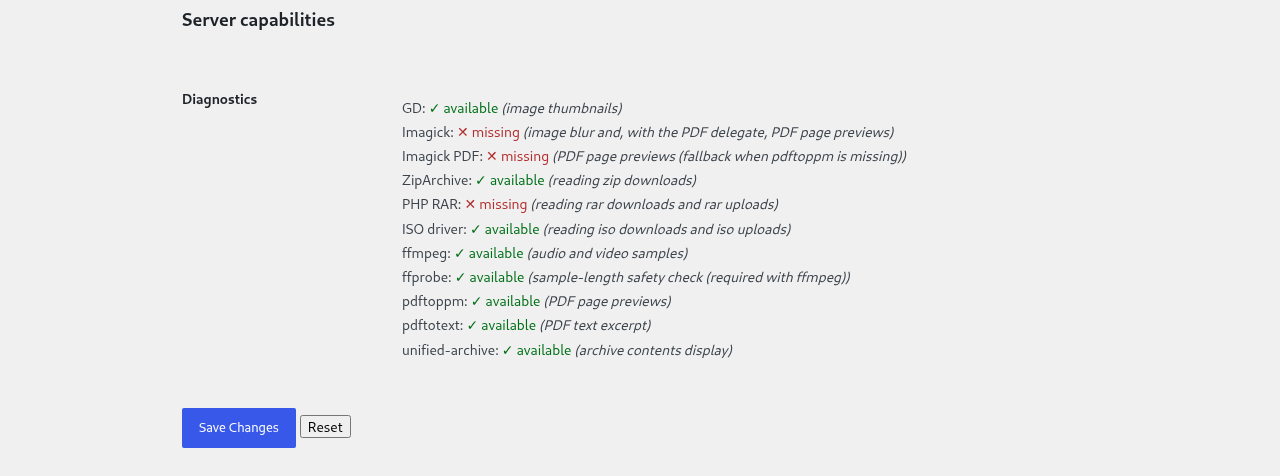
The Server capabilities table: green for the tools this server has, red for the ones it misses (Professional)
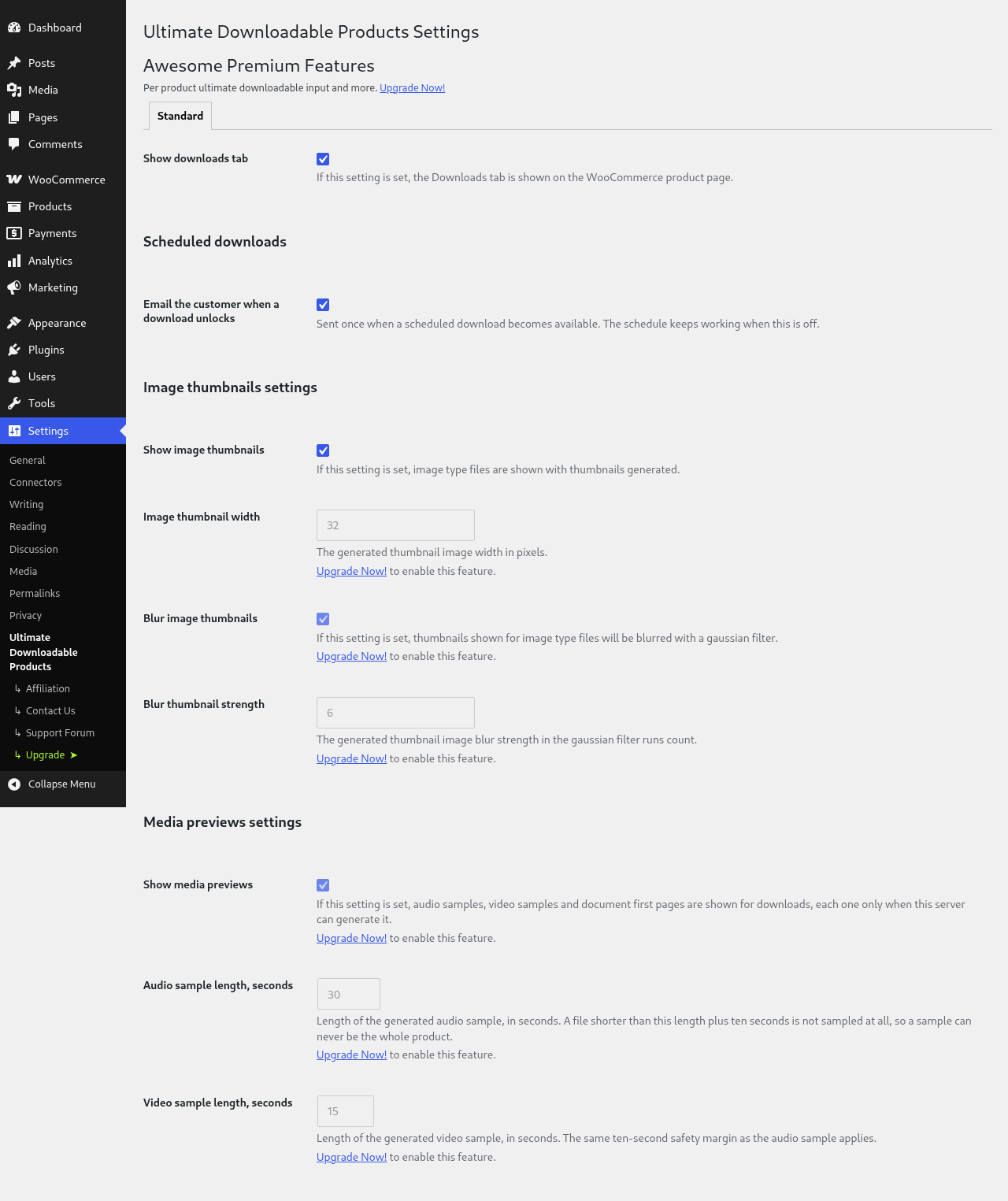
The settings screen in the Free build: the Professional preview settings are visible, disabled, with an upgrade hint (Free)
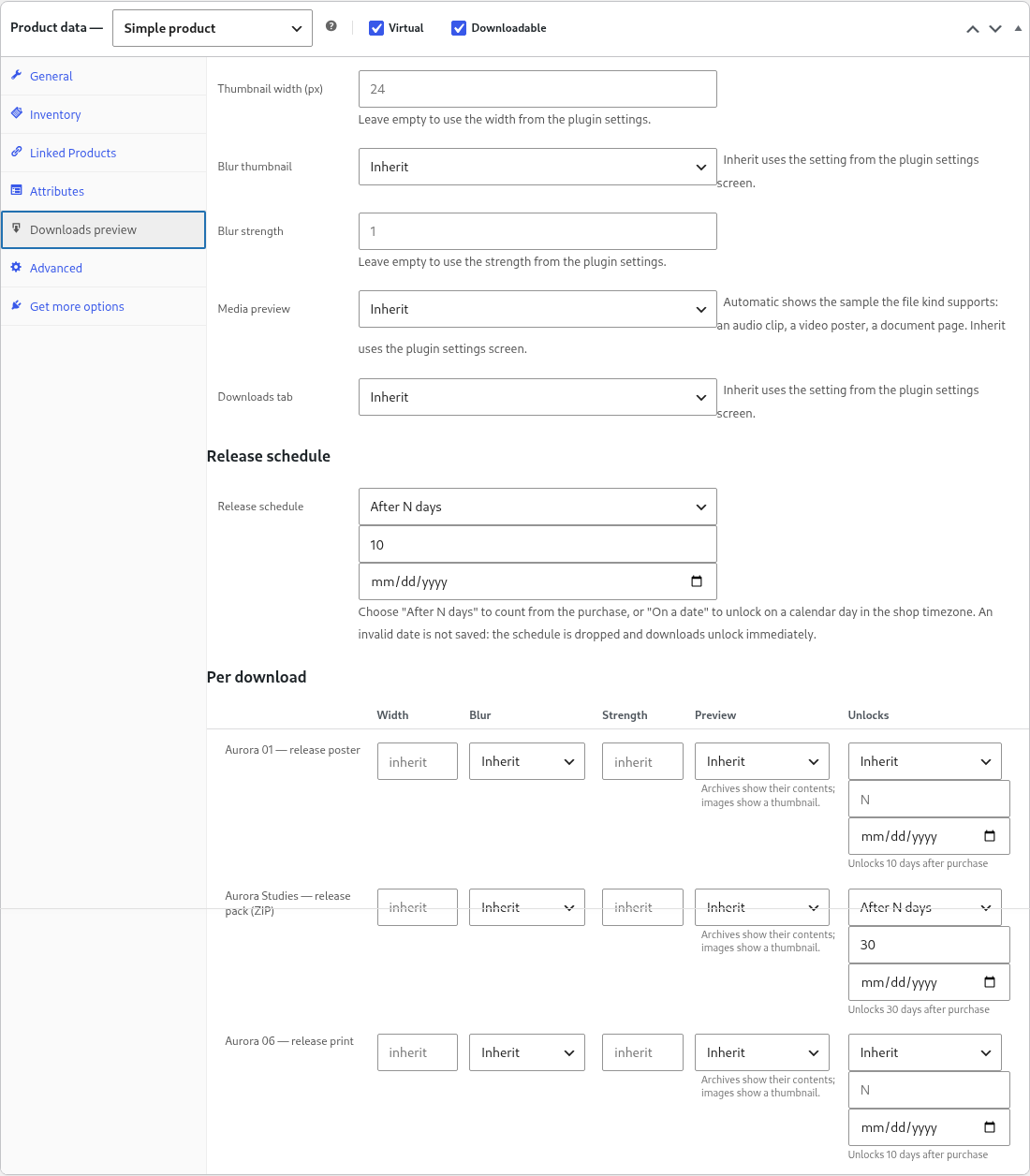
The release schedule in the Professional build: one schedule for the product and one per file, in the Unlocks column of the downloads grid (Professional)
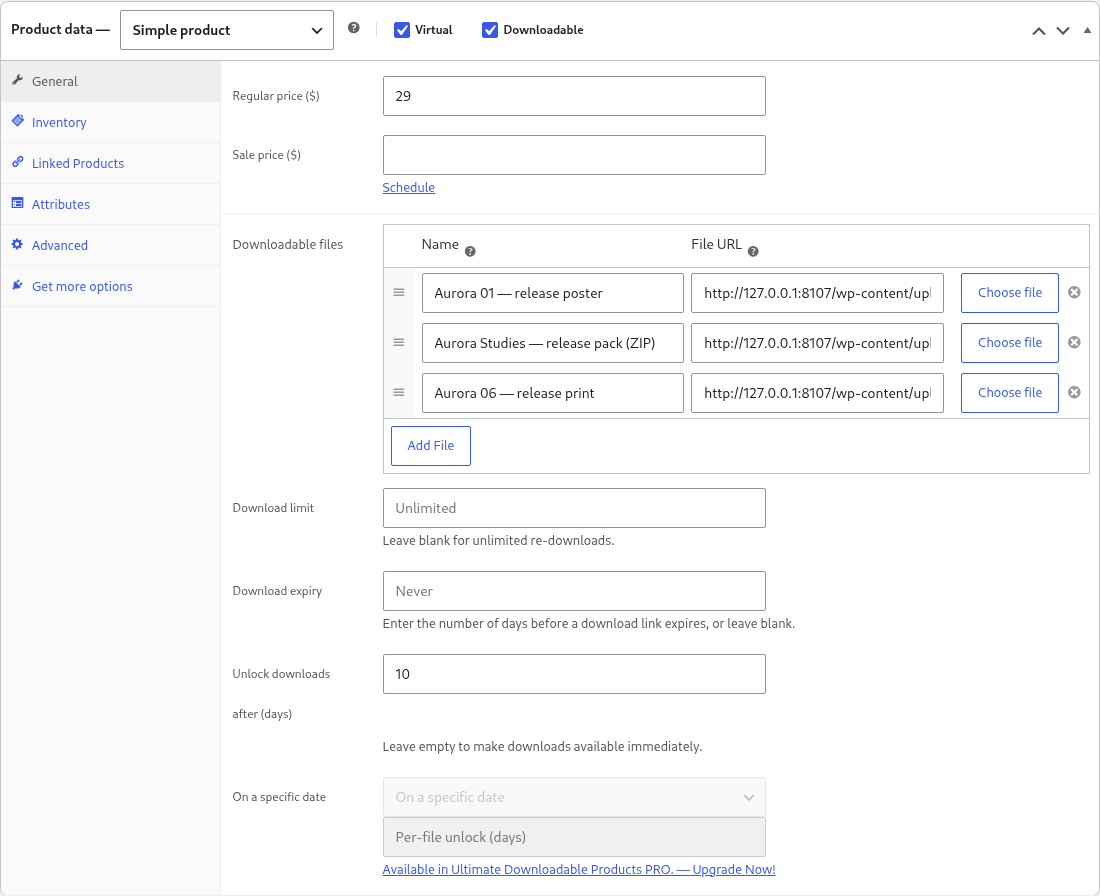
The product Downloads block in the Free build: Unlock downloads after (days), with the two Professional controls visible, disabled and linked to the upgrade (Free)
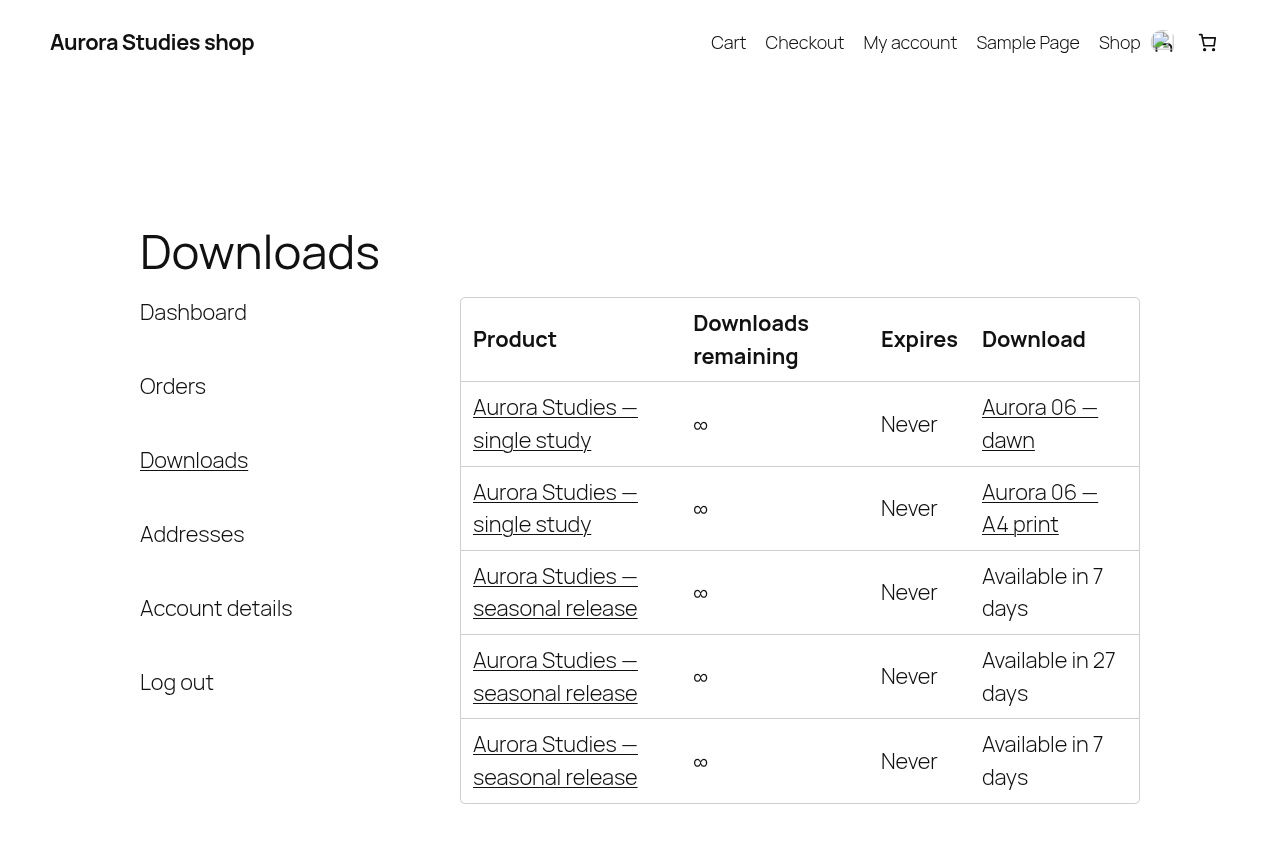
My Account downloads: a file that has not unlocked yet reads Available in 7 days instead of a link, next to one that has
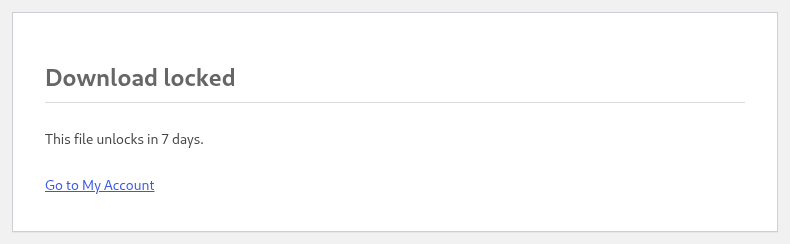
What a customer gets when a download is refused before its date: a 403 page that says when the file unlocks and where to go next
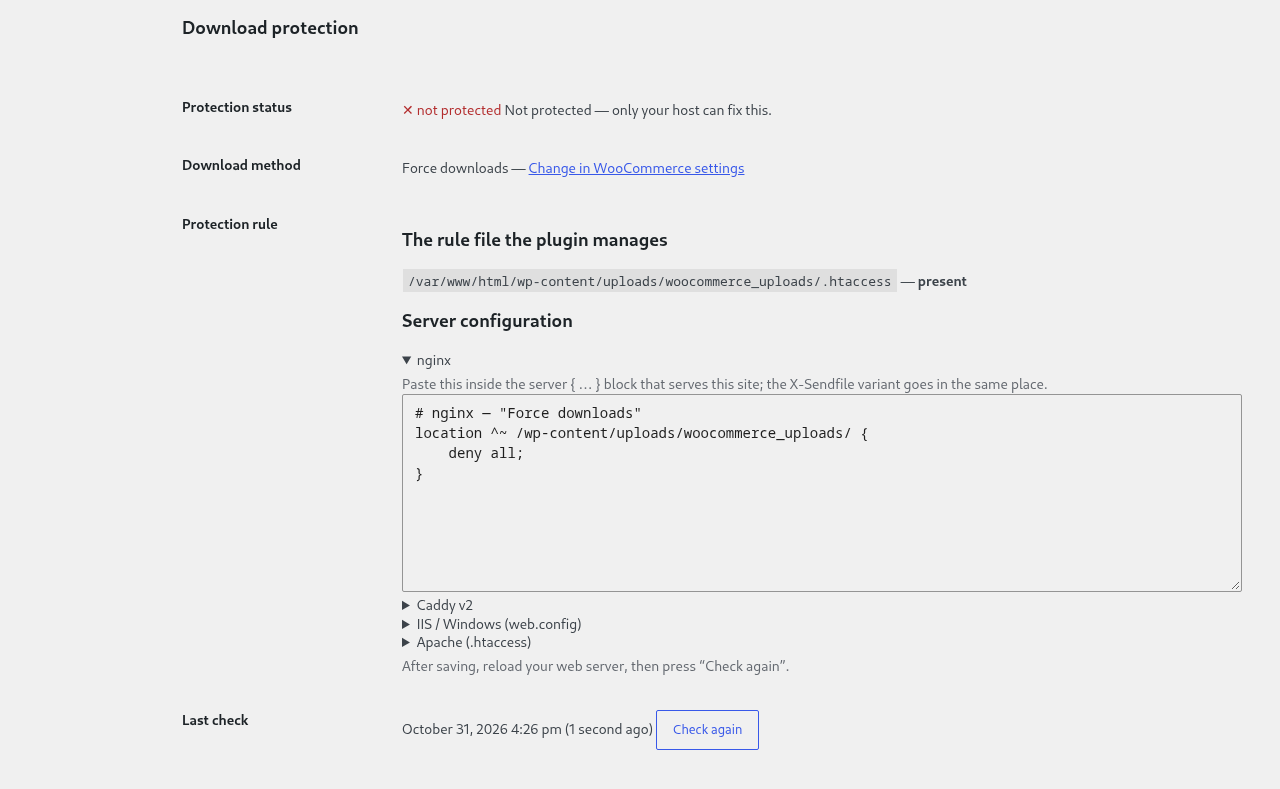
Download protection on a server that ignores the rule: the red not protected badge and the reason, then two separate things — the .htaccess rule file the plugin manages, and, under its own heading, the server configuration you paste by hand, with the nginx directive and where inside the server { … } block it goes (Free)
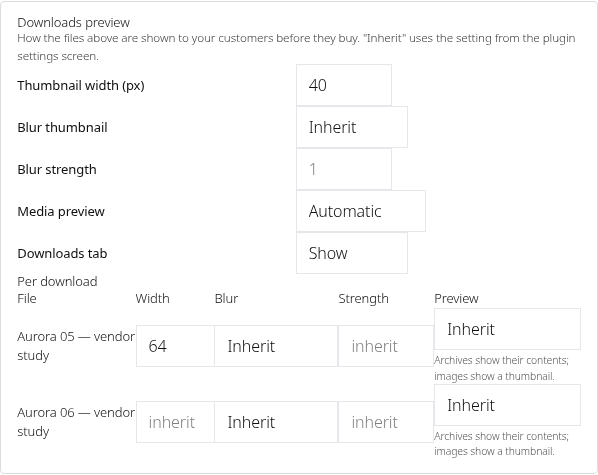
The same preview settings on a marketplace vendor's own product form: the seller's two uploaded files and, under them, the thumbnail width and blur of the product plus one row per file (Professional)
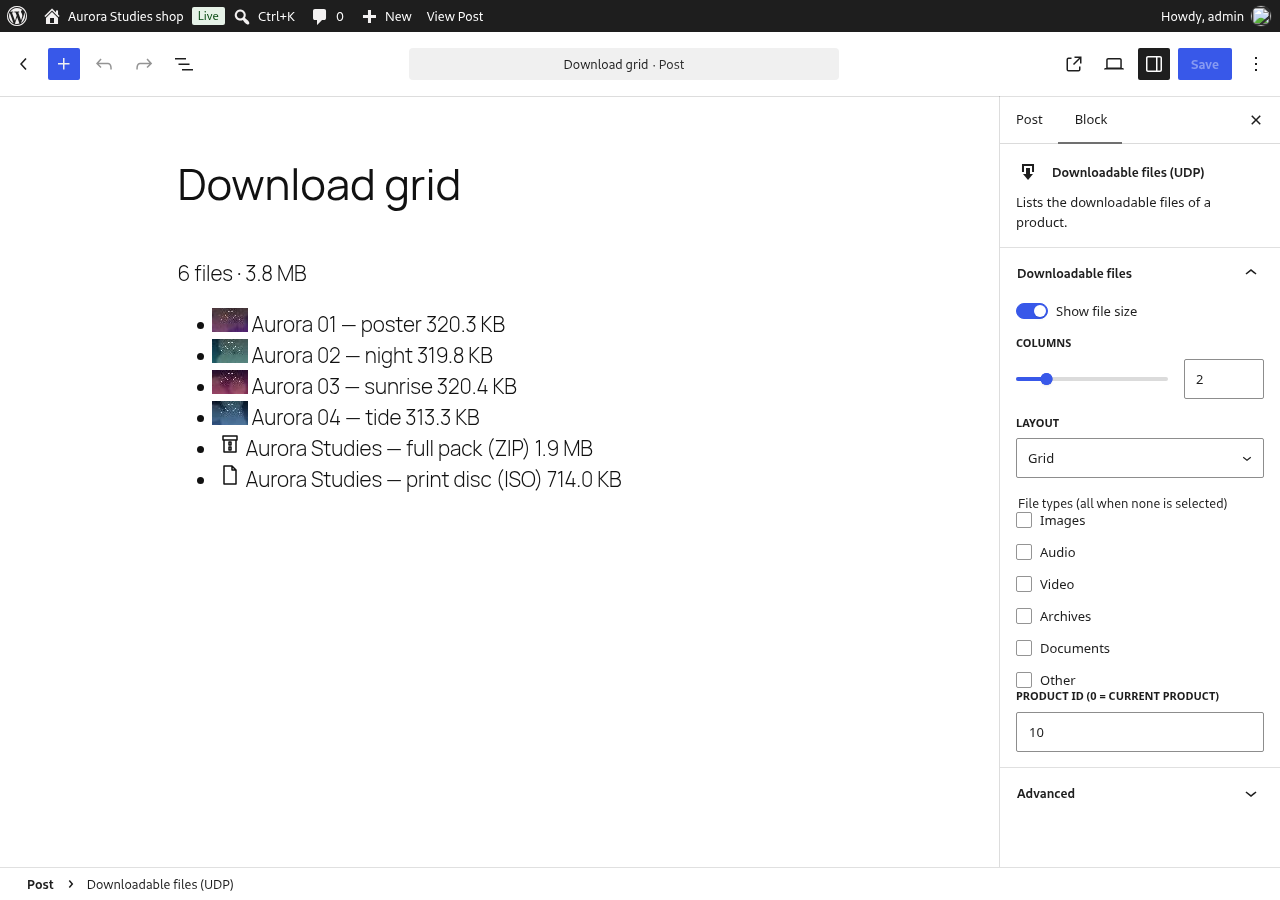
The Downloadable files (UDP) block in the block editor: the live preview of the product's files on the canvas and the block's five settings in the sidebar (Free)

The same block rendered by a block theme on the front end: three columns of cards, each with its thumbnail or its file-type icon, the name and the size, in a block-theme page with no shortcode anywhere in the content (Free)
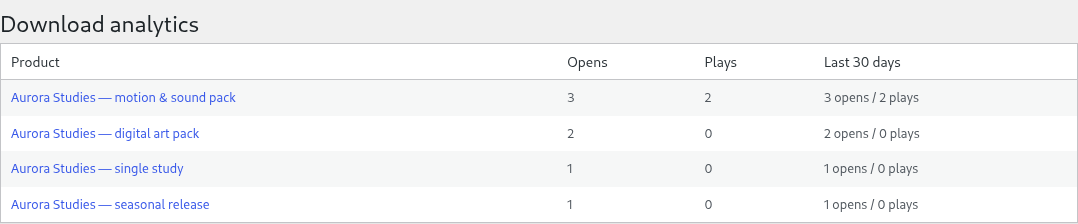
Download analytics: how often the shop's previews were opened and their samples played, in total and over the last 30 days (Professional)