BACK TO DIRECTORY
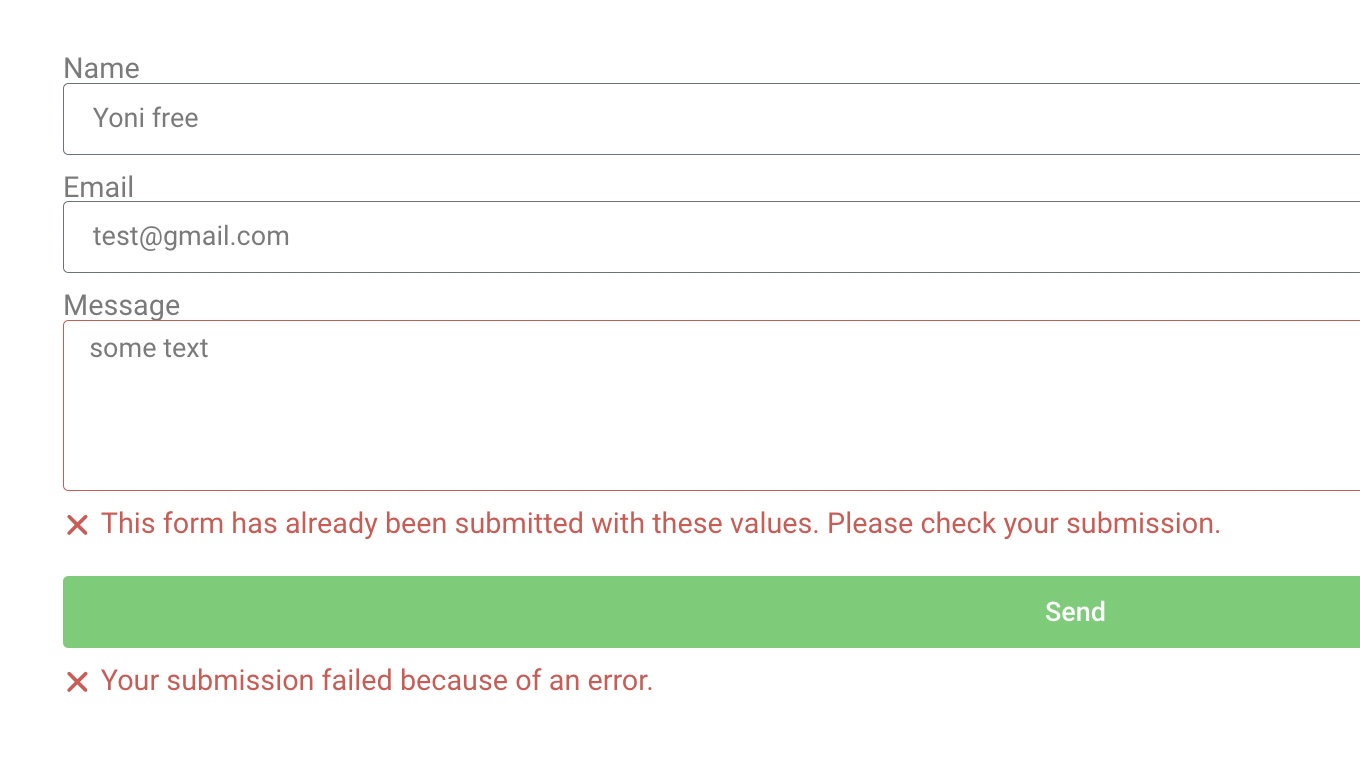

The Elementor Unique Submissions Plugin ensures that users cannot submit duplicate form entries in Elementor Forms. This plugin allows you to specify which fields to check for uniqueness, providing a flexible and efficient way to manage submissions.
Features
- Enable or disable uniqueness per form
- Select specific fields to check for duplicate submissions
- Prevent duplicate form entries while ensuring smooth user experience
- Compatible with WordPress 5.0+ and Elementor Pro
Usage
- Open any Elementor form in the Elementor editor
- In the form settings, navigate to the “Unique Submissions” section
- Toggle the “Enable Unique Submissions” option to “Yes”
- Select the fields you want to use for uniqueness checks
- Save the form and publish it
How it works
- When a form is submitted, the plugin checks the specified fields for duplicate values
- If a duplicate is found, the submission is rejected with an error message
Screenshots
Unique Submissions settings in Elementor form widget
Error message when duplicate submission is detected
Plugin Details
Active Installs
300Total Downloads
1,969Version
1.0Requires WP
5.0Requires PHP
7.4Tested Up To
6.7.11Added
2024-12-02Last Updated
2024-12-02 7:41am GMTRatings
5
0
4
0
3
1
2
0
1
0