BACK TO DIRECTORY


This Uptime Robot Plugin for WordPress let’s you show your uptime server stats from Uptime Robot inside the WordPress admin area and if desired on pages, posts or in a widget. You can show multiple monitors on your preffered place using a simpel shortcode.
- Account at UptimeRobot.com required
Simple installation and configuration
Admin side
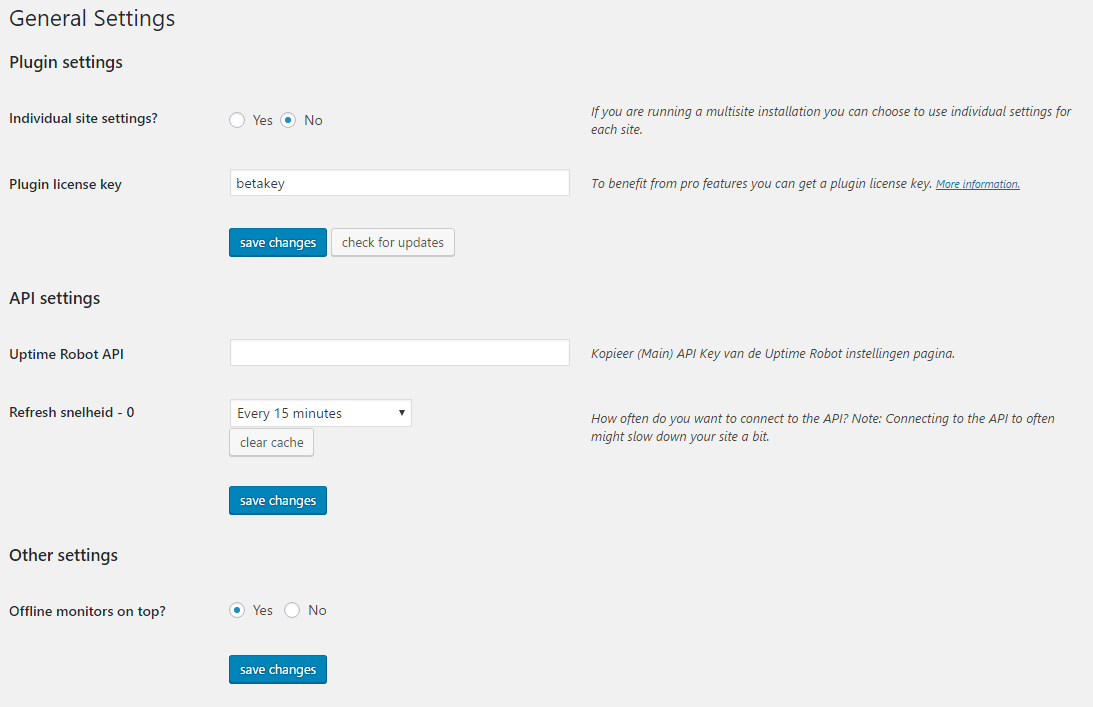
- Settings, choose wich monitors to be enabled, move offline monitors to the top
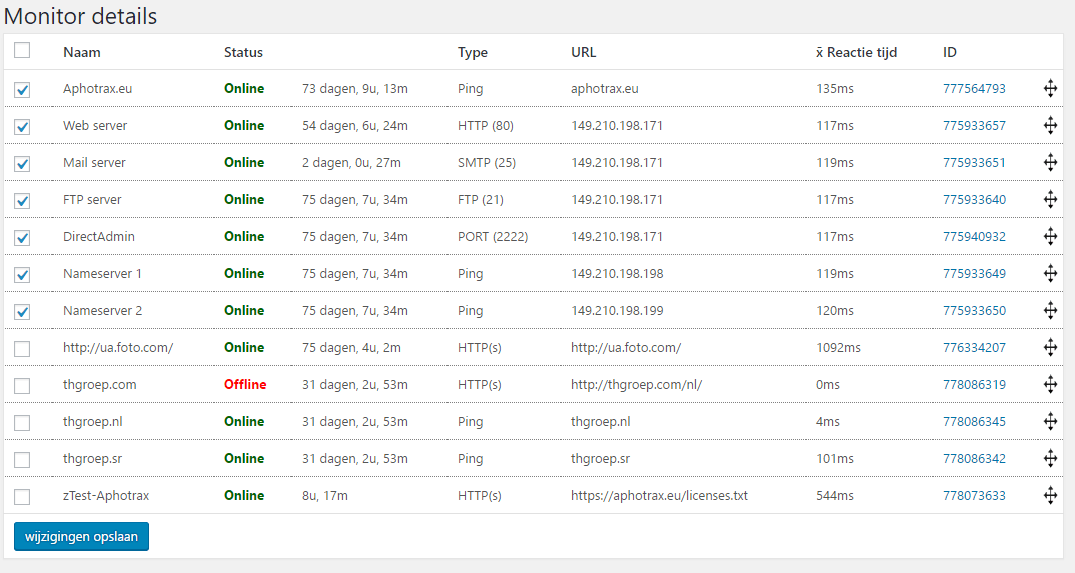
- View all monitors including status, duration and details
- Drag and drop to order monitors
- Logs with offline/paused status history
- Response time charts for all monitors
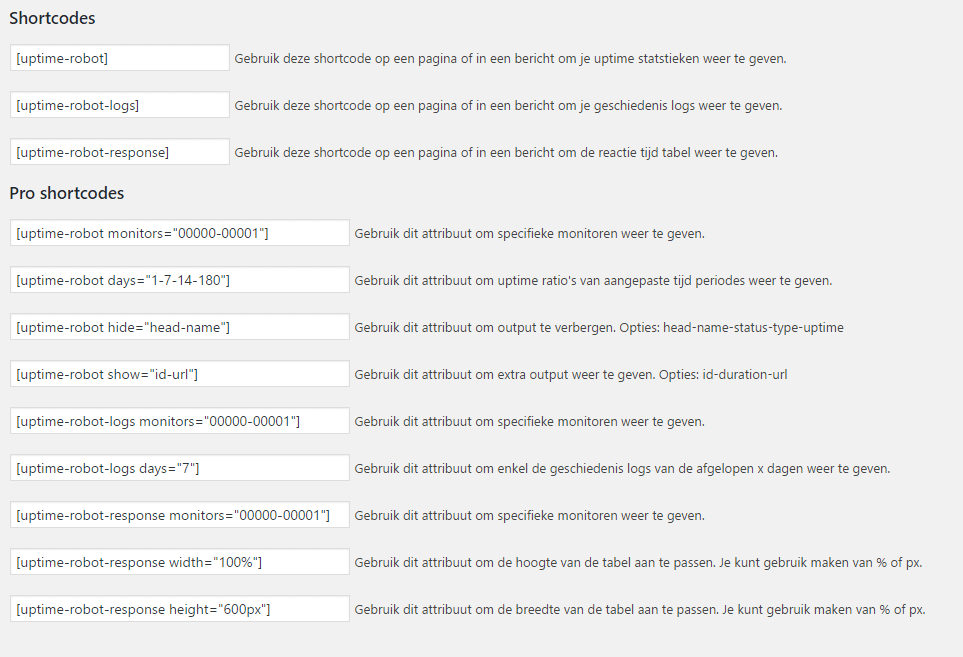
- Shortcode guide
- Custom caching time
Client side
-
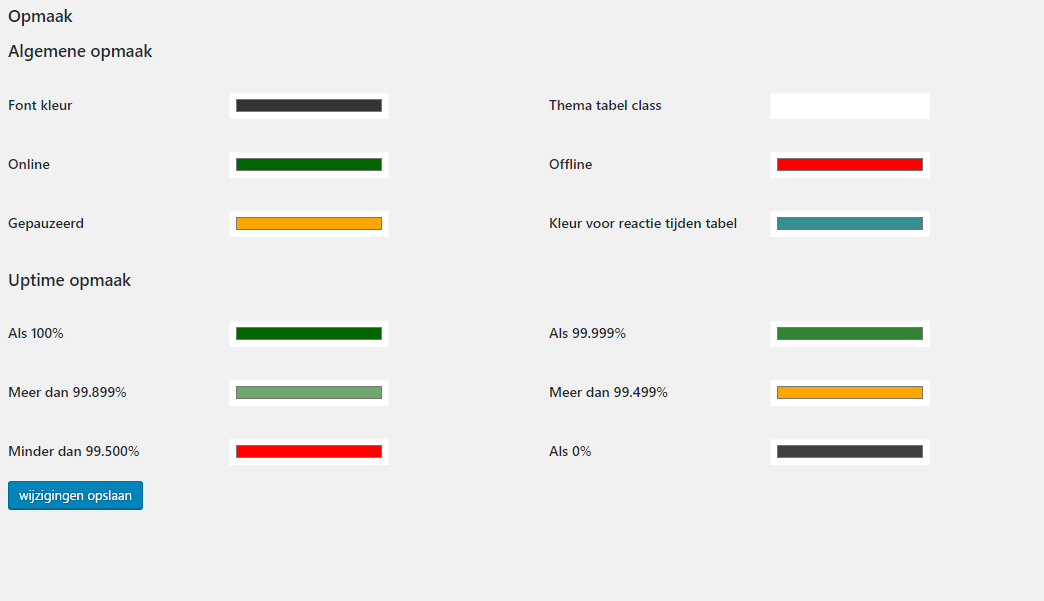
Customize styling
-
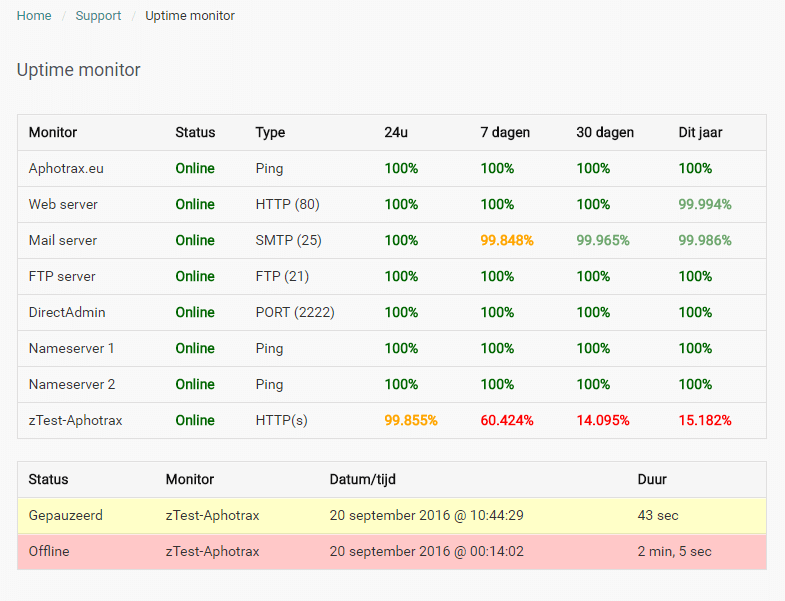
Display uptime stats anywhere with a shortcode [uptime-robot]
-
Display logs where you want it with a shortcode [uptime-robot-logs]
-
Display a response time chart where you want it with a shortcode [uptime-robot-response]
- Custom front end shortcodes (see shortcode page inside admin area).
Screenshots
Settings page
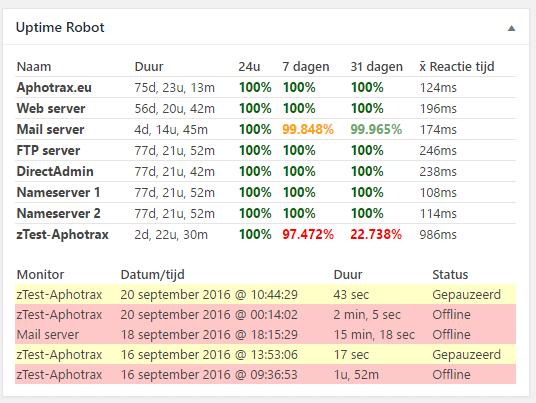
Shortcodes output example
Monitor details in the admin area
Customized styling
Response time charts
Shortcode overview
Log history in the admin area
Dashboard will show uptime stats and logs for the last month
Plugin Details
Active Installs
600Total Downloads
24,203Version
2.3Requires WP
4.8Requires PHP
—Tested Up To
6.1.16Added
2014-08-15Last Updated
2023-02-16 11:28am GMTRatings
5
7
4
1
3
0
2
0
1
2