Course, semester and contributor access controls with administrator moderation for VaraStudy Vault. Purpose – Public visitors can view published resources across all courses and semesters. – Contributors can submit/manage only content in their assigned course groups and semesters. – Contributor submissions are sent to Pending Review; only administrators can publish. – Admins assign groups and semesters on Users -> Edit User. – Admins can record the current academic year from VaraStudy Access; rollover is manual. Existing-site assumptions – Course taxonomy slug: course_group – Custom post types: subjects, study-materials, question-papers – Subject semester stored in ACF field/meta key: semester – Resource-to-subject relationship stored in ACF field/meta key: subject – ACF Question Paper semester field key: field_6ad34225ddea5 – ACF Subject semester field key: field_6ad33bd28e7e0 – ACF Question Paper subject field key: field_6ad3405a22db5 – ACF Study Material subject field key: field_6ad33d167a5ce – The course_group taxonomy is expected to be assigned to Subject posts. Version 1.0.5 changes – Excludes Draft and Pending Review Subjects from contributor subject selectors; administrators retain unrestricted choices. Version 1.0.4 changes – Filters the Subject semester dropdown to the active contributor’s assigned semesters. – Filters Question Paper semester choices to assigned semesters. – Filters Subject Post Object selectors for Question Papers and Study Materials by assigned course groups and semesters. – Adds post-save validation after ACF field saving; invalid submissions are kept as drafts and flagged with an error meta value. – Question Paper semester must match both the contributor assignment and the linked Subject semester. – Administrators retain unrestricted choices and access. Installation / update 1. Back up the WordPress site and database first. 2. Test on a staging site or backup before production. 3. Upload this ZIP via Plugins -> Add New -> Upload Plugin, replacing/updating the existing plugin. 4. Test with a separate contributor account and an administrator account. Test cases – Contributor with one assigned group and semesters 1-2 sees only semesters 1-2 in Subject and Question Paper fields. – Subject selectors show only Subjects in the assigned course_group terms and allowed semesters. – A crafted save with an unauthorized semester/subject is moved to Draft and flagged. – Administrators can still select all semesters and subjects. Validation status – The user reports testing v1.0.5 in their WordPress/ACF installation: assigned-semester filtering, subject-selector filtering, editing own Draft/Pending content, and administrator access behaved as expected. – The PHP file passes a syntax check and the ZIP archive passes an integrity check. – These tests cover the scenarios listed above; they do not guarantee that every possible unauthorized request path has been tested. Keep a backup and use staging before production updates.
Screenshots
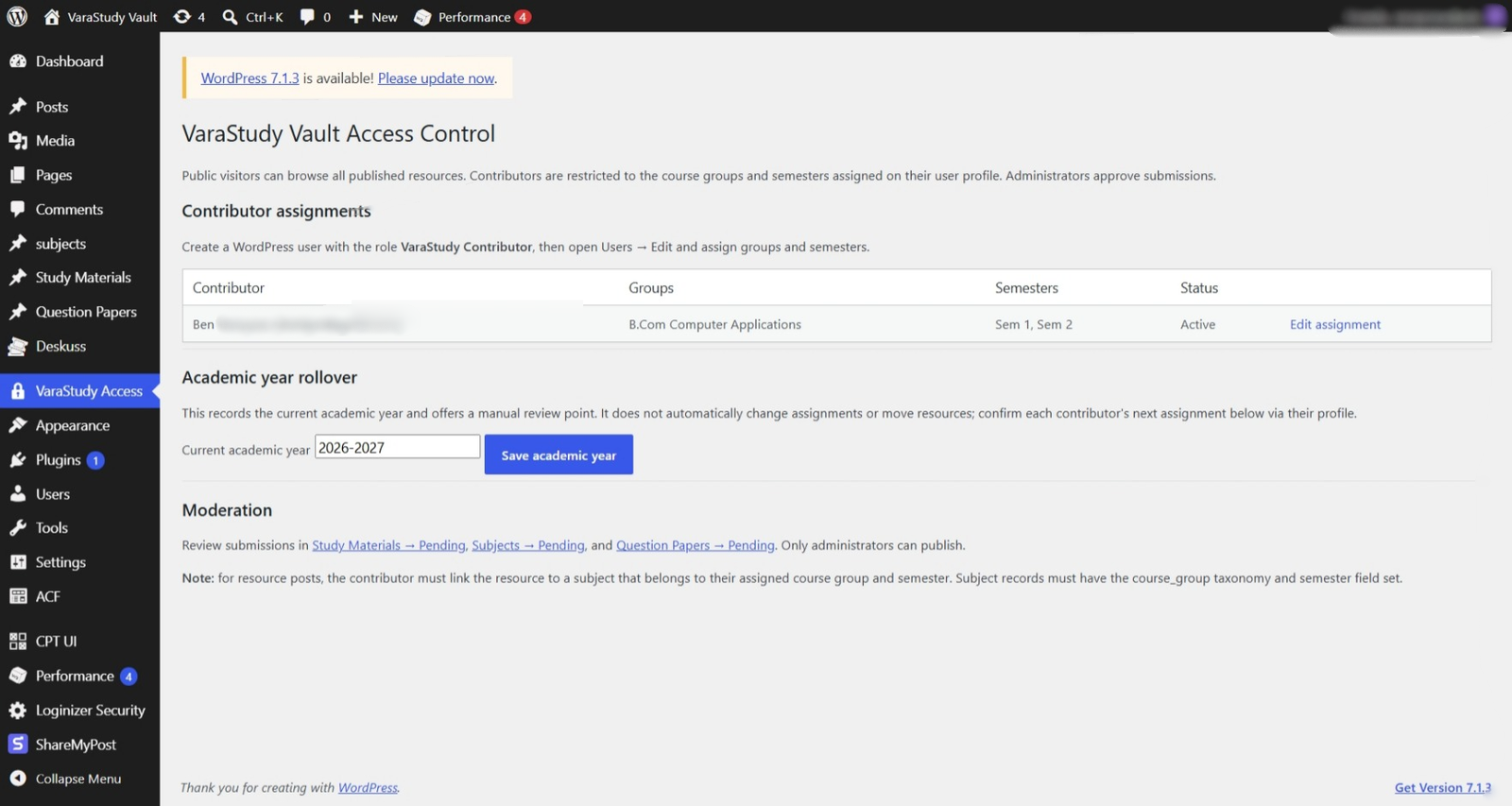
VaraStudy Access Control dashboard for administrator settings.
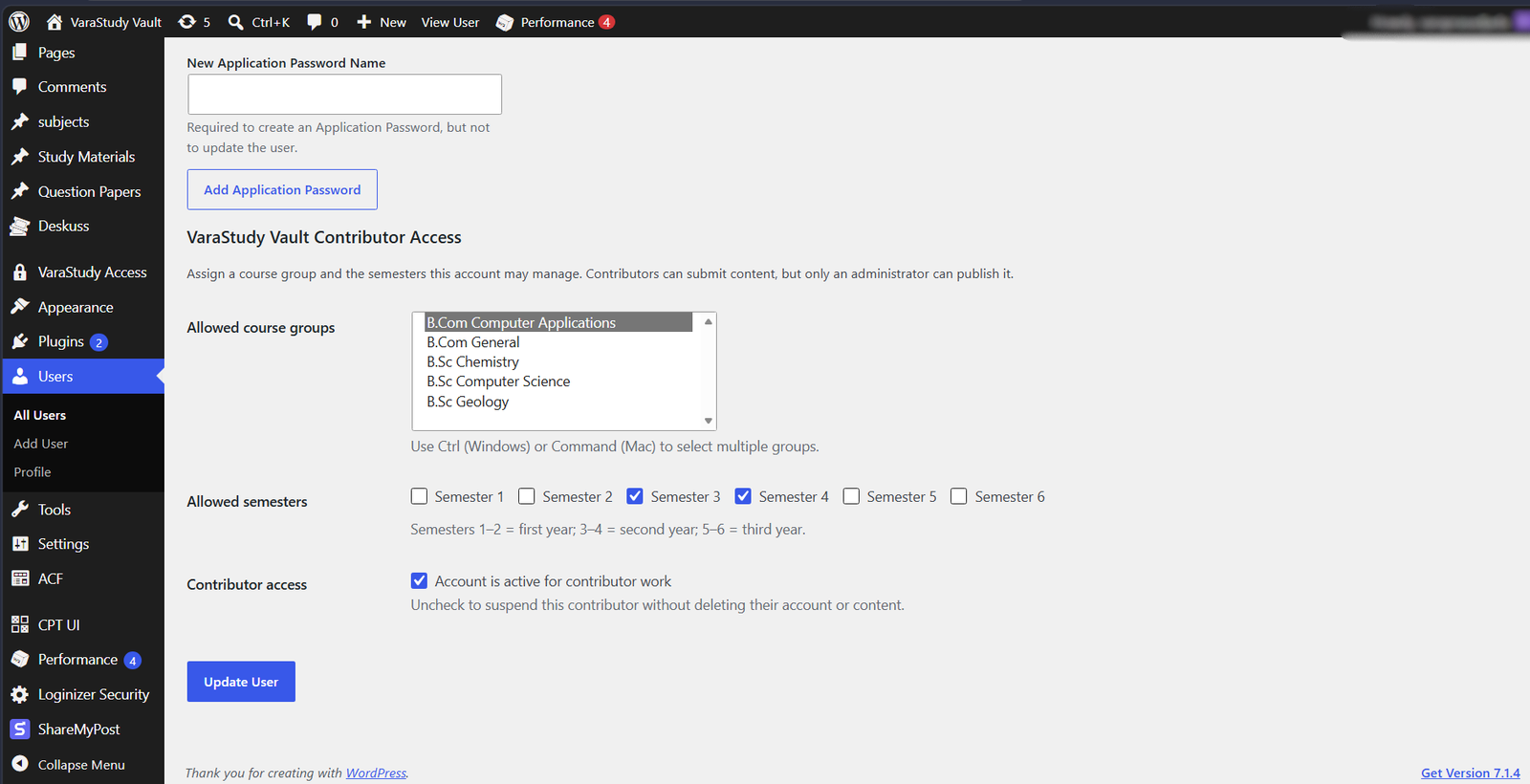
Contributor access scope showing assigned course groups and semesters.