
Variation Swatches for WooCommerce plugin provides a much nicer way to display variations of variable products. This plugin will help you select style for each attribute as color, image or label. With this plugin, you can present product colors, sizes, styles and many things in a better way which is not supported by WooCommerce.
This plugin only adds more options to show product variations with swatches. It doesn’t touch the default drop-down style of WooCommerce.
With a friendly and easy-to-use interface, you can add default color, image or label to each attribute in the attributes management page. It can also helps you pick the right style for quick-add attribute right inside the editing product page.
Free features:
- Color, image and label (button) swatches for your product attributes
- Radio button swatches
- Show the color name inside color swatches
- Auto convert all variation dropdowns to button swatches – With a click of a button you can convert your dropdowns into button/label swatches.
- Show swatches on archive / shop – Let users find what they really want by showing your swatches on the shop archive.
- Swatch shapes – Circle, square or rounded swatches.
- Unavailable combinations grey out as shoppers make their choices
- Tooltips with the option name on the product page
- Font size, margin and padding settings for the product page and the shop
- Turn swatches off for a single product
- Create attribute swatches right from the product editing page
- Works on variable products and with WooCommerce’s own attribute screens
Pro features:
These come with Variation Swatches Pro, a separate paid add-on. The free plugin works fully without it.
- Auto convert dropdowns to image swatches – Automatically convert dropdowns to image swatches if the variation has an image.
- Dual color swatches – Set two colors for products that can’t be described with one color.
- Out of stock control – Blur, cross out or hide out-of-stock options.
- Image swatch ratio and position, swatch width and height
- Styling for normal, hover and selected swatches and for tooltips
- Image tooltips and custom tooltip text
- Show the attribute name and description with the swatches
- Limit how many swatches show on product and shop pages
- Variation image preview: change the product image when a shopper clicks or hovers over a swatch
- Shop page: show swatches for one attribute only, choose where the swatches appear, and show tooltips
- Extra fees for attribute options
What’s Next
If you like this Variation swatches plugin, then consider checking out our other WooCommerce plugins:
- Additional variation images for WooCommerce – Show additional variation images and videos to showcase your product key highlights.
- Show Variations on Shop Page – Show your variation products on your shop page separately to increase your catalog size and the user experience.
- Dynamic Pricing & Discount Rules for WooCommerce – Create Buy one get one free offers, schedule promotions, tiered pricing, role base pricing, and much more.
- Minimum/Maximum Quantity for WooCommerce – Create quantity increments, spending rules, and as the name suggests minimum and maximum quantity for woocommerce.
- Product Bundles for WooCommerce – Improve your average order value by creating irresistible product bundles.
- Wholesale Suite for Woocommerce – Maximize your store revenue by catering to wholesale customers, you can sell to B2B + B2C.
- Quick Order Form for WooCommerce – Create a streamlined bulk order form to reduce friction in users checking out.
- Product Quick View for WooCommerce – Allows users to get a quick look at products without opening the product page.
- Restriction Rules for WooCommerce – Set your store to private mode, password protection, menu item restriction, hide products, and more.
- Sales Agents for WooCommerce – Grow your business by adding sale agents to your WooCommerce store.
Visit the AOVUP blog to learn from our WordPress Tutorials and find out about other WooCommerce plugins.
Screenshots
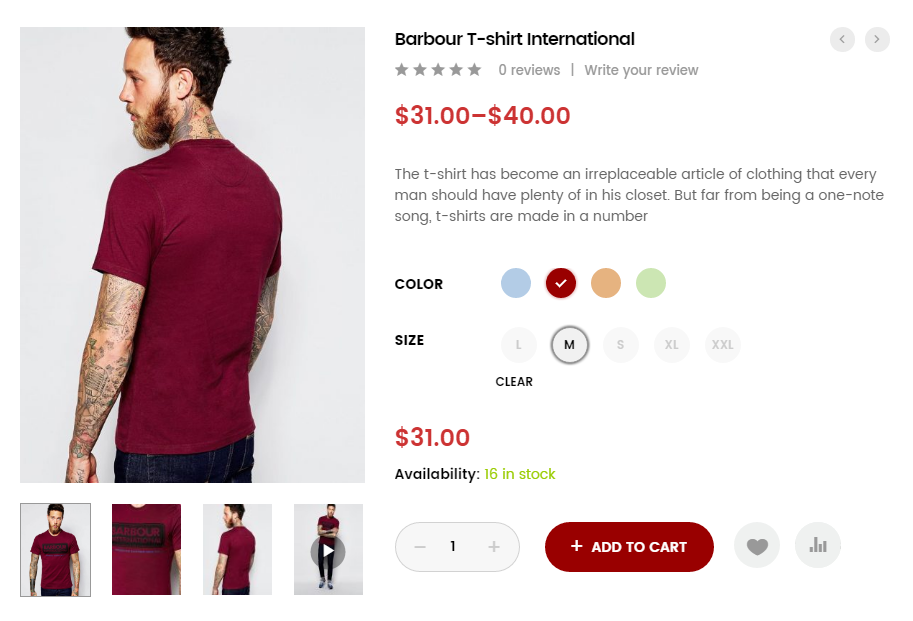
Variations on frontend
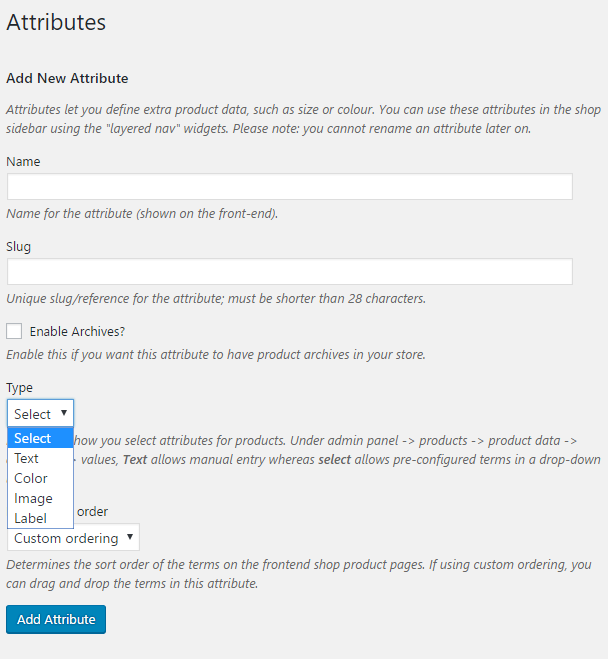
Add new attribute
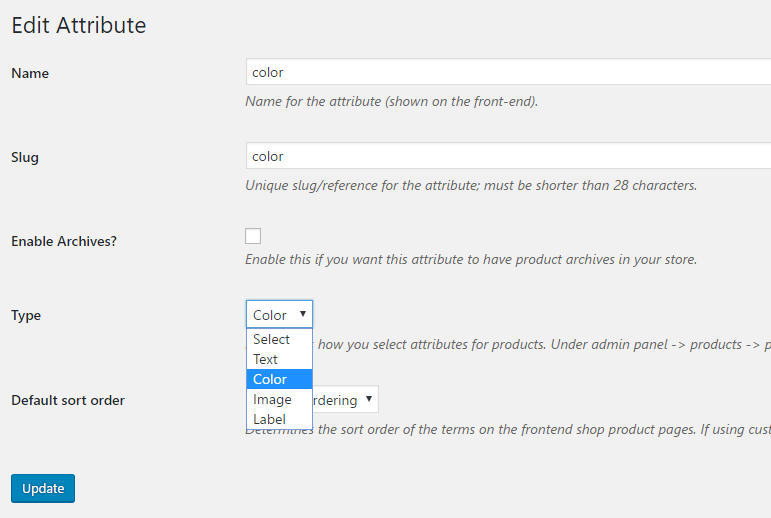
Edit Attribute
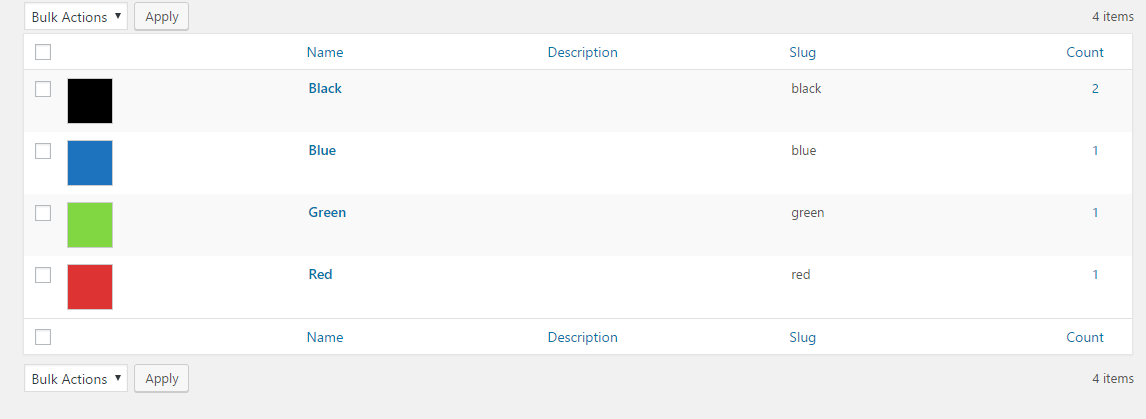
Attribute color
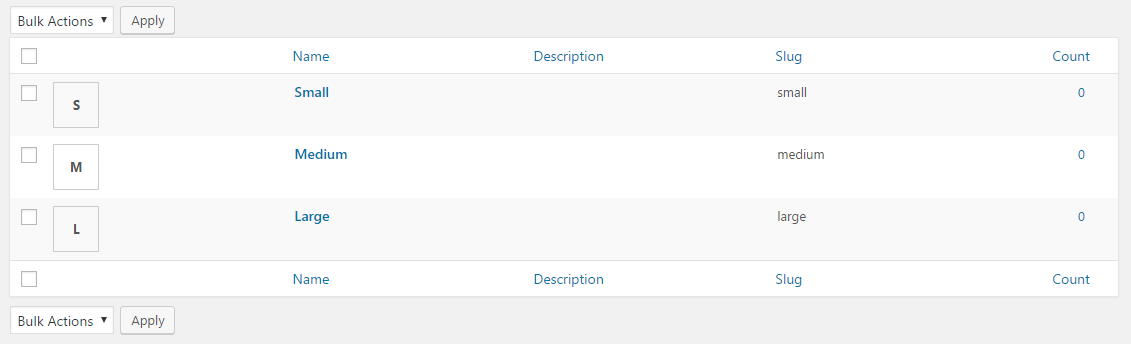
Attribute label
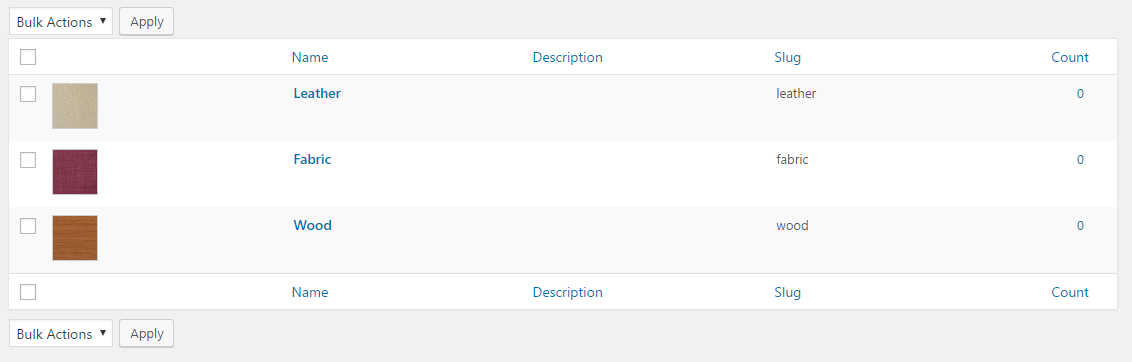
Attribute image
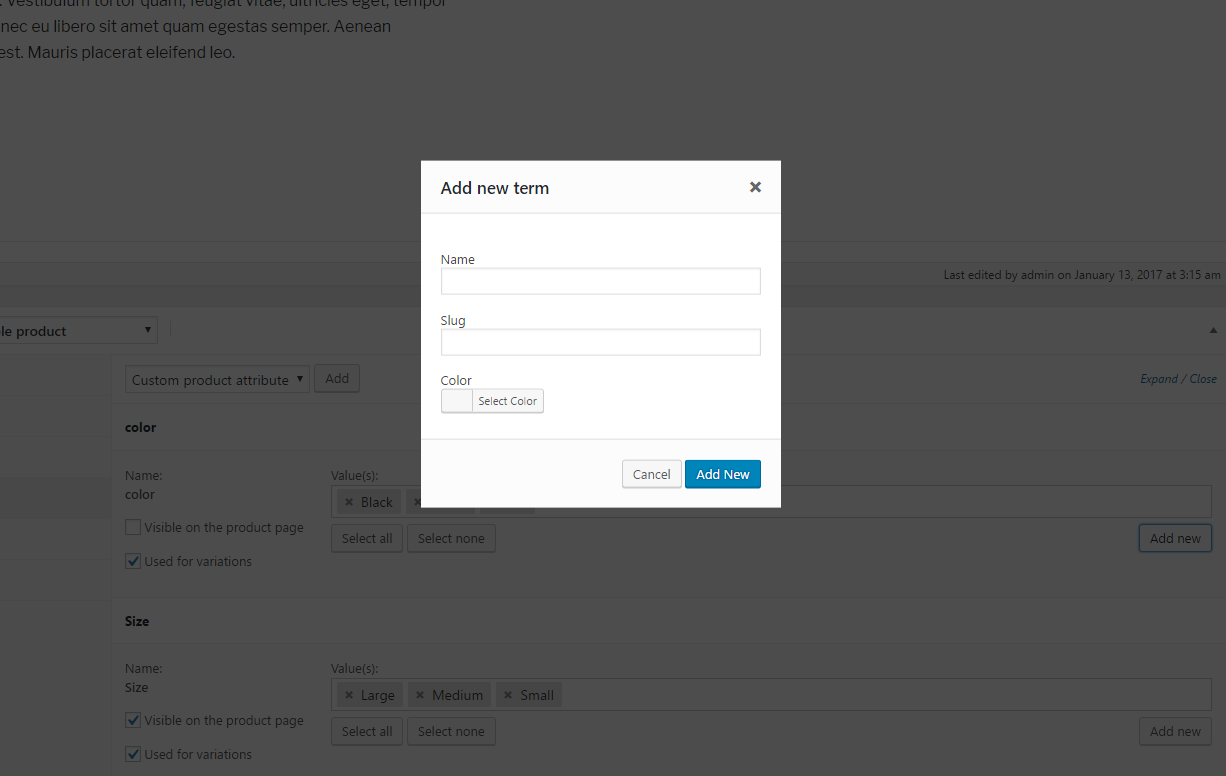
Add new attribute color when edit a product