VariationX – Variation as Radio Buttons for WooCommerce
View Demo | Documentation | Support | Pro Version
VariationX is a Variation as Radio Buttons plugin for WooCommerce. It converts WooCommerce Variable Product attribute drop-downs into radio buttons. Additionally, you can also convert individual variations into radio buttons with it.
This WooCommerce Variation as Radio Buttons plugin visually enhances the product pages (of WooCommerce Variable Product) and simplifies the Add to Cart process. Thus, VariationX ensures a boost in product variation exploration and the Add to Cart experience on your store.
WooCommerce, by default, offers a drop-down selection to explore the available variations of a Variable Product. VariationX (Variation as Radio Buttons for WooCommerce) converts the drop-down selection into radio buttons. Contrary to representing product attributes as radio buttons, you can combine variation attributes and display individual variations as radio buttons.
VariationX offers plug-and-play features. It converts WooCommerce Variable Product’s attribute selection drop-downs into radio buttons upon plugin activation. Additionally, this Variation as Radio Buttons plugin offers complementary features to significantly improve your product pages. One example is highlighting unavailable attribute/variation radio buttons with different options like Blur, Blur & Cross, and Hide.
VariationX (Variation as Radio Buttons for WooCommerce) also has a premium version. It offers advanced features to lift the UX to a new height and simplify the Add to Cart process of WooCommerce Variable Products. Most importantly, you can Add to Cart multiple variations at once with VariationX PRO.
VariationX (Variation as Radio Buttons for WooCommerce) – Key features
🔘️ Turn WooCommerce Variable Product attribute drop-downs into Radio Buttons.
🔘️ Turn WooCommerce individual variations into a list of Radio Buttons.
🔘️ Include a blank option among Radio Buttons to clear variation selection.
🔘️ Hide/Highlight unavailable attributes with Blur or Blur and Cross.
🔘️ Hide/Highlight unavailable variations with Blur or Blur and Cross.
🔘️ Compatible with WooCommerce HPOS (High-Performance Order Storage).
🔘️ Seamless integration with the default WooCommerce variation logic.
🔘️ Best WooCommerce coding standard to ensure performance & compatibility.
In addition to the features available in VariationX, you can access the following features with VariationX PRO.
VariationX PRO (Variation as Radio Buttons for WooCommerce) – Key features
🔘️ Turn WooCommerce individual variations into a Grid of Radio Buttons.
🔘️ In addition to highlighting out-of-stock items, you can make them clickable.
🔘️ Customize the item appearance of individual variation as a radio button.
Default item sequence is: %thumbnail% – %attribute% – %price%
🔘️ Bulk Cart Variations – Add to Cart multiple variations at once.
🔘️ Display a New badge for newly added variations (added within the last 10 days).
🔘️ Include the product name while displaying variation as radio buttons.
This will append the product name as first item inside the radio buttons.
Credits
Built with ❤️ by WPXtension.
License
This plugin is licensed under the GPLv2 or later. See https://www.gnu.org/licenses/gpl-2.0.html
Screenshots
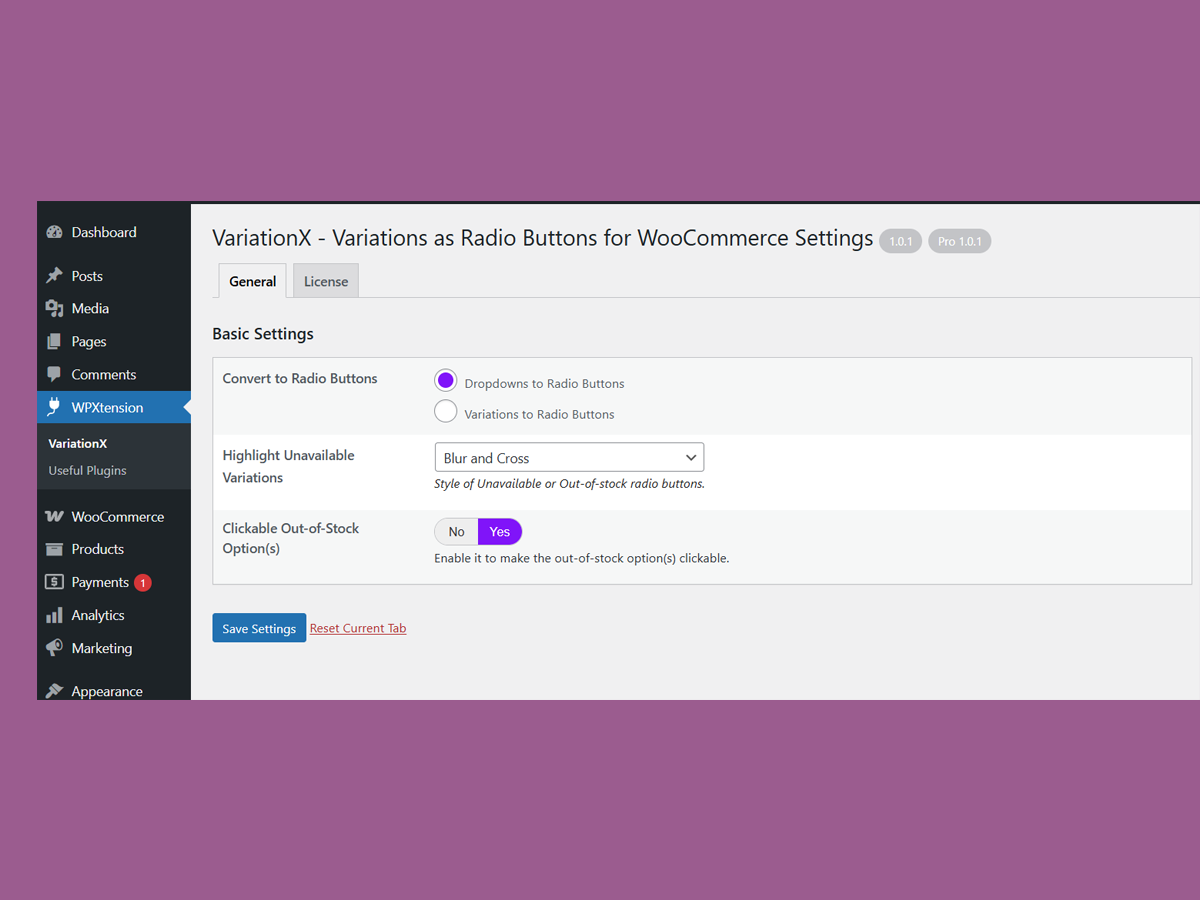
Default Settings.
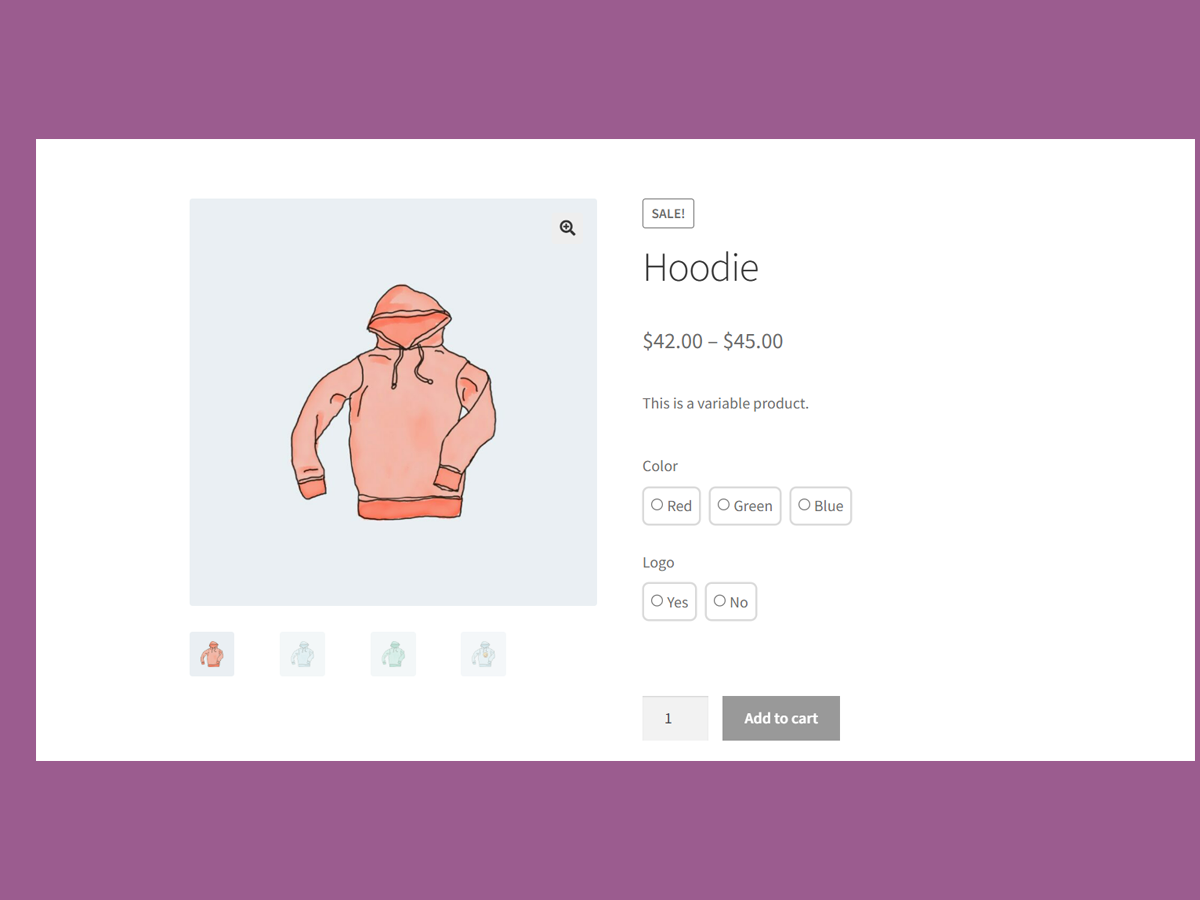
Attribute Radio buttons replacing dropdowns on a variable product.
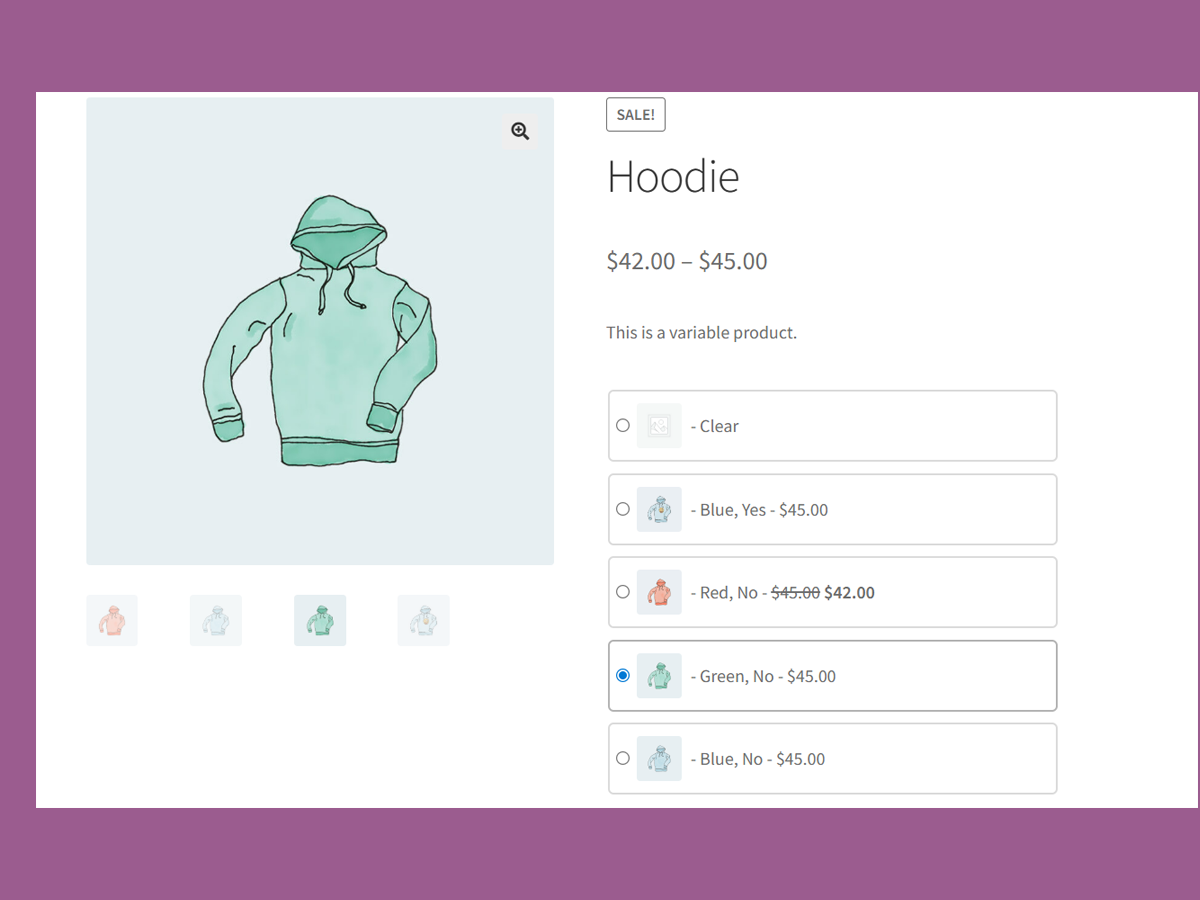
Variation Radio buttons replacing dropdowns on a variable product.
![Grid View of Variation Radio buttons on a variable product. [Pro Feature]](https://ps.w.org/variations-as-radio-buttons/assets/screenshot-4.png?rev=3501934)
Grid View of Variation Radio buttons on a variable product. [Pro Feature]
![Bulk Cart & New tag for newly added variations. [Pro Feature]](https://ps.w.org/variations-as-radio-buttons/assets/screenshot-5.png?rev=3501934)
Bulk Cart & New tag for newly added variations. [Pro Feature]
![Variation Radio Buttons limit. [Pro Feature]](https://ps.w.org/variations-as-radio-buttons/assets/screenshot-6.png?rev=3501934)
Variation Radio Buttons limit. [Pro Feature]
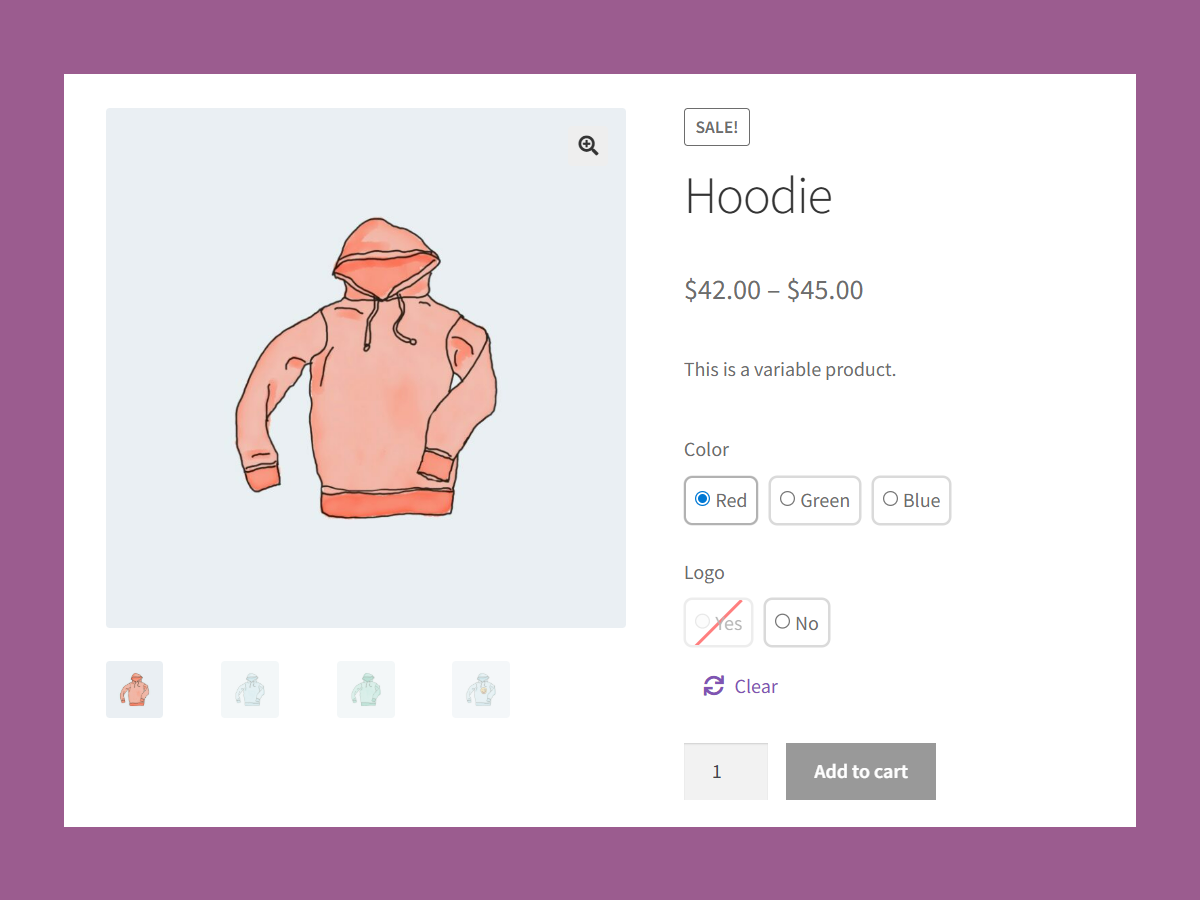
Attribute Radio buttons - Unavailable radio button.
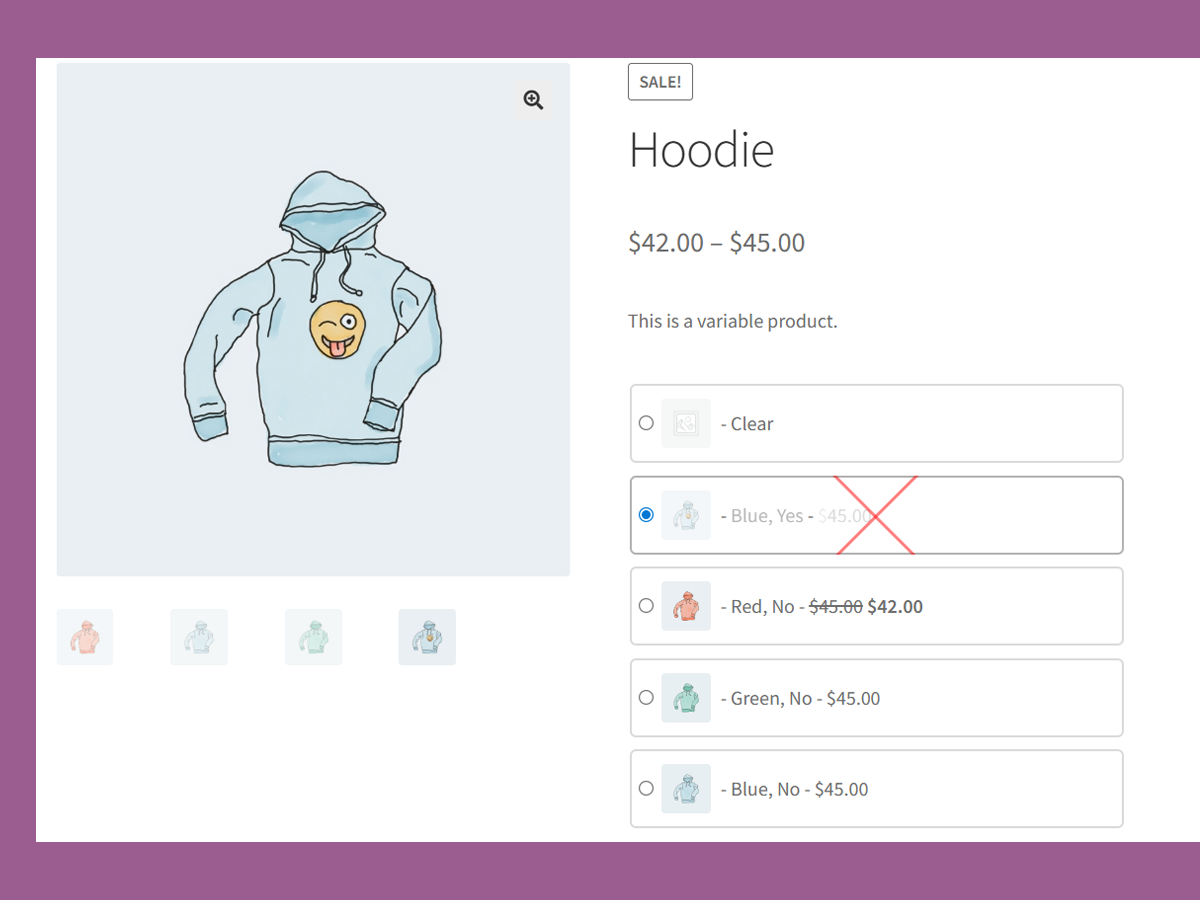
Variation Radio buttons - Clickable Out of stock radio button.