
Viable Support for Zendesk integrates your Zendesk Support workspace directly into your WordPress site.
Note: You need to have a Zendesk account to use this plugin.
With just your Zendesk subdomain, account email, and API token, you can:
- Display Zendesk ticket fields as dynamic WordPress forms.
- Submit support tickets directly from your site.
- Automatically convert WordPress comments into Zendesk tickets.
- Include metadata, tags, and post details automatically in tickets.
Built by Ahsan Gadit, this plugin is perfect for businesses and developers who want a smooth, automated support experience between WordPress and Zendesk.
Features
- Secure Authorization – Connect using your Zendesk subdomain, account email, and API token.
- Dynamic Field Fetching – Fetch all text-type custom fields from Zendesk and display them in your form.
- Shortcode Support – Use
[viasuzen_ticket_form]anywhere on your site. - Ticket Submission – Submit new tickets directly to Zendesk.
- Comment-to-Ticket Automation – Automatically convert new WordPress comments into Zendesk tickets.
- Custom Metadata – Add post type, author name, and ID as part of each ticket.
- Tag Support – Automatically add custom tags when creating tickets.
- Custom Ticket Subjects – Auto-generate ticket subjects with post or author details.
- Lightweight & Developer-Friendly – Optimized for performance and easy to extend.
External services
This plugin connects to the Zendesk API to create support tickets, fetch custom fields, and manage ticket data. This connection is required for the plugin to function properly.
The plugin sends the following data to Zendesk:
* Zendesk subdomain (configured by the site administrator)
* Account email and API token (for authentication)
* Ticket data including: requester name, email, subject, message, custom fields, tags, and metadata
* User search queries (for API authentication verification)
All API requests are made server-side using secure HTTPS connections to your Zendesk subdomain (e.g., https://your-subdomain.zendesk.com/api/v2/).
This service is provided by “Zendesk Inc”: Zendesk Terms of Service, Privacy Policy.
License
This plugin is licensed under the GPLv2 or later.
You can view the full license text here: https://www.gnu.org/licenses/gpl-2.0.html
Support & Feedback
We’d love to hear your feedback and suggestions!
📩 Email: ahsan.amin334@gmail.com
Screenshots

Authorization screen with fields for Zendesk Subdomain, Email, and API Token.

Connected account view showing Zendesk connection status and Web Widget visibility toggle.

Form Settings page for configuring form display options.

Popup modal to fetch and map Zendesk custom fields dynamically.
![Example of shortcode [viasuzen_ticket_form] added in the WordPress page editor.](https://ps.w.org/viable-support-for-zendesk/assets/screenshot-5.png?rev=3373255)
Example of shortcode [viasuzen_ticket_form] added in the WordPress page editor.

Frontend display of the Zendesk-powered support form.

Zendesk Comment Settings section in WordPress discussing comment integration options.

Convert Post Comment to Zendesk Ticket action button in the Comments area.
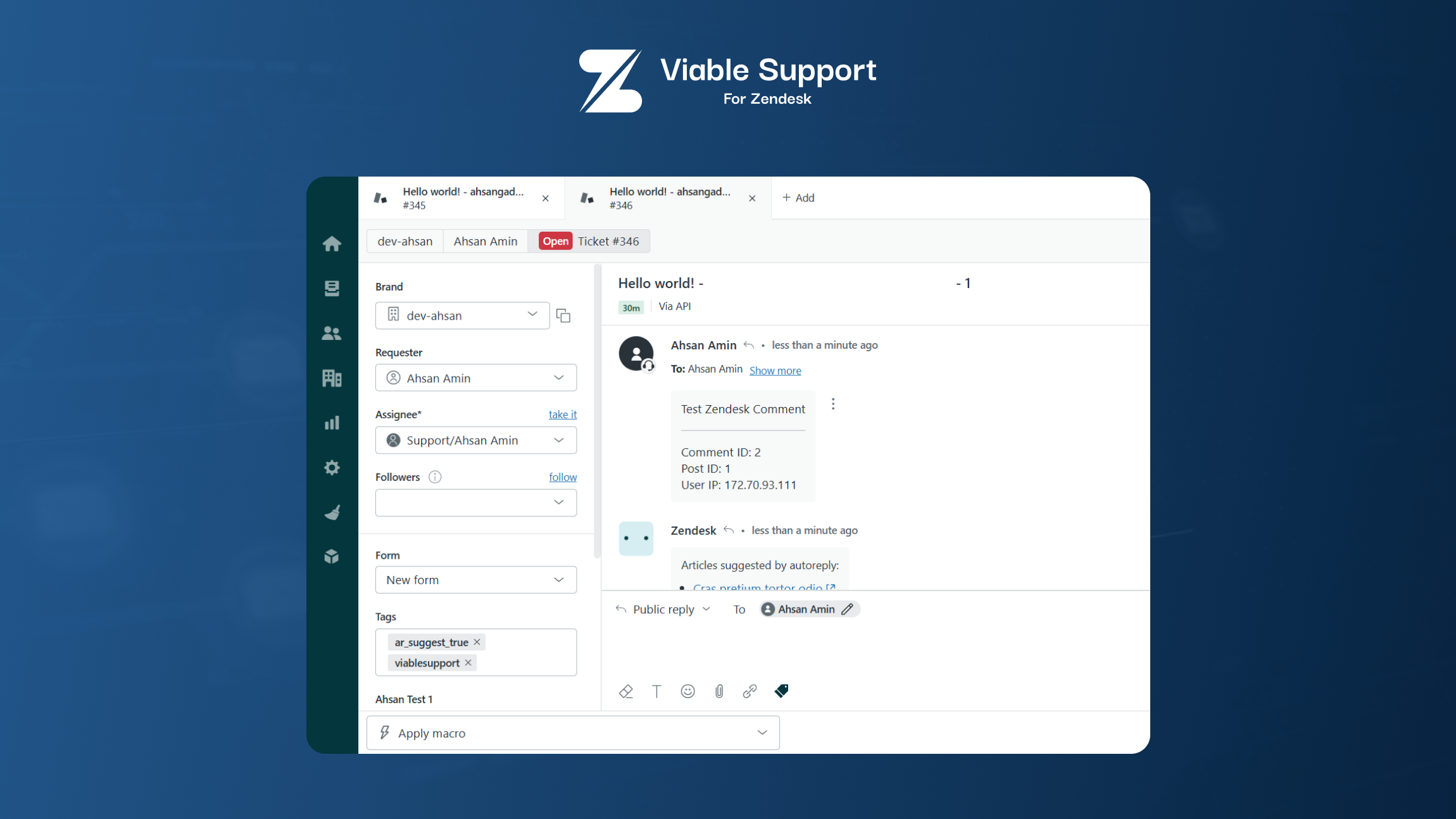
Example of a WordPress comment successfully converted into a Zendesk ticket.