
ViDesigner Christmas Calendar gives you a simple Christmas advent calendar with 24 or 25 independently placed doors. Choose from three ready-made holiday backgrounds or upload your own portrait or landscape picture. Each day reveals a text greeting, an image, a YouTube video, or a festive link button. The site owner can position doors by dragging them in the editor. Each door opens on or after its December date, using the WordPress site’s configured timezone.
Works with any standard WordPress theme or page builder. No specific site domain, license service or account is required to use the free plugin. The plugin interface is bilingual: English by default, with bundled Danish translations following WordPress locale settings. Calendar content written by the user is not automatically translated.
Shortcode: [videsigner_christmas_calendar id=”123″] (replace 123 with your actual calendar ID). The earlier Danish shortcode [videsigner_julekalender id=”123″] is supported too.
This is the 1.0.0 release prepared for WordPress.org submission. The initial directory listing is subject to WordPress.org review.
Credits and licenses
The three included background images (assets/backgrounds/vd001.jpg, vd002.jpg and vd003.jpg) were generated using Grok Imagine (xAI) and contributed by ViDesigner. Created with Grok. The contributor has authorized these bundled images to be distributed, copied, modified and redistributed under GPL-2.0-or-later, to the extent applicable rights are held by the contributor. The source and permission statement are in assets/backgrounds/IMAGE-LICENSE.txt.
The bundled QR-code implementation is licensed GPL-2.0-or-later; see assets/js/vendor/LICENSE-QR.txt. No external QR-code service is used.
Screenshots
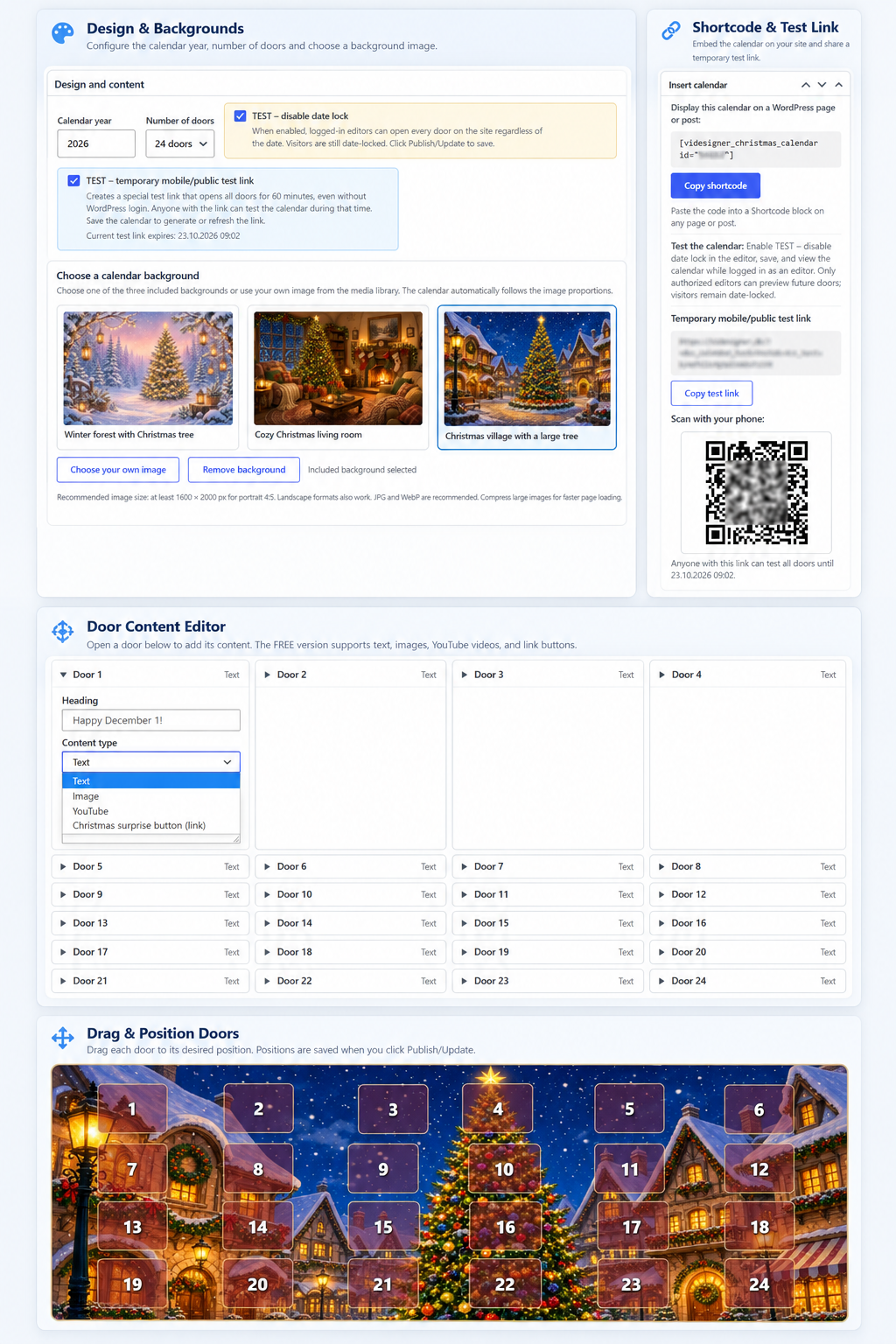
Admin overview – Create and manage your Christmas calendar. Choose a festive background, edit the content behind each door, position doors with drag-and-drop, and generate a temporary test link with a QR code.