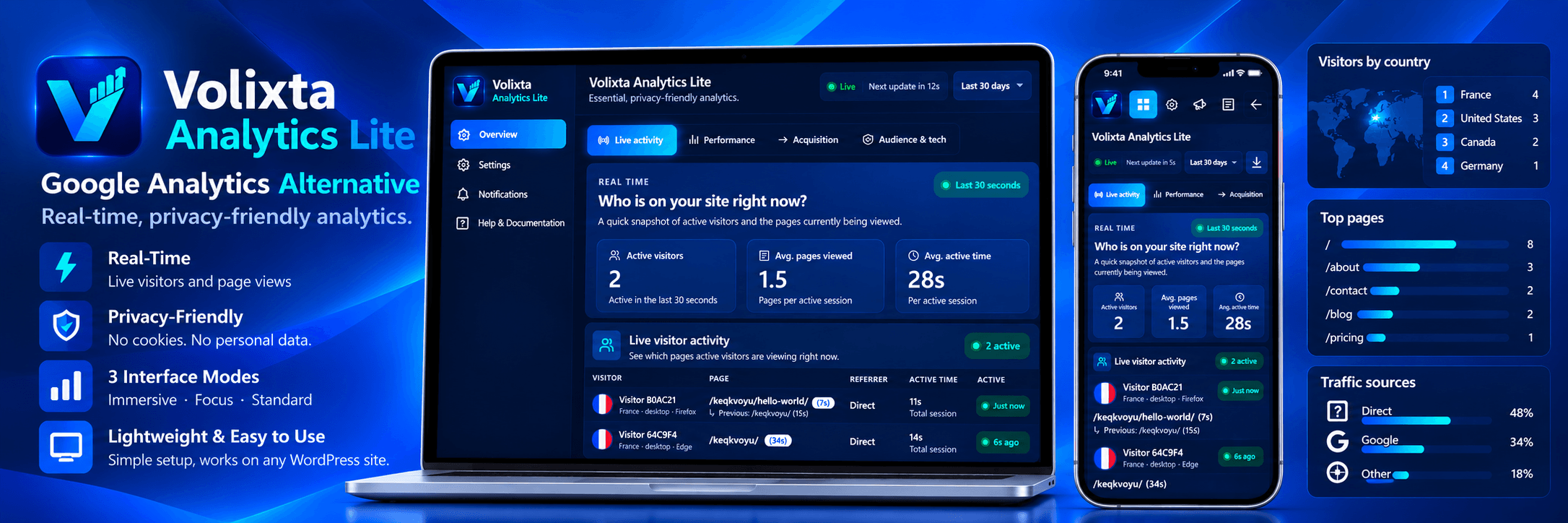
Volixta Analytics Lite gives you a focused real-time analytics dashboard directly inside WordPress.
See live visitor activity, page views, sessions, referrers, devices, browsers, countries, acquisition channels and UTM campaign data without sending your analytics records to a hosted analytics platform.
Your analytics records stay in your own WordPress installation and are not sent to Volixta. No external analytics account is required.
Volixta Analytics Lite can also be used as a privacy-friendly, self-hosted alternative to Google Analytics if you prefer to keep your website analytics inside WordPress. It works independently and can also be used alongside other analytics tools.
Main features
- Live activity with automatic refresh countdown.
- Real-time summary of current website activity.
- Page views, visitors, sessions and average visit duration.
- Top pages, entry pages, exit pages, referrers and navigation journeys.
- Audience reports for countries, languages, devices, browsers and operating systems.
- Acquisition reports for traffic channels, UTM campaigns and recognized AI referrals.
- Pseudonymous visitor and session measurement.
- No analytics cookies used for visitor or session identifiers.
- Respects the browser’s Do Not Track setting.
- No raw visitor IP stored in the analytics table.
- Query strings removed from stored page URLs.
- Optional pseudonymous tracking of logged-in visitors, disabled by default.
- Administrators excluded from tracking by default.
- Optional local country detection with the DB-IP Country Lite database.
- Daily and monthly email summaries.
- Guided setup wizard.
- CSV export for the selected dashboard range.
- Optional Views column in WordPress Posts and Pages.
- Optional Volixta stats in the admin toolbar and a WordPress Dashboard widget.
- Full-width Volixta workspace with Standard (light), Immersive (blue/cyan) and Focus (muted dark) themes.
- Volixta Ecosystem page to discover compatible plugins and use native WordPress install and activation actions.
- WordPress multisite support.
Real-time analytics
The Real-Time report lets you see what is happening on your website right now.
It refreshes automatically and shows current activity such as active visitors, recent page views and the pages receiving traffic. This can be useful after publishing new content, sharing a link or launching a campaign.
The rest of the dashboard gives you historical reports for visitors, sessions, pages, traffic sources, audience information and campaigns.
Daily and monthly email summaries
You can enable optional daily and monthly summary emails from the Notifications page.
Daily summaries cover the previous complete day and are scheduled for 08:00 in the WordPress timezone. Monthly summaries cover the previous calendar month and are scheduled for 08:15 on the first day of the month.
Emails contain aggregate analytics only, such as visitors, views, sessions, average visit duration, top pages, traffic sources and devices.
A test email can be sent from the Notifications page.
The plugin stores the notification recipient address and notification settings in WordPress options. A watchdog cron runs twice per day to check for missed reports and can retry a summary if WP-Cron runs late or an earlier send failed.
wp_mail() returning success means WordPress accepted the message for delivery through your site’s mail configuration. It does not guarantee final inbox delivery by the receiving mail provider.
Privacy
Volixta Analytics Lite is designed to keep analytics lightweight and privacy-conscious.
- Visitor and session measurement is pseudonymous.
- The frontend tracker uses first-party localStorage and sessionStorage instead of analytics cookies.
- The pseudonymous visitor identifier stored in localStorage has a fixed lifetime of up to 13 months.
- The visitor identifier expiration is not extended each time the visitor returns.
- The frontend tracker respects the browser’s Do Not Track setting.
- Raw visitor IP addresses are not persisted in the analytics table.
- Raw User-Agent strings are not persisted in the analytics table.
- Query strings are removed from stored page URLs.
- External referrer information is reduced before storage.
- Logged-in visitor tracking is disabled by default. It can be enabled from Settings or the setup wizard.
- WordPress user IDs are not stored in analytics records.
- Administrators remain excluded from tracking by default.
- Country detection is performed locally when the optional DB-IP database is installed.
- Notification emails contain aggregate analytics only.
An IP address may be processed temporarily in memory for abuse protection and, when enabled, local country detection.
Volixta Analytics Lite uses pseudonymous analytics and should not be considered fully anonymous analytics. Privacy and consent requirements vary by jurisdiction and website configuration, so site owners remain responsible for evaluating the requirements that apply to their own website.
External services
The plugin can optionally use the DB-IP Country Lite database for local IP-to-country lookup.
The database is not bundled with the plugin and is not installed silently. Installation is off by default, and an administrator must explicitly choose to install it from the setup wizard or the plugin settings.
The archive is requested from:
https://download.db-ip.com/
The database is stored under the WordPress uploads directory. Volixta writes only to its own GeoIP storage directory there, so the initial installation and later GeoIP updates do not require WordPress plugin-update FTP/SSH credentials when the uploads directory is directly writable.
Automatic DB-IP updates are a separate optional setting and are disabled by default. Only after an administrator explicitly enables that setting may Volixta contact download.db-ip.com approximately every 30 days and download the current DB-IP Country Lite archive. Visitor IP addresses are not sent to DB-IP for country lookups; lookups are performed locally on your WordPress server. Country views include attribution linking to DB-IP.
DB-IP information:
Terms of service: https://db-ip.com/tos.php
Privacy policy: https://db-ip.com/privacy.php
DB-IP Lite database: https://db-ip.com/db/lite.php
See THIRD-PARTY-NOTICES.txt for third-party notices.
Screenshots

Immersive interface – Real-time analytics dashboard with live visitors, sessions, page views, top pages, referrers, and current visitor activity.

Immersive interface – Performance dashboard with traffic trends, period comparisons, top pages, entry and exit pages, and visitor journey insights.

Immersive interface – Acquisition dashboard showing traffic sources, acquisition channels, sessions, page views, and referring domains.

Immersive interface – Audience & Tech dashboard with privacy-friendly country detection, visitor languages, device types, and browser statistics.

Immersive interface – Complete mobile real-time analytics dashboard with live visitor metrics and current visitor activity.

Immersive interface – Mobile real-time overview showing active visitors, average pages viewed, and average active time.

Immersive interface – Mobile live visitor activity showing currently active visitors, viewed pages, previous pages, referrers, devices, locations, and active time.

Immersive interface – Analytics settings for managing tracking, data retention, country detection, local IP database, and live dashboard updates.

Immersive interface – Configuration summary with a read-only overview of tracking, data storage, real-time dashboard, and protection settings.

Immersive interface – Email summaries for scheduling daily and monthly analytics reports, configuring the recipient, and previewing the responsive email report.

Immersive interface – Built-in Help & Documentation covering tracking, acquisition, country detection, privacy, protection, caching, and other Lite features.

Immersive interface – Simple setup wizard for quickly configuring Volixta Analytics Lite and starting privacy-friendly WordPress analytics.

Standard WordPress interface – Real-time analytics dashboard integrated into the familiar WordPress admin experience.

Standard WordPress interface – Performance dashboard with traffic trends, comparisons, top pages, entry and exit pages, and visitor journey insights.

Standard WordPress interface – Acquisition dashboard with traffic sources, channels, sessions, page views, and referring domains.

Standard WordPress interface – Audience & Tech dashboard with country, language, device, browser, and operating-system statistics.