
Country Block provides an exceptionally user-friendly, powerful, and modern IP geolocation blocking experience for WordPress. Our mission is to offer incredible value for free, helping you secure your website and control access with precision and ease.
Whether you want to block traffic from specific countries to reduce spam and malicious activity, or ensure your content is only accessible to visitors from designated regions, Country Block offers a flexible and robust solution.
Core Features:
- Effortless Country Blocking: Easily block or allow access from multiple countries or pre-defined groups like the European Union.
- Visitor IP Detection: Uses the connection IP by default. A trusted proxy header can be selected for Cloudflare, Varnish, or Nginx when the host securely configures that header and protects direct origin access.
- Express Onboarding Setup: A guided wizard gets you up and running in minutes upon activation.
- Modern “2030 Era” UI: Enjoy an intuitive, clean, and responsive admin interface that’s a pleasure to use.
- Flexible Geolocation Source:
- Free Local Database (GeoLite2 by MaxMind): High-performance, reliable country-level blocking using a local MaxMind GeoLite2 database, updated automatically every day to ensure maximum accuracy. Requires a free MaxMind account for database updates.
- Whitelisting: Exempt specific IP addresses/CIDR ranges, user roles, or URL paths from blocking rules.
- Author Credit: The footer credit is enabled by default on new installations of this website-distributed build. Existing saved preferences are preserved when updating.
- Customizable Block Actions:
- Show a customizable message (supports basic HTML).
- Redirect blocked visitors to a specific WordPress page.
- Detailed Logging & Statistics (Opt-in):
- Keep track of blocked requests (IP, country, reason, timestamp).
- View statistics on blocked activity.
- Option to anonymize logged IPs for privacy.
Looking to block VPNs, Proxies, or TOR users? For an additional layer of security and anonymity control, check out our companion plugin: VPN Guard!
External Services
Country lookups use the local database and do not send visitor IP addresses to MaxMind. Database downloads contact MaxMind from your server and send your license key.
- MaxMind (GeoLite2 Database)
- Purpose: Used to download the local geolocation database.
- Data Sent: Your MaxMind License Key is sent to download the database.
- Links: Terms of Use | Privacy Policy
Screenshots
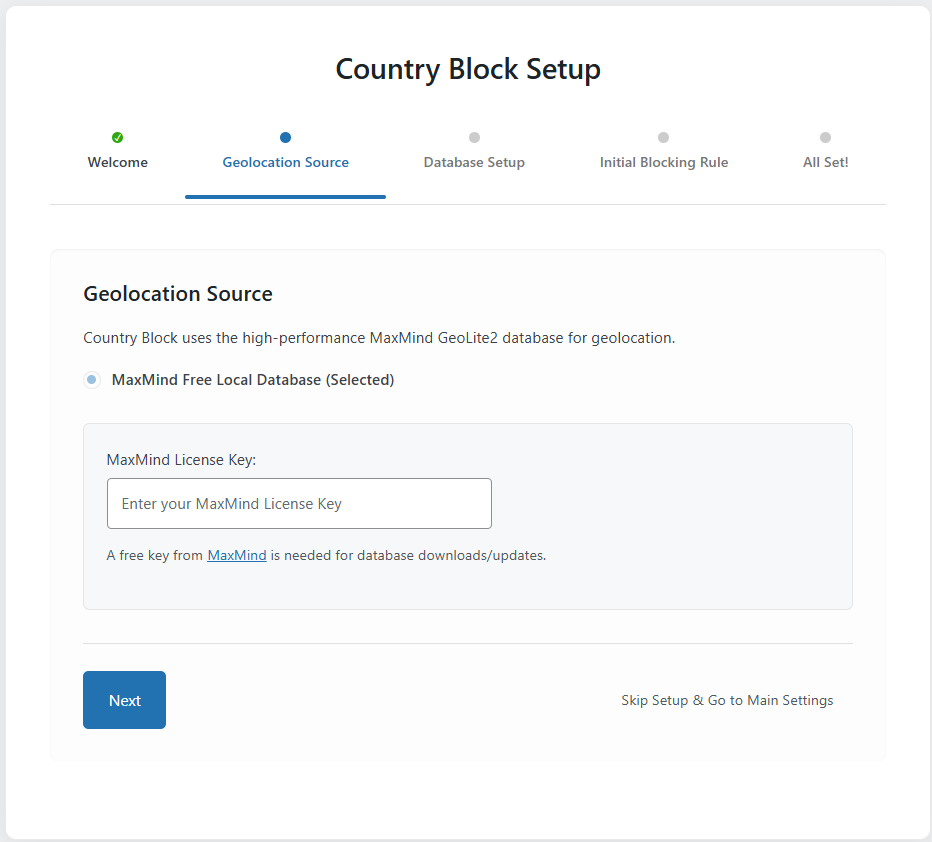
Onboarding Wizard - Geolocation Source Step
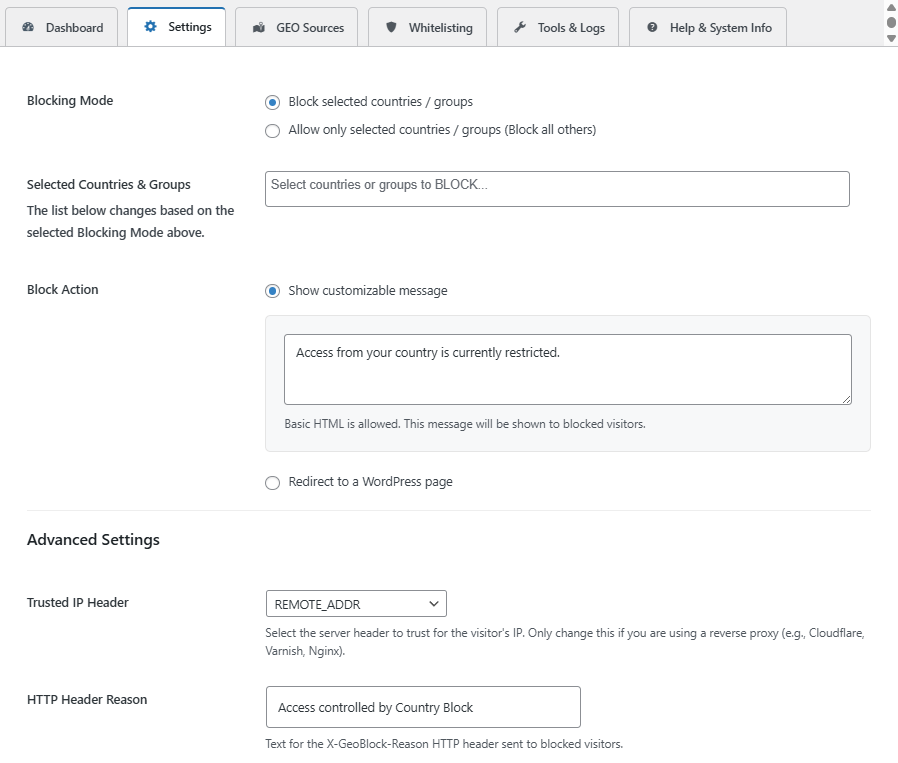
Main Settings Tab (Blocking Mode and Block Actions)
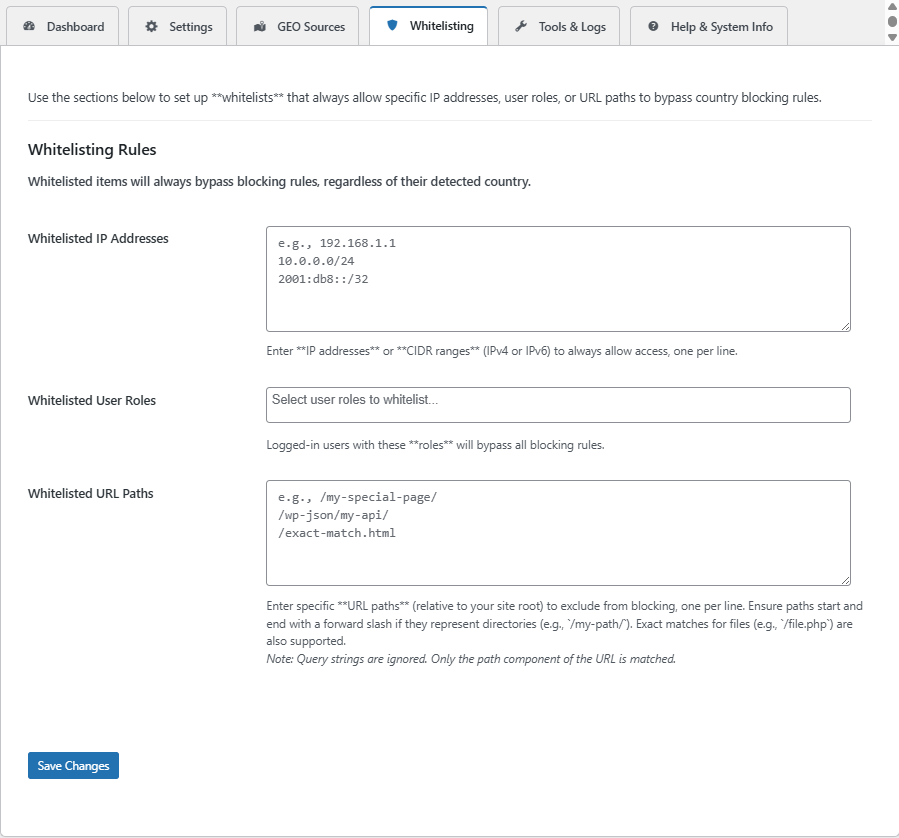
Whitelisting Rules Tab (IPs, Roles, and URL Path Exclusions)
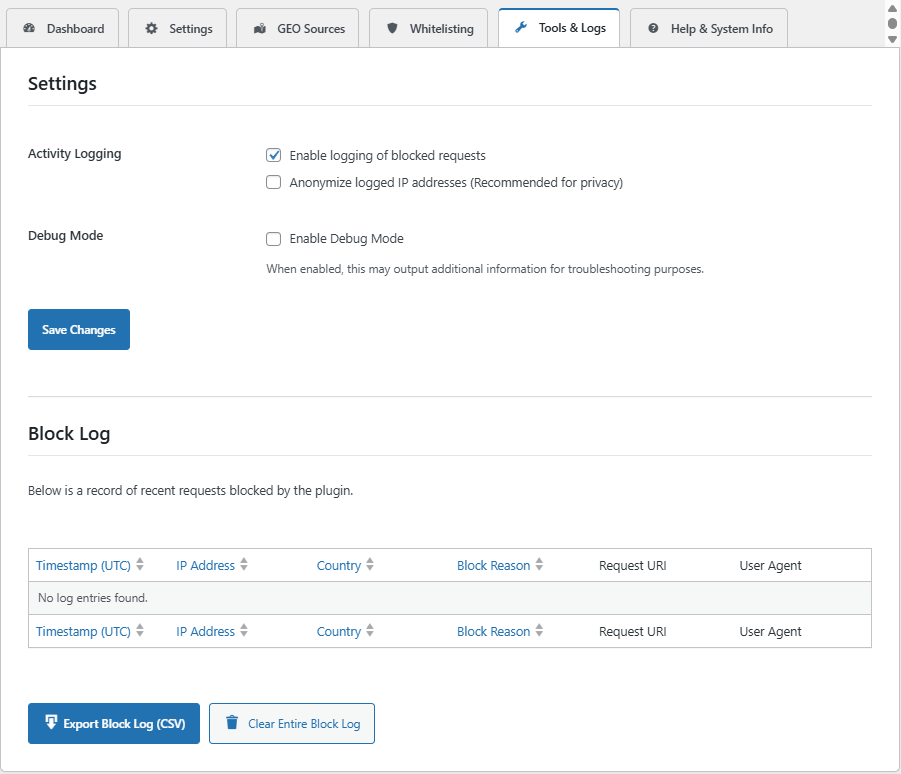
Tools & Logs Tab (Activity Logging and Block Log Table)
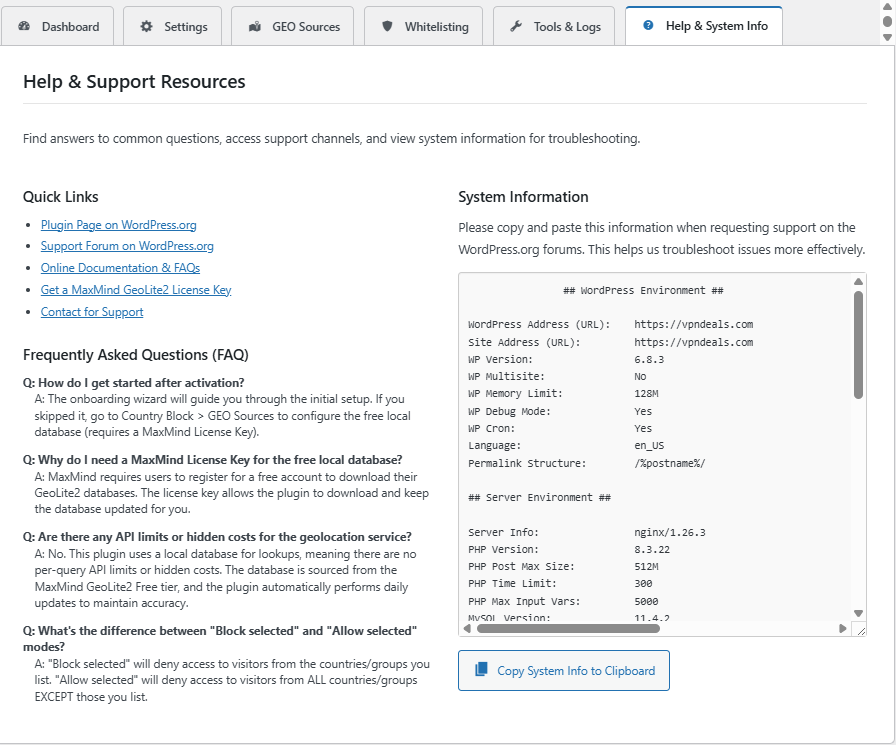
Help & System Info Tab (FAQ and System Diagnostics)