
Walkercorp Sentinelle – Security, Firewall, Anti-Bot & Malware Scan
by sylvainmarchandwalkercorp
Walkercorp Sentinelle protects your WordPress site and explains every protection in plain language. The plugin works on its own, with no account, and every indicator it shows is checked on your site.
Main features:
- Security score and recommendations: each point is a real check (PHP security patches, pending updates, HTTPS, obvious administrator usernames, debug mode, active protections), with step-by-step instructions and a one-click “Enable” button when the plugin can fix it.
- PHP vulnerability check: warns you on the dashboard, in Site Health and by email when your server’s PHP version is exposed to a critical, actively exploited flaw (such as PHP2Shell, CVE-2026-109618 and CVE-2026-109619), and gives you a ready-to-send message for your host.
- Login and access: limits login attempts per address and per account, refuses attempts on common usernames that do not exist, hides login error details, alerts you when a team member logs in from a new IP address, and can shorten sessions.
- Firewall: basic filtering of known attack patterns (SQL injection, XSS, directory traversal) in addresses, forms and API requests, rate limiting per address and per network, blocking of vulnerability scanners and aggressive crawlers (Baidu, Bytespider, SEO and AI bots), anti-crawl protection for shop filter URLs, automatic banning of scanners, IP allow and deny lists (IPv4 and IPv6), and XML-RPC protection.
- Server-level blocking: on Apache or LiteSpeed, optionally writes rules into the .htaccess file to block before PHP runs (including readme.html and license.txt); ready-to-copy rules are provided for Nginx and Cloudflare.
- Camouflage: hides the WordPress version (without breaking cache refresh), adds security headers, blocks user enumeration, disables the file editor, and can hide the REST API from visitors while keeping forms and checkout working.
- File scan: checks the uploads folder for hidden PHP code and dangerous server configuration files, and compares WordPress core files with the official checksums.
- Email notifications: alerts on serious threats, a daily summary and a weekly report.
- Traffic analysis, threat log and a security summary widget on the dashboard.
Anti-lockout safeguards: your team (accounts that can write content) is never filtered, the address of an administrator who just logged in is never banned automatically for 24 hours, and the plugin refuses to block your own IP address.
External services
The file scan’s “WordPress core integrity” check (enabled by default, can be turned off on the File scan page) calls the official WordPress.org checksums API (api.wordpress.org/core/checksums) through WordPress’s own get_core_checksums() function. It sends only your WordPress version and language, when a scan runs (nightly or on demand). See the WordPress.org privacy policy.
No other external service is contacted. The small “?” link next to an IP address in Traffic analysis opens a public IP information page (infobyip.com) in a new tab, only when you click it.
Privacy
For the security log and traffic analysis, the plugin stores the IP address, browser identifier, requested page and, when provided by your host or CDN, the country of visitors and blocked requests, locally in your own database, as well as the last 20 IP addresses used to log in to each account. This data stays on your site and is never sent to any third party. The live view keeps the latest 500 visits and the threat log keeps 60 days at most. A suggested text is added to Settings, Privacy. Enable the data-erase option before deleting the plugin to remove all its tables, settings and temporary data.
Screenshots
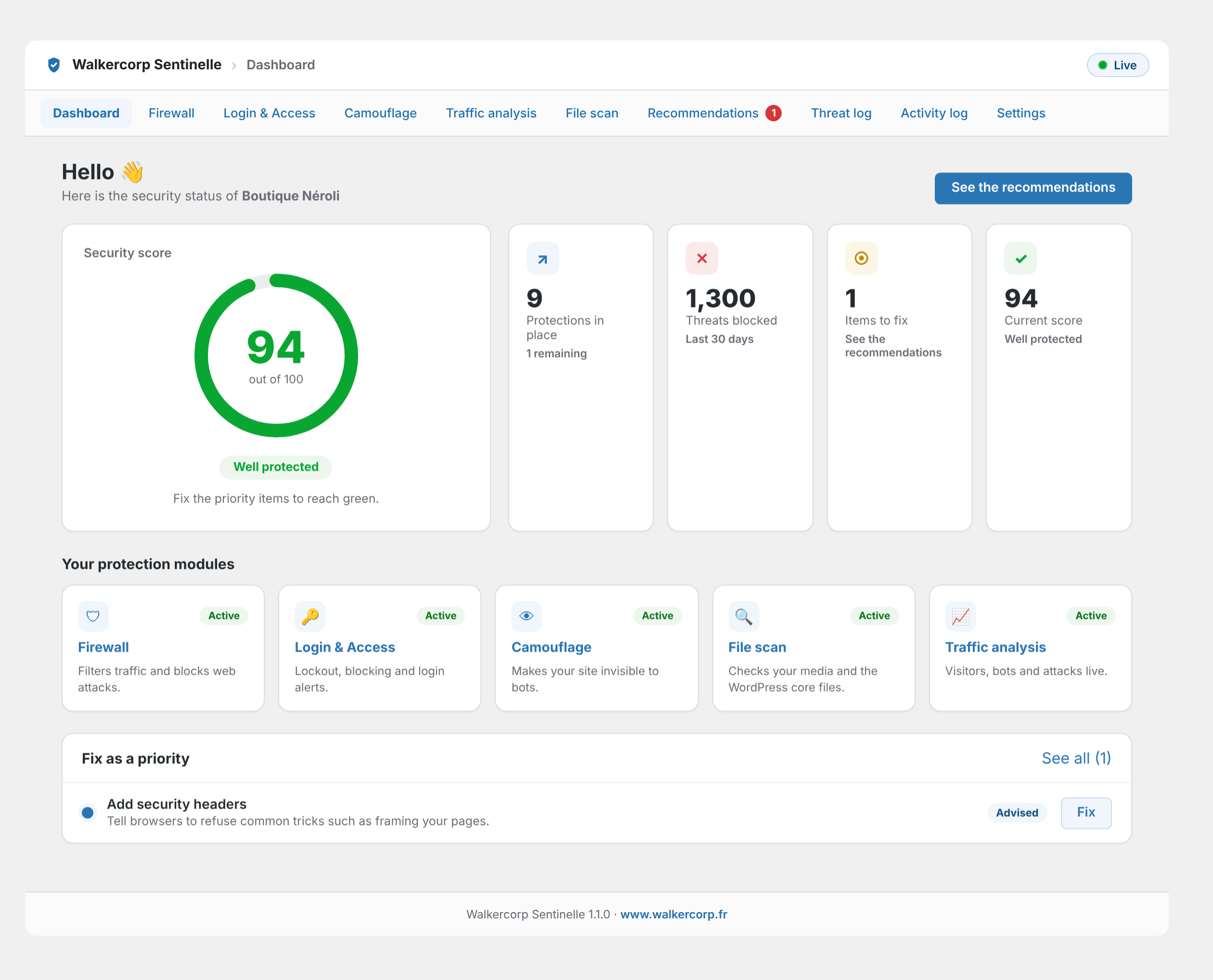
Dashboard: your security score, based on real checks, and your protection modules at a glance.
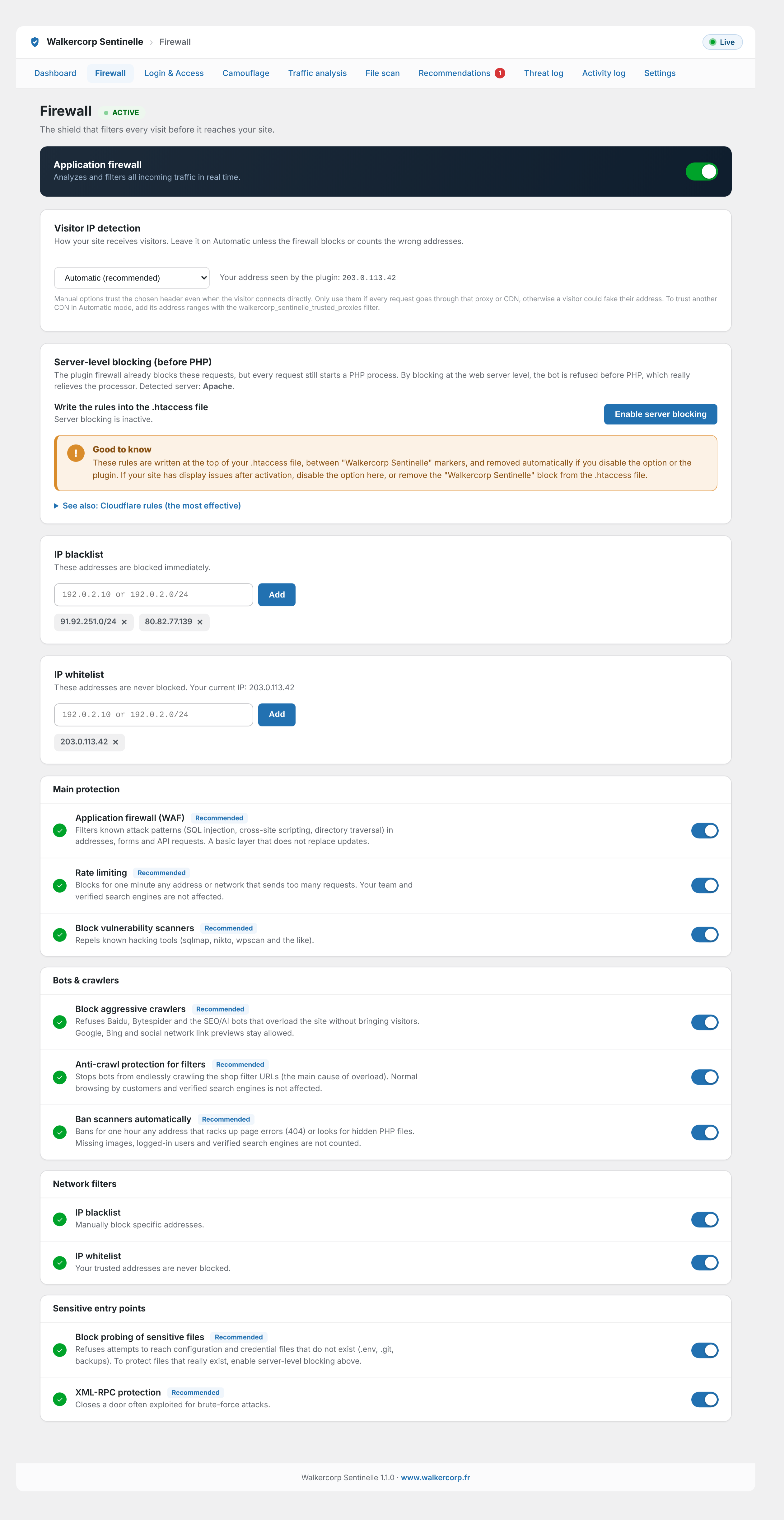
Firewall: application firewall, rate limiting, and blocking of bots and vulnerability scanners.
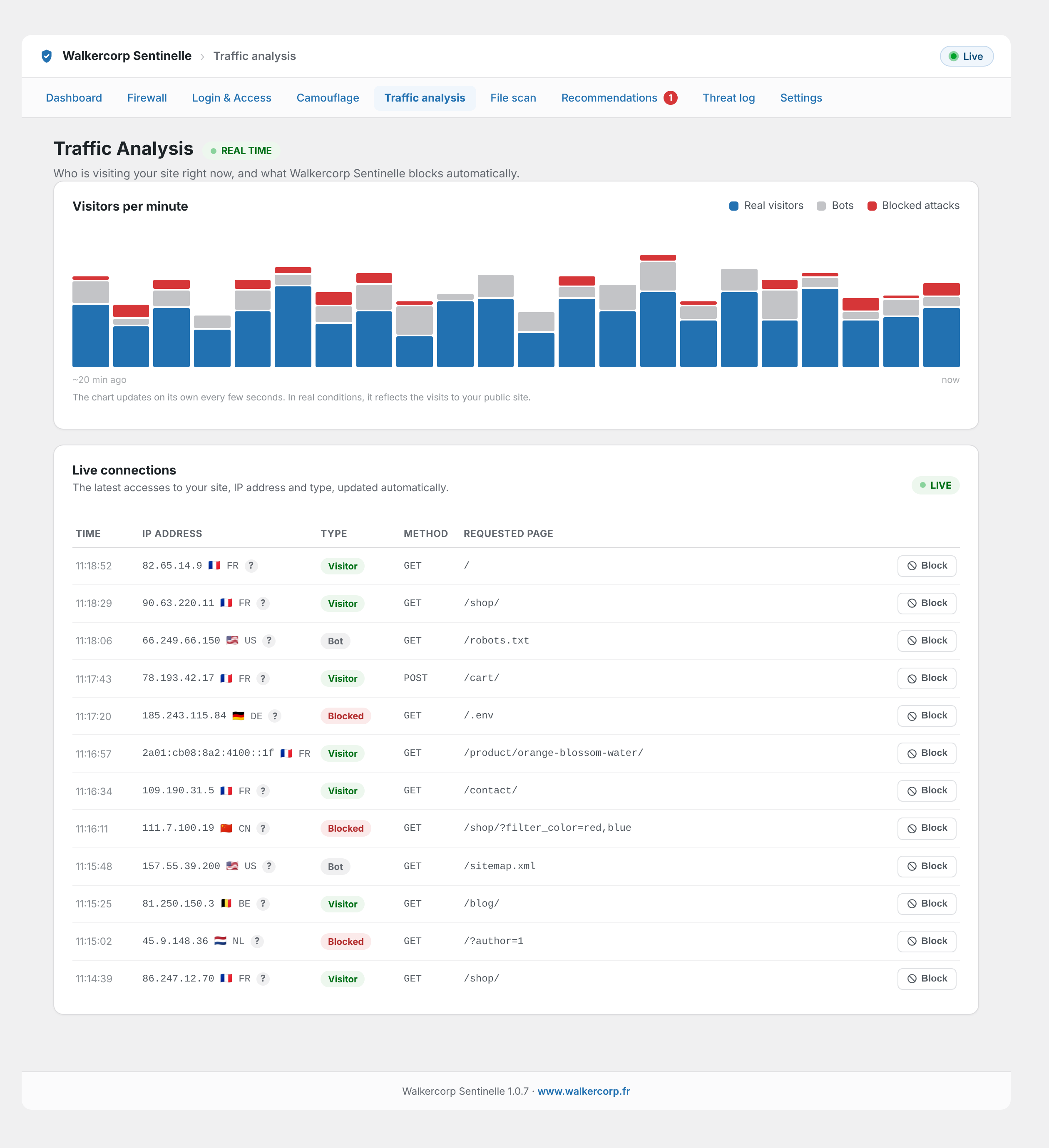
Traffic analysis: real-time visitors, bots, and blocked attacks.
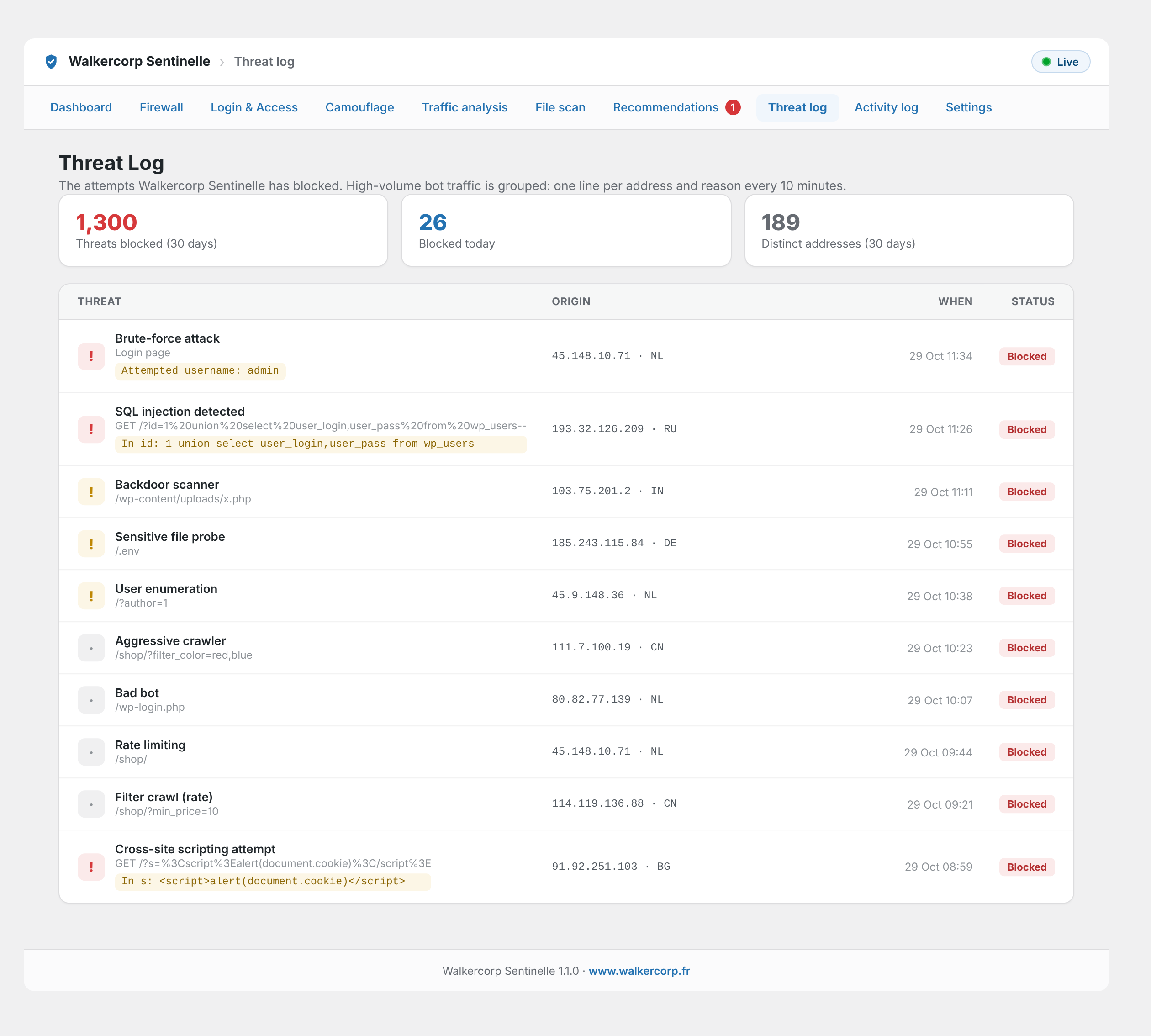
Threat log: every blocked attempt, explained in plain language.
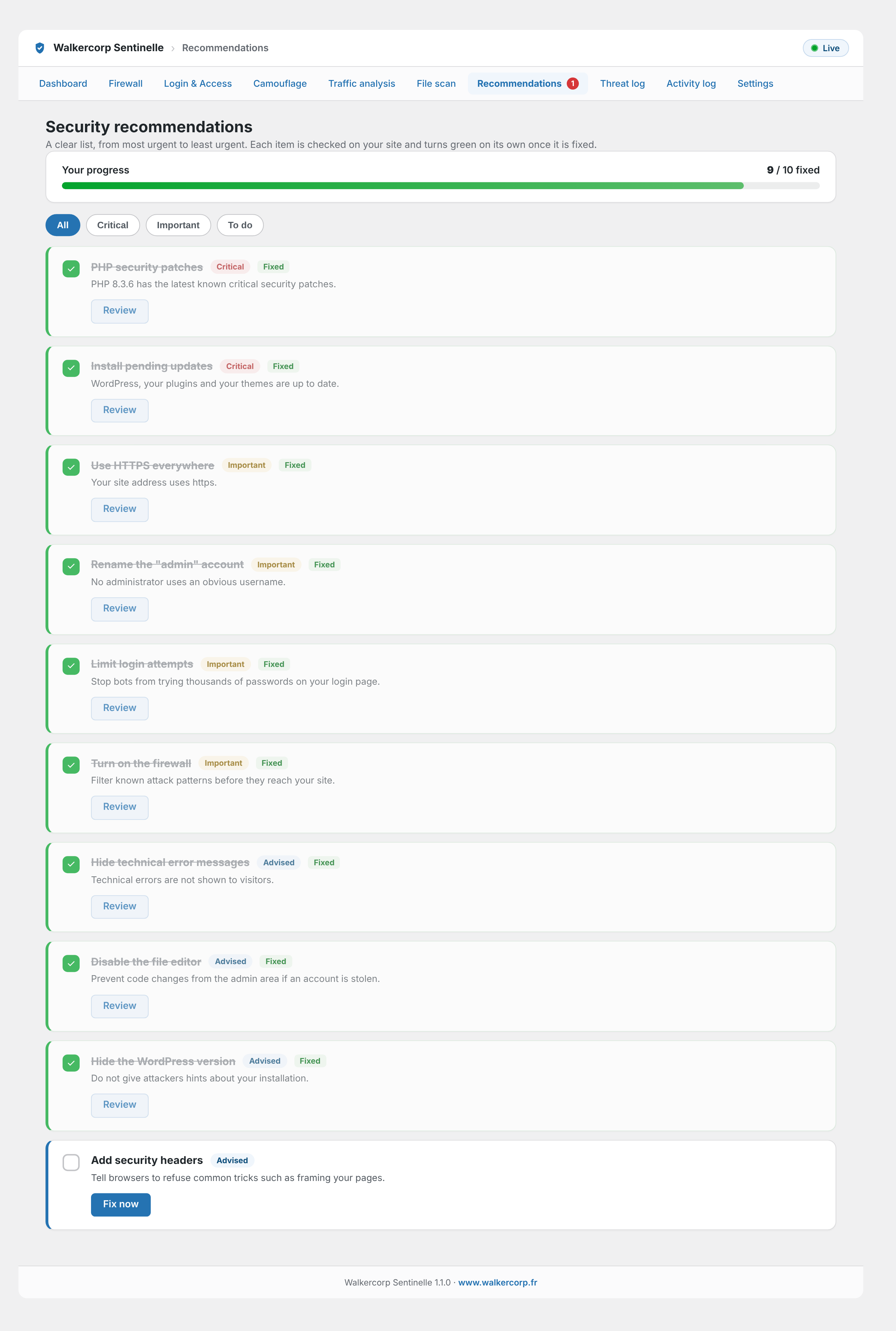
Recommendations: prioritized, plain-language steps to secure your site.
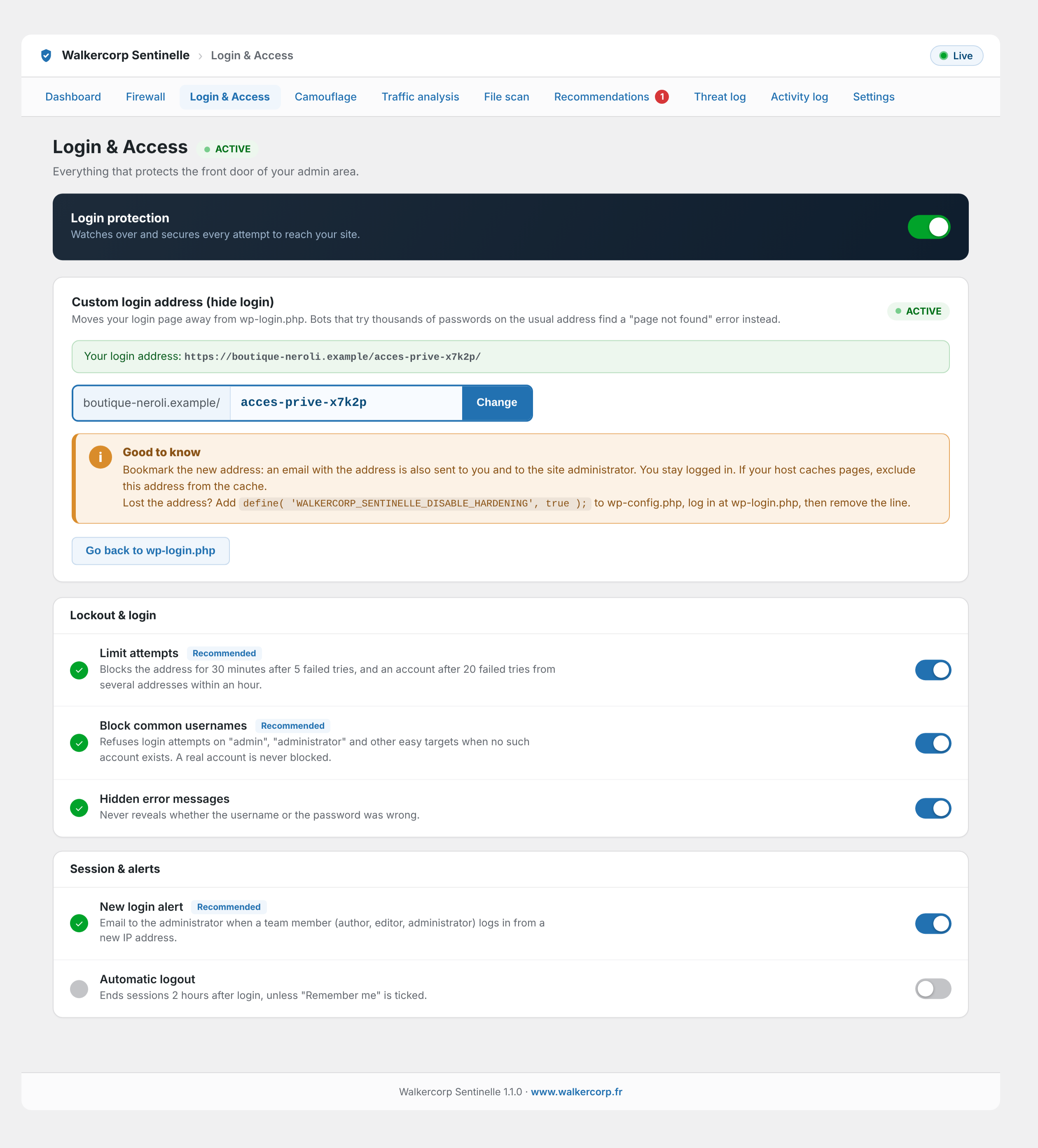
Login and access: brute-force protection, lockout, and login alerts.
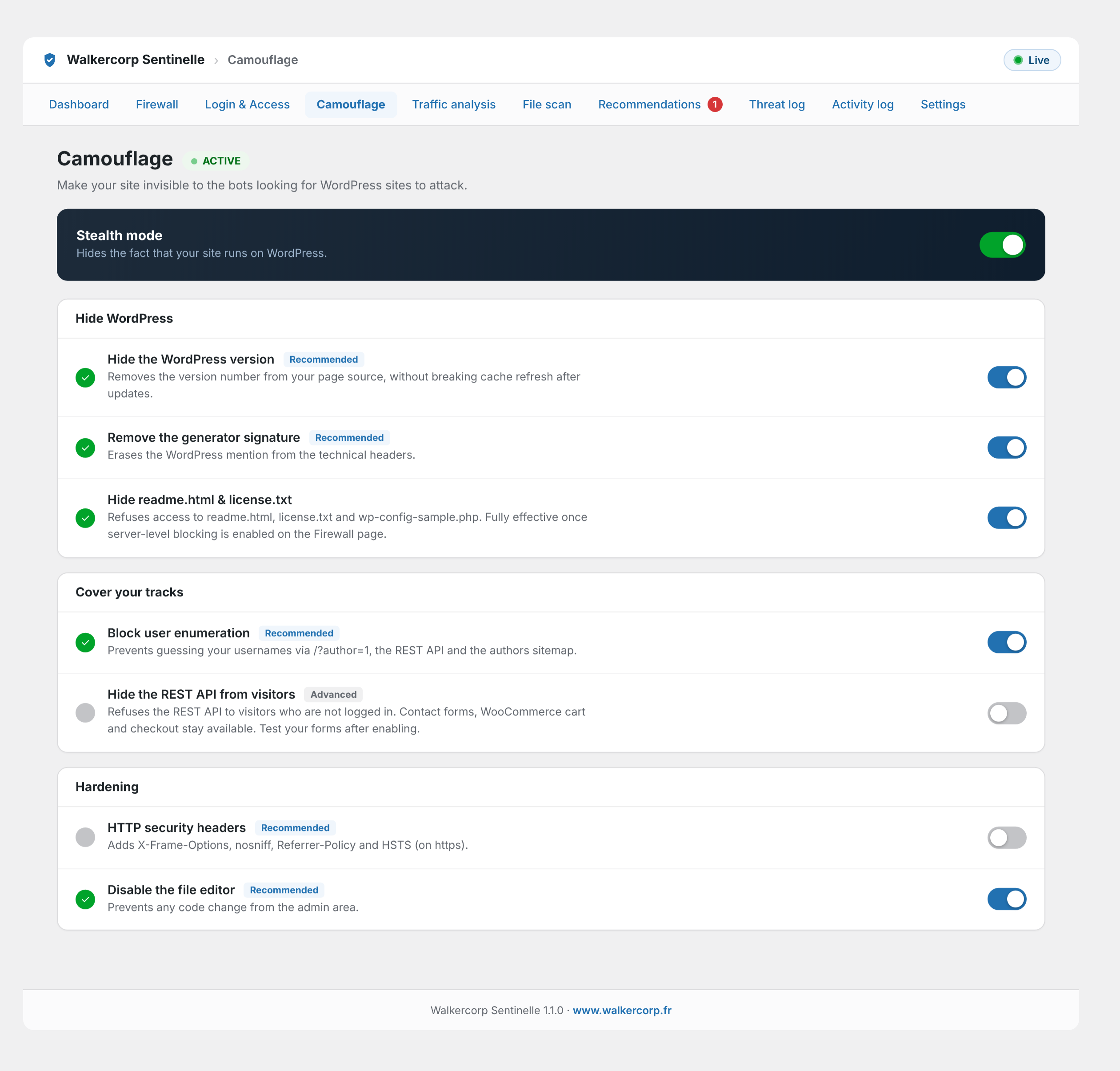
Camouflage: hide WordPress and harden your site against bots.
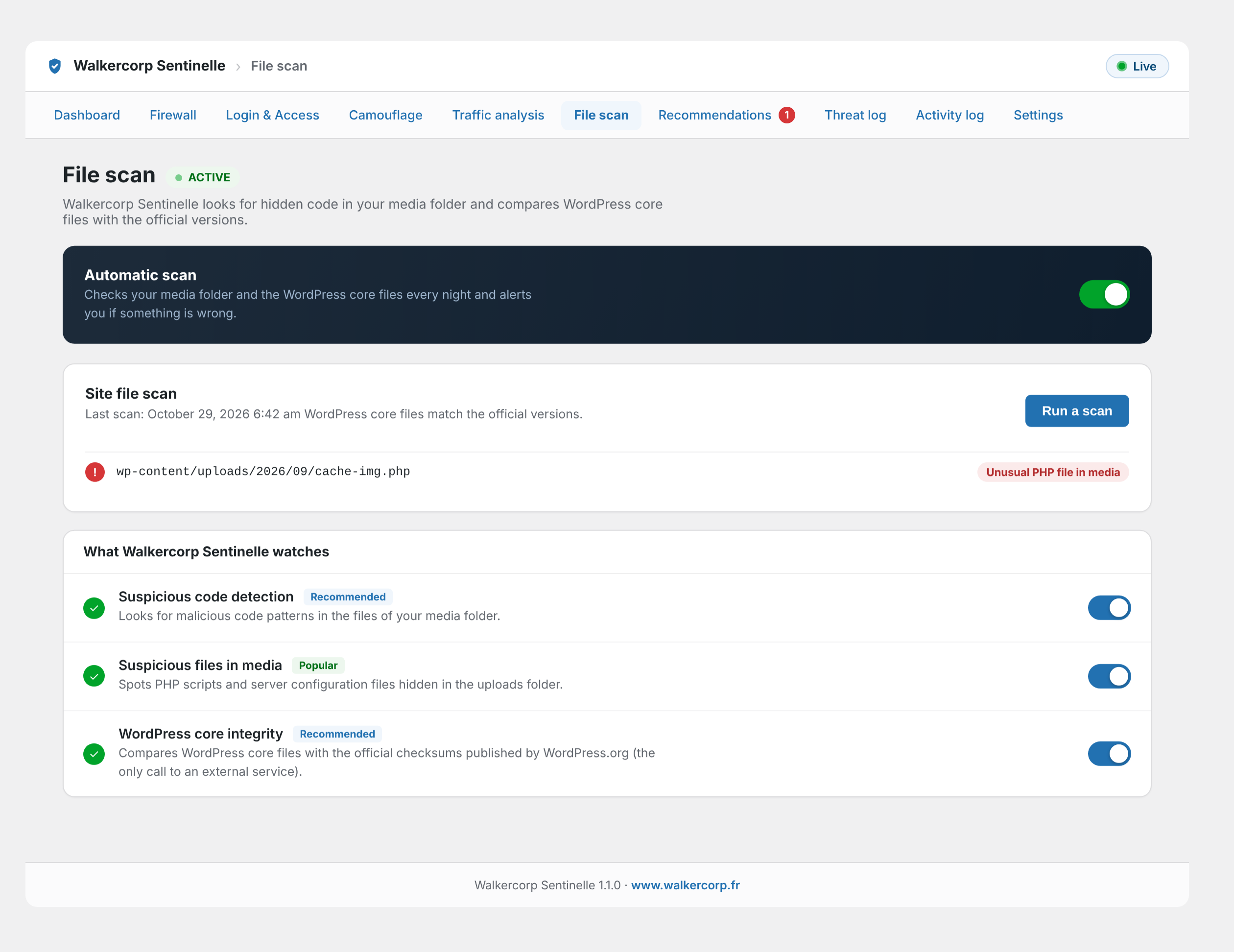
File scan: detect suspicious files in your media and check the WordPress core files.
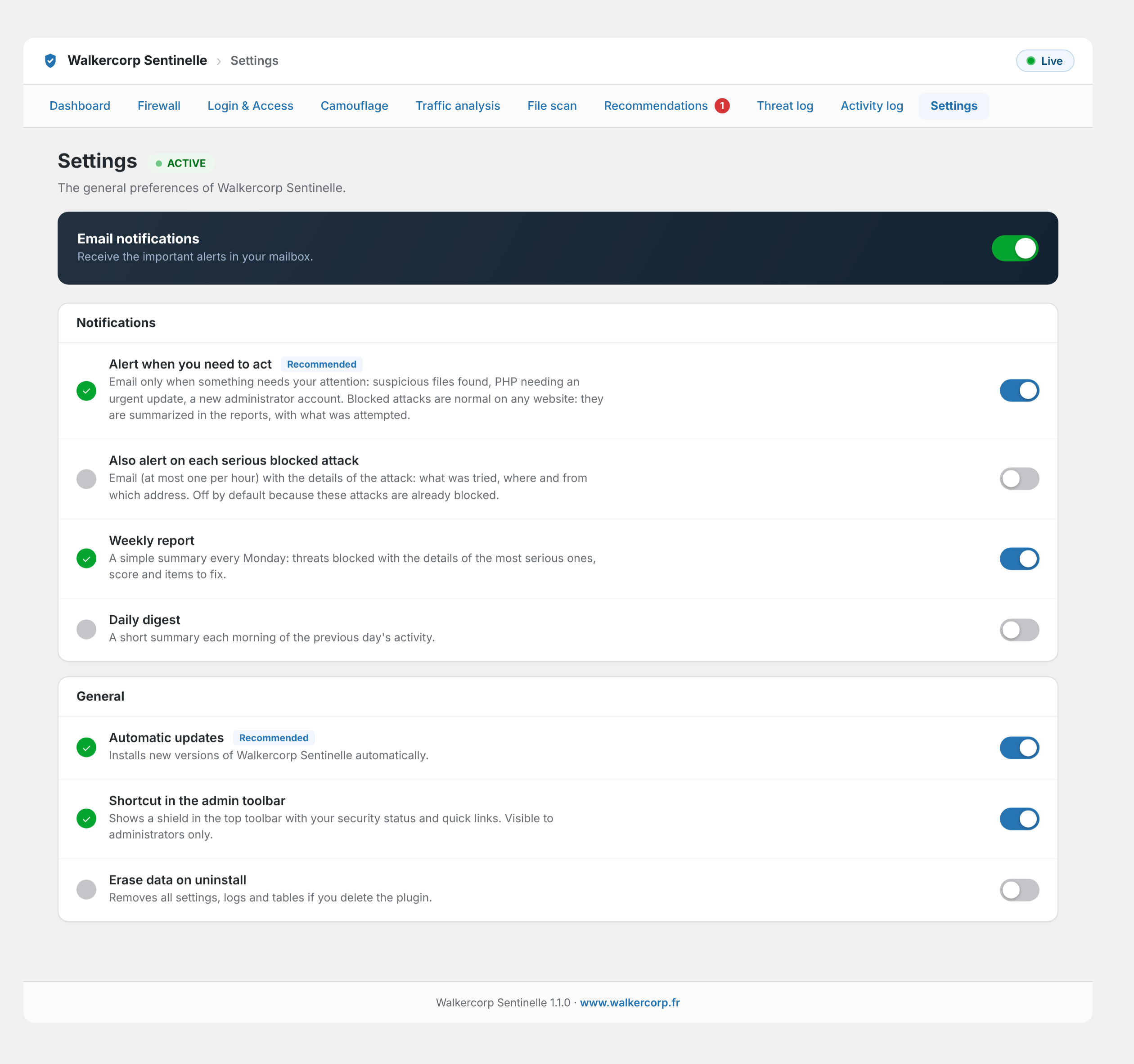
Settings: email alerts, reports and general preferences.
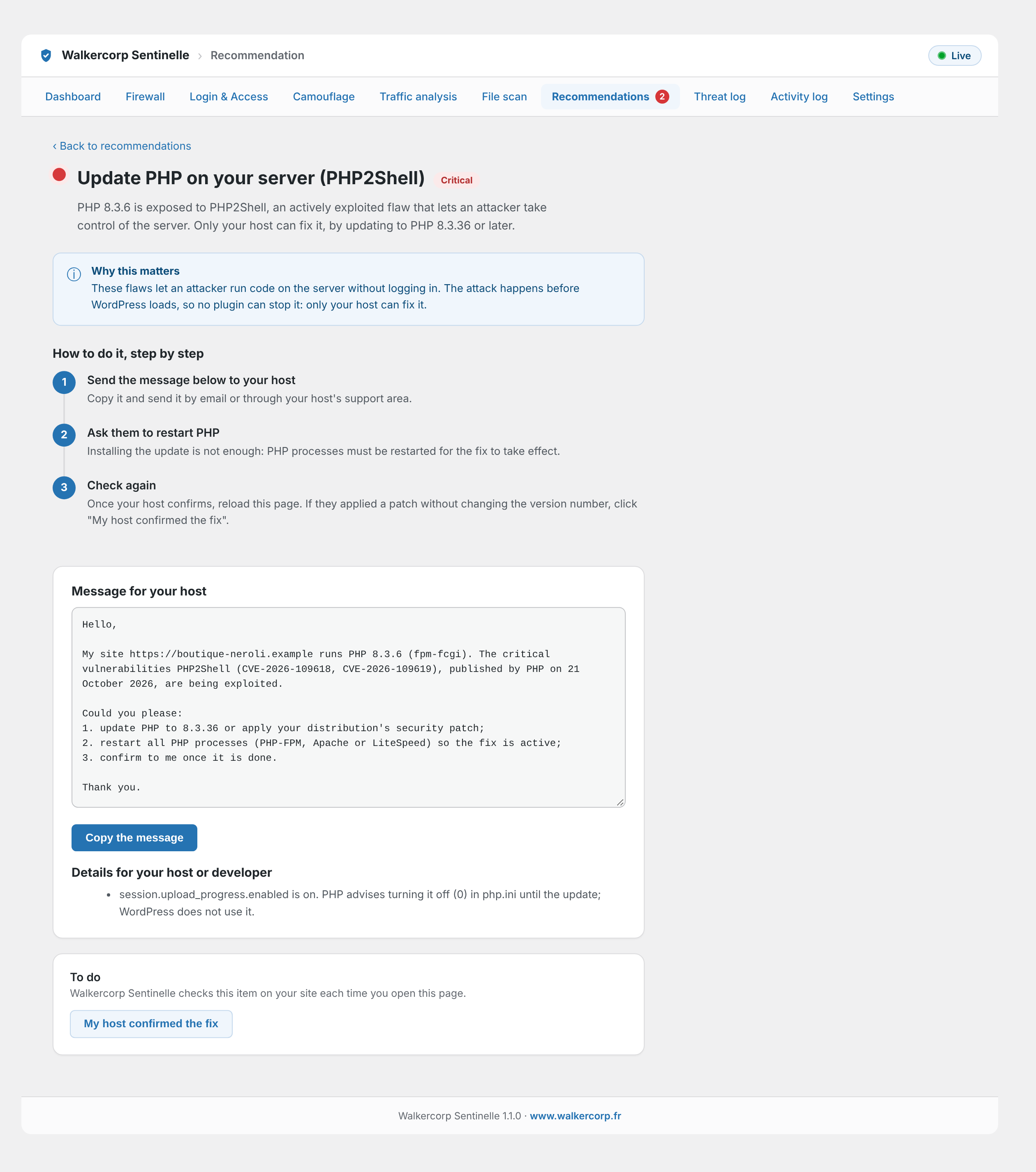
PHP vulnerability check: a clear alert and a ready-to-send message for your host.