BACK TO DIRECTORY
Watrix Drag Drop Reorder is an all-in-one reordering plugin for the WordPress admin. Drag and drop rows right on the list screens you already use — no separate ordering screen.
Features:
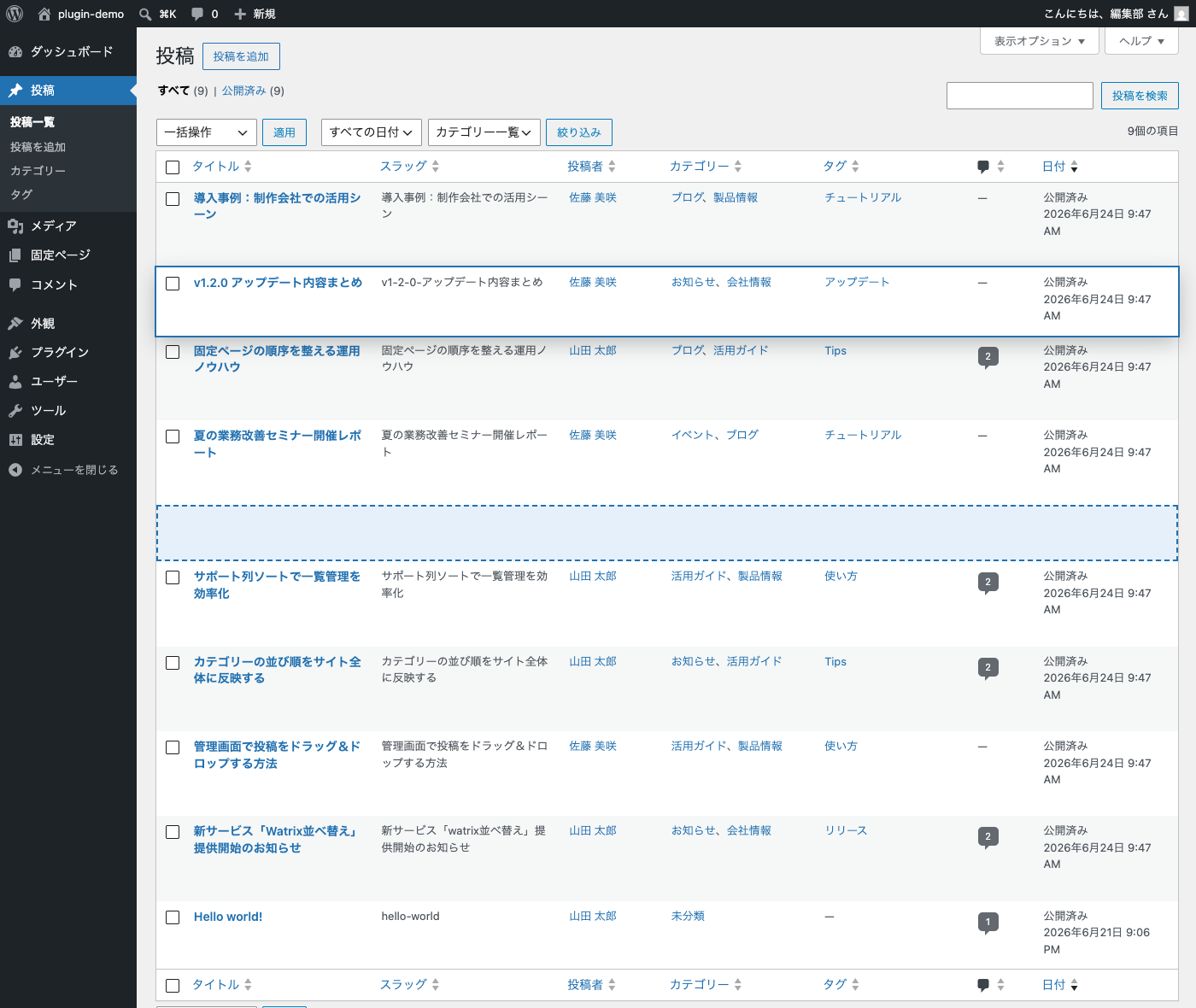
- Post order — drag and drop rows on the Posts list. The order is stored in the core
menu_orderfield and applied to the admin list (and optionally to the front end). - Page order — drag and drop rows on the Pages list, within the same parent. Fully compatible with the core “Order” attribute and Quick Edit values.
- Custom post type order — drag and drop rows on the list screens of your custom post types. Every post type registered with an admin UI is supported out of the box; hierarchical post types behave like pages (within the same parent).
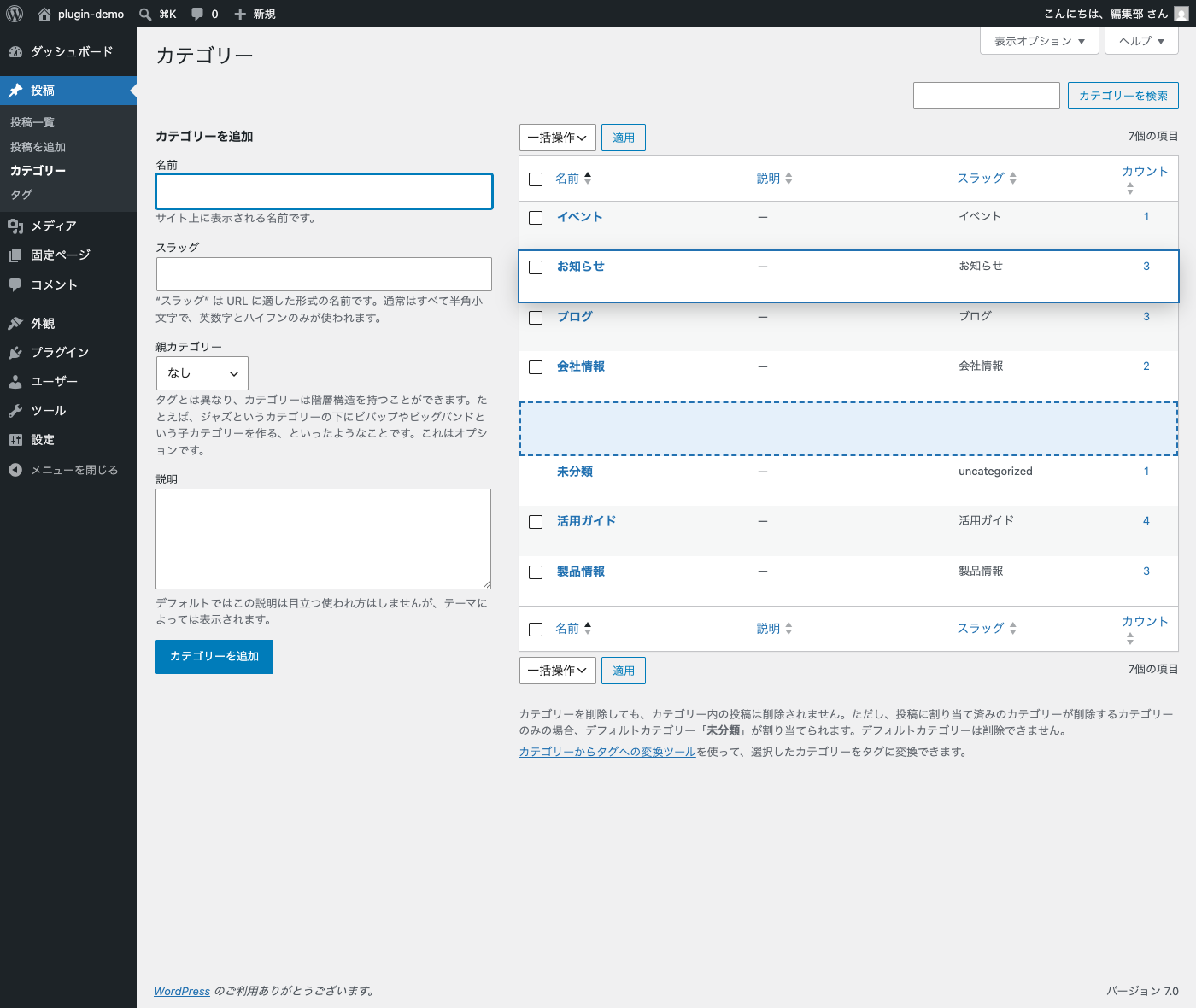
- Category, tag & custom taxonomy order — drag and drop rows on the Categories and Tags lists, and on the list screen of any taxonomy you select in Settings > Sort Order (for example WooCommerce product tags or block pattern categories). The order is stored in term meta and applied to
get_terms()/wp_list_categories()when no explicit order is requested. - Import existing order — switching from another term ordering plugin? Import the order it saved in the
term_ordercolumn (Category Order and Taxonomy Terms Order and similar plugins) per taxonomy. Check how many terms will change before importing, and undo the import from a backup if needed. Running it again gives the same result. - WooCommerce friendly — product categories keep using WooCommerce’s own ordering. Importing also updates WooCommerce’s order so your store shows the imported order.
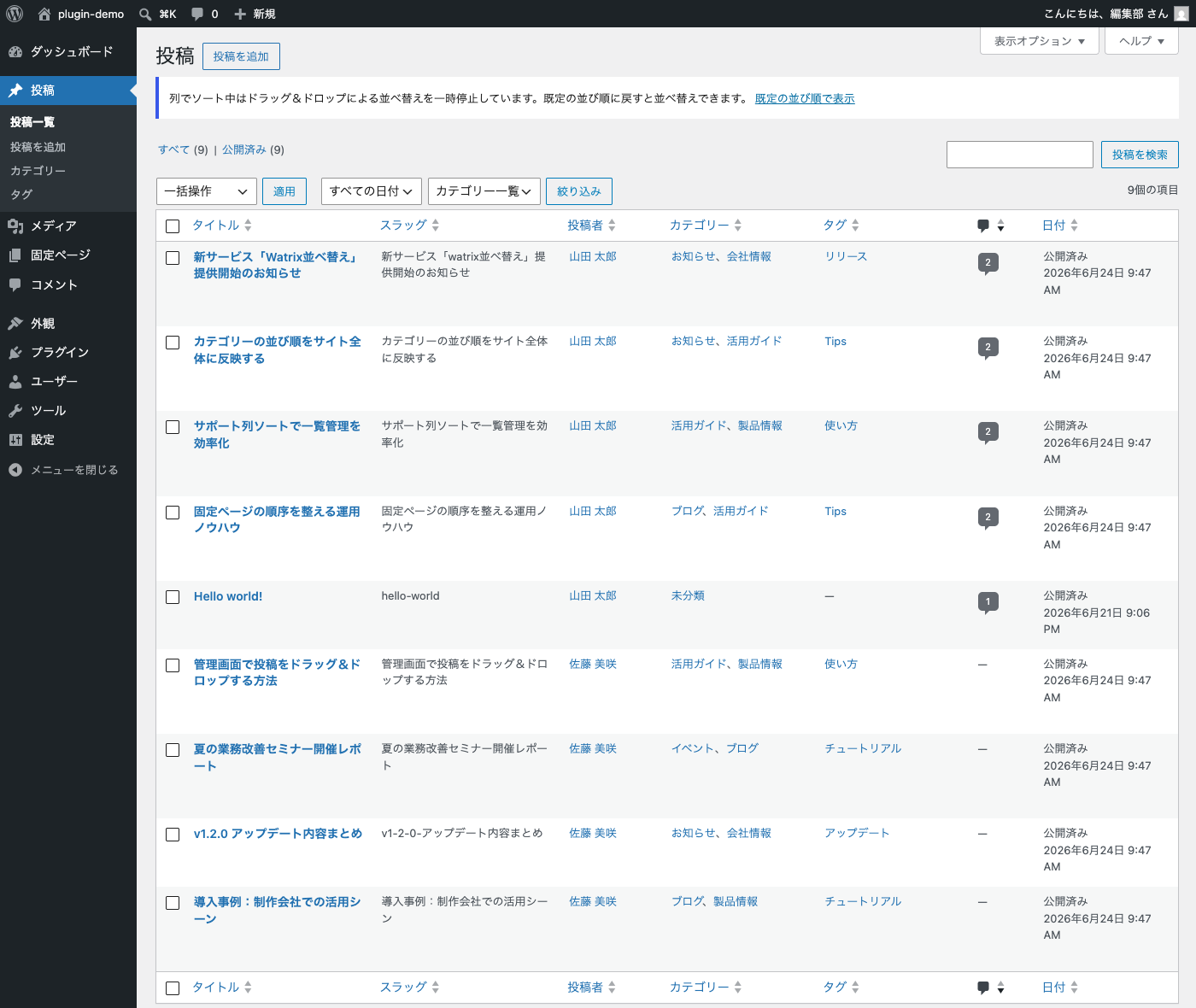
- Sortable columns — click the Author, Categories, Tags and Comments column headers on the Posts list (and Author on the Pages list) to sort.
- Slug column — show a Slug column on the post list screens of sortable post types. Click the header to sort by slug.
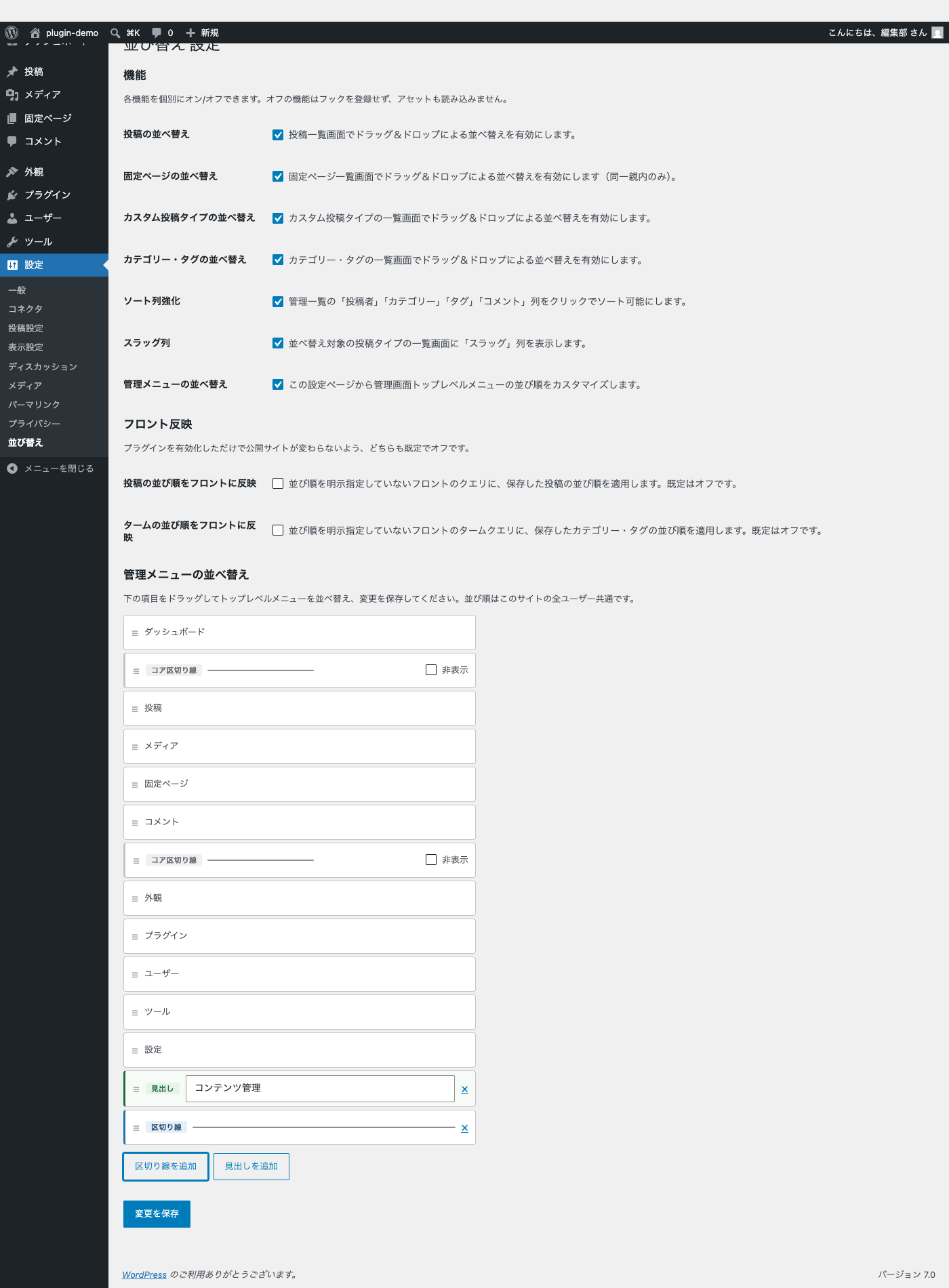
- Admin menu order — reorder the top-level admin menu from the settings page. Add, remove and label separators; hide and restore core separators. Override the displayed label and icon for any top-level menu item, and customize the separator color and thickness to match your branding.
- Each feature can be enabled or disabled individually. Disabled features register no hooks and load no assets.
- Front-end ordering is off by default, so activating the plugin never changes your public site. Opt in from Settings > Sort Order.
- Developer filters:
wddr_sortable_post_types,wddr_sortable_taxonomies,wddr_apply_front_order,wddr_apply_term_order,wddr_woocommerce_managed_taxonomies,wddr_import_min_ordered_ratio. - Uses only the bundled jQuery UI Sortable — no external scripts, no build step.
日本語補足:
- 投稿・固定ページ・カスタム投稿タイプ・カテゴリー・タグの一覧画面で、行をそのままドラッグ&ドロップして並べ替えられます。
- 設定 > 並び替え で、並べ替えるタクソノミー(WooCommerce の商品タグ、ブロックパターンのカテゴリーなどのカスタムタクソノミー)をチェックで選べます(既定はカテゴリーとタグ)。
- 他の並べ替えプラグイン(Category Order and Taxonomy Terms Order など、terms テーブルの
term_order列に保存するもの)の並び順を、タクソノミー単位で取り込めます。「変更件数を確認」で取り込む前に件数を確認でき、何度実行しても結果は同じです。取り込み前の並びは退避され、「取り込みを元に戻す」で戻せます。 - WooCommerce の商品カテゴリーは WooCommerce 自身の並び順(term meta
order)を正とし、取り込み時はそちらにも同じ値を書き込みます。 - 管理画面に一覧を持つカスタム投稿タイプは追加設定なしで対象になります(階層型は固定ページと同じく同一親内のみ)。
- 投稿の並び順はコアの
menu_order、ターム(カテゴリー・タグ)の並び順は term meta_wddr_term_orderに保存します。 - 固定ページは同一親内の兄弟間のみ並べ替えできます(親子関係は変更しません)。
- 投稿一覧の「投稿者」「カテゴリー」「タグ」「コメント」列、固定ページ一覧の「投稿者」列がクリックでソート可能になります。
- 並べ替え対象の投稿タイプの一覧画面に「スラッグ」列を表示できます(クリックでスラッグ順にソート)。
- 管理画面左サイドバーのトップレベルメニューを設定ページから並べ替えられます(サイト全体共通)。各メニューの表示テキストとアイコンを個別に上書きできます。区切り線の色と太さもカラーピッカーで変更可能です。
- フロント(公開側)への並び順反映は既定でオフです。設定 > 並び替え からオプトインしてください。
- 7つの機能はそれぞれ個別にオン/オフできます。
Screenshots
Drag and drop reordering on the Posts list.
Reordering categories on the Categories list.
Sortable Author / Categories / Tags / Comments columns.
Settings page with feature toggles and admin menu reordering.
Plugin Details
Active Installs
0Total Downloads
363Version
1.4.2Requires WP
6.4Requires PHP
8.0Tested Up To
7.1.3Added
2026-06-29Last Updated
2026-09-12 7:40am GMTRatings
5
0
4
0
3
0
2
0
1
0