- Overlays – Create Markers, Lines and Shapes with a:
- Title
- Image (Media Library or link to external image)
- Description (Rich text editor, HTML supported)
- Type (defined in Settings)
- Import
- GPX
- KML
- GeoJSON
- EXIF (Image location metadata)
- Elevation data (adds an interactive profile chart for Lines with elevation data)
- Meta – Add extra information to your Maps; these are customisable form inputs that allow you to add additional content to your Maps.
- Types – Set options to visually distinguish between Overlays (colours/icons etc.), then select it when using the Editor.
- Collections – Group Maps together and display multiple Maps at once. Create complex Collection hierarchies to suit your needs and associate Maps with multiple Collections.
- Submissions – Allow registered users, or guests to create Maps from the front-end of your site. You can control who can Submit Maps, what editor features are available and whether submissions should be approved before they are published.
🌟 GitHub
👐 WordPress
📖 Demo & Docs
Displaying Maps
Embed your Maps using the [Waymark] Shortcode, or link to the Map Details page.
- Shortcodes
- Display a single Map, or a Collection of Maps anywhere that Shortcodes are supported.
- An optional Shortcode Header displays the Map/Collection title, a link to the Map Details page and any Meta.
- Display a Marker defined through the Shortcode.
- Display a Basemap only, without any Overlays by providing centre and zoom parameters.
- Basemaps – Uses OpenStreetMap by default, with support for multiple raster tiled/”slippy” Basemaps. You can switch Basemaps using the Overlay Filter.
- Overlay Filter – Allow the user to filter which Overlays are currently visible on the Map.
- Export
- (Optionally) Let anyone Export Maps into GPX, KML and GeoJSON formats through the Shortcode Header or on the Map Details page.
- Works on mobile devices.
Customising
Built to be flexible, Waymark has lots of Settings and Types provide one place to control how Overlays (Markers/Lines/Shapes) are displayed.
Marker Icons can be provided as:
– Font Icons (Ionic Icons v2/Font Awesome v4)
– Simple Text, or Emojis (i.e. 🏕️, 🚩, 📸).
– Custom HTML (good ol’ <img src="https://example.com/icon.svg">, or a more complex structure). So you can pretty much create any kind of Icon you want.
For developers:
- Most elements can be styled using CSS and have sensibly named
waymark-classes. - WordPress integration:
- Geographical data is stored in GeoJSON format. Types are specified using the
typeProperty, i.e.{feature: { geometry: { type: 'Point', coordinates: [0, 0] } }, properties: { type: 'Alert', title: 'Bridge Removed!' }. - Specify which GeoJSON feature properties to store when importing (Settings > Overlays > Properties). These can be automatically appended to the Overlay Description, or accessed programmatically via the
layer.feature.propertiesObject. - Maps are displayed using the Leaflet JavaScript library, which is bundled with Waymark and can be extended using the
waymark_loaded_callbackcallback function.
User Examples
- Association Franc-Comtoise du Chemin de Compostelle – eGuide
- Cres & Lošinj Trail – Lošinj Trail 2025
- hikingTICINO
- Horizontes – PT281
- Il Cammino del Lago Maggiore – Le 11 tappe
- Merritt Mountain Bike Association – Iron Mountain
- Trekkaholic – Trekking al lago Bianco in Alpe Veglia
- Via Apsyrtides
- Zadar Archipelago – Interactive Map
- Zagorje Outdoor – Konjička staza broj 10
Development
Note: Docker, Node.js and NPM required.
# Clone the repository
git clone https://github.com/opengis/waymark-wp.git

# Navigate to the Waymark directory
cd waymark-wp

# Install the dependencies (or pnpm/yarn install)
npm install

# Start WordPress at http://localhost:8888 and rebuild assets on change
npm run dev
Documentation
The documentation site is a Nuxt 4 app in docs/, built with @nuxt/content. Node 24.15 or newer is required.
cd docs
npm ci
npm run sync-assets
npm run dev
The local preview runs at http://localhost:11003. To build the static site for GitHub Pages:
NUXT_APP_BASE_URL=/waymark-wp/ npm run generate
Assets
Styles and scripts are compiled from Less and JavaScript sources into the minified bundles enqueued by the plugin — edit the sources, not the build output:
assets/— the plugin CSS (compiled fromassets/less/) and JavaScript, served as thefrontandadminbundles.waymark-js/— the bundled Waymark JS library powering the Viewer and Editor: sources insrc/andlibs/, built intodist/.
Translations
Waymark uses the waymark text domain, with the translation template at languages/waymark.pot.
- JavaScript strings are mirrored in
Waymark_Lang, the JavaScript language defaults and the documentation demo config, so update all three when adding or changing a string. npm run i18n:checkverifies that the PHP, JavaScript and documentation language defaults stay in parity, and thatwaymark_php_langkeys are both localised and read.npm run gruntrebuilds the POT and compiled assets after source changes.- Stable Type and Meta keys are internal identifiers, not translated labels. They are used in Shortcodes and CSS and must not be translated.
- Translations ship through WordPress.org language packs.
Testing
Three suites cover the plugin — JavaScript unit tests (Vitest), PHP integration tests (PHPUnit) and browser end-to-end tests (Playwright). The PHP and browser suites run against the disposable wp-env tests instance at http://localhost:8889; the development instance is never touched. The wp-env environment (npm run dev) must be running first.
# JavaScript unit tests (Vitest, jsdom) — Viewer, Editor and description sanitisation
npm run test:js

# PHP integration tests (PHPUnit against the WordPress test library)
npm run test:php

# Browser end-to-end tests (Playwright/Chromium) — login, Maps, Markers, responsive admin layout, front-end
npm run test:e2e

# Run all three in sequence
npm test

# One-off: prepare the tests container (after a fresh "wp-env destroy")
npm run test:php:setup
All three suites also run automatically in CI on pull requests and pushes to master.
wp-env pins PHP 8.3 to match the plugin’s declared floor. WP_ENV_PHP_VERSION and WP_ENV_CORE override the PHP and WordPress versions — useful for testing a release candidate or a newer PHP:
WP_ENV_PHP_VERSION=8.5 WP_ENV_CORE=WordPress/WordPress#trunk npm run test:php
npm run test:php:lint checks PHP syntax at the floor. CI exercises both boundaries — WordPress 6.4 with PHP 8.3, and current WordPress with PHP 8.5 — while the browser suite runs on current WordPress only.
Screenshots
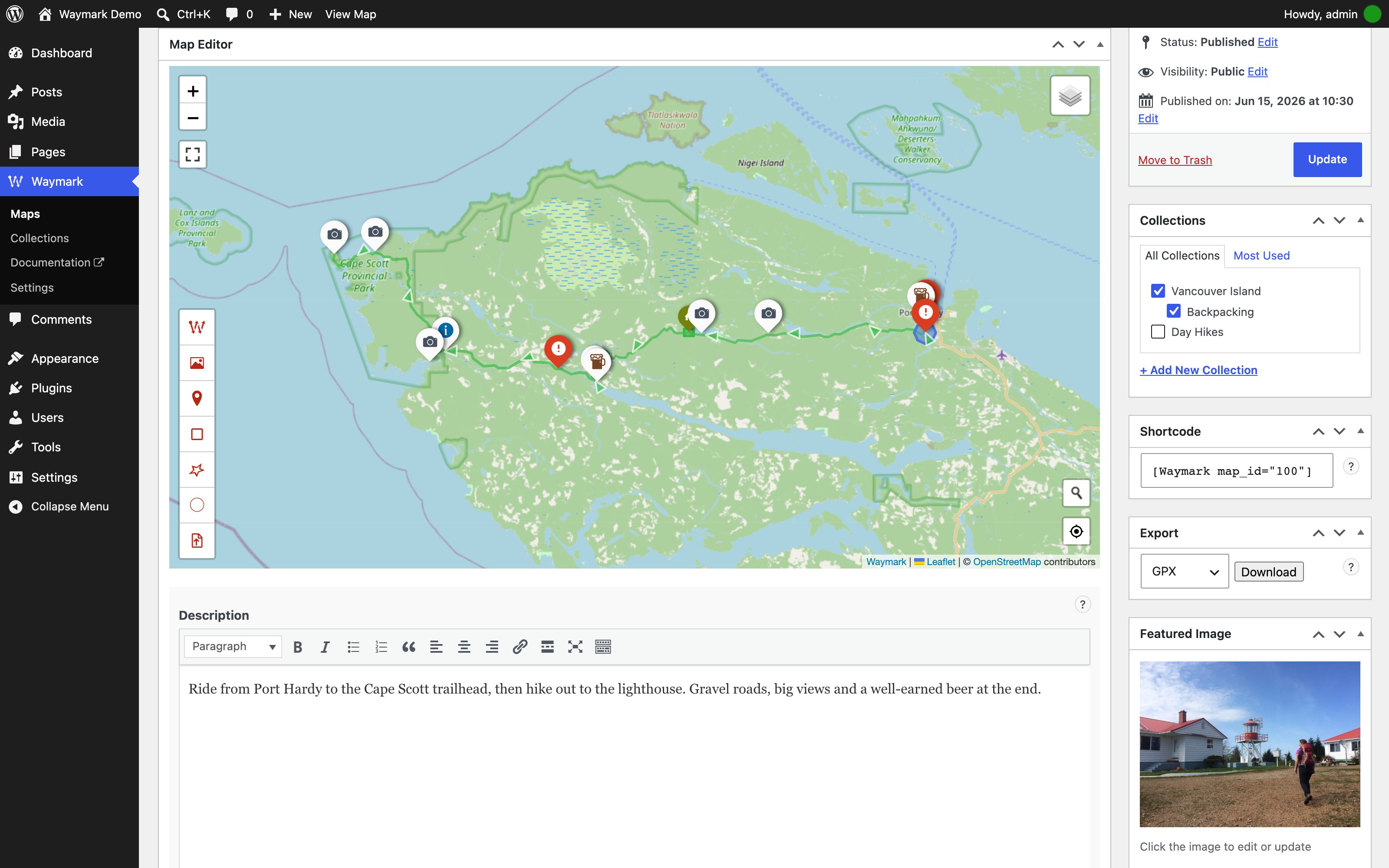
Add Overlays (Markers, Lines and Shapes) to create detailed interactive Maps. You can import/export from GPX/KML/GeoJSON.
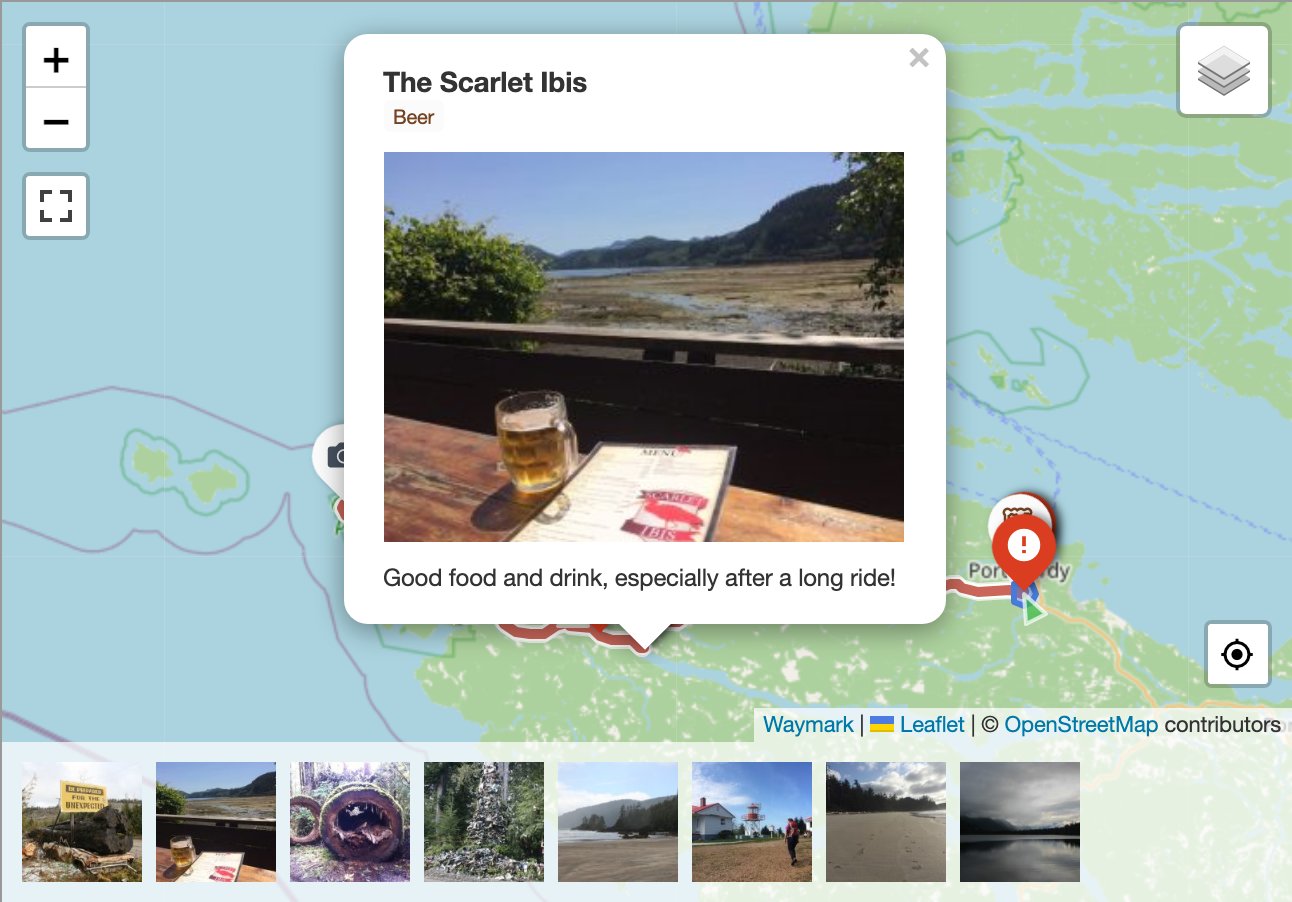
Every Overlay can be given a title, image and description. Marker images can be displayed as a gallery.
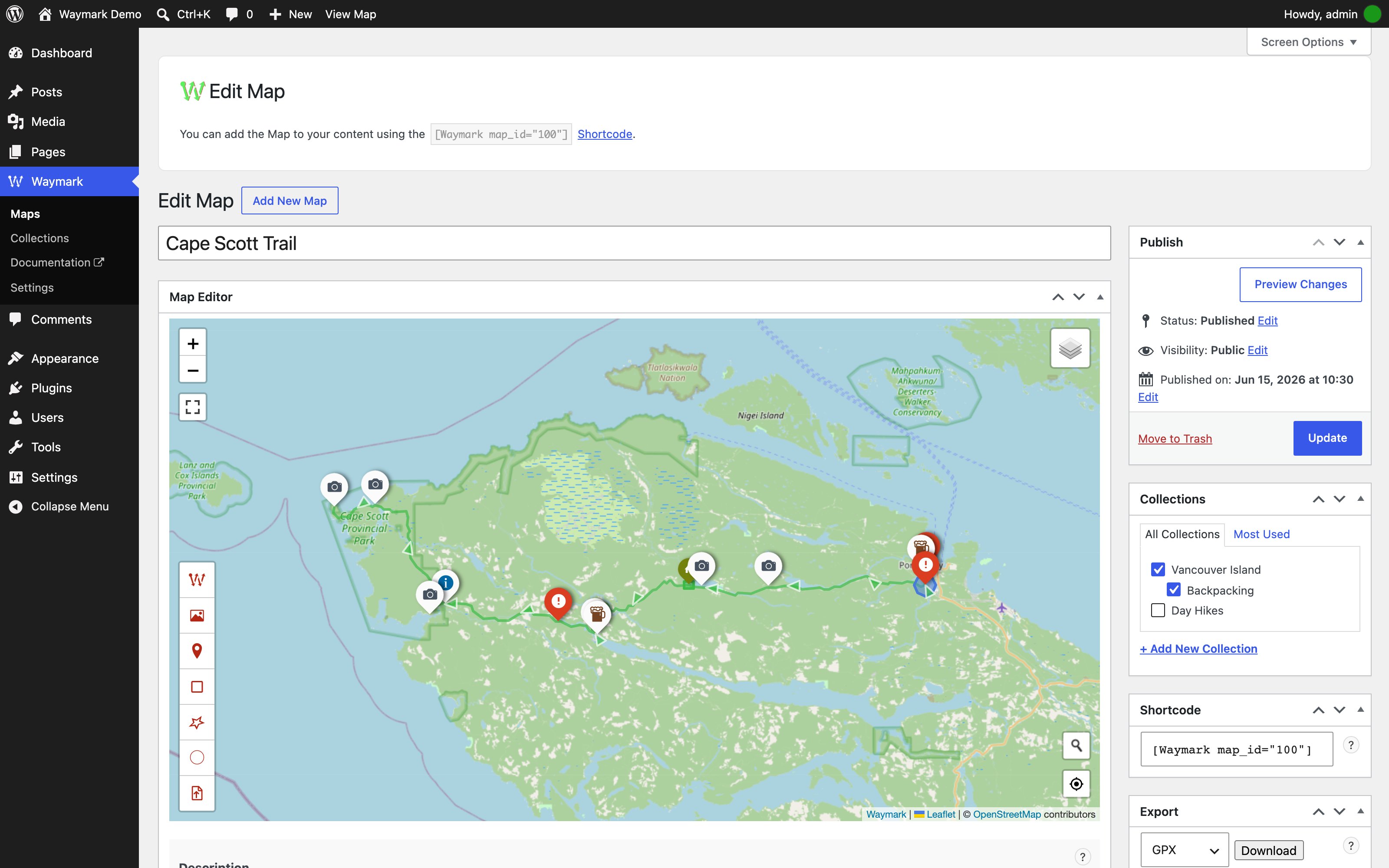
Waymark features a clean, intuitive Editor for creating and editing your Maps. Overlays are customisable using Types, which allow you set styles once (colours/icons etc.), so you can simply select it when you are adding to the Map.
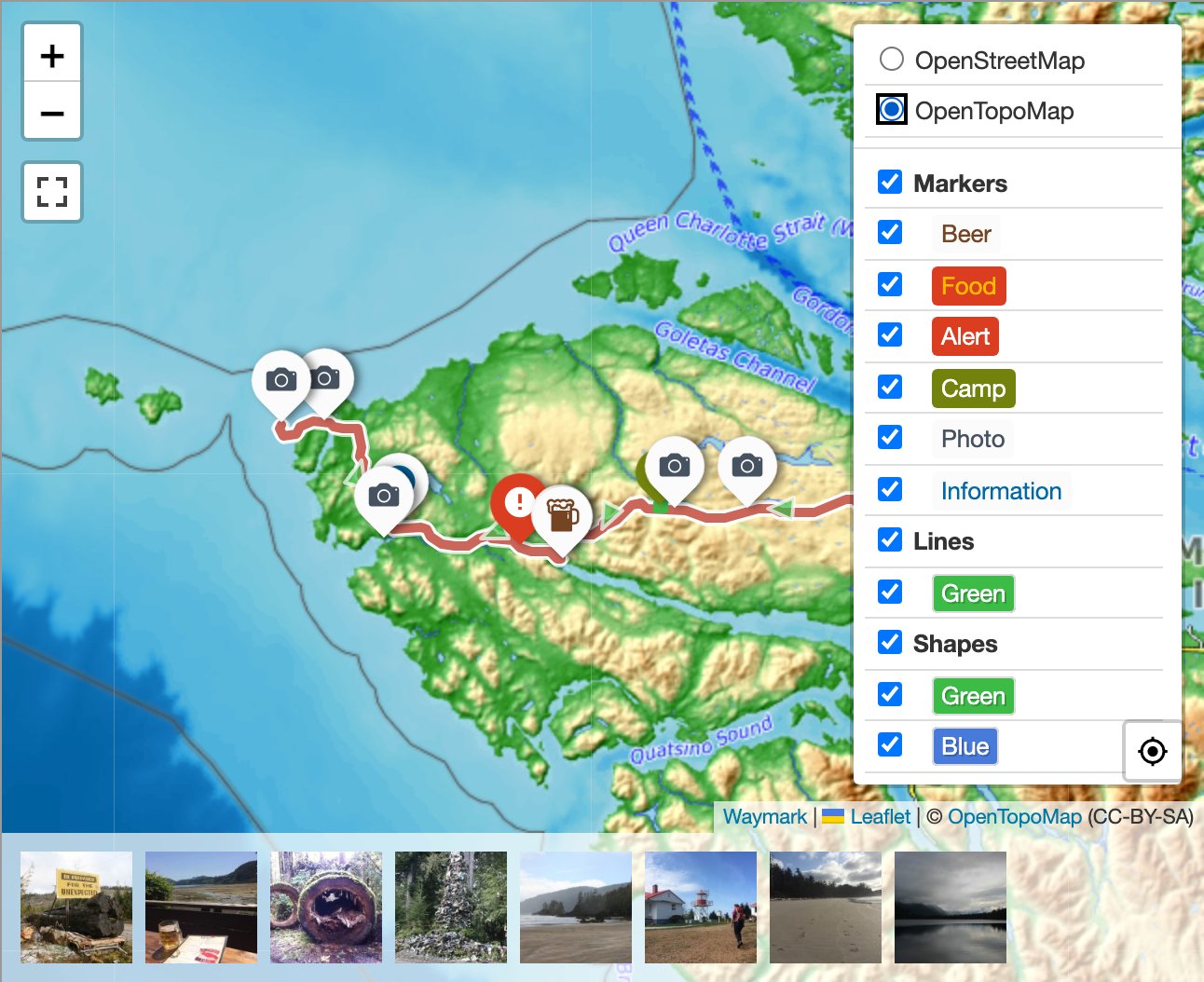
If you have more than one Basemap, you can switch between them when viewing the Map. Overlays can be shown/hidden by Type.
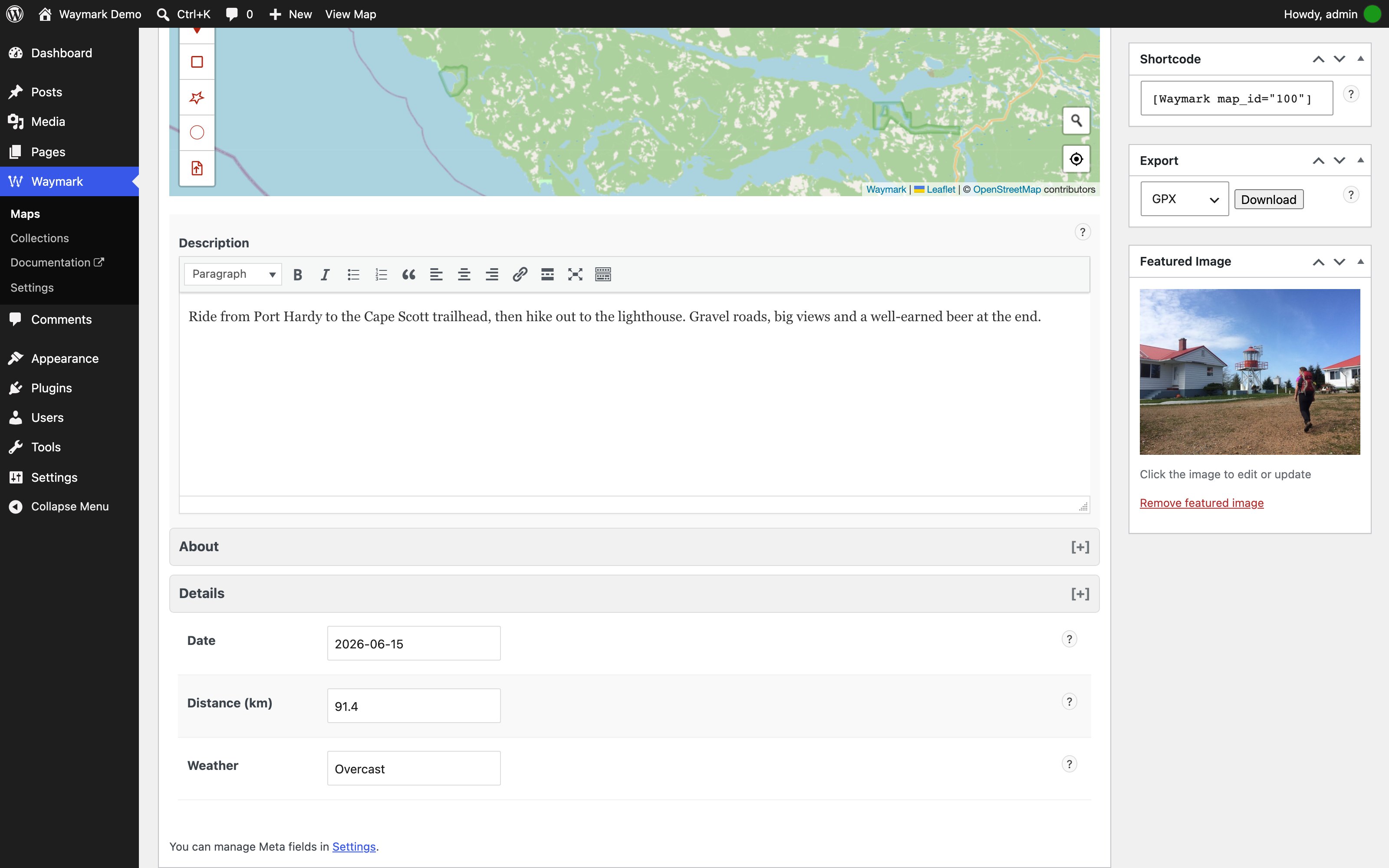
Use Meta to provide extra information about your Maps. Meta inputs are customisable and can be grouped.
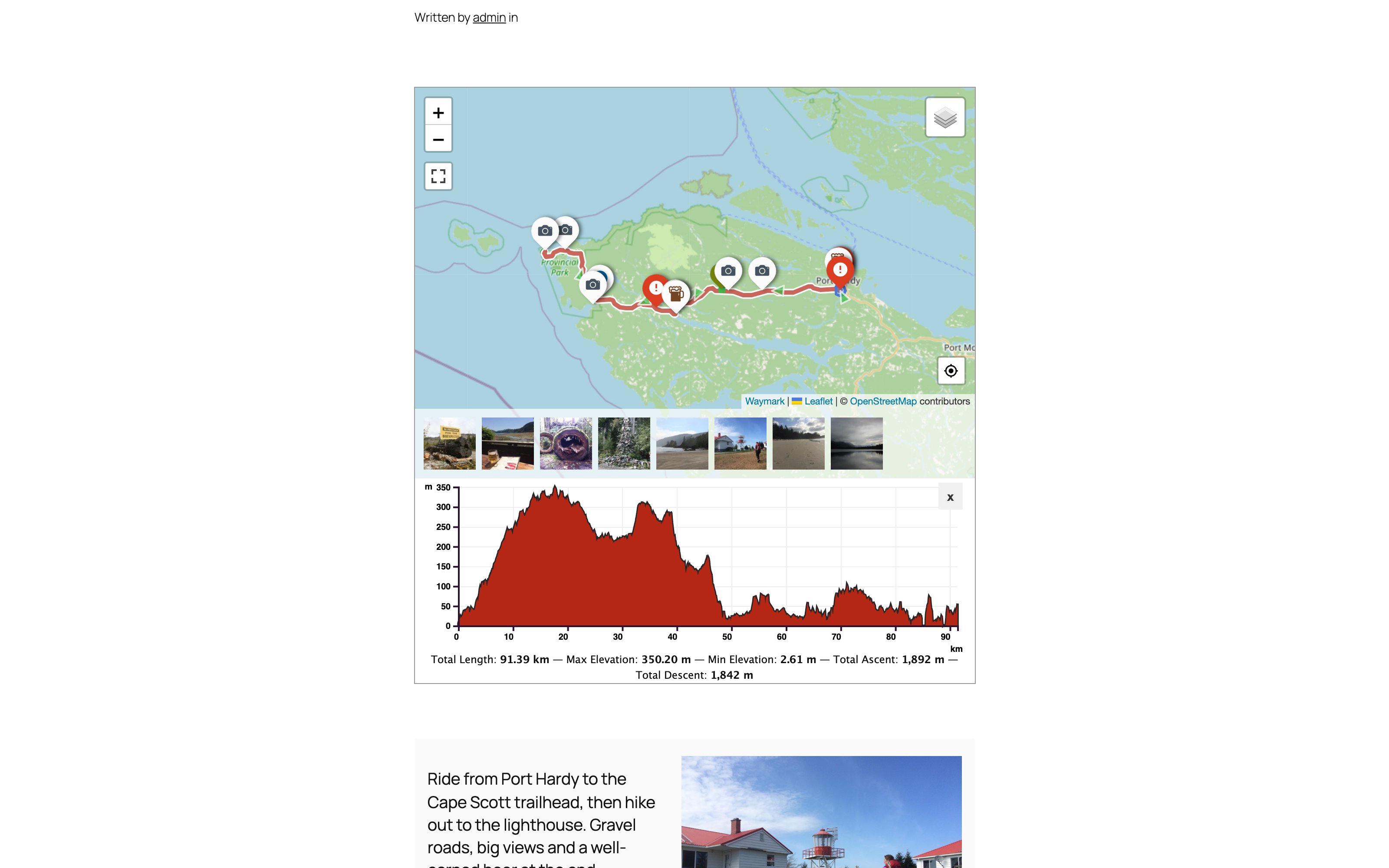
The Map Details page displays an image gallery, elevation profile, export options, featured image and all Meta provided for the Map.
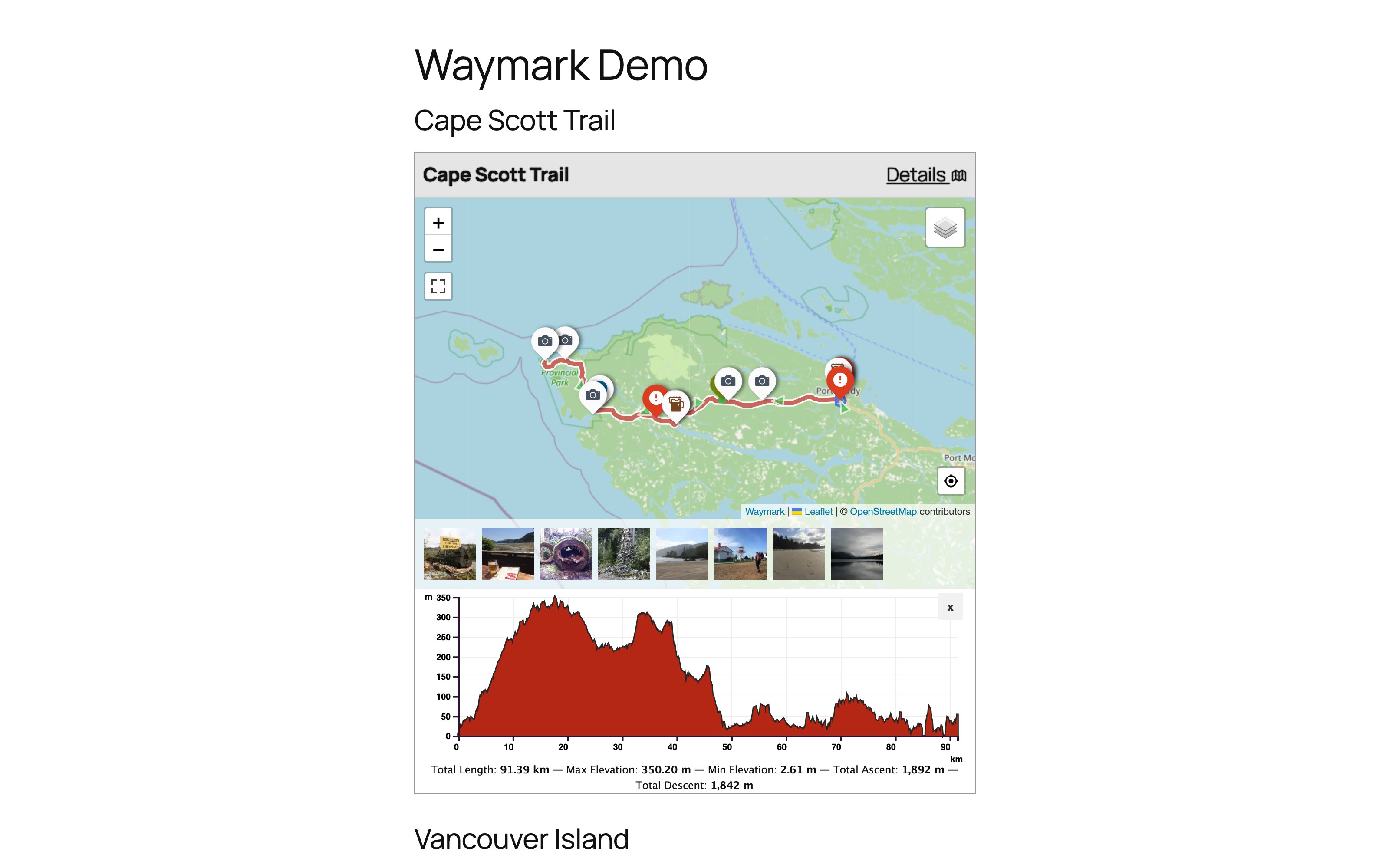
Add Maps to your content using the Waymark Shortcode. You can choose which Meta is displayed.
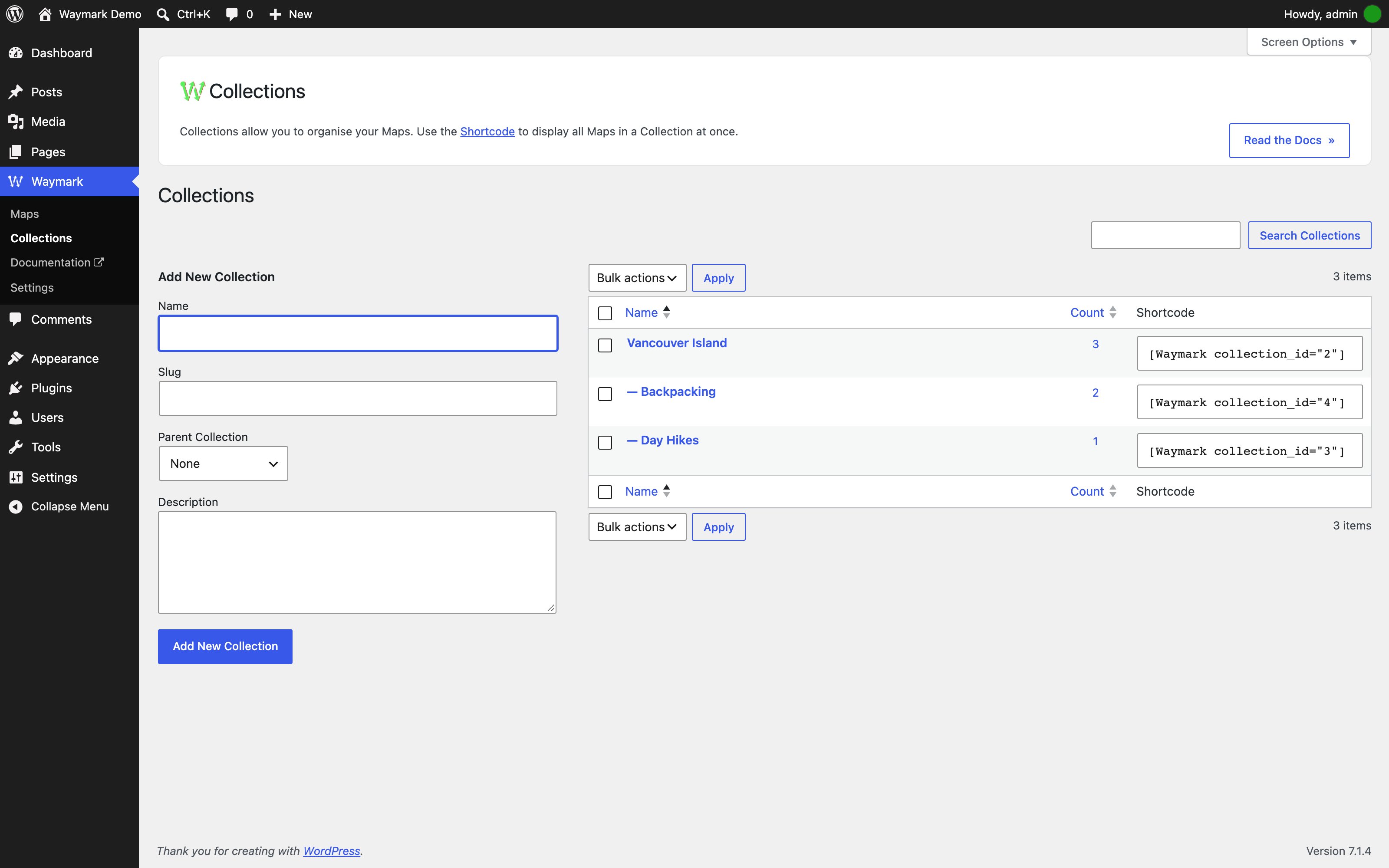
Organise Maps with Collections and display multiple Maps at once using the Shortcode. Collections can be nested and Maps can be associated with multiple Collections.

Basemaps — Add, reorder and configure raster basemaps.
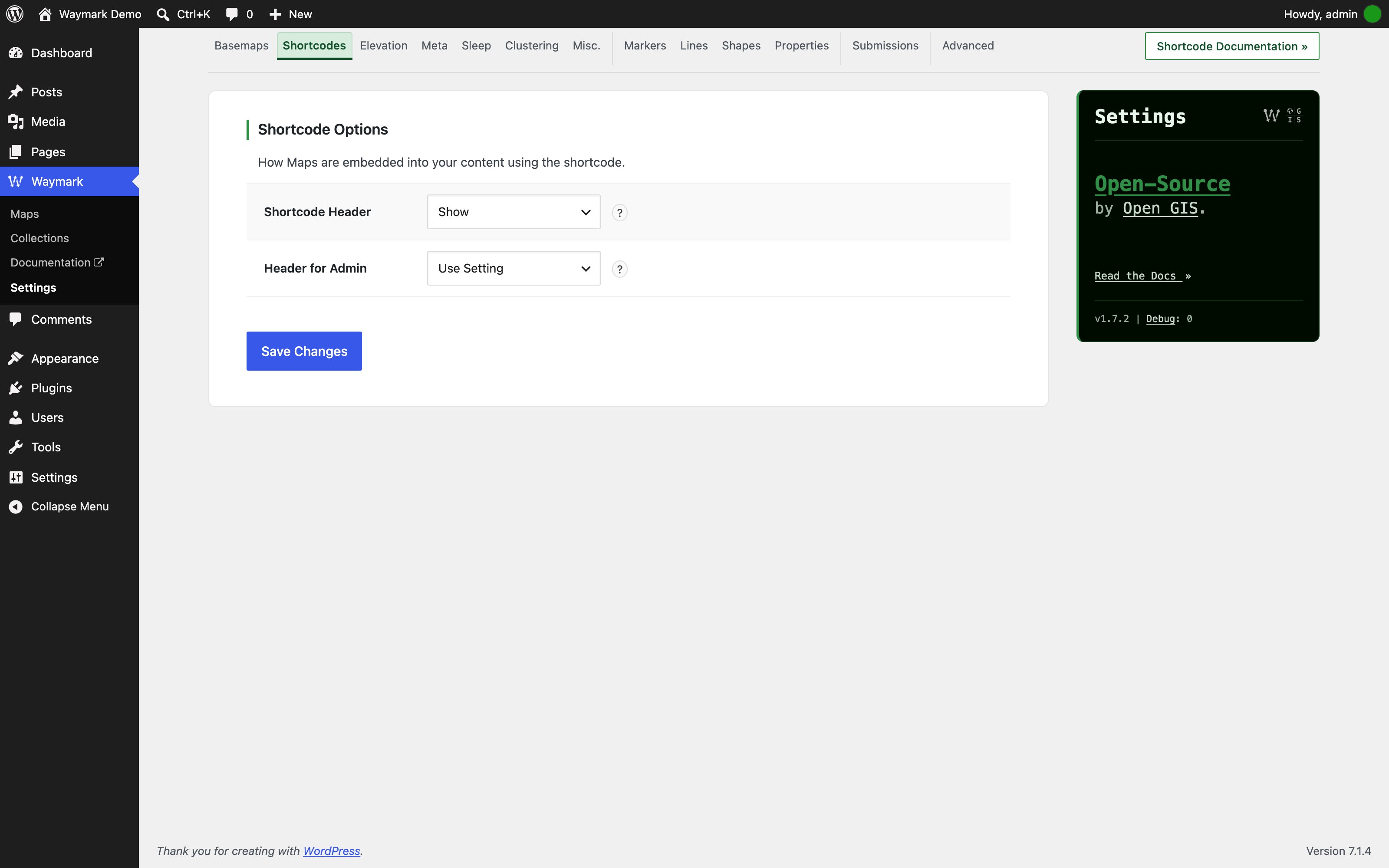
Shortcodes — Control the Shortcode header and admin preview.

Elevation — Configure the elevation profile, units, colours and initial visibility.

Meta — Create custom Meta inputs and organise them into groups.

Sleep — Set the scroll-zoom wake delay and message.
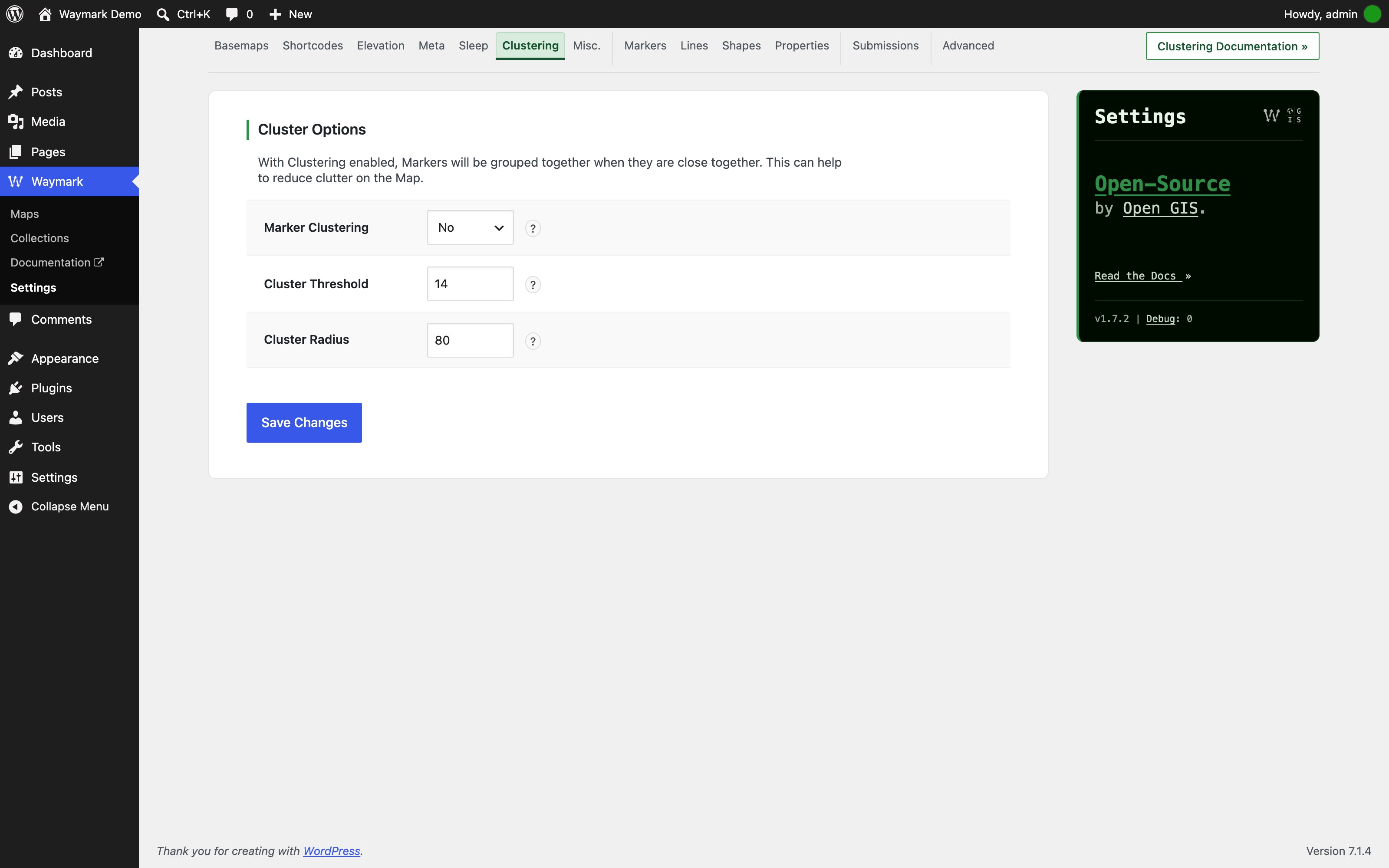
Clustering — Group nearby Markers and tune the cluster threshold and radius.

Misc. — Configure map height, zoom, gallery, filter and export behaviour.
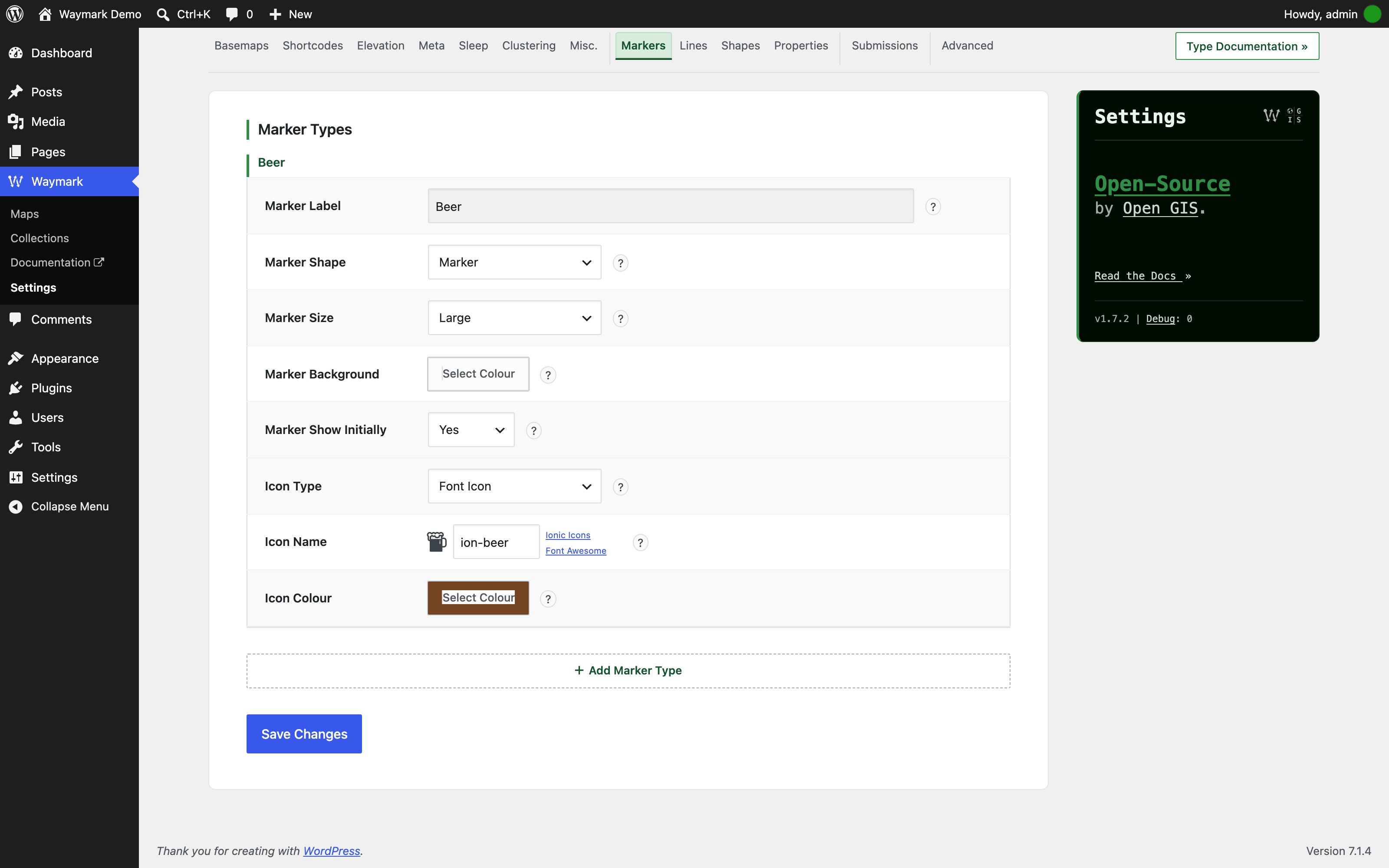
Markers — Define Marker Types: label, shape, size, colour, icon and visibility.

Lines — Define Line Types: colour, weight, opacity and visibility.
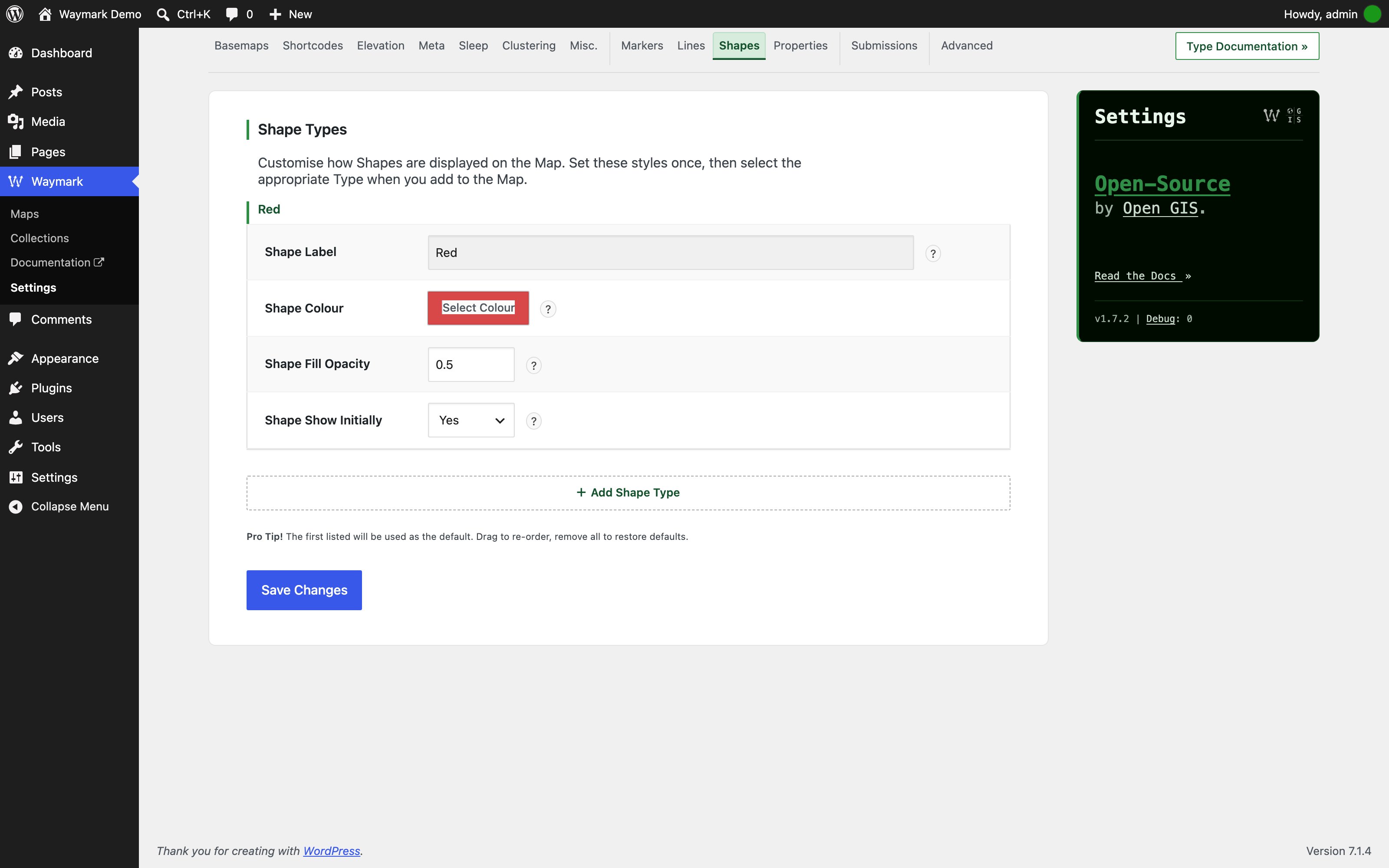
Shapes — Define Shape Types: colour, fill opacity and visibility.

Properties — Choose which GeoJSON feature properties are imported and shown.
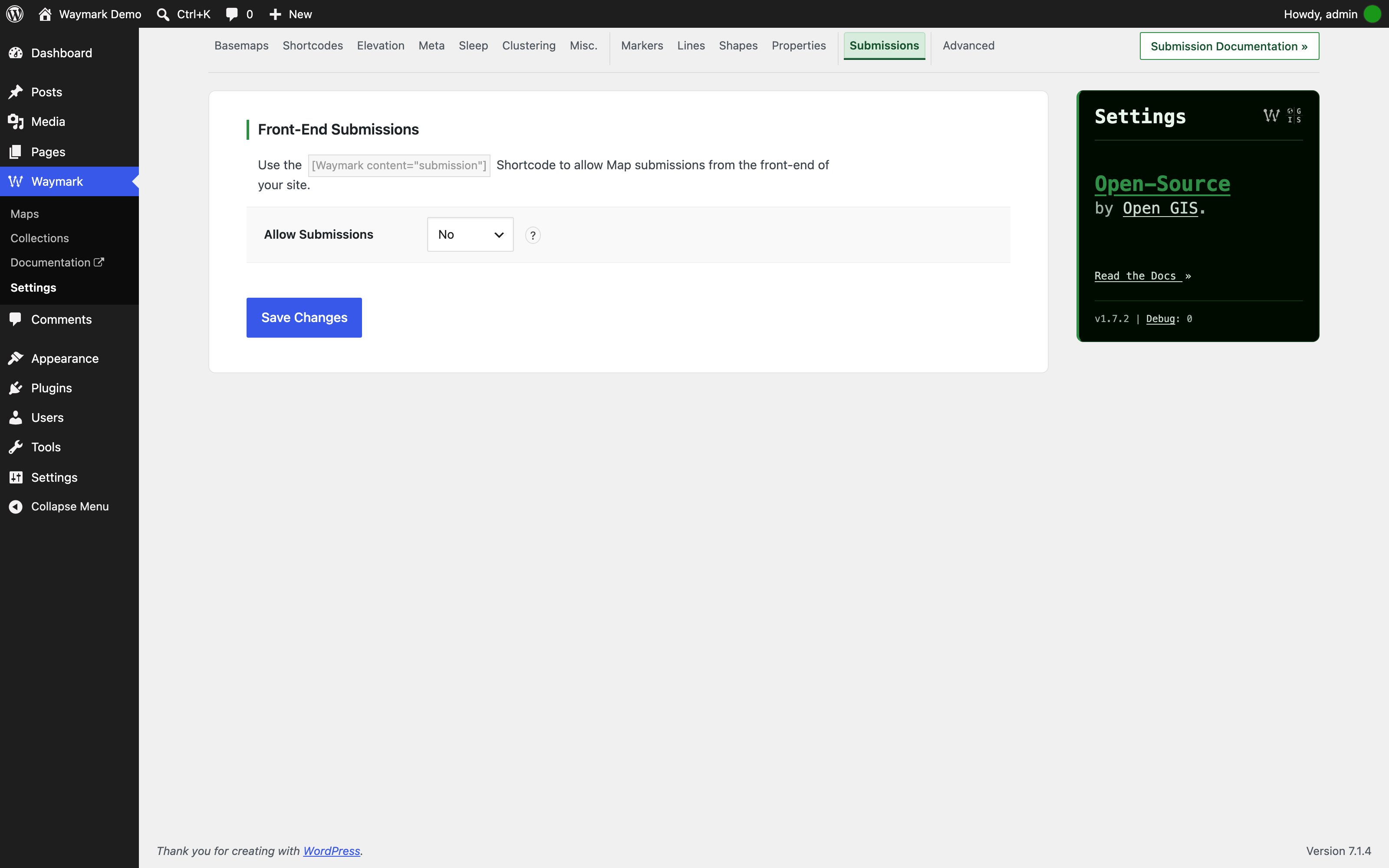
Submissions — Control front-end submissions by role and for guests.

Advanced — Configure editor, collection, permalink, post type and debug options.