
Going on holiday, closing over Christmas and New Year, doing a stock-take, selling only in season or taking orders only during opening hours? Disable Sales for WooCommerce closes the shop for the period you choose and opens it again by itself – no need to set products out of stock or switch the shop to maintenance mode.
Closed over Christmas? Set 24 December to 1 January once, tick “Repeat” and your shop closes and reopens on its own every year. Customers can still browse, they just cannot order – and they see when you are back.
- Pick a first and a last closed day; both are included, the shop reopens the day after.
- Repeat the same period every year (also across New Year, e.g. 20 December to 6 January) – or use it for seasonal selling, e.g. Christmas trees only from late November to Christmas Eve.
- Close the shop every day between two times, e.g. 22:00 to 06:00 or outside your delivery hours; closing hours may cross midnight.
- While closed, no product can be added to the cart and existing carts cannot be checked out.
- Customers see a WooCommerce-style notice on the cart and checkout – or on every page, if you want.
- Write your own notice texts, with
[date_from]/[date_to]for the dates and[time_from]/[time_to]for the daily hours. - Works with the classic cart and checkout and with the cart and checkout blocks; compatible with high-performance order storage (HPOS).
- Dates and times use your shop’s timezone, date and time format.
Settings: WooCommerce Settings Disable Sales.
Disable Sales Pro
Need more than one period? The Disable Sales Pro add-on adds a weekly schedule with the public holidays of 14 EU countries, several planned closures, orders during a pause with a shipping date, closing only selected products, categories or delivery countries, an access link for wholesale and regular customers, and a banner with a countdown.
This plugin is maintained by Regelkit, makers of EU compliance plugins for WooCommerce.
Screenshots
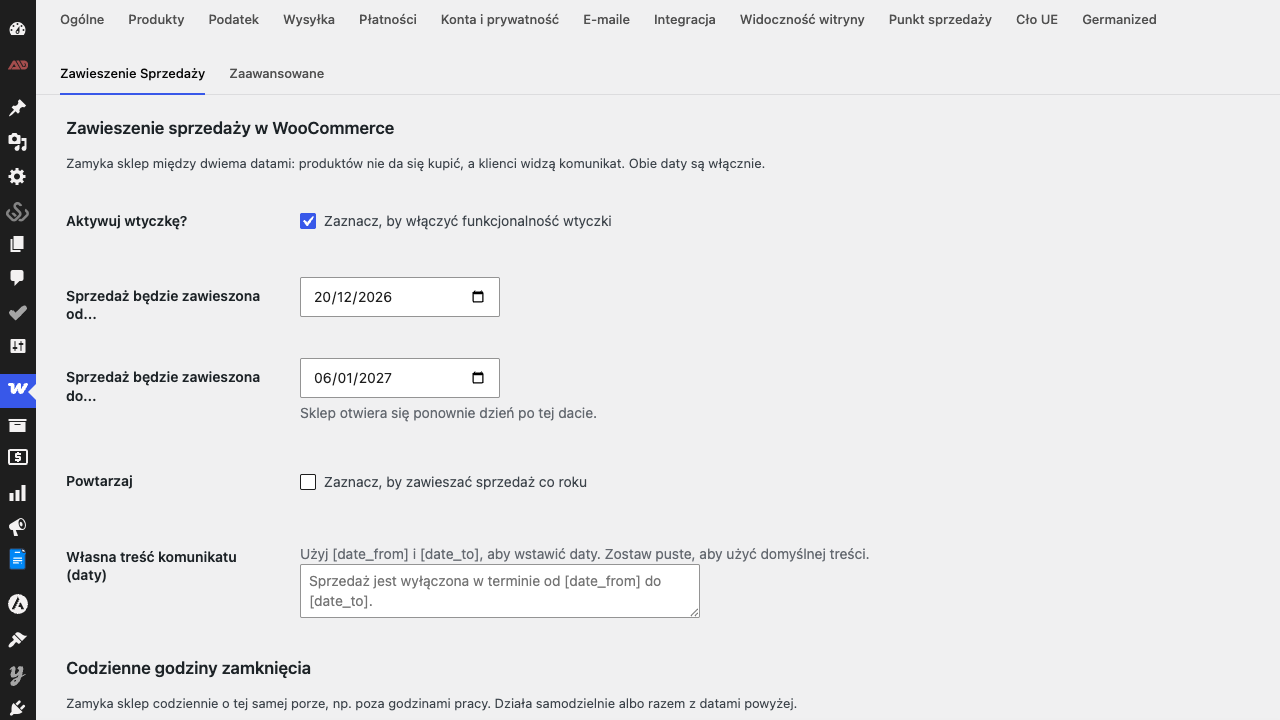
Settings under WooCommerce → Settings → Disable Sales
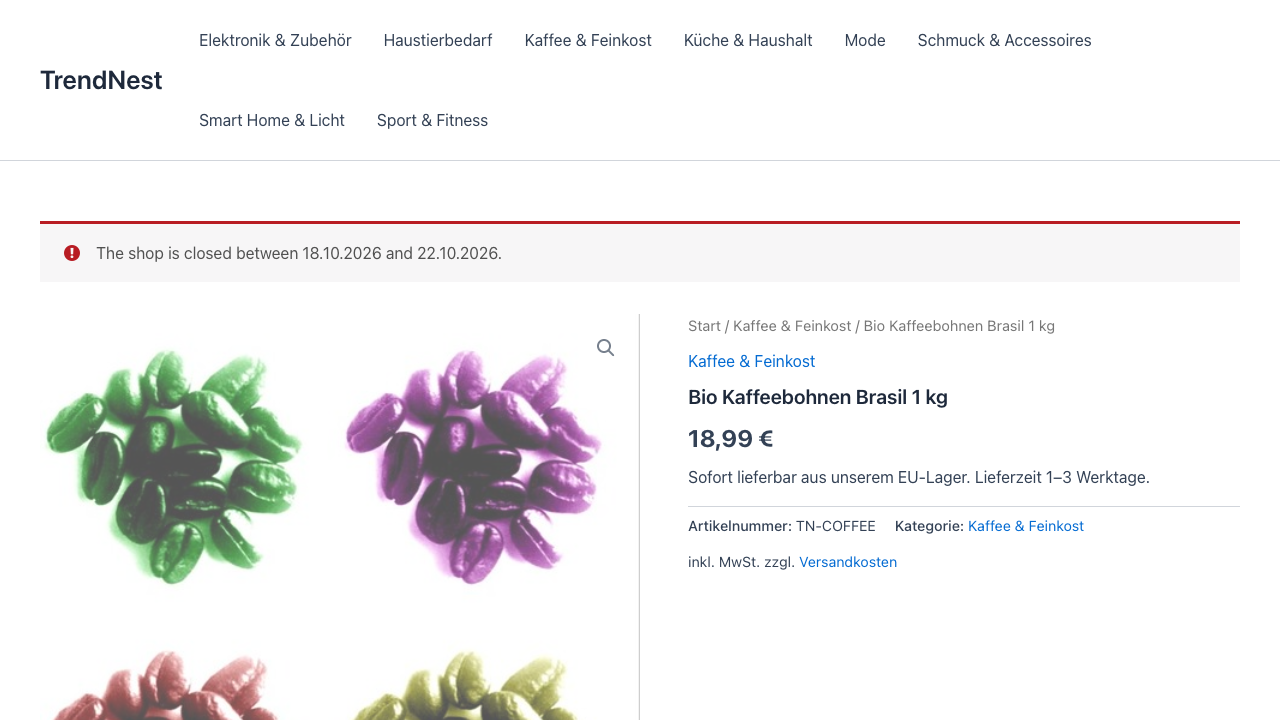
The notice customers see while the shop is closed
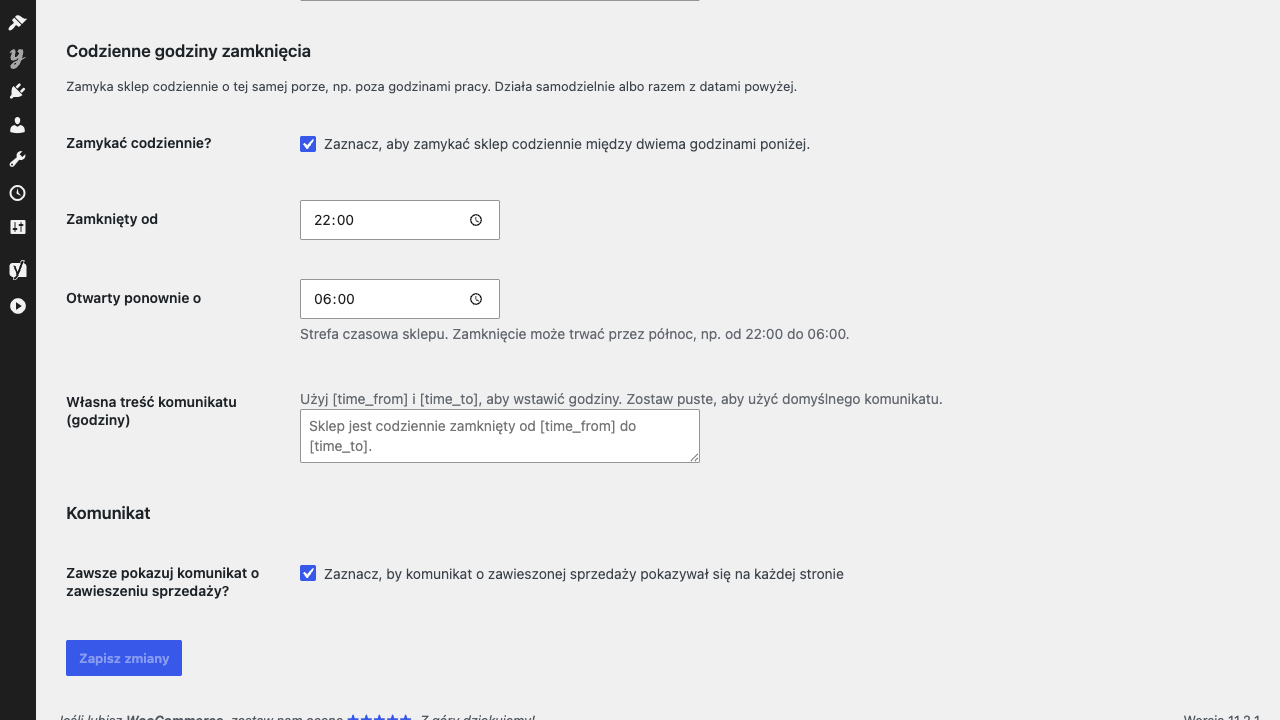
Daily closing hours, e.g. 22:00 to 06:00