
Web Plura Security Center – Security Scanner, Firewall, 2FA & Login Protection
by Web Plura
Web Plura Security Center helps WordPress administrators investigate suspicious files, review security risks, strengthen login protection, monitor important file changes, and manage local firewall and hardening controls from the WordPress dashboard.
The free WordPress.org plugin is built around local security work. Security scans, login protection, firewall/rate-limiting controls, file-change review, hardening checks, reports, notifications, and privacy tools can be used without a Web Plura Cloud account, separate extension, or hosted service.
Use it when you need a practical security review inside WordPress: scan for suspicious files and malware indicators, check risky configuration, review administrator and file-integrity signals, configure supported 2FA/passkey login controls, and manage local request protection. Findings are advisory signals for investigation, not proof that every flagged item is malicious.
Key Security Features
- Security scanning for suspicious files, malware indicators, and risky configuration
- File integrity checks and local file-change baseline review
- Firewall controls with rate limiting and temporary blocking
- Login protection with two-factor authentication, passkeys, backup codes, and optional CAPTCHA
- Plugin checksum verification against WordPress.org where supported
- Security hardening checks for headers, XML-RPC, debug exposure, file permissions, and related configuration
- Administrator/user risk checks and file-integrity advisors
- Security findings, reports, email notifications, and local privacy tools
Security Scanner
Run local security scans to review suspicious files, malware indicators, risky configuration, and other findings that may need administrator attention.
The scanner is designed to support investigation. It does not automatically treat every unusual file as malware, and administrators should review scan evidence before taking destructive action.
Suspicious Files and Malware Indicators
Unexpected files or file changes can sometimes indicate a compromised WordPress installation, but legitimate plugin updates, theme updates, administrators, hosting tools, and deployment processes can also modify files.
Web Plura Security Center can help identify files and patterns that may require review. It does not claim to detect every compromise, confirm that every suspicious file is malicious, or fully clean hacked WordPress sites automatically.
Login Protection, 2FA and Passkeys
Account security is a common weak point on WordPress sites. Web Plura Security Center includes supported login-security controls such as:
- Two-factor authentication (2FA) using authenticator codes
- Passkey enrollment and passkey login where supported by the browser, device, and site configuration
- Backup authentication codes
- Trusted-device review and revocation
- Role or user force-logout controls
- Temporary lockout after repeated login failures
- Optional CAPTCHA protection for supported login surfaces
These controls can reduce risk from reused passwords, repeated login attempts, and account-access problems. They do not guarantee account security.
Firewall and Rate Limiting
Web Plura Security Center includes local firewall controls designed to reduce repeated or abusive requests.
Supported protections include request inspection, endpoint rate limiting, temporary blocking, local allowlist/blocklist controls, and firewall audit events. These tools keep request protection under administrator control and can be disabled temporarily for troubleshooting.
File Integrity and File-Change Monitoring
Web Plura Security Center keeps local file-change and integrity context to help administrators review important changes.
A changed file does not automatically mean a website has been compromised. File-change and baseline information is meant to help administrators compare expected changes, such as updates or deployments, with changes that deserve closer review.
Plugin Checksum Verification
Where supported, administrators can run checksum verification against the WordPress.org Plugin Checksums API.
This can help identify differences between supported installed plugin files and the files expected for a known WordPress.org plugin release. Checksum verification is an integrity check, not guaranteed malware detection.
Security Hardening Checks
Web Plura Security Center includes local checks and controls that help administrators review common WordPress exposure points.
Supported areas include security headers, XML-RPC exposure, API exposure notes, debug-log exposure, file permissions, executable files in uploads, public backup/archive indicators, file editor exposure, administrator/user risk, and update posture.
These checks are intended to provide practical review context. They should be used with secure hosting, regular updates, strong credentials, reliable backups, and careful administrator review.
Admin/User Risk and File Integrity Checks
The Admin/User Risk & File Integrity advisor reviews supported security conditions such as:
- administrator changes
- user-registration role exposure
- relevant file permissions
- executable files in upload locations
- exposed debug-log indicators
- publicly accessible archive indicators
- recent component changes
These checks are advisory and read-only. They do not silently modify users, roles, files, or approved baselines.
Security Findings and Reports
Web Plura Security Center provides security findings, incident visibility, local reports, security history, and administrative guidance for supported local checks.
Findings are intended to provide enough context for an administrator to decide what deserves investigation. Not every warning is a confirmed security breach.
Security Notifications
Where configured and supported by the current release, administrators can receive security-related email notifications.
The free plugin does not claim SMS, push notifications, external monitoring, or continuous cloud monitoring.
Additional Security Advisors
Web Plura Security Center also includes secondary local advisors that can help administrators review related risk signals.
The Form Abuse & Lead Security advisor reviews supported local signals involving installed form plugins, likely lead pages, SMTP configuration, update status, privacy-page configuration, and risky form markers.
These checks run locally according to the current plugin implementation. The advisor does not submit forms, capture leads for external analysis, analyze private lead content externally, or upload lead data to Web Plura.
Who Is This For?
Web Plura Security Center can be useful when you need to:
- investigate unexpected or suspicious files;
- scan for malware indicators and supported security risks;
- improve WordPress login security;
- enable two-factor authentication, passkeys, or backup codes;
- review file changes after plugin, theme, or deployment activity;
- check risky file permissions, debug-log exposure, public archives, and upload executable markers;
- inspect security headers, XML-RPC exposure, and common configuration issues;
- verify supported plugin files against WordPress.org checksums;
- reduce repeated abusive login or request attempts with local firewall controls;
- keep local security findings, reports, and privacy tools available inside WordPress.
Local-First Security and Privacy
The WordPress.org version is designed so that its included local security functionality can operate without requiring a Web Plura Cloud account.
Local security functionality should be understood as local WordPress-site functionality. The free plugin stores plugin-owned security metadata in the site’s WordPress database, including local settings, contact or notification email settings when configured, login-security metadata, audit events, hashed or prefix IP evidence, blocked IP records, file-baseline summaries, and local report or scan state.
The free plugin does not automatically upload suspicious file samples, form-advisor data, administrator/user-risk data, file-baseline history, setup-checklist information, or local security reports to Web Plura Cloud.
The plugin registers applicable WordPress Privacy Tools exporter and eraser callbacks for plugin-owned security metadata. Uninstall removes applicable plugin options, scheduled hooks, and plugin-owned custom database tables.
Limitations and Important Notes
No WordPress security plugin can guarantee that every attack, malicious file, compromised account, vulnerability, or intrusion will always be detected.
Web Plura Security Center provides security checks and administrative tools intended to help site owners identify and investigate supported security risks. Administrators should maintain secure hosting, strong credentials, current WordPress core, plugins and themes, reliable backups, and other appropriate security practices.
Suspicious-file findings, checksum differences, file-change signals, administrator warnings, and hardening checks should be reviewed before action is taken. A finding indicates something worth reviewing; it does not automatically prove that the site has been compromised.
Backup, restore, and disaster recovery workflows are handled by the standalone Web Plura Backup & Restore Manager plugin.
Optional Web Plura Services
The WordPress.org package is fully functional for its included local security checks, login protection, firewall controls, file-integrity context, incident visibility, reports, administrator guidance, privacy tools, and plugin-owned data controls.
Separately installed or hosted Web Plura services may provide additional account-backed services, hosted operations, or cross-site workflows.
Those services are not required for the local functionality included in this WordPress.org plugin.
The free plugin does not require Pro, Web Plura Cloud, account login, or a hosted service for its included local controls.
Free local baseline checks remain available without hosted services.
External Services
This free plugin does not connect to Web Plura Cloud. It may contact these third-party services only when an administrator enables or runs the related local feature:
Administrator consent is required before optional CAPTCHA checks or checksum verification checks use those external services.
- WordPress.org Plugin Checksums API: https://api.wordpress.org/plugins/checksums/1.0/
- Purpose: verifies installed plugin files against WordPress.org checksums when an administrator runs checksum verification.
- Data sent: plugin slug and version identifiers needed for checksum lookup.
- Runs: only when checksum verification checks are run.
- Terms: https://wordpress.org/about/terms/
- Privacy: https://wordpress.org/about/privacy/
- Cloudflare Turnstile: https://challenges.cloudflare.com
- Purpose: loads the selected Turnstile challenge and verifies CAPTCHA responses when an administrator enables Cloudflare Turnstile for login protection.
- Data sent: browser request metadata needed to load the challenge, the CAPTCHA verification token, and the requester IP address during verification.
- Runs: only on configured login surfaces after the administrator enables Turnstile and saves Cloudflare keys.
- Terms: https://www.cloudflare.com/website-terms/
- Privacy: https://www.cloudflare.com/privacypolicy/
- Turnstile Privacy Addendum: https://www.cloudflare.com/turnstile-privacy-policy/
- hCaptcha: https://js.hcaptcha.com and https://hcaptcha.com
- Purpose: loads the selected hCaptcha challenge and verifies CAPTCHA responses when an administrator enables hCaptcha for login protection.
- Data sent: browser request metadata needed to load the challenge, the CAPTCHA verification token, and the requester IP address during verification.
- Runs: only on configured login surfaces after the administrator enables hCaptcha and saves hCaptcha keys.
- Terms: https://www.hcaptcha.com/terms
- Privacy: https://www.hcaptcha.com/privacy
- Google reCAPTCHA: https://www.google.com/recaptcha/
- Purpose: loads the selected reCAPTCHA challenge and verifies CAPTCHA responses when an administrator enables Google reCAPTCHA for login protection.
- Data sent: browser request metadata needed to load the challenge, the CAPTCHA verification token, and the requester IP address during verification.
- Runs: only on configured login surfaces after the administrator enables reCAPTCHA and saves Google reCAPTCHA keys.
- Terms: https://policies.google.com/terms
- Privacy: https://policies.google.com/privacy
Suspicious files, advisor data, admin/user risk data, file baselines, and setup checklist data are not uploaded by the free plugin.
No third-party executable PHP/JS code is loaded except administrator-enabled CAPTCHA provider scripts. Plugin/theme updates are not served from non-WordPress.org channels.
Some payment, social, CDN, or static-hosting domains may appear in local scanner allowlists for false-positive reduction. They are detection references only and are not enqueued or executed by the free plugin.
Optional telemetry can be enabled by a site administrator from the plugin telemetry settings. It is disabled by default and is not required for local security controls. When enabled, the plugin may send selected usage, error, and environment diagnostics to Web Plura at https://api.wplura.com/v1/plugin/telemetry/events. The plugin does not send scan findings, malware indicators, firewall logs, audit events, IP addresses, file paths, file contents, login records, passkeys, backup codes, user metadata, personal records, passwords, API secrets, JWTs, authentication headers, request bodies, raw stack traces, or unrelated personal information. Consent can be withdrawn later from the plugin telemetry settings, and local security controls continue working when telemetry is disabled or unavailable.
Resources
- Product page: https://wplura.com/products/web-plura-security-center
- Documentation: https://wplura.com/docs
- Support: https://wplura.com/support
- Contact Us: https://wplura.com/contact
- Legal Center: https://wplura.com/legal
- Security Disclosure: https://wplura.com/security
- Cookie Policy: https://wplura.com/cookie-policy
- Acceptable Use Policy: https://wplura.com/acceptable-use
- Data Processing Addendum (DPA): https://wplura.com/data-processing-addendum
- Service Level Agreement (SLA): https://wplura.com/service-level-agreement
- Terms: https://wplura.com/terms
- Privacy: https://wplura.com/privacy
Screenshots
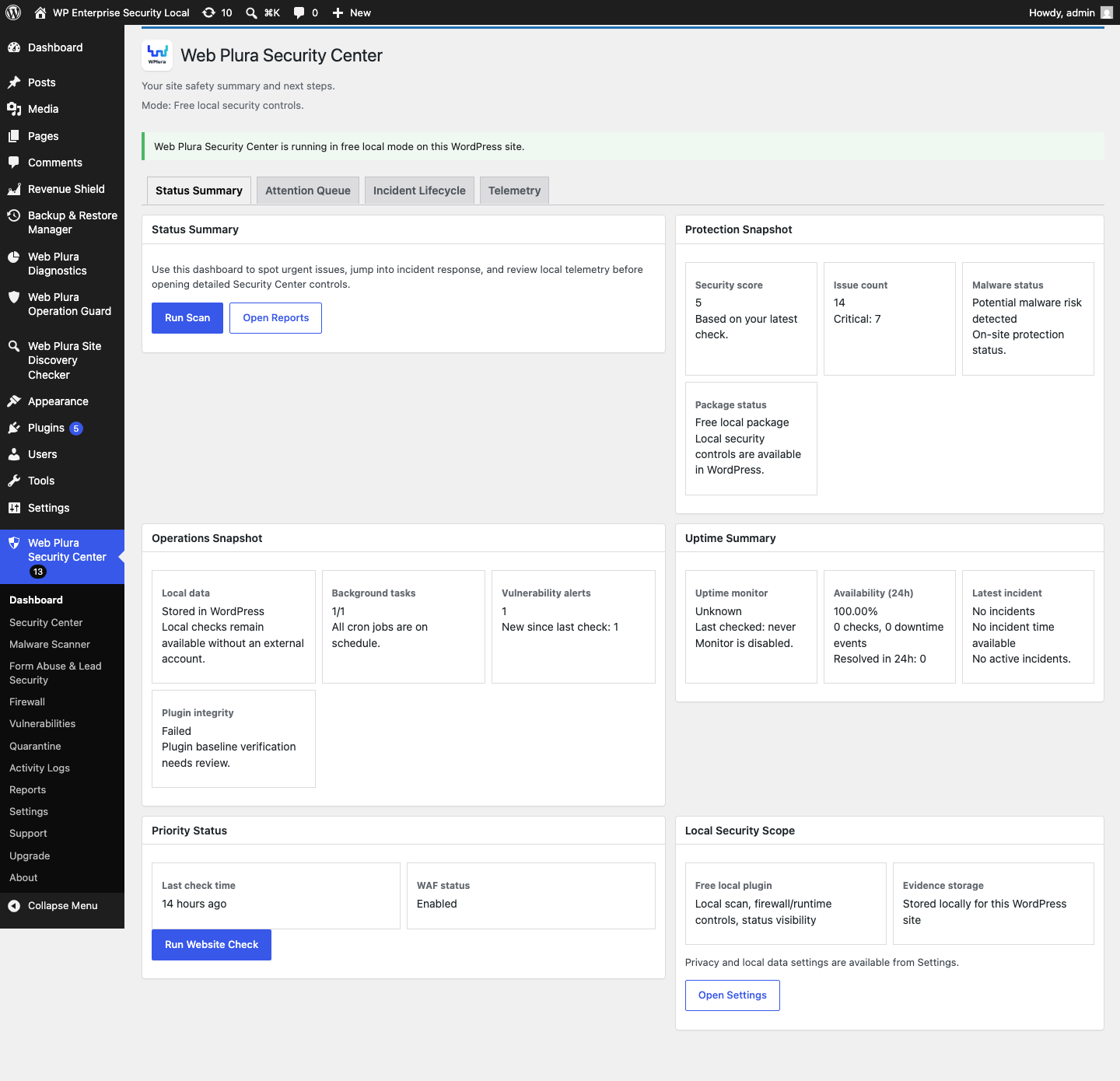
Dashboard Overview tab showing local protection status, scan context, and recommended review actions.
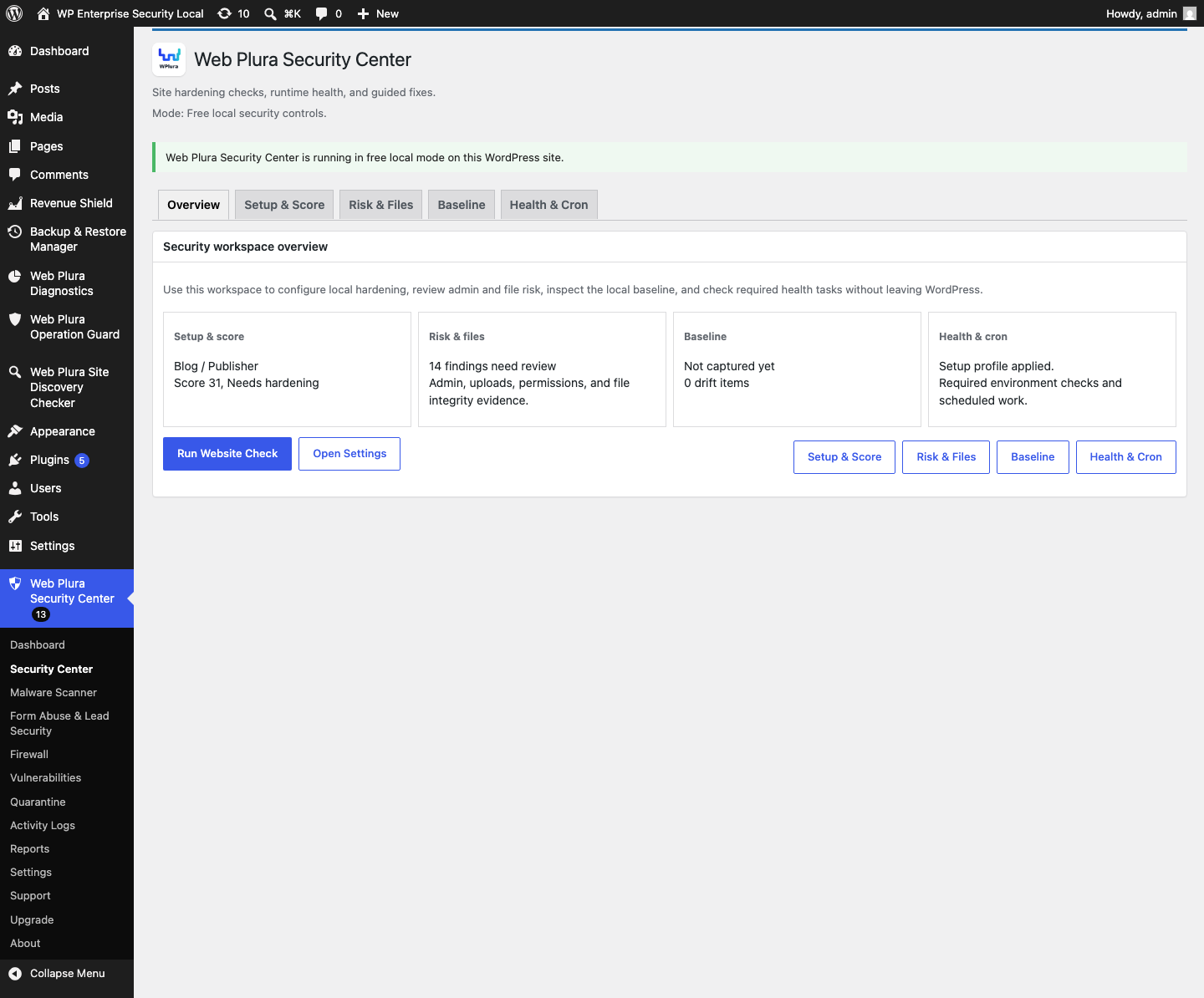
Security Center Overview tab with local score, setup, baseline, and findings summary.
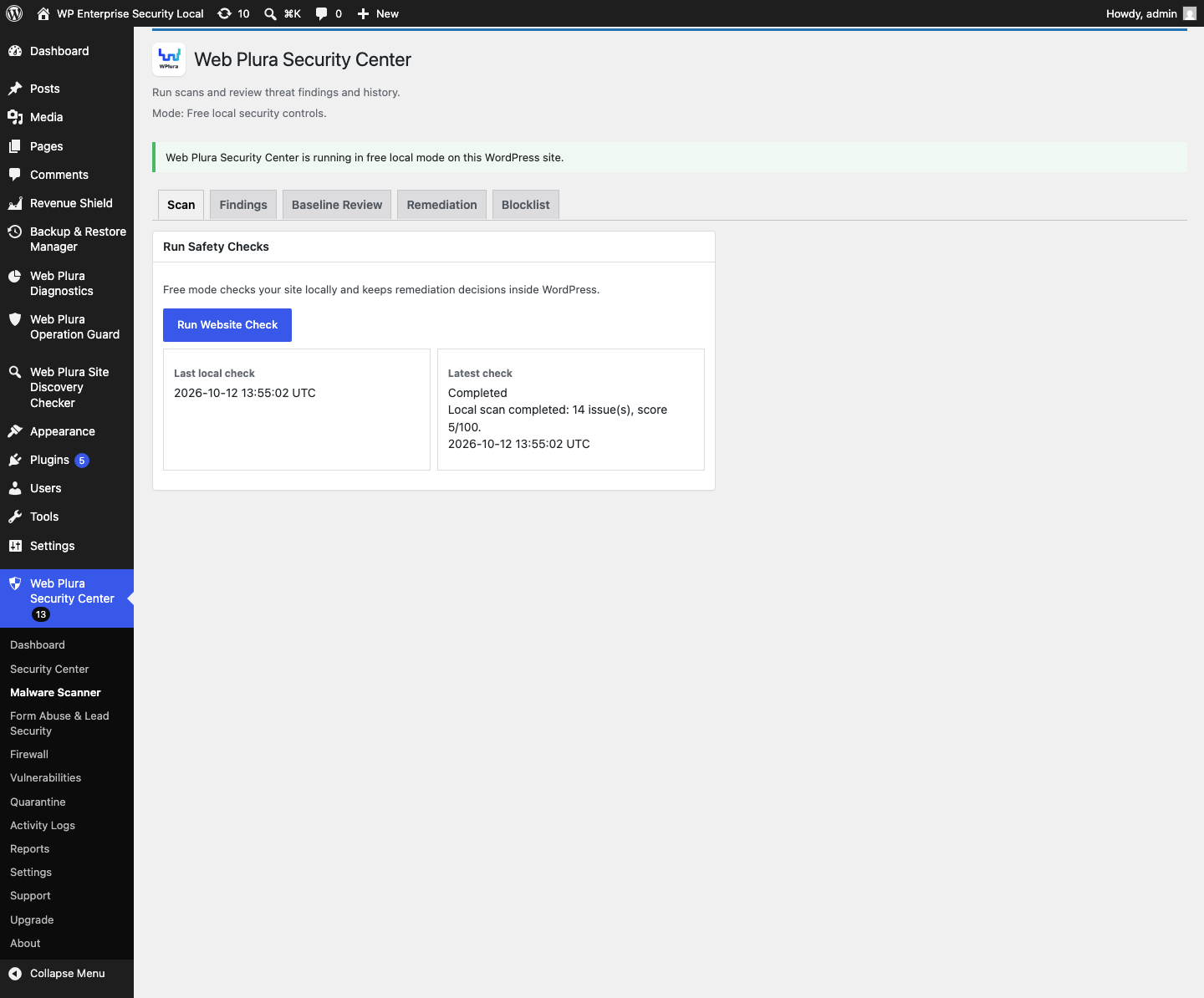
Malware Scanner Scan tab for local quick and full scans.
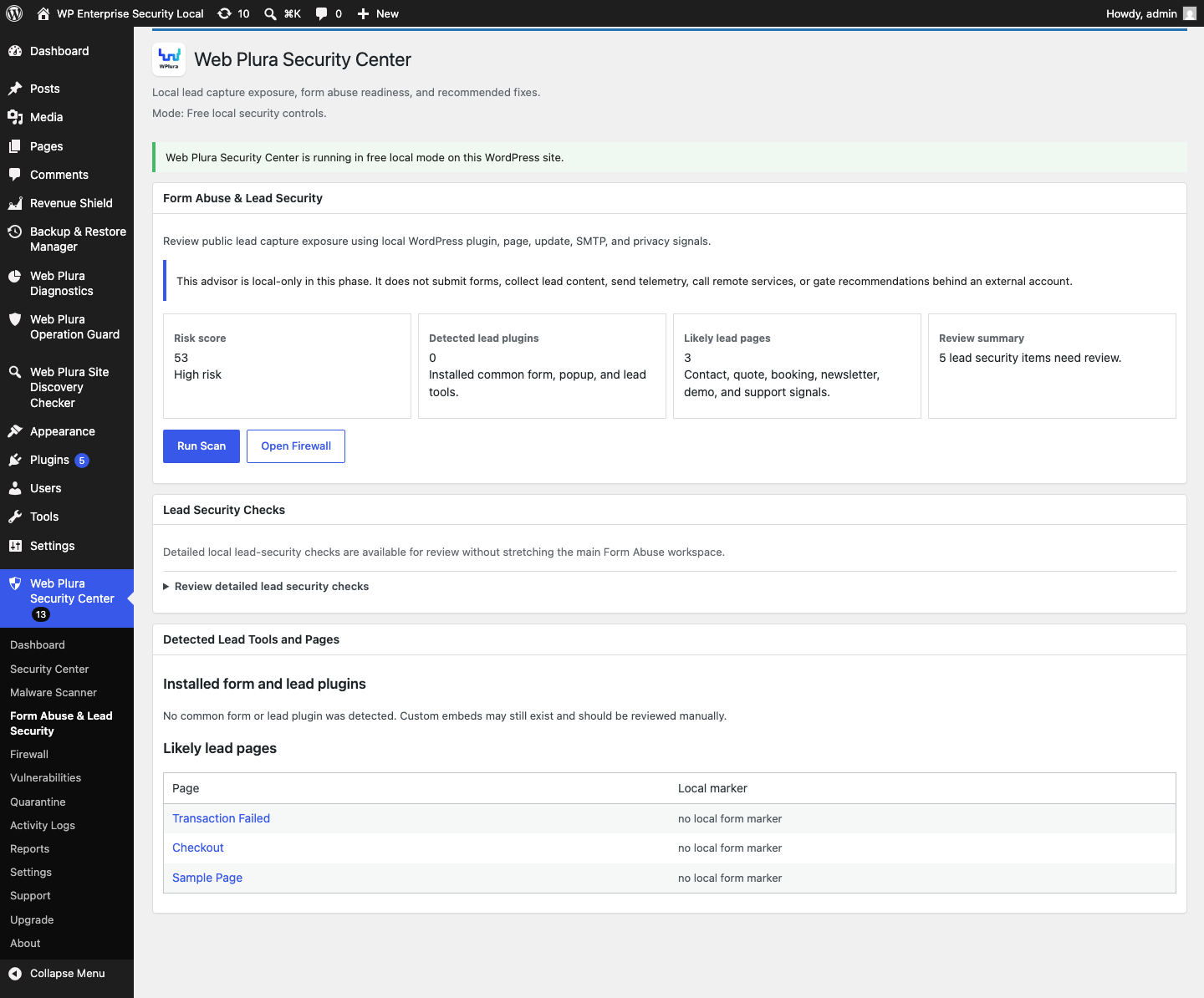
Additional security advisor reviewing form, SMTP, update, and privacy-page signals.
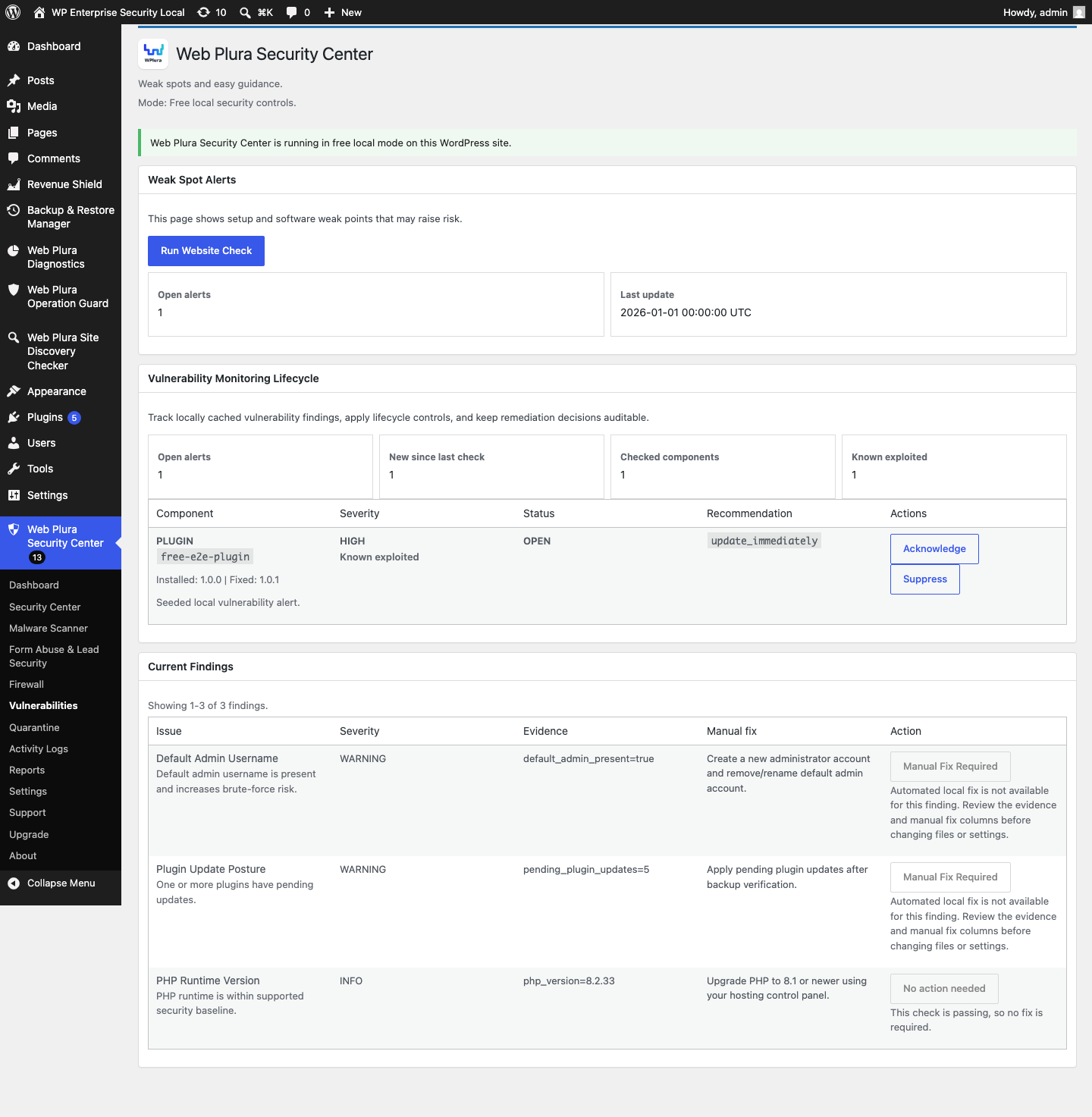
Security findings view with context and suggested review actions.
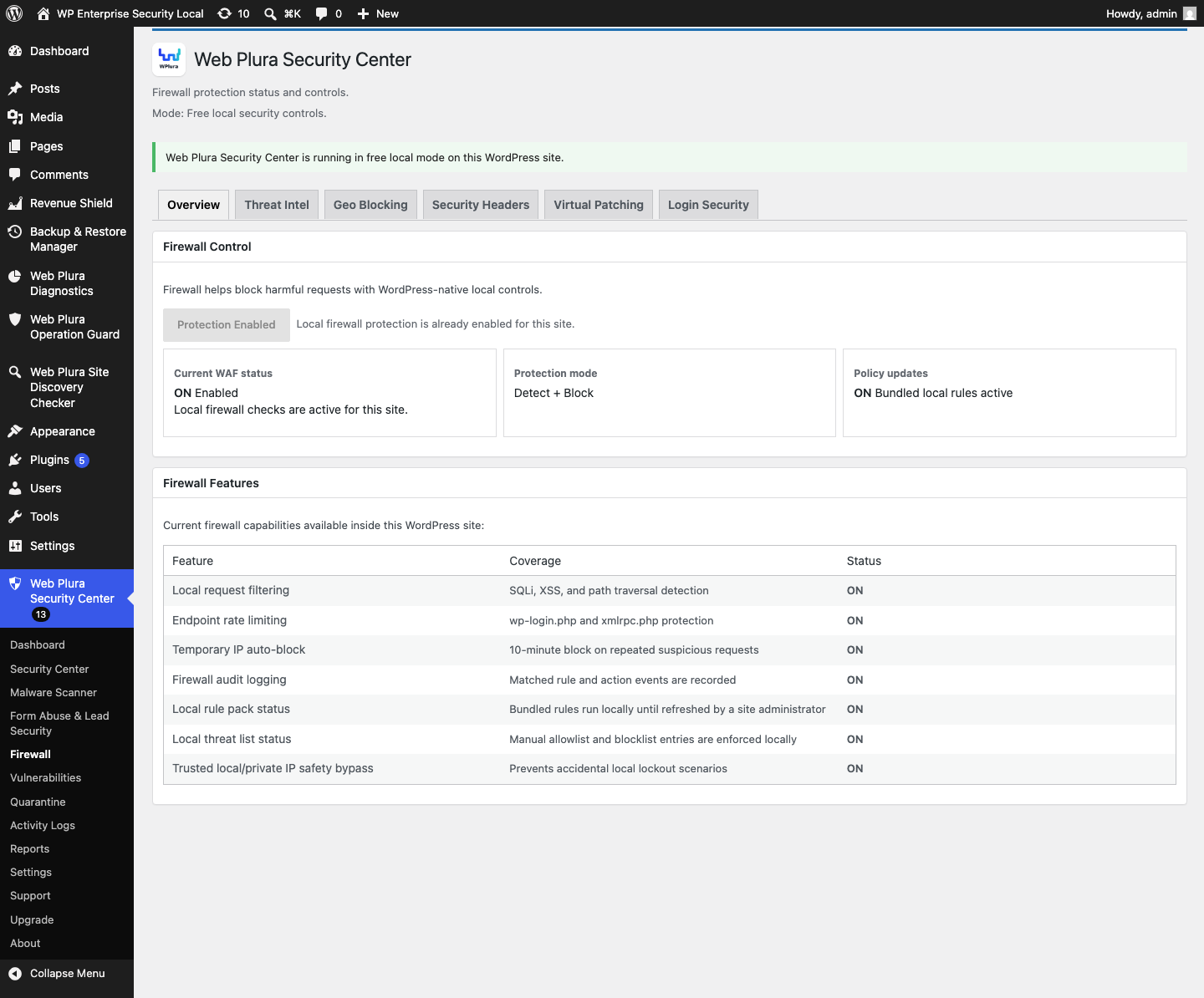
Firewall Overview tab for local firewall status, feature coverage, and quick protection actions.
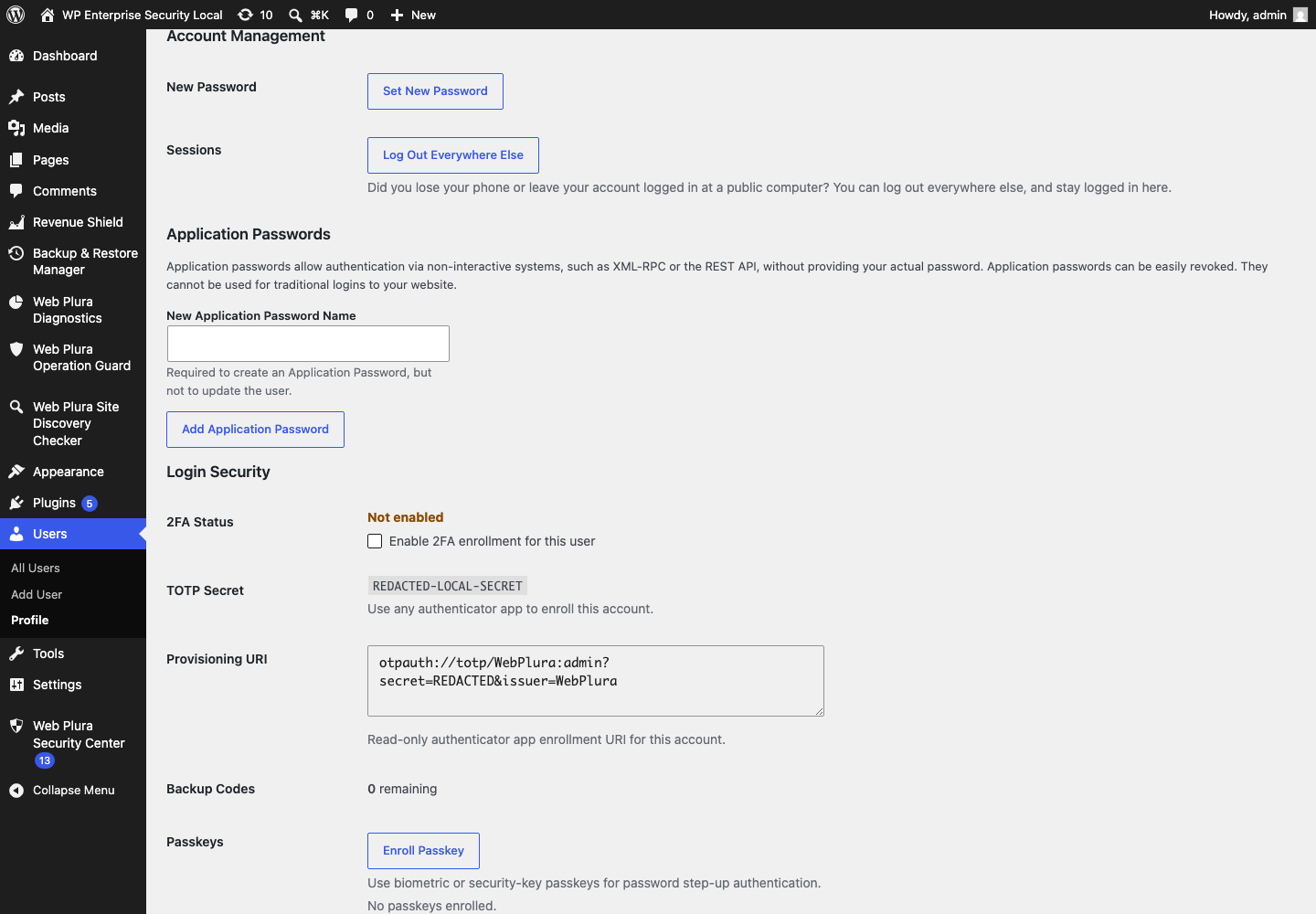
User profile login-security controls for supported 2FA, passkeys, and backup codes.
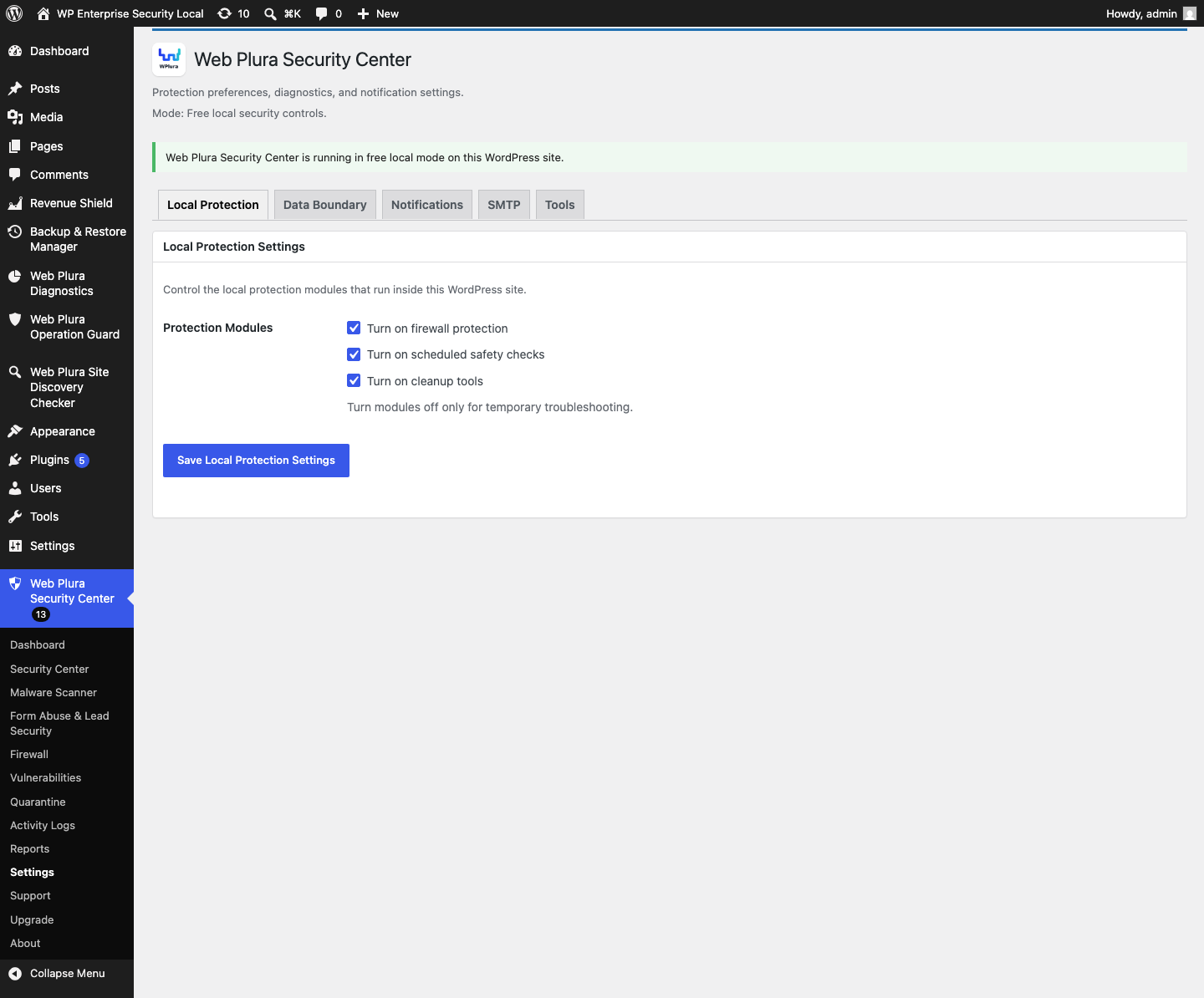
Settings Local Protection tab for local security modules.