
wiseCampaign – WooCommerce Flash Sale, Countdown Timer, Discount Rules & Sales Notification
by Wisemattic
Turn your store visitors into buyers with wiseCampaign, the all-in-one WooCommerce marketing and conversion booster plugin. Create urgency, run scheduled flash sales, automate dynamic discounts, and reduce cart abandonment, all without writing a single line of code.
Whether you run Black Friday sales, seasonal promotions, or daily flash deals, wiseCampaign equips your WooCommerce store with battle-tested conversion tools.
Watch Quick Overview
Key Features at a Glance
- wiseBanner (Top Bar Campaign) – Sticky top/bottom promotional banners with real-time countdown timers, coupon copy triggers, CTA buttons, seasonal templates and built-in analytics.
- StockBar (Scarcity Trigger) – Dynamic stock progress bar on single product pages to create purchase urgency and FOMO.
- Direct Checkout – Skip the cart page and route shoppers directly to checkout to reduce cart drop-offs.
- Live Sales Notifications – Real-time social proof popups showing recent customer orders to build instant buyer trust.
- wiseCart (Side Mini-Cart) – Fast slide-out mini-cart for an instant and seamless checkout experience.
- WiseVideo Commerce – Engage shoppers with interactive video galleries and shoppable product video widgets.
- Wise Product Table – Display products in responsive, filterable tables with bulk add-to-cart functionality.
- Dynamic WooCommerce Discount Rules (Pro) – Automate tiered discounts, BOGO, bulk pricing, and spend-based offers.
Useful Links
Docs | Videos | Support | Idea Sharing | Facebook Group | Get Pro
Why Choose wiseCampaign Over Other Plugins?
- All-in-One Marketing Suite: Replace 4 to 5 separate plugins (Notification Popup, Countdown Bar, Stock Scarcity, Direct Checkout) with one clean plugin.
- Zero Speed Impact: Ultra-lightweight codebase built with scoped styling to ensure zero theme conflicts and blazing-fast site speed.
- Granular Display Rules: Show specific campaigns based on device (Mobile/Desktop), specific pages, or target user roles.
- Easy Customizer Integration: Real-time visual customizer to match your store branding in seconds.
Deep Dive into Core Modules
1. wiseBanner – Smart Announcement & Flash Sale Bar
- Customizable top or bottom notification bars.
- Built-in urgency countdown timer for limited-time offers.
- “Click-to-Copy” coupon code functionality with toast feedback.
- Targeted display on specific products, shop pages, or sitewide.
- Template gallery with live previews, including animated Halloween, Black Friday and New Year collections (Pro).
- Built-in banner analytics: impressions, clicks, click-through rate, coupon copies and dismissals, plus attributed orders and revenue (Pro).
2. StockBar – Real-Time Inventory Urgency
- Visual progress bar displaying remaining stock levels.
- Triggers urgency for low-stock products to drive faster purchase decisions.
- Clean fallback logic that hides default stock text automatically.
3. Direct Checkout – Frictionless Buying Journey
- 1-Click direct checkout button on shop and product pages.
- Reduces funnel friction and increases checkout completion rates.
4. Live Sales Notifications – Automated Social Proof
- Realistic, non-intrusive recent sales alert popups.
- Highly customizable display timing, positions, and mobile visibility.
- Simulated orders (Pro) can show product photos, your own uploaded photos and logos, or friendly cartoon buyer avatars.
5. wiseCart – Modern Interactive Mini-Cart
- Floating side-cart drawer that lets shoppers review items instantly.
- Quick quantity adjustments without full page reloads.
6. WiseVideo Commerce – Shoppable Video Reels
- Interactive video widgets and shoppable product video embeds.
- Engage buyers with video demonstrations directly on product pages.
- Boosts user engagement, watch time, and conversion rates.
7. Wise Product Table – Interactive Product Catalog
- Responsive, searchable, and filterable product table layouts.
- Bulk add-to-cart actions for fast wholesale and multi-item orders.
- Perfect for B2B catalogs, restaurant menus, and large product inventories.
🔥 Pro Version: Advanced Discount Rules
Take your promotion strategy to the next level with advanced discount rules that go beyond simple coupons:
- ✅ Spend-Based Discounts: e.g., “Spend $100, Get 15% Off”.
- ✅ BOGO & Buy X Get Y: Automated free or discounted companion items.
- ✅ Tiered & Bulk Pricing: Quantity-based discount tables on product pages.
- ✅ Free Gift Rules: Automatically append gifts to cart when rules are met.
- ✅ Next Order Coupon Generator: Keep customers returning with automated loyalty discounts.
👉 Explore All Pro Features & Pricing
24/7 Support & Documentation
All wiseCampaign users get access to expert support and an extensive knowledge base for setup and configuration help.
* Documentation
* Help & Technical Support
Compatibilities
wiseCampaign integrates seamlessly with standard WooCommerce hooks, popular WordPress themes (Astra, OceanWP, GeneratePress, Storefront), and modern page builders.
Usage Instructions
- Go to WiseCampaign -> Settings, toggle the status to Active to enable the banner, and select a template from the list of views. Click Save.
- Go to Appearance -> Customize -> wiseCampaign to adjust colors, typography, timers, and layout settings.
Privacy Policy
wiseCampaign uses the Appsero SDK to collect basic telemetry data only upon explicit user opt-in via admin notice to help diagnose issues and improve features.
Appsero SDK does not gather any data by default and will not transmit information without your consent. Learn more at Appsero Privacy Policy.
wiseBanner analytics are stored only in your own WordPress database as daily totals (impressions, clicks, coupon copies and dismissals per banner template and device type). No IP addresses, personal data or per-visitor records are stored, and nothing is sent to third-party services. When a visitor clicks the banner button, a first-party cookie (wise_banner_ref, valid for 7 days) records the banner and the click time so that a resulting WooCommerce order can be attributed to the banner; the cookie is removed once an order is attributed.
Credits
- Buyer avatars: “Open Peeps” by Pablo Stanley, CC0 1.0 (public domain), generated with DiceBear.
- Fonts bundled with the seasonal banner templates: Luckiest Guy (Apache License 2.0), Anton and Playfair Display (SIL Open Font License 1.1).
Join Our Community
Screenshots

Shop page with StockBar scarcity bars and one-click Buy Now buttons under each product.
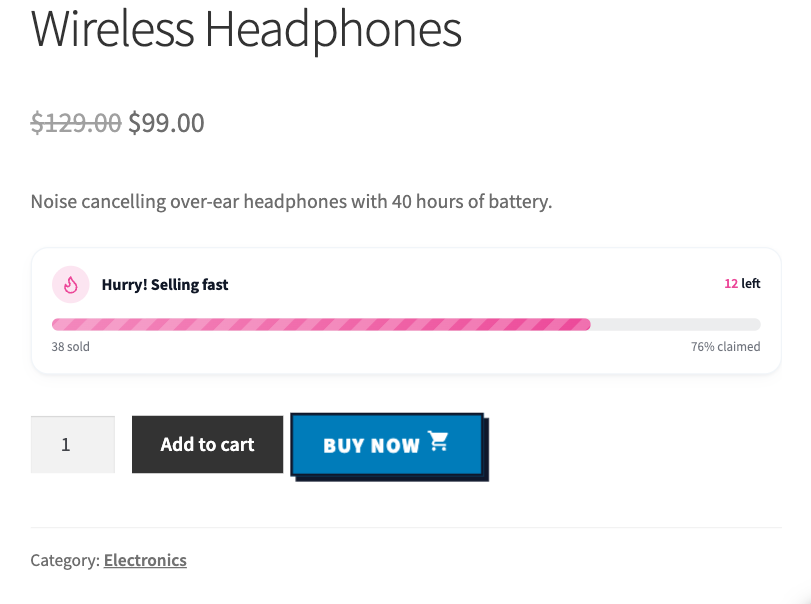
Product page with StockBar showing items left, items sold and percent claimed, next to the Buy Now button.
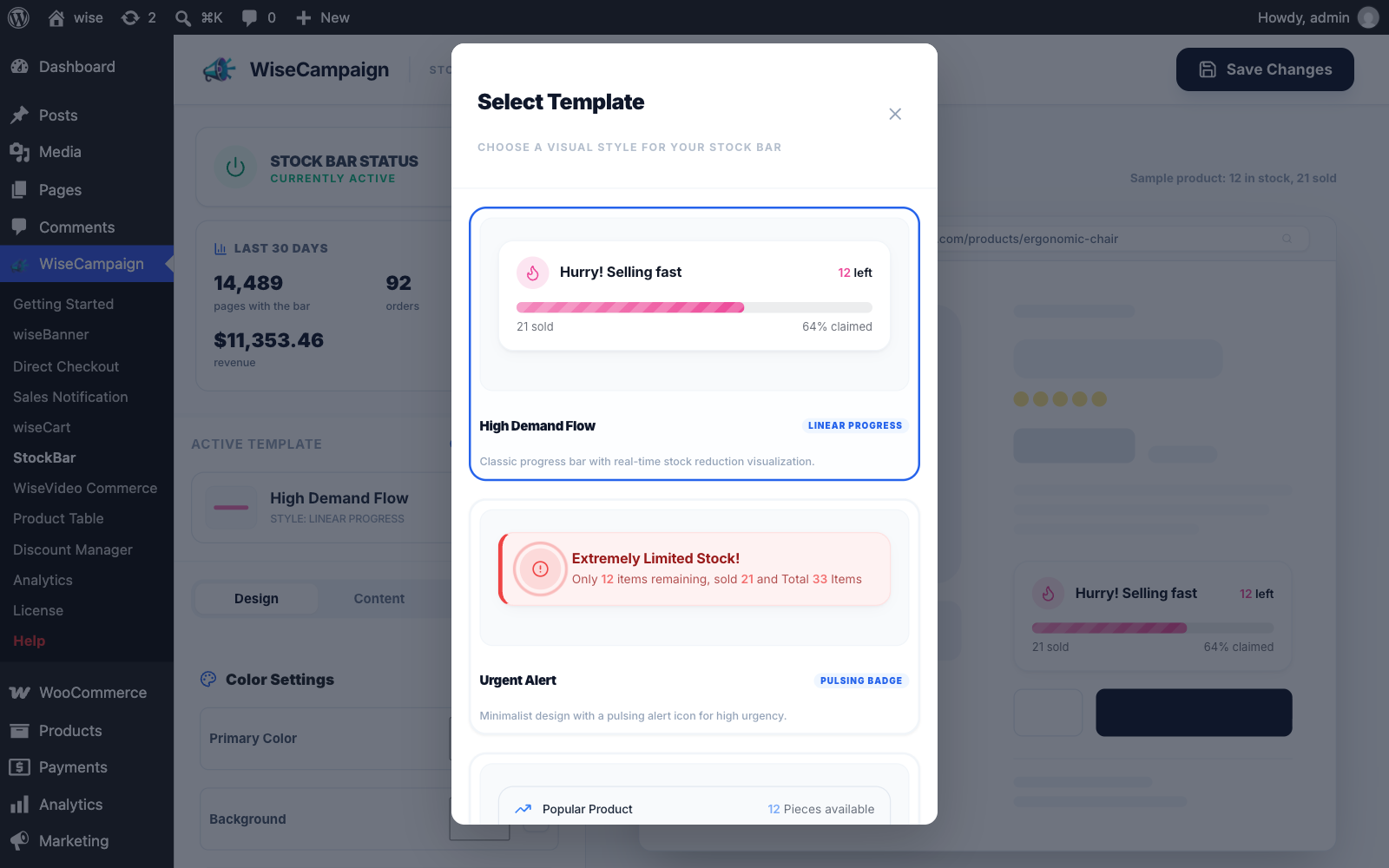
StockBar templates: choose from 5 ready-made stock bar designs.
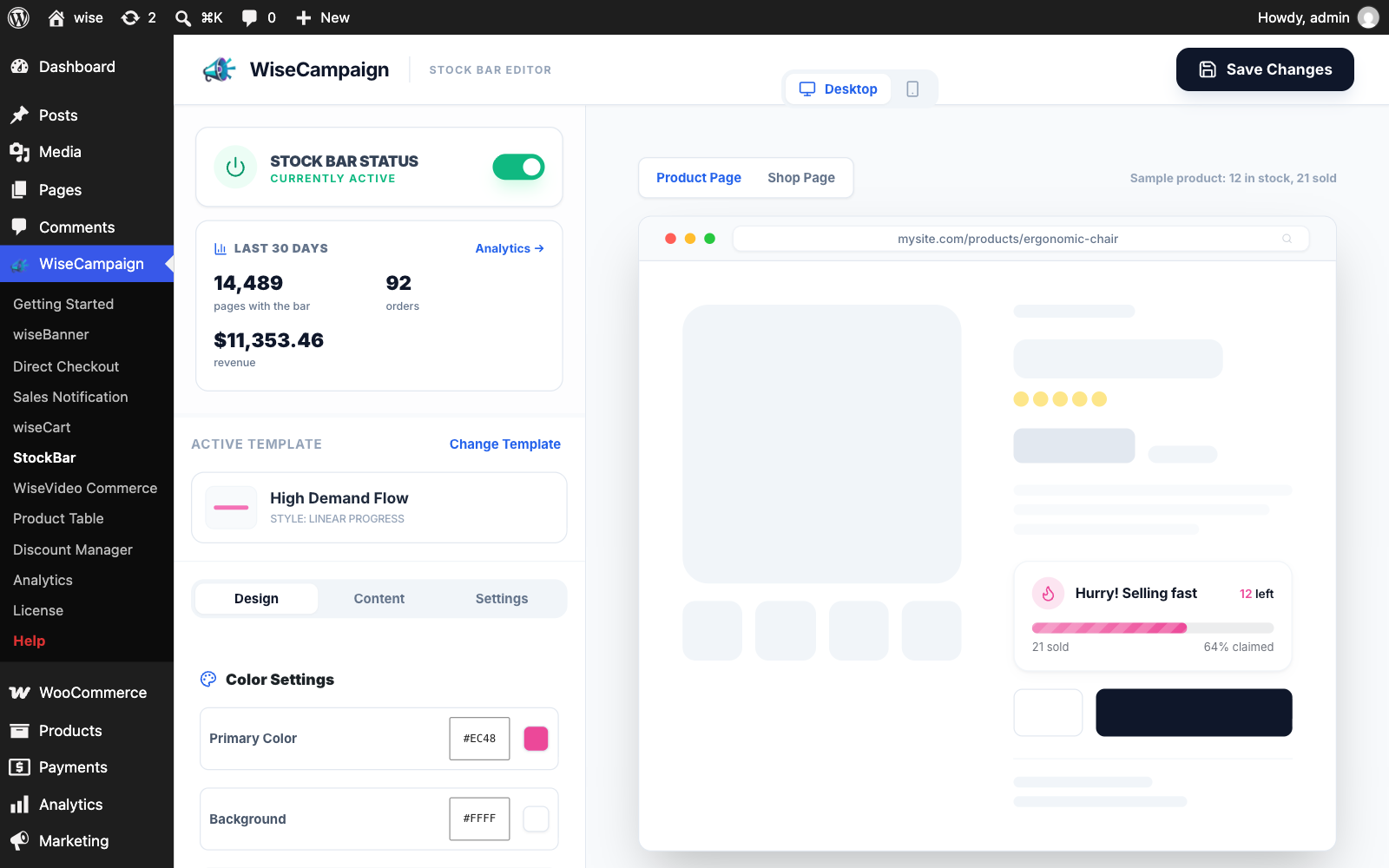
StockBar editor with settings on the left and a live product page preview on the right.
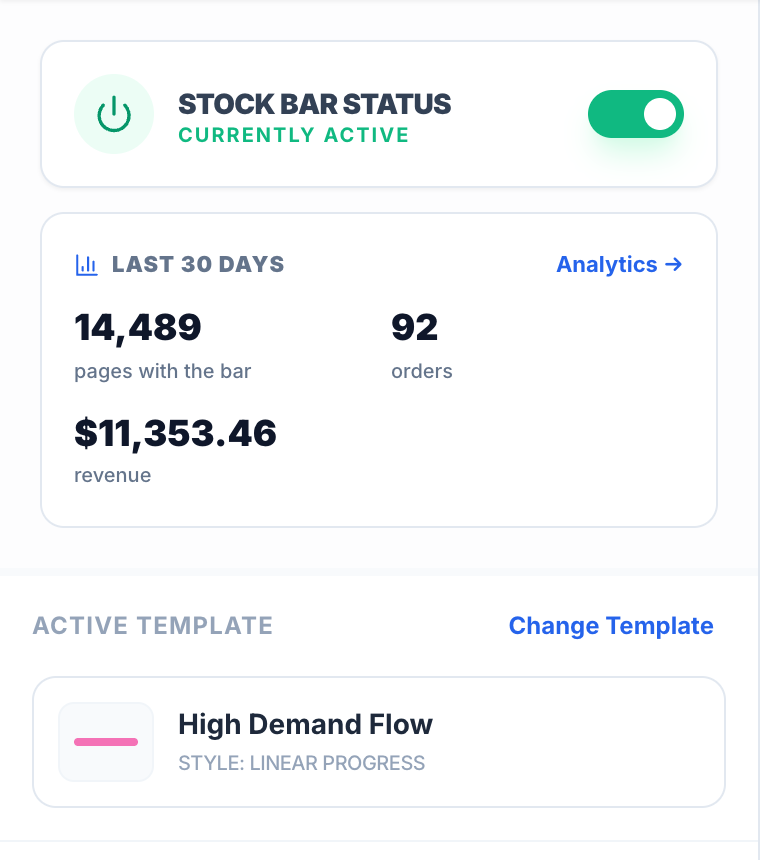
StockBar status switch, last 30 days stats and the active template.

WooCommerce Inventory tab with stock tracking turned on, which StockBar uses for its live numbers.
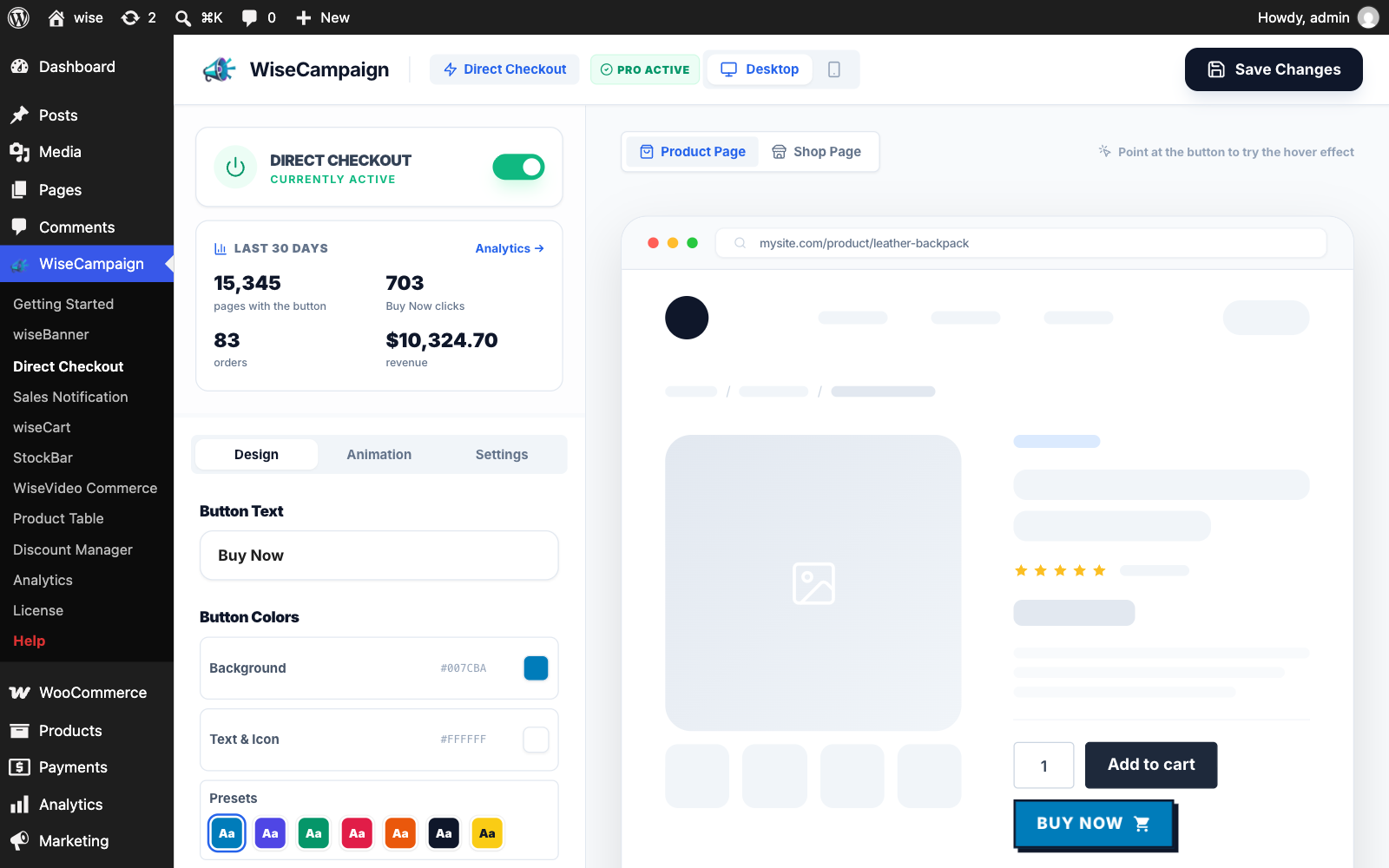
Direct Checkout editor with a live preview of the Buy Now button.
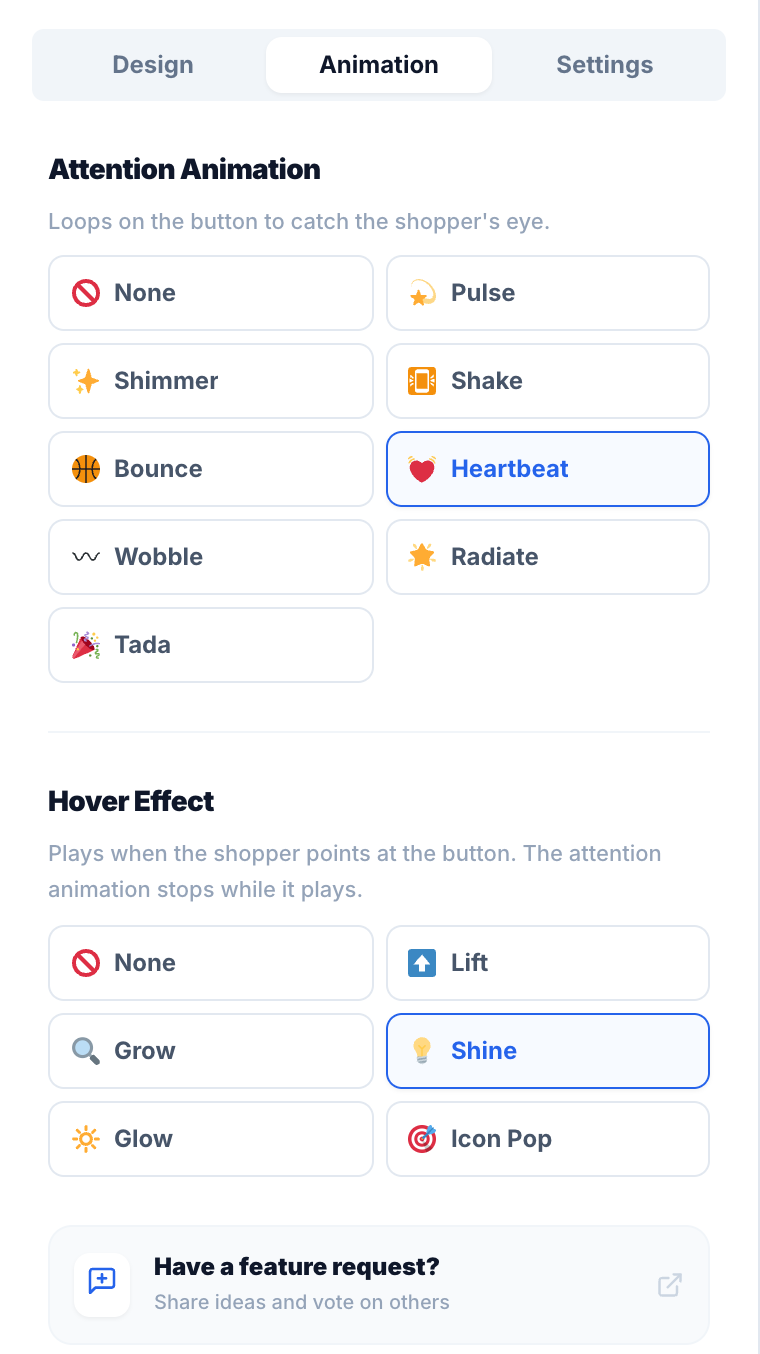
Direct Checkout Animation tab with attention animations and hover effects (Pro).
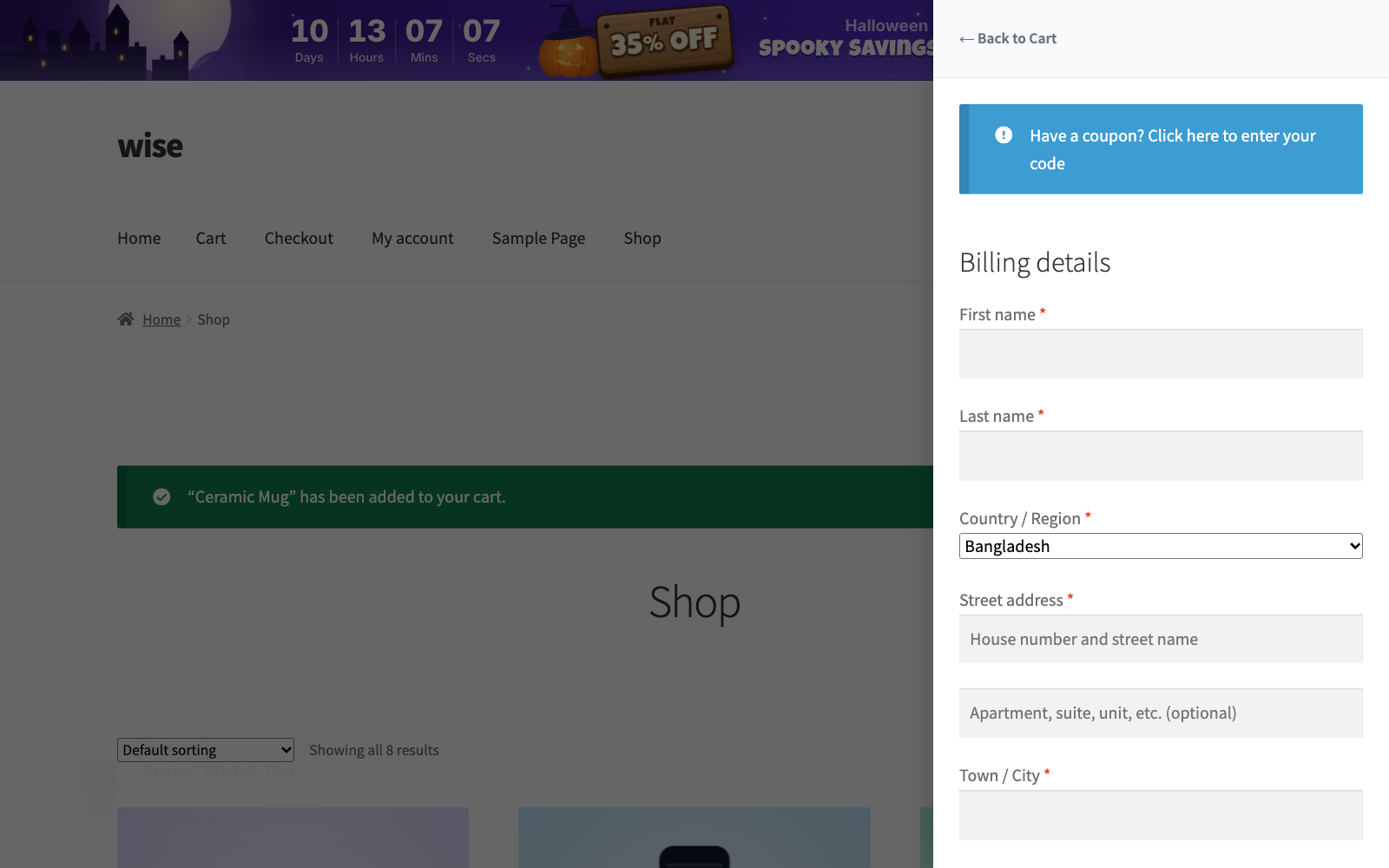
After Buy Now, the wiseCart drawer opens straight on its checkout form.
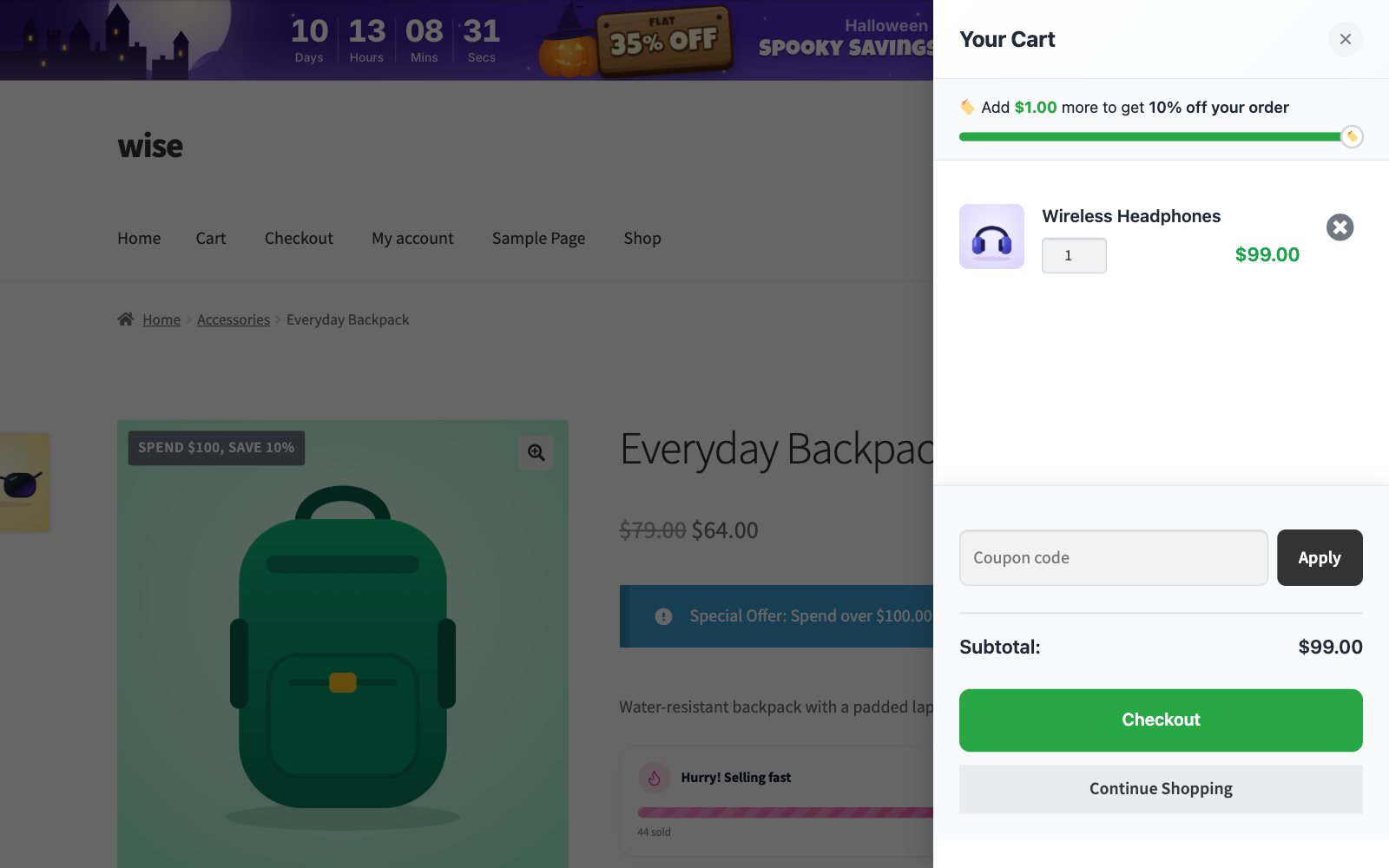
wiseCart slide-out cart with a reward progress bar: "Add $1.00 more to get 10% off your order".
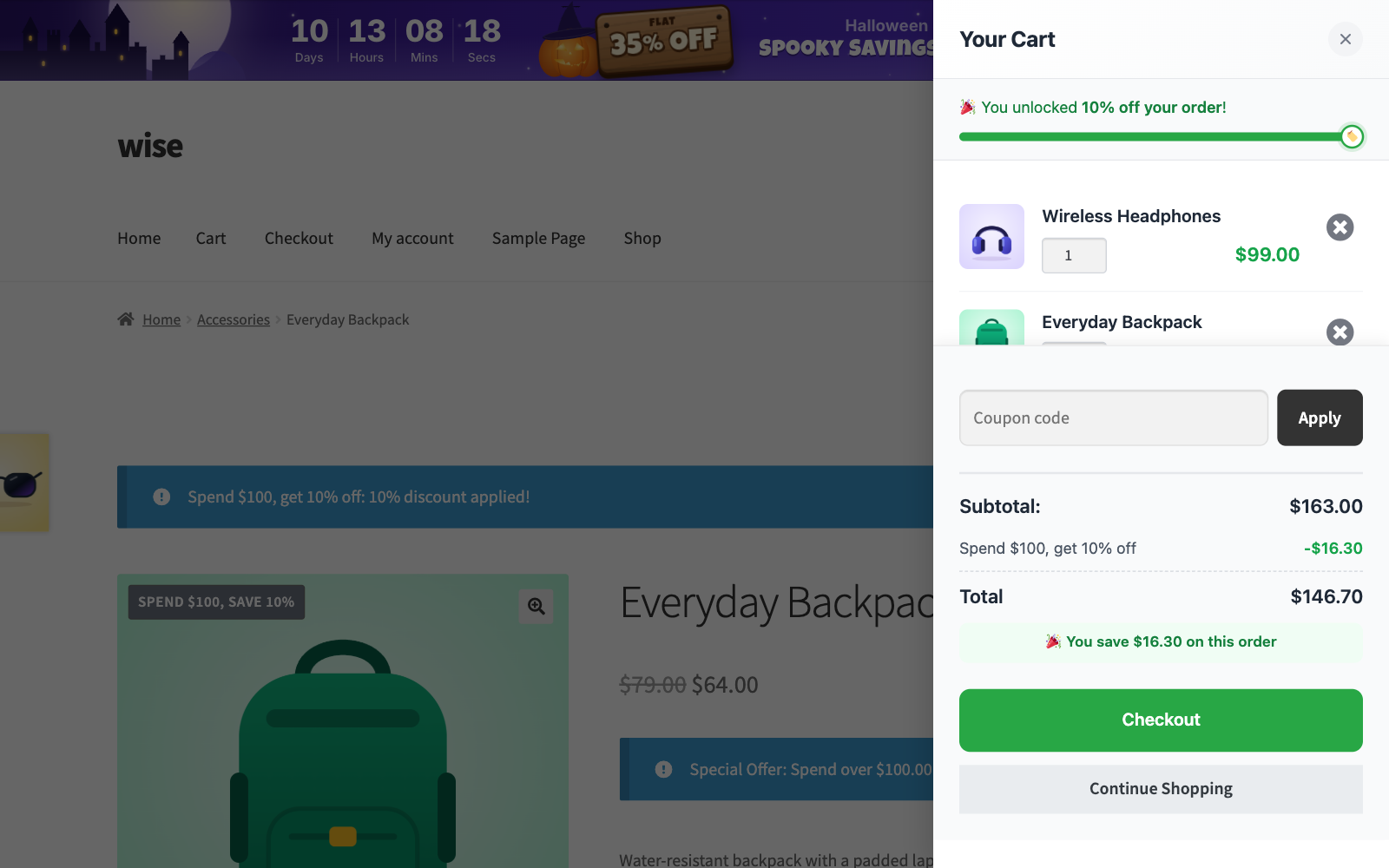
wiseCart after the reward unlocks, with the discount line and the "You save" total.
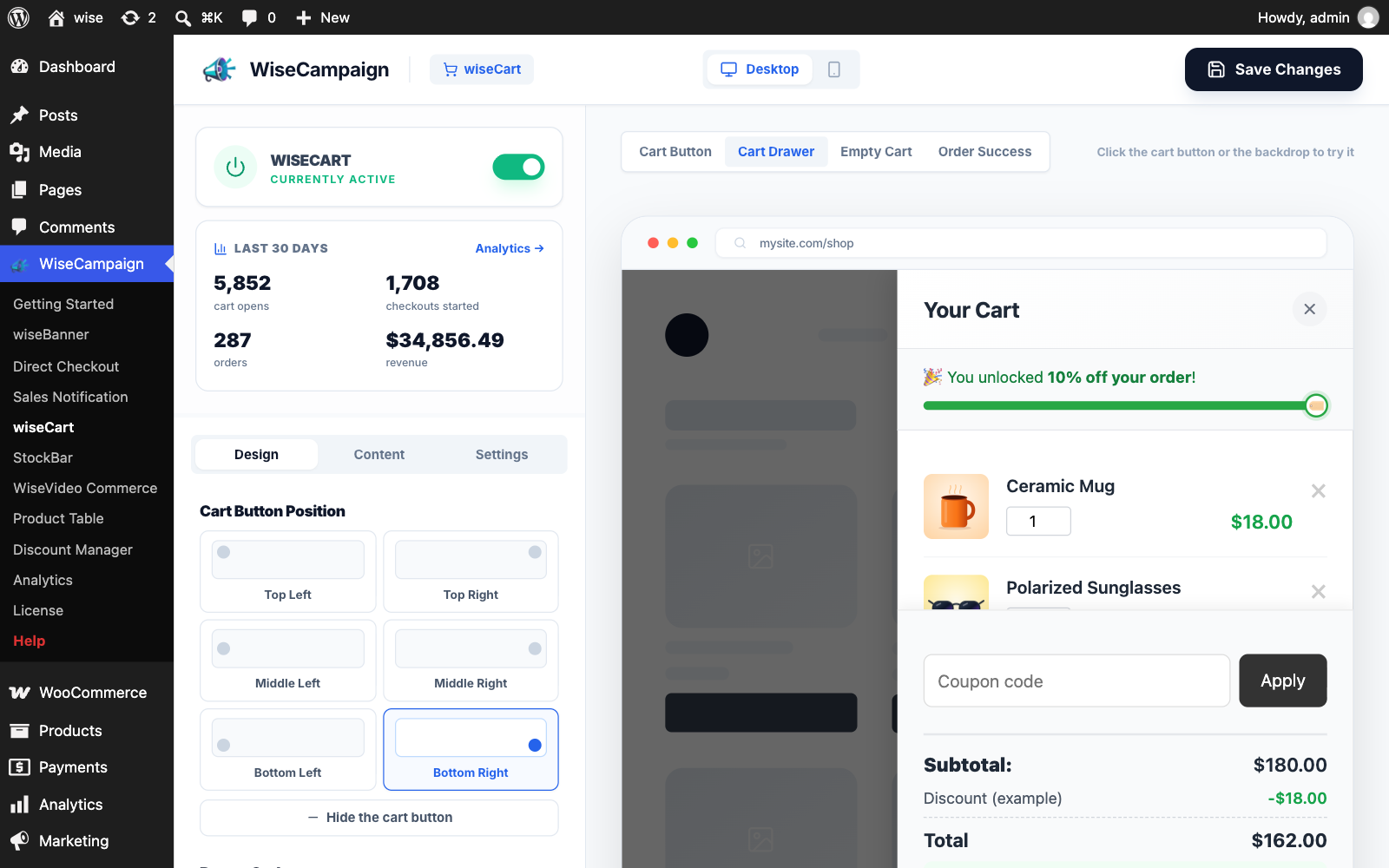
wiseCart editor with a live cart drawer preview.
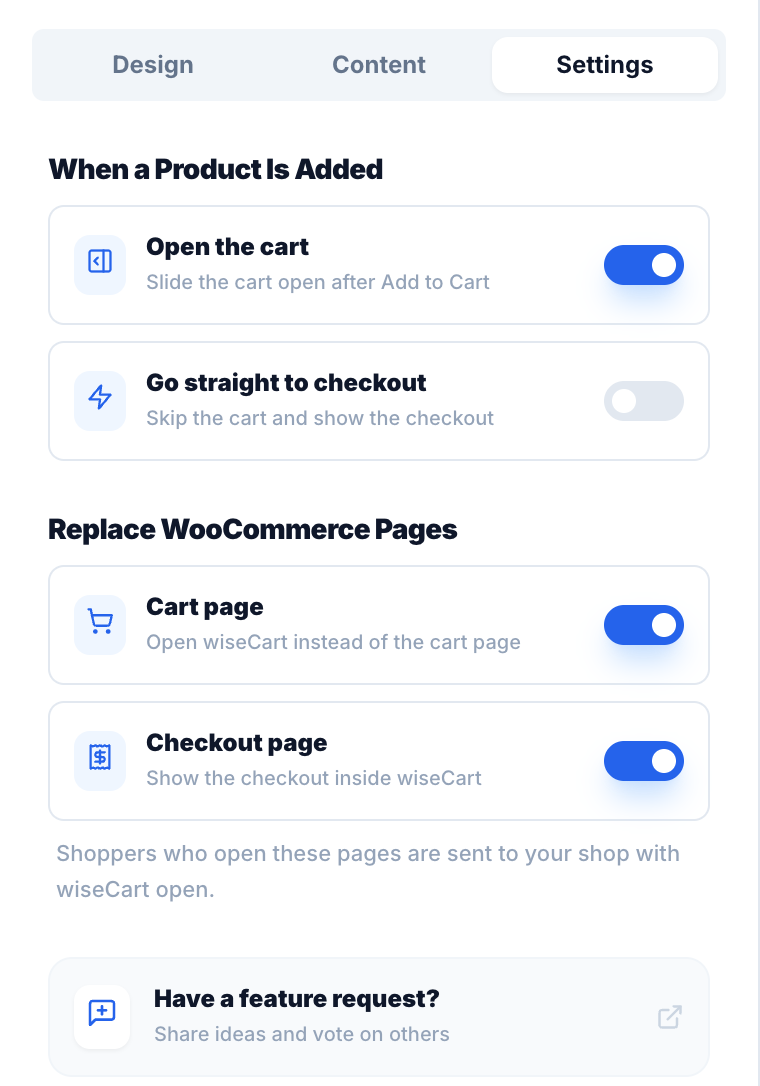
wiseCart Settings tab with add to cart behavior and cart page replacement.
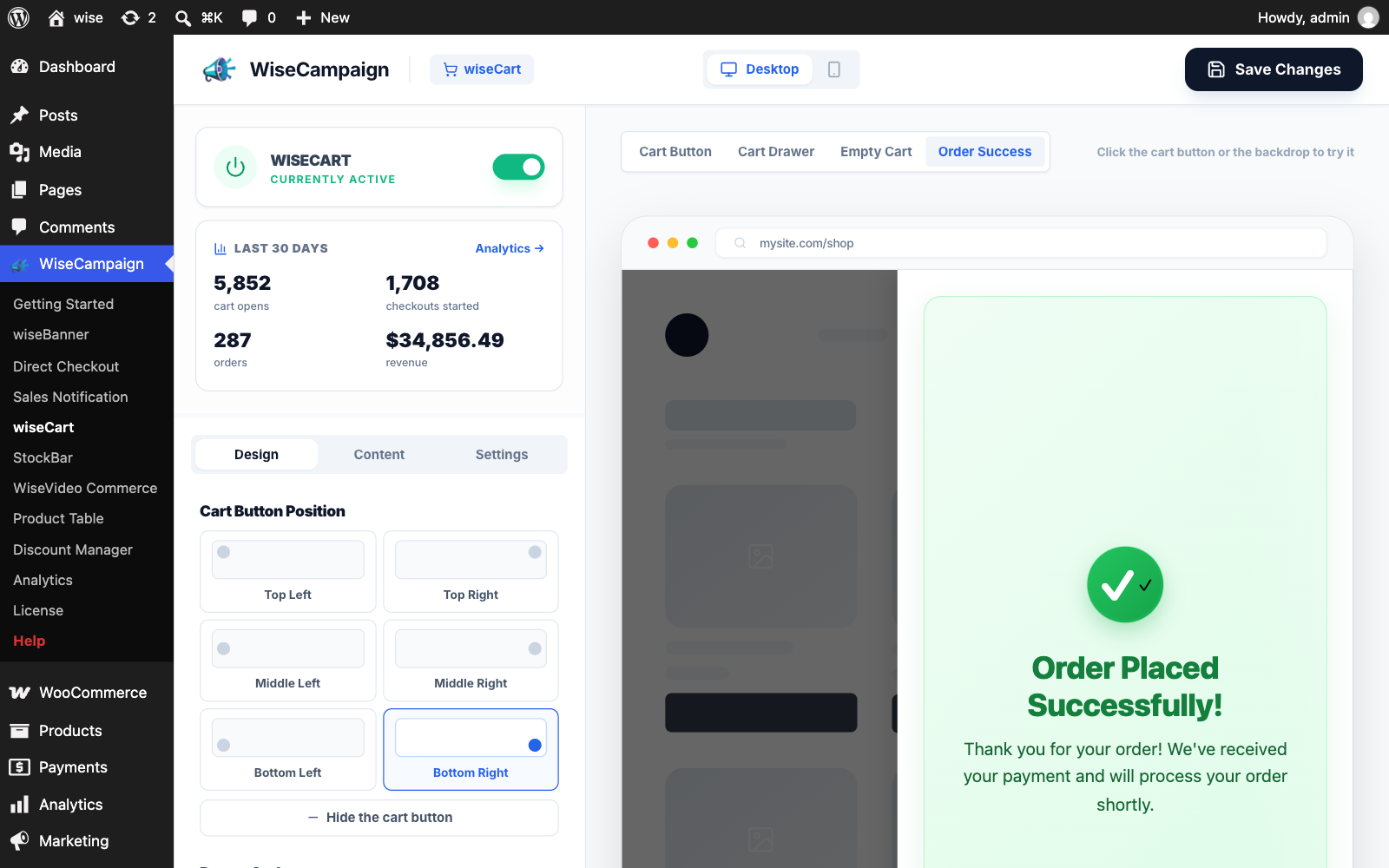
wiseCart Order Success screen preview and cart button position settings.
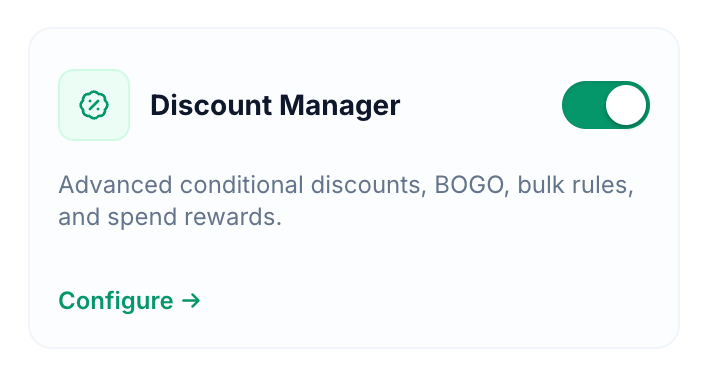
Discount Manager switch on the Getting Started page (Pro).
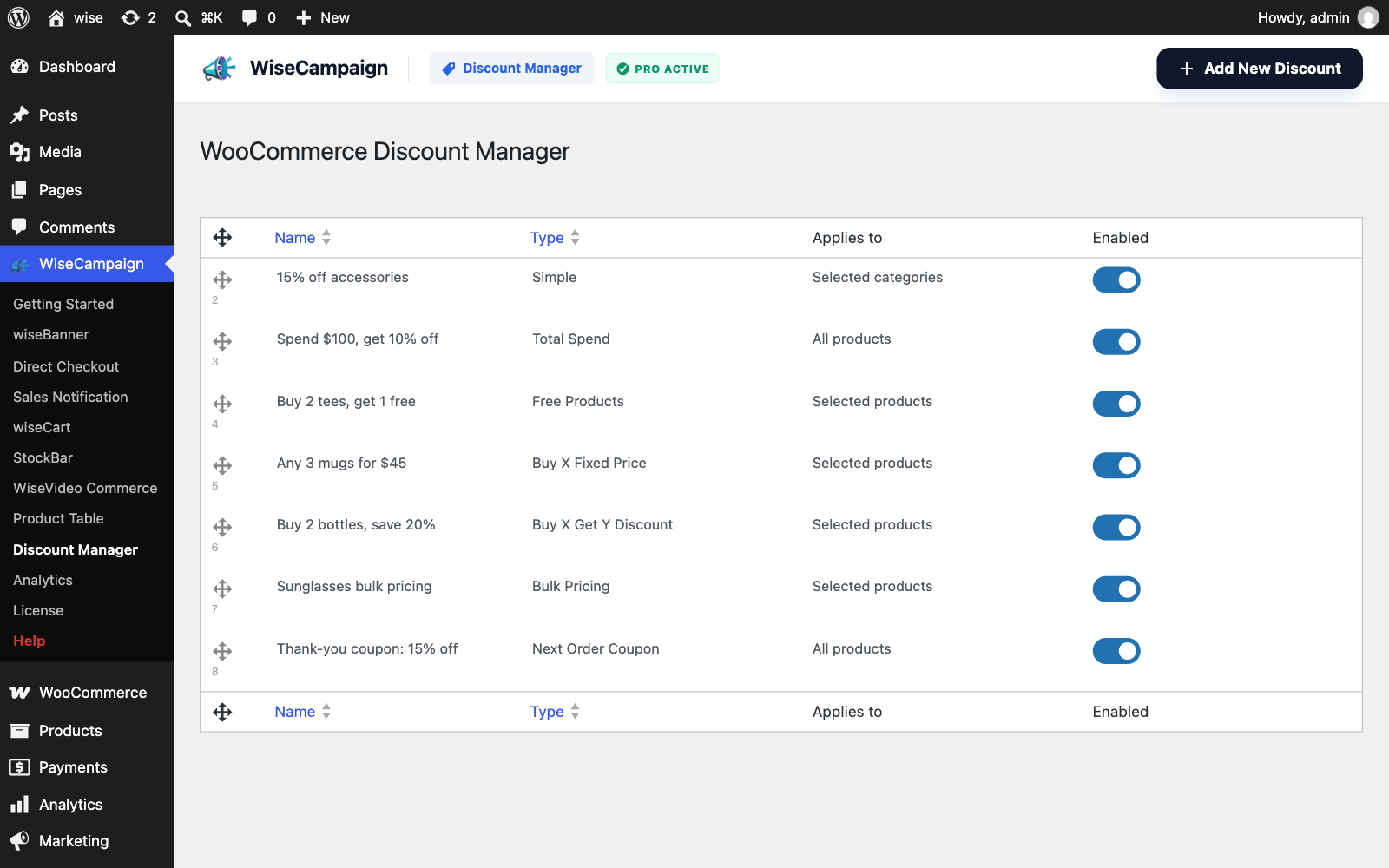
Discount Manager list with seven discounts (Pro).
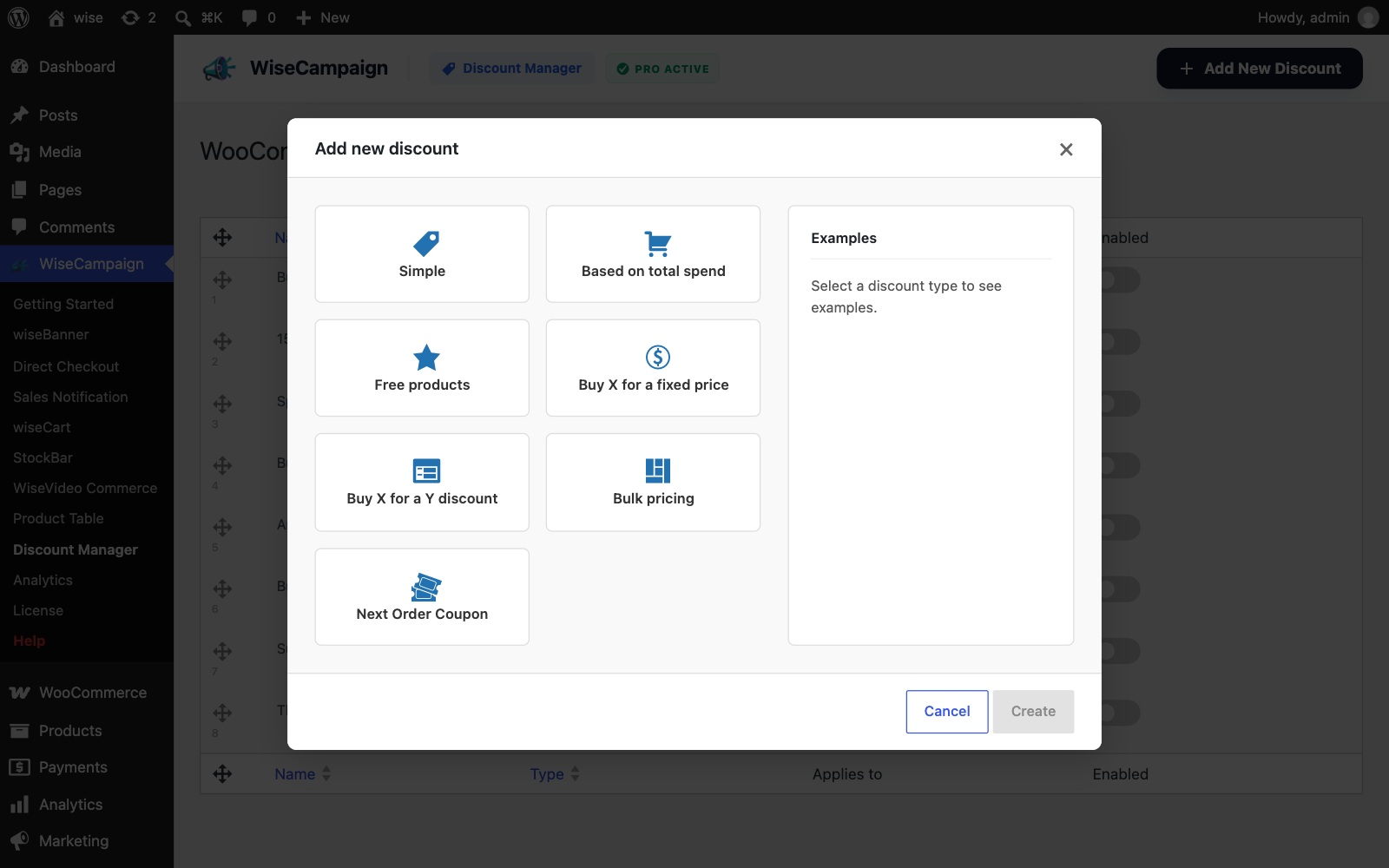
Add new discount window with the seven discount types (Pro).

Add new discount window with Bulk pricing selected and its examples (Pro).

Simple discount: "15% OFF" badges on Accessories in the shop (Pro).
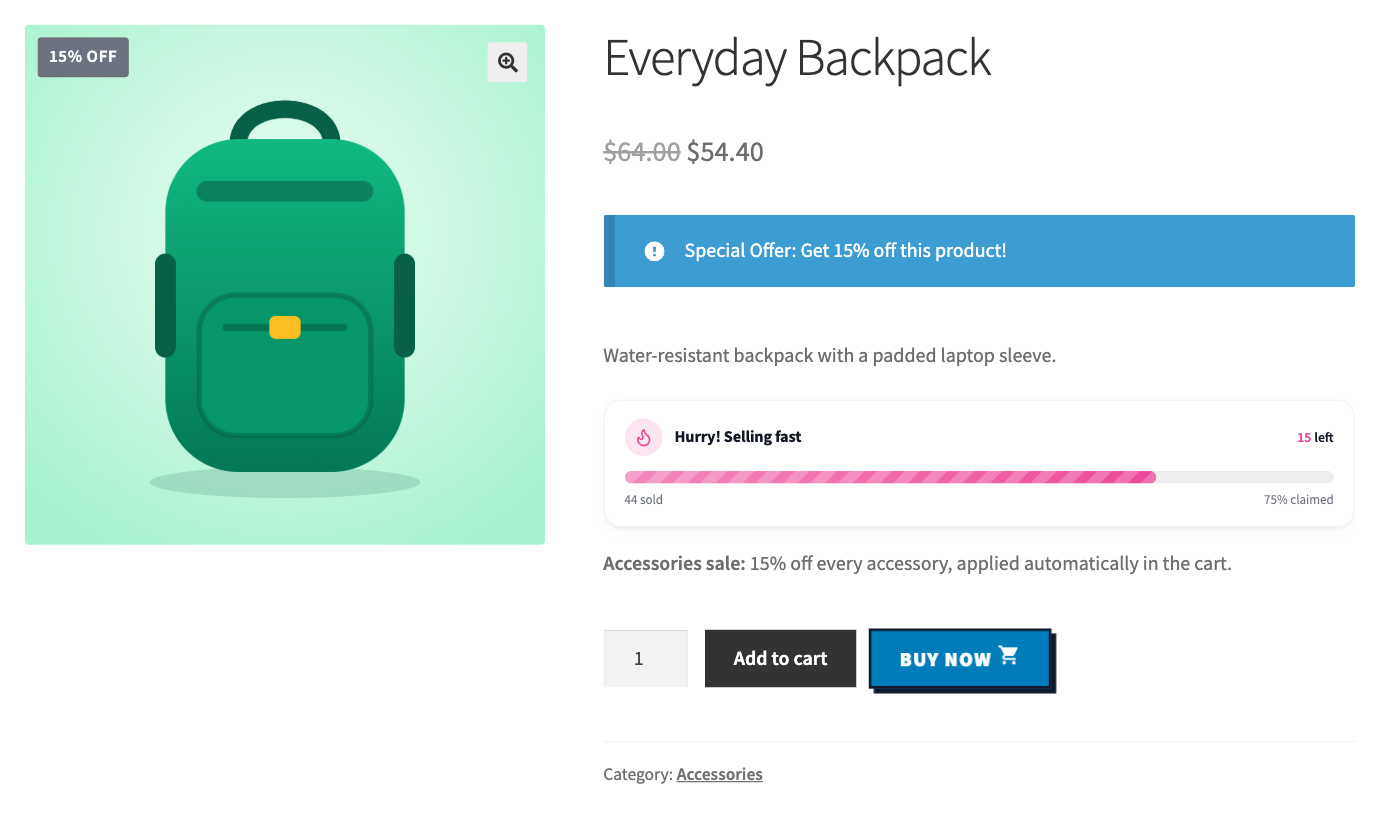
Simple discount: product price reduced from $64.00 to $54.40 with the offer notice (Pro).
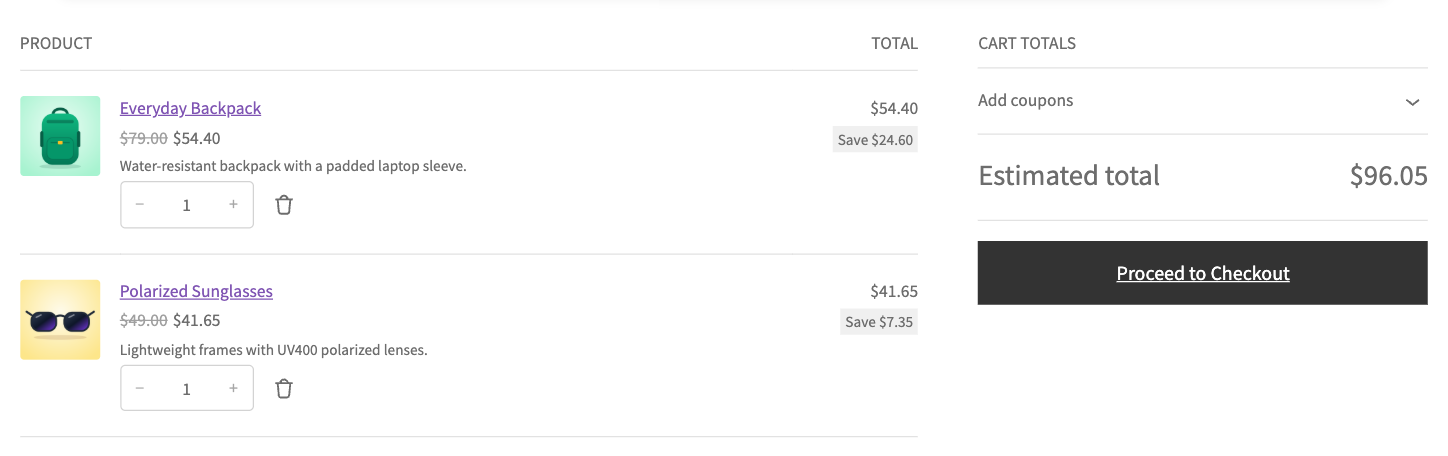
Simple discount: cart with the discounted prices for two accessories (Pro).
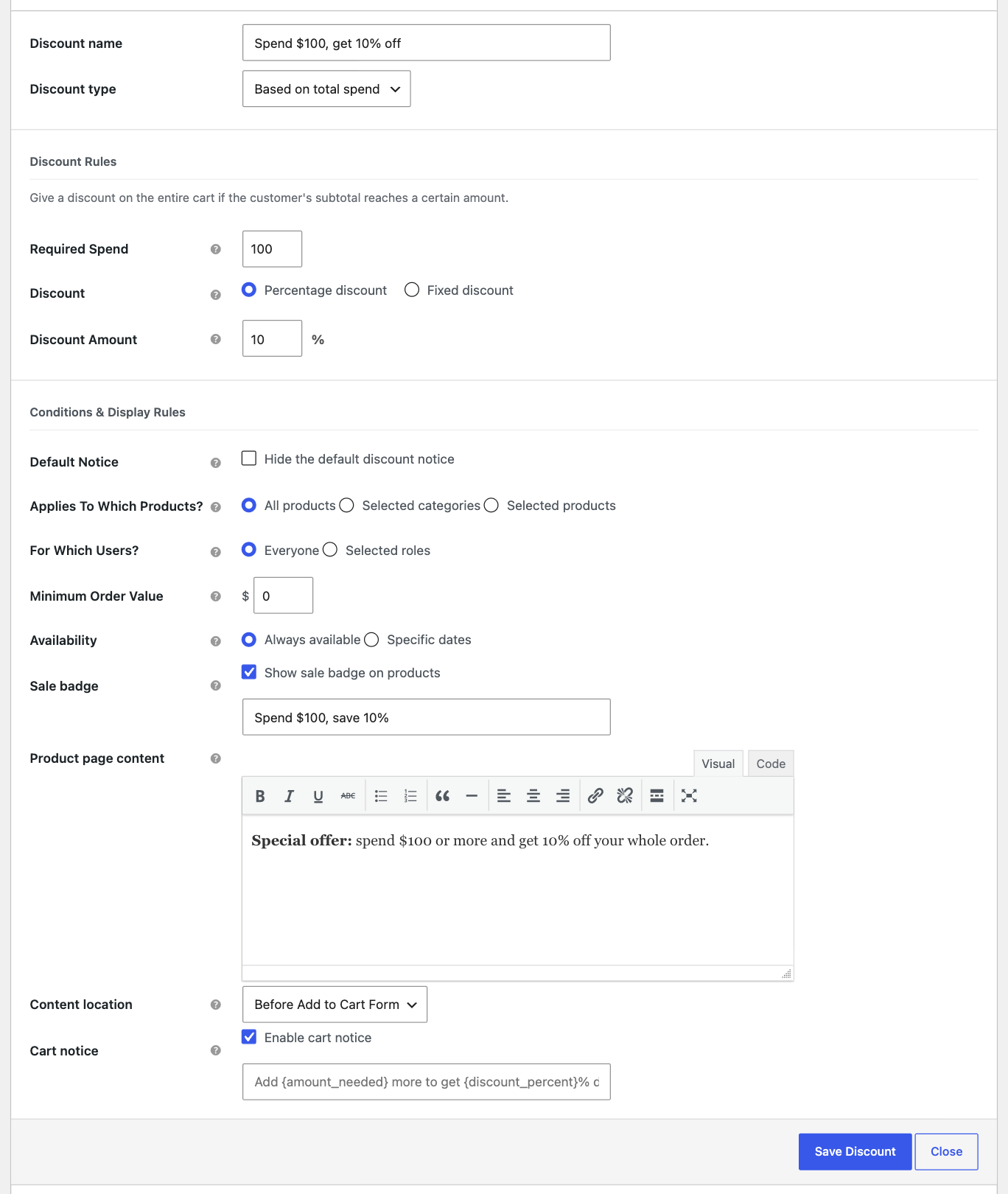
Spend-based discount form: spend $100, get 10% off (Pro).

Spend-based discount: "Spend over $100.00 and get 10% off" offer on the product page (Pro).
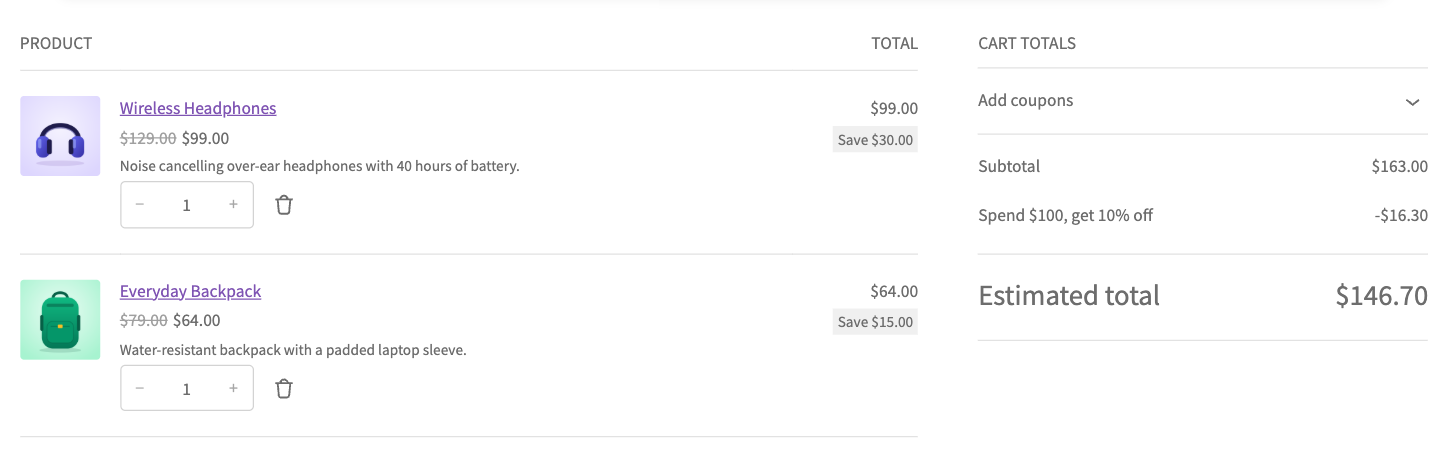
Spend-based discount applied in the cart (Pro).
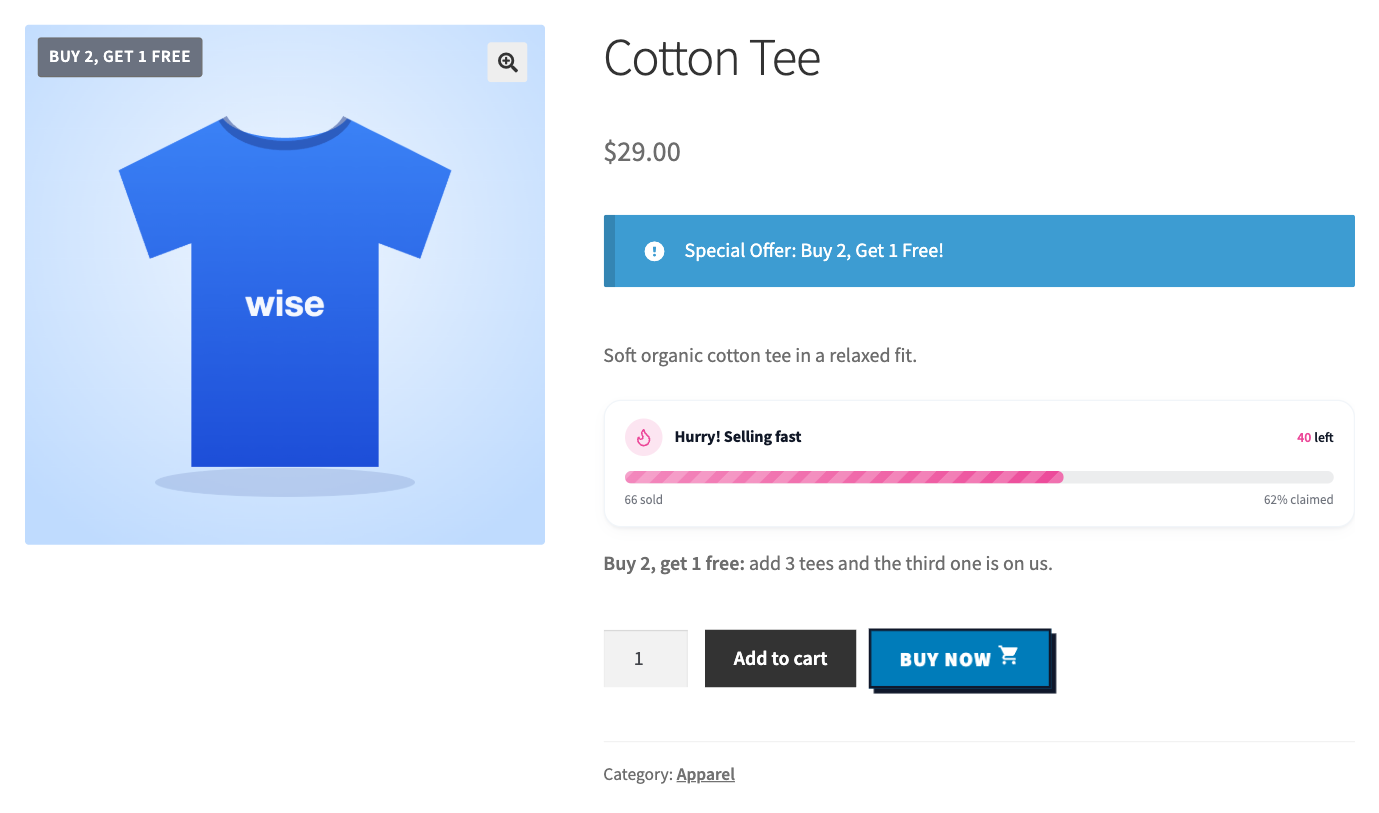
Free products discount: "Buy 2, get 1 free" badge and offer on the product page (Pro).
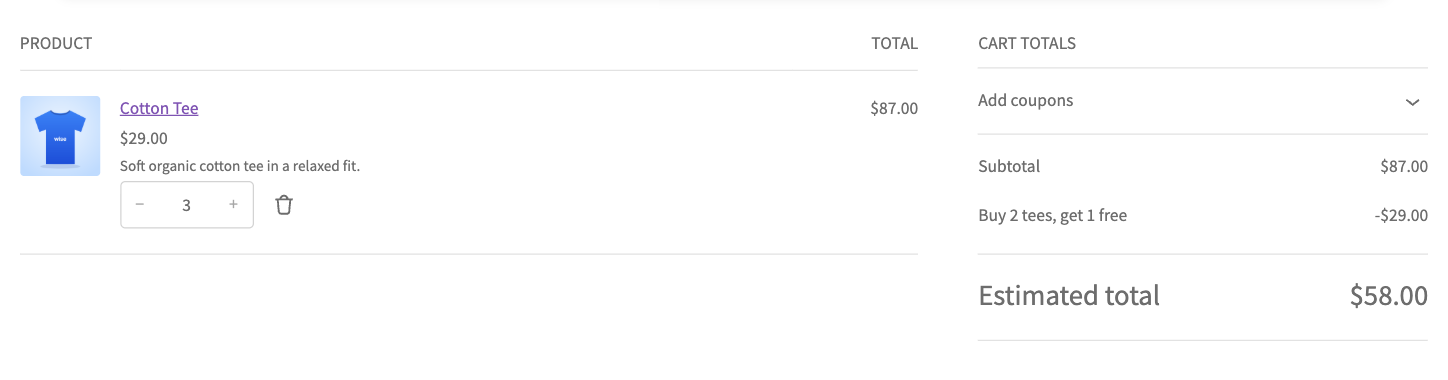
Free products discount applied in the cart: buy 2 tees, get 1 free (Pro).
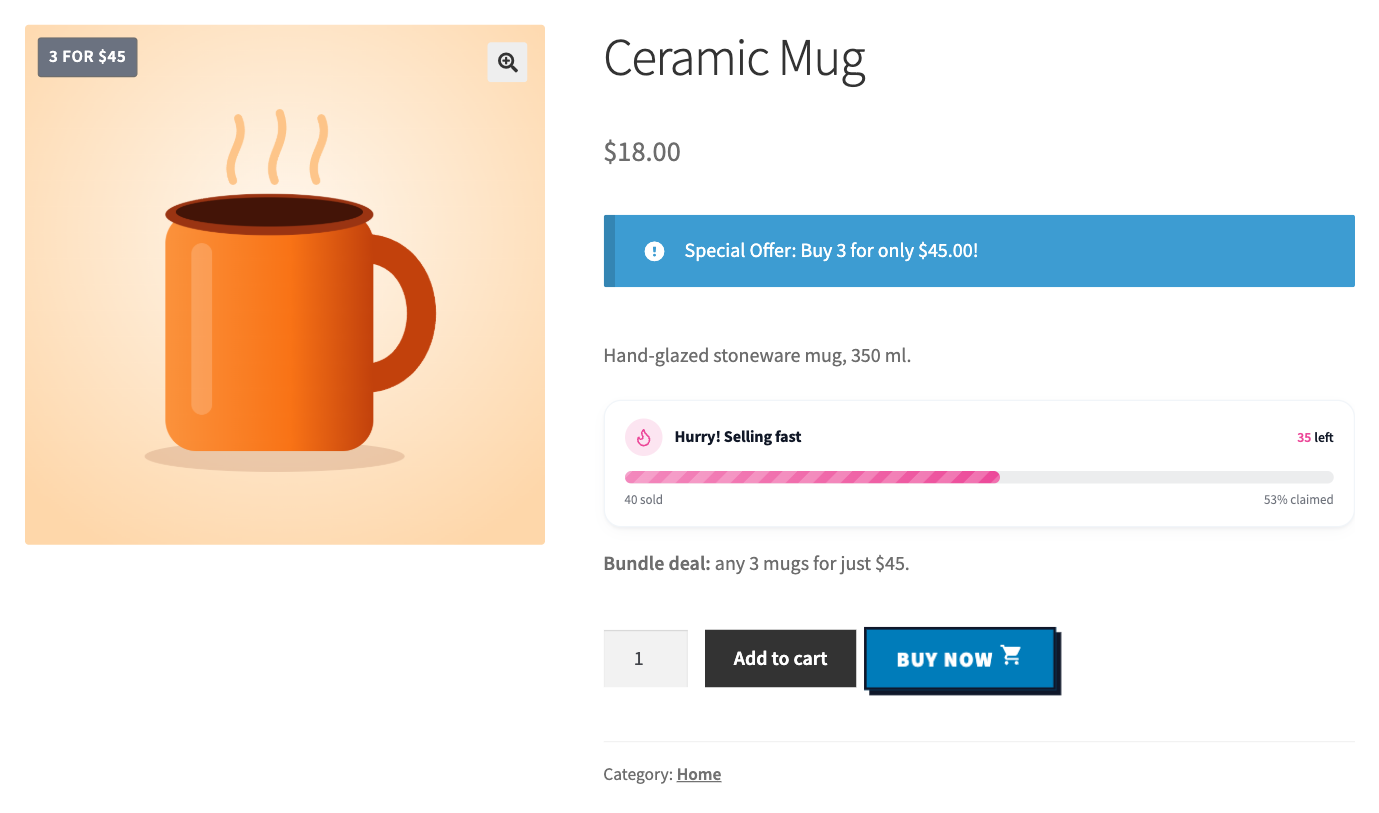
Buy X for a fixed price: "3 for $45" badge and bundle offer on the product page (Pro).

Buy X for a fixed price applied in the cart: any 3 mugs for $45 (Pro).

Buy X Get Y discount: "Buy 2, save 20%" badge and offer on the product page (Pro).
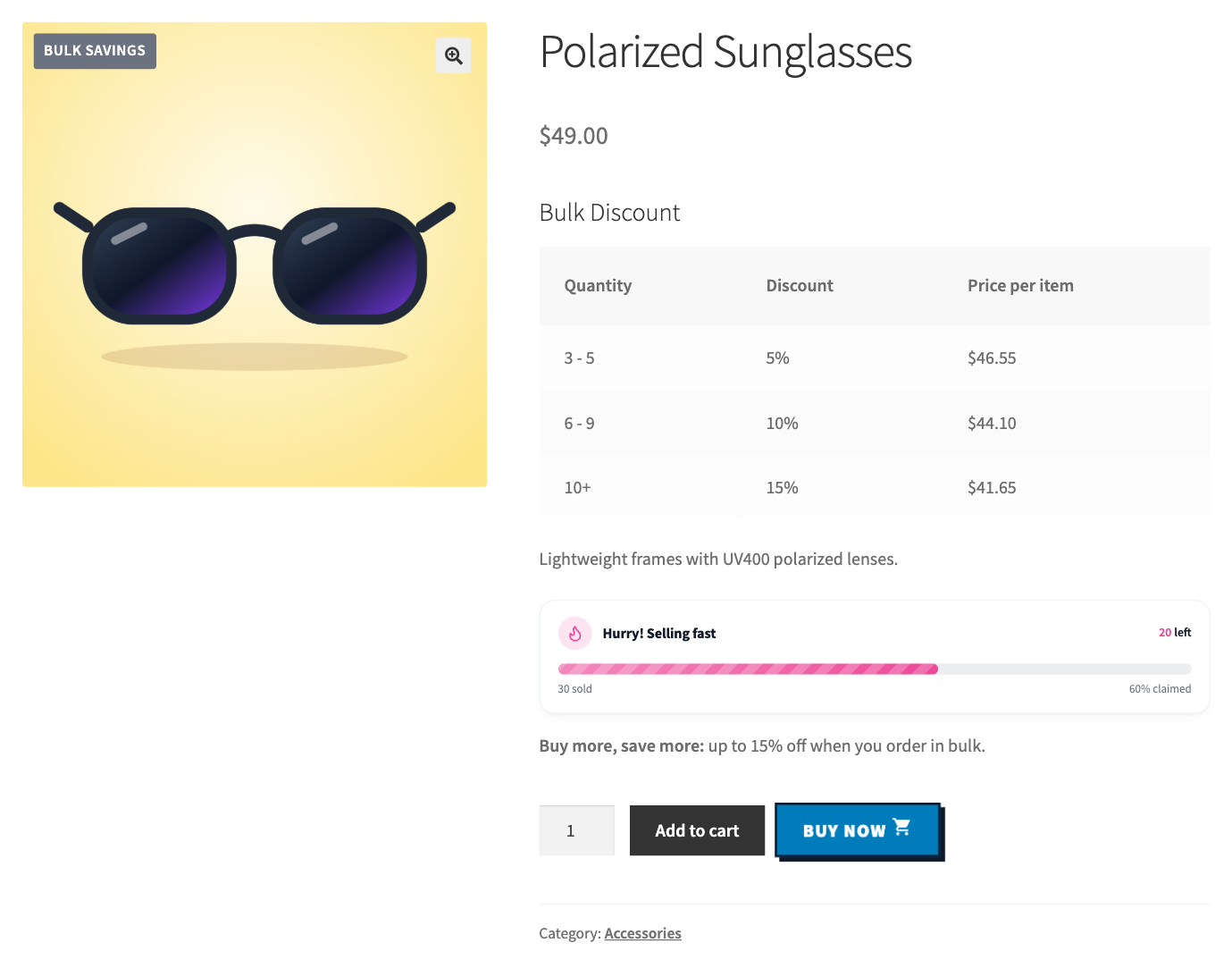
Bulk pricing table on the product page with three quantity tiers (Pro).

Bulk pricing discount applied in the cart (Pro).

Next order coupon message on the product page: "Order today and get 15% off your next order" (Pro).

Next order coupon thank-you popup with the coupon code (Pro).
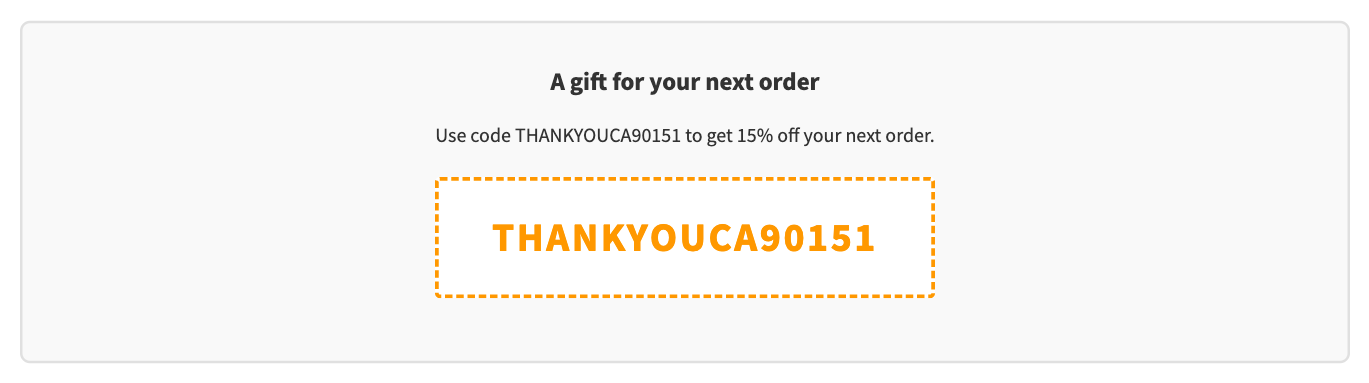
Next order coupon inline box on the Order Received page (Pro).
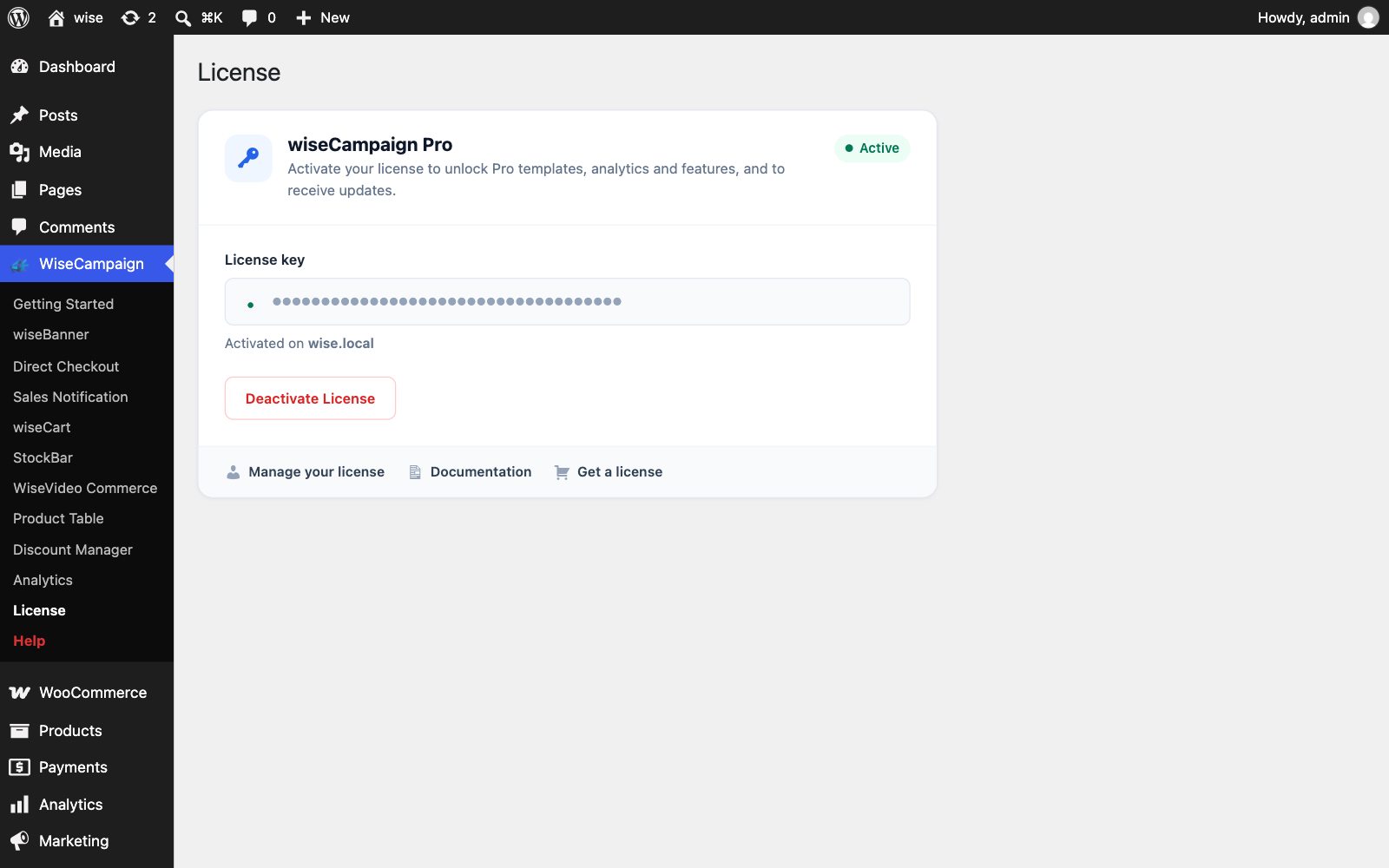
License page with an active wiseCampaign Pro license.