BACK TO DIRECTORY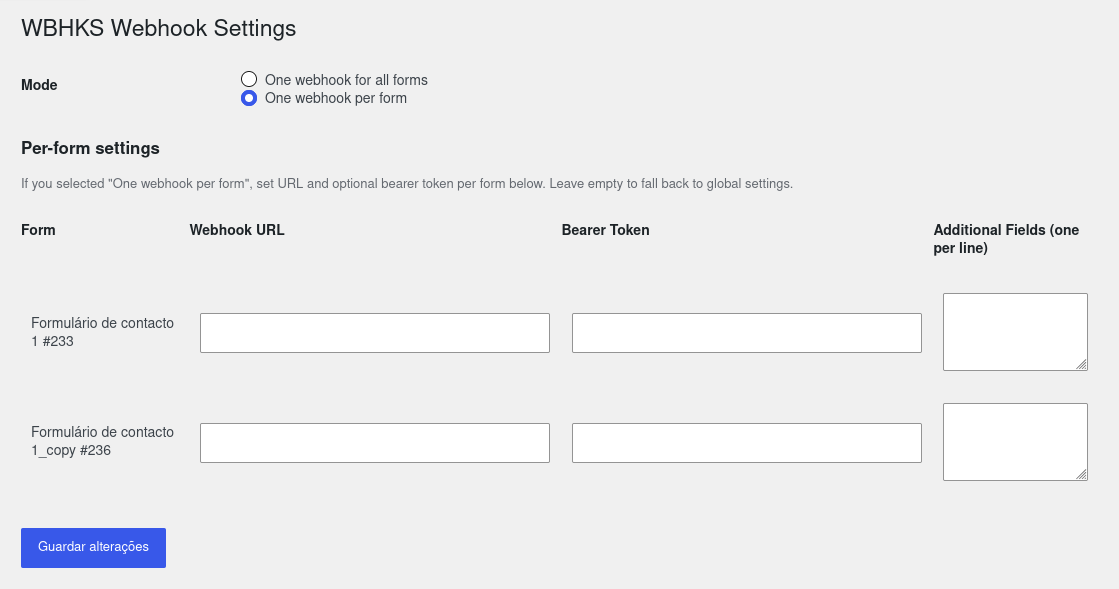
Webhooks for Contact Form is a WordPress plugin that extends Contact Form 7 by allowing you to send form submissions to any webhook endpoint. This enables easy integration with external services, automation tools, and custom workflows.
Features
- Send Contact Form 7 submissions to any webhook URL
- Supports custom headers and payloads
- Easy setup and configuration
- Compatible with popular automation platforms
Configuration
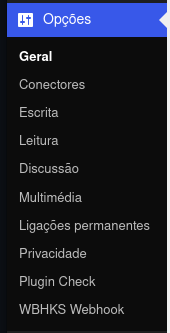
- Go to the plugin’s Settings page under Settings > WBHKS Webhook.
- Add your webhook URL in the provided field.
- Optionally add a Bearer token, choose per-form mode, and select additional fields.
Logging
This plugin records webhook delivery attempts and response previews to help troubleshoot delivery issues.
- Where: Open the plugin settings page in WordPress (Settings WBHKS Webhook) and scroll to the Webhook Logs section.
- What is logged: date/time, form title and ID, delivery status (success / failed / skipped), HTTP status code (if available), webhook URL used, a message and a truncated response body (preview).
- Privacy: Submitted form fields are not logged directly. Response previews, error messages, and webhook URLs may contain personal or sensitive data returned by your endpoint. Use trusted endpoints and clear logs when appropriate.
- Storage: Logs are saved in the WordPress options table under the option
wbhks_webhook_logsand capped to the most recent 200 entries. - Clearing logs: Use the Clear Logs button on the settings page; this action requires administrator capabilities and is protected by a nonce.
Per-form mode
You can choose between a single global webhook for all forms or a per-form webhook configuration:
- One webhook for all forms — set a single Webhook URL and optional Bearer Token used for every Contact Form 7 submission.
- One webhook per form — configure a distinct Webhook URL (and optional Bearer Token) for each Contact Form 7 form on your site. Leave a per-form URL empty to fall back to the global URL.
Screenshots
Per-form settings with webhook URLs, optional Bearer tokens, and additional fields for each Contact Form 7 form.
The WBHKS Webhook settings entry in the WordPress admin menu.
Plugin Details
Active Installs
50Total Downloads
1,032Version
1.1.6Requires WP
6.0Requires PHP
7.4Tested Up To
7.0.8Added
2026-02-28Last Updated
2026-10-24 5:02pm GMTRatings
5
2
4
0
3
0
2
1
1
0