BACK TO DIRECTORY
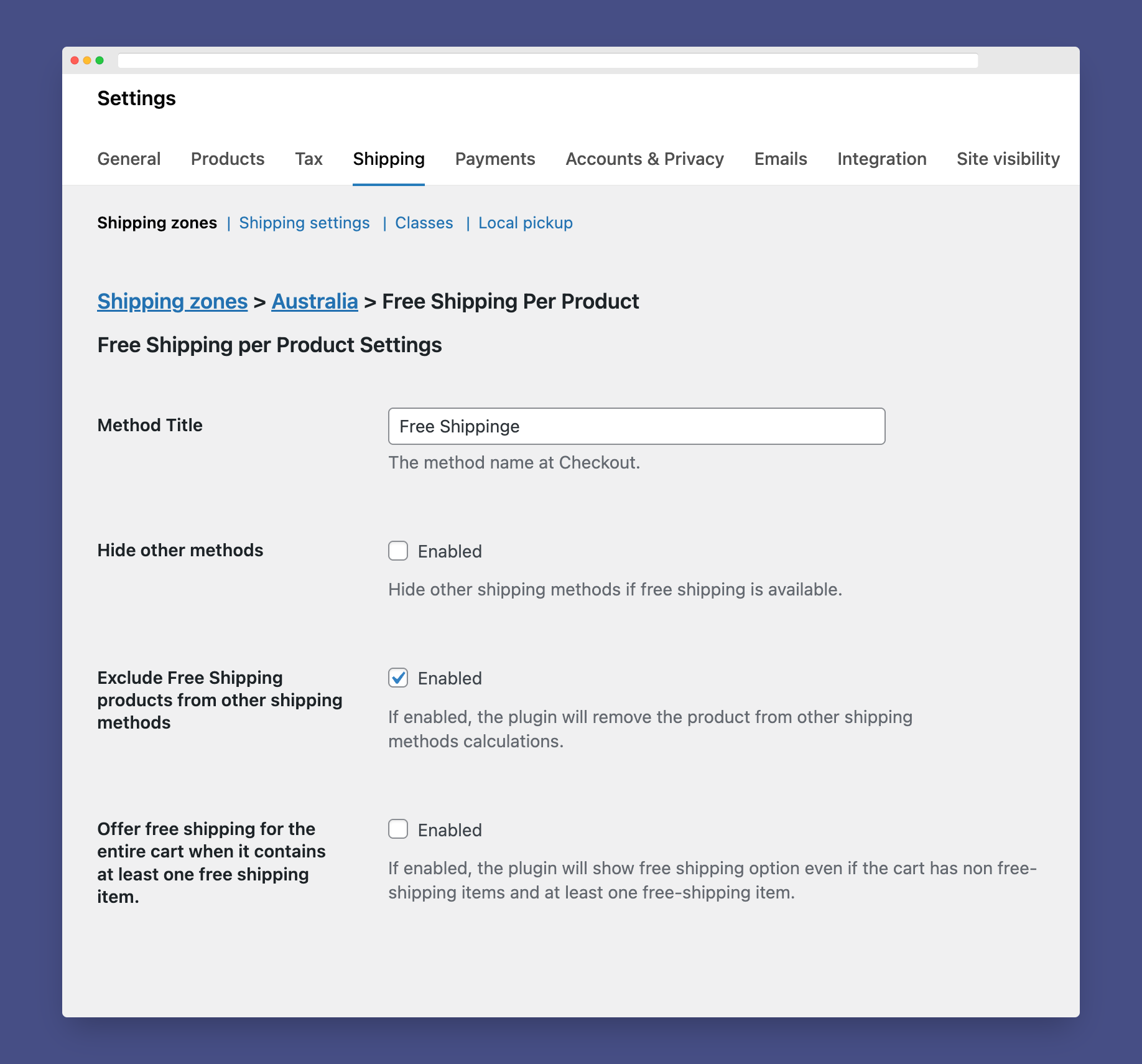
The plugin acts as a regular WooCommerce shipping method. For setting up the plugin, please follow the instructions:
- Install and activate the plugin.
- Go to WooCommerce => Settings ⇒ Shipping ⇒ Shipping Zones.
- Assign Free Shipping Per Product to one or more of the shipping zones.
- At the method’s settings, you can choose if you want to hide other shipping methods at Checkout if the free shipping was available.
- To make a product eligible for free shipping, you can create a shipping class and name it free-shipping then, assign the class to any product you need.
Looking For More Flexibility?
Screenshots
Settings Page.
Plugin Details
Active Installs
2K+Total Downloads
49,621Version
1.3.5Requires WP
4.0Requires PHP
7.4Tested Up To
7.1.3Added
2018-03-12Last Updated
2026-08-20 11:27am GMTRatings
5
23
4
2
3
0
2
2
1
6