
- Author: Fahad Mahmood
Ultimate Order Combination lets you merge multiple WooCommerce orders into a single order while preserving all metadata, customer details, and line items. You can remove all original orders related to combined order. You have the option to move orders to trash or delete orders permanently. Inventory stats will not be affected because of orders combination.
How it works?
Key Features
- Combine multiple WooCommerce orders into one
- Preserve all order metadata
- Move or delete original orders after combining
- Cron-based automation and rule-based merging
- Supports Gravity Forms product meta
- Compatible with WooCommerce HPOS
Support
For support and detailed documentation, visit the support page or check the plugin guide.
License
This WordPress plugin is free software: you can redistribute it and/or modify it under the terms of the GNU General Public License as published by the Free Software Foundation, either version 2 of the License, or any later version. This WordPress plugin is distributed in the hope that it will be useful, but WITHOUT ANY WARRANTY; without even the implied warranty of MERCHANTABILITY or FITNESS FOR A PARTICULAR PURPOSE. See the GNU General Public License for more details. You should have received a copy of the GNU General Public License along with this WordPress plugin. If not, see http://www.gnu.org/licenses/gpl-2.0.html.
Screenshots

How can i merge orders in basic version?
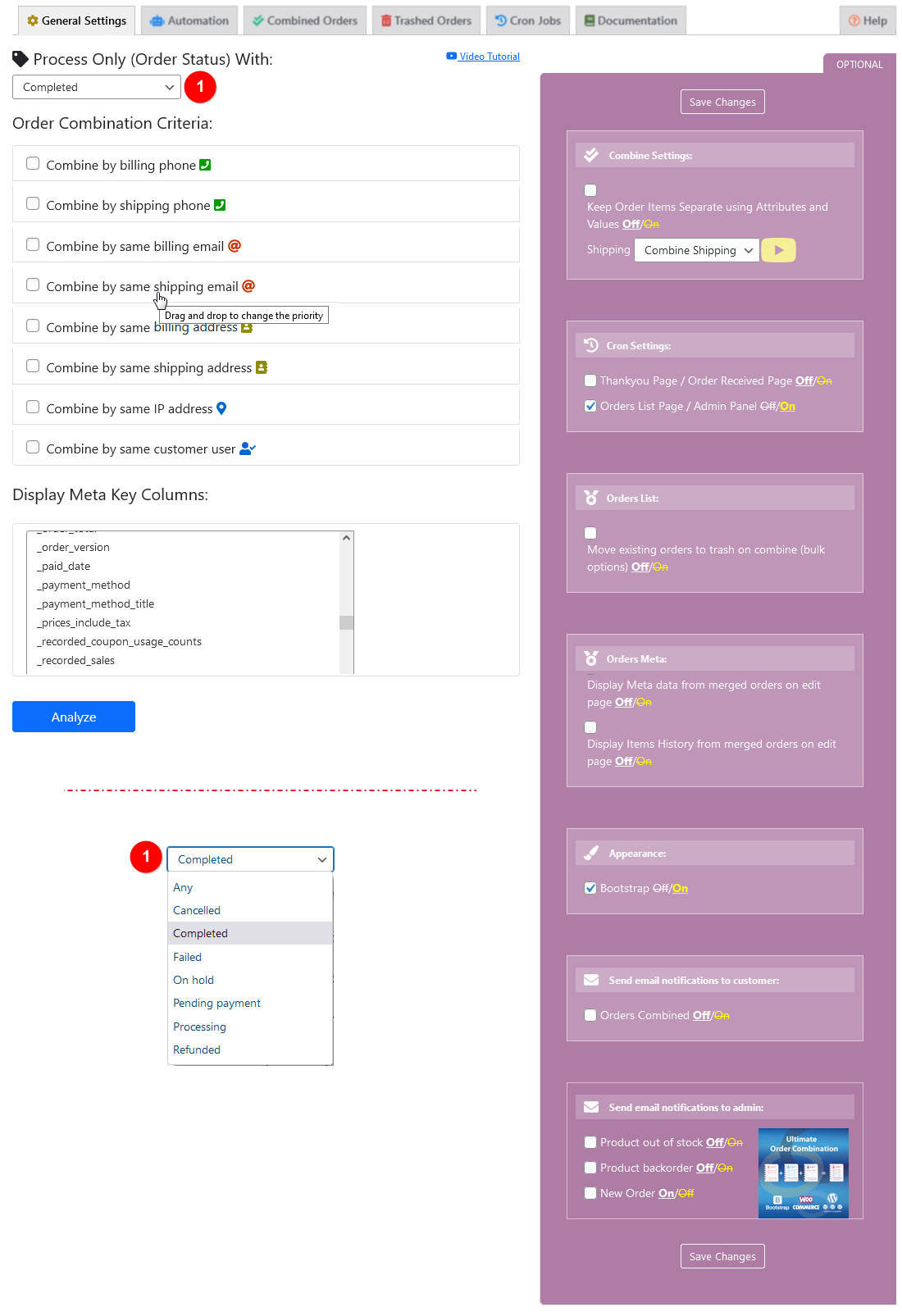
General setting.

Combined orders list.

Trashed orders > Restore/Delete permanently.

Proceed with selected status orders.

Remove original orders.

Retained meta keys from selected orders.

Automation - Settings

Automation - Rules

Combine / separate shipping.

Items with different attributes and values.

What to do with existing orders?

Order consideration and Time period

Double tick is for combined orders, Paw icon is used for sniffed/checked orders.

Combine with Gravity Form product based meta values.

Meta values selection for Gravity Forms.

Combine order related to the logged-in users only.