
Type a heading once and it says the same thing on every page. A dynamic tag reads the value instead: the post title, the author’s name, the product price, an ACF field.
wowDevs Dynamic Tags adds 77 of them to the free Elementor editor. Click the dynamic icon on any text, link or image control and pick a source.
Every tag comes with the controls you actually need
- Fallback — what to show when the value is empty, so a missing excerpt never leaves a hole in the layout.
- Before and After — wrap the value in text without touching the widget:
Posted on,min read. - Word limit — trim long content to a set number of words.
- Current or specific — read the post being viewed, or search and select one particular post, term, user or product.
77 tags, in nine groups
Post — title, ID, slug, date, time, author, comments count, excerpt, content, terms, status, type, custom field, featured image.
Site — title, tagline, current date and time, request parameter, shortcode.
Archive — title, description, meta.
Term — ID, title, description, slug, count, meta.
User — user info, user meta, avatar.
Search — search query, results count.
URL — post, post terms, author, comments, featured image, post navigation, archive, site, term, user, login/logout, attachment.
Image — featured image, author avatar, custom field image, archive meta image, site logo, site icon, user avatar.
WooCommerce — product attribute, description, price, purchase note, rating, sale, shipping, SKU, stock, terms, title, type, product URLs, featured image, gallery image, term image.
ACF — text, URL, image, gallery, date and time fields.
Built to stay out of the way
- No front-end CSS or JavaScript. A dynamic tag renders inside someone else’s widget; it has no business adding a request to the page. The one script this plugin ships runs in the editor only.
- WooCommerce and ACF tags load only when those plugins are active. Nothing is registered for a site that does not use them.
- Works with free Elementor. Elementor Pro is not required.
- No duplicate registration. If another active plugin already provides these same tags, wowDevs Dynamic Tags steps aside and lets it, so a tag is never registered twice.
Screenshots

Click the dynamic tags icon next to any Elementor control and pick a tag — here, Post Title for a Heading.

The Heading now shows the post's real title. Change the title in WordPress and the page follows.

Every text tag has Before, After and Fallback; most add a Word Limit. The result shows live in the editor.

Show a specific post instead of the current one: switch to Selected Post and search by name.

Image controls get their own tags: featured image, author avatar, site logo, user avatar and more.

WooCommerce tags: pick a product and show its price — regular, sale, both or the discount.

ACF tags read your custom fields. Here a "Distance" text field fills part of the post meta line.
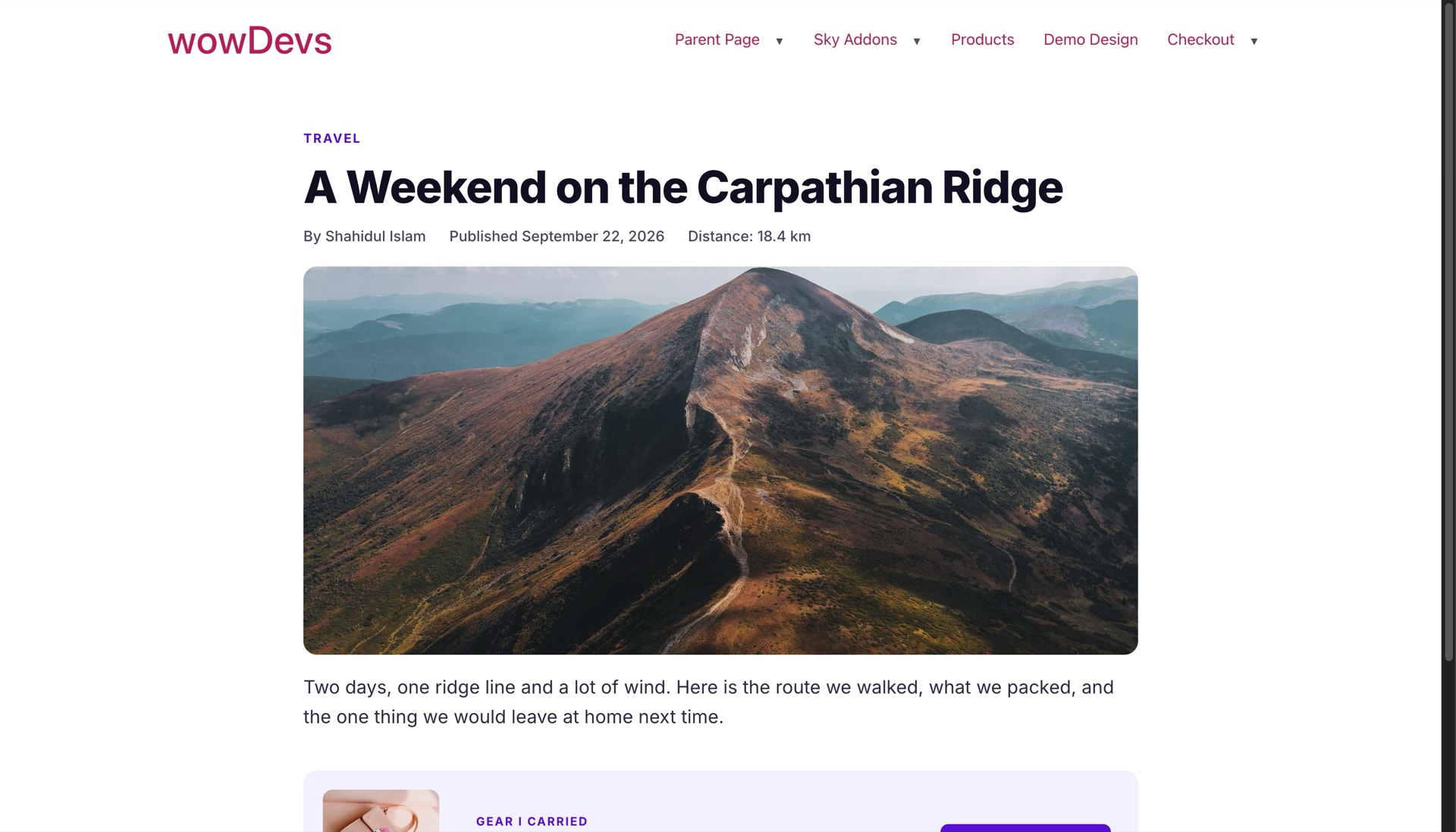
What visitors see: title, category, author, date, ACF field, featured image, excerpt and product price — all filled in by tags.