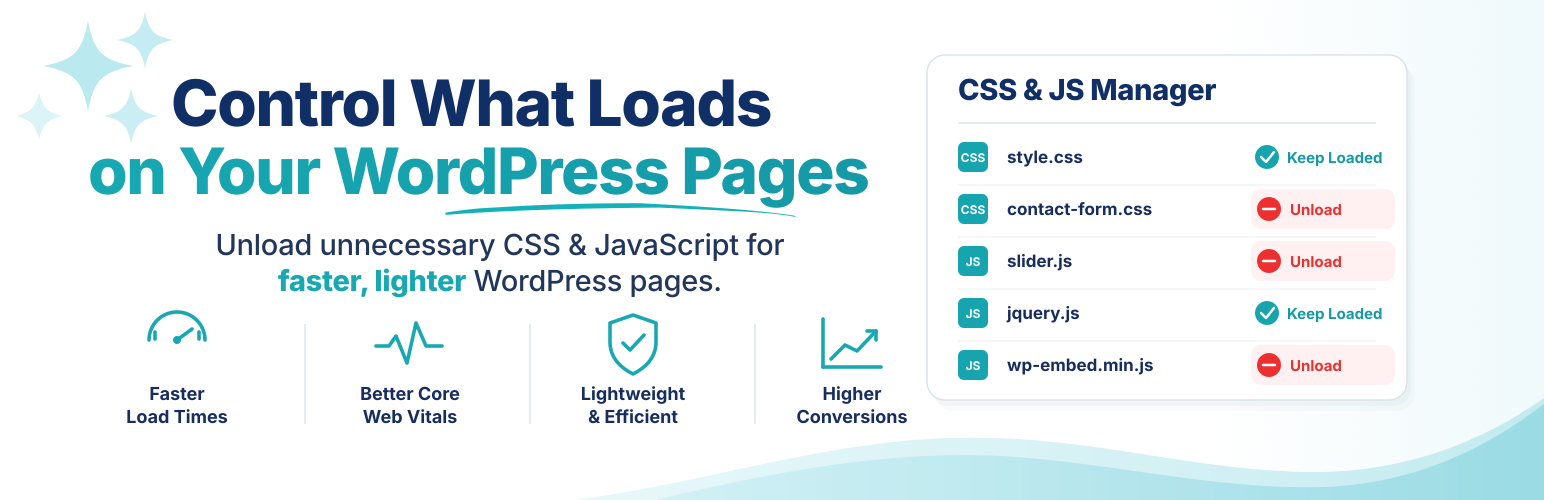
WordPress themes and plugins often load CSS and JavaScript on pages that do not use them. A contact form may load on the homepage, a slider may load on a plain article, or store-related files may load outside the shop.
Asset CleanUp shows you what each page loads and lets you unload what is not needed. This can reduce HTTP requests, page weight, and browser work while complementing your existing caching setup.
Use Test Mode to validate changes as an administrator before they affect visitors.
Asset CleanUp gives you precise, testable control over every optimization.
A safer workflow, without giving up control
The Dashboard keeps the technical detail experienced users need while guiding first-time users through Getting Started, Test Mode, and the central Overview page. Test changes before they affect visitors, then review and manage existing or leftover rules from one place.
CSS and JavaScript management
- View loaded stylesheets and scripts, organized by their source.
- Unload unnecessary CSS and JavaScript on the homepage and on individual posts, pages, and custom post types.
- Manage assets from the Dashboard, the post/page edit screen, or the front-end view.
- Review unload rules, exceptions, asset attributes, page options, and leftover entries from the Overview page.
- Minify and combine supported CSS and JavaScript, including supported inline code.
- Preload selected CSS and JavaScript files when they need to be discovered earlier.
Granular manual Critical CSS management
Add, edit, and remove your own Critical CSS directly from the Dashboard. Keep manual CSS organized by supported page context instead of maintaining one large global block.
Asset CleanUp does not automatically generate Critical CSS. It gives you a structured way to manage CSS that you prepare yourself.
Fonts and resource loading
- Combine, preload, asynchronously load, or remove Google Fonts requests, with
font-displayand preconnect controls. - Preload local font files and apply
font-display. - Add
fetchpriority,loading, anddecodingattributes to images using simple matching or regular expressions. - Lazy-load images where appropriate.
WordPress cleanup options
- Remove unused WordPress features such as Emojis, Dashicons for guests, and Comment Reply.
- Remove selected discovery links, metadata, and oEmbed resources from the document HEAD.
- Disable RSS feed links or feeds when they are not needed.
- Restrict or disable XML-RPC when your site does not rely on it.
- Strip supported HTML comments, with exceptions where required.
Works with your caching setup, it does not replace it
Asset CleanUp is not a page-caching plugin. It controls what WordPress outputs; a page cache, server cache, or CDN can then store and deliver the optimized result.
After changing rules, clear every active cache layer. Avoid enabling the same minify or combine feature in multiple optimization plugins at the same time.
Asset CleanUp Lite and Pro
Lite includes page-level asset management, Test Mode, manual Critical CSS for supported contexts, resource-loading controls, and WordPress cleanup options.
Go beyond individual CSS and JavaScript files with the Plugins Manager.
Lite includes an interactive preview of the Plugins Manager (rules can be explored, but saved only in Pro). In Pro, it can prevent entire plugins from running on frontend or Dashboard pages where they are not needed, not merely remove their CSS and JavaScript. This can reduce PHP work, database queries, and potential conflicts before the page is generated.
Asset CleanUp Pro also adds broader conditional rules, hardcoded asset management, device-specific rules, and advanced JavaScript attribute and placement controls.
Documentation and support
- Read the Asset CleanUp documentation.
- Ask a question in the WordPress.org support forum.
External Services and Privacy
WordPress.org plugin icon service
When an administrator opens an Asset CleanUp Dashboard screen, the plugin may request public plugin information from the WordPress.org Plugin API to retrieve icons for installed plugins. This occurs only when the local icon cache needs to be populated and does not intentionally send the site URL or administrator details. See the WordPress.org Privacy Policy.
Google Fonts preload audit
When an administrator runs the Google Fonts preload audit, Asset CleanUp may request discovered stylesheets and font files from Google Fonts to analyze their preload requirements. These requests occur only during the administrator-initiated audit and can include the requested font URLs and standard HTTP metadata. See the Google Privacy Policy.
The following two Asset CleanUp-operated services are optional. Both are disabled by default and require an administrator to opt in from Asset CleanUp > Settings > Plugin Usage Preferences.
Dashboard announcements
When an administrator enables announcements, Asset CleanUp periodically requests the Asset CleanUp Lite announcements feed to show maintenance information, update notices, optimization guides, and occasional product offers in the WordPress Dashboard. The request does not intentionally include the site URL, administrator details, or site content.
Optional usage tracking
When an administrator enables usage tracking, Asset CleanUp sends an initial technical check-in and no more than one check-in per week to the Asset CleanUp usage-tracking endpoint. It can include software versions, Asset CleanUp settings and notice state, server and multisite information, theme and plugin identifiers, and the WordPress locale. The site URL, administrator name, and administrator email are not intentionally included. Disabling the setting stops future check-ins.
The announcements and usage-tracking services are operated by the Asset CleanUp developer. See the privacy policy. CloudFront infrastructure is provided by Amazon Web Services and is also subject to the AWS Privacy Notice.
Screenshots
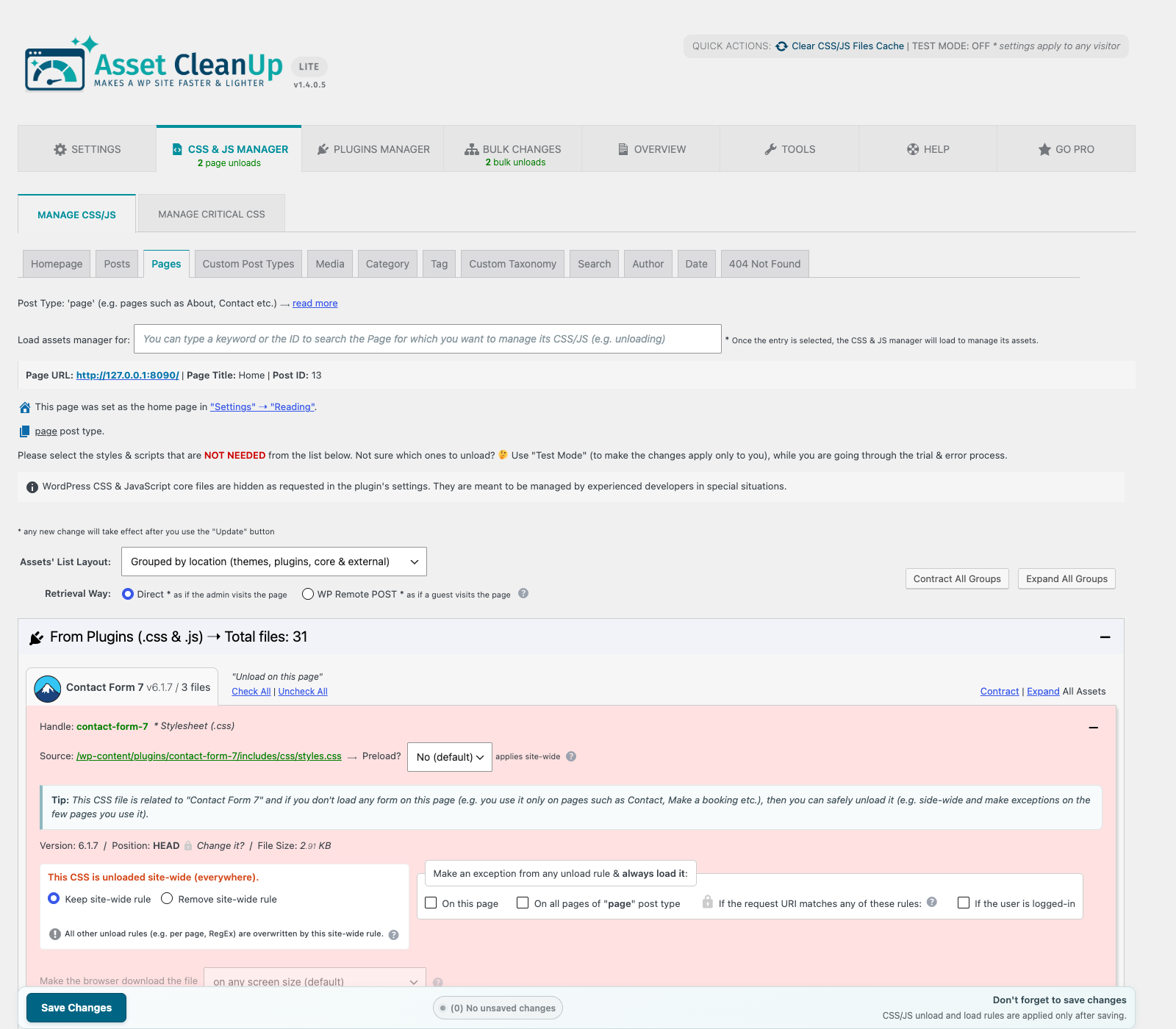
CSS & JS Manager — inspect the assets loaded on a page and unload unneeded CSS or JavaScript by page or site-wide.
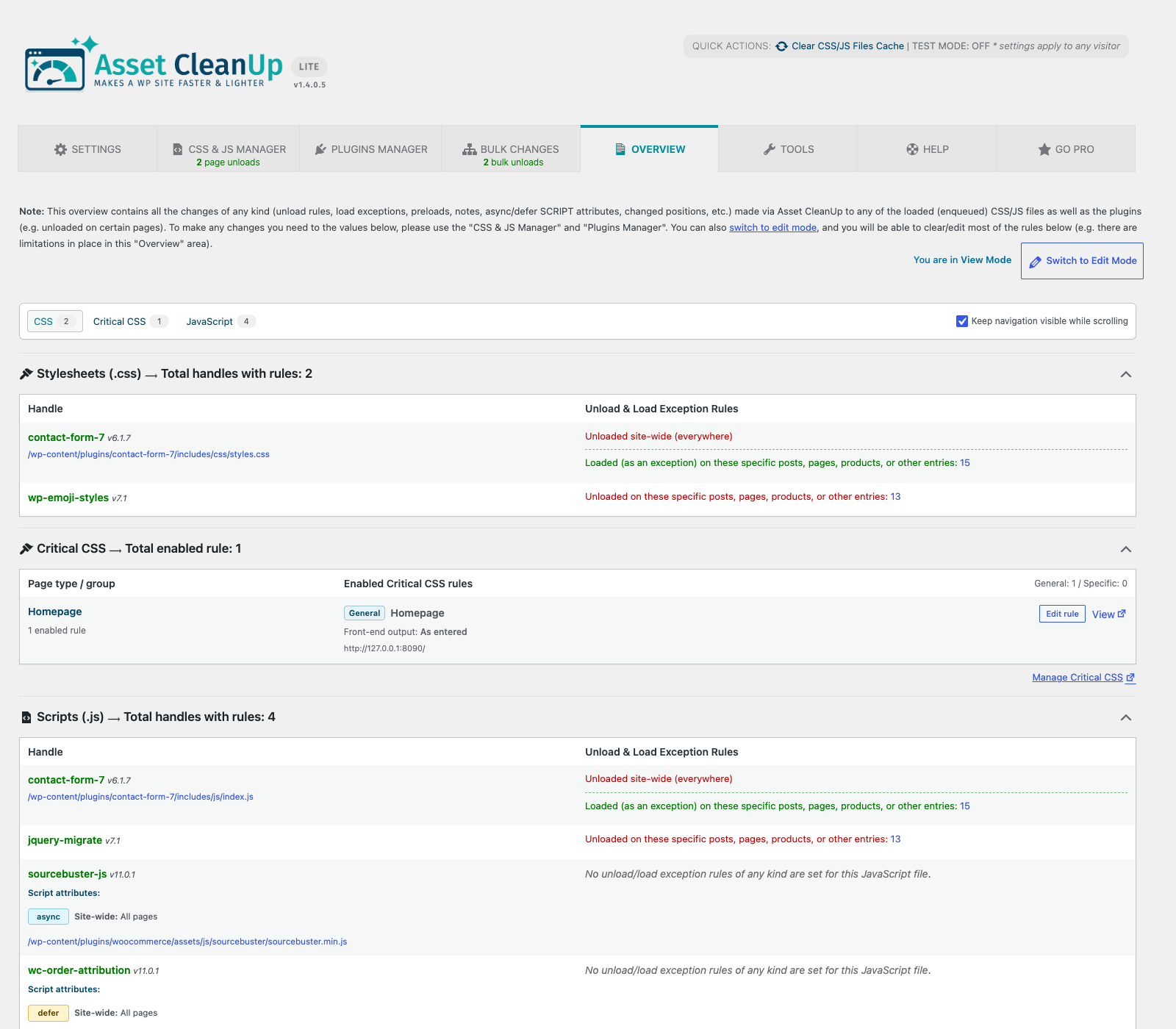
Overview — review active unload rules, load exceptions, async/defer attributes, and stale entries in one place.
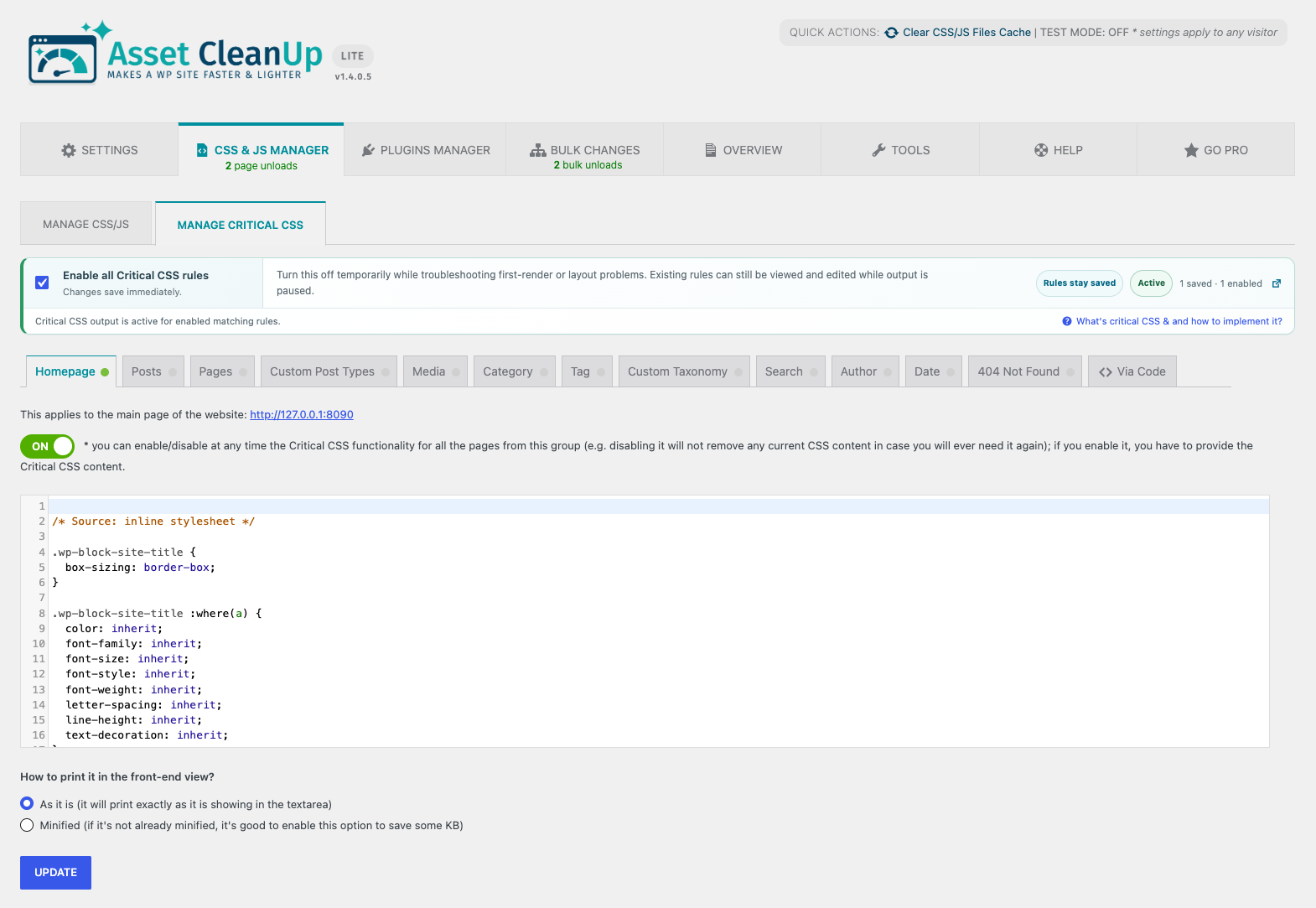
Manual Critical CSS — add and manage your own Critical CSS for individual pages and other WordPress contexts.
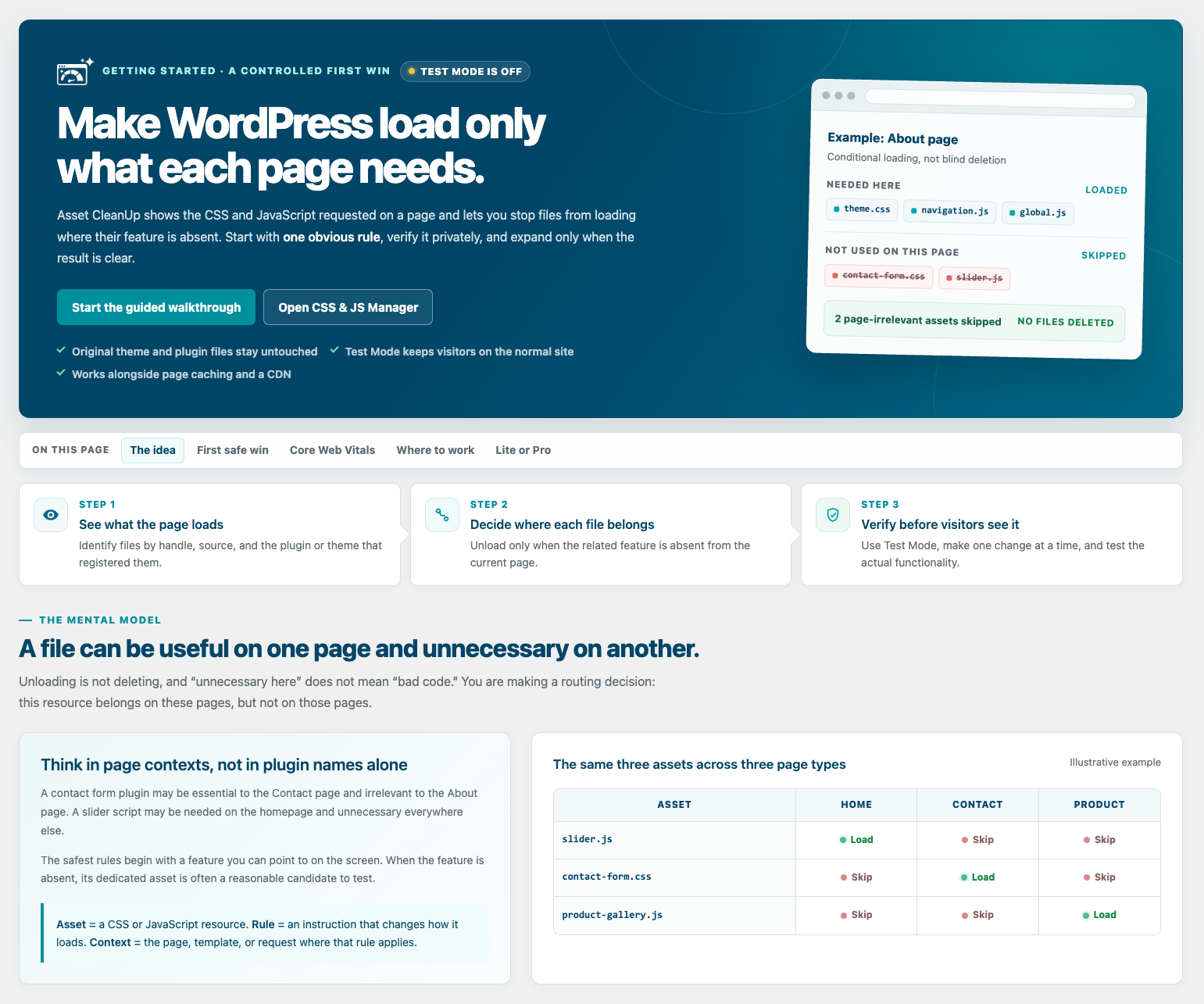
Getting Started — follow a guided, safety-first workflow from Test Mode to your first optimization.
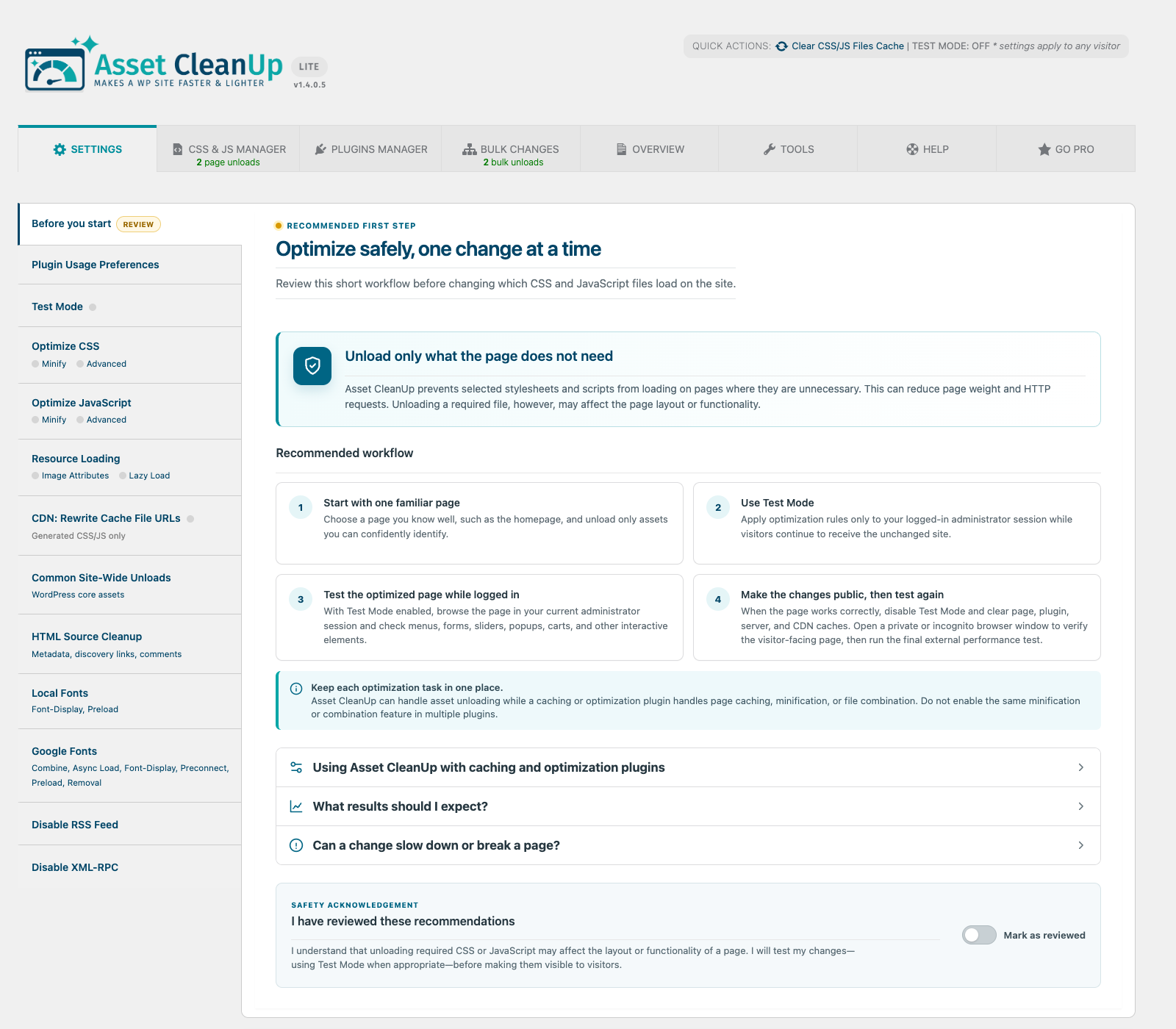
Settings — configure asset retrieval, cleanup, Test Mode, and plugin behavior from clearly organized sections.