
WP Database Backup – Unlimited Database & Files Backup by Backup for WP
by Backup For WP
WP Database Backup plugin helps you to create Database Backup and Restore Database Backup easily on single click. Manual or Automated Database Backups And also store database backup on safe place- Dropbox,FTP,Email,Google drive, Amazon S3
Features
- Create Database Backup
WP Database Backup plugin helps you to create Database Backup easily on single click. - Auto Backup – Backup automatically on a repeating schedule
- Website Migration – Migration Your Site with Just One Click!
- Download backup file direct from your WordPress dashboard
- Easy To Install(Very easy to use)
WP Database Backup is super easy to install. - Simple to configure(very less configuration), less than a minute.
- Restore Database Backup
WP Database Backup plugin helps you to Restore Database Backup easily on single click. - Multiple storage destinations
- Store database backup on safe place- Dropbox, Google drive, Amazon s3, FTP, sFTP, Backblaze, Email
- Reporting- Sends emailed backups and backup reports to any email addresses
- Exclude Table
- Database backup list pagination
- Search and Replace in database backup file.
- Search backup from list(Date/ Database Size)
- Sort backup list (Date/ Database Size)
- Save database backup file in zip format on local server And Send database backup file to destination in zip format
- Documentation
Subscribe to Backup for WP Cloudstorage
- We are excited to introduce a new feature for the Backup for WP plugin , our Backup For WP Cloudstorage.
- Affordable Pricing: Only $1 per 50GB of storage per website per month, with a flexible pay-as-you-go model.
- 14-Day Free Trial: Start with a 14-day free trial to experience the benefits of cloud storage without any upfront cost.
- Scalable Storage: Easily adjusts to your storage needs, providing as much space as required for your backups.
- Secure Cloud Storage: All backups are stored securely in the cloud, protecting your data from unauthorized access
Support
We try our best to provide support on WordPress.org forums. However, We have a special team support where you can ask us questions and get help. Delivering a good user experience means a lot to us and so we try our best to reply each and every question that gets asked.
Bug Reports
Bug reports for WP Database Backup are welcomed on GitHub. Please note GitHub is not a support forum, and issues that aren’t properly qualified as bugs will be closed.
Credits
This plugin uses the following third-party libraries:
-
Google APIs Client Library for PHP
- Author: Google
- URL: https://github.com/googleapis/google-api-php-client
- License: Apache License, Version 2.0 (the “License”)
- License URL: http://www.apache.org/licenses/LICENSE-2.0
-
PHP Secure Communications Library
- Author: phpseclib
- URL:https://github.com/phpseclib/phpseclib
- License: MIT License (or any other applicable license)
- License URL: http://opensource.org/licenses/MIT
-
PhpConcept Library – Zip Module
- Author: Vincent Blavet
- URL:http://www.phpconcept.net
- License: License GNU/LGPL
-
phpFileTree
- Author: Cory S.N. LaViska’s
- URL: https://www.abeautifulsite.net/blog/2007/06/php-file-tree/
Screenshots

Database and full backup history with options to download, restore, or remove backups.
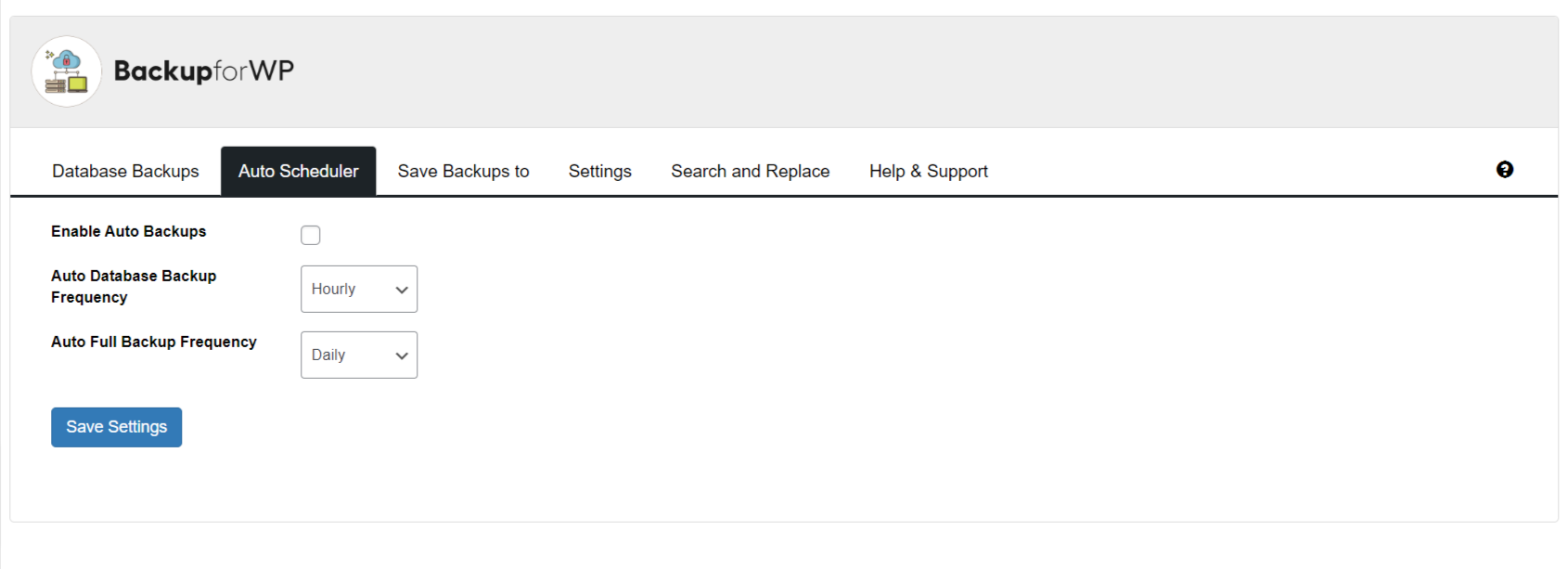
Auto scheduler settings with options to enable automatic backups and set database or full backup frequency.

Configure options for FTP, local backup, and email, with Google Drive, Amazon S3, and Dropbox.
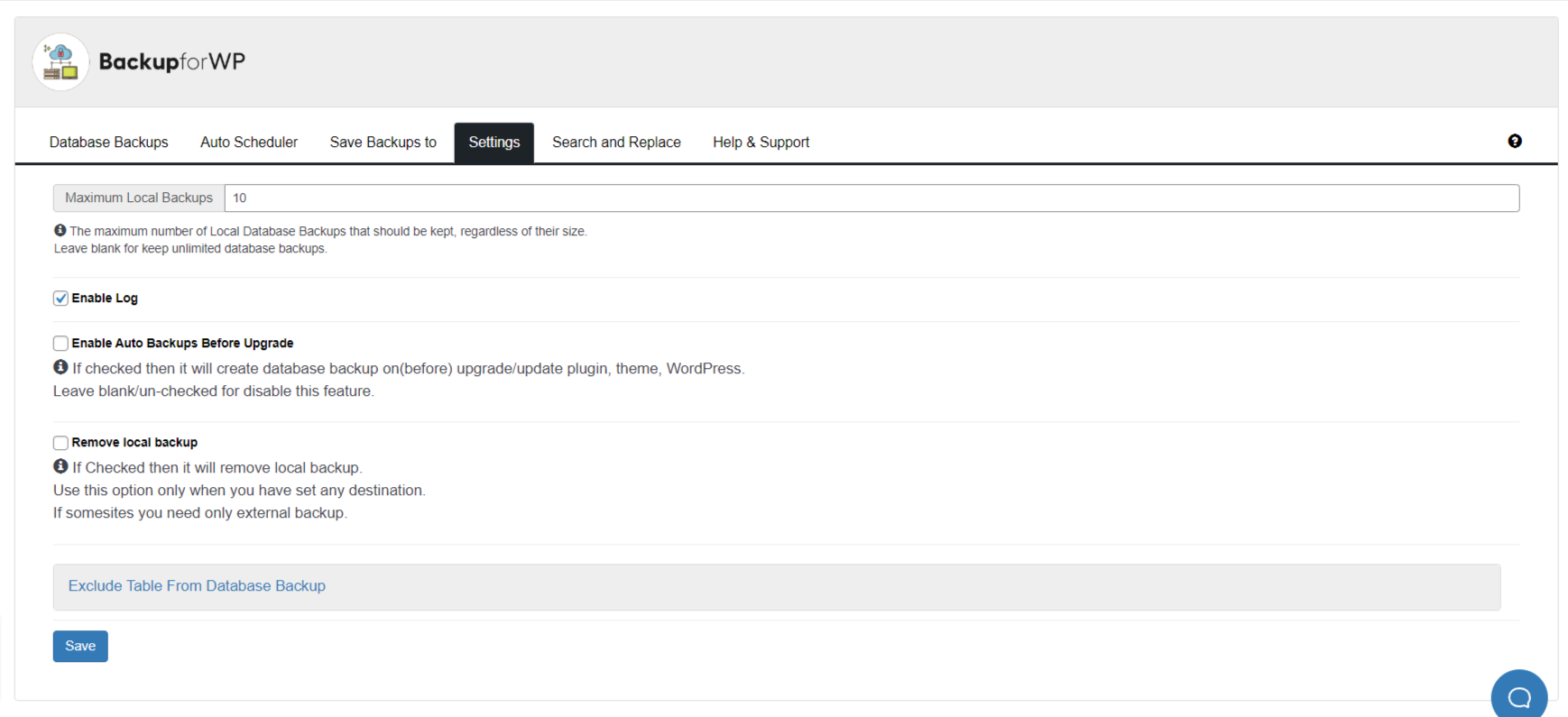
Backup for WP plugin settings screen showing backup and log configuration options.