BACK TO DIRECTORY
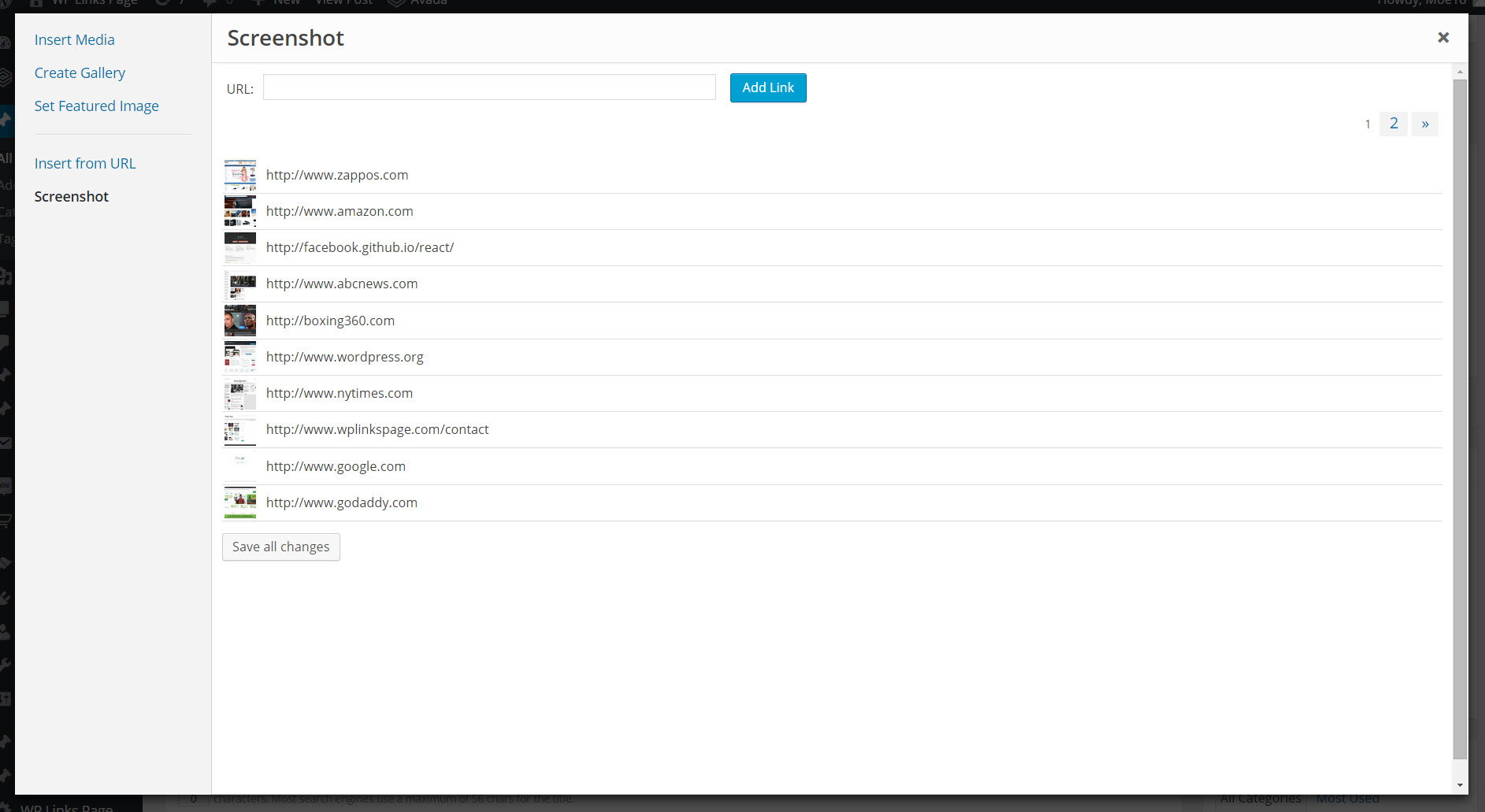

This plugin allows you add screenshots to your media library to use throughout your wordpress site as you would with any other image. It creates a copy of the screenshot on your web server to reduce the overhead on your site.
Please check out our WP Links Page Pro at http://wplinkspage.com/
Usage
- When adding a new post, click ‘Add Media’.
- Then click the ’Screenshot’ tab to the left.
- Type in the web address to use for the screenshot, and click ‘Add Screenshot’.
- The screenshot will appear in the table below the ‘Add Screenshot’ form, click the screenshot in the table.
- From here you can set the screenshot as your featured image or insert it into the post as you would with any other image in your media library.
For more information please visit http://wplinkspage.com/
Screenshots
The Screenshot tab is added to the media library.
The image detail screen, used to add the screenshot to your post.
Plugin Details
Active Installs
80Total Downloads
4,945Version
1.3Requires WP
—Requires PHP
—Tested Up To
4.9.35Added
2015-09-09Last Updated
2018-09-18 3:18pm GMTRatings
5
4
4
0
3
0
2
0
1
1