BACK TO DIRECTORY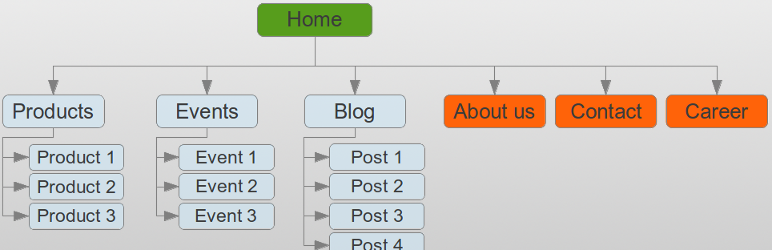
An easy way to add a sitemap on one of your pages becomes reality thanks to this WordPress plugin. Just use the shortcode [wp_sitemap_page] on any of your pages. This will automatically generate a sitemap of all your pages and posts.
Be carefull, this plugin do not generate an XML sitemap. It only allow you to list all your pages and posts on a single page. This is a sitemap for human not for search engines bots.
Why this plugin is useful?
Such a sitemap is useful for many reasons:
- Easy navigation for the users. They can find easily pages or previous posts
- Improve the SEO of a website
Current features
- Display all pages, posts and categories
- Display the Custom Post Type (such as: “event”, “book” …)
- Display the taxonomies
- Display only one kind of content using the attribute “only”, like
[wp_sitemap_page only="page"] - Easy to use
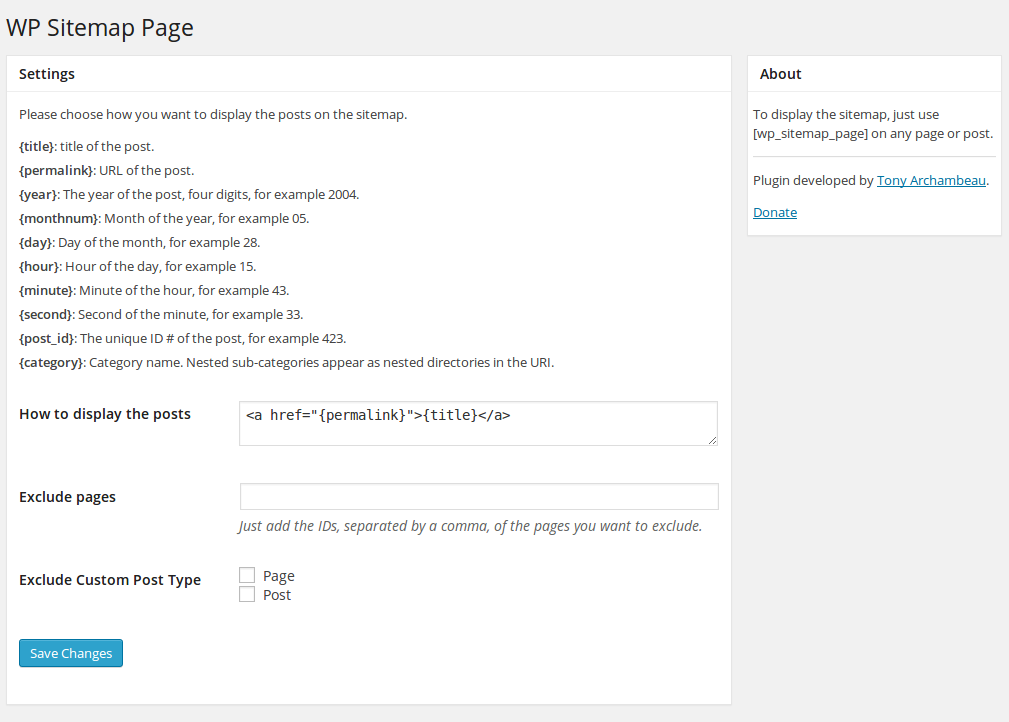
- Possibility to customize the way it will be displayed through the admin panel
- Possibility to exclude some pages or some Custom Post Type (CPT)
- Posts and categories displayed hierarchically
- Has CSS class to customize it if you want
- Available in multi-languages (cf. English, French, Russian, Italian, Spanish, Dutch, Czech, Persian …). You can add your own translation if you want
Want a WordPress developer? Want to add a translation? Feel free to contact me.
How to uninstall WP Sitemap Page
To uninstall WP Sitemap Page, you just have to de-activate the plugin from the plugins list.
Screenshots
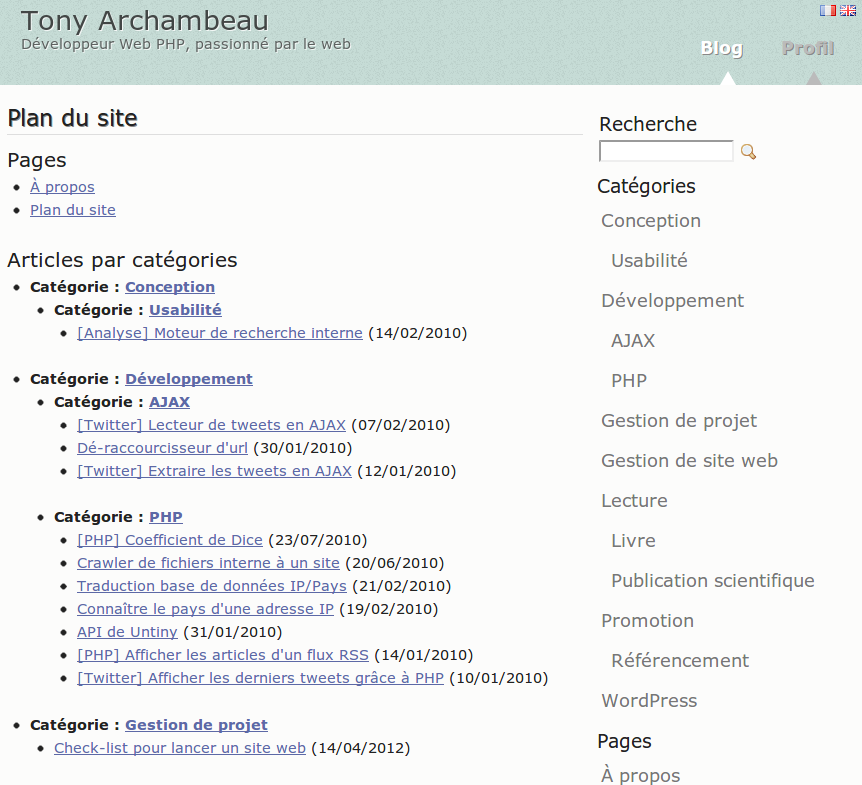
Example of a sitemap on a French blog
Settings page
Plugin Details
Active Installs
200K+Total Downloads
3,646,478Version
1.9.6Requires WP
3.0Requires PHP
—Tested Up To
7.1.4Added
2012-11-12Last Updated
2026-08-21 11:07pm GMTRatings
5
187
4
9
3
6
2
1
1
2