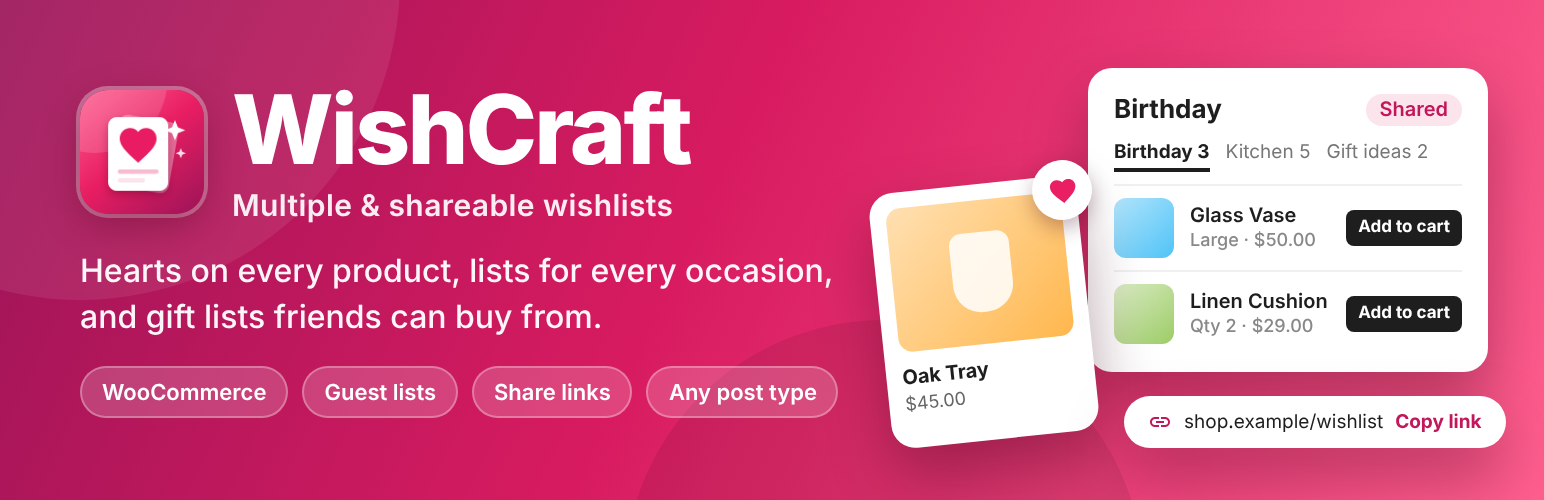
WishCraft adds a heart button to your products and posts. Visitors save what they love into one or more named wishlists (“Birthday”, “Kitchen”, “Gift ideas”), come back to them later, share them by link and buy from them.
WishCraft is the new name and a complete rewrite of WP Smart Wishlist. The plugin slug is still wp-smart-wishlist, and wishlists saved with version 2.0 move over automatically. Everything is free.
Wishlists
- Several lists per visitor, each with a name and description. Create, rename and delete lists from the wishlist page or straight from the heart button.
- Quantities and notes on each item (“size M”, “the blue one”), and move items between lists.
- Guest wishlists: visitors can save items without an account. When they log in or register, their guest lists move into their account.
- Works on any post type: WooCommerce products, posts, pages from other plugins (properties, courses, recipes…).
Sharing and gift lists
- Every list is private, shared by link or public.
- A share link that is hard to guess, with a copy button. Making the list private turns the link off.
- People who open a shared list see the items with prices and can add them to their own cart (one by one or all at once), or save them to their own wishlist.
WooCommerce
- The heart button on product pages and product cards, in block themes (WooCommerce blocks) and classic themes.
- Variable products: the chosen variation is saved, and goes to the cart with its attributes.
- Price, stock and an Add to cart button for each item, and Add all to cart for a whole list.
- Compatible with WooCommerce order storage (HPOS) and the cart and checkout blocks.
For any theme
- Blocks: Wishlist, Wishlist Button and Wishlist Counter (a heart with the number of saved items, for headers).
- Shortcodes:
[wishcraft],[wishcraft_button id="123"]and[wishcraft_count]. - A Wishlist page is created when you activate the plugin.
- Fast and light: one small script without jQuery, loaded only on pages that show a wishlist.
- Works without JavaScript too: the button and the remove links are real links.
- Accessible buttons and dialogs, keyboard friendly, and responsive down to phone screens.
- Neutral styles that follow your theme. Change the accent colour with the
--wishcraft-accentCSS custom property.
Privacy
WishCraft does not use any external services. Guests are recognised by a cookie (wishcraft_guest) that holds a random code; only a coded form of it is stored on your site. Unused guest wishlists are deleted after 30 days. WishCraft adds suggested text to your privacy policy page (Settings Privacy).
Coming next
- Share buttons (email, WhatsApp, X, Facebook, Pinterest) and collaborative lists that friends and family can edit.
- A settings screen (button text and positions, post types, guests, number of lists) and a “most wishlisted” report.
Screenshots
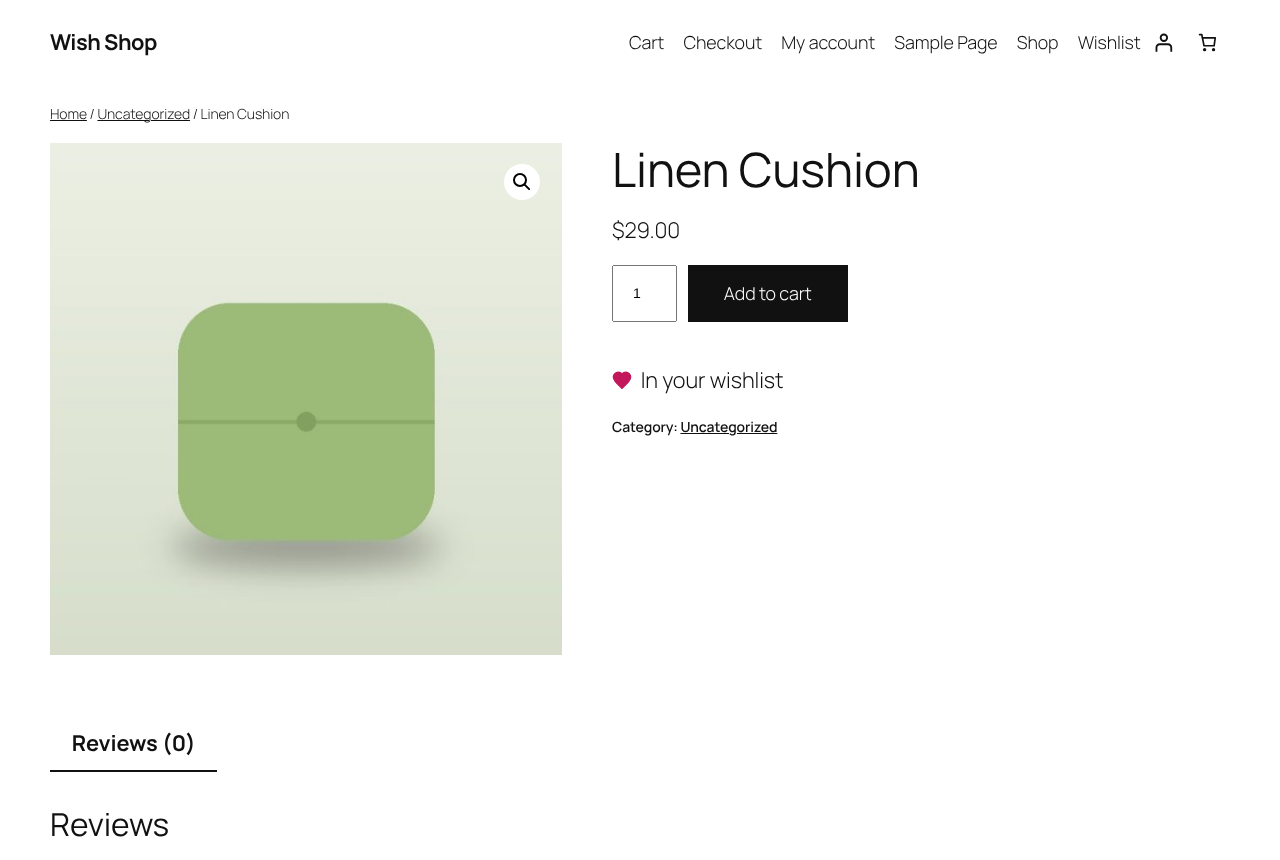
The heart button on a WooCommerce product page.
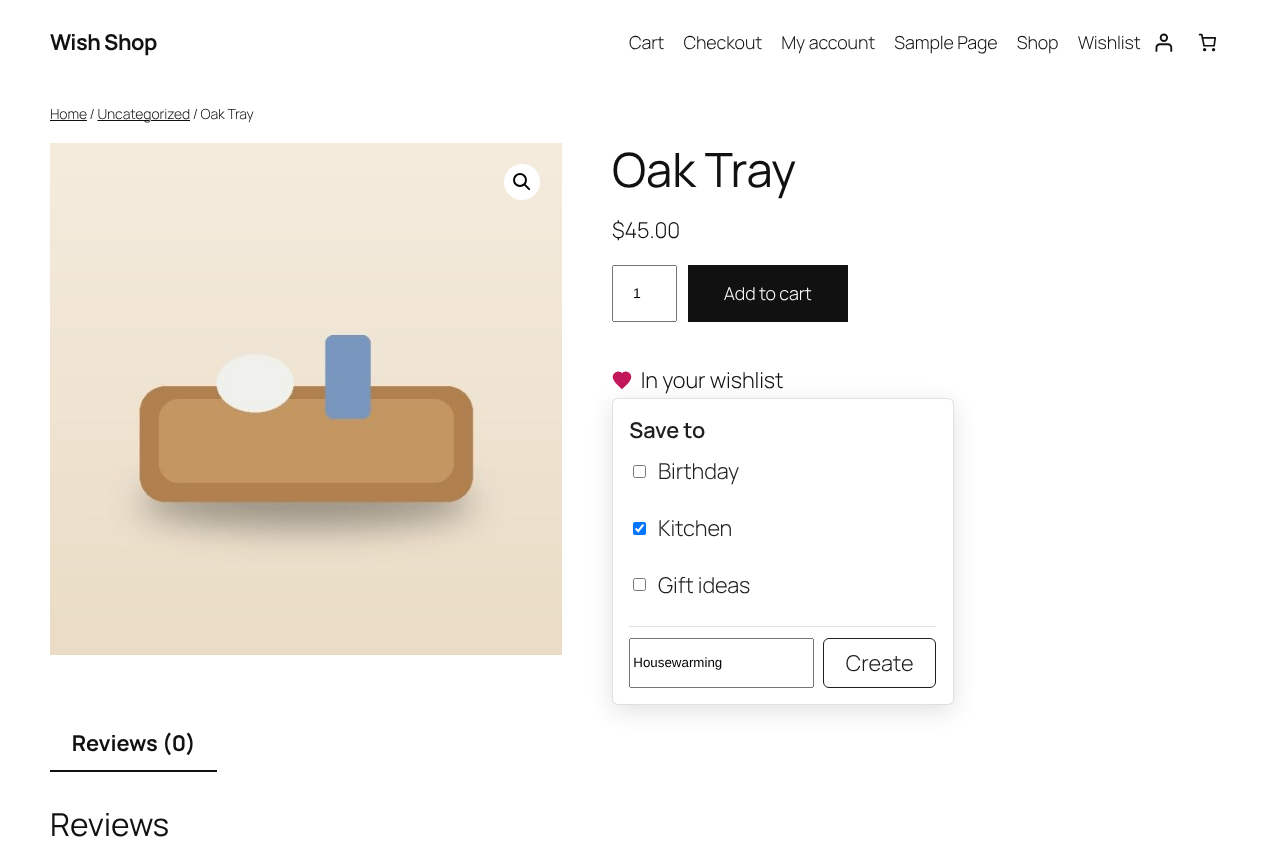
Choosing a list, or creating a new one, from the heart button.
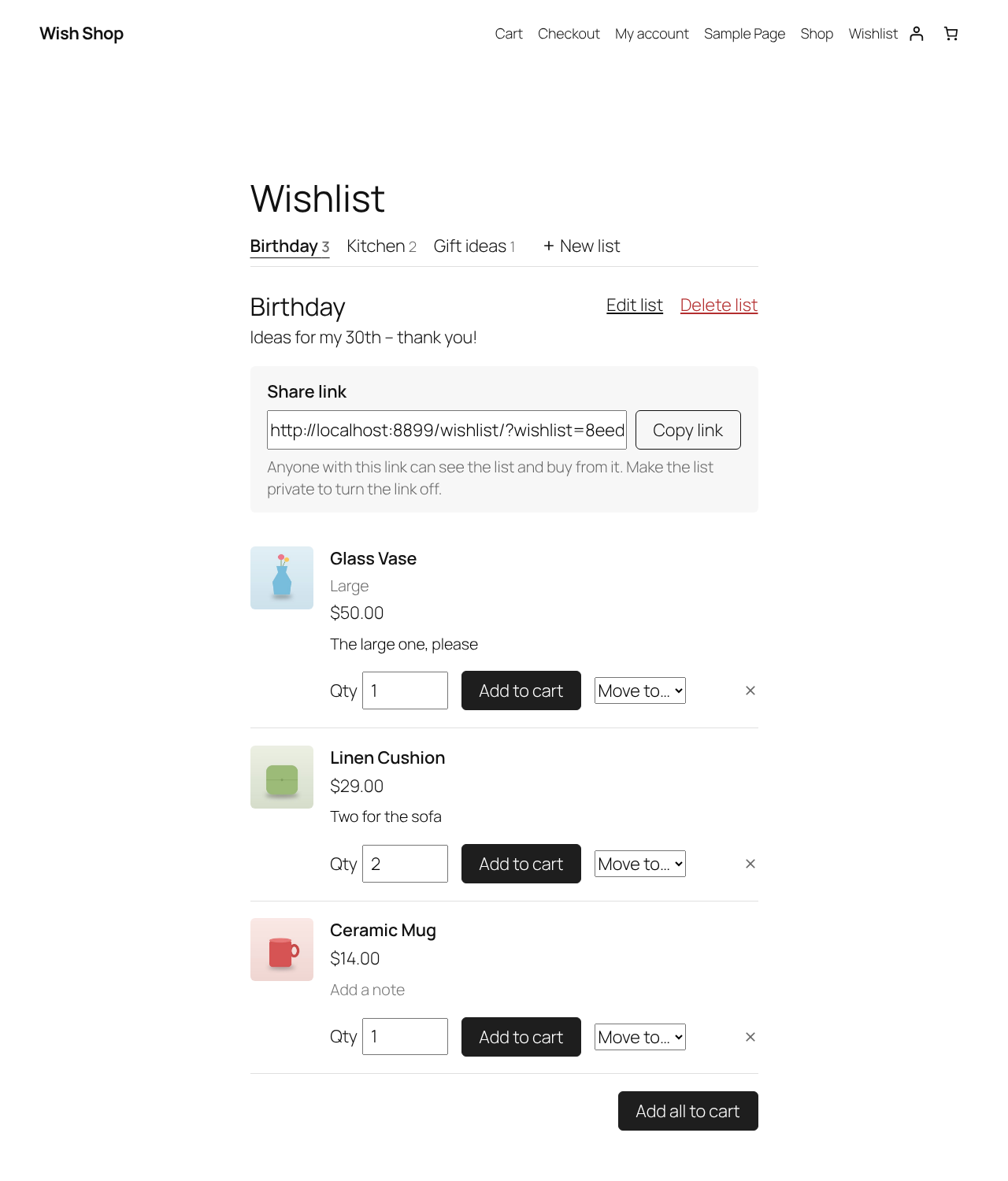
The wishlist page with lists, quantities, notes and add to cart.
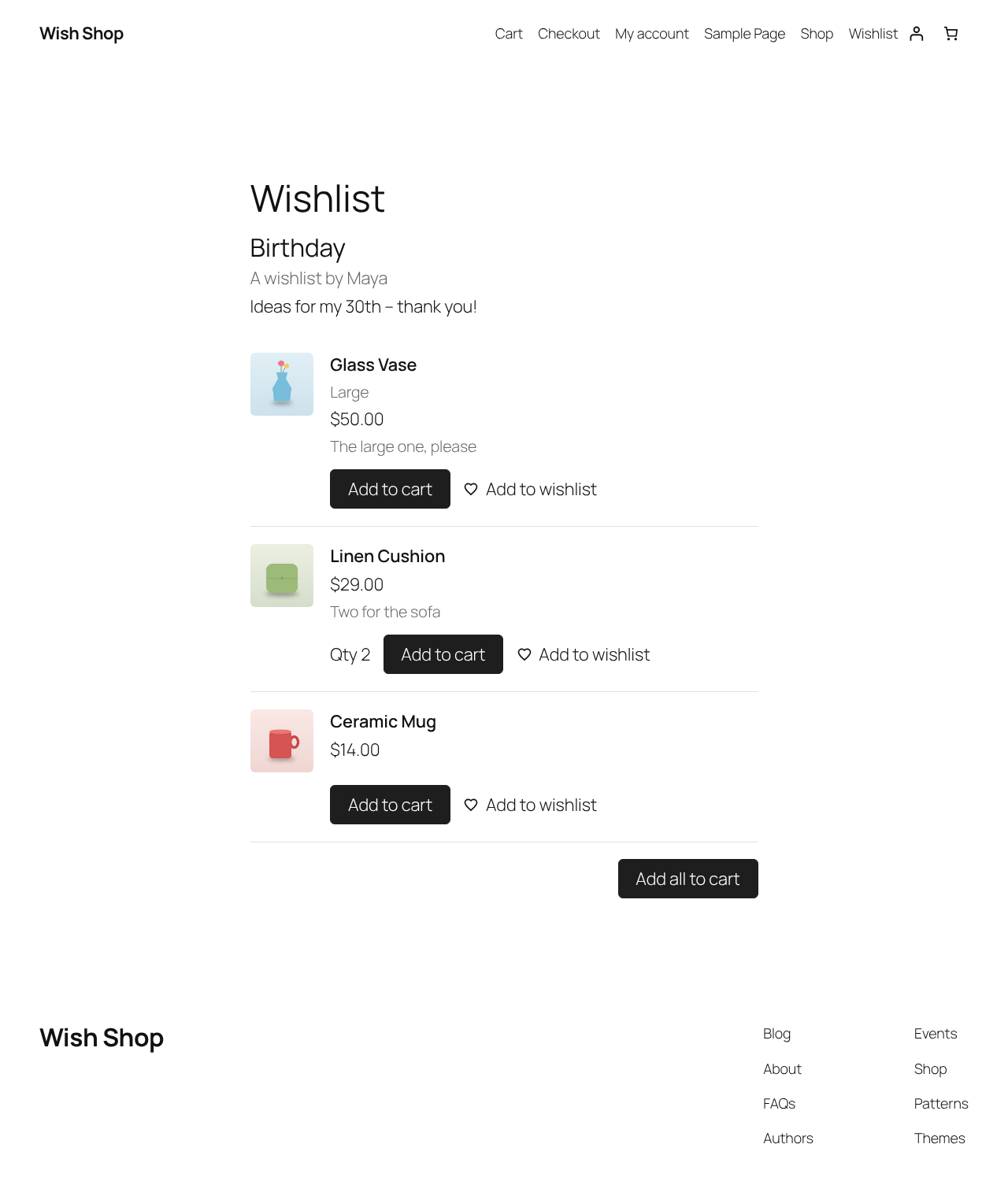
A wishlist opened through its share link, ready to buy from.
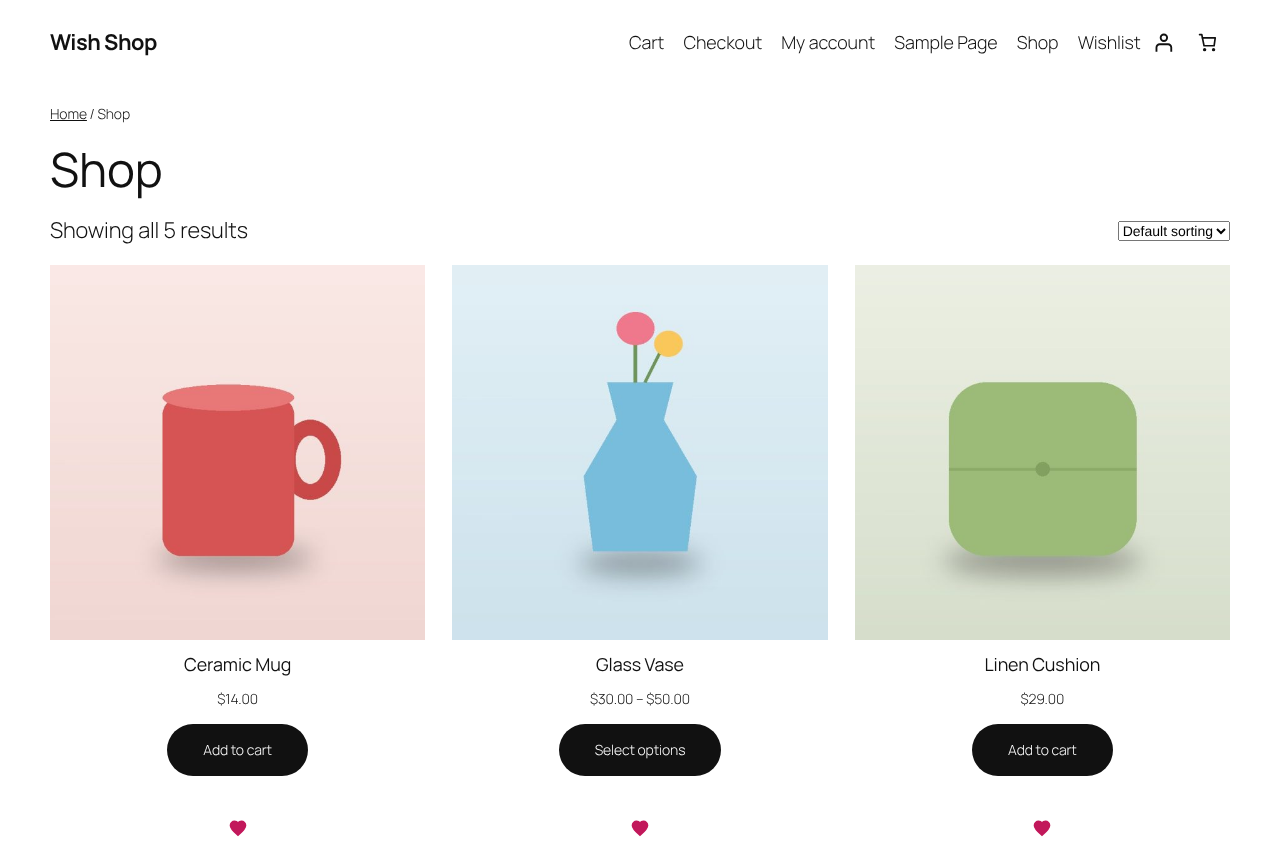
Hearts on product cards in the shop.