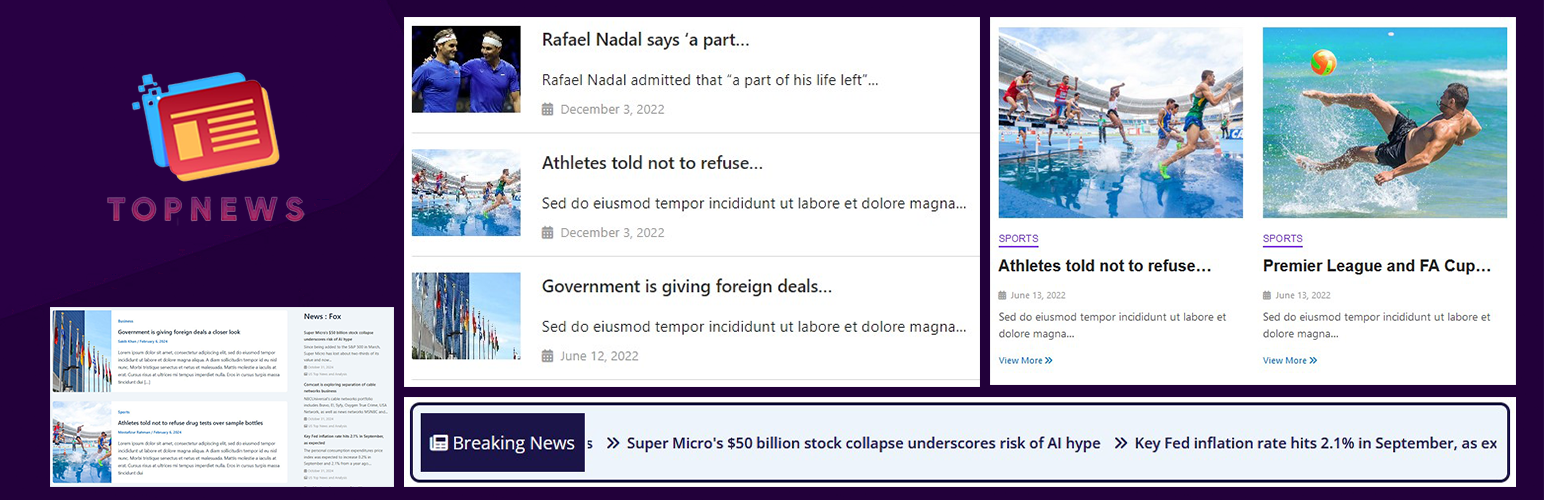
WP Top News is a flexible WordPress news plugin that helps you create, organize and display news articles in beautiful, responsive layouts.
Create your own news directly from your WordPress dashboard and display it anywhere on your website using simple shortcodes.
Whether you are building a news portal, online magazine, newspaper website, blog, organization website or a dedicated news section, WP Top News gives you multiple ways to present your content.
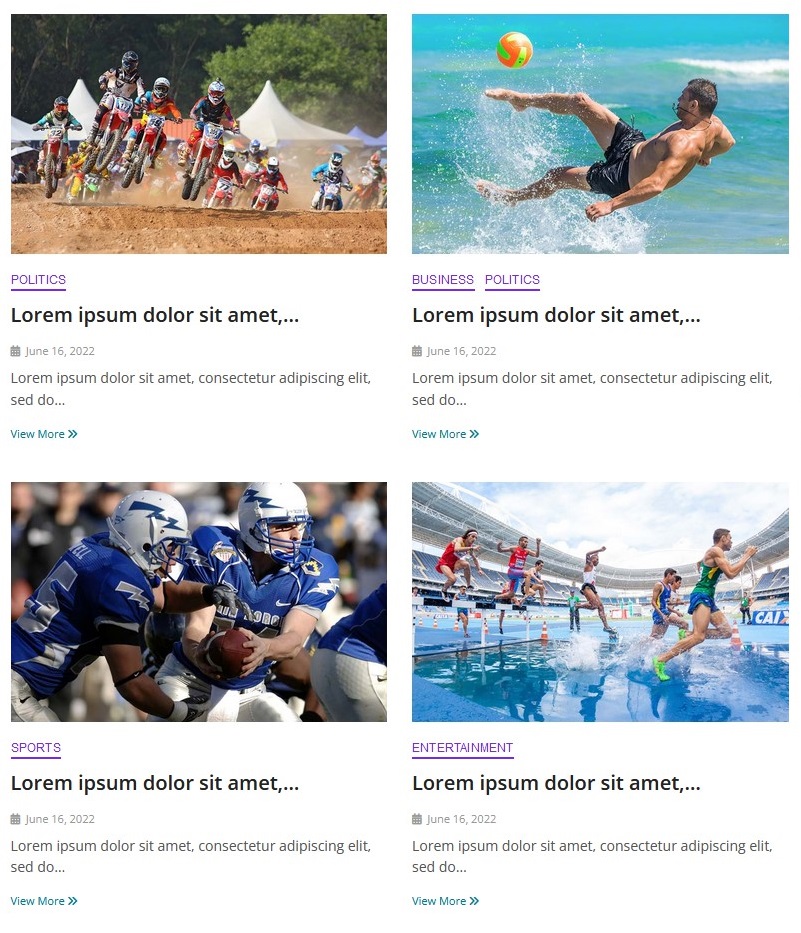
With the free version, you can start with clean Grid and List layouts.
Upgrade to Pro to unlock advanced layouts including Editorial Grid, Modern List, Breaking News Ticker, Homepage Hero, Featured News Slider and RSS Feed Display.
📰 Multiple News Layouts
WP Top News gives you multiple professional ways to present your news content.
✅ Free layouts:
- Basic Grid
- Basic List
✅ Pro layouts:
- Editorial Grid – magazine-style editorial layout
- Modern List – clean horizontal news layout
- Breaking News Ticker – multiple ticker styles
- Homepage Hero – highlight important stories on your homepage
- Featured News Slider – showcase selected news in a responsive slider
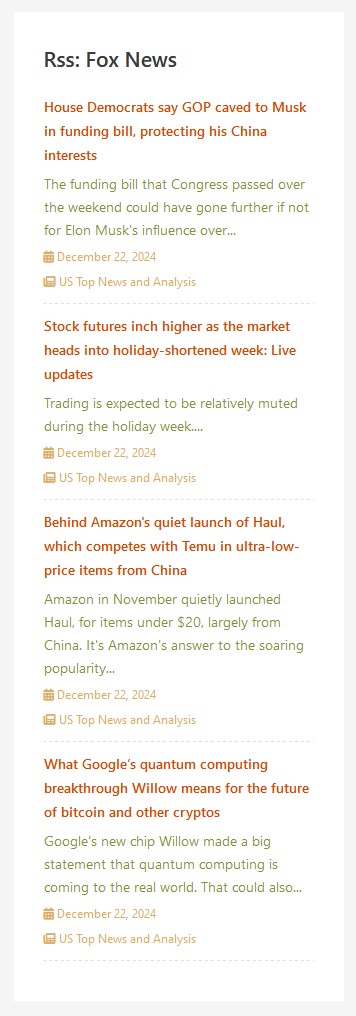
- RSS Feed Display – display RSS content using ticker and widget options
✨ Create Your Own News
Create and manage your news directly from the WordPress dashboard.
✔ You can:
- Create unlimited news items
- Organize news with categories
- Display news by category
- Activate or deactivate news items
- Control the number of news displayed
- Choose how news is ordered
- Control grid columns
- Show or hide descriptions
- Enable pagination
- Open news details in the same or new tab
- Support RTL layouts
🎨 Beautiful News Layouts
Choose the layout that fits your website and content.
🌟 Free
✅ Basic Grid
Display your news in a clean and responsive grid layout.
Control the number of columns and other display options using the plugin settings or shortcode.
✅ Basic List
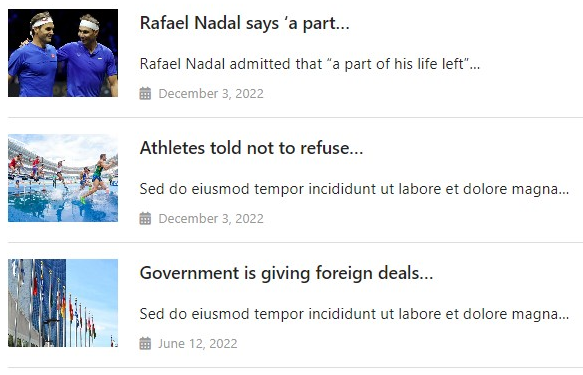
Display your news in a simple and readable list layout with featured images, titles and descriptions.
✨ Pro
✅ Editorial Grid
Create a magazine-style editorial layout with large featured images, categories, titles and descriptions.
✅ Modern List
Display news in a clean modern horizontal layout with large images and article information.
✅ Breaking News Ticker
Highlight important stories using multiple ticker styles:
- Marquee
- Horizontal
- Typewriter
- Vertical
Customize ticker labels, icons, speed and styling.
✅ Homepage Hero
Create a prominent hero news section for your homepage and highlight important stories.
✅ Featured News Slider
Display selected or featured news using a responsive slider carousel.
✅ RSS Feed Display
Display RSS feed content using ticker and widget-related options.
⚡ Powerful Shortcodes
WP Top News includes shortcode options that give you control over how your news is displayed.
✔ Display news in a grid:
[wtn_news layout=”grid”]
✔ Display news in a list:
[wtn_news layout=”list”]
✔ Display news from a category:
[wtn_news layout=”list” category=”sports”]
✔ Hide descriptions:
[wtn_news layout=”list” description=”hide”]
✔ Control grid columns:
[wtn_news layout=”grid” column=”2″]
You can combine shortcode options to create different news sections throughout your website.
📱 Responsive Design
WP Top News layouts are designed to work across desktop, tablet and mobile devices.
🌍 RTL Support
WP Top News includes RTL support for websites using right-to-left languages.
🌐 Translation Ready
WP Top News is translation-ready and includes a POT file for localization.
💎 WP Top News Pro
Take your news website further with WP Top News Pro.
✔ Pro features include:
- Editorial Grid layout
- Modern List layout
- Breaking News Ticker
- Homepage Hero section
- Featured News Slider
- RSS Feed Display
- Advanced shortcode options
- Layout customization
- Ticker customization and styling
- Multiple ticker styles
- Ticker speed controls
- Ticker icon customization
- Additional display options
🚀 Why WP Top News?
- Build a complete news portal in WordPress
- Create and manage your own news
- Multiple professional news layouts
- Free Grid and List layouts
- Advanced Pro layouts
- Breaking news ticker styles
- Homepage hero section
- Featured news slider
- RSS feed display
- Category-based news display
- Powerful shortcode options
- Responsive design
- RTL support
- No coding required
External Services
WP Top News allows you to optionally display content from RSS feeds when the RSS Feed Display feature is used.
When an RSS feed URL is configured, your website may connect to the external RSS feed provider to retrieve feed content.
The availability, accuracy and content of an external RSS feed are controlled by the respective RSS feed provider.
Please make sure you have permission to use content from any external RSS feed.
WP Top News also uses Freemius for optional plugin licensing, account management, premium upgrades and related services.
Freemius may process information required for licensing, updates, purchases and account management when you interact with Freemius-powered features.
For more information, please see the Freemius privacy information:
https://freemius.com/privacy/data-practices/
Support
Need help?
Visit the WordPress.org support forum or contact us through our website.
We are happy to help with bugs, questions and suggestions.
Screenshots

Build a professional news portal with the flexible Grid layout.
Clean and responsive List layout for displaying your news posts.
Editorial Grid — Pro feature with a magazine-style layout.

Modern List — Pro feature for a polished article-listing design.

Breaking News Ticker — Pro feature with multiple ticker styles.

Homepage Hero — Pro feature for creating an eye-catching news hero section.
Featured News Slider — Pro feature with a responsive slider/carousel.
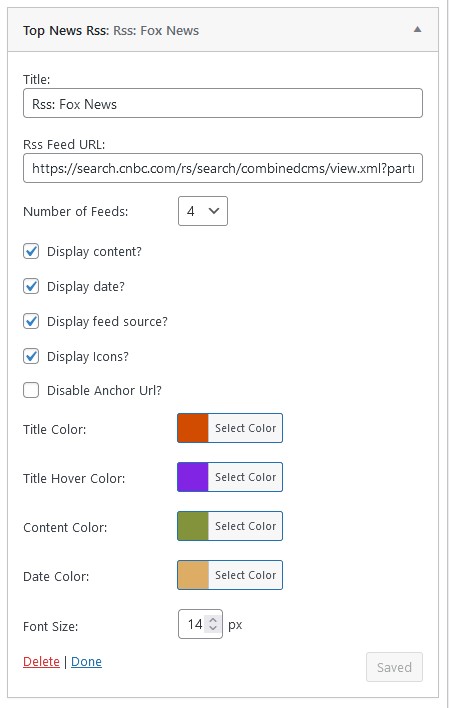
General Settings – configure your news layout and display options.