BACK TO DIRECTORY

WordPress and PHP both control how large a file you can upload. WP Upload Size lets you set a higher WordPress media upload limit in a few clicks—using MB or GB instead of raw bytes.
Features
- Set upload limit in KB, MB, or GB (no byte math required)
- Quick presets: 32 MB, 64 MB, 128 MB, 256 MB, 512 MB, 1 GB
- One-click Match PHP max and Reset to default
- Live preview of the effective limit before you save
- Dashboard showing
upload_max_filesize,post_max_size,memory_limit, timing limits, and the effective WordPress limit - Multisite-aware: respects network upload caps and available space
- Host guidance with copyable
.user.ini/.htaccessexamples - Clear warning when your desired limit is higher than PHP (or the network) allows
- Never promises more than PHP / Multisite can accept in the Media Library
- Settings link on the Plugins screen
- Translation-ready (text domain:
wp-upload-size) - Developer filters:
wpus_presets,wpus_max_allowed_bytes,wpus_effective_upload_limit
Important
This plugin adjusts the WordPress upload size filter. It cannot raise PHP limits by itself. If uploads still fail, ask your host to increase upload_max_filesize and post_max_size in php.ini (or use .user.ini / hosting panel settings).
Where to find settings
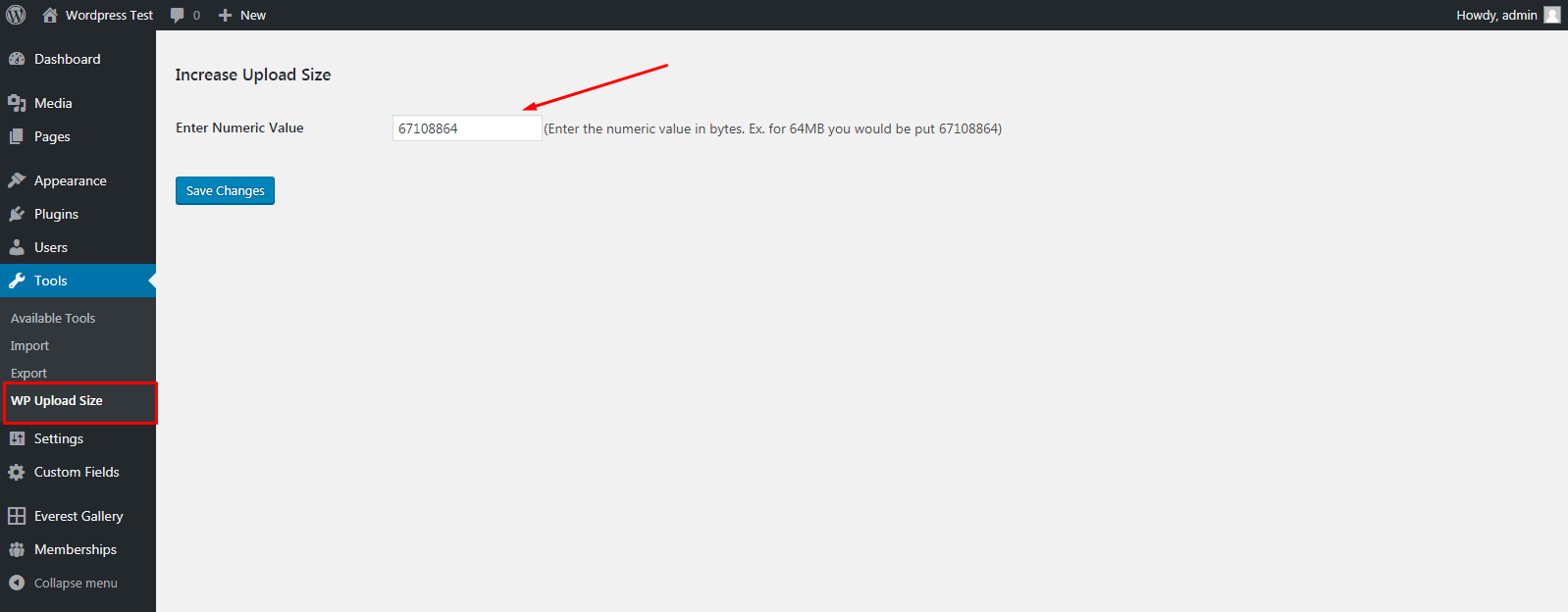
Go to Tools WP Upload Size after activating the plugin.
Screenshots
Settings page under Tools → WP Upload Size with current PHP and WordPress limits.
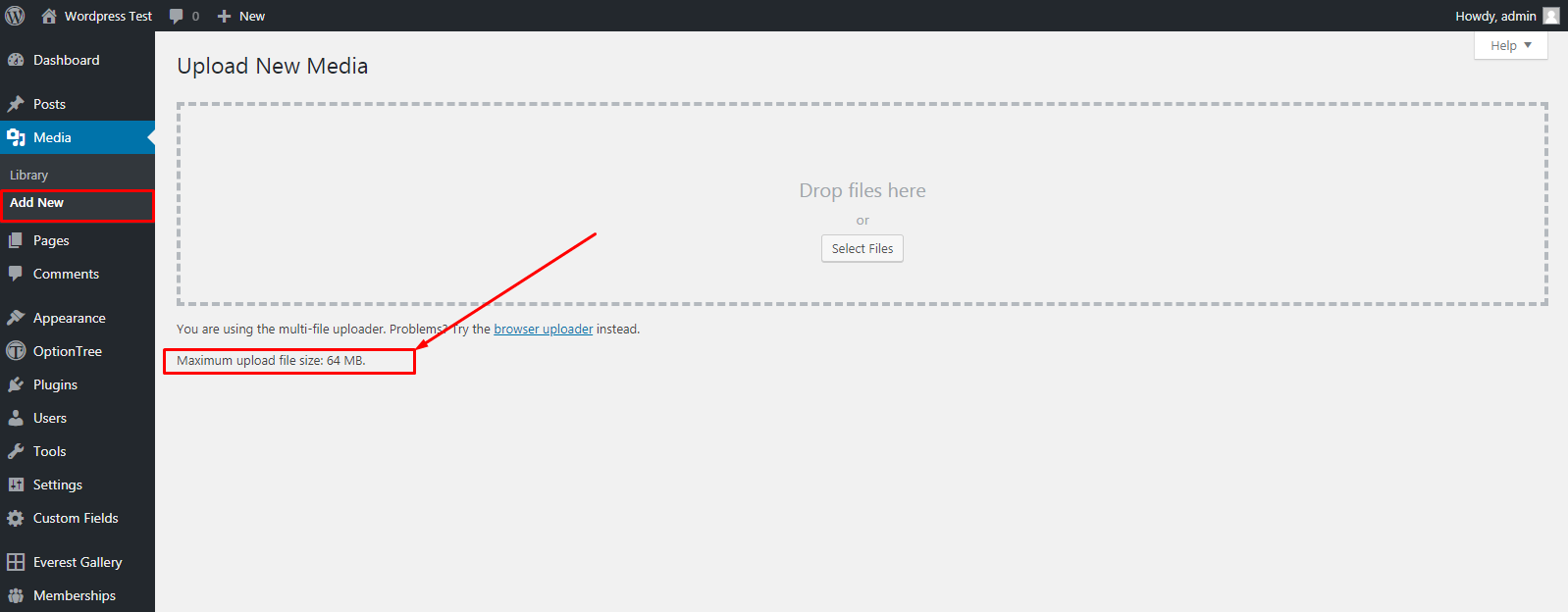
Media Library reflecting the updated maximum upload size.
Plugin Details
Active Installs
2K+Total Downloads
68,273Version
2.2.0Requires WP
5.9Requires PHP
7.4Tested Up To
6.8.12Added
2018-05-12Last Updated
2026-09-13 7:10am GMTRatings
5
7
4
0
3
0
2
0
1
1