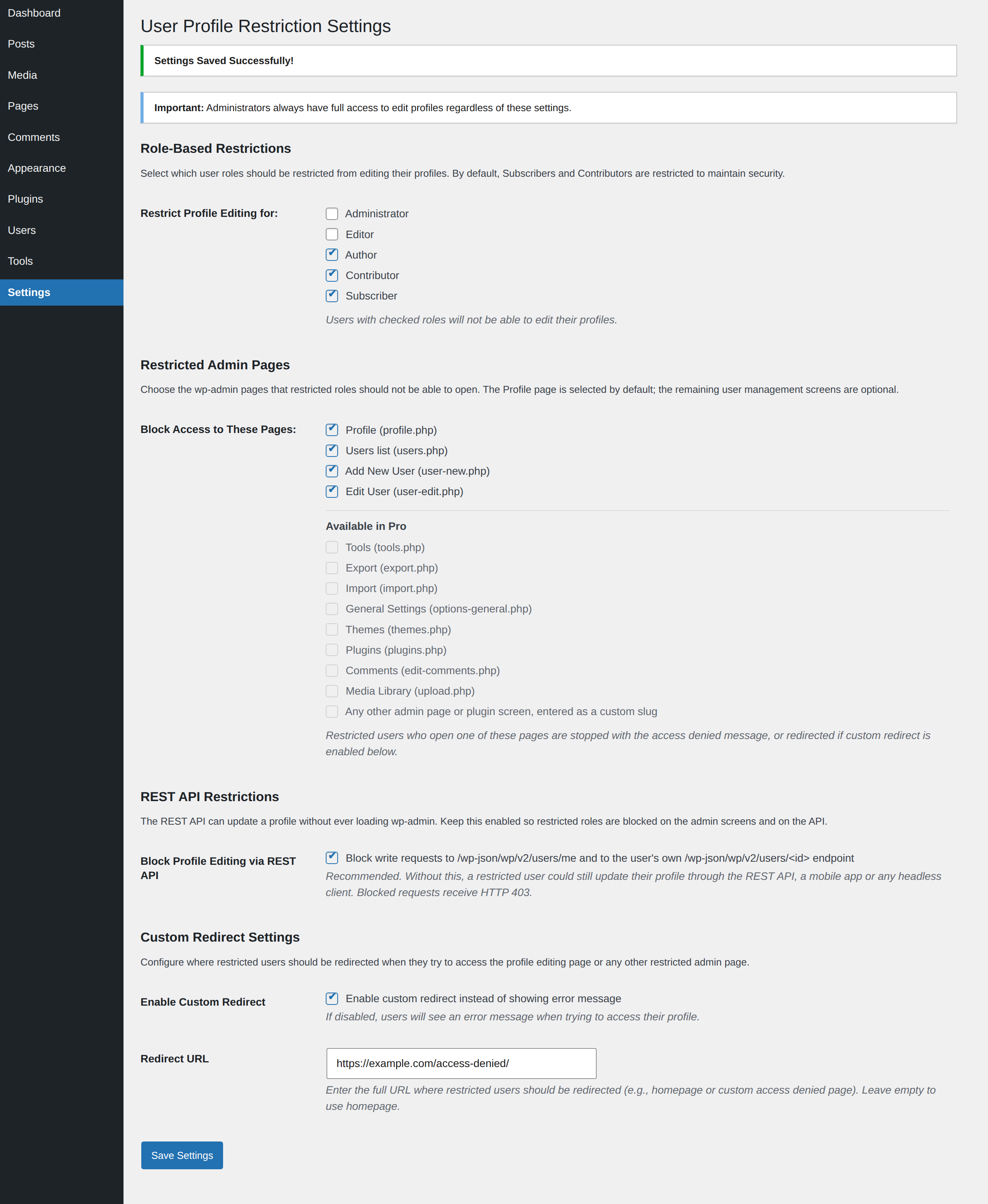
WP User Profile Restriction is a powerful yet simple plugin that allows you to restrict profile editing capabilities for specific user roles. Perfect for demo sites, membership websites, or any WordPress installation where you need to maintain control over user profile modifications.
Key Features
- Granular Role-Based Restrictions – Choose exactly which user roles should be restricted from editing their profiles
- Restricted Admin Pages – Block restricted roles from the user management screens: Profile (enabled by default), Users list, Add New User and Edit User
- REST API Restriction Parity – Profile updates sent to
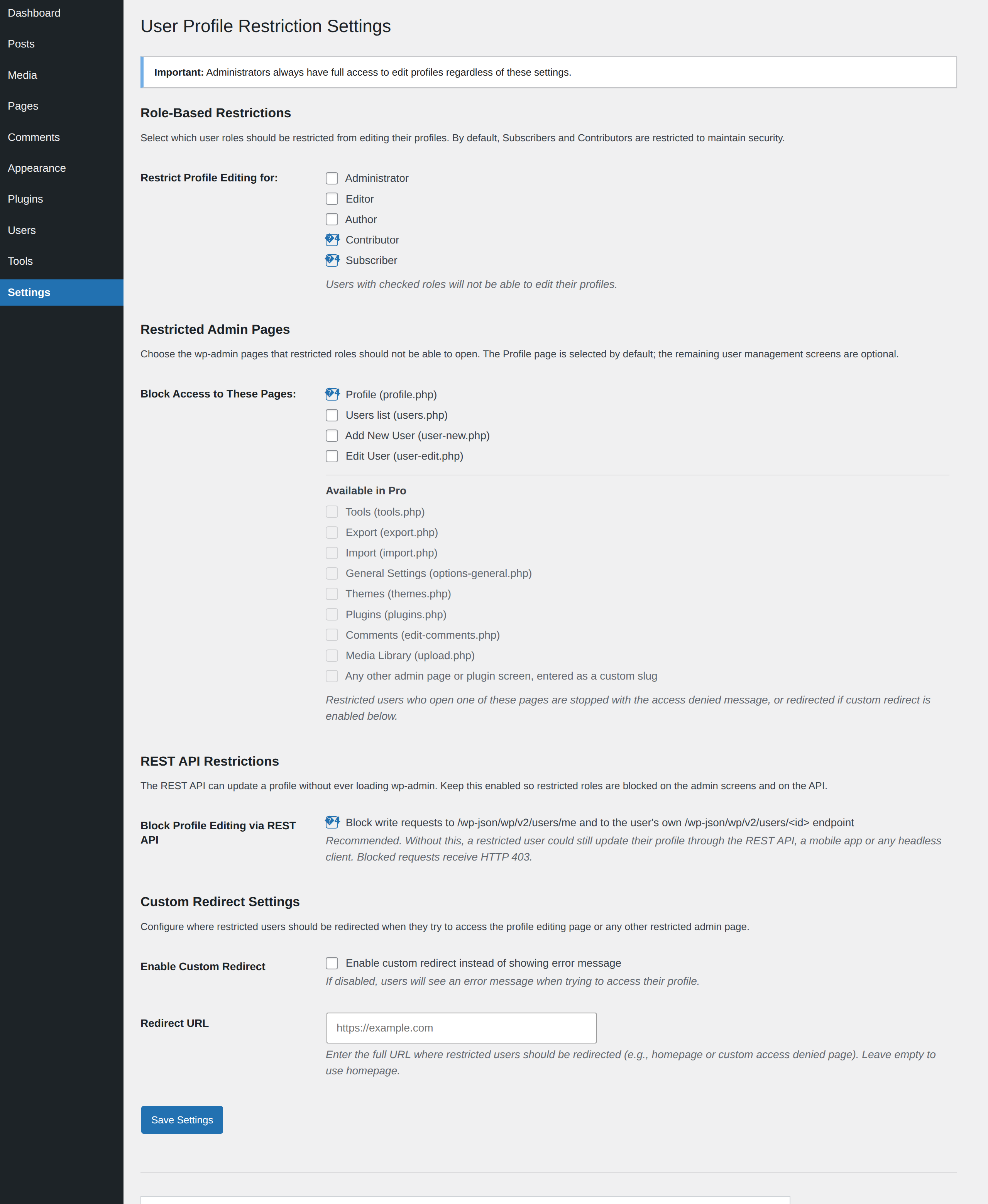
/wp-json/wp/v2/users/meor to the user’s own/wp-json/wp/v2/users/<id>endpoint are rejected with HTTP 403, so the restriction cannot be bypassed through the API, a mobile app or a headless client - Custom Redirect Options – Redirect restricted users to a specific URL instead of showing an error message
- Automatic Menu Hiding – Profile links are automatically hidden from admin bar and dashboard menu for restricted users
- Easy Settings Page – Configure all options from a user-friendly settings page in WordPress admin
- Built-in Contact Form – Send a question or a feature suggestion to the plugin author straight from the settings page, without leaving your dashboard
- Backward Compatible – Maintains default security by restricting Subscribers and Contributors by default
- No Coding Required – Simple checkbox interface for all configurations
- Lightweight & Fast – Minimal impact on site performance
How It Works
- Install and Activate – The plugin works immediately with secure defaults
- Configure Settings – Go to Settings > Profile Restriction to customize
- Select Roles – Check which user roles should be restricted
- Select Pages – Profile is blocked out of the box; optionally also check the Users list, Add New User and Edit User screens
- Keep REST Protection On – Leave the REST API restriction enabled so the same rules apply to API requests
- Optional Redirect – Set a custom redirect URL if desired
- Done! – Restricted users can no longer edit their profiles from the dashboard or the API
Default Behavior
By default, the plugin restricts Subscribers and Contributors from editing their profiles. This maintains security while allowing Editors, Authors, and Administrators full access. You can customize this behavior at any time from the settings page.
Perfect For
- Demo and staging websites
- Membership sites
- Multi-author blogs
- Educational institutions
- Client websites
- Any site requiring profile editing restrictions
What Gets Restricted
- Direct access to profile.php page
- Any additional user management pages you select: the Users list, Add New User and Edit User
- Profile update requests sent through the WordPress REST API
- Profile link in admin bar
- Profile submenu in dashboard
- All profile editing capabilities for selected roles
Administrator Protection
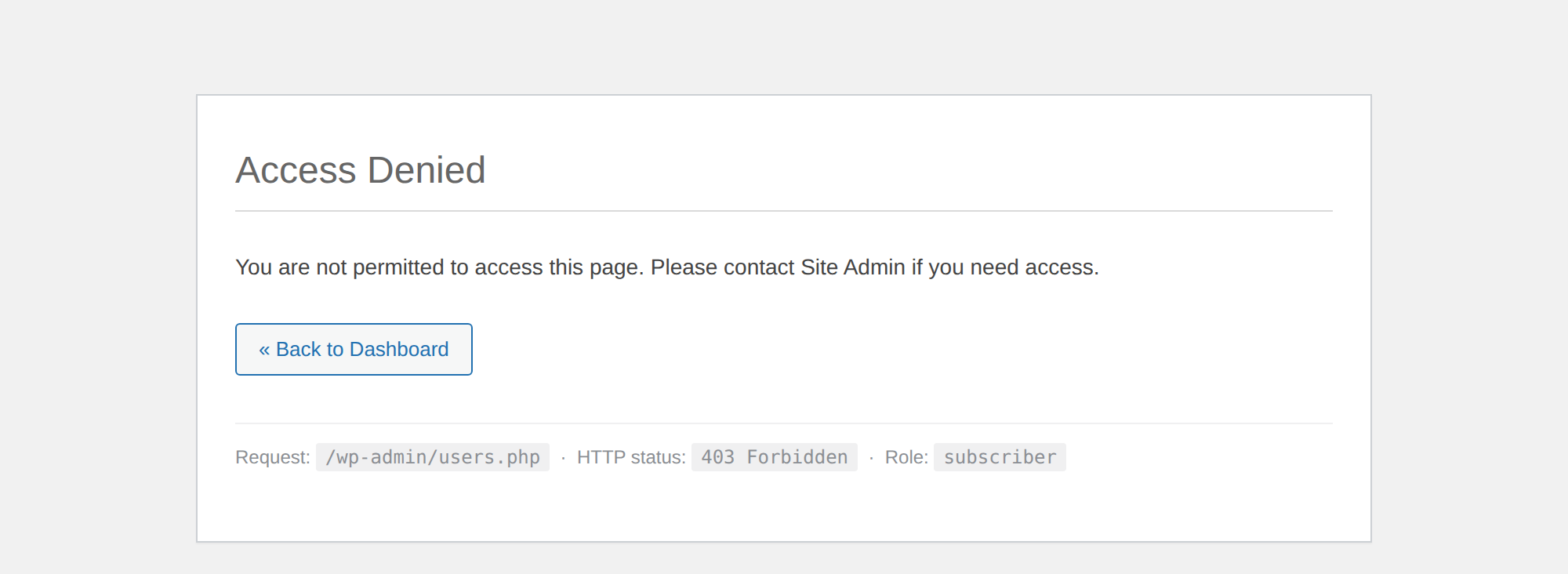
Administrators always retain full access to edit any profile, regardless of plugin settings. This ensures you never lock yourself out of critical functionality.
Additional Information
Support
The quickest way to reach us is the contact form in the settings page (Dashboard > Settings > User Profile Restriction) sidebar, which emails your question or feature suggestion directly to the plugin author. You can also visit the plugin’s support forum on WordPress.org.
Reviews
If the plugin is doing its job on your site, a five star review on WordPress.org helps other site owners find it and is genuinely appreciated.
Privacy
This plugin does not collect, store, or transmit any user data, and all settings are stored locally in your WordPress database. The only exception is the contact form on the settings page: when an administrator chooses to submit it, the name, email address and message they type are emailed to the plugin author, together with your site URL, plugin version and WordPress version so we can reproduce the issue. Nothing is sent unless the form is submitted.
Credits
Developed and maintained by TheInnovs | WPCommerz
Screenshots

Settings page with role-based restriction options and the support sidebar
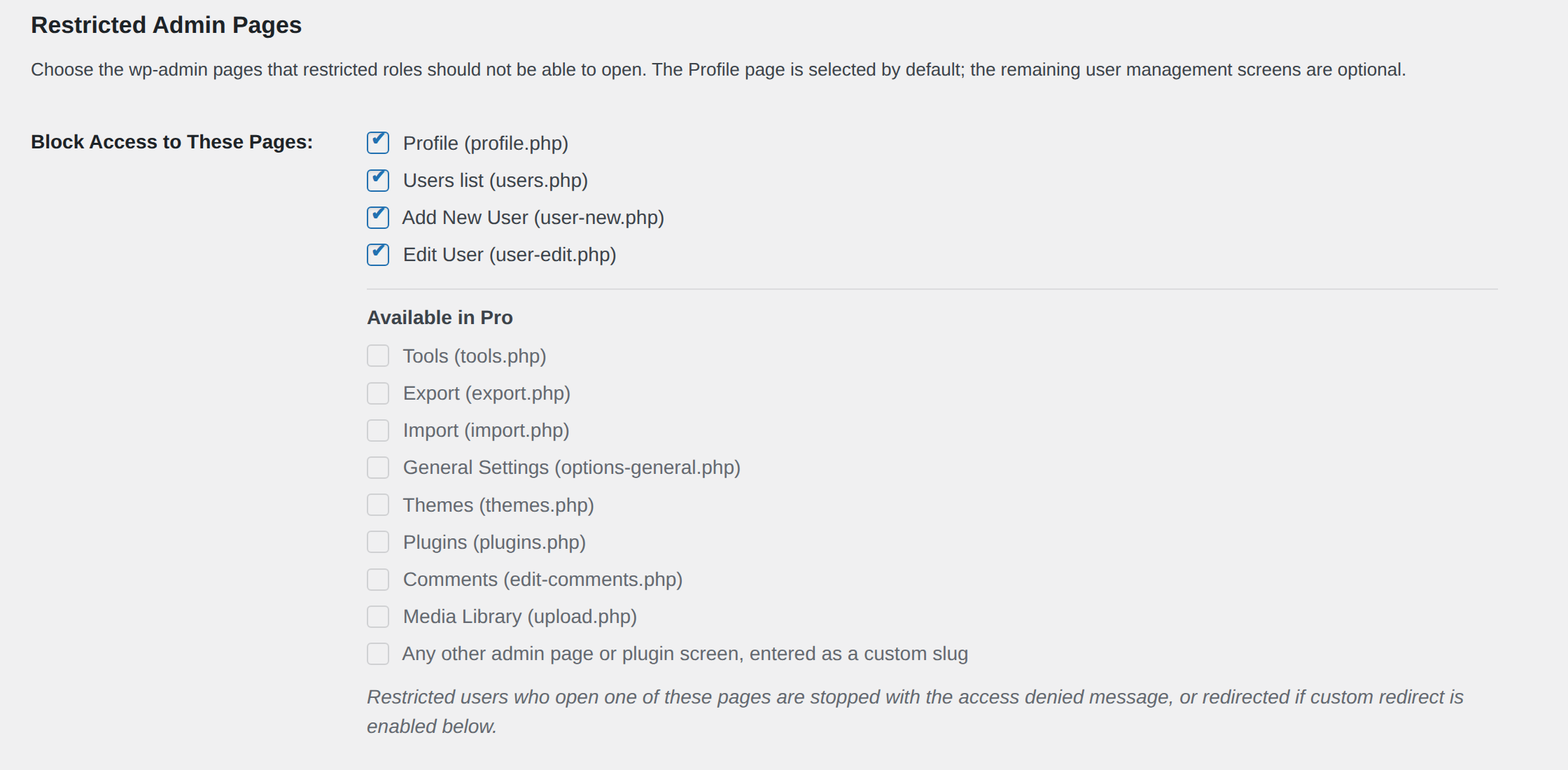
Restricted admin pages selection, including the screens coming in a future release

REST API restriction setting
Custom redirect configuration
Restricted user attempting to access a blocked admin page