BACK TO DIRECTORY
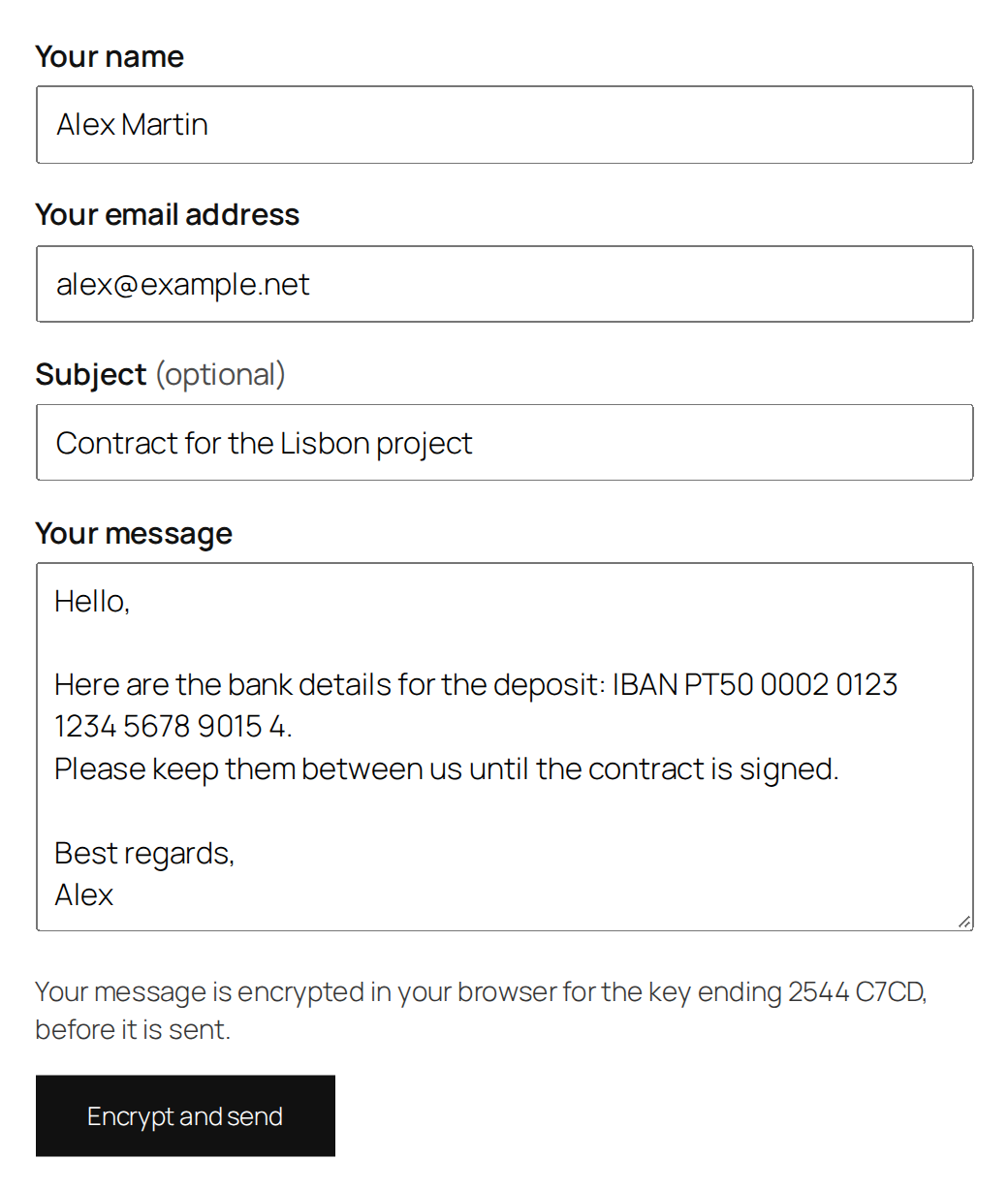

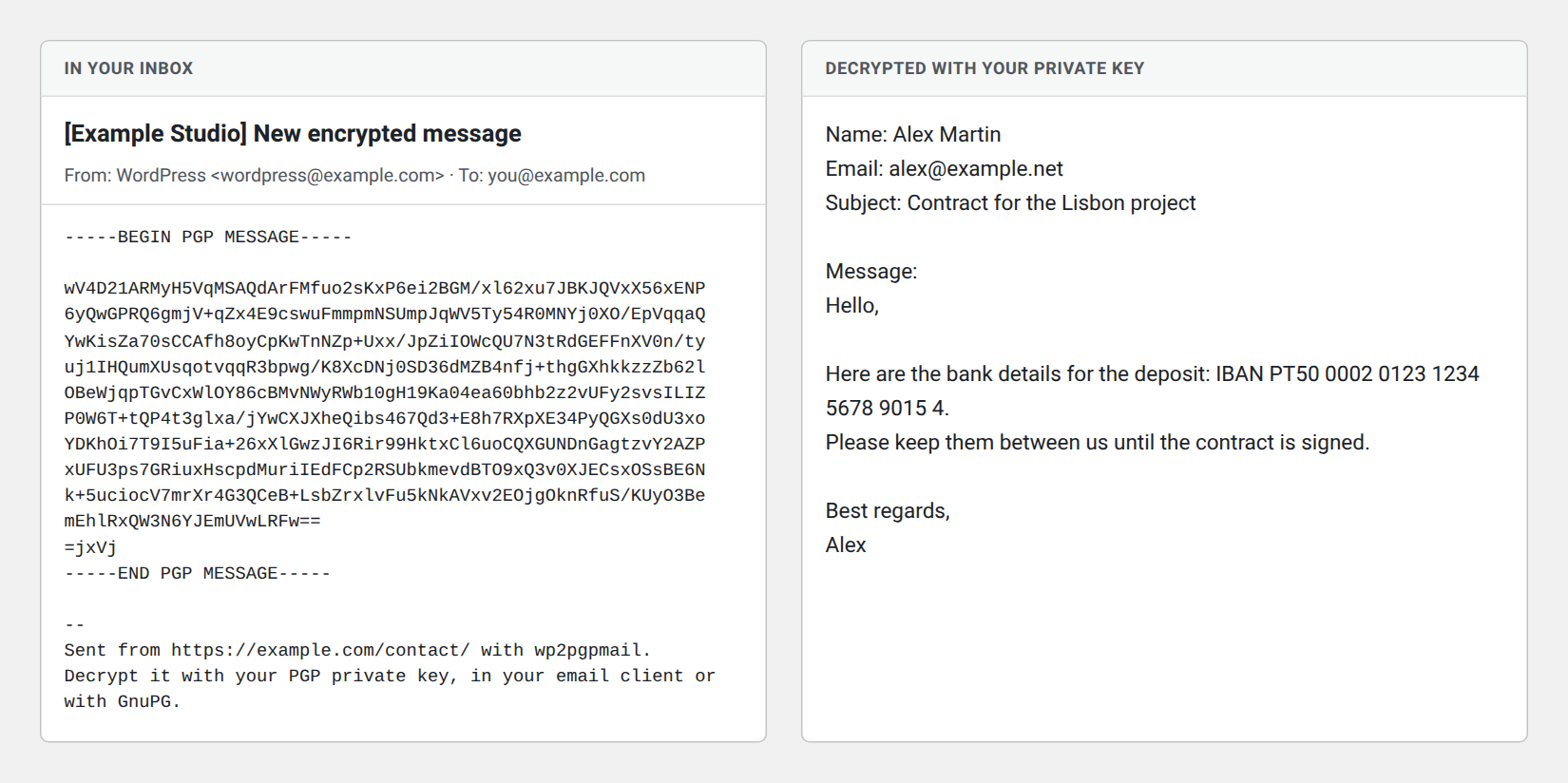
wp2pgpmail adds a contact form to your site. When a visitor sends it, the message is encrypted in their browser with your PGP public key, then emailed to you. Your site, your hosting company and every mail server along the way only ever see encrypted text: only your private key can read it.
- Encrypted before it leaves the browser. Name, email address, subject and message are all inside the encrypted message. The server accepts nothing else: a message in clear is refused.
- Works with today’s keys. RSA and Curve25519 keys from GnuPG, Thunderbird, Kleopatra, GPG Suite or any OpenPGP tool. The settings page shows the key’s fingerprint, algorithm and expiry date, and refuses private keys.
- Check it in one click. Send yourself an encrypted test message from the settings page.
- Spam protection without a captcha: a hidden trap field, a minimum filling time and a limit per hour, with no third-party service.
- Light and accessible. No jQuery; scripts load only on the page with the form. The form follows your theme’s styles, block themes included.
- Visitors can check the key. The form shows the end of your key’s fingerprint, so you can publish the full fingerprint for comparison.
- Private by default. No IP address is collected unless you turn it on, and then only inside the encrypted message.
Encryption uses OpenPGP.js, the library maintained by Proton.
Don’t have a PGP key?
Create one in your browser with our free PGP Key Generator, or with GnuPG on your computer.
Using Gravity Forms?
Gravity Forms PGP Encryption encrypts the notifications of any Gravity Forms form: every field type, as many forms and recipients as you need.
Screenshots
The contact form, styled by your theme.
The settings page checks your public key and shows its details.
The message as you receive it, and once decrypted.
Plugin Details
Active Installs
80Total Downloads
13,122Version
2.0Requires WP
5.0Requires PHP
7.0Tested Up To
7.1.4Added
2010-05-24Last Updated
2026-10-26 12:37pm GMTRatings
5
4
4
0
3
0
2
1
1
0