
WPCore stores lists of plugins called collections. You create collections at wpcore.com. Each collection has a key. Add the key to this plugin, and the plugin installs and activates the plugins in that collection.
Collections can contain plugins from the WordPress.org directory and custom plugins uploaded to wpcore.com as ZIP files.
WP-CLI
wp wpcore install <key> installs the plugins in a collection from the command line. `wp wpcore list <key>` lists the plugins in a collection and their status on the site.
Source code
The plugin includes the uncompressed source of the admin screen JavaScript and styles in assets/src/. build/ holds the compiled files.
External service
This plugin connects to the WPCore API at https://wpcore.com/api/ to read the collections whose keys you add. The request contains the collection keys and the plugin version. No other site data is sent. The WPCore terms and privacy policy apply.
Screenshots

Create collections of plugins at wpcore.com.

The WPCore screen lists the plugins in each saved collection and shows which are installed and active.
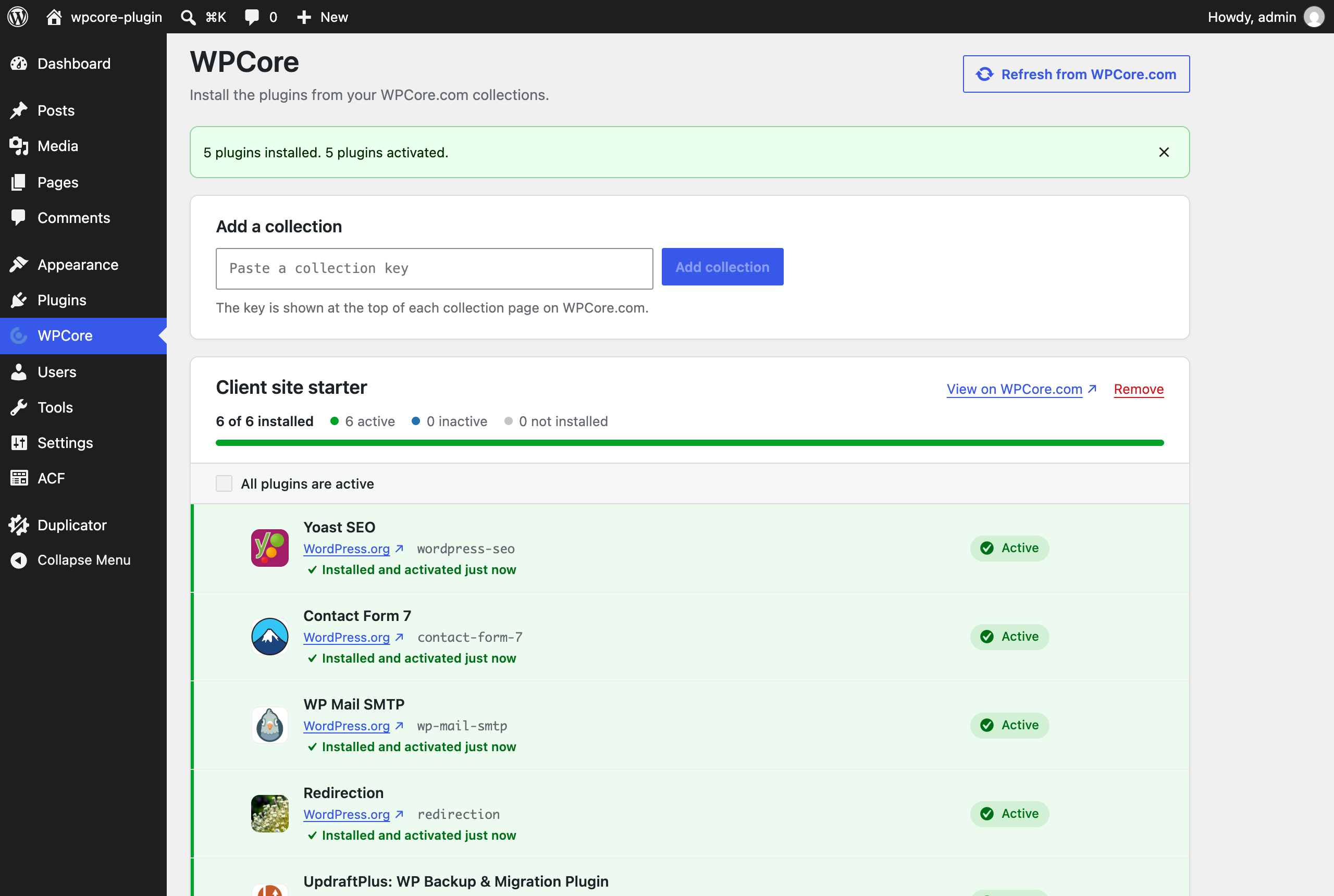
Install and activate the missing plugins of a collection. Each plugin shows its result.