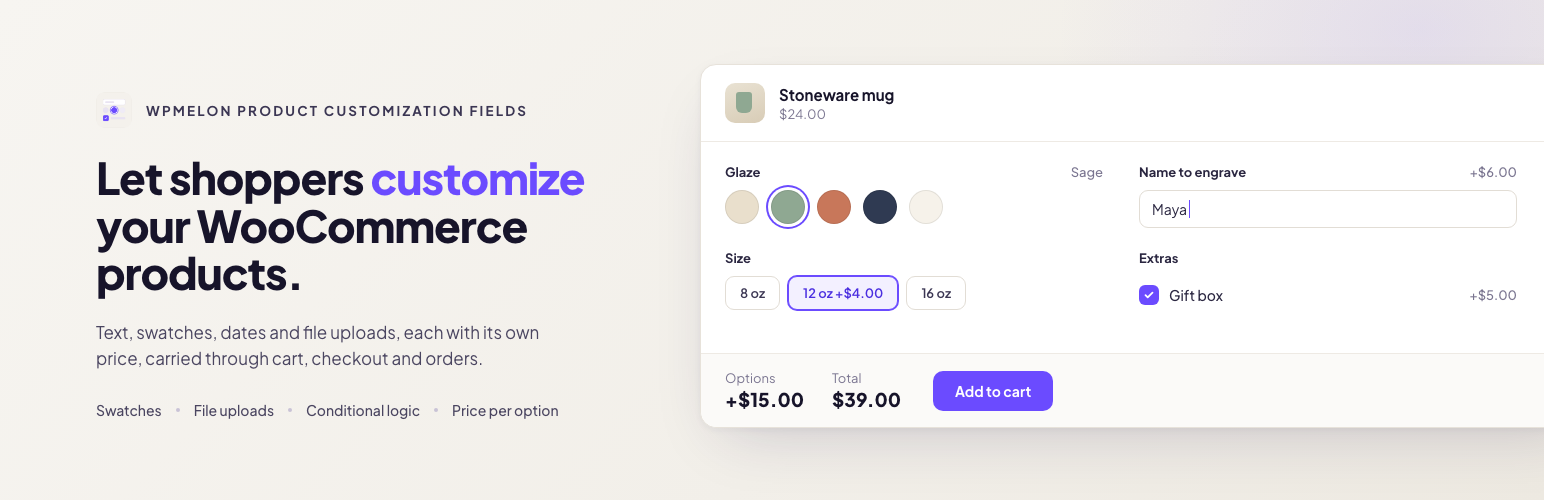
WPMelon Product Customization Fields lets you add extra fields to your WooCommerce products. Shoppers fill them in on the product page, each choice can change the price, and everything they picked shows up in the cart, checkout, order, emails and My Account.
Included in the free version: file uploads, color and label swatches, prices per option, one-time fees, conditional logic with several rules and number comparisons, WPML and Polylang support, and full support for the block cart and checkout. On the product page it loads one small script (about 4 KB gzipped, no jQuery), and only on products that have options.
Field types
- Text and textarea
- Email, URL and phone, checked when the product is added to the cart and shown as plain text (never as links) in the cart, orders and emails
- Number
- Select, radio buttons and checkboxes
- Color swatches and label swatches
- Date and time (earliest and latest date or time per field; times also take a step in minutes, and a window can run past midnight)
- File upload (allowed types and size per field; files are kept private and only shop managers can download them)
- Headings and paragraphs to organize longer forms (they can be shown or hidden by conditions too)
Pricing per option
- No price, a flat amount, or a percentage of the product price
- Charge each price per item, or once per cart line as a one-time fee (set-up fees, engraving plates): the fee shows on its own row in the cart and at checkout and does not change with the quantity
- Percentages follow the selected variation’s price
- Option prices include tax the same way your product prices do, and work with quantities and coupons
Conditional logic
Show or hide a field depending on the fields above it. Combine several rules and choose whether all or any of them must match; each rule checks whether a field is, is not, is empty or is not empty. Number fields can also be compared: greater than, less than, at least or at most a number (decimals allowed), for example “show Bulk engraving when Names is at least 10”. Hidden fields are ignored when the order is placed.
Where options appear
Create option groups once and assign them to every product, to products in chosen categories or tags (with exclusions), or attach a group on a single product’s edit screen. Works with simple and variable products, classic themes and block themes, and the classic and block cart and checkout.
Multilingual stores
Works with WPML and Polylang. Field labels, descriptions, placeholders, choice labels, headings and paragraphs are registered for translation, and a group assigned to a product, category or tag also applies to their translations.
Privacy
The plugin makes no external requests and collects no usage data.
Source code
The compiled JavaScript and CSS in assets/dist/ are built from the TypeScript and CSS sources in assets/src/, which ship with the plugin together with the build configuration. To rebuild them, run npm ci && npm run build:free in the plugin folder (Node.js 20.19 or later).
Known limitations
- With currency switchers or other price filters, the product page shows option prices before conversion; cart, checkout and orders show converted amounts.
- One-time fees are converted with the same factor the price filter applies to the product. A currency switcher that also converts cart fees itself would convert them twice.
Screenshots
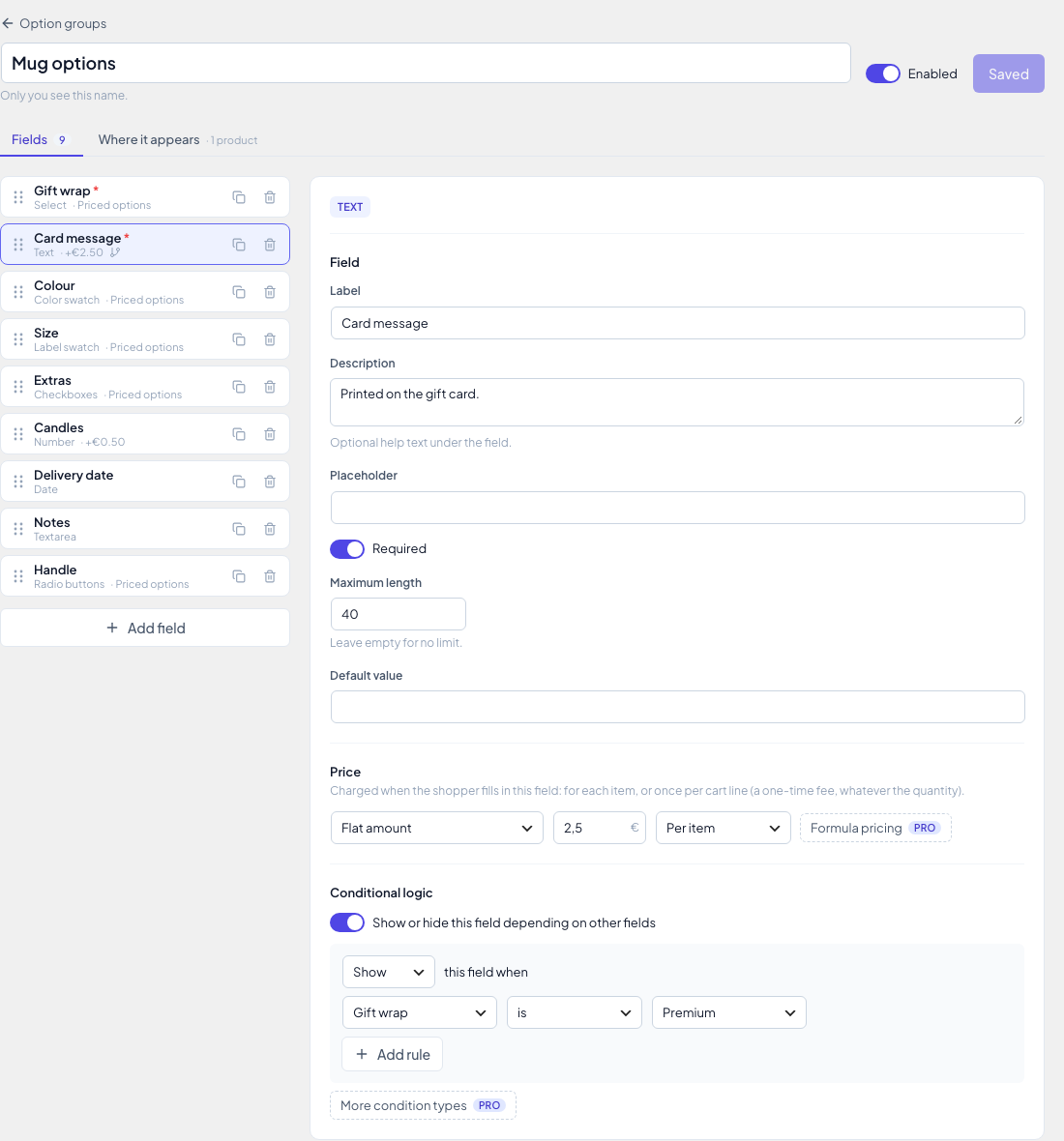
The option group editor: fields, prices and conditional logic.

Options on a product page with the live total (Storefront theme).
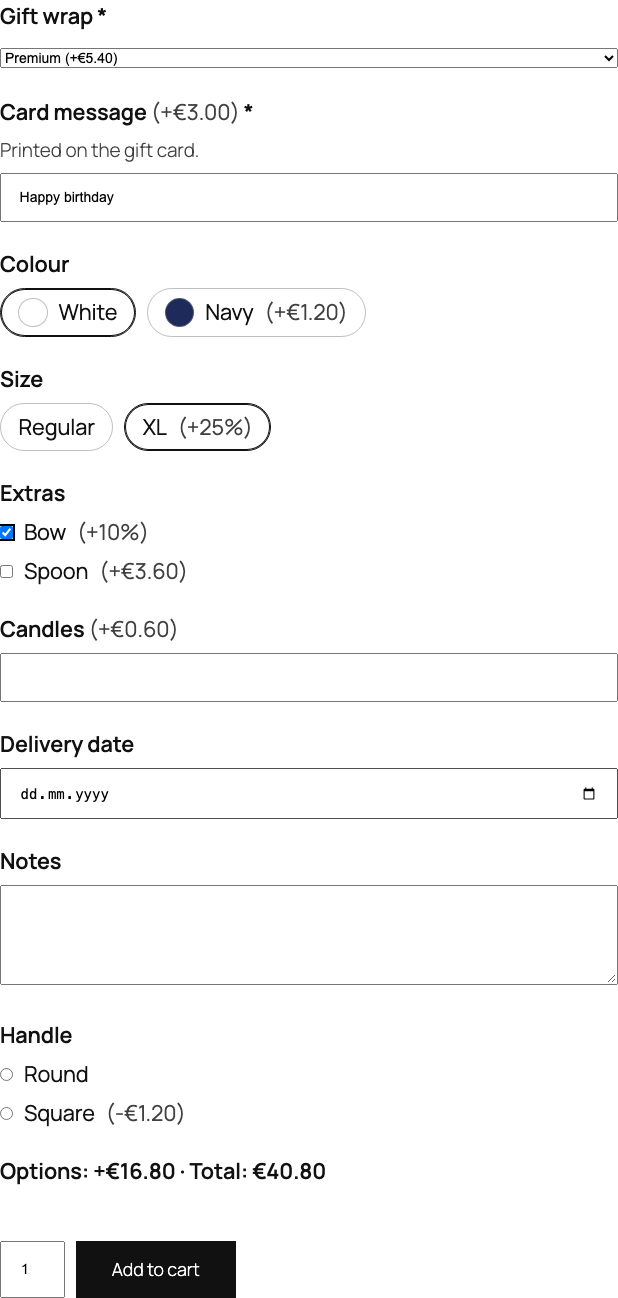
The same options in a block theme (Twenty Twenty-Five).
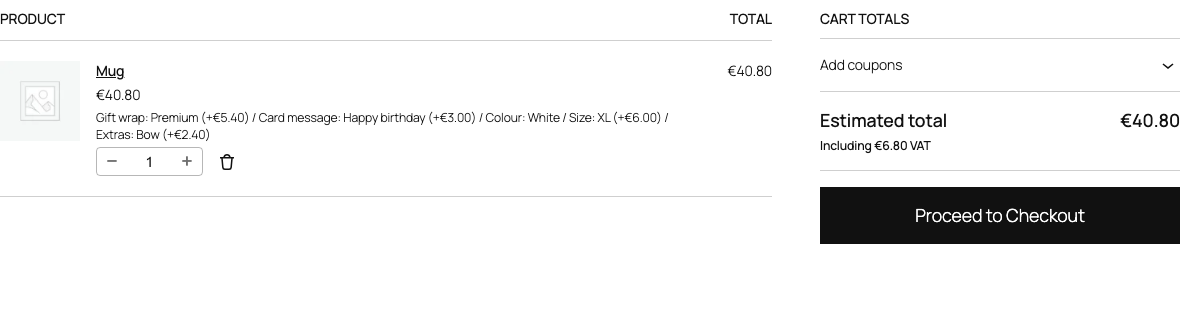
The selected options and their prices in the block cart.
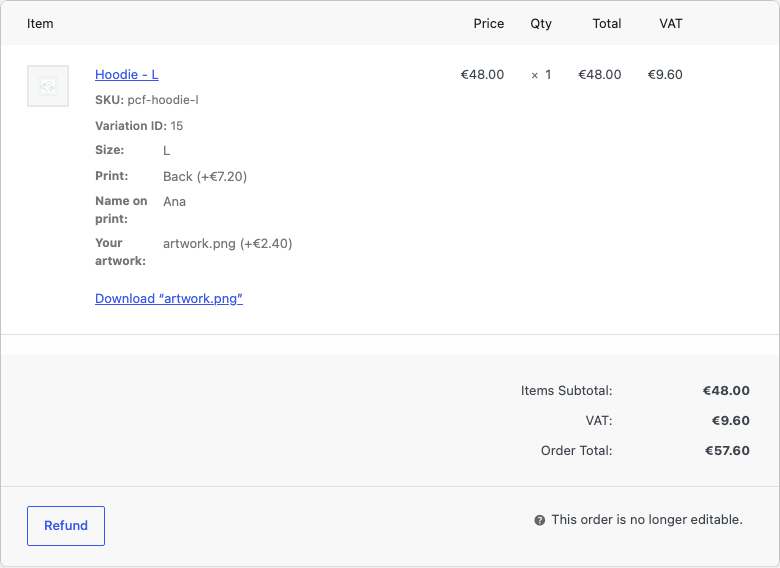
An order in the admin, with the options and the customer's uploaded file.