WPSwings AI Popup Generator is a visual campaign builder for popups, floating bars, and inline embeds — combining conversational multi-step flows, gamification, A/B testing, lead capture, AI assistance, and a headless REST API into a single React-powered admin interface.
Multi-Step Conversational Campaigns
- Unlimited steps — Add as many steps as your flow needs, each with its own headline, image, button, and form blocks
- Branch by answer — A “Yes”/”No” choice block can route to a completely different next step
- Full flow preview — Click through the entire flow exactly as a real visitor would, before you ever publish
- Drag-and-drop canvas — Build and reorder steps visually, no code required
Built-In Gamification Suite
- Spin-to-win wheel — A classic spinning-wheel prize draw
- Scratch card — A scratch-to-reveal reward format
- Mystery box — A pick-a-box reward format
- Weighted prize odds — Every format draws from a prize list you control, resolved securely on the server — odds are never exposed to or calculable by the visitor’s browser
Free Built-In A/B Testing
- Custom traffic split — Set any traffic split between Variant A and Variant B
- Automatic tracking — Impressions and conversions tracked per variant automatically
- Live results panel — Compare conversion rate side by side, right inside the builder
- No add-on required — Included in the free plugin, no upgrade or separate purchase
Lead Capture & Follow-Up
- Spam-protected forms — Honeypot + nonce protection built into every lead capture form
- Leads admin screen — Every captured lead listed with campaign, name, email, and date, plus one-click CSV export
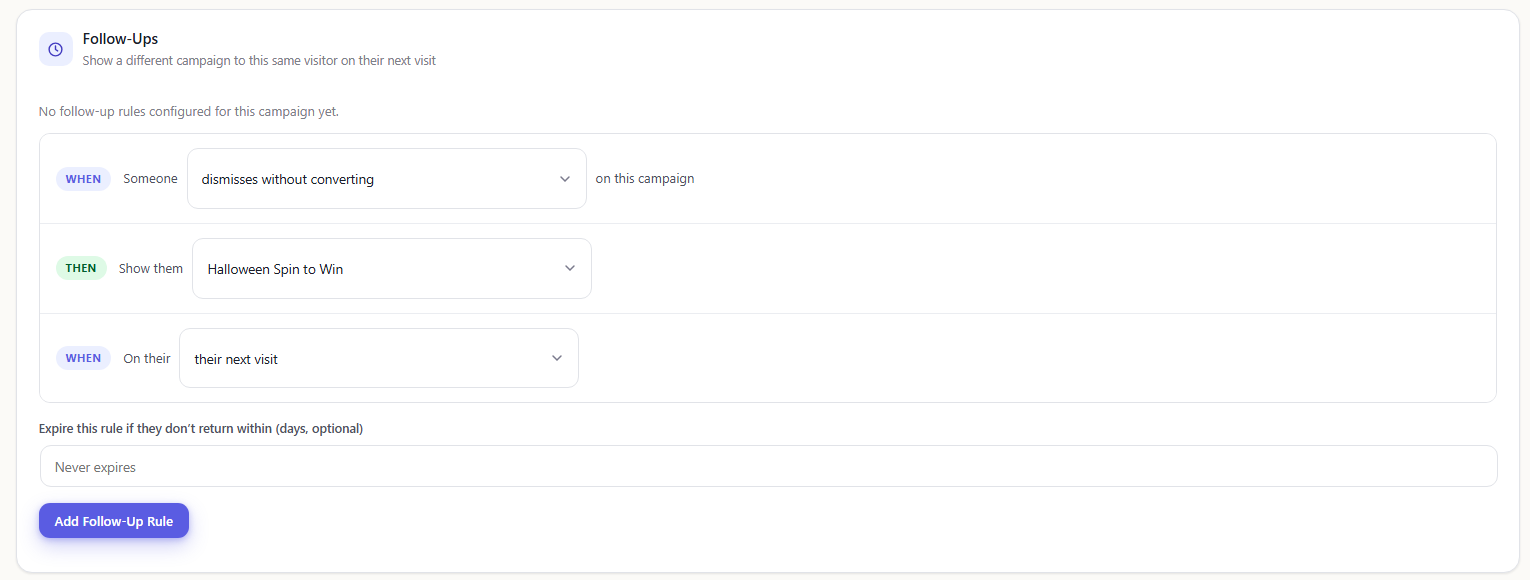
- Follow-up campaigns — Show a different campaign to the same visitor on their next visit, based on whether they converted, dismissed it, or played a gamified prize game
- Dedicated database storage — Leads are stored in their own database table, not scattered across post meta
AI-Assisted Tools
- AI Campaign Generator — Draft a starting campaign from a plain-English description
- AI Variant Generator — Generate an alternate A/B-test variant automatically
- AI Prize/Odds Optimizer — Get suggested prize odds for the gamification suite
- AI Alt-Text & Contrast Fixer — Auto-write image alt text and fix color contrast issues
- AI Template Describer — Describe any template in plain language
- AI Trigger-Rule Recommender — Get a recommended display trigger for a campaign
- AI Lead Quality Scoring — Score a lead’s free-text answer for purchase intent (opt-in, disclosed)
Advanced Targeting & Headless API
- Granular display rules — Page targeting, delay, scroll depth, device, and frequency capping
- Geo Trigger — Target visitors by country/region using local MaxMind data or WooCommerce geolocation, with optional third-party API lookup
- Campaign embed block — The
wpsaipopup/campaign-embedblock embeds a published campaign inline in post content, always reflecting its current published version - Headless REST API — Every published campaign is available through a stable, versioned public REST API (
wpsaipopup/public/v1) for headless frontends built with Next.js, Nuxt, Gatsby, or any other framework
SUPPORT
If you need support or have questions, kindly use our online chat window here or connect with us then Generate a ticket
Create and Revamp your website with WordPress Services
If our documentation doesn’t contain the solution to your problem, you can visit the WP Swings Forums Community or Generate a ticket
External Services
This plugin can connect to the third-party services listed below. None of them are needed for the core features (multi-step campaigns, gamification, A/B testing, lead capture), and none are contacted until a site owner sets them up. Each service is described below: what it is used for, what data is sent, when it is sent, and links to its terms and privacy policy.
MaxMind GeoLite2 database download (optional)
MaxMind provides the GeoLite2 IP-to-country database. The Geo Trigger display rule can use this database to find a visitor’s country on your own server, without sending the visitor’s IP address anywhere. The plugin does not include this database.
- When: only when a site owner has saved their own MaxMind license key under Campaigns > Settings > Geolocation and clicks “Download now”. The plugin never contacts MaxMind on its own, on a schedule, or when visitors load a page. If you upload a
.mmdbfile manually, nothing is ever sent to MaxMind. - What is sent: the site owner’s MaxMind license key and the name of the database being requested (GeoLite2-Country). This goes to https://download.maxmind.com. No visitor or customer data is sent.
- Service provider: MaxMind, Inc. — GeoLite End User License Agreement: https://www.maxmind.com/en/geolite/eula — Terms of Use: https://www.maxmind.com/en/terms-of-use — Privacy Policy: https://www.maxmind.com/en/privacy-policy
ipapi.co geolocation API (optional)
ipapi.co is an IP geolocation API. The Geo Trigger display rule can use it to find a visitor’s country and region.
- When: only if a site owner picks ipapi.co as the geolocation provider and enters their own API key under Campaigns > Settings > Geolocation. Even then, a request is made only when a visitor views a page with a campaign that uses a Geo Trigger rule. Each result is cached for one day, so the same IP address is not looked up again during that time.
- What is sent: the visitor’s IP address and the site owner’s ipapi.co API key, sent to https://ipapi.co. No other visitor data is sent.
- Service provider: Kloudend, Inc. (ipapi.co) — Terms of Service: https://ipapi.co/terms/ — Privacy Policy: https://ipapi.co/privacy/
ipinfo.io geolocation API (optional)
ipinfo.io is an IP geolocation API. The Geo Trigger display rule can use it to find a visitor’s country.
- When: only if a site owner picks ipinfo.io as the geolocation provider and enters their own API token under Campaigns > Settings > Geolocation. Even then, a request is made only when a visitor views a page with a campaign that uses a Geo Trigger rule. Each result is cached for one day, so the same IP address is not looked up again during that time.
- What is sent: the visitor’s IP address and the site owner’s ipinfo.io API token, sent to https://ipinfo.io. No other visitor data is sent.
- Service provider: IPinfo, Inc. — Terms of Service: https://ipinfo.io/terms-of-service — Privacy Policy: https://ipinfo.io/privacy-policy
AI providers, through the WordPress AI Client (optional)
These AI tools are optional: AI Campaign Generator, AI Variant Generator, AI Prize/Odds Optimizer, AI Alt-Text & Contrast Fixer, AI Template Describer, AI Trigger-Rule Recommender, and AI Lead Quality Scoring. This plugin does not connect to any AI service itself. It also does not ship, store, or ask for an API key. Instead, it uses WordPress’s own AI Client (WordPress 7.0+). The site owner sets this up for the whole site under Settings > Connectors, using a separate AI provider plugin they install. The request then goes to whichever provider the site owner chose, using the site owner’s own account.
- When: only when a site owner or editor clicks one of the AI buttons in the admin builder. The one exception is AI Lead Quality Scoring, described in the last bullet. If no AI provider is set up, nothing is sent.
- What is sent:
- For the campaign, variant, prize, template, and trigger tools: the text the admin typed into the builder, plus that campaign’s existing settings (for example its prize list or trigger rules).
- For the AI Alt-Text tool: the selected image file from the site’s media library.
- For the contrast fixer: nothing. It runs entirely on your server.
- AI Lead Quality Scoring: off by default. It has to be turned on in two places, a global setting and a per-campaign setting. When both are on, a visitor’s free-text answer on that campaign’s form is sent to the AI provider when the visitor submits the form, and again if an admin clicks “Re-score” on the Leads screen. The provider returns a quality score. The visitor’s email, name, and other form fields are never sent. A campaign using this feature must show a visible disclosure notice next to its form before it can be published.
- Service provider: whichever provider the site owner connects. Common choices:
- Anthropic (Claude) — Terms: https://www.anthropic.com/legal/commercial-terms — Privacy Policy: https://www.anthropic.com/legal/privacy
- OpenAI — Terms: https://openai.com/policies/services-agreement/ — Privacy Policy: https://openai.com/policies/privacy-policy/
- Google (Gemini) — Terms: https://ai.google.dev/gemini-api/terms — Privacy Policy: https://policies.google.com/privacy
Privacy Policy
This plugin:
- Sets two first-party cookies (
wpsaipopup_variant_{campaign_id}andwpsaipopup_followup) only in a visitor’s own browser, never shared with any third party — see “Does this plugin set any cookies?” above for details and retention periods - Stores captured lead submissions (name, email, and campaign association) in a dedicated database table, viewable and CSV-exportable from Campaigns > Leads
- Does not send any visitor data to an AI provider unless a site owner explicitly enables AI Lead Quality Scoring both globally and per campaign — see “External Services” above
- Does not send any visitor data to a third-party geolocation API unless a site owner explicitly configures one under Campaigns > Settings > Geolocation — local MaxMind (manually uploaded or downloaded with your own license key) or WooCommerce resolution is the default
- Removes all campaigns, captured leads, stats, and plugin options when the plugin is deleted (not just deactivated)
Screenshots
Multi-Step Conversational Campaign
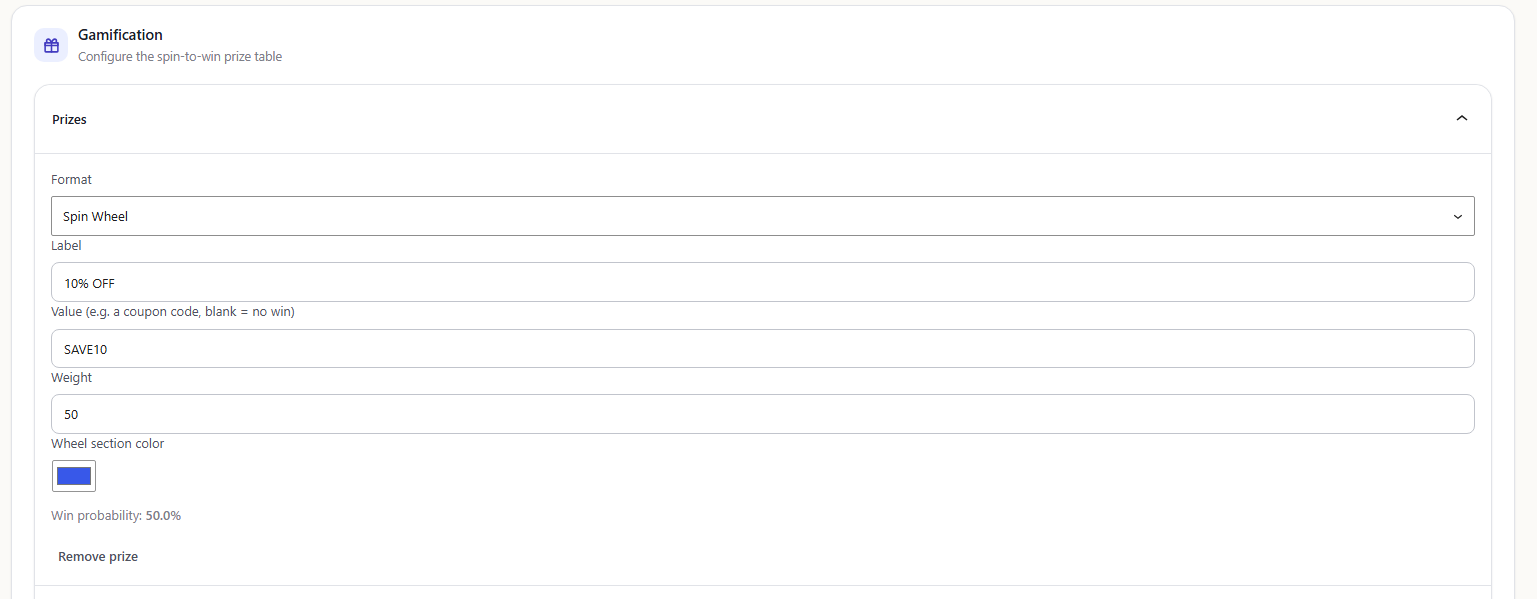
Gamification Suite
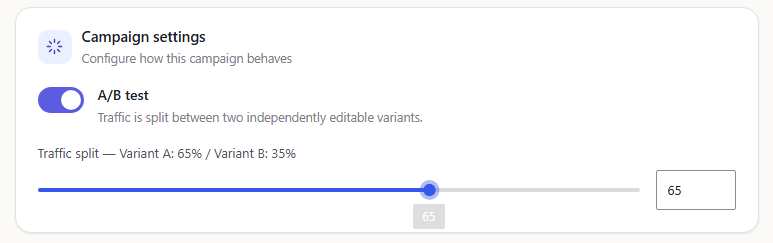
Built in A/B Testing
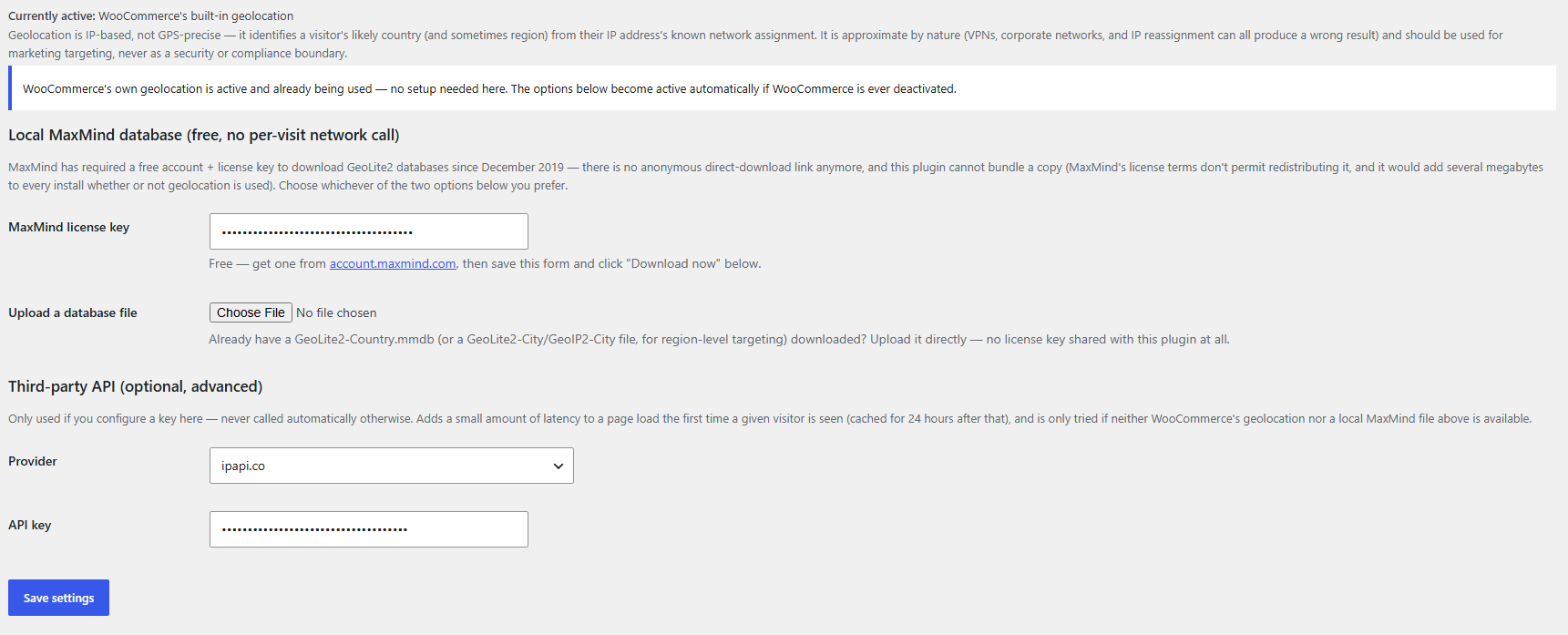
Geolocation Targeting
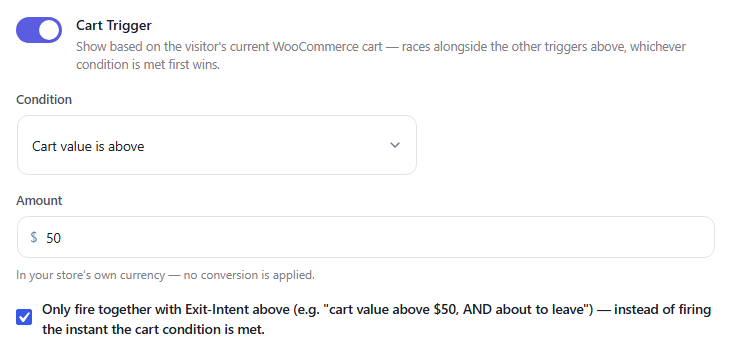
WooCommerce Cart Based Trigger
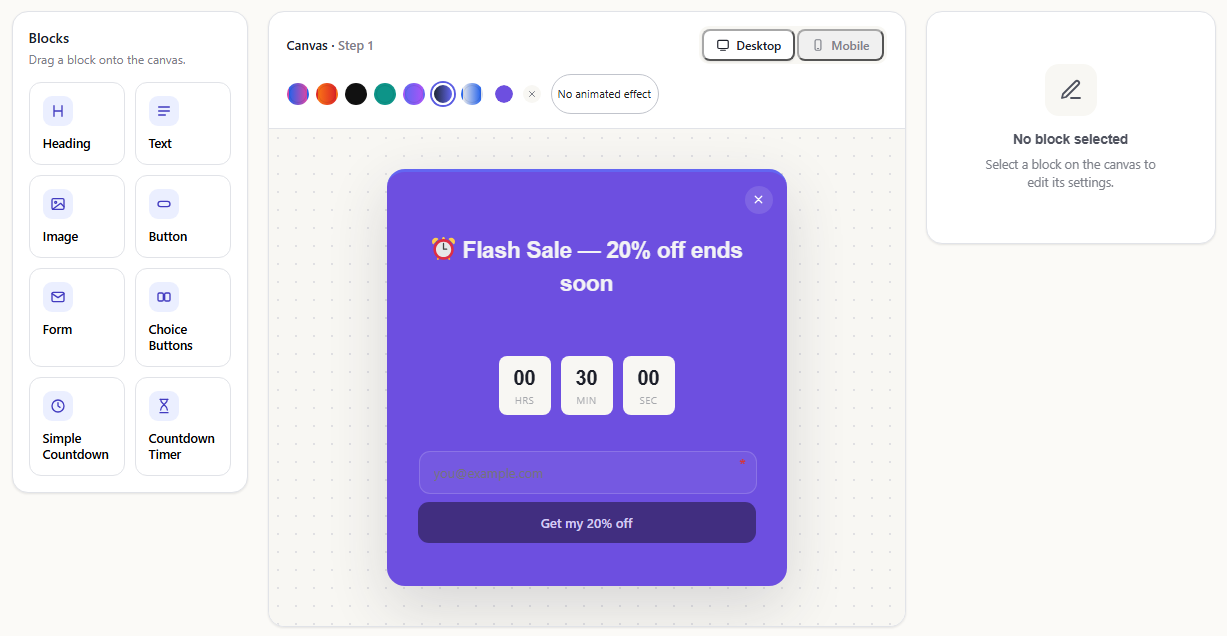
Countdown Timer Block
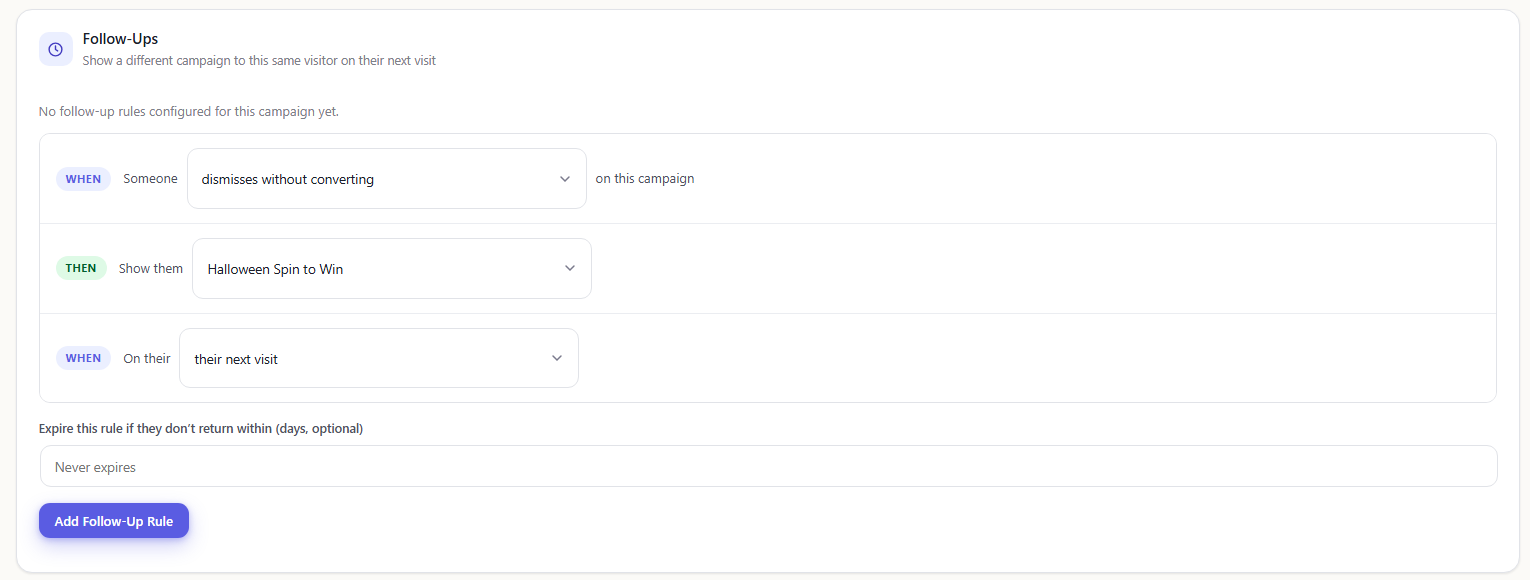
Re-Engagement Follow-Up Campaigns
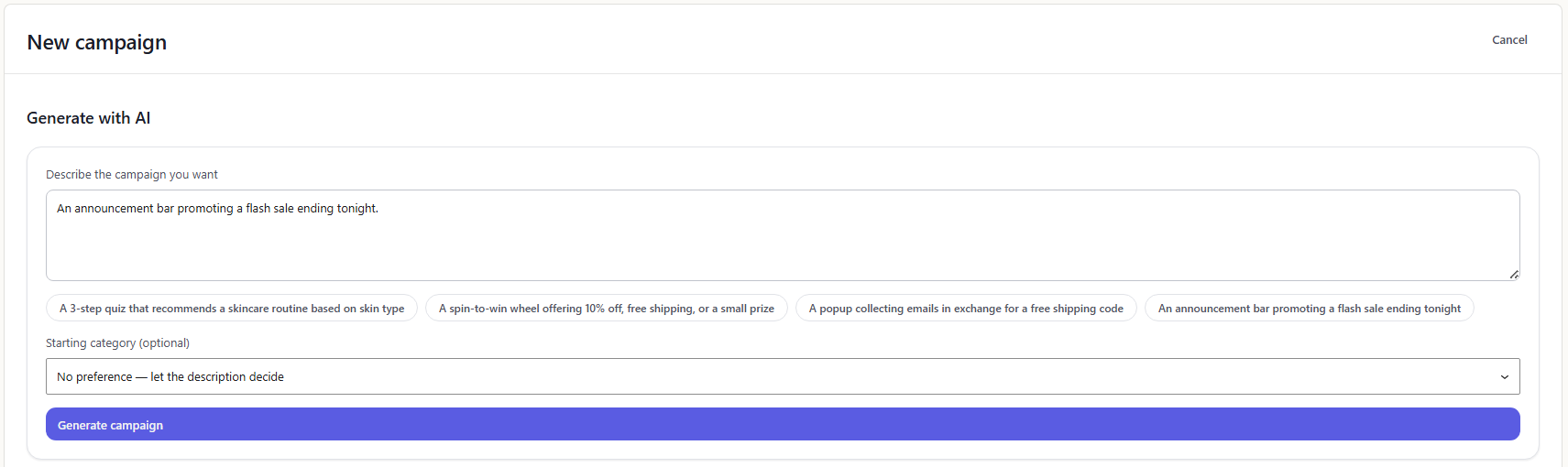
AI Campaign Builder
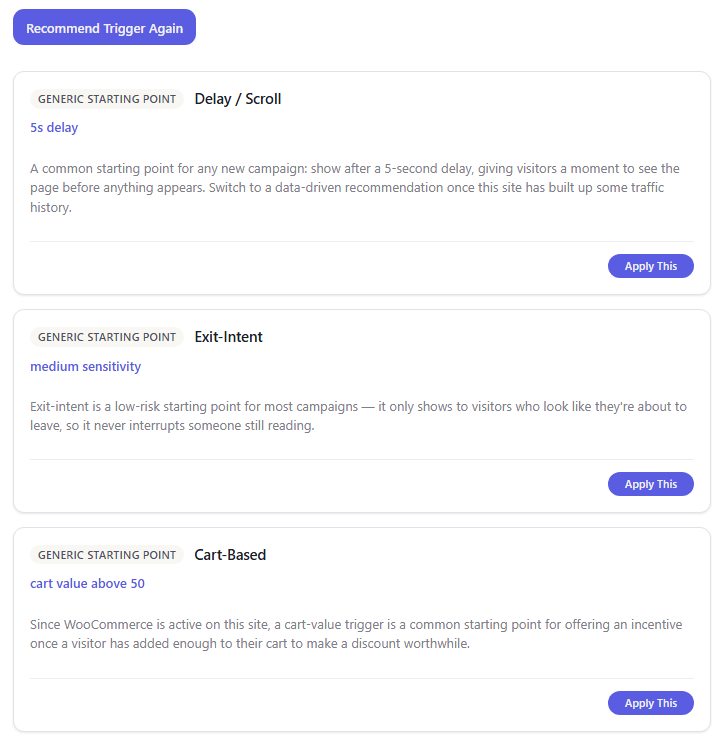
AI Trigger Rule Recommender