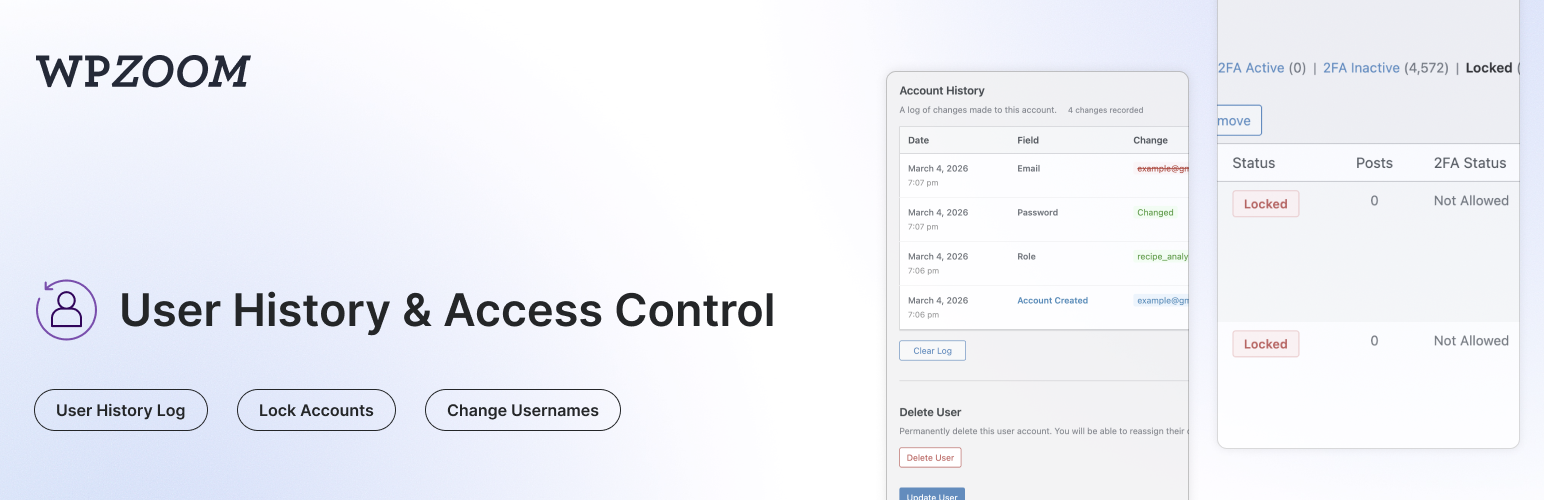
User History tracks all changes made to user profiles and displays a complete history log on the user edit page. It also keeps a lightweight site-wide activity log, lets admins lock or unlock user accounts, change usernames, restrict dashboard access and registration usernames, monitor login/logout activity, manage active sessions, and search for users by their previous details.
Everything lives under a dedicated User History admin menu: Activity Log, Lock Accounts, Dashboard Access, Username Restrictions and Settings.
Activity Log:
- Lightweight Site Activity Log – A simple, fast log of what users do on your site, without the bloat of full audit-log plugins
- Content Events – Posts, pages and custom post types created, updated, published, unpublished, trashed, restored or deleted; categories and tags created, edited or deleted
- Media & Comments – File uploads, updates and deletions; comments posted, approved, unapproved, marked as spam, trashed or deleted
- User Events – Users created, registered, deleted, profile and role changes, password resets, username changes, account locks/unlocks
- Login Events – Successful logins, logouts and failed login attempts
- Plugins, Themes & Core – Plugin activation/deactivation/install/update/deletion, theme switches/installs/updates/deletions, WordPress core updates
- Settings Changes – Changes to key WordPress settings (site title, admin email, registration, permalinks, reading/discussion settings…) with old and new values
- Filter & Search – Filter by user, event group or specific event; search by object name or IP; adjustable rows per page
- Choose What to Record – Toggle each event group on or off, or disable the log entirely
- Shared Retention & Privacy – Follows the same retention period and IP-tracking setting as the user history
Profile Change Tracking:
- Track Profile Changes – Automatically logs changes to username, email, display name, first/last name, nickname, website, bio, and role
- Password Change Logging – Records when passwords are changed (without storing any password data)
- See Who Made Changes – Each log entry shows whether the user changed their own profile or if an admin made the change
- IP Address Tracking – Records the IP address for each change (can be disabled for GDPR compliance)
- Search by Previous Values – Find users on the All Users page by their old email or username
- Clear History – Admins can clear the history log for any user
Login & Session Monitoring:
- Login/Logout Tracking – Records successful logins, logouts, and failed login attempts with date, IP address, and browser info
- Failed Login Attempts – Track failed login attempts for existing user accounts
- Active Sessions – View all active WordPress sessions for any user, including login time, IP address, browser, and expiry
- Log Out Everywhere – Destroy all active sessions for a user with one click
- Browser & OS Detection – Automatically detects and displays the browser and operating system from the user agent
Lock/Unlock User Accounts:
- Lock User Accounts – Prevent users from logging in by locking their account
- Instant Session Termination – Locked users are logged out immediately and all active sessions are destroyed
- Application Password Blocking – Locked users cannot authenticate via application passwords (REST API, XML-RPC)
- Status Column – See which users are locked at a glance with a status column on the All Users page
- Bulk Lock/Unlock – Lock or unlock multiple users at once from the All Users page
- Row Actions – Quickly lock or unlock individual users from the All Users list
- Locked Users Filter – Filter the All Users list to show only locked accounts
- Custom Lock Message – Set a custom message shown to locked users on the login screen (User History > Lock Accounts)
- WP-CLI Access – Locked users can still be managed via WP-CLI
Dashboard Access Restriction:
- Block wp-admin for Non-Admins – Restrict dashboard access to administrators, editors, authors, or users with any specific capability
- Custom Redirect – Send disallowed users to the homepage or any URL of your choice
- Profile Access Exception – Optionally let restricted users still edit their own profile
- Login Screen Message – Display a custom message above the login form
- URL Allowlist – Exempt specific admin URLs from the restriction, with wildcard support (e.g.
?page=customer-*) - AJAX Blocking – Optionally apply the restriction to admin-ajax.php requests
- Migration from Remove Dashboard Access plugin – Automatically imports settings from the Remove Dashboard Access plugin
Username Restrictions:
- Block Specific Usernames – Prevent visitors from registering with reserved or official-sounding names (admin, support, webmaster…)
- Block Words in Usernames – Reject usernames containing certain text fragments, such as offensive words or a prefix reserved for staff
- Require a Prefix, Suffix or Substring – Force usernames to start with, end with, or contain one of your chosen fragments
- Length Limits – Enforce a minimum and/or maximum username length
- Disallow Spaces – Reject usernames containing spaces (WordPress allows them by default)
- Custom Error Message – Explain your naming rules to visitors who pick a restricted username
- Username Test Tool – Check sample usernames against your rules right on the settings page, with the reason for each rejection
- Broad Compatibility – Works with the WordPress registration form, Multisite signup, BuddyPress, WooCommerce and most registration plugins
- Migration from Restrict Usernames plugin – Automatically imports settings from the Restrict Usernames plugin
Admin Tools:
- Change Username – Allows admins to change usernames directly from the user edit page (WordPress normally doesn’t allow this)
- Delete User Button – Quick access button to delete a user directly from their profile page
- Data Retention – Automatically delete old logs after a configurable number of days (default: 30 days)
- Clear All Logs – Bulk delete all history logs for every user from the settings page
Privacy & Compliance:
- IP Tracking Toggle – Enable or disable IP address recording for GDPR compliance (User History > Settings)
- Configurable Retention – Set how long logs are kept (1-365+ days, or keep forever)
- Automatic Cleanup – Daily cron job removes logs older than the configured retention period
Compatibility:
- Multisite Compatible – Works with WordPress multisite installations, including super admin username changes
- Members Plugin Compatible – Correctly tracks role changes when using the Members plugin for multiple role assignments
- Migration from Lock User Account plugin – Automatically migrates locked users from the Lock User Account plugin
Use Cases:
- Find customers who changed their email after making a purchase
- Track when and who changed user roles
- Audit user profile modifications for security
- Monitor login activity and detect suspicious access
- View and manage active user sessions
- Allow username changes without database access
- Lock compromised or suspended accounts instantly
- Temporarily disable user access without deleting accounts
Screenshots
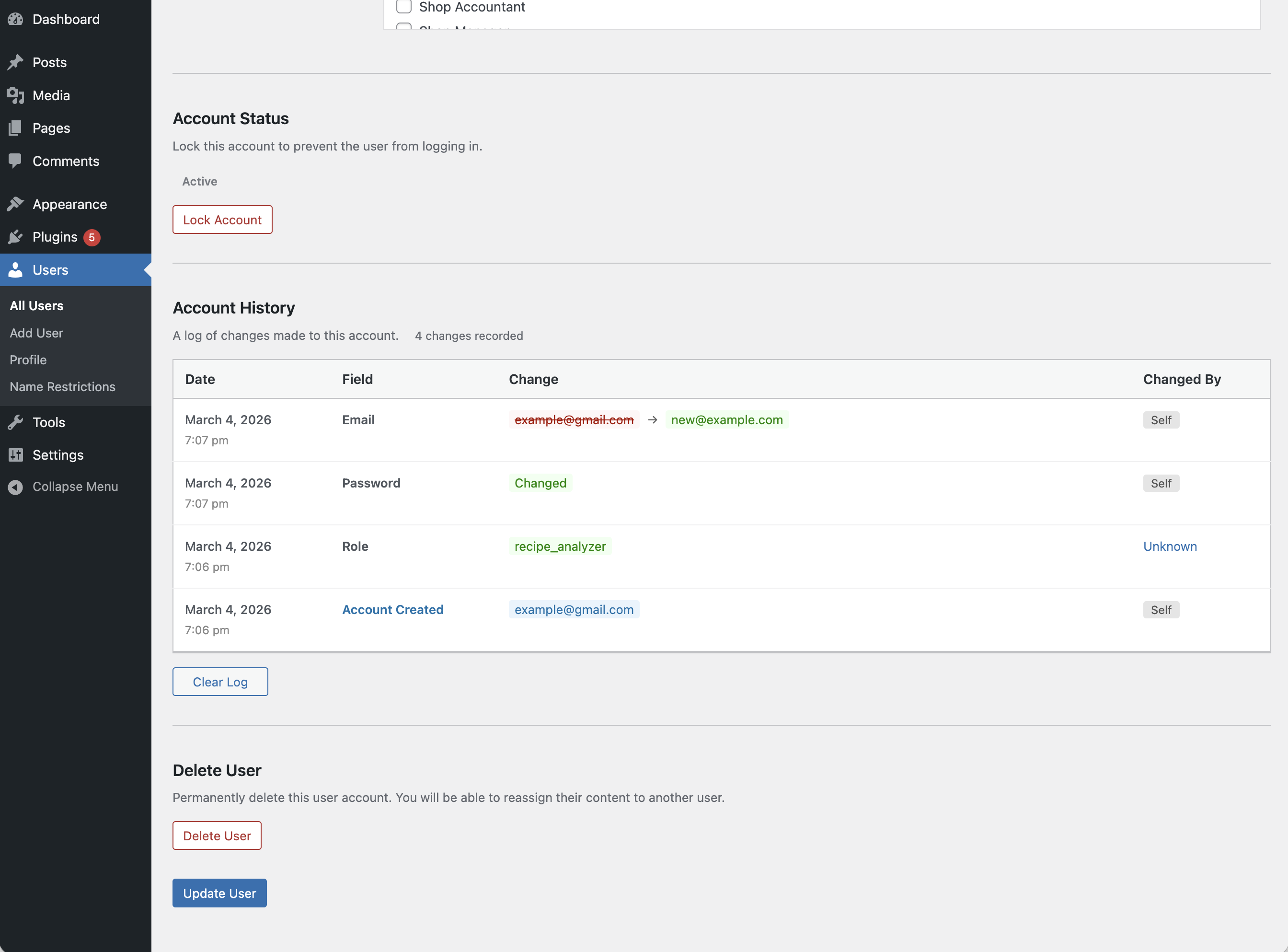
Account History section on the user edit page
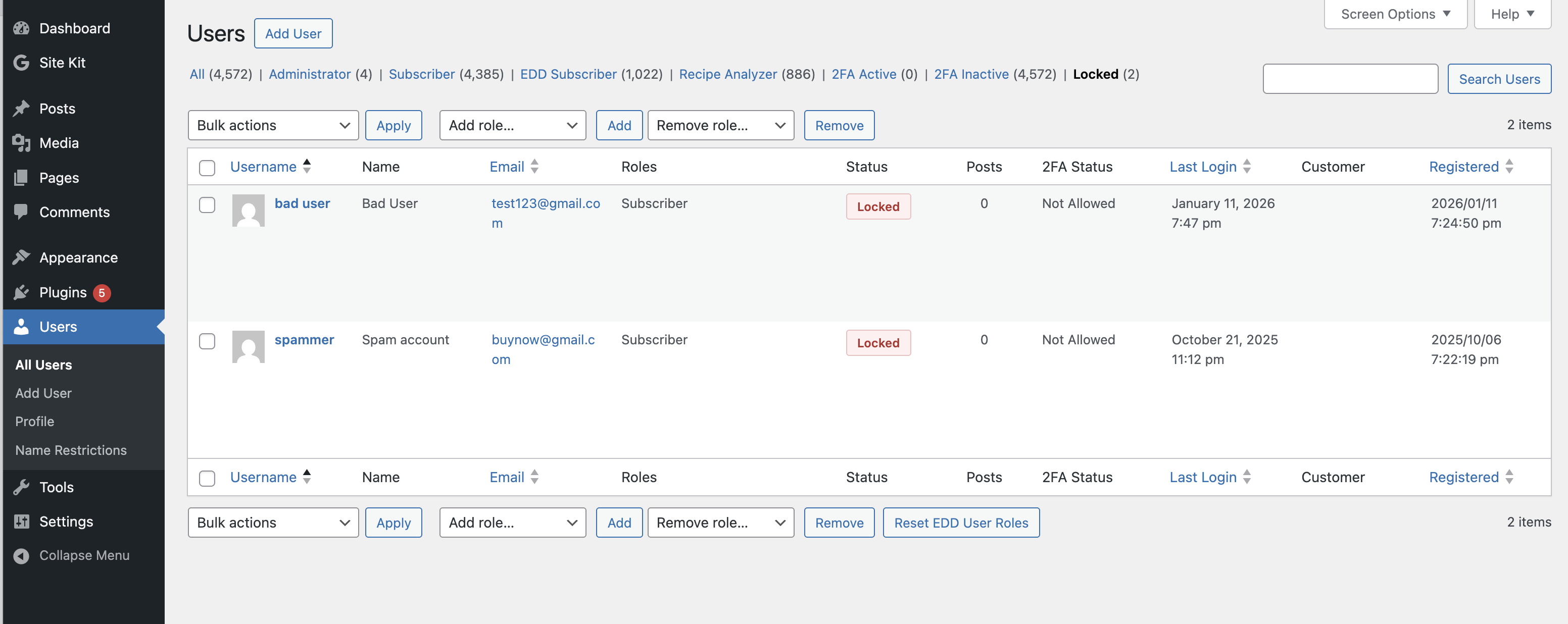
Lock/unlock user account from the user edit page