The X-Scroll To Top plugin makes scrolling a webpage easier by adding an attention-grabbing icon at the bottom. When users click this button, it smoothly scrolls the page back to the top. The plugin offers a unique level of customization with flexible settings, allowing users to personalize the button’s appearance and behavior. Users can also see changes visually in real-time, making it easy to tailor the scroll-up button to their site’s design and functionality.
Features
- Adjustable Scroll Speed: Choose slower or faster scrolling in the Customizer.
- Transparent Colors: Adjust the opacity of normal and hover colors with the WordPress color picker.
- 15 Different Scroll-Up Icons: Choose from 15 unique icons to customize the scroll-up button.
- Custom Icon Size: Easily adjust the icon size to fit your website’s design.
- Custom Circle or Border Radius Option: Personalize the button’s shape with customizable border radius settings.
- Unlimited Icon Color Options: Select any color for your scroll-up icon to match your site’s theme.
- Unlimited Icon Background Color Options: Customize the background color of the icon for better visibility and style.
- Unlimited Icon Hover Color: Change the icon color when hovered over to enhance user interaction.
- Unlimited Icon Hover Background Color: Adjust the background color of the icon on hover for a dynamic effect.
- Custom Scroll-Up Icon Position: Position the scroll-up button anywhere on the screen to suit your layout.
- Fully Responsive Design: Ensures the scroll-up button looks great on all devices, including desktops, tablets, and mobile phones.
- Custom Scroll-Up Position for Mobile & Tablet: Set different positions for the scroll-up button on mobile and tablet devices for better accessibility.
- Option to Hide Notice on Mobile: Add an option to hide the scroll-up button on mobile devices to improve user experience.
Other Plugins by CoderPlus
Data Privacy Manager for WooCommerce (Premium)
Data Privacy Manager is a WooCommerce GDPR plugin that helps you process personal data requests and manage customer permissions and privacy choices. Give your team tools to review requests, manage approvals, follow up with customers, and track outcomes. Keep privacy work organized with permission records, staff access controls, and clear steps for customers.
View on WooCommerce.com
Role‑Based Analytics for WooCommerce (Premium)
Filter WooCommerce sales reports by WordPress user roles analyze order counts, product sales, coupon usage, downloads, and compare top customer groups with built‑in leaderboards.
🔗 View on WooCommerce.com
Logo Switcher for Divi
Display an alternate logo when visitors scroll and the native Divi fixed header appears.
🔗 View Plugin
Woo Subscription Trial Coupon
Enable coupon discounts for trial periods in WooCommerce Subscriptions.
🔗 View Plugin
Screenshots

Responsive scroll-to-top buttons on desktop and mobile, with separate positioning for smaller screens.
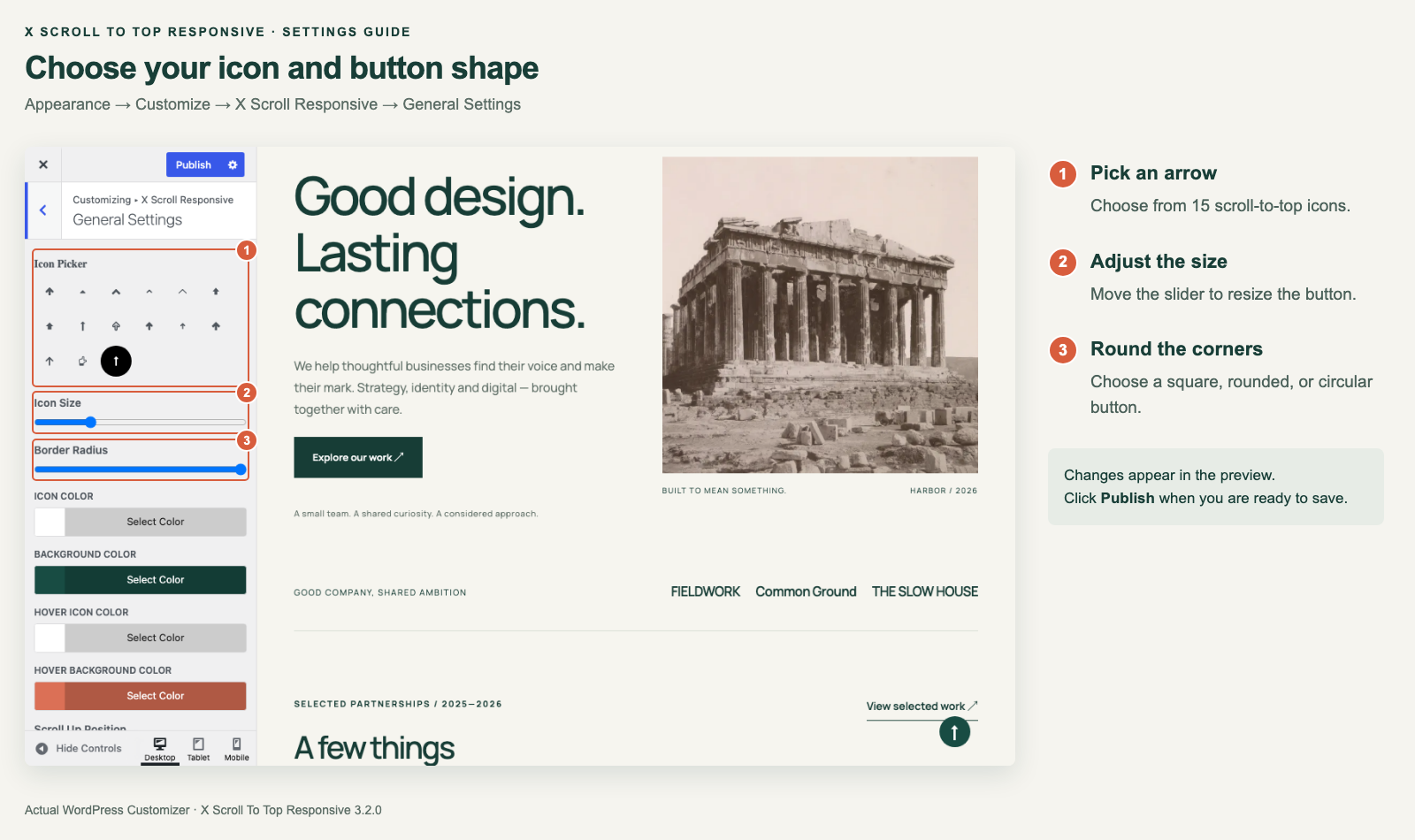
Choose from 15 arrow icons and adjust the button size and corner shape in Appearance → Customize → X Scroll Responsive → General Settings.

Set the icon, background, and hover colors to match your website.
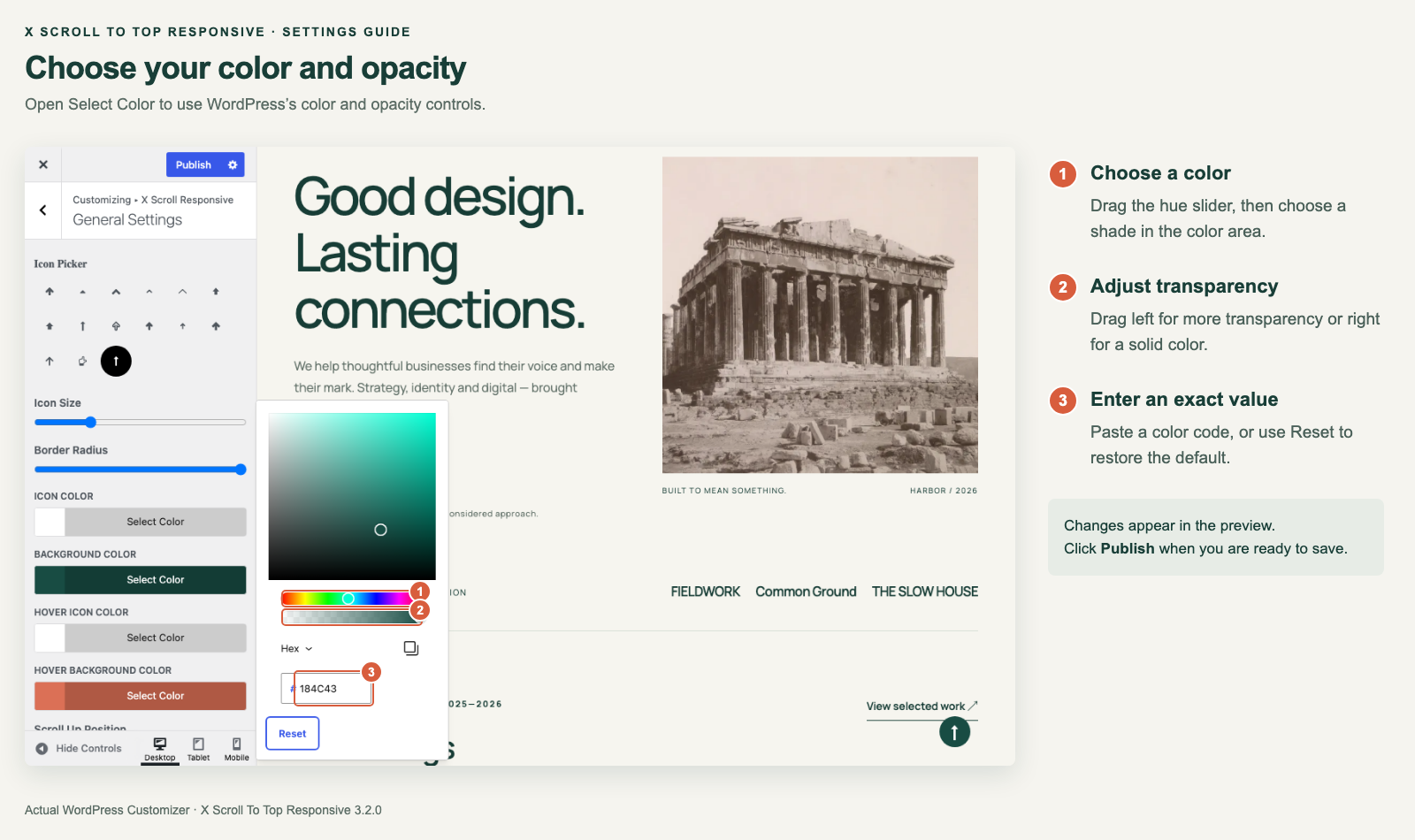
Choose a color, adjust opacity, or enter an exact color code with the WordPress color picker.

Position the button horizontally and vertically, then check your layout with the device previews.
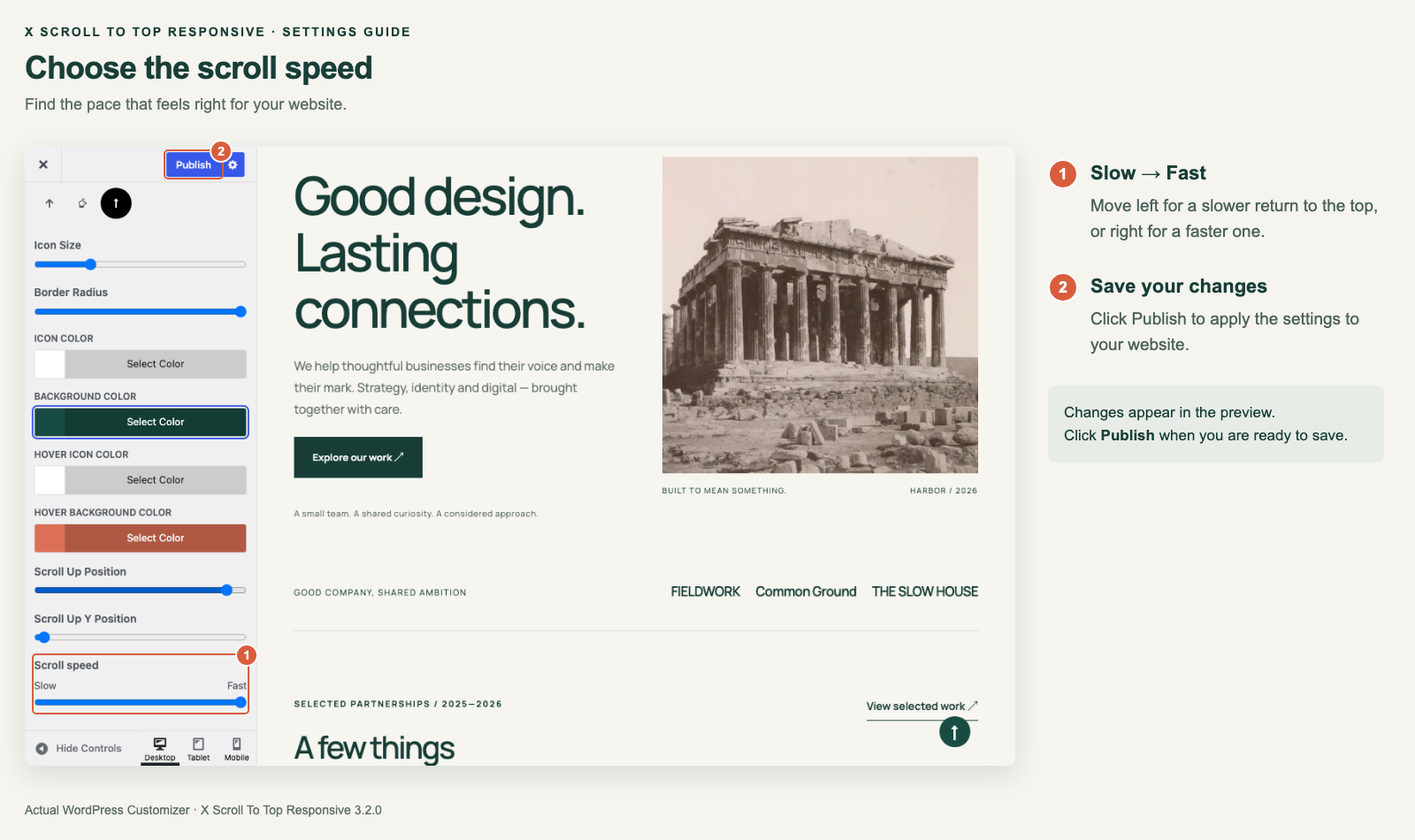
Move the scroll speed slider from Slow to Fast, then click Publish to save your changes.