Your visitors decide to stay or leave in under 3 seconds. xSpeed Cache makes sure they stay.
Most caching plugins bury you in settings, charts and upgrade popups. xSpeed Cache does the opposite. Install it, flip one switch, and your site loads faster.
Built by the team at WPDeveloper, trusted by over 6 million WordPress users worldwide.
What This WordPress Caching Plugin Does
xSpeed Cache caches your pages, shrinks your code, compresses your files and serves everything as fast as your server can. The result is faster pages, better Google PageSpeed scores and better Core Web Vitals, without hiring a developer.
The Speed Advantage No Other Free WordPress Cache Plugin Offers
When xSpeed Cache caches a page, the web server serves it directly, bypassing PHP entirely.
- With xSpeed static cache: 5 to 15ms response time
- Without it (PHP-served cache): around 85ms response time
That is up to 17x faster page delivery on cache hits, set up automatically on Apache, nginx and LiteSpeed.
Features at a Glance
AI Assistants and the WordPress MCP Server
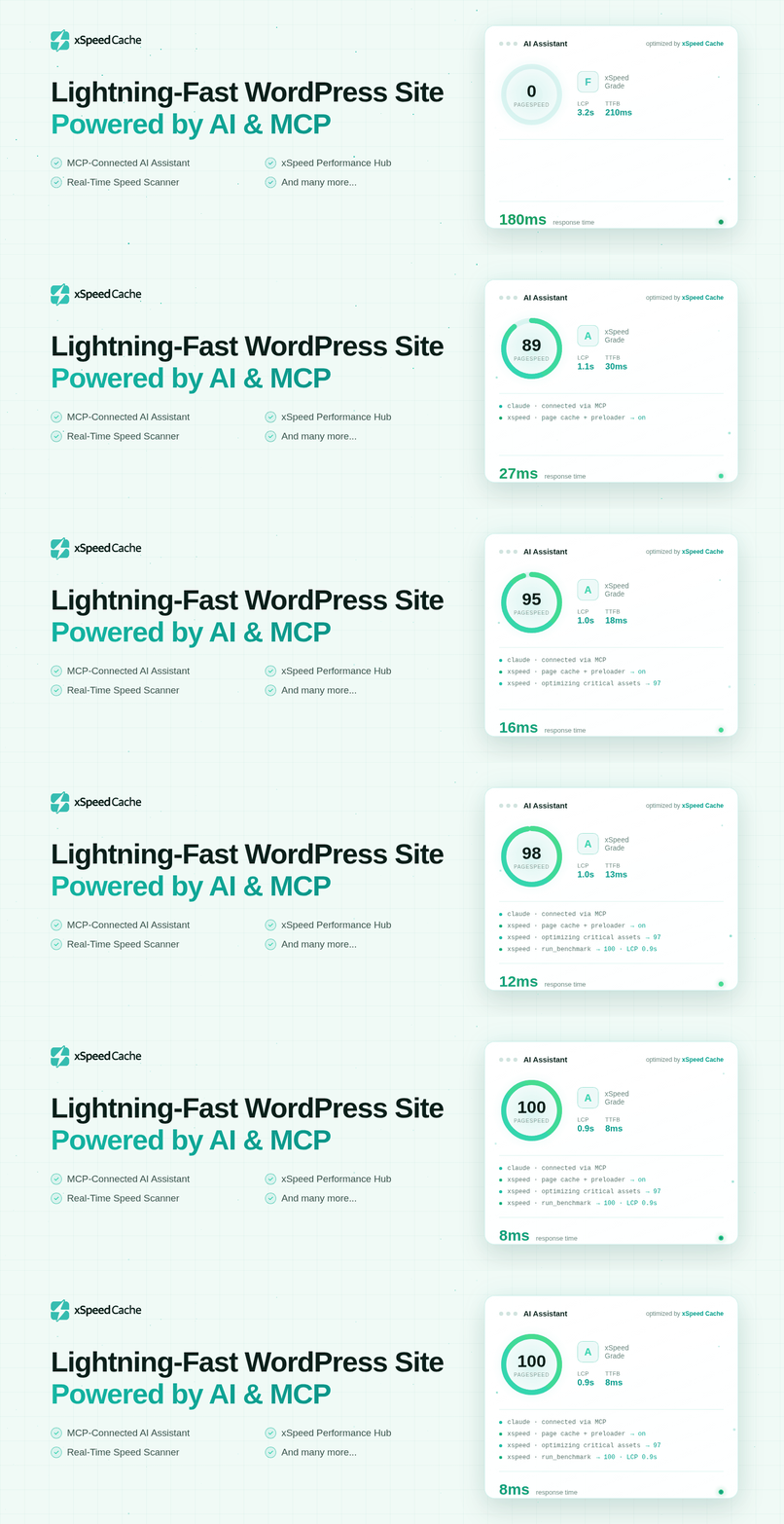
xSpeed Cache ships a WordPress MCP server, so Claude or any other MCP client can inspect and tune your site through the same tools the dashboard uses. Every action is limited to what you allow when you connect.
- Set up an AI connection from the MCP card on the Overview
- Read-only connections can read status, while write actions stay refused
- An AI assistant cannot write credentials unless you grant that permission when connecting
- WP-CLI parity:
wp xspeed purge,wp xspeed preloader status,wp xspeed score run,wp xspeed optimizeandwp xspeed settings list|get|update - The
optimize_sitetool measures the site, applies recommended settings one at a time, re-checks the page after each change and reverts anything that breaks it
Disable Bloat
- Disable dashicons on the frontend
- Remove oEmbed, RSS feeds, XML-RPC, jQuery Migrate and REST API authentication headers
AI-Powered Site Audit (Pro)
xSpeed Pro scans your site and tells you which performance features will help the most, with severity ratings and concrete reasons.
Page Caching
Pages are saved as static HTML files and served before WordPress loads. The cache rebuilds itself when you publish a post, switch themes or update a plugin.
- Static-file rewrite path that bypasses PHP entirely for a 5 to 15ms TTFB
- Auto-purge on publish, update, comment and theme change
- One-click cache purge from the admin bar
- Exclude specific URLs such as
/cart,/checkoutand/my-account - Set your own cache expiry, from 1 to 720 hours
- Separate mobile cache for phone and tablet visitors
- Per-post cache rules with custom expiry, or disable caching for individual posts
Code Minification
- Minify HTML, CSS and JavaScript
- Combine CSS and JS files to reduce HTTP requests
- Defer or delay JavaScript so it does not block page rendering
- Async CSS loading
- Removes
?ver=query strings from asset URLs (generated files underwp-content/uploadskeep theirs, so a page-builder or consent-banner edit still reaches returning visitors) - Safe-minify skips already-minified files and falls back if anything looks off
GZIP Compression
- Auto-configures GZIP on Apache and LiteSpeed
- Shows a ready-to-paste config snippet for nginx and IIS
- Detects if your server already has GZIP active, so there is no double-configuration
Lazy Load Images, Videos and Iframes
- Lazy load images, iframes and videos so they load when a visitor scrolls to them
- Adds missing image sizes so the layout does not jump
Font Optimization
- Adds
font-display: swapso text is visible immediately while fonts load - Preloads above-the-fold font files
- Removes the blank-text flash caused by slow Google Fonts responses
Browser Cache
- Sets
Cache-ControlandExpiresheaders for images, CSS and JS, with no manual configuration
Cache Preloader
- Sitemap-driven cache warmer, so the first visitor after a purge still gets a fast page
- Auto-warms the cache when you publish or update content
Redis and Memcached Object Cache
- Connect Redis or Memcached in seconds, as a drop-in persistent object cache
- View status and flush the object cache from the dashboard
CDN and Cloudflare
- Pull-zone URL rewriting for any CDN provider
- Cloudflare integration: connect your zone, auto-purge on publish and toggle development mode
Database Cleanup
- Optimize database tables
- Remove post revisions, spam, trash, transients and orphaned meta
- Schedule automatic cleanup
Built to Handle WordPress Edge Cases
- Multisite ready. Each site in the network gets its own cache and settings.
- LiteSpeed server? xSpeed Cache also clears the server’s LiteSpeed cache whenever it clears its own. If the LiteSpeed Cache plugin is active, xSpeed Cache will not turn on its own page cache or the other features that overlap, so the two never run at once.
- WooCommerce? Logged-in customers and checkout pages are never cached.
- WordPress Site Health. xSpeed Cache adds its own check under Tools Site Health.
- Works on any server. Apache, nginx, LiteSpeed, IIS and any standard PHP host.
Designed for Everyone
Non-technical users: A 3-step setup wizard configures the plugin in under 2 minutes. Settings save automatically.
Developers: REST API at /wp-json/xspeed/v1/, developer filters (xspeed_skip_minify, xspeed_strip_asset_version, xspeed_cache_skip_for_post, xspeed_cache_expiry_for_post), WP_DEBUG awareness, and a React 18 and TypeScript admin UI.
Agencies: Use the xspeed_branding filter to white-label the dashboard for clients.
Private By Default
xSpeed Cache stores no IP addresses and sets no tracking cookies. Out of the box, the only request it makes is a check to your own site’s home URL to confirm GZIP is active, at most once an hour.
Usage analytics is optional and off by default. If you turn it on in the setup wizard or in xSpeed Cache Settings Privacy & usage data, it sends your email address and display name, your site’s setup and which xSpeed Cache features you use. Page content is never sent. See the External services section below for every service the plugin can contact.
If xSpeed Cache makes your site faster, please leave a review on WordPress.org.
External services
Out of the box, xSpeed Cache contacts only your own site (the gzip probe below). Every other service on this list runs only after an administrator turns it on, connects it or presses a button. None of them runs on a fresh install.
Usage analytics is off by default. The setup wizard shows it as an unticked switch, and xSpeed Cache Settings Privacy & usage data has the same switch. Nothing is sent until you turn it on. Turning it off stops all sending and clears the scheduled send. The deactivation survey is separate and sends nothing unless you click Submit. Speed tests and xSpeed Scan run only when you press Test or Scan, never on a schedule.
Self-hosted gzip probe
- What it does: Sends one
GETrequest withAccept-Encoding: gzipto your site’s home URL, to see whether your server already gzips responses. Only theContent-Encodingheader is read. - When it runs: When the dashboard loads server status, at most once an hour.
- Where the request goes: Your own site. Nothing is sent anywhere else.
xSpeed Hub (app.xspeedcache.com)
- What it does: Lets you manage this site, with other sites, from one xSpeed Hub account and one AI connection.
- When it runs: Only after an administrator connects the site to xSpeed Hub from xSpeed Cache AI & agents. A site that was never connected makes no Hub requests.
- What is sent: The site URL and this site’s MCP token, which the Hub uses to call the site’s own MCP endpoint. The token is sent when the site is connected, when the connection status is checked, when the token changes (Rotate, or Connect after Disconnect), when you disconnect, and with speed-test requests you start.
- After an xSpeed Scan: When a scan you run from the plugin finishes on a connected site, the site sends the Hub that scan’s id, so the Hub can compare it with the site’s earlier scans. Only the id and the site URL are sent. The Hub reads the report from the scan service itself.
- Where the request goes: app.xspeedcache.com, operated by WPDeveloper.
- The broker URL: The AI & agents screen also shows an api.xspeedcache.com address that you can paste into an AI client. The plugin never contacts that address. Only your AI client does, and only if you set it up that way.
- Terms and privacy: Terms, Privacy.
Usage analytics and deactivation survey (send.wpinsight.com)
- What it does: Tells WPDeveloper which WordPress setups and xSpeed features are in use, so we can fix what breaks.
- When it runs: Only after an administrator turns on “Share usage data” in the setup wizard or in Settings Privacy & usage data. It sends once a day, and once more when the plugin is deactivated.
- What is sent: The site URL and name, WordPress and PHP versions, site language, charset, text direction, multisite status, server software, active and inactive plugins, theme name and version, the xSpeed version and xSpeed’s own settings. The send when you turn the switch on, and the one at deactivation, also include the email address and display name of the administrator who did it. The daily send runs without a logged-in user, so it has no email or name. Page content is never sent.
- Deactivation survey: If you pick a reason and click Submit when deactivating, the reason and any text you typed are sent. With analytics off, the survey sends only the reason, your text, the site URL, the WordPress, PHP and xSpeed versions, and the date. Skip & Deactivate sends nothing.
- Where the request goes: send.wpinsight.com, operated by WPDeveloper. Terms, Privacy.
Speed tests: Google PageSpeed Insights and GTmetrix
- What it does: Shows a Lighthouse or GTmetrix score next to the dashboard’s own timing benchmark.
- When it runs: Only when an administrator presses Test, or an AI agent you connected runs the speed-test command. There is no schedule. A GTmetrix test that is still queued is checked when you open its status, for at most 30 minutes.
- What is sent: The URL of the page being tested, the test strategy (mobile or desktop) and, if you entered one, your API key. GTmetrix always needs your own key.
- Where the request goes: www.googleapis.com (Google PageSpeed Insights: Terms, Privacy) or gtmetrix.com (GTmetrix: Terms, Privacy), whichever provider you chose.
xSpeed Scan (xspeedcache.com)
- What it does: Grades the site across speed, delivery, assets and stack, with a fix for every failed check.
- When it runs: Only when an administrator presses Scan, or an AI agent you connected runs the scan command.
- What is sent: The URL to scan, the test strategy, and whether the report should be listed. The scan service then loads that URL like any visitor would.
- Who can see the report: For a site that is not connected to xSpeed Hub, the report is listed on a public page for that domain. For a connected site, it is unlisted: kept off the public page, but anyone with its link can open it.
- Where the request goes: xspeedcache.com/api/scan, operated by WPDeveloper. Terms, Privacy.
Cloudflare API (api.cloudflare.com)
- What it does: Purges Cloudflare’s cache for your zone, turns development mode on or off, and checks your credentials.
- When it runs: Only after an administrator enters Cloudflare credentials and turns the integration on. It then runs when you press Purge, Verify or Development mode, and each time xSpeed clears its own cache if “Clear Cloudflare with xSpeed” is on.
- What is sent: Your API token (or email and Global API key), your zone ID, and the URLs to purge.
- Where the request goes: api.cloudflare.com, operated by Cloudflare. Terms, Privacy.
YouTube video posters (i.ytimg.com)
- What it does: “Click-to-play videos” (off by default) replaces YouTube embeds with a poster image and a play button.
- When it runs: On pages with a YouTube embed, once the option is on. The request comes from your visitors’ browsers, not from your server.
- What is sent: The browser requests the video’s poster image, so YouTube receives the visitor’s IP address, browser details and the video ID. The full YouTube player, which sends more, loads only when the visitor clicks play.
- Where the request goes: i.ytimg.com, operated by Google. Terms, Privacy.
Image size lookup for images on other sites
- What it does: “Add missing image sizes” (on by default) adds width and height to images that lack them, so the page does not jump as they load. Images in your media library are measured locally. For an image hosted on another site, xSpeed Cache reads the start of the file to get its size.
- When it runs: Only while the cache is being warmed by the preloader, a cron task or WP-CLI, never during a visitor’s request. Each URL is looked up once and the result is stored.
- What is sent: A
GETrequest for the first 32 KB of the image, from your server to the site hosting it. No data about your site or visitors is sent. - Where the request goes: The host of each image, which you chose by putting the image on your page. To turn the lookup off, use
add_filter( 'xspeed_lazy_remote_dimensions', '__return_false' );or turn off “Add missing image sizes”.
Source code
assets/admin.js and `assets/admin.css` are built from the uncompressed TypeScript and React source of the admin interface, which ships in the plugin's `src/` folder.<h3>Third-party libraries</h3>
This plugin bundles the following GPL-compatible third-party libraries:
matthiasmullie/minify
Used for CSS and JavaScript minification.
- Source: https://github.com/matthiasmullie/minify
- License: MIT
matthiasmullie/path-converter
Dependency of matthiasmullie/minify.
- Source: https://github.com/matthiasmullie/path-converter
- License: MIT
React / React DOM / Scheduler
Used for the xSpeed Cache admin interface bundle.
- Source: https://github.com/facebook/react
- License: MIT
lucide-react
Used for admin interface icons.
- Source: https://github.com/lucide-icons/lucide
- License: ISC
Screenshots

Overview — cache status, hit ratio, cached pages, cache size, and average time saved at a glance.

Optimization — minify, compress, lazy-load, resource hints, fonts, and bloat control in one place.

Advanced Cache — cache 404s, search results, feeds, and the REST API, plus custom rules and maintenance bypass.

Browser Cache — Cache-Control and Expires headers with separate TTLs for static assets and HTML.

Health & Insights — diagnostics, hit ratio, cache coverage, and rule-based suggestions you can apply in one click.

MCP Server — control this site's cache from Claude and other AI agents over a token-scoped connection.

AI Provider — choose OpenAI, Anthropic, Google Gemini, or OpenRouter and set the model powering the AI features.

Migration — import settings from WP Rocket, W3 Total Cache, WP Super Cache, or LiteSpeed Cache.