
Reordering an existing table should not mean rebuilding it. Yamabiko Table Reorder adds row and column reordering directly to supported Table blocks in the WordPress block editor.
Row Reordering
Choose Reorder rows from the Table toolbar, then drag body rows with Mouse or Touch. Valid moves change the row order while preserving the supported Table structure.
Column Reordering
Choose Reorder columns from the Table toolbar, then drag Table columns with Mouse or Touch.
When the current editor layout does not provide reliable horizontal column positions, column drag-and-drop stays unavailable and Reorder with form remains available instead.
Reorder Without Drag-and-Drop
Choose Reorder with form from the Table toolbar to move a row or column by selecting the source, destination, and destination side.
Supported Table Blocks
Yamabiko Table Reorder supports the WordPress Core Table block and Flexible Table Block.
Built for Real Tables
Merged cells are taken into account, and moves that would break the supported Table structure are rejected. For larger changes that may take noticeable time to apply, the plugin asks for confirmation before updating the Table.
Documentation
For detailed instructions and usage information, see the Yamabiko Table Reorder documentation on the YamabikoLab website.
Demo
Try Yamabiko Table Reorder in WordPress Playground:
The demo uses the latest stable release.
Support
For questions, bug reports, and general support, use the WordPress.org support forum.
Source Code
Source code and development documentation are available on GitHub.
To install dependencies and build a release ZIP from source:
npm ci
npm run plugin-zip
The generated archive is yamabiko-table-reorder.zip.
Screenshots
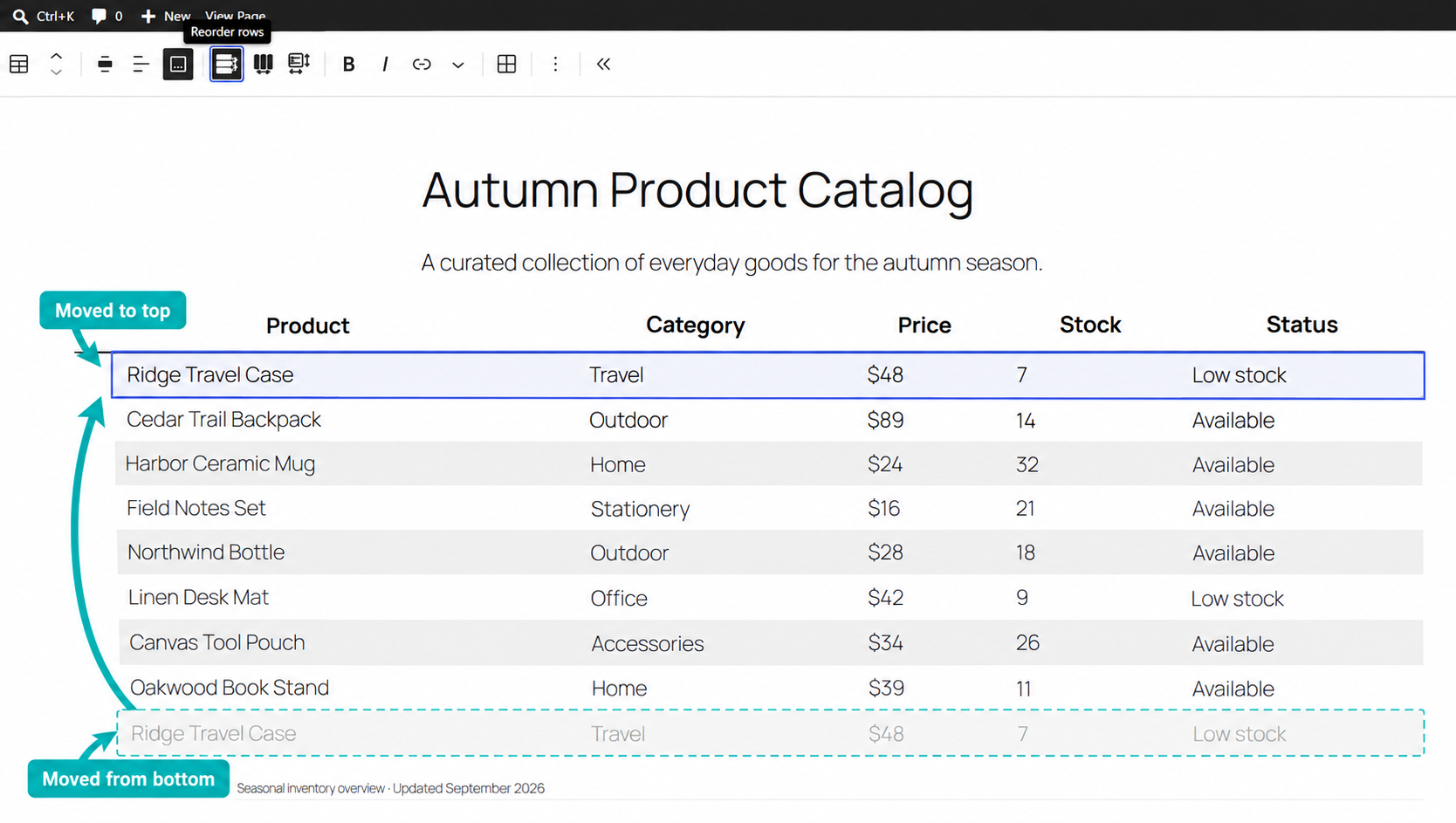
Row Reordering changes the order of table body rows directly in the WordPress block editor.
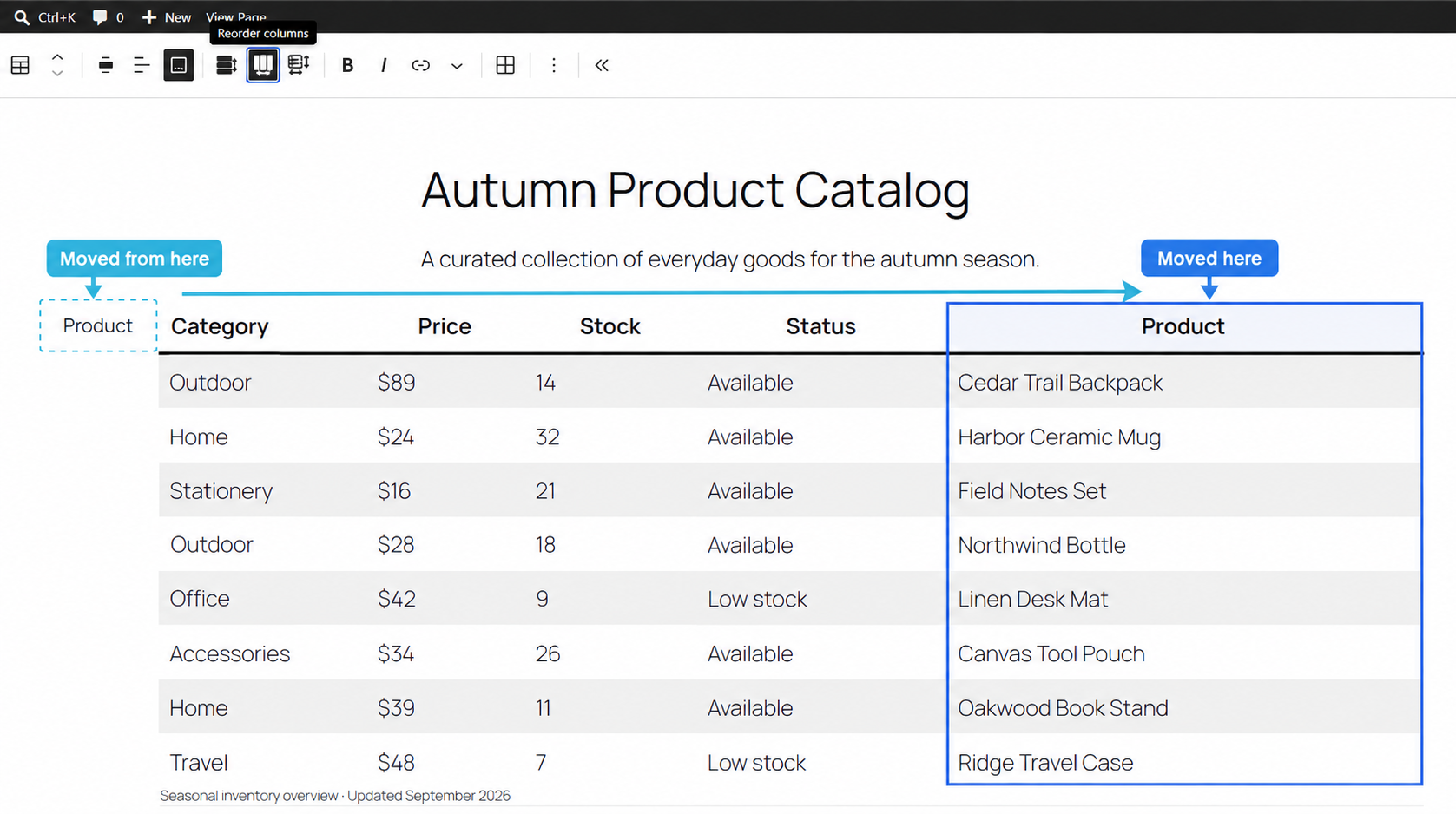
Column Reordering changes the order of table columns directly in the WordPress block editor.
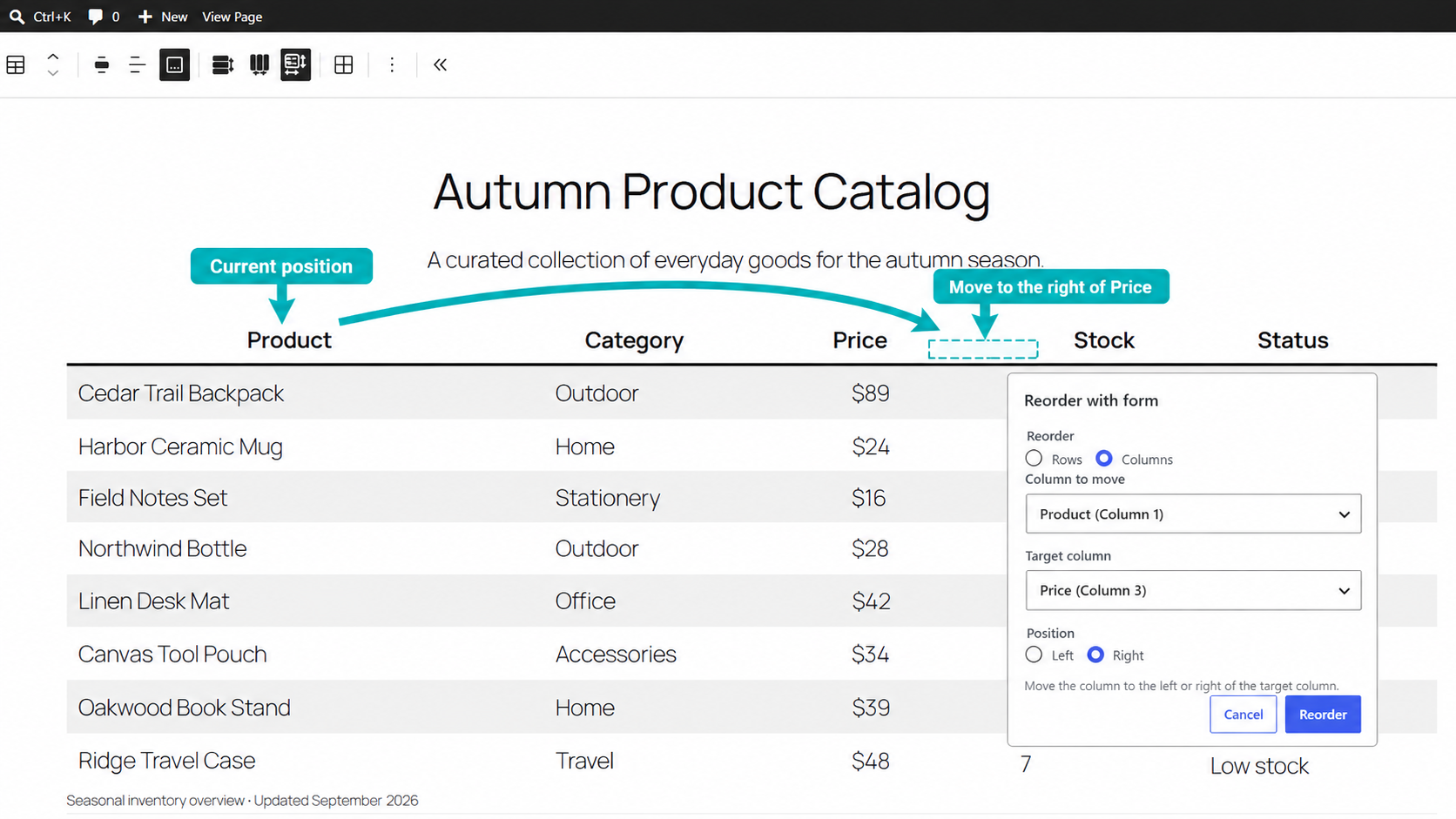
Reorder Without Drag-and-Drop moves a row or column with Reorder with form by selecting the source, destination, and destination side.